


The number of EdTech tools teachers juggle today can feel overwhelming. One app for quizzes. Another for communication. A third for homework. A fourth for video. In the end, your browser has 20 tabs open, and your workflow is slower, not faster. It doesn’t have to be that way.
Let’s walk through 25 powerful EdTech tools that actually help you simplify your work. The focus is on workflow: planning, teaching, assessment, communication, and creation. You do not need all 25. You only need the right mix for your classroom or institution. Moreover, how to combine EdTech tools for teachers, AI tools for education, and other digital learning tools into a clear, sustainable stack.
Key Takeaways – Choosing the Best EdTech Tools for Your Classroom
- You do not need every new app. You need a coherent workflow.
- Combine AI co-pilots, an LMS, engagement tools, communication apps, and creation platforms.
- Focus on tools that save time, improve clarity, and deepen student learning.
- Review your tech stack regularly and remove tools that create more work than value.
EdTech works best when it feels almost invisible. When the tools get out of the way, teaching and learning can take centre stage.
What Are EdTech Tools and Why Do They Matter Now?
EdTech tools are education technology tools that support teaching and learning.
They can be:
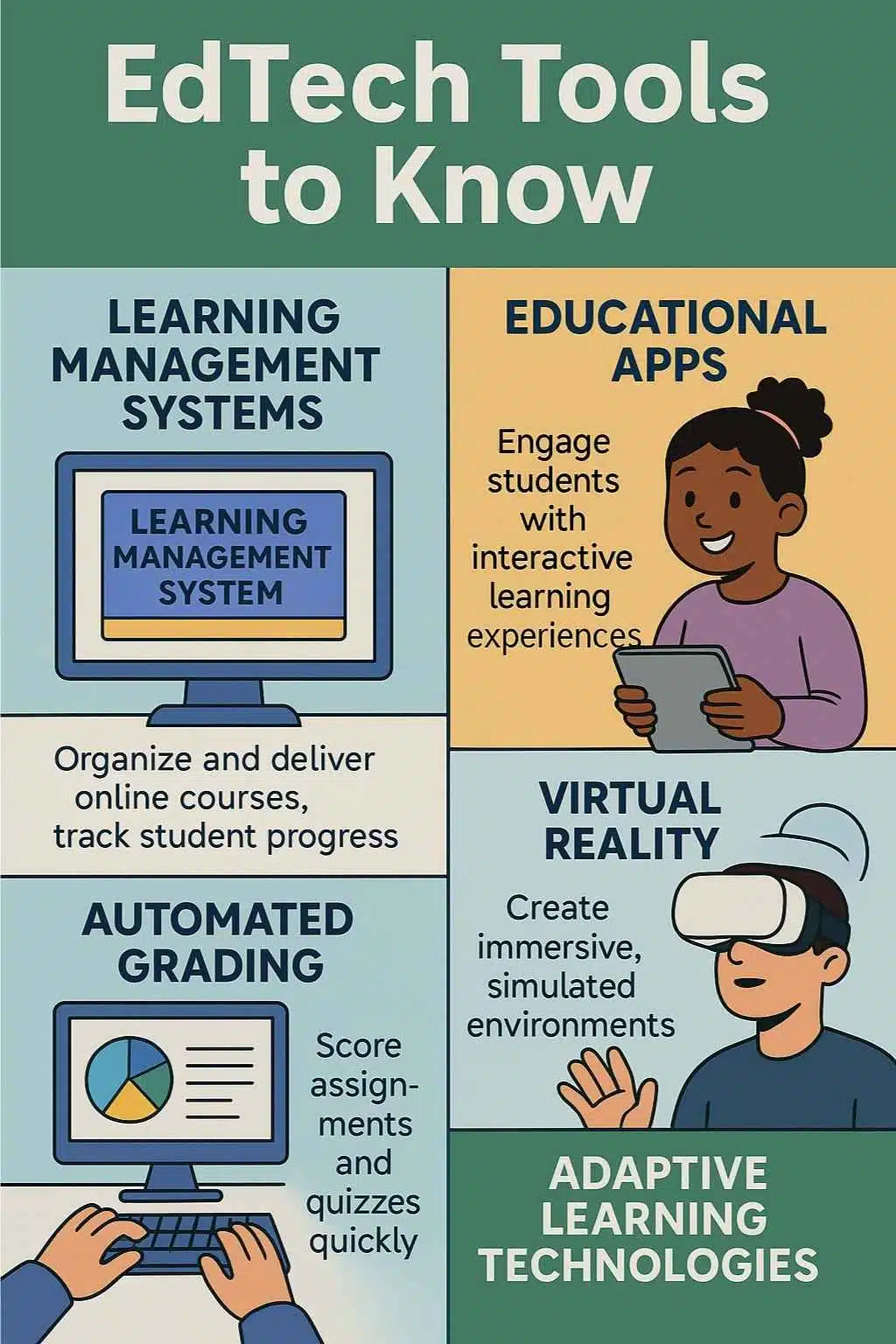
- Classroom technology tools for interactive lessons
- Learning management systems (LMS) for organizing courses
- AI-powered assistants for planning and feedback
- Digital learning tools for collaboration and projects
- Communication apps for families and students
The right EdTech tools help you:
- Save time on lesson planning and admin
- Deliver more engaging, interactive lessons
- Track learning with real-time assessment
- Communicate clearly with students and families
- Personalize learning without burning out
The wrong tools, or too many tools at once, create noise and confusion. The goal is not to chase every new app. The goal is to pick a small, coherent set that fits your teaching and learning workflow.
How This List of EdTech Tools Was Curated
This list of 25 EdTech tools focuses on:
- Workflow impact: Does it save time or reduce friction?
- Adoption and maturity: Is it stable and classroom-tested?
- Accessibility and pricing: Are there free or education-focused plans?
- Versatility: Can it support different subjects, age groups, and teaching styles?
The tools are grouped by purpose:
- AI co-pilots and planning assistants
- Lesson planning, LMS, and course organization
- Interactive lessons and engagement
- Collaboration, communication, and feedback
- Creation and multimedia
Use this guide as a menu. Start with one tool from each group and expand only when it truly helps.
AI Co-Pilots and Planning Assistants – Work Smarter, Not Harder
AI has become a central part of modern classroom workflow tools. When used carefully, AI tools for education can reduce repetitive tasks and free you to focus on pedagogy.
1. ChatGPT for Teachers (OpenAI)
ChatGPT acts as a flexible assistant for:
- Drafting lesson plans and unit outlines
- Designing quizzes, worksheets, and rubrics
- Adapting content to different reading levels
- Suggesting examples, analogies, and activities
- Drafting emails to parents or colleagues
You can treat it as a brainstorming partner for EdTech tools for teachers. The key is to give clear prompts, review outputs critically, and always adapt content to your students’ needs.
2. Google Gemini in Education (Gemini in Classroom and Workspace)
Gemini is Google’s family of AI models integrated across its tools. For teachers already using Google Classroom, Docs, and Slides, this becomes a natural AI add-on.
Typical use cases:
- Generate quiz questions from a reading passage
- Suggest lesson ideas from curriculum standards
- Summarize long documents into key points
- Draft scaffolded texts for different ability levels
Because it lives inside Google’s existing digital learning tools, it fits neatly into established workflows.
3. Khanmigo (Khan Academy’s AI Tutor)
Khanmigo is an AI-powered tutor and teaching assistant in the Khan Academy environment.
It supports:
- Step-by-step problem solving for students
- Hints and guided questions that encourage thinking
- Teacher views that highlight where students struggle
For teachers who already rely on Khan Academy, Khanmigo adds an interactive learning tool that scales individual support without replacing your role.
4. Notion AI for Educators
Notion is a flexible workspace for notes, tasks, documents, and databases. With AI built in, it becomes a powerful planning hub.
You can use Notion AI to:
- Summarize meetings and professional development notes
- Draft unit plans and transform them into daily lesson plans
- Track deadlines, grading, and curriculum updates
- Maintain shared pages for departments or grade teams
Instead of having separate files and apps everywhere, Notion helps centralize your teaching and learning apps in one place.
5. Writing and Integrity Tools (Grammarly, Plagiarism Checkers)
Tools like Grammarly and various plagiarism-checking platforms support both staff and students.
They help with:
- Grammar, clarity, and tone in written work
- Checking for originality in essays and assignments
- Providing instant feedback before teachers even start grading
For teachers, these EdTech tools streamline writing tasks and support academic integrity policies.
Lesson Planning, LMS, and Course Organization – Keep Everything in One Place
An LMS or organizational hub is the spine of your EdTech tools for remote learning, blended teaching, or traditional classrooms.
6. Google Classroom
Google Classroom remains one of the most widely used classroom technology tools.
It offers:
- A central place for assignments, resources, and deadlines
- Simple workflows for collecting and grading work
- Integration with Docs, Slides, Forms, and other apps
- Easy sharing of materials with co-teachers and students
Because it is lightweight and integrated with Google Drive, it suits both individual teachers and whole schools.
7. Schoology
Schoology is a more full-featured LMS that supports complex course structures.
Key benefits:
- Rich course organization with folders, pages, and discussions
- Built-in assessment tools and analytics
- Integration with third-party apps and content providers
It works well in districts or institutions that want detailed control over curriculum and assessment.
8. Canvas LMS
Canvas is a popular LMS in higher education and increasingly in schools.
Why teachers like it:
- Intuitive course modules and navigation
- Flexible assignment and grading options
- Strong support for integrations and open standards
If your institution provides Canvas, it can become your main hub for every education technology tool you use.
9. Seesaw
Seesaw is built for younger students, but its design benefits all ages.
It focuses on:
- Student portfolios of work over time
- Simple tools for capturing photos, drawings, recordings, and notes
- A family app that keeps parents informed without extra effort
Seesaw turns everyday activities into a visible learning journey.
10. ClassDojo
ClassDojo mixes behavior tracking, class culture, and family communication.
Key features:
- Positive points and feedback for student behavior
- Class stories and updates for families
- Simple messaging between teachers and caregivers
Used well, ClassDojo helps build a strong classroom community, not just a points system.
Interactive Lessons and Engagement – Make Learning Stick
If you want student engagement tools that make lessons more active, these platforms are a great starting point.
11. Nearpod
Nearpod turns slide decks into interactive experiences.
You can add:
- Polls, quizzes, and open-ended questions
- Virtual reality field trips
- Drawing and drag-and-drop activities
Students join a lesson on their device, and you see responses in real time. It’s one of the most versatile interactive learning tools available.
12. Kahoot!
Kahoot! brings game-based quizzes into the classroom.
Use it for:
- Warm-up questions
- Quick comprehension checks
- Review games before exams
Its bright visuals and competitive format motivate students, but it also offers detailed reports that support classroom assessment.
13. Quizizz
Quizizz combines live games with self-paced homework modes.
It offers:
- Ready-made quizzes across many subjects
- Homework assignments students can complete at their own pace
- Instant grading and performance data
Quizizz is ideal when you want both fun and flexibility in your EdTech tools.
14. EdPuzzle
EdPuzzle lets you take any instructional video and make it interactive.
You can:
- Pause the video and ask multiple-choice or open questions
- Add your own voice notes or explanations
- See who watched, how long, and where they struggled
For flipped classrooms or remote learning, EdPuzzle is a powerful digital learning tool.
15. Desmos Classroom
Desmos is known for its free graphing calculator, but its classroom activities are just as impactful.
With Desmos Classroom, you can:
- Use interactive math activities that reveal student thinking
- Visualize functions, graphs, and relationships dynamically
- Run structured tasks that support discussion and reasoning
It turns abstract mathematical ideas into something students can manipulate and explore.
Collaboration, Communication, and Feedback – Keep Everyone in Sync
Strong communication is one of the main reasons schools adopt EdTech tools for teachers. These platforms keep classes, teams, and families aligned.
16. Flip (formerly Flipgrid)
Flip is a video discussion platform.
Teachers can:
- Post prompts or questions
- Ask students to respond with short videos
- Encourage replies and peer feedback
This helps quieter students and those who process verbally to participate more fully in class discussions.
17. Padlet
Padlet is a digital board for collaboration.
Common uses:
- Brainstorming and idea storms
- Exit tickets at the end of lessons
- Research boards with collected links, images, and notes
- Project showcases and digital galleries
Because it is visual and easy to use, Padlet supports creativity across subjects.
18. Remind
Remind is a secure messaging app built for education.
It helps you:
- Send quick messages about homework, deadlines, or events
- Translate messages for families who speak different languages
- Avoid sharing personal phone numbers
Remind simplifies communication and reduces the risk of missed messages.
19. Microsoft Teams for Education and Video Platforms
Microsoft Teams and other video platforms are now standard in many schools.
They support:
- Live lessons and remote learning
- Virtual office hours and tutoring
- Collaborative channels for classes or departments
- File sharing and chat during group work
When combined with other EdTech tools for remote learning, these platforms enable flexible learning environments.
20. Bit.ai
Bit.ai is a collaborative documentation and knowledge base tool.
It is useful for:
- Creating staff handbooks and curriculum guides
- Building shared resource libraries for departments
- Embedding videos, PDFs, links, and media in one central document
For leadership teams and instructional coaches, Bit.ai can become the single source of truth for school processes.
Creation and Multimedia – Design Lessons Students Remember
These creation-focused EdTech tools help you move beyond text and slides into visuals, stories, and videos.
21. Canva for Education
Canva for Education offers free access to premium features for schools.
Teachers and students can:
- Design slides, infographics, posters, and worksheets
- Create classroom decor and social media visuals
- Collaborate on shared designs and whiteboards
Canva is a core digital learning tool for visual communication across subjects.
22. Book Creator
Book Creator lets students and teachers create interactive ebooks.
Ideal for:
- Project-based learning and research reports
- Digital storybooks and language learning
- Portfolios that blend text, audio, and video
Book Creator encourages creativity and multimodal expression.
23. Explain Everything
Explain Everything is an interactive whiteboard and recording app.
You can:
- Record explainer videos with drawings, images, and text
- Use it live during lessons with student collaboration
- Export videos to share with absent students or for revision
It works as a virtual board that can travel with students anywhere.
24. Loom and Other Screencast Tools
Loom and similar screen recording tools are simple but powerful.
Use them to:
- Record quick micro-lessons on difficult topics
- Walk students through how to use a new app or platform
- Provide video feedback on essays or projects
Screencasts save time because you can reuse them across classes and terms.
25. Rask AI (Video Dubbing and Localization)
Rask AI focuses on localizing video content.
It can:
- Translate and dub lessons into many languages
- Maintain the speaker’s style with AI-generated voices
- Help multilingual learners and global audiences access content
For schools with diverse language backgrounds, it is a unique EdTech tool that extends the reach of your materials.
How to Build a Streamlined EdTech Workflow
With so many EdTech tools available, the key question is: how do you create a stack that works, instead of a chaotic mix? Follow these steps.
1. Audit Your Current Tools
List what you use for:
- Planning and curriculum
- Teaching and content delivery
- Assessment and feedback
- Communication with students and families
Identify what actually helps and what adds friction.
2. Map Tools to Workflow Stages
Group tools by function:
- AI co-pilot: ChatGPT, Gemini, Notion AI
- LMS or hub: Google Classroom, Canvas, Schoology, Seesaw
- Engagement: Nearpod, Kahoot!, Quizizz, EdPuzzle, Desmos
- Communication: Remind, Flip, Padlet, Teams
- Creation: Canva, Book Creator, Explain Everything, Loom, Rask AI
This makes it easier to see overlaps and gaps.
3. Start with a Small Core Stack
Pick just one tool from each group:
- 1 AI planning assistant
- 1 LMS or organizational hub
- 1 engagement/assessment tool
- 1 communication app
- 1 creation tool
Build routines around these before adding more.
4. Standardise Routines for Students and Families
Decide:
- Where students always find homework and materials
- How they submit work
- Where they see grades and feedback
- How families receive updates
Consistent routines make EdTech tools for teachers feel simple instead of overwhelming.
5. Monitor Impact and Adjust
Look at:
- Time saved on admin and grading
- Student engagement and participation
- Quality and timeliness of student work
- Family feedback and communication issues
Remove tools that are not pulling their weight. Add new ones slowly and intentionally.
Best Practices for Using EdTech Tools Without Burnout
Even the best EdTech tools can become a burden if they are used without boundaries.
Keep these practices in mind:
- Avoid tool overload: Focus on a small set of high-impact tools.
- Prioritise privacy: Check policies, permissions, and age guidelines before introducing a new platform.
- Introduce tools gradually: Give students and families time to learn one new tool at a time.
- Use AI transparently: Explain to students how and why you use AI. Emphasise that it supports, not replaces, your teaching.
- Align tools with pedagogy: Always start with learning goals, then choose tools that support them.
Remember: technology is not the strategy. It is how you deliver the strategy.
FAQs on EdTech Tools and Classroom Workflow
What are EdTech tools, in simple terms?
EdTech tools are digital tools, apps, and platforms that support teaching and learning. They can help you plan lessons, deliver content, assess students, communicate with families, and create engaging materials.
Which EdTech tools should I start with if I feel overwhelmed?
Start with one solid LMS or hub (such as Google Classroom or Canvas), one engagement tool (such as Nearpod, Kahoot!, Quizizz, or EdPuzzle), one communication app (such as Remind), and one creation tool (such as Canva). Add AI support later once your basic workflow is stable.
How do I know if an EdTech tool is safe for my students?
Check the platform’s privacy policy, data practices, and terms for education. Look for features designed for under-18 learners, and follow your school or district guidelines on approved tools.
Can AI tools like ChatGPT or Gemini replace teachers?
No. AI tools are designed to support planning, drafting, and feedback. They can reduce repetitive work and suggest ideas, but they cannot understand your students, context, or community the way you do. Teachers remain central to decisions, relationships, and pedagogy.
What are some free EdTech tools for schools with limited budgets?
Many tools on this list have free versions, including Google Classroom, Kahoot!, Quizizz, Desmos, Canva for Education, Flip, Padlet (with limits), Book Creator (with limits), and several AI tools with free tiers. Start with these before committing to paid plans.
How can I convince school leadership to support new EdTech tools?
Show how a tool improves workflow or learning. Run a small pilot, collect data on time saved or engagement, and share examples of student work. Connect the tool directly to school goals, such as better communication or improved numeracy.
What’s the best way to train students and parents on new platforms?
Create simple, step-by-step guides or short screencast videos. Introduce one tool at a time. Offer practice tasks that are low stakes. For families, share clear instructions and show where to find assignments, grades, and messages.























