

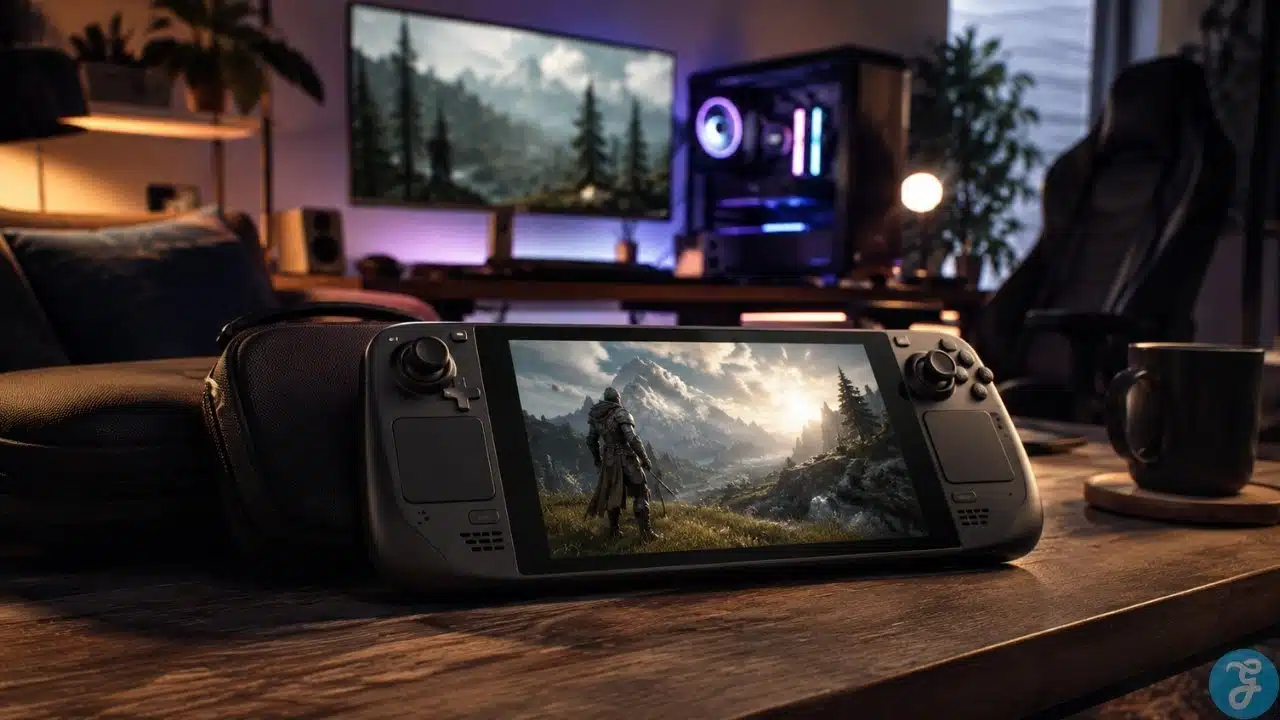
Handheld PC gaming is one of the most interesting parts of modern gaming, but I do not see it as a full replacement for a proper gaming PC. I see it more as a secondary setup. A good desktop PC is still the main machine for serious performance, high-refresh gaming, upgrades, better cooling, bigger displays, and long sessions. A handheld gaming PC is the flexible sidekick.
That is not an insult. That is actually the reason these devices make sense.
A handheld PC is useful when you want to play away from the desk, continue a game from the couch, travel with your library, run indie games, play older titles, or enjoy casual sessions without sitting in front of the full setup. The Steam Deck is the easiest example because it made this category feel more mainstream, but the idea is bigger than one device. Windows handhelds and other portable gaming PCs are part of the same conversation too.
The mistake is expecting a handheld PC to behave exactly like a desktop. It will not. The smarter way to look at it is simple: your desktop is the main system, and your handheld is the portable extension.
Why Handheld PC Gaming Matters Now
Handheld gaming is not new, but handheld PC gaming feels different because it brings PC-style libraries, settings, launchers, cloud saves, and hardware choices into a portable form.
For me, the appeal is not “throw away your gaming PC.” No thanks. I still believe a proper PC setup is the best way to experience demanding games. The appeal is flexibility. Sometimes I do not want to sit at the desk. Sometimes a smaller session on the couch makes more sense. Sometimes a lighter indie game feels perfect on a handheld. Sometimes travel makes a full setup impossible.
That is where handheld PC gaming works. It gives you access without forcing you into the main setup every time.
A proper PC gaming guide should treat handhelds as part of the wider ecosystem, not as direct desktop killers.
Steam Deck As The Main Example
The Steam Deck became the easiest reference point for this category because it feels more console-like than many handheld PCs while still being connected to PC gaming. It runs SteamOS, gives access to a large Steam library, and keeps the experience relatively simple compared with a full Windows handheld.
The Steam Deck OLED model uses a 7.4-inch 1280×800 HDR OLED display with up to 90Hz refresh rate, Wi-Fi 6E, and a 50Wh battery rated by Valve for 3–12 hours depending on content. The older LCD model uses a 7-inch 1280×800 IPS LCD display at 60Hz with 400 nits typical brightness.
Those specs explain the device’s role well. It is not trying to beat a desktop gaming PC. It is trying to make PC games more portable, comfortable, and accessible.
That is the right expectation to have.
Handheld PC Gaming vs. a Desktop Gaming PC
A desktop gaming PC is still the stronger choice for power, upgrades, cooling, monitor choice, peripherals, and long-term flexibility. You can swap GPUs, upgrade RAM, improve cooling, add storage, change monitors, and build the machine around your exact needs.
A handheld PC gives you portability. That is the tradeoff.
The screen is smaller. The battery is limited. Cooling is tighter. Controls are fixed into the device. Performance is lower than a strong desktop. Some games need settings adjustments. Some games may not feel comfortable on a small screen or controller-style layout.
That does not make handheld PCs bad. It just means they should be judged by the right standard.
Here is the honest comparison.
| Category | Desktop Gaming PC | Handheld Gaming PC |
|---|---|---|
| Performance | Much stronger potential | Limited by portable hardware |
| Upgrade Options | High | Very limited |
| Display | Any monitor you choose | Built-in small screen |
| Cooling | Better airflow and cooling options | Compact cooling limits |
| Comfort | Best for long desk sessions | Best for couch, travel, and short sessions |
| Controls | Keyboard, mouse, controller, wheel, headset | Built-in controller-style input |
| Portability | Poor | Excellent |
| Best Role | Main gaming setup | Secondary portable setup |
Where Steam Deck And Handheld PCs Make The Most Sense
I think handheld PCs make the most sense when you stop expecting them to replace everything.
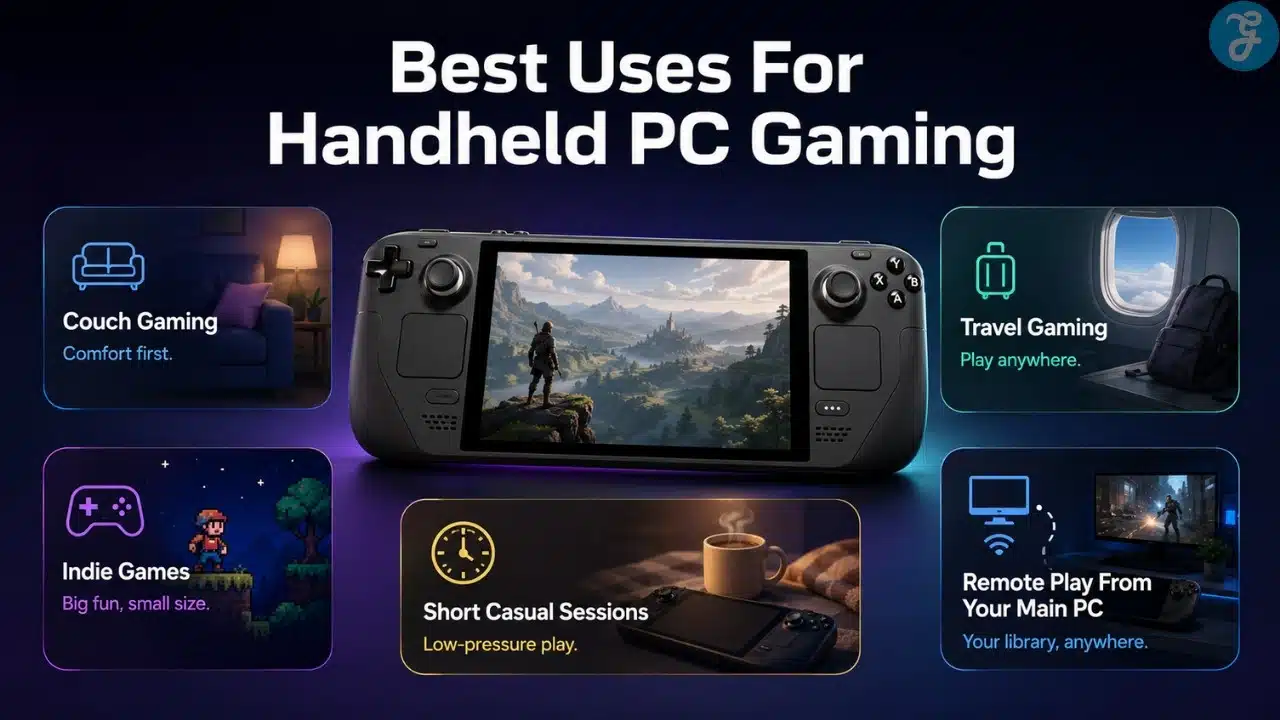
They are great for couch gaming, travel, casual play, indie games, older titles, emulation with legally owned games, lighter PC games, remote play, and continuing games away from your desk.
They also work well when you want a more relaxed session. Not every game needs the full monitor, keyboard, mouse, headset, chair, and desk experience. Sometimes you just want to lean back and play something without turning the whole battlestation on.
That is where devices like Steam Deck feel meaningful.
Use this quick view.
| Use Case | Why It Works |
|---|---|
| Couch Gaming | Lets you play away from the desk |
| Travel | Easier than carrying a laptop or desktop setup |
| Indie Games | Many run well and feel natural on handheld |
| Older Games | Often less demanding and portable-friendly |
| Short Sessions | Easy to pick up and put down |
| Remote Play | Can stream from a stronger main PC |
| Casual Gaming | Lower-pressure gaming without the full setup |
When Handheld PC Gaming Does Not Make Sense
Handheld PC gaming is not perfect for every player or every game. I would not buy one expecting desktop-level performance in demanding AAA games at high settings. That is asking for disappointment.
Some games are too demanding. Some games have tiny UI text that feels bad on a smaller screen. Some games are built around keyboard and mouse. Some multiplayer games may have compatibility issues depending on anti-cheat or platform support. Some games run, but only after enough tweaking that casual users may get annoyed.
Battery life is also a real limitation. The more demanding the game, the faster the battery drains. That is just the reality of portable hardware.
So I would not recommend handheld PC gaming to someone who only wants max settings, long unplugged sessions, competitive keyboard-and-mouse play, or a complete desktop replacement.
Steam Deck Vs Other Handheld Gaming PCs
Steam Deck is the most recognizable name, but it is not the only option. Other handheld gaming PCs often use Windows, stronger chips, higher-resolution displays, or different hardware designs.
For example, Lenovo lists the Legion Go with an 8.8-inch QHD+ display and AMD Ryzen Z1 Extreme processor with RDNA graphics. Newer handhelds continue to push stronger processors and sharper displays, but that often comes with higher cost, more power demand, and more Windows-style management.
That is the tradeoff. Steam Deck usually feels simpler. Windows handhelds can feel more flexible but also more PC-like in the annoying ways: updates, launchers, settings, compatibility, and interface quirks.
I would not say one category is automatically better. It depends on what kind of user you are.
| Option Type | Strengths | Things To Consider |
|---|---|---|
| Steam Deck | Simpler handheld experience, strong Steam integration | Not every game is compatible |
| Windows Handheld | More launcher flexibility and broader PC behavior | More setup and system management |
| Larger Handhelds | Bigger screen and stronger immersion | Less portable and often heavier |
| Higher-Power Models | Better performance potential | More heat, battery drain, and cost |
| Budget Handhelds | Lower entry cost | Bigger compromises in performance and build |
Controls And Comfort On A Handheld PC
Controls matter a lot on handheld PCs because you are using the built-in layout most of the time. Unlike a desktop setup, you are not choosing a separate keyboard, mouse, controller, and monitor. The device itself decides a lot of the comfort.
A good handheld should feel balanced in the hands. The buttons should be easy to reach. The sticks should feel accurate. The triggers should feel natural. The weight should not become tiring after 30 minutes. The screen should be readable without forcing your face into the device.
Comfort is personal, but I would never ignore it. A handheld can have strong specs and still feel bad if it is too heavy, awkward, hot, or uncomfortable.
This is why I think handhelds are better for certain game types. Platformers, RPGs, indie games, racing games, older games, and controller-friendly titles often feel great. Heavy strategy games, competitive shooters, and games with tiny menus may feel better on a desktop.
Battery Life: The Reality Check
Battery life is one of the biggest differences between a handheld PC and a normal gaming setup. A desktop does not care if the game is demanding because it is plugged into power. A handheld absolutely cares.
Valve rates Steam Deck OLED battery life at 3–12 hours depending on content, which already tells the real story: battery life changes heavily based on the game and settings. A light indie game may last much longer than a demanding AAA title.
This is why settings matter. Lowering resolution, limiting FPS, reducing brightness, using lower power limits, and choosing less demanding games can make handheld sessions more practical.
I do not see this as a dealbreaker. I see it as part of the handheld mindset. You manage expectations, choose the right games, and use the device where it makes sense.
Performance Expectations: Do Not Think Like A Desktop User
This is where many people get handheld PC gaming wrong. They compare a handheld directly to a desktop and then act disappointed.
Of course a handheld will lose that fight. It is smaller, battery-powered, thermally limited, and built for portability.
The better question is: does it run the games you want at settings that feel good on its screen?
On a small screen, you do not always need the same visual settings you would want on a big monitor. Lower settings can still look fine. FPS limits can feel acceptable. Upscaling can help. The goal is not to win a benchmark war. The goal is to get a playable, enjoyable portable experience.
That is how I would judge any handheld PC.
Best Game Types For Handheld PC Gaming
Some games simply fit handhelds better than others. That does not mean other games cannot work, but certain genres feel more natural.
Indie games are usually excellent. RPGs can work well, especially if they support controllers. Older games often run smoothly. Racing games, platformers, roguelikes, metroidvanias, emulation from legally owned titles, and turn-based games can feel great.
Competitive shooters can work, but they are not my first choice on handhelds. I would rather use a proper monitor, keyboard, mouse, and headset for serious multiplayer.
Here is how I would break it down.
| Game Type | Handheld Fit | Why |
|---|---|---|
| Indie Games | Excellent | Often lightweight and controller-friendly |
| RPGs | Strong | Good for long relaxed sessions |
| Platformers | Excellent | Built around controller-style input |
| Racing Games | Good | Natural with handheld controls |
| Strategy Games | Mixed | UI and controls can be awkward |
| Competitive Shooters | Mixed | Better on desktop for serious play |
| AAA Open-World Games | Depends | May need lower settings and battery compromise |
| Older PC Games | Strong | Often easier to run |
Storage And Game Library Management
Storage matters more than people think on handheld PCs. Modern games are huge, and handheld storage can fill quickly.
Steam Deck models come in different storage configurations, and microSD expansion helps, but you still need to manage your library carefully. The same applies to other handheld gaming PCs.
I would not install every giant game just because I can. I would keep the handheld library focused. A few favorite indies, some controller-friendly titles, a couple of bigger games, and enough free space for updates.
A handheld should feel easy to use, not like a storage management punishment.
Docking And Using A Handheld Like A Mini PC
Some handheld PCs can be connected to external displays, controllers, keyboards, mice, or docks. That can make them feel like small desktop-style systems.
This is useful, but I would not buy a handheld only for docked use unless I had a very specific reason. If you mostly want to play on a monitor, a desktop PC or gaming laptop usually makes more sense.
Docking is best as a bonus. It can be useful in a hotel, living room, secondary screen setup, or casual workspace. But the main reason to buy a handheld should still be portable play.
If the device spends 90% of its life docked, you may have bought the wrong machine.
Who Should Buy A Steam Deck Or Handheld Gaming PC?
A handheld gaming PC is a good choice if you already understand its role. It is not the main beast. It is the portable companion.
It makes sense if you travel, play on the couch, enjoy indie games, want short casual sessions, or want access to PC-style gaming away from the desk.
Best for: PC gamers who want a secondary portable device for couch, travel, indie, and casual gaming.
Why We Chose It: handheld PCs add flexibility without replacing the main desktop setup.
Things to consider: performance, battery life, compatibility, screen size, and comfort limits.
Who Should Avoid Handheld PC Gaming?
Not everyone needs a handheld PC. If you only play demanding AAA games at high settings, you may be disappointed. If you mostly play competitive multiplayer, a desktop setup is usually better. If you hate adjusting settings, some handhelds may feel too fussy.
It may also be unnecessary if you rarely leave your desk or already have a gaming laptop that handles portable gaming well.
Best for: players who understand the tradeoff between portability and power.
Why We Chose It: Handheld PC gaming works best when expectations are realistic.
Things to consider: it should solve a real lifestyle problem, not just satisfy gadget curiosity.
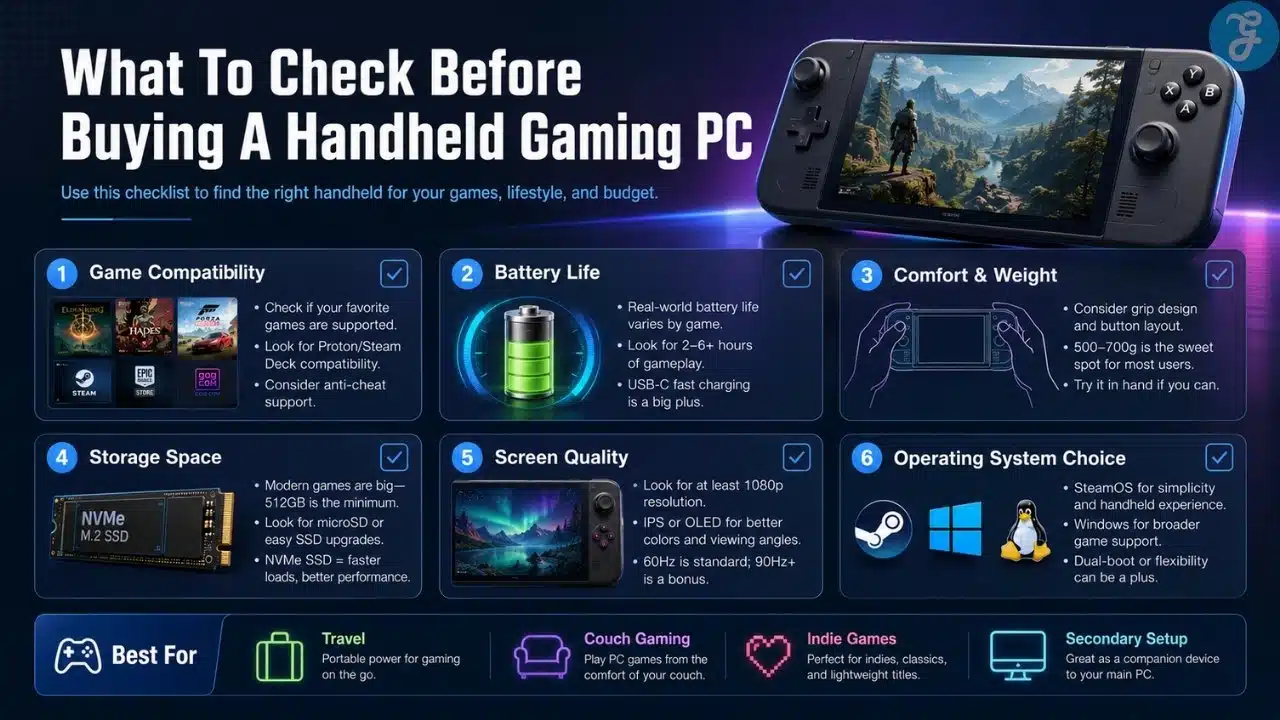
Steam Deck And Handheld PC Gaming Buying Checklist
Before buying a handheld gaming PC, I would go through a simple checklist. This keeps the decision practical.
Use this before spending money.
| Buying Area | What To Check |
|---|---|
| Main Use | Couch, travel, indie games, short sessions, or remote play |
| Game Library | Make sure your favorite games work well on handheld |
| Performance | Check whether target games run acceptably |
| Battery Life | Expect major differences between light and heavy games |
| Comfort | Weight, grip, controls, heat, and screen size matter |
| Storage | Check internal storage and expansion options |
| Operating System | SteamOS simplicity or Windows flexibility |
| Screen | Size, refresh rate, brightness, and readability |
| Docking | Useful bonus, but not always the main reason to buy |
| Budget | Avoid paying desktop money for a device you rarely use |
Common Handheld PC Gaming Mistakes
The first mistake is expecting desktop performance. That is not the point of the device.
The second mistake is buying one without checking game compatibility. A game being on PC does not automatically mean it feels good on a handheld.
The third mistake is ignoring battery life. Demanding games drain battery faster, and that should be expected.
The fourth mistake is buying based only on specs. A powerful handheld that feels uncomfortable is still a bad daily device.
The fifth mistake is treating it like a full replacement when you actually need a main gaming setup.
The Portable Sidekick, Not The Main Beast
The smartest way to think about handheld PC gaming is simple: it is the portable sidekick, not the main beast. A proper desktop gaming PC is still the better machine for serious performance, upgrades, competitive play, and long sessions.
But handheld PCs are meaningful because they fill a different gap. They let you play away from the desk, relax on the couch, travel with your library, enjoy indie games, and fit gaming into smaller pockets of time.
That is why I like the idea of Steam Deck and handheld gaming PCs. Not because they replace the desktop, but because they make PC gaming more flexible. And for the right player, that flexibility is exactly the point.
Frequently Asked Questions About Handheld PC Gaming
These answers cover the common questions people usually ask before buying a Steam Deck or handheld gaming PC.
Is Steam Deck A Replacement For A Gaming PC?
For most serious PC gamers, no. Steam Deck works better as a secondary portable device. A desktop gaming PC is still better for performance, upgrades, cooling, monitor choice, and long sessions.
Is Handheld PC Gaming Good For Travel?
Yes, travel is one of the best reasons to own a handheld gaming PC. It gives you access to PC-style games without carrying a full laptop or desktop setup.
Can Handheld PCs Run AAA Games?
Some can, but expectations matter. Many AAA games require lower settings, FPS limits, or battery compromises. Handhelds are better judged by playability than max settings.
Are Handheld Gaming PCs Good For Competitive Games?
They can work for casual multiplayer, but I would not choose a handheld as the main device for serious competitive play. A desktop setup with proper monitor, keyboard, mouse, and headset is usually better.
Is Steam Deck Better Than Windows Handhelds?
Steam Deck is often simpler and more console-like. Windows handhelds can offer broader launcher support and more PC flexibility, but they can also require more management.
Who Should Buy A Handheld Gaming PC?
A handheld gaming PC makes sense for players who want couch gaming, travel play, indie games, casual sessions, and access to PC games away from the main desk setup.






















