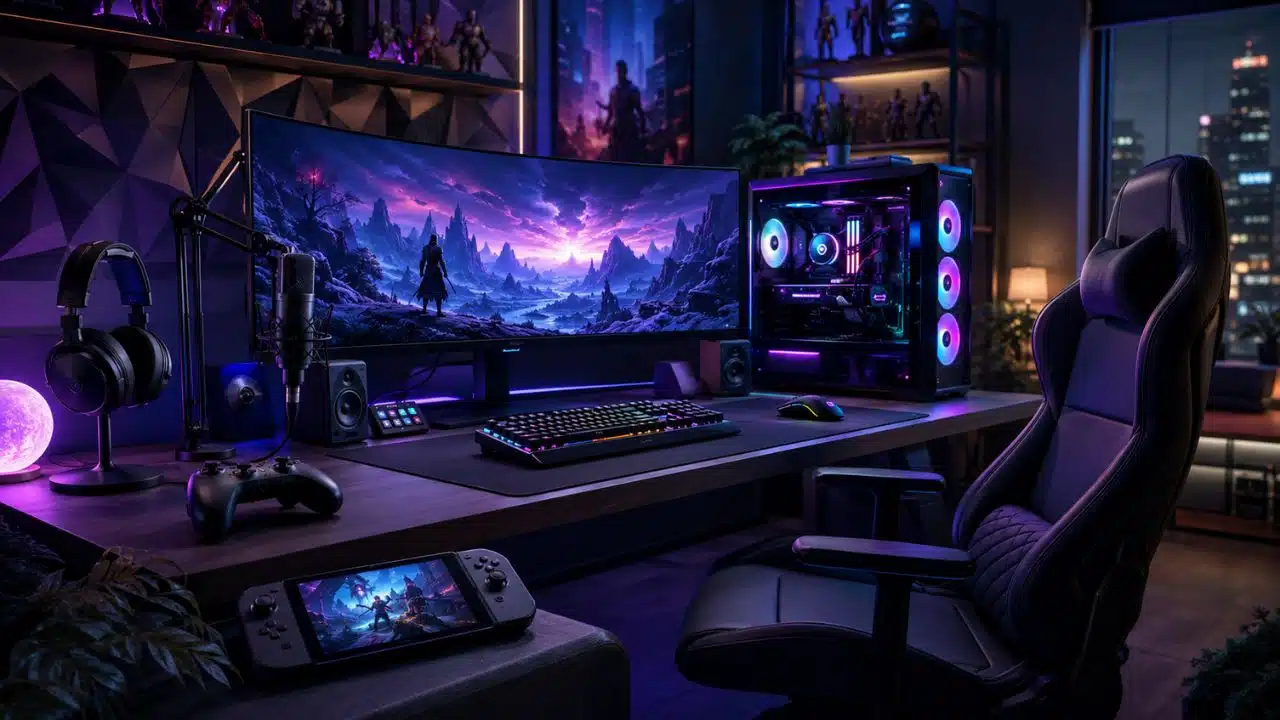
Gaming setups are dangerous. Not because of the hardware, but because one small upgrade turns into a full desk makeover, then suddenly you are comparing monitor arms at 2 AM like your life depends on it. I know the feeling. You buy one mouse, then you notice your keyboard feels cheap. You upgrade the keyboard, then your monitor looks old. Then your chair starts hurting your back, and congratulations, you are now designing a cockpit.
That is why this guide to 31 gaming setups and gear worth buying is built around practical value, not just shiny marketing nonsense. I care about gear that improves comfort, performance, focus, cable management, desk space, audio, visuals, and overall gaming experience. I do not care about products that only exist to glow aggressively in the corner.
The point is not to buy everything at once. That is how wallets go to therapy. The goal is to understand which upgrades actually matter, which ones can wait, and which ones are just expensive decorations wearing a gamer badge.
Our Selection Criteria
Gaming gear should solve a real problem. A monitor should make your games look smoother or sharper. A mouse should fit your hand. A chair should stop your spine from filing complaints. A headset should help you hear footsteps without making music sound like it came through a tin can.
Here are the filters I used while choosing these setup and gear ideas:
| Selection Factor | Why It Matters |
|---|---|
| Real Gaming Value | The gear should improve comfort, performance, immersion, or setup quality. |
| Long-Term Use | Good gear should last beyond one hype cycle. |
| Comfort | Anything you touch, sit on, wear, or stare at for hours must feel right. |
| Compatibility | Gear should work with PC, console, or hybrid setups without unnecessary pain. |
| Upgrade Priority | Some upgrades matter more early, while others are nice later. |
| Value for Money | Expensive can be good, but expensive does not automatically mean smart. |
| Setup Cleanliness | A cleaner desk makes gaming, working, and troubleshooting easier. |
| Future-Proofing | High-cost items should stay useful for years, not just one season. |
I also kept one rule in mind: the best gear is the gear you will actually use. A premium microphone is pointless if you never stream. A 4K OLED monitor is wasted if your GPU is crying in 1080p. And a giant RGB desk is not helpful if it leaves no room for your mouse.
Whom This Is For
This guide is for PC gamers, console gamers, hybrid players, streamers, budget buyers, desk setup nerds, and anyone building a setup one upgrade at a time. It is also for people like me who know that practical upgrades often feel better than flashy ones.
If you already have a full gaming setup, this can help you decide what to improve next. If you are starting from zero, this can help you avoid wasting money on gear that looks cool but adds almost nothing.
31 Gaming Setups and Gear Worth Buying for Real Gaming Comfort and Performance
Now let’s get into the actual list. These items are numbered for easy reading, not ranked from best to worst. A monitor upgrade may matter most for one person, while a better chair or mouse may change everything for someone else.
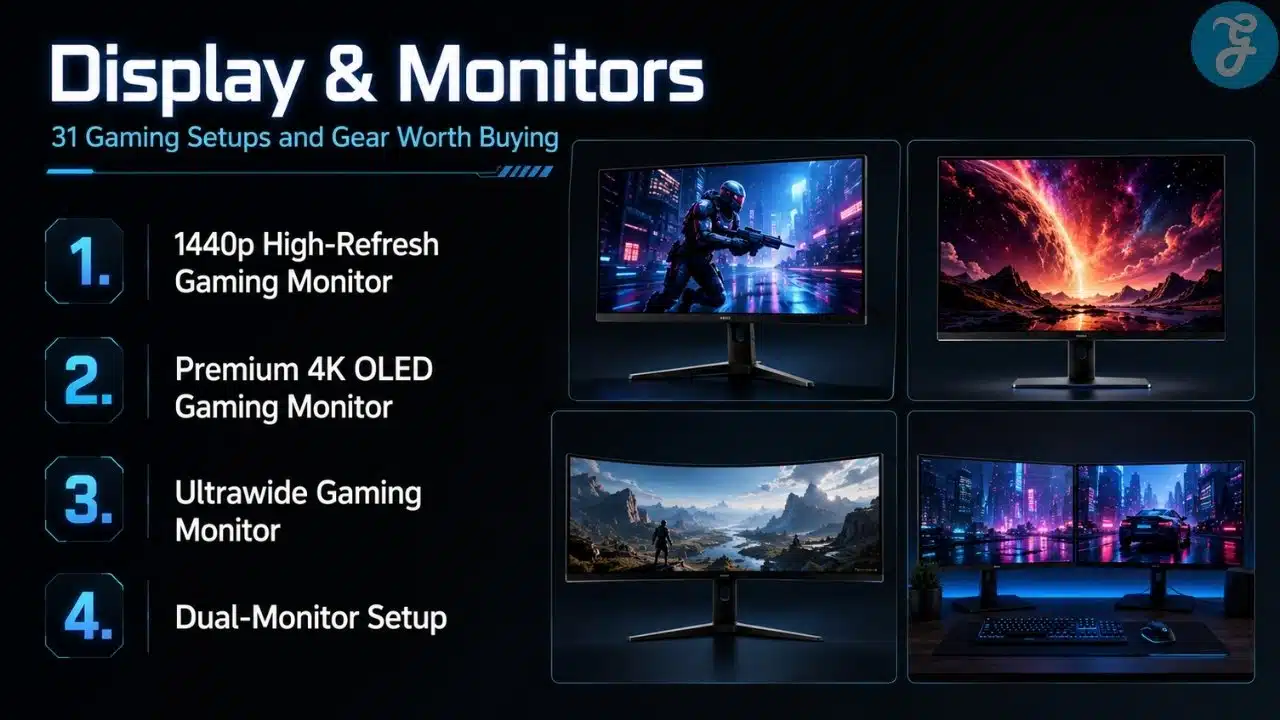
1. A 1440p High-Refresh Gaming Monitor
A 1440p high-refresh monitor is one of the smartest upgrades for most PC gamers. It gives you a sharper image than 1080p without punishing your GPU as hard as 4K. For many players, 1440p at 144Hz, 165Hz, or higher is the sweet spot between smooth gameplay and clean visuals.
Best for: PC gamers who want better visuals and smoother gameplay
- Great middle ground between 1080p and 4K
- Works well for FPS, RPGs, racing games, and general use
Why We Chose It:
- Better sharpness than 1080p
- Easier to drive than 4K
- High refresh rates feel instantly better
- Ideal for balanced gaming setups
Things to consider:
- Needs a decent GPU for high FPS
- Cheap panels may have weak color or motion handling
2. A Premium 4K OLED Gaming Monitor
A 4K OLED monitor is the dream upgrade if you have the hardware and budget for it. The ASUS ROG Swift OLED PG27UCDM, for example, is listed as a 26.5-inch 4K QD-OLED monitor with a 240Hz refresh rate, 0.03ms response time, DisplayPort 2.1a, HDMI 2.1, USB-C with 90W power delivery, and OLED Care Pro features. That is not subtle, but subtle is not why people buy OLED.
Best for: high-end PC gamers, 4K players, and visual-quality obsessives
- Excellent contrast and black levels
- Great for cinematic games and premium setups
Why We Chose It:
- OLED contrast makes games look stunning
- 4K resolution gives excellent detail
- 240Hz makes it useful beyond slow cinematic games
- Modern ports improve long-term usability
Things to consider:
- Expensive
- OLED still needs sensible static-image care
3. An Ultrawide Gaming Monitor
An ultrawide monitor can make games feel more immersive, especially racing, RPG, simulation, strategy, and open-world titles. The wider field of view also helps with productivity because you can spread windows out without needing a second screen. It is one of those upgrades that feels unnecessary until you use it, then suddenly normal screens look a bit cramped.
Best for: immersive gamers and multitaskers
- Great for racing, RPGs, strategy, and sim games
- Useful for work and content creation too
Why We Chose It:
- Adds immersion without needing a massive TV
- Helps multitasking
- Makes many games feel more cinematic
- Reduces the need for a second monitor
Things to consider:
- Not every game supports ultrawide properly
- Needs more desk space
4. A Dual-Monitor Setup
A dual-monitor setup is not always flashy, but it is one of the most useful upgrades. You can game on one screen while keeping Discord, guides, OBS, Spotify, or system monitoring open on the other. Once you get used to it, going back to one screen feels like trying to cook with one hand tied behind your back.
Best for: streamers, multitaskers, and PC gamers
- Great for Discord, guides, browser tabs, and monitoring tools
- Makes streaming and productivity easier
Why We Chose It:
- Improves workflow immediately
- Helps gaming and non-gaming tasks
- Great for streamers and content creators
- Does not require both monitors to be expensive
Things to consider:
- Needs desk space
- Matching colors and resolution can be annoying
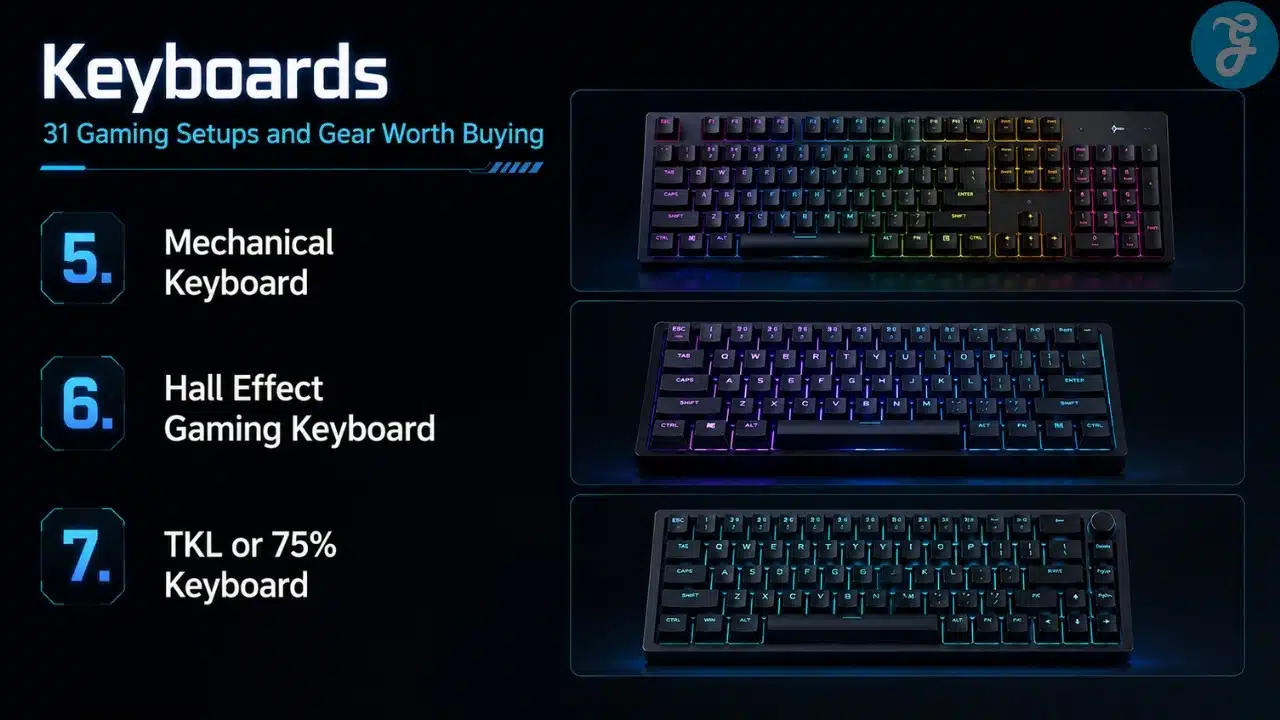
5. A Mechanical Keyboard
A good mechanical keyboard improves typing feel, gaming response, and long-term durability. I personally prefer mechanical keyboards because they feel more satisfying and controlled, especially after using cheaper membrane boards. Full-size boards are great if you like extra keys, but TKL and 75% layouts are also excellent if you want more mouse space.
Best for: PC gamers, writers, and anyone who types a lot
- Better feel than most membrane keyboards
- Many layout and switch options
Why We Chose It:
- More durable than cheap keyboards
- Better tactile or linear switch choices
- Useful for both gaming and work
- Easy to personalize
Things to consider:
- Switch choice matters a lot
- Some mechanical keyboards are loud
6. A Hall Effect Gaming Keyboard
Hall Effect keyboards are becoming popular because they allow adjustable actuation and rapid trigger features. That can help in fast games where key response and reset speed matter. It is not required for casual players, but competitive gamers may actually notice the difference.
Best for: competitive FPS and rhythm-sensitive players
- Adjustable actuation
- Fast key reset for movement-heavy games
Why We Chose It:
- Offers more control over key response
- Useful for competitive movement
- More advanced than standard mechanical switches
- Strong future-facing keyboard upgrade
Things to consider:
- More expensive than normal keyboards
- Not necessary for everyone
7. A TKL or 75% Keyboard
A smaller keyboard can make your setup cleaner and give your mouse more room. I still like full-size keyboards because I use extra keys, but I completely understand why TKL and 75% layouts are popular. If you play FPS games, that extra mouse space can feel more useful than a numpad you barely touch.
Best for: FPS players and compact desk setups
- Saves desk space
- Keeps essential keys without going too tiny
Why We Chose It:
- Great balance between function and compact size
- Helps mouse movement
- Looks cleaner on smaller desks
- Easier to position comfortably
Things to consider:
- No numpad on TKL boards
- Some compact layouts need adjustment
8. A Lightweight Wireless Gaming Mouse
A lightweight wireless mouse is one of the best upgrades for FPS players. The Logitech G Pro X Superlight 2 uses Logitech’s LIGHTSPEED wireless and supports up to 8kHz polling, while reviews note upgrades like the HERO 2 sensor, USB-C charging, and optical switches.
Best for: FPS players and low-sensitivity gamers
- Fast movement without cable drag
- Great for flick shots and tracking
Why We Chose It:
- Lightweight mice reduce hand fatigue
- Premium wireless is now extremely reliable
- Great for competitive games
- Cleaner desk with no cable drag
Things to consider:
- Expensive models are not always necessary
- Shape matters more than weight alone
9. An Ergonomic Gaming Mouse
An ergonomic mouse can matter more than sensor specs if you play for hours. A mouse that supports your hand naturally can reduce strain and make long sessions more comfortable. Not every gamer needs an ultralight symmetrical mouse, no matter how loudly esports marketing screams.
Best for: palm grip users and long-session gamers
- Comfortable hand support
- Better for relaxed grip styles
Why We Chose It:
- Comfort matters over long sessions
- Great for mixed gaming and work
- Often better for medium to large hands
- Reduces wrist and finger fatigue
Things to consider:
- Usually right-handed
- Not always ideal for fingertip grip
10. An MMO or MOBA Mouse
An MMO or MOBA mouse gives you extra side buttons for skills, macros, and shortcuts. It is not for everyone, but if you actually use those buttons, it can feel like cheating in the best legal way. The key is not buying it because it looks powerful, but because your games genuinely benefit from more inputs.
Best for: MMO, MOBA, RPG, and productivity users
- Extra side buttons
- Great for macros and shortcuts
Why We Chose It:
- Reduces keyboard reaching
- Helps ability-heavy games
- Useful for productivity workflows
- Can replace several awkward keybinds
Things to consider:
- Takes time to learn
- Heavy and bulky for FPS games
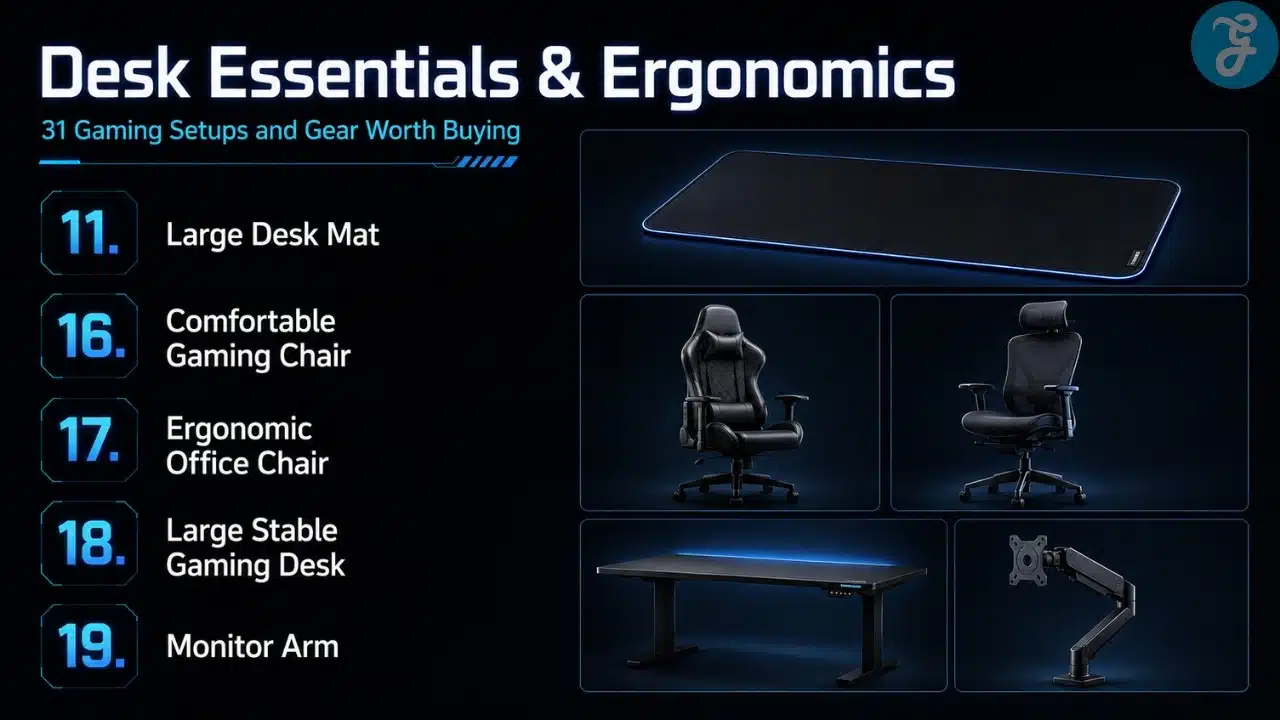
11. A Large Desk Mat
A large desk mat is one of the cheapest upgrades that actually changes how a setup feels. It gives your mouse more space, protects the desk, and makes the whole setup look cleaner. It also stops your keyboard from sliding around like it has somewhere better to be.
Best for: all PC gamers
- More mouse room
- Cleaner desk feel
Why We Chose It:
- Affordable upgrade
- Improves mouse consistency
- Helps setup aesthetics
- Works with almost any desk
Things to consider:
- Cheap mats can fray
- Light colors get dirty fast
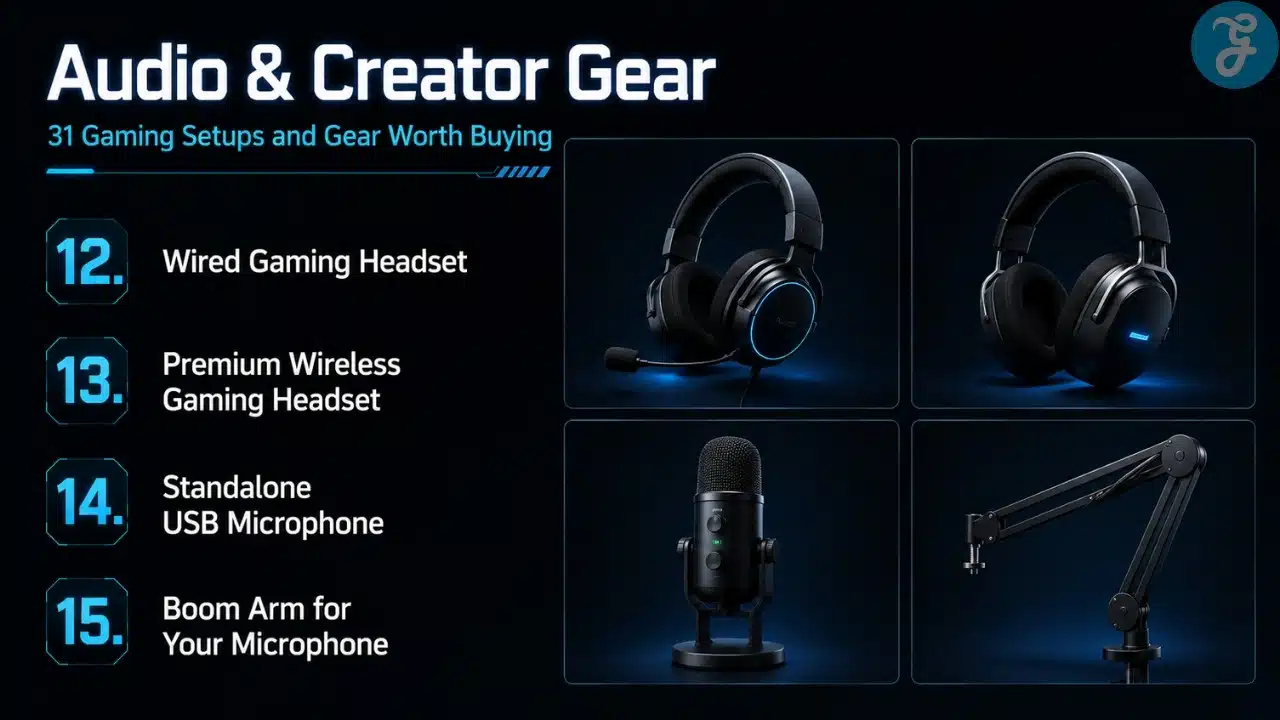
12. A Wired Gaming Headset
I usually prefer wired gear where possible because it avoids charging, pairing, and latency worries. A good wired headset is simple: plug it in, hear the game, talk to friends, done. Not everything needs an app, firmware update, and emotional support.
Best for: competitive players and simple setups
- No battery anxiety
- Stable audio connection
Why We Chose It:
- Reliable for long sessions
- Usually better value than wireless
- Lower setup hassle
- Good for competitive audio cues
Things to consider:
- Cable management matters
- Some cheap headsets have weak microphones
13. A Premium Wireless Gaming Headset
A premium wireless headset is worth it if you hate cables and move around often. The SteelSeries Arctis Nova Pro Wireless supports dual USB connections across Xbox, PC, Mac, PlayStation, Switch, VR, and more, and SteelSeries highlights its Nova Pro Acoustic System with high-fidelity drivers.
Best for: console players, hybrid setups, and cable-free desks
- Wireless freedom
- Multi-platform flexibility
Why We Chose It:
- Cleaner desk setup
- Better for console and couch play
- Useful for multi-device users
- Premium models offer strong audio customization
Things to consider:
- Expensive
- Battery management is still a thing
14. A Standalone USB Microphone
A standalone microphone is a good upgrade if you stream, record, or spend a lot of time in voice chat. Headsets with microphones are fine for basic use, but a dedicated mic usually sounds cleaner and more natural. Your teammates may still ignore callouts, but at least they will hear them clearly.
Best for: streamers, podcasters, and Discord-heavy players
- Better voice quality
- More professional sound
Why We Chose It:
- Clearer than most headset mics
- Useful beyond gaming
- Good for streaming and meetings
- Easy USB setup for beginners
Things to consider:
- Needs desk space or a boom arm
- Picks up room noise if untreated
15. A Boom Arm for Your Microphone
A boom arm keeps your microphone close to your mouth and off the desk. That improves sound quality and reduces keyboard noise if positioned correctly. It also makes the setup look cleaner, which is helpful if you stream or simply enjoy not living inside cable spaghetti.
Best for: streamers and voice-chat users
- Better mic positioning
- Cleaner desk space
Why We Chose It:
- Improves recording consistency
- Reduces desk clutter
- Keeps mic adjustable
- Makes setups look more professional
Things to consider:
- Cheap arms can sag
- Desk thickness matters for mounting
16. A Comfortable Gaming Chair
A comfortable chair matters more than people admit. Secretlab’s TITAN Evo line, for example, lists multiple size options, recommended height and weight ranges, and a warranty that can extend up to five years.
Best for: long-session gamers and desk workers
- Better support than random cheap chairs
- Useful for gaming and work
Why We Chose It:
- Comfort affects long gaming sessions
- Adjustable support helps posture
- Good chairs last longer
- Helps reduce fatigue
Things to consider:
- Gaming chairs are not automatically ergonomic
- Fit and sizing matter a lot
17. An Ergonomic Office Chair
An ergonomic office chair can be smarter than a traditional gaming chair for many people. Good lumbar support, seat depth, armrest adjustment, and breathable materials can matter more than racing-style looks. I know gaming chairs look cooler, but your back does not care about branding.
Best for: serious desk users and comfort-first gamers
- Better long-term posture support
- More mature setup look
Why We Chose It:
- Often better ergonomics than gaming chairs
- Great for work and gaming
- Breathable designs improve comfort
- Less aggressive styling
Things to consider:
- Good models can be expensive
- Not as flashy as gamer-style chairs
18. A Large Stable Gaming Desk
A proper desk changes the entire setup. You need space for monitors, keyboard, mouse, speakers, controllers, and maybe a laptop or console. A shaky desk ruins everything because nobody wants their monitor wobbling every time they type like they are launching a rocket.
Best for: full gaming setups and multi-monitor users
- More space for gear
- Better stability and cable management
Why We Chose It:
- Foundation of the entire setup
- Helps posture and organization
- Supports future upgrades
- Makes cable management easier
Things to consider:
- Measure your room first
- Cheap desks may wobble under heavy gear
19. A Monitor Arm
A monitor arm frees desk space and helps position your screen at the right height. It also makes your setup look much cleaner. Once your monitor floats above the desk, you start wondering why you tolerated those giant stock stands for so long.
Best for: desk-space savers and ergonomic setups
- Better screen positioning
- More desk room
Why We Chose It:
- Improves ergonomics
- Cleans up desk layout
- Great for dual-monitor setups
- Easier to adjust viewing angle
Things to consider:
- Must support your monitor weight
- Some desks do not clamp well
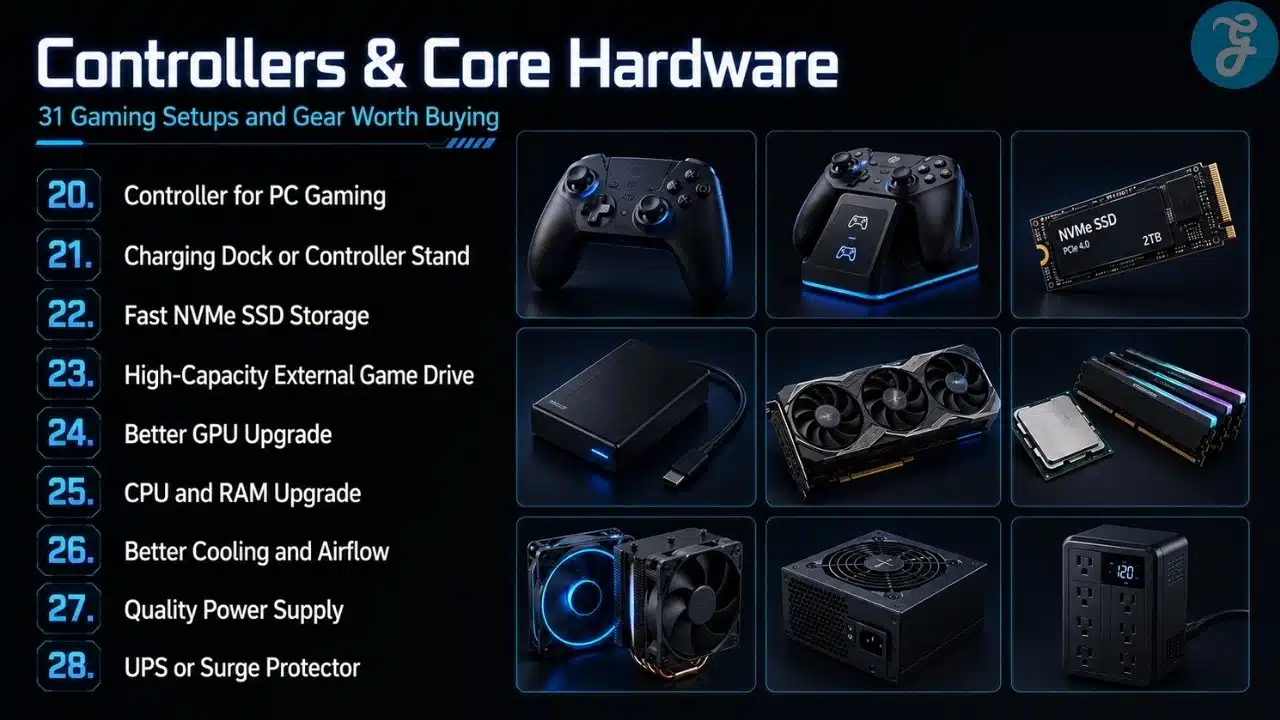
20. A Controller for PC Gaming
Even if you are a keyboard and mouse loyalist, a controller is still worth owning. Racing games, platformers, third-person action games, fighting games, and couch gaming often feel better with a controller. There is no shame in using the right tool, unless you are trying to aim in Valorant with one, then we need to talk.
Best for: action, racing, fighting, and platform games
- Better for certain genres
- Great for couch play
Why We Chose It:
- Expands how you play on PC
- Works well with Steam and Game Pass
- Comfortable for relaxed sessions
- Essential for many console-style games
Things to consider:
- Not ideal for most FPS games
- Stick drift can happen over time
21. A Charging Dock or Controller Stand
A charging dock keeps controllers ready and makes the setup cleaner. It is a small upgrade, but it prevents the classic “controller is dead exactly when I want to play” problem. Truly, modern suffering has many forms.
Best for: console players and controller-heavy PC gamers
- Keeps controllers organized
- Reduces charging mess
Why We Chose It:
- Practical and affordable
- Cleaner desk or TV setup
- Prevents dead-controller moments
- Useful for multiple controllers
Things to consider:
- Must match your controller type
- Cheap docks can feel flimsy
22. Fast NVMe SSD Storage
A fast NVMe SSD is one of the most noticeable upgrades if your system still uses older storage. Games load faster, file transfers feel quicker, and Windows behaves less like it is thinking about retirement. With modern games getting massive, storage speed and capacity both matter.
Best for: PC gamers and large game libraries
- Faster loading
- Better system responsiveness
Why We Chose It:
- Modern games benefit from fast storage
- Reduces load times
- Helps with content creation too
- Easy upgrade for many PCs
Things to consider:
- Check motherboard compatibility
- Large-capacity drives cost more
23. A High-Capacity External Game Drive
An external drive is useful for backup, older games, screenshots, recordings, and moving files between systems. It may not be ideal for every modern game, but it is still a practical library tool. Not every game needs to live on your fastest SSD like royalty.
Best for: console users and large libraries
- Extra storage space
- Useful for backups and older titles
Why We Chose It:
- Expands storage affordably
- Helps manage large libraries
- Useful across multiple devices
- Good for recordings and media
Things to consider:
- Slower than internal NVMe storage
- Some current-gen games need internal SSD storage
24. A Better GPU Upgrade
The GPU is still the biggest performance upgrade for many gaming PCs. If you want higher FPS, better visual settings, ray tracing, or 1440p and 4K gaming, the graphics card matters most. Just make sure the rest of your system can keep up, because bottlenecks are real and annoying.
Best for: PC gamers chasing higher FPS and better visuals
- Biggest gaming performance boost
- Enables higher resolution and settings
Why We Chose It:
- Direct impact on FPS
- Important for 1440p and 4K gaming
- Helps ray tracing and upscaling features
- Extends PC lifespan
Things to consider:
- Expensive
- PSU, case space, and CPU pairing matter
25. A CPU and RAM Upgrade
A CPU and RAM upgrade matters if your PC struggles with modern games, streaming, multitasking, or heavy background apps. I usually think of this as a stability upgrade more than a flashy one. You may not brag about RAM, but you will notice when your system stops choking every time Chrome exists.
Best for: multitaskers, streamers, and CPU-heavy games
- Better performance stability
- Helps streaming and background tasks
Why We Chose It:
- Improves minimum FPS in some games
- Helps with simulation and strategy titles
- Makes multitasking smoother
- Good long-term platform upgrade
Things to consider:
- Requires motherboard compatibility
- GPU may still be the bigger gaming bottleneck
26. Better Cooling and Airflow
Good cooling keeps your system quieter, healthier, and more consistent. This can mean better case fans, a better CPU cooler, improved cable routing, or simply cleaning the dust monster inside your case. I replaced an AIO with a strong air cooler after years, and honestly, simple reliability has its charm.
Best for: PC builders and upgrade-focused gamers
- Lower temperatures
- Quieter and more stable performance
Why We Chose It:
- Protects expensive components
- Reduces thermal throttling
- Helps long-term reliability
- Often cheaper than major hardware upgrades
Things to consider:
- Case compatibility matters
- Bad installation can hurt performance
27. A Quality Power Supply
A quality PSU is boring until it saves your system. Nobody gets excited about power supplies, but every expensive PC depends on one. Cheap PSUs are one of those “save money now, regret later” decisions.
Best for: PC builders and GPU upgraders
- Stable power delivery
- Better long-term safety
Why We Chose It:
- Protects your full build
- Important for GPU upgrades
- Reduces instability risk
- Good units last years
Things to consider:
- Wattage must match your build
- Avoid unknown low-quality brands
28. A UPS or Surge Protector
A UPS or good surge protector is not glamorous, but it is smart. Power cuts, voltage spikes, and random electrical nonsense can damage gear or interrupt important sessions. In some regions, this is not optional, it is survival gear for electronics.
Best for: PC gamers in areas with unstable power
- Protects expensive equipment
- Prevents sudden shutdowns
Why We Chose It:
- Protects PC and monitor investment
- Useful during outages
- Helps avoid data loss
- Gives peace of mind
Things to consider:
- UPS battery capacity varies
- Good units cost more
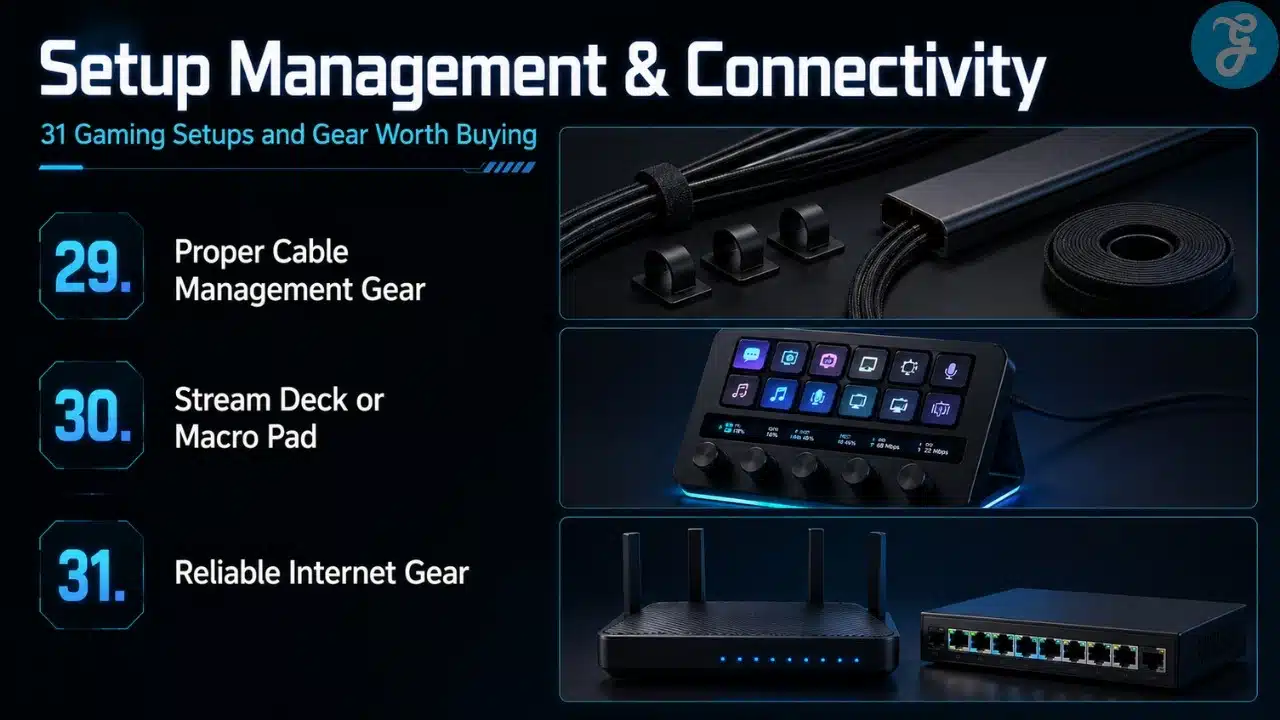
29. Proper Cable Management Gear
Cable management is not just for Instagram setups. Velcro ties, cable trays, sleeves, clips, and under-desk routing make cleaning, upgrading, and troubleshooting easier. Also, fewer visible cables means your setup looks less like it is being attacked by black noodles.
Best for: every gaming setup
- Cleaner desk
- Easier troubleshooting
Why We Chose It:
- Cheap but impactful
- Improves setup aesthetics
- Makes cleaning easier
- Helps airflow around the desk and PC
Things to consider:
- Takes time to do properly
- You may redo it after every upgrade
30. A Stream Deck or Macro Pad
A Stream Deck or macro pad is useful for streamers, editors, and power users. You can launch apps, switch scenes, mute audio, run shortcuts, and control workflows with one tap. If you only game casually, it may be unnecessary, but if you create content, it can save real time.
Best for: streamers, editors, and productivity-heavy gamers
- Quick shortcuts
- Better workflow control
Why We Chose It:
- Great for OBS and streaming
- Useful beyond gaming
- Makes repetitive tasks faster
- Customizable for different workflows
Things to consider:
- Not essential for casual players
- Takes setup time
31. Reliable Internet Gear
A good router, Ethernet connection, or mesh setup can improve online gaming more than another RGB accessory ever will. If your ping is unstable, your expensive mouse will not save you. Sometimes the real upgrade is not on your desk, it is the network equipment quietly ruining your matches.
Best for: online multiplayer players
- Better connection stability
- Lower lag and fewer drops
Why We Chose It:
- Critical for online gaming
- Ethernet is still king for stability
- Better routers help busy homes
- Reduces random disconnect frustration
Things to consider:
- Internet plan still matters
- Wi-Fi placement affects performance
An Overview of 31 Gaming Setups and Gear Worth Buying
Not every upgrade matters equally. If your monitor is terrible, fix that first. If your chair hurts your back, no GPU upgrade will help. If your mouse does not fit your hand, your aim will suffer no matter how expensive your setup looks.
This quick overview helps separate essential upgrades from comfort upgrades and advanced extras.
Overview Comparison Table
Here is a cleaner side-by-side view of the major upgrade groups and what they actually improve.
| Gear Type | Best Upgrade Example | Main Benefit | Priority Level |
|---|---|---|---|
| Display | 1440p high-refresh monitor | Smoother and sharper gameplay | High |
| Premium Display | 4K OLED monitor | Best visual quality | Medium to High |
| Controls | Mechanical keyboard | Better input feel | Medium |
| Aim | Lightweight gaming mouse | Better control and comfort | High |
| Audio | Wired or wireless headset | Immersion and communication | High |
| Comfort | Chair or ergonomic office chair | Long-session support | High |
| Desk Setup | Large desk and monitor arm | Better layout and posture | Medium |
| Storage | NVMe SSD | Faster loading and smoother use | High |
| PC Performance | GPU, CPU, RAM | Higher FPS and stability | High |
| Protection | PSU, UPS, surge protector | Hardware safety | High |
| Organization | Cable management gear | Cleaner setup | Medium |
| Streaming | Mic, boom arm, Stream Deck | Better content workflow | Medium |
| Online Play | Router or Ethernet setup | Lower lag and stable connection | High |
The smart move is to upgrade based on pain points. If your games run badly, look at GPU, CPU, RAM, and storage. If your setup feels uncomfortable, look at chair, desk, monitor arm, and mouse. If your online matches feel unstable, fix the network before blaming the game for everything.
Our Top 3 Picks and Why?
This section makes sense because gaming gear can get expensive fast. If I had to prioritize only three upgrades for most people, I would start with these.
| Pick | Best Match | Why It Stands Out |
|---|---|---|
| 1440p High-Refresh Monitor | Most PC gamers | It improves both smoothness and image quality without going full 4K expense. |
| Lightweight or Ergonomic Gaming Mouse | FPS and everyday users | A mouse that fits your hand improves comfort and control immediately. |
| Comfortable Chair or Ergonomic Office Chair | Long-session gamers | Comfort affects every session, not just gaming performance. |
The monitor changes what you see. The mouse changes how you control. The chair changes how long you can play without feeling like your back aged ten years.
How to Choose the Right Gaming Gear by Yourself
The best way to choose gaming gear is to stop asking, “What is the most expensive option?” and start asking, “What problem am I trying to fix?” That one question saves money, space, and regret.
If your FPS is bad, buy performance upgrades. If your setup feels cramped, buy desk and monitor accessories. If your hand hurts, change your mouse. If your audio is bad, upgrade your headset or mic. Buying randomly is how people end up with glowing desk decorations and the same old problems.
The Selection Framework
- Start with your weakest point: Upgrade the thing that bothers you most during real use.
- Match gear to your games: FPS players need mouse, monitor, and network stability, while RPG and open-world players may value visuals and audio more.
- Buy comfort before luxury: Chair, desk, mouse, and monitor position affect every session.
- Think long-term: Expensive items like monitors, chairs, desks, PSUs, and GPUs should stay useful for years.
The Final Checklist
Before buying gaming gear, ask yourself:
- Will this upgrade solve a real problem in my setup?
- Is it compatible with my PC, console, desk, or room?
- Will I still use it one or two years from now?
- Does it improve comfort, performance, visuals, audio, or organization?
- Am I buying it because I need it, or because marketing made it look cool?
The Setup That Works Beats the Setup That Only Looks Expensive
The uncomfortable truth is that many gaming setups look amazing and feel terrible. A desk can glow like a spaceship and still have bad ergonomics. A keyboard can cost a fortune and still have switches you hate. A chair can look like a racing seat and still treat your back like an enemy faction.
That is why the best setup is not the most expensive one. It is the one that fits how you actually play. For me, comfort, reliability, airflow, screen quality, mouse feel, and clean cable management matter more than building a setup that only looks good in photos.
The future of gaming gear will probably bring more OLED monitors, lighter mice, faster keyboards, smarter audio, better wireless, and more AI-powered software features. Some of that will be useful. Some of it will be pure marketing wearing a premium price tag. The trick is knowing the difference.
These 31 gaming setups and gear worth buying are not a shopping command. They are a priority map. Upgrade what matters first, skip what does not, and remember that the best gaming setup is the one you enjoy using every single day.
Frequently Asked Questions (FAQs) About 31 Gaming Setups and Gear Worth Buying
What Gaming Gear Should I Upgrade First?
Start with the gear that affects every session. For most gamers, that means monitor, mouse, headset, chair, or storage. If your games run badly, focus on GPU, CPU, RAM, or SSD upgrades first.
Is a 1440p Monitor Better Than a 4K Monitor for Gaming?
For many PC gamers, yes. A 1440p high-refresh monitor is easier to run than 4K and still looks much sharper than 1080p. 4K is better for premium visuals, but it needs stronger hardware.
Do I Need a Mechanical Keyboard for Gaming?
You do not need one, but it can improve comfort and input feel. Mechanical keyboards are especially useful if you game, write, or work at the same desk for long hours.
Are Wireless Gaming Mice and Headsets Worth It?
Yes, premium wireless gear is very good now. Still, wired options remain excellent if you want lower cost, no charging, and simple reliability.
Are Gaming Chairs Actually Worth Buying?
Some are worth it, but not all. A good ergonomic office chair can be better than many racing-style gaming chairs. The right choice depends on your body size, sitting habits, budget, and how long you sit every day.