


The post goes live at nine in the morning. It is now four in the afternoon; the copy is done, and there are no images. No designer is coming. There is a laptop, a client folder, and a few hours. That gap is the whole story. Most solo marketers I know are not bad at design. They just never had a way to get a decent file out the door fast. Why Canva became the default design tool has less to do with beautiful work and more to do with that four o’clock problem.
People who were never trained as designers could finally finish the job themselves.
I have been using it for five years, mostly for social posts, blog headers, simple ad creatives, and image creation for myself and clients. This is what I have learned about why it took over and where it still lets me down.
The Real Problem Was Never Taste
Give a marketer a folder of stock photos and a rough idea, and most of them can tell you what looks right. Centered text. Enough space. Not four fonts.
The problem was the middle step. Old design software asked you to know things that had nothing to do with the idea: canvas setup, color modes, layer masks, and export settings. You could have a good idea and still lose two hours to the software. So work went to a designer, or it got pushed to next week, or it went out looking rough.
Before I moved over, I used Photoshop as a freelancer. One night while a deadline approached, I failed to open a Photoshop file, and I couldn’t open Photoshop due to some internal software issues, and I lost the client. That incident dragged me to look for changes.
Templates Changed Who Was Allowed to Start
The thing that made the difference was not the drag-and-drop editor. Plenty of tools had that. It was starting from something that already worked.
When you open a blank file, you have to make about fifteen decisions before you have anything. When you open a template, you have made none of them. The size is right. The text sits where it should. You change the words, swap a photo, adjust the color, and it is done.
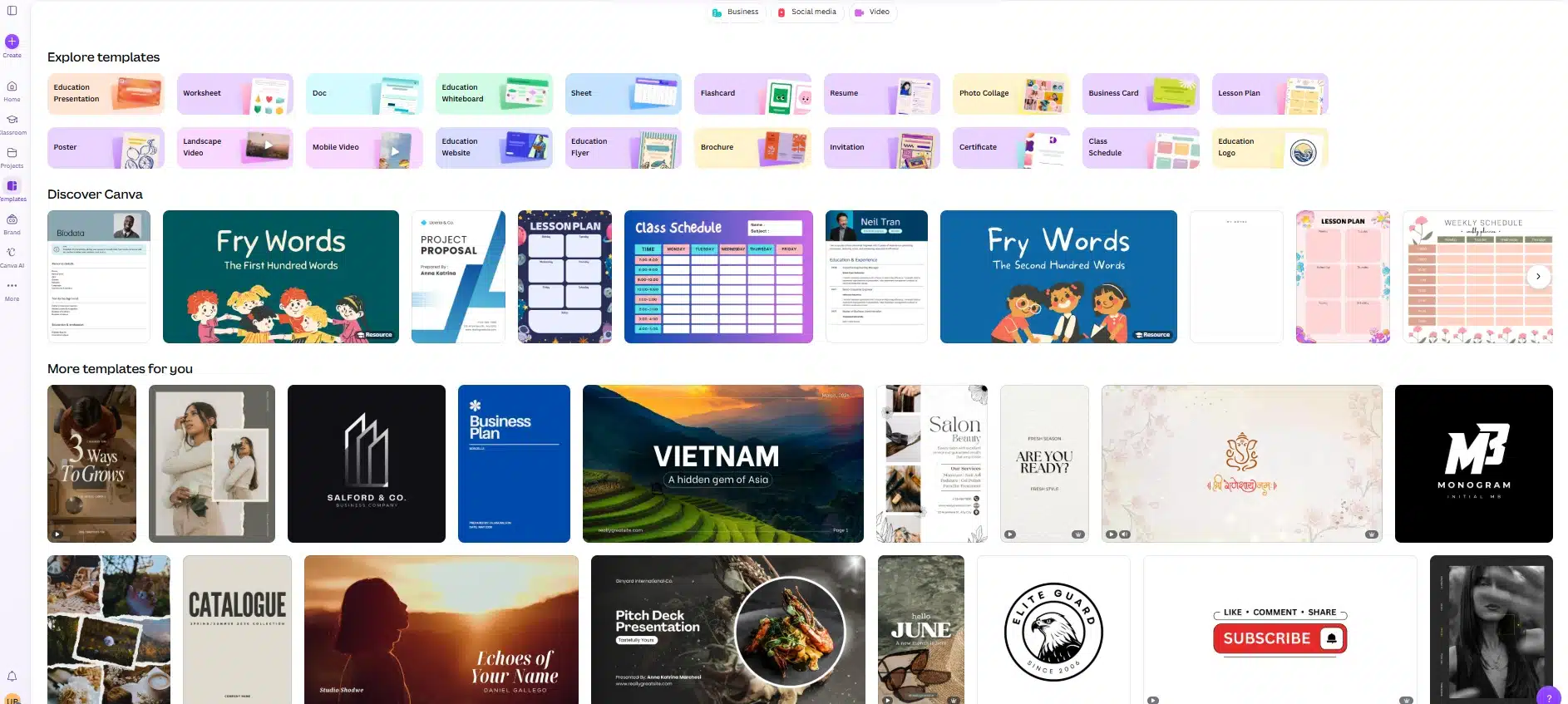
That sounds small. It is not. It moved the first step from “design something” to “edit something,” and almost everyone can edit.
The scale of it is easy to miss. Canva ended 2025 with more than 265 million people using it each month, and over 31 million of those were paying. That is not a design crowd. That is teachers, shop owners, freelancers, and marketers who needed one graphic and did not want a project.
Why Canva Became the Default Design Tool for People
A designer judges a tool by control. A marketer judges it by whether the thing is finished. Three things keep me in it:
The sizes are already correct. I do not look up what size a LinkedIn banner is anymore. I pick it, and it is right. Over a year that saves a stupid amount of small, annoying time.
The brand kit stops the drift. Client colors and fonts sit in one place. When I hand a file to someone else or come back to it in six months, the brand does not slowly wander off.
It works in a browser. No install, no version mismatch, no “can you export it as a JPG for me.” I send a link, the client comments on the design itself, and I fix it in the same window.
There is a fourth one that people do not say out loud: it lowers the stakes. When a graphic takes eight minutes, you are willing to throw it away and try again. When it takes two hours, you defend the bad version.
What it Costs You
I would not call it a free win. There are real trade-offs, and after a few years they are easy to spot.
- Everything starts to look the same: Popular templates get used by thousands of people. If you never move far from the starting file, your client’s feed ends up looking like everyone else’s. I now change fonts, spacing, and photo treatment on any template before I use it.
- Type control is limited: Fine spacing, tight kerning, real typographic work—it is not built for that. For a logo or a serious print piece, I go elsewhere.
- Print handoff can be awkward: Handing files to a commercial printer takes more checking than it should. If the job is expensive to print wrong, I check the specs twice and ask the printer first.
- The AI credits run out: The generation tools share one monthly pool. Heavy use empties it faster than the number suggests, and there is no clean way to top up mid-month without a separate add-on.
- The price has moved: Pro and team pricing has been raised more than once in the last couple of years, and the old team plan was rebuilt into per-seat pricing. If you are budgeting from a quote or an article older than a few months, check the live pricing page before you promise a client a number.
How I Actually Use it Now
My workflow is boring, which is the point. I keep one folder per client. Inside it, a small set of my own base files—not Canva’s templates, but mine—that I built once and reuse. A new post is usually a copy of an old one with new words and a new photo.
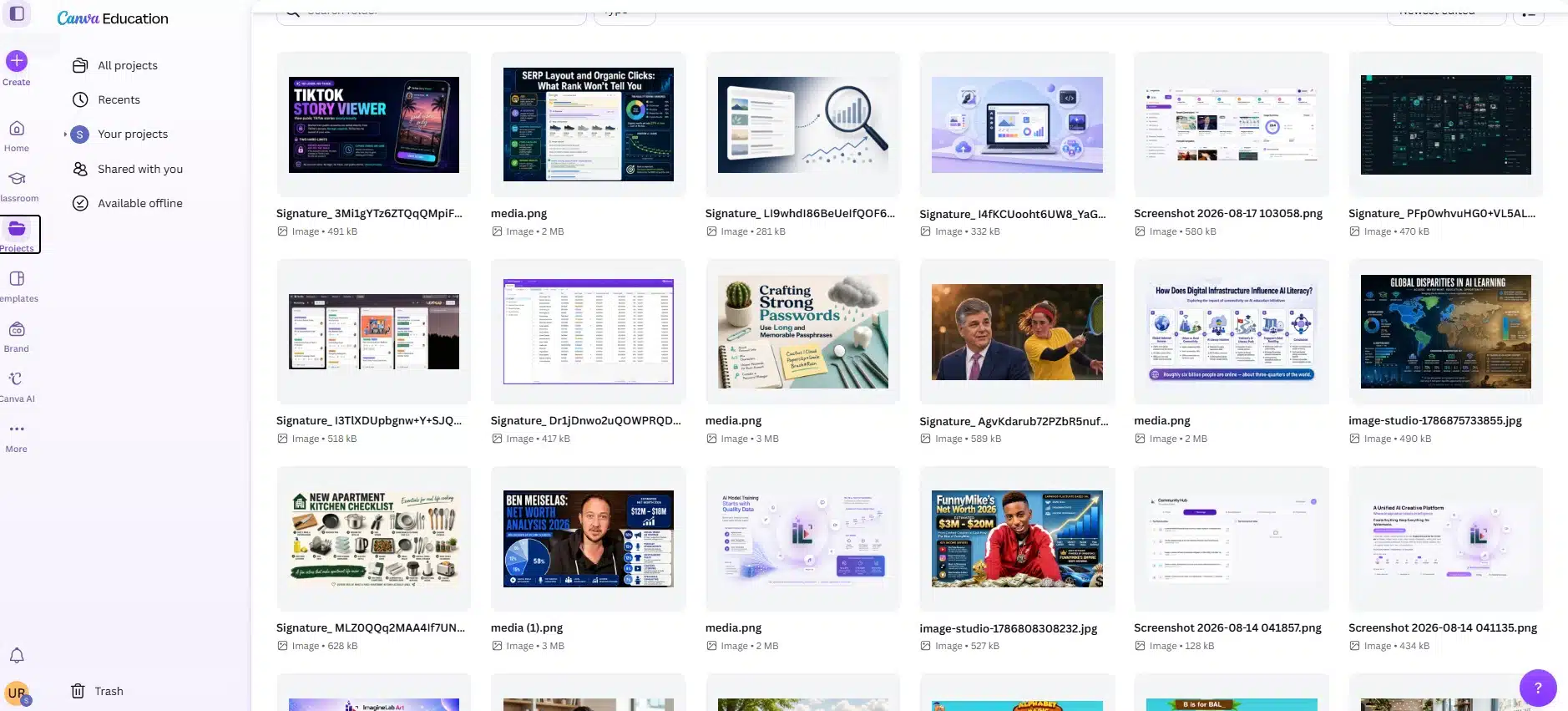
Anything that needs to look genuinely original, I either build from a blank file or bring in from somewhere else. Anything that needs to look consistent and go out today, I build from my own base file.
Rough numbers from my own work: Usually it needs 3 to 4 minutes of time to create any new design from scratch and I used to publish 25 to 30 creatives per week. A simple Canva Pro subscription is fine for me. Those numbers are the whole argument, honestly. Not the features.
When I Still Do Not Use it
Logos. Anything going into a large print run. Anything where the client has a real brand book and a designer who will open the file after me. Long documents with a lot of fine text. And any job where the point is that it should not look like everything else.
Knowing that list saved me more time than any feature ever did.
Final Thoughts
Why Canva became the default design tool for marketers comes down to one thing: it removed the reason to wait. The work does not have to be perfect. It has to exist by nine in the morning, look clean, and carry the brand correctly.
If you are a freelancer or a solo marketer, I would not treat it as a design skill. Treat it as a shipping tool. Build five base files for your own work this week, keep the brand colors in one place, and be honest about the jobs that still belong somewhere else. That is the setup that keeps paying.

























