

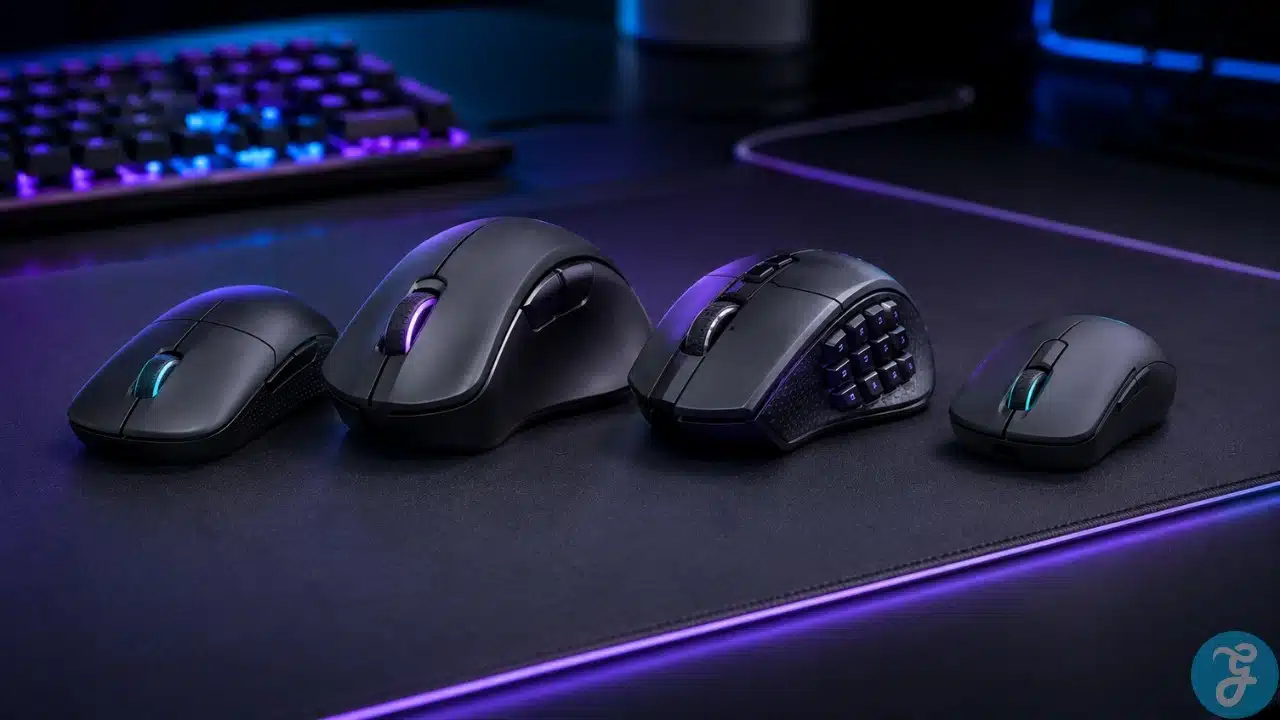
I have used enough gaming mice over the years to know one very annoying truth: the most expensive mouse is not always the best one. Sometimes a cheap mouse survives years of abuse, accidental drops, sweaty ranked matches, and questionable cable management. Meanwhile, some premium “gamer” mouse arrives with dramatic packaging, glowing RGB, and the durability of wet cardboard. Beautiful. Very inspirational.
That is why this best gaming mice for every hand guide is not written like a spec-sheet worship ceremony. I care about comfort, grip style, hand size, weight, sensor reliability, button placement, and whether the mouse actually feels good after long gaming sessions. I also care about value because buying expensive gear just to lose the same match with better lighting is not exactly financial wisdom.
This list is numbered for easy reading, not ranked from best to worst. Different gamers need different mice. An FPS player, MMO player, casual gamer, small-hand user, large-hand palm gripper, and budget buyer should not all buy the same mouse just because a YouTuber shouted about it.
Our Selection Criteria
Before picking the mice, I looked at the way real gamers actually use them. A mouse can have a ridiculous DPI number and still feel awful if the shape does not fit your hand. That is why I focused more on practical comfort and real gaming use than marketing drama.
Here are the filters I used while selecting these options:
| Selection Factor | Why It Matters |
|---|---|
| Hand Size | Small, medium, and large hands need different shapes and shell heights. |
| Grip Style | Palm, claw, and fingertip grips completely change how a mouse feels. |
| Weight | Lightweight mice help with fast flicks, while heavier mice can feel steadier. |
| Sensor Quality | A good sensor should track cleanly without weird skipping or acceleration. |
| Button Layout | FPS players need simplicity, while MMO players need programmable buttons. |
| Wired or Wireless | Premium wireless is excellent now, but wired still makes sense for budget buyers. |
| Build Quality | I do not care how fancy a mouse looks if it starts double-clicking like it has anxiety. |
| Value for Money | Expensive can be good, but cheap can also be shockingly good. I have seen both. |
This approach keeps the article grounded. I am not picking mice only because they look cool on a desk. I am picking them because they serve different hands, games, and budgets.
Before moving into the list, it is worth clarifying who this guide is actually for.
Whom This Is For
This guide is for gamers who want a mouse that fits their actual hand, not their fantasy esports career. It is for FPS players chasing cleaner aim, MMO players who need more buttons, casual players who just want comfort, and budget buyers who do not want to sell a kidney for a mouse.
It is also for people like me who have learned that “gaming” branding does not automatically mean better. Some expensive mice are excellent. Some are overhyped plastic trophies. Some cheaper mice quietly do the job for years while the premium ones sit in a drawer like failed experiments.
11 Best Gaming Mice for Every Hand That Actually Make Sense
Now let’s get into the actual list. Again, this is numbered for structure, not ranked. I am matching each mouse to the type of gamer, grip, hand size, and use case where it makes the most sense.
1. Logitech G Pro X Superlight 2
The Logitech G Pro X Superlight 2 is the mouse I would look at first if I wanted a clean, lightweight, competitive wireless option without unnecessary nonsense. Logitech lists it with the HERO 2 sensor, up to 44,000 DPI, 888+ IPS tracking, and LIGHTSPEED wireless, which is exactly the kind of spec sheet competitive players love staring at before blaming teammates.
In real use, the appeal is simple: it is light, clean, fast, and not overloaded with extra buttons. I like mice like this for FPS games because they stay out of the way. You are not wrestling the mouse. You are just aiming, flicking, and pretending the missed shot was lag.
Best for:
- Competitive FPS players
- Medium-hand users who like lightweight wireless mice
Why We Chose It:
- Strong wireless performance without the old “wireless mouse lag” fear
- Lightweight shape works for many claw and fingertip users
- Clean design with no useless button circus
- Excellent sensor performance for serious aiming
Things to consider:
- It is expensive for casual players
- Not ideal if you need lots of side buttons
2. Razer DeathAdder V4 Pro
The Razer DeathAdder V4 Pro is the kind of ergonomic gaming mouse that makes sense if you want comfort and performance together. Razer lists it with a right-handed ergonomic shape, Focus Pro 45K Optical Sensor Gen-2, up to 45,000 DPI, 900 IPS, and up to 8,000Hz polling in both wired and wireless modes.
The DeathAdder shape has always been popular because it understands one basic thing: human hands are not flat pancakes. I like this style for palm grip because it gives your hand something natural to rest on. It is especially useful if you play for hours and do not want your wrist filing a complaint.
Best for:
- Right-handed palm grip users
- Gamers who want comfort without giving up speed
Why We Chose It:
- Excellent ergonomic shape for longer gaming sessions
- Great for larger hands and relaxed palm grip
- Strong modern sensor and polling performance
- Better for comfort-focused FPS players than tiny ultralight mice
Things to consider:
- Not suitable for left-handed users
- Premium price, because of course comfort is expensive now
3. Razer Viper V3 Pro
The Razer Viper V3 Pro is built for gamers who want speed, simplicity, and a lighter symmetrical shape. Razer describes it as an esports-focused mouse with its high-precision optical sensor, and retail listings commonly show it around 54g to 55g with 8K polling and a 35K DPI optical sensor.
I see this as a strong option for claw grip and fingertip grip players who do not want a big ergonomic hump forcing their hand into one position. It is the type of mouse that feels better when you play fast shooters, where every gram feels like it has personally betrayed you. If you prefer a flatter, lighter mouse, this one makes a lot of sense.
Best for:
- FPS players who prefer claw or fingertip grip
- Gamers who want a lightweight symmetrical shape
Why We Chose It:
- Very light and fast for competitive play
- Symmetrical shape works for more grip styles
- Strong sensor and polling performance
- Cleaner than bulky button-heavy mice
Things to consider:
- Not a true left-handed mouse with full mirrored side buttons
- Overkill if you only play casual single-player games
4. Logitech G502 X Plus
The Logitech G502 X Plus is for people who look at a normal two-side-button mouse and think, “That is cute, but where are the rest of the buttons?” Logitech lists the G502 X Plus with LIGHTFORCE hybrid optical-mechanical switches, LIGHTSPEED wireless, HERO 25K sensor, LIGHTSYNC RGB, and up to 130 hours of battery life with RGB off.
I like this type of mouse for hybrid users. It is not my first choice for pure FPS because it is heavier and busier than ultralight mice, but for RPGs, strategy games, productivity, and mixed gaming, it is extremely practical. Sometimes extra buttons are not a gimmick. Sometimes they save you from reaching across the keyboard like you are defusing a bomb.
Best for:
- Hybrid gamers who play multiple genres
- Players who want more buttons without going full MMO keypad mode
Why We Chose It:
- Very useful button layout for mixed gaming
- Strong sensor and wireless performance
- Comfortable right-handed shape
- Great for gaming plus everyday PC use
Things to consider:
- Heavier than competitive FPS mice
- RGB version costs more and drains battery faster
5. Razer Naga V2 Pro
The Razer Naga V2 Pro is the mouse I would suggest to MMO players who genuinely use side buttons instead of pretending they will “learn macros someday.” Razer lists it with three swappable side plates, 19+1 programmable buttons, HyperScroll Pro Wheel, and HyperSpeed Wireless.
This is not the mouse for minimalist FPS players. This is for people who play MMOs, MOBAs, RPGs, and games where having abilities under your thumb actually matters. If your keyboard hand already feels like it is doing unpaid labor, a mouse like this can make your setup feel much more efficient.
Best for:
- MMO and MOBA players
- Gamers who want lots of programmable controls
Why We Chose It:
- Swappable side plates make it more flexible
- Massive button count for ability-heavy games
- Good choice for players who want one mouse for several genres
- More practical than buying separate mice for MMO and FPS
Things to consider:
- Too bulky and complex for many FPS players
- Takes time to build muscle memory
6. Corsair Scimitar RGB Elite
The Corsair Scimitar RGB Elite is another strong MMO-focused option, especially if you want a wired mouse with a full side-button panel. Corsair lists it with 17 programmable buttons, an 18,000 DPI optical sensor, palm grip design, 122g weight, and 4-zone RGB lighting.
I like this mouse for players who want macro control but do not care about ultralight esports trends. It is heavier, yes, but that weight can feel stable for MMO and MOBA gameplay. Not every mouse needs to weigh less than a biscuit.
Best for:
- MMO players who prefer wired reliability
- Palm grip users who want many programmable buttons
Why We Chose It:
- Excellent button count for MMO rotations
- Wired connection means no battery anxiety
- Side-button layout is practical for macros
- Good alternative to expensive wireless MMO mice
Things to consider:
- Heavy for FPS gaming
- Not ideal for claw or fingertip users
7. SteelSeries Rival 3 Wireless
The SteelSeries Rival 3 Wireless is the kind of mouse that proves budget gear does not automatically mean garbage. SteelSeries lists it with 400+ hours of battery life, 2.4GHz and Bluetooth connectivity, a TrueMove Air optical sensor, and durable materials.
This is the type of mouse I respect because it focuses on the basics. It is not trying to be a $200 esports trophy. It is trying to be useful, wireless, reliable, and affordable. Honestly, that alone puts it ahead of many dramatic gaming products that act like RGB lighting is a personality.
Best for:
- Budget-conscious wireless gamers
- Casual players who want dependable everyday performance
Why We Chose It:
- Strong battery life for the price
- Dual wireless connectivity is useful
- Simple shape works for many users
- Good entry-level wireless option
Things to consider:
- Not the lightest wireless mouse
- Competitive players may want a sharper premium sensor
8. Glorious Model O 2 Mini Wireless
The Glorious Model O 2 Mini Wireless is a good option if you want a smaller, lighter mouse without feeling like you are holding a toy from a cereal box. Glorious lists the Model O 2 Mini Wireless with a 57g weight, right-handed symmetrical shape, dual wireless connectivity, up to 210 hours of battery life, and a BAMF 2.0 26K sensor.
This mouse makes sense for smaller hands and fast grip styles. I like smaller mice when I want more fingertip control, but they can feel cramped if your hands are large. So yes, hand size matters. Shocking, I know.
Best for:
- Small to medium hands
- Fingertip and claw grip users
Why We Chose It:
- Lightweight without feeling too extreme
- Small size works well for fingertip control
- Dual wireless adds flexibility
- Strong sensor for the price range
Things to consider:
- Too small for some palm grip users
- Mini mice are not comfortable for every hand
9. Cooler Master MM720
The Cooler Master MM720 is one of those weird-looking mice that makes more sense once you actually understand the shape. Cooler Master lists it as a lightweight mouse at 49g, which is extremely light even by modern standards.
This is a great example of why “normal-looking” does not always mean better. The shape is unusual, but for certain grip styles and smaller hands, it can feel surprisingly natural. It is especially interesting for fingertip users who want speed without carrying a brick across the mousepad.
Best for:
- Small-hand users
- Fingertip grip players who want very low weight
Why We Chose It:
- Extremely lightweight at 49g
- Great for fast hand movement
- Unique shape supports certain grip styles well
- Good reminder that weird can still be useful
Things to consider:
- Shape will not suit everyone
- Too small and unusual for many palm grip users
10. Keychron M3 Mini Wireless Metal Edition
The Keychron M3 Mini Wireless Metal Edition is an interesting option for gamers who want something compact, premium-feeling, and not from the usual loud gaming brands. Keychron lists the metal edition with a magnesium alloy body, PixArt 3950 and PixArt 3395 sensor options, 8K polling support, and 2.4GHz, Bluetooth, plus wired connectivity.
I like that Keychron has been pushing into gaming mice without making everything look like it came from a neon spaceship. This mouse fits players who want gaming performance but also care about desk aesthetics and build feel. Not everyone wants their setup to look like a cyberpunk nightclub.
Best for:
- Small to medium hands
- Gamers who want a premium compact mouse
Why We Chose It:
- Compact shape works well for faster grip styles
- Magnesium alloy body gives it a premium feel
- Triple connectivity is practical
- Strong sensor options for gaming and daily use
Things to consider:
- Metal body may not feel right for everyone
- Smaller shape is not ideal for large palm grip users
11. Zowie EC2-CW
The Zowie EC2-CW is for players who want a clean ergonomic esports mouse without software drama. BenQ lists the EC2-CW as a wireless esports mouse with an asymmetrical ergonomic design, enhanced receiver, reduced weight, 24-step scroll wheel, and driverless plug-and-play setup. The EC2-CW medium size is listed at 77g.
I like Zowie mice because they are not trying to win a beauty contest with RGB fireworks. They are built around shape and competitive feel. If you want a reliable ergonomic mouse and do not want to spend half your evening inside software menus, this is a strong pick.
Best for:
- Right-handed esports players
- Palm and relaxed claw grip users
Why We Chose It:
- Excellent ergonomic shape for competitive gaming
- Driverless setup keeps things simple
- Good medium-size option for many hands
- Great for players who care more about shape than RGB
Things to consider:
- Less flashy than many gaming mice
- Not ideal if you want heavy software customization
An Overview of 11 Best Gaming Mice for Every Hand
At this point, the big lesson should be clear: there is no single perfect gaming mouse for everyone. A mouse that feels amazing in my hand might feel terrible in yours. A lightweight FPS mouse may be useless for an MMO player who needs twelve side buttons. A budget mouse may outperform a premium one if the shape fits better.
That is why this best gaming mice for every hand comparison is less about chasing the “number one” mouse and more about matching the right mouse to the right gamer.
Overview Comparison Table for Best Gaming Mice for Every Hand
Here is the cleaner side-by-side view so you can compare the important differences without rereading the entire article like you are studying for a mouse exam.
| Mouse | Approx. Weight | Shape Type | Connection | Best Match |
|---|---|---|---|---|
| Logitech G Pro X Superlight 2 | Light | Symmetrical | Wireless | Competitive FPS |
| Razer DeathAdder V4 Pro | 56g to 57g | Right-handed ergonomic | Wireless and wired | Palm grip FPS |
| Razer Viper V3 Pro | 54g to 55g | Symmetrical | Wireless | Claw and fingertip FPS |
| Logitech G502 X Plus | Heavier | Right-handed ergonomic | Wireless | Hybrid gaming |
| Razer Naga V2 Pro | Heavy | Right-handed modular | Wireless | MMO and MOBA |
| Corsair Scimitar RGB Elite | 122g | Right-handed palm | Wired | MMO macros |
| SteelSeries Rival 3 Wireless | Medium | Symmetrical | Wireless | Budget wireless |
| Glorious Model O 2 Mini Wireless | 57g | Small symmetrical | Wireless | Small hands |
| Cooler Master MM720 | 49g | Unique ergonomic | Wired | Fingertip grip |
| Keychron M3 Mini Wireless Metal Edition | Compact | Small symmetrical | Wireless and wired | Compact premium setup |
| Zowie EC2-CW | 77g | Right-handed ergonomic | Wireless | Esports comfort |
The comparison makes one thing obvious. If you mainly play FPS games, look at lighter mice. If you play MMO or MOBA titles, button layout matters more. If you play everything, pick comfort first because your hand will punish you before your K/D ratio does.
Our Top 3 Picks and Why?
This section makes sense here because gaming mice are very personal, but some picks still stand out for specific buyer types. I would not call these “the only three worth buying,” because that would be lazy and wrong. But if someone asked me where to start, I would point them here first.
| Pick | Best Match | Why It Stands Out |
|---|---|---|
| Logitech G Pro X Superlight 2 | Competitive FPS | It is light, clean, wireless, and built for serious aiming. |
| Razer DeathAdder V4 Pro | Ergonomic comfort | It gives strong performance without ignoring hand comfort. |
| SteelSeries Rival 3 Wireless | Budget value | It proves you do not need to overspend for a useful gaming mouse. |
The Superlight 2 is the safest competitive pick. The DeathAdder V4 Pro is the comfort-first premium pick. The Rival 3 Wireless is the “I have a budget and a brain” pick.
How to Choose the Right Gaming Mice for Yourself?
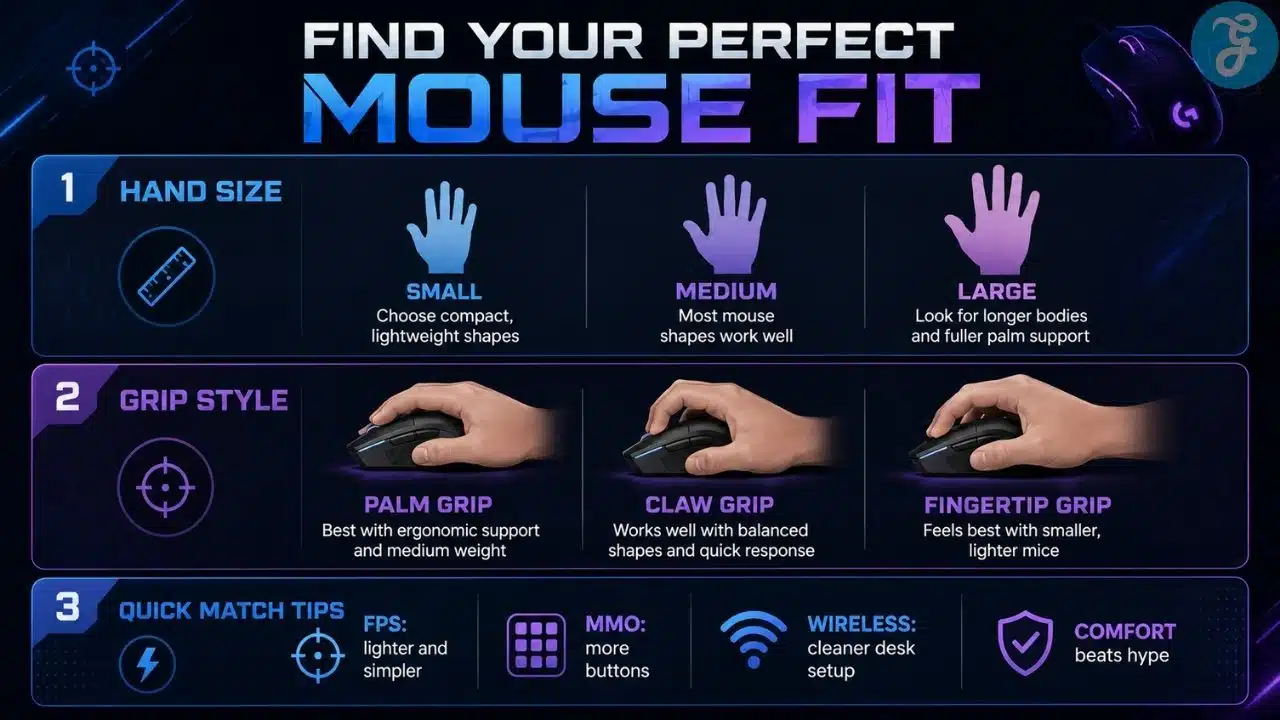
The smartest way to choose a gaming mouse is to stop buying based only on hype. Your hand size, grip style, games, and budget matter more than whatever buzzword the box is screaming at you.
If possible, test the shape before buying. If not, compare dimensions and weight carefully. A mouse can have the best sensor in the world, but if your hand cramps after one hour, congratulations, you bought a very accurate pain machine.
The Selection Framework
- Start with grip style: Palm users usually need more support, claw users often like higher humps, and fingertip users usually prefer smaller lightweight mice.
- Match the mouse to your games: FPS players should prioritize weight and sensor feel, while MMO players should prioritize buttons and comfort.
- Do not worship DPI: Most players never use extreme DPI settings. Sensor consistency matters more than massive numbers.
- Respect your budget: Premium mice can be great, but cheap mice can absolutely outlast and outperform expensive ones if the shape and build are right.
The Final Checklist
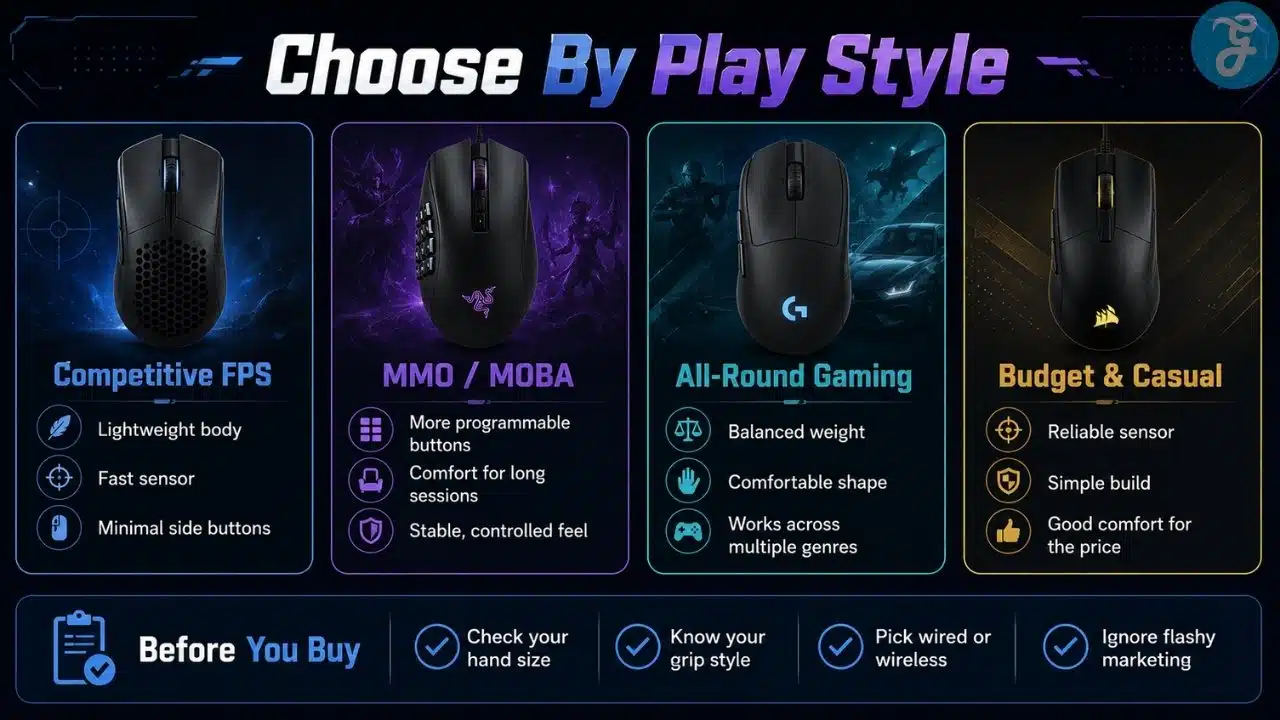
Before buying, run through this quick checklist:
- Does the mouse shape match my grip style?
- Is the size right for my hand?
- Is the weight comfortable for the games I play most?
- Do I actually need extra buttons, or do I just like the idea of them?
- Is the price justified by comfort, durability, and real performance?
The Mouse That Fits You Beats the Mouse Everyone Hypes
The uncomfortable truth is simple: gaming mice are personal. There is no magic mouse that turns bad aim into esports greatness. I wish there were, because I would have bought three by now and retired from excuses.
The future of gaming mice will probably keep moving toward lighter shells, better wireless, higher polling rates, improved sensors, and more specialized shapes. That is good, but it also means buyers need to be smarter. More specs do not always mean a better experience. Sometimes the “boring” mouse that fits your hand perfectly is better than the expensive flagship with features you will never use.
For me, the real lesson is this: the best gaming mice for every hand are not always the flashiest ones. They are the mice that feel natural, perform consistently, and survive real use. Comfort first, performance second, RGB somewhere near the bottom where it belongs.
Frequently Asked Questions (FAQs) About Best Gaming Mice for Every Hand
What Is the Best Gaming Mouse for Most People?
For most gamers, a comfortable lightweight wireless mouse is the safest choice. The Logitech G Pro X Superlight 2 and Razer Viper V3 Pro are strong options for FPS players, while the DeathAdder V4 Pro is better if you prefer ergonomic palm support.
Is a Lightweight Mouse Always Better for Gaming?
No, lightweight mice are great for fast FPS movement, but they are not always better for every player. MMO, strategy, and casual gamers may prefer a slightly heavier mouse with more buttons and stability.
Should I Choose Wired or Wireless for Gaming?
Premium wireless mice are now excellent and feel almost like wired options. Wired still makes sense if you want lower cost, no charging, and simple reliability.
Does DPI Matter When Buying a Gaming Mouse?
DPI matters, but not as much as marketing wants you to think. Most gamers use moderate DPI settings, so shape, sensor consistency, weight, and comfort are usually more important.
Can Cheap Gaming Mice Be Better Than Expensive Ones?
Yes, absolutely. I have used cheap mice that lasted longer and felt better than expensive branded ones. Price can indicate quality, but it does not guarantee comfort, durability, or performance.
























