Finding the best free keyword tools allows publishers, small businesses, and content creators to uncover high-intent search queries without expensive enterprise SEO subscriptions. Finding the right keywords early prevents you from targeting the wrong phrases, overestimating search volume, or creating redundant content that targets a single search intent.
While free SEO software often comes with daily search limits or requires free account registration, the right combinations deliver enterprise-grade data.
Arranged by workflow—starting with pre-publication research, moving to first-party site data, and finishing with specialized long-tail discovery—here are nine powerful free tools to validate search demand, map user intent, and build a winning content strategy on a $0 budget.
How the Free Keyword Tools Compare
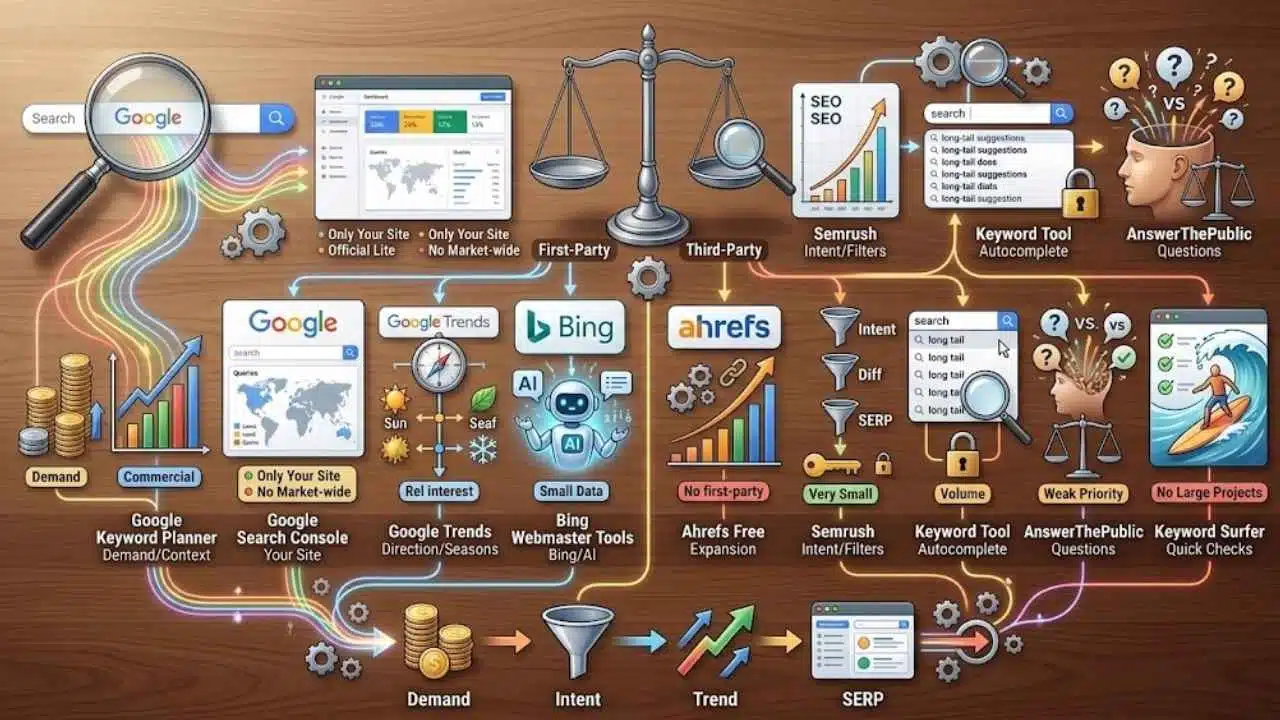
The figures are not interchangeable. Each tool measures or estimates a different part of search behavior.
| Tool | Most Useful For | Main Limit |
| Google Keyword Planner | Demand and commercial context | Advertiser data, not organic difficulty |
| Google Search Console | Queries already showing your site | No market-wide demand data |
| Google Trends | Direction, seasonality, and terminology | Relative interest only |
| Bing Webmaster Tools | Bing demand and AI citation clues | Does not represent Google demand |
| Ahrefs Free Keyword Generator | Fast expansion with SEO estimates | Modeled rather than first-party data |
| Semrush Keyword Magic Tool | Intent, difficulty, and SERP filters | Very small free allowance |
| Keyword Tool | Autocomplete-based long-tail ideas | Volume data is paid |
| AnswerThePublic | Questions and comparison language | Weak prioritization data |
| Keyword Surfer | Quick checks inside Google results | Poor fit for large projects |
Choose a starting point, not a winner. Most decisions need demand, intent, trend direction, and a manual SERP check.
What Keyword Volume Cannot Tell You
Search volume is the most overused number in keyword research. Google Keyword Planner estimates demand for advertisers. Ahrefs and Semrush use their own databases and models. Google Trends shows relative interest. Search Console records only the searches in which a particular site appeared.
Different numbers for the same phrase do not automatically mean one tool is broken. It is generally safer to compare related terms inside one platform than to combine figures from several providers as if they were measured the same way.
Volume also says little about the work required to rank or the traffic a page may receive. A broad term can look attractive while the results are dominated by major brands, products, videos, local listings, or instant answers. A smaller query with clear intent may be the better publishing decision.
Generative search creates another blind spot. Google’s current documentation says Trends excludes internal searches made through AI Mode and AI Overviews. Conventional keyword data can still reveal useful topics, entities, comparisons, and question patterns, but it is not a complete database of AI prompts. It cannot predict whether a page will be cited in an AI answer either.
1. Google Keyword Planner
Google Keyword Planner is the best all-round starting point for a new project with no performance history. It can generate ideas from seed phrases or a website and report estimated monthly searches, historical trends, advertiser competition, and top-of-page bid ranges. Location and language settings are especially helpful when a business serves one country rather than a global audience.
Two columns regularly cause confusion. Competition reflects activity among advertisers, not the difficulty of reaching Google’s organic results. Bid estimates can indicate that advertisers value a query, but they do not prove that an informational article will convert readers into customers.
Keyword Planner sits inside Google Ads and requires a Google Ads account. There is no separate Keyword Planner subscription, although the account setup is less convenient than opening a standalone generator.
Use it to compare closely related phrases, check whether demand exists in the target market, and study commercial modifiers around a product or service. Do not simply select the largest term. A smaller phrase that matches the page’s purpose is often more useful than a broad keyword the site has little chance of serving well.
2. Google Search Console
Once a site has meaningful impressions, Search Console is arguably the most valuable tool on this list. It ranks second only because it cannot help much before publication.
Its Performance report connects queries to actual pages and shows clicks, impressions, click-through rate, average position, country, and device. That makes it unusually useful for content refreshes. Filter the report to one URL, then examine relevant queries receiving impressions but few clicks. The page may need clearer coverage, a more accurate title, or a separate article because the query represents a different intent.
Search Console can also expose a language gap. Companies often describe services using internal terminology while searchers use shorter, plainer phrases. Those phrases can improve headings and explanations without forcing awkward keyword repetition.
The report is not a full record of demand. Its interface displays no more than 1,000 rows, some rare queries are omitted for privacy, and the data reflects only the site’s existing visibility.
Google’s generative AI performance report adds visibility data for eligible properties, including impressions by page, country, device, and date for features such as AI Overviews and AI Mode. It does not currently provide a query dimension. Treat it as a monitoring report, not an AI keyword generator.
3. Google Trends
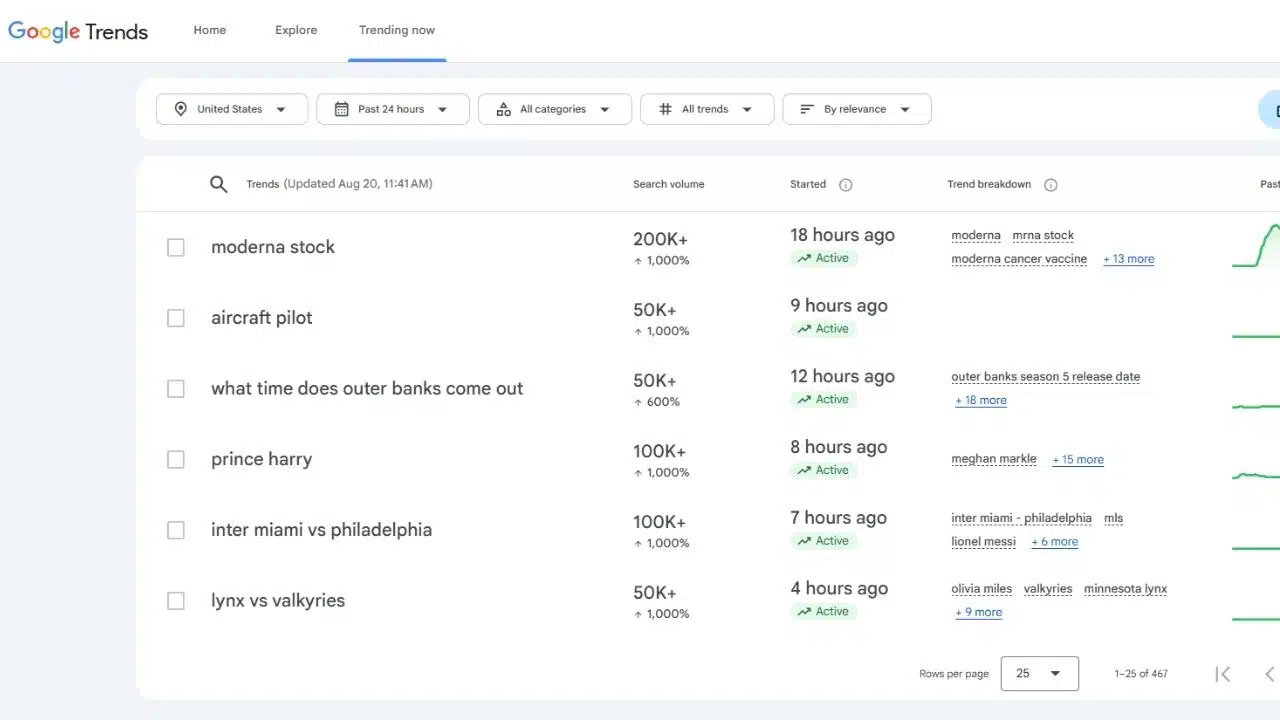
Use Google Trends after finding candidate terms, not as the only research tool. It answers a question that monthly averages often hide: is interest growing, fading, seasonal, or briefly inflated by an event?
Scores run from 0 to 100 and represent normalized interest for the selected location and period. A score of 100 marks peak relative interest in that comparison; it does not mean 100 searches.
Trends helps when two phrases describe the same category, regional wording differs, or a product name is changing. Use Topics for broader concepts and Search terms when exact wording matters. Very small queries may return zero, limiting its value in narrow B2B and local niches.
4. Bing Webmaster Tools
Bing Webmaster Tools is the most underrated option here. Its Keyword Research feature provides organic Bing data rather than paid-search estimates, along with related phrases, question keywords, trends, and ranking URLs. Country and language filters help separate a useful regional signal from global noise.
The limitation is straightforward: Bing demand is not Google demand. It deserves attention when Bing already contributes impressions or clicks to the site, not because its figures can be scaled into a reliable Google estimate.
Its AI Performance feature adds something few free tools offer. Currently in public preview, it reports citations, cited pages, and sampled grounding queries from supported Microsoft AI experiences. A grounding query is a phrase used while retrieving cited material; it may not be the user’s original prompt.
The report covers a sample and does not indicate ranking, authority, or citation placement. Even with those limits, it provides more concrete GEO feedback than an opaque third-party “AI visibility score.”
5. Ahrefs Free Keyword Generator
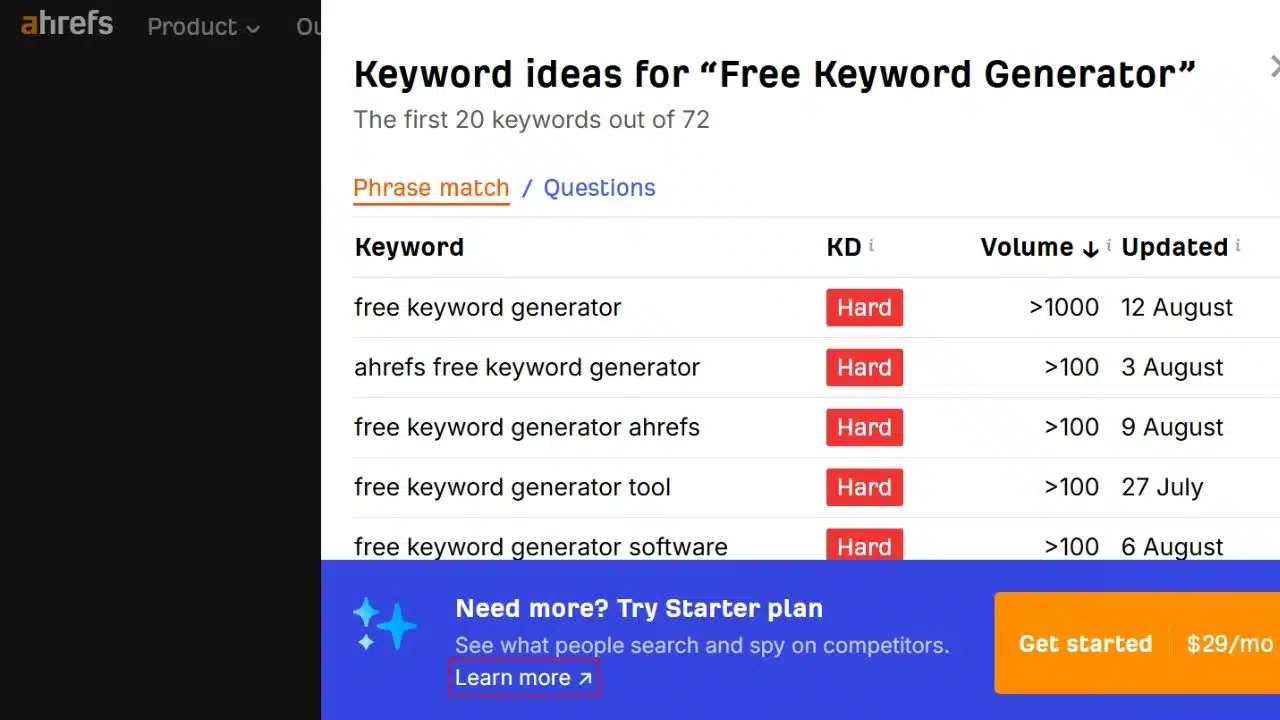
Ahrefs is the stronger choice when a few seed terms need to become a workable research list. Its current interface supports Google, Bing, YouTube, and Amazon, so it is useful for projects beyond standard web articles.
Available views include phrase matches, questions, search suggestions, and terms for which related pages also rank. Local and global monthly volume figures are estimates based on Ahrefs’ clickstream-driven data. Use them to compare and screen ideas, not to forecast visits precisely.
The YouTube and Amazon options justify keeping it bookmarked because a phrase can behave very differently across platforms.
6. Semrush Keyword Magic Tool
Semrush offers the richest analysis in a very small free window. Keyword Magic Tool can show volume, keyword difficulty, cost per click, intent, and SERP features. Its intent labels cover informational, navigational, commercial, and transactional searches.
Those labels are useful filters, not editorial verdicts. A supposedly commercial query may return shops, reviews, videos, forums, and AI answers together. Check the live results before deciding what kind of page belongs there.
Users without an SEO Toolkit subscription currently receive 10 searches per day and 10 results per search. That makes Semrush better for evaluating a short list than generating one. Vague seeds such as “business” or “marketing” waste the allowance quickly.
7. Keyword Tool
Keyword Tool is for finding wording, not validating it. Its Google tool draws from autocomplete and currently advertises up to 750-plus suggestions for a seed phrase without requiring an account. It also covers YouTube, Amazon, Bing, TikTok, app stores, and ecommerce marketplaces.
Search volume, CPC, and competition data require the paid product. Copy the relevant phrases, remove near-duplicates, and take the shorter list elsewhere. Turning every autocomplete variation into a separate page is a reliable way to create thin, overlapping content.
8. AnswerThePublic
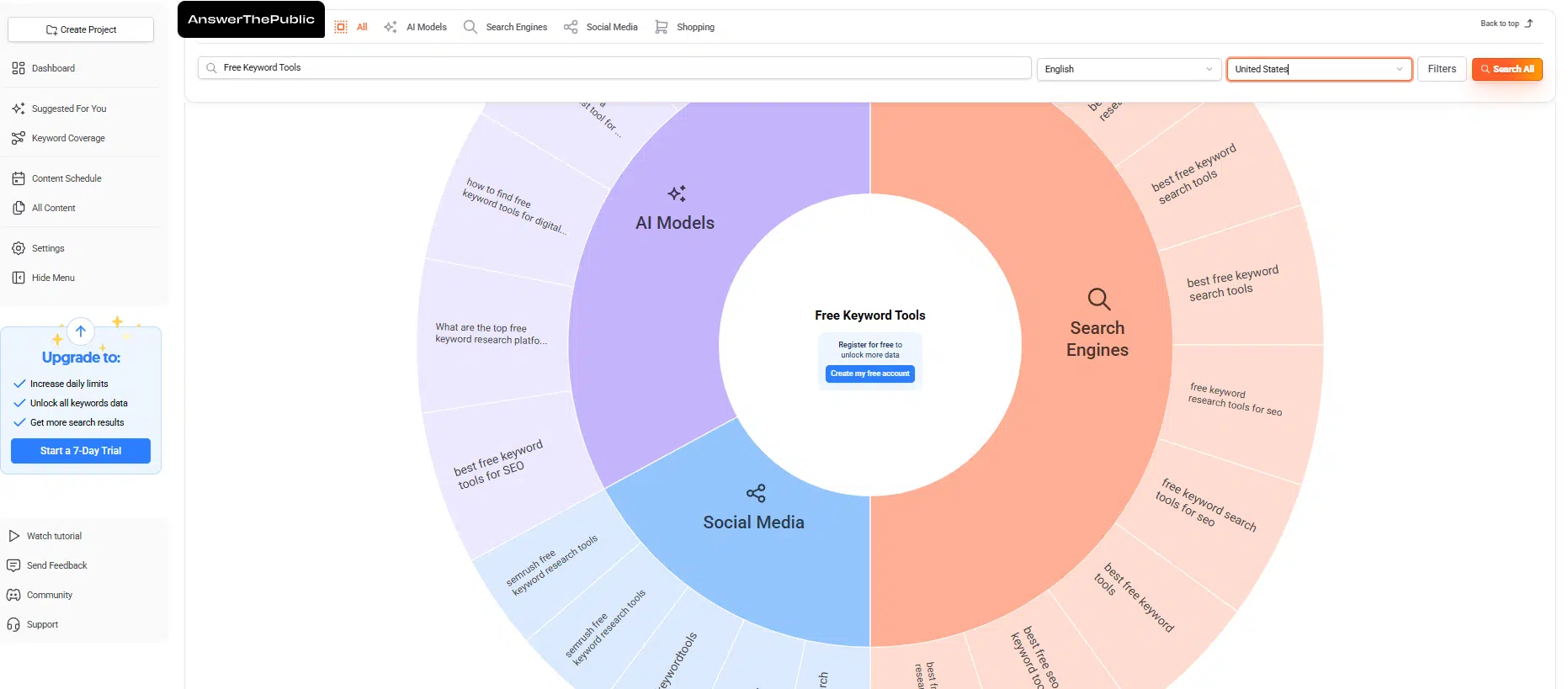
AnswerThePublic is useful when a brief lacks natural-language questions, comparisons, or customer concerns. Its free account currently allows three searches per day.
The tool can add useful angles to service pages, buying guides, and technical explainers, but the visual output can make every question look equally important. Several suggestions may express the same need. Group them by intent and keep only those the page can answer properly.
9. Keyword Surfer
Keyword Surfer adds estimated volume, related phrases, similarity scores, and saved collections directly to Google results. The basic Chrome extension requires no Surfer account, covers 70 countries, and exports research to CSV.
It is built for Chrome. Other Chromium-based browsers may work, but Surfer does not guarantee compatibility after updates. The extension suits quick checks while editing or reviewing a SERP. Large research projects need a proper spreadsheet or platform, and teams with strict browser-extension policies may need to skip it.
A Practical Zero-Cost Starting Path
Keep the process smaller than most keyword-tool tutorials suggest.
- Collect language: Use Keyword Tool, Ahrefs, or AnswerThePublic to find phrases, comparisons, and questions. Remove obvious duplicates before doing anything else.
- Validate the shortlist: Check demand and commercial context in Keyword Planner, direction in Trends, and intent or SERP features in Semrush. Search the final candidates manually to see what is actually ranking.
- Learn after publication: Use Search Console to find the queries earning impressions. If Bing contributes meaningful visibility, review its keyword and AI Performance reports as well.
Stop when the evidence supports a clear page purpose. A 5,000-row export is not a strategy.
The most useful free keyword tools are assigned a specific job. Combine a few, check the results page, and choose the phrase that fits both the reader’s intent and the site’s realistic position. That is enough for a sound decision without an enterprise platform.