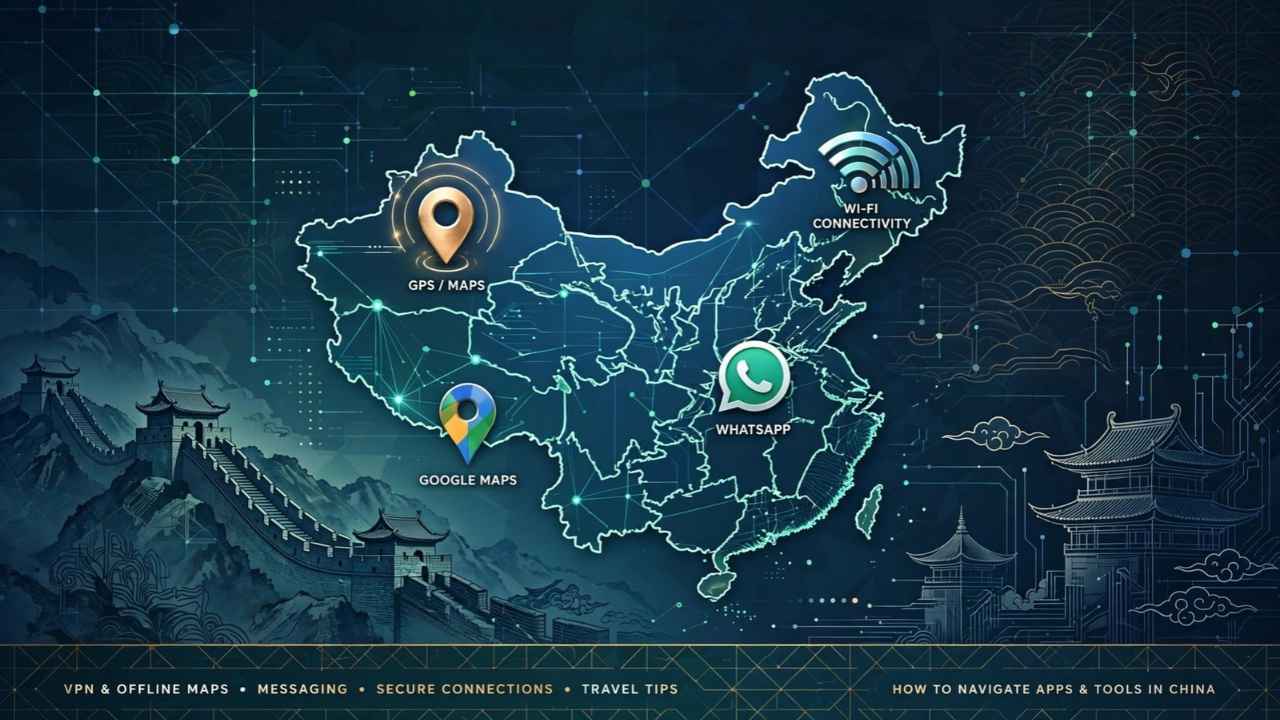
You land in Shanghai, turn on your phone, and open WhatsApp to tell your family you made it. Nothing. Google Maps shows a blank gray grid. Gmail spins forever.
Welcome to the Great Firewall. China blocks Google, WhatsApp, Instagram, YouTube, and most Western apps, and the fix most travelers count on (a VPN) got a lot less reliable in 2026.
This China travel connectivity guide walks you through the setup that actually works right now: which eSIM to buy, which maps to trust, how to pay for a bowl of noodles, and what to do before you leave home.
The Short Answer: The Setup That Works in 2026
Here’s what most experienced China travelers run today:
- An international travel eSIM: installed before you fly. It routes your data through Hong Kong or Singapore, so Google and WhatsApp just work. No VPN needed.
- Alipay: set up at home with your foreign card. Cash is fading fast in Chinese cities.
- Apple Maps or Amap: for getting around, not Google Maps.
- A VPN as backup: for hotel Wi-Fi, installed and tested before departure.
That’s it. The rest of this China travel connectivity guide explains why each piece matters and where people go wrong.
Why Your Apps Stop Working the Second You Land
China’s firewall blocks foreign services at the network level. That covers Google (Search, Maps, Gmail, YouTube, Drive), Meta’s apps (WhatsApp, Instagram, Facebook), X, and many news sites. It also hits plenty of AI tools.
Here’s the catch most people miss: the block depends on which network carries your data, not where your phone is sitting. A Chinese SIM, hotel Wi-Fi, and airport Wi-Fi all sit behind the firewall. Data that travels out to a foreign network first doesn’t.
That one fact drives every smart decision in this China travel internet guide, and it’s why the eSIM tops our China travel connectivity guide.
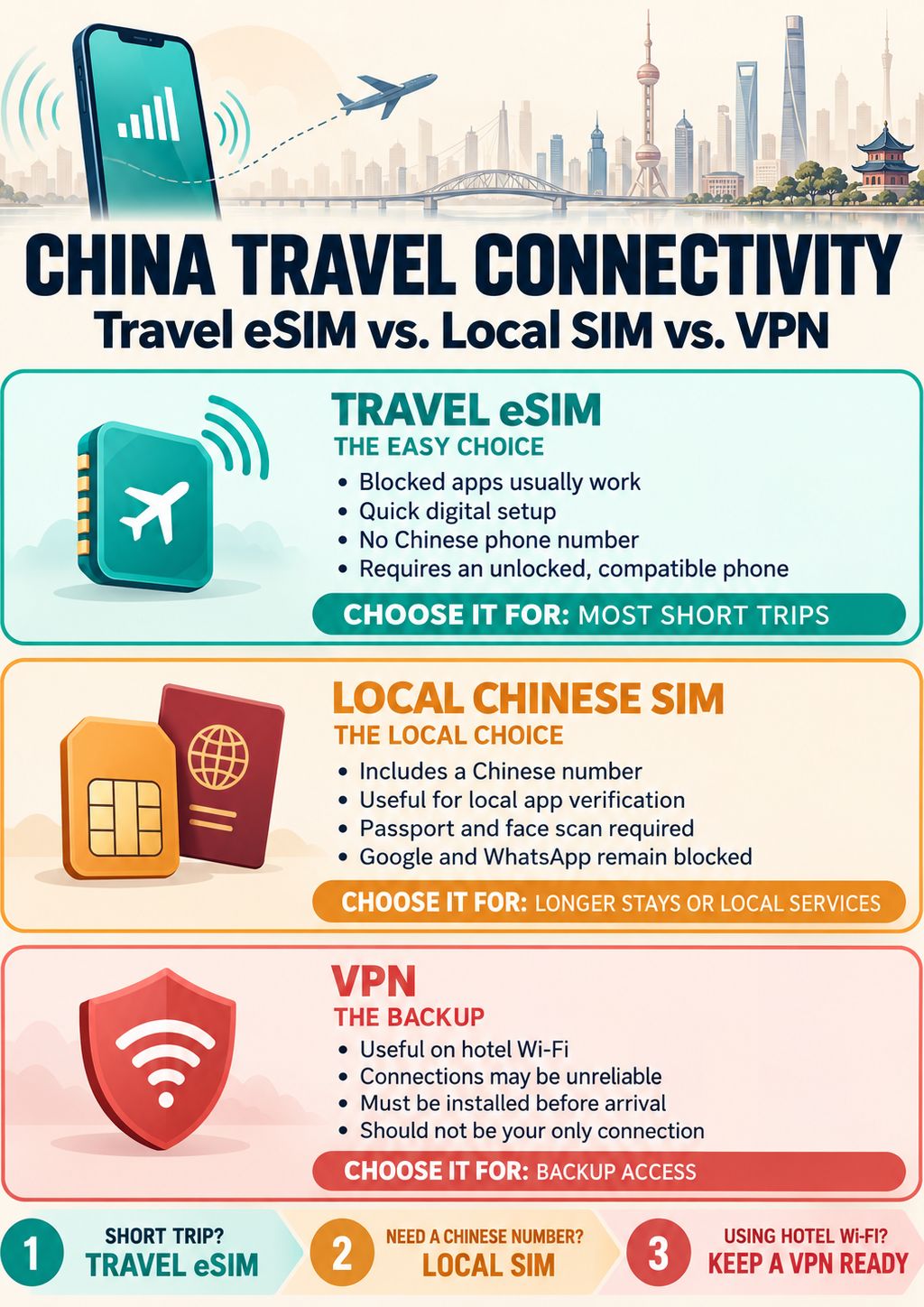
Travel eSIM vs. Local SIM vs. VPN: The Honest Comparison
This is the core of any China travel connectivity guide, so let’s be blunt about each option.
The Travel eSIM (What Most People Should Buy)
When you buy a China travel eSIM from a provider like Airalo, Holafly, Nomad, or Trip.com, it usually connects through China Unicom or China Mobile towers, then sends your data out through Hong Kong or Singapore. Your phone acts like it’s abroad. Google, WhatsApp, and Instagram open normally.
For most readers of this China travel connectivity guide, this is the pick. Typical trip costs run roughly $5 to $35, depending on data and days. Trip.com sometimes lists a 15-day data plan for around $6. Compare apps before you buy (our roundup of the best eSIM apps for international travel breaks down the main players).
Longtime users flag three annoyances:
- No Chinese phone number. Travel eSIMs are data only, so they can’t receive local text codes.
- Some services still fail. ChatGPT, for example, may block certain Hong Kong exit routes.
- You need a compatible phone. It has to support eSIM and can’t be locked to your home carrier.
The Local Chinese SIM
China Unicom, China Mobile, and China Telecom all sell tourist SIMs. Prices look good on paper. A China Unicom plan runs about $25 for 7 days and 5 GB, or $42 for 30 days and 30 GB.
But here’s the problem. A local SIM sits behind the firewall, so Google and WhatsApp won’t work without a VPN. You’ll also need your original passport (no photocopies), a live face scan, and an official carrier store. Airport counters at Beijing Capital, Shanghai Pudong, and Guangzhou Baiyun charge roughly 30 to 60% more per GB than city stores.
So who should get one, according to this China travel connectivity guide? People staying a month or longer, or anyone who needs a Chinese number for food delivery apps like Meituan.
The VPN (Backup Only)
Most beginners make the mistake of thinking a VPN is plan A. That’s a big mistake for staying connected in China.
Travelers and VPN testers reported a sharp enforcement push around April 1, 2026. Common protocols dropped out, and even premium services now connect only some of the time. Treat a VPN as your backup for hotel Wi-Fi, not your main connection. That’s the biggest change in any China travel connectivity guide written this year.
If you do bring one, install and test it at home. Most VPN websites are blocked inside China, so you can’t download one after you land. VPN use sits in a legal gray area, but there’s no public record of tourists getting fined for using one.
Maps: Why Google Maps Lies to You in China
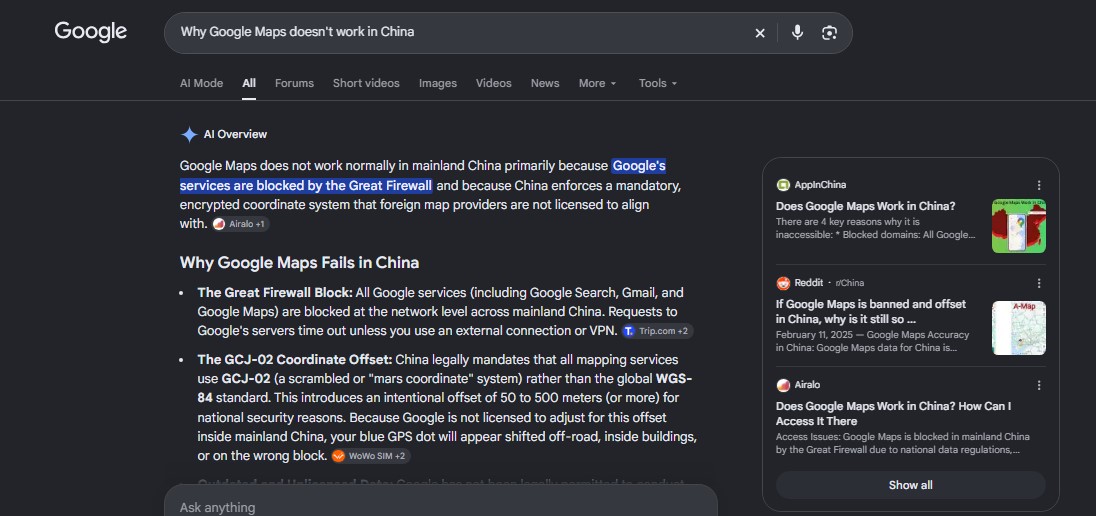
Even with a working connection, Google Maps causes problems. China uses its own coordinate system (called GCJ-02), and Google uses the global standard. The result? Your blue dot can drift hundreds of meters off the actual street. People report hotel pins landing on highway ramps and walking routes crossing rivers with no bridge.
Here’s what works instead in this China travel connectivity guide:
- Apple Maps uses data from Amap (Gaode), China’s biggest map provider. It needs no VPN, keeps an English interface, and stays accurate. For iPhone users, it’s the easy win.
- Amap added English in early 2025, then 14 more languages in July 2025. It includes metro directions and an English ride-hailing feature that books cars from several platforms with one tap.
- Baidu Maps works, but its English support lags behind.
Pro tip: copy hotel and restaurant addresses in Chinese characters and paste them into the app. Searching in English often pulls up the wrong spot. (If you want backup options, here’s our list of Google Maps alternatives worth installing.)
Paying for Stuff: Alipay and WeChat Pay Basics
Your data plan matters for payments too, which is why payments belong in a China travel connectivity guide at all. Almost everything in Chinese cities, from street food to subway tickets, runs on QR codes.
The good news? Alipay and WeChat Pay now accept foreign Visa and Mastercard, and you can sign up with your home phone number. Expect to scan your passport and do a face check.
Here are the current Alipay numbers:
| Detail | Alipay (foreign card) |
|---|---|
| Fee on purchases of ¥200 or less | Free |
| Fee on purchases over ¥200 | 3% |
| Max per transaction | ¥35,000 (about $5,000) |
| Max per year | ¥350,000 (about $50,000) |
The 3% fee only bites on bigger purchases. A ¥1,000 hotel bill costs you an extra ¥30, plus whatever your bank charges for foreign transactions. Small stuff like coffee and metro rides stays free.
One change to know: Alipay stopped opening new TourCards (its prepaid tourist card) in late May 2026. Link your card directly instead. Also carry some cash and a backup card. Not every small vendor takes foreign cards smoothly.
What a China Trip Costs to Stay Connected (and Overall)
Connectivity is cheap compared to the rest of your China travel cost, and this China travel connectivity guide keeps it that way. A rough breakdown:
- Travel eSIM: $5 to $35 for most trips
- Local SIM: $25 to $42 for tourist plans
- Daily budget: about $40 to $80 for backpackers, $90 to $200 for mid-range travelers
- Metro rides: ¥3 to ¥8 (under $1.20)
- Beijing to Shanghai high-speed train: about $85 in second class
So spending an extra $10 on a better eSIM barely moves your budget. Skimping on it can cost you hours of stress.
Overpriced Stuff You Don’t Need
Travel shops love selling fear about China. Ignore most of it. Honestly, the cheap setup in this China travel connectivity guide beats the expensive add ons.
- “Unlimited” premium eSIMs at $50+. Most travelers use 1 to 2 GB a day. Buy what you’ll actually use.
- Pocket Wi-Fi rentals. One more gadget to charge and return. A phone hotspot does the same job.
- Home carrier roaming passes. These often cost $10 or more per day. Over two weeks, that’s $140 or more for something a $20 eSIM handles.
- Lifetime VPN deals. They might stop working next month. Pay monthly.
Spend that money on a solid power bank instead. You’ll drain your battery fast scanning QR codes and running maps all day. (Packing light? Our guide to sustainable travel swaps covers reusable gear that earns its spot in your bag.)
Entry Rules That Affect Your Plans
Quick but worth knowing for your China travel guide checklist. China lets citizens of 50 countries, including the UK, Canada, Australia, and much of Europe, visit visa-free for up to 30 days, with most of these exemptions set to run through December 31, 2026. US citizens aren’t on that list, but they can use the 240-hour visa-free transit if they’re flying on to a third country.
Why does this belong in a China travel connectivity guide? A 30-day stay changes the math. For a week, a travel eSIM wins easily. For a month, some travelers pair a cheap local SIM (for local apps) with a travel eSIM (for Google and WhatsApp) on a dual SIM phone.
Mistakes That Leave Travelers Stuck Offline
If you ask anyone who’s done China twice, they’ll repeat the same warnings found in every decent China travel connectivity guide:
- Setting up everything after landing. Install your eSIM, Alipay, VPN, and offline translation pack at home. Many download sites are blocked inside China.
- Removing your home SIM. Banks and apps text verification codes to your home number. Keep that line active with roaming off, or you’ll get locked out of your own accounts.
- Trusting hotel Wi-Fi. It sits behind the firewall. Without your eSIM or a working VPN, WhatsApp won’t open on it.
- Not backing up your phone. Your phone is your wallet, map, and ticket in China. If it’s lost or stolen, you’ll want to know how to file a travel insurance claim fast, so save your policy number offline.
Frequently Asked Questions (FAQs)
Does WhatsApp work in China?
Not on Chinese networks or hotel Wi-Fi. It works on most international travel eSIMs because they route your data outside China.
Do I need a VPN in China?
Not if you use a travel eSIM that routes through Hong Kong or Singapore. A VPN still helps as a backup for hotel Wi-Fi.
Can I use Google Maps in China?
Only with an eSIM or VPN, and even then the location runs off by hundreds of meters. Apple Maps or Amap, works better.
What is the best eSIM for China?
Look for one that clearly says it routes through Hong Kong or Singapore and covers Google and WhatsApp. Airalo, Holafly, Nomad, and Trip.com all sell China plans.
Can foreigners use Alipay in China?
Yes. You can link a foreign Visa or Mastercard and sign up with your home phone number. Purchases over ¥200 carry a 3% fee.
Final Thoughts
Staying online in China isn’t hard anymore. It just takes 30 minutes of prep before you fly. Follow this China travel connectivity guide: install a travel eSIM that routes outside China, set up Alipay with your card, switch to Apple Maps or Amap, and keep a tested VPN as backup.
Planning a bigger Asia trip? Our Vietnam travel connectivity guide and Thailand travel connectivity guide cover the much simpler setups next door.