WeGo earns the top spot if you want a single app to handle a whole trip. Every other pick comes down to what you need most—live traffic, offline maps, privacy, walking routes or public transit. These eight aren’t ranked against each other. They’re ordered by the travel problem each one solves most clearly. The Google Maps alternatives, for clarity, is any navigation app that handles maps, routing and place search without Google’s data.
So what got each app onto this list? Route quality. Offline access. Privacy. Platform coverage. How it holds up on a real trip, mile after mile. Waze, WeGo, OsmAnd, MAPS.ME, TomTom, Apple Maps, Organic Maps and Citymapper—that’s the short version. Android Police’s roundup frames the same choice around the morning commute and the weekend trip. Pick one primary app. Then keep one offline backup before you leave home.
1. Waze
For driving in traffic, yes. Waze is a driving app built on live traffic navigation, and drivers report jams, crashes and speed checks as they pass them. If your days are mostly motorway and city driving, that crowd data is why it made this list.
The download is free and there is no paid tier. The catch: those traffic alerts need a mobile data connection, and Waze has no offline maps at all. Test it on your normal commute before a long trip. If it reroutes and saves you time, keep it. If not, leave it as a backup.
Traffic, data, and battery trade-offs
The app is free. Every free navigation app still spends data and battery, and that spending is the real cost.
| App | Needs a signal to route | Works offline | Load while driving |
|---|---|---|---|
| Waze | Yes | No | Higher: streams maps and reports |
| Google Maps | For live traffic | Saved areas only | Moderate |
| OsmAnd, Organic Maps | No | Yes | Lower on data, higher on storage |
Live reports buy fresher traffic. They also cost signal and power. No public benchmark compares navigation battery drain across these apps under the same conditions, so treat single figures you see online with care. An app that routes from stored maps does less network work, which usually means less radio time. Whatever you install, download a backup route before you leave. Running out of battery with no signal leaves you stranded.
2. WeGo
If you want one app to replace Google Maps for a whole trip, start with WeGo. Unstore’s April 2026 roundup groups its eight picks around offline navigation, privacy and route quality, and a broad travel app fits all three.
- Offline navigation: check which countries you can store before you fly.
- Route quality: run a route you know and compare it with Google’s.
- Place search: confirm your hotel and a few restaurants appear.
- Account demands: decide if you are happy signing in.
For travelers who want one general-purpose app, WeGo Maps is a sensible default. The harder question is what happens when the signal drops.
What offline modes can and cannot do
Live traffic and satellite photos won’t be there once you’re offline. What you get is road data saved to your phone.
- Download maps for every region on your route. The arrival city alone won’t cover you.
- At home, open the saved area in airplane mode and search for your first hotel by name.
- Check whether rerouting works without data or only with the route you planned at home.
- Look at the download date. Offline maps for travel hold road data, not pictures of the ground.
- Update before you leave the last reliable Wi-Fi.
Most offline failures come from a boundary. You download maps for one country, cross into the next, and the pack isn’t there. So do the airplane-mode test at home, where you can fix it in minutes. On a train in a new country, you cannot.
3. OsmAnd
Load OsmAnd and expect Google’s clean map and you will spend the first ten minutes hunting for menus hidden behind icons. The map looks busier than Google’s too. Give it one practice run on a route you know, and the logic starts to make sense.
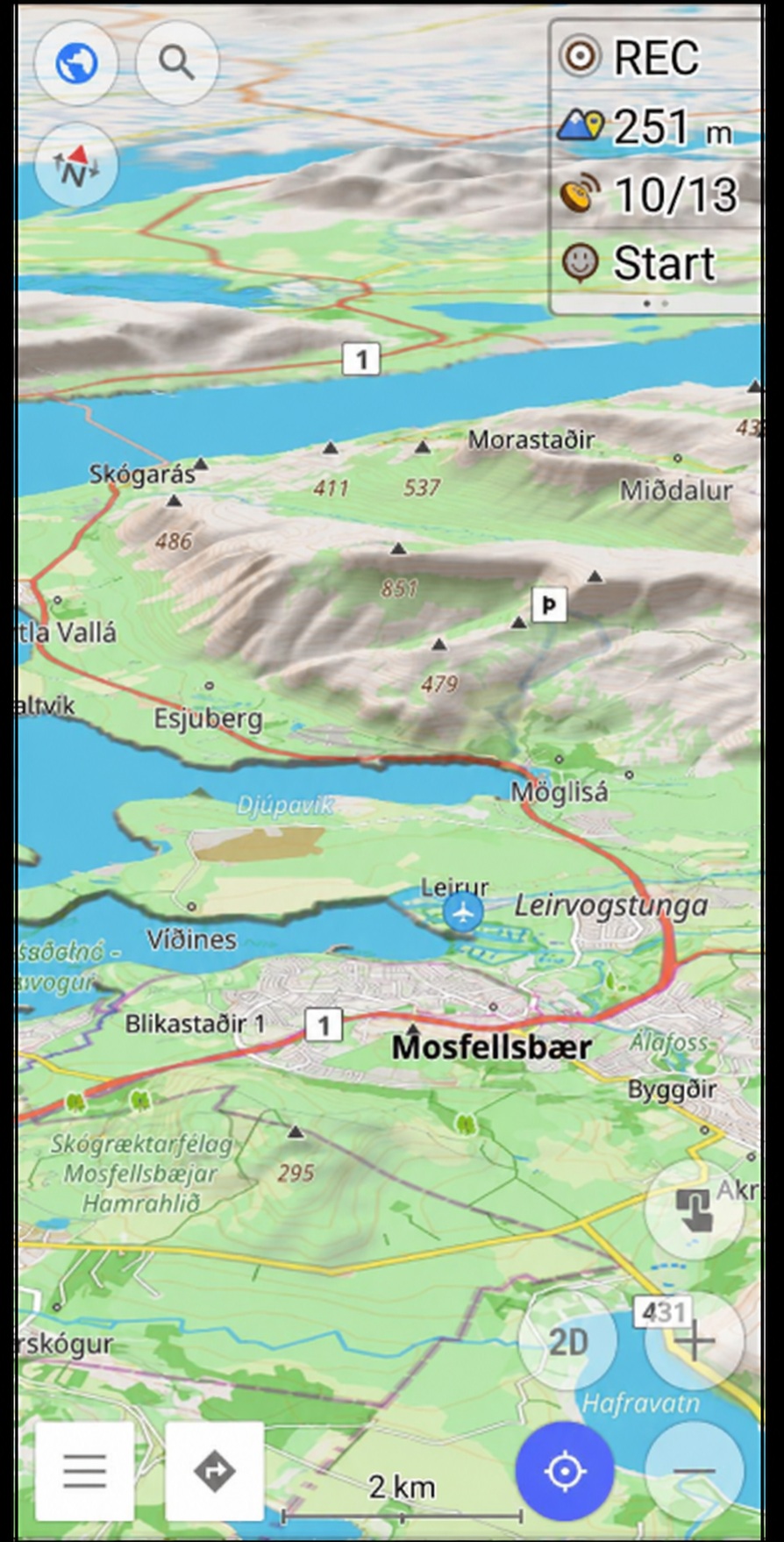
What you get in return is the best free navigation map on this list if you want detail over polish: detailed navigation from maps stored on your phone, including trails and contours that road apps hide.
- Hiking: Offline hiking maps show paths, contours and marked routes that a driving app leaves out.
- Cycling: you can set a cycling profile and avoid roads built for cars.
- Road: the driving view works, but the menus take longer to learn than Waze’s.
Layers, profiles and settings stack up in ways a casual user will never touch. That depth is the point, and it is also why you should not hand this app to someone who just wants directions to dinner. Set up your map downloads at home, on Wi-Fi, before you go.
4. MAPS.ME
It is 11pm, you have landed, the airport Wi-Fi is down, and your phone has no local SIM yet. That is the moment MAPS.ME is built for. It gives you offline city maps you can search and route from without a signal.
Before you fly, download the country pack, then open it in airplane mode and search for your hotel by name. If it appears, you have a working travel map app for the first night. If it does not, you still have time to fix it. An offline pack you never opened is not a backup.
The trade is depth. MAPS.ME covers streets and places well, but its route planning is simpler than a full driving app’s. If you need a MAPS.ME alternative with live traffic—this is not it. Travellers who want fewer settings and a fast download will get on with it, and it earns a place on any list of the best Google Maps alternatives for travellers.
5. TomTom
TomTom navigation goes the other way. A How-To Geek reviewer recalled owning a TomTom GO from the days of “dedicated navigation devices rather than using our phones.”
As a road trip app, its turn-by-turn directions are clear and calm on long motorway runs. You can download it free, and paid plans add features like offline maps. Try it on a route you already know before you commit. The open question is whether a subscription earns its place when free apps cover the same roads.
Battery impact across your shortlist
Battery drain is easy to compare yourself, and you do not need a lab to do it.
- Charge to the same level and fix screen brightness. Expected result: the same starting point for every app.
- Turn off battery saver and close other apps. Background work would otherwise blur the numbers.
- Run the same route with one app, on the same network. Note the drop in battery percentage.
- Check the app’s background usage in your phone settings. A high figure there means it keeps working after you park.
- Repeat on another day with the next app. Same route, same brightness, same signal.
Offline routing may cut data demand, because the map is already on your phone. Phone resource use still varies by app, and navigation battery drain depends on screen size and signal strength as much as on software.
6. Apple Maps: one of the best Google Maps alternatives for iPhone users
Already carrying an iPhone? Apple Maps is the lowest-friction swap on this list. It comes built into the phone, so there’s no separate download, and it handles walking, driving and public transit in one place.
| Journey type | Apple Maps | Google Maps | Citymapper |
|---|---|---|---|
| Walking | Strong | Strong | Good in covered cities |
| Driving | Good, with clear lane prompts | Strongest traffic data | Not the focus |
| Public transit | Good, where the city is covered | Good | Best in covered cities |
| Offline | Saved areas in recent versions | Saved areas | Limited |
That table shows where the parity breaks. For walking and driving, Apple Maps stays close. Its transit data is a different story because it depends on the city. So check your destination before you commit. Transit lines and cycling directions vary by country, and a feature that works at home may be missing abroad. Privacy is the other difference worth weighing. Apple Maps ties less to a Google account, though it still collects some data. Search your destination city and look for transit lines before you rely on it.
7. Organic Maps
For anyone who wants navigation without an account, Organic Maps makes a strong case. It runs on open map data, stores maps on your phone and works with no signal. EuroAlternative’s European roundup describes the apps it collects as free, ad-free, and fully usable offline.
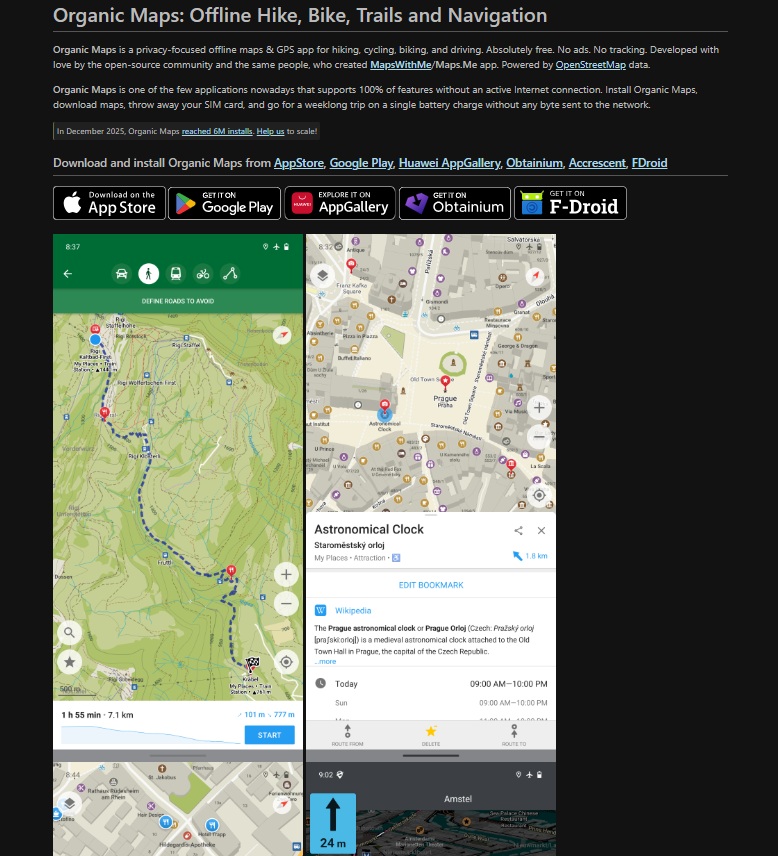
What you give up is live traffic and incident reports. That is the trade for quiet software that does not follow you. On a remote hike, or in a country where you would rather not be tracked, it is the right trade. What it cannot tell you is when the next train leaves.
Satellite imagery is not a small detail
How good the pictures are depends on where you look and on which app you look through. Resolution and freshness are two separate questions.
- Zoom to street level over your actual hotel so the surrounding streets are legible.
- Check the image date if the app shows one. An old photo can miss a road that has since opened.
- Run the same spot through Google Maps for a fair satellite imagery comparison.
- Remember that map image freshness and road data are separate. A fresh photo does not fix a wrong-turn instruction.
- Check rural areas twice. Imagery there ages faster than in cities.
Turn-by-turn navigation does not need satellite photos at all. It needs correct road geometry and current one-way rules. So dated imagery does not make an app’s routing bad. Judge the two separately, and keep a satellite view for planning a walk to a beach or a trailhead while you leave driving to the road data.
8. Citymapper
Check the city list before you depend on it abroad. That single step decides whether Citymapper earns a place on your phone, because it covers a limited list of cities rather than the whole map. Where it does work, it plans multimodal journeys across rail, bus, walking, cycling and ride options and shows them side by side.
| Mode | Citymapper | Apple Maps | Google Maps |
|---|---|---|---|
| Rail and metro | Core strength | Good where covered | Good where covered |
| Bus | Included in routes | Included | Included |
| Walking legs | Included | Included | Included |
| Cycling | Included in some cities | Included in some cities | Included in some cities |
| City coverage | A limited list of cities | Broad | Broad |
The table shows the trade: Citymapper goes deeper in fewer places. A trip that starts in one covered city and ends in another may leave you without transit navigation on the last leg. Pair it with an offline road map, and the plan and the walk to your hotel are both covered.
Questions Travellers Ask Before Switching
Two checks settle almost every switch: is your destination covered, and does the app work when the signal does not? Answer both before you delete anything.
Is Waze completely free?
Yes. Waze costs nothing to download or use, and there is no paid tier. What it does cost is mobile data, because live reports and map tiles stream while you drive.
Abroad, that means roaming charges or a local SIM. If you plan to drive offline, Waze is the wrong app.
Offline detail has a clear winner in OsmAnd, while Waze takes the live-traffic crown. Neither wins everywhere.
For one app that does both well enough, WeGo or Google Maps is the easier answer. Let your trip decide: trails and rural roads point to OsmAnd, and city driving points to Waze.
What are free maps similar to Google Maps?
Google Maps has close free rivals on almost every front, and each one leans toward a different kind of trip.
- Waze for live traffic and incident reports.
- WeGo for one general-purpose travel app.
- OsmAnd for detailed offline maps and trails.
- MAPS.ME for quick offline city maps.
- Organic Maps for privacy and open map data.
All five are free to download and use, and none of them needs a subscription for basic navigation. The harder part is deciding which one earns the home screen spot.
What to Do Before You Travel
An offline backup costs you storage space and a few minutes of setup, so don’t skip it. Choose by transport first. If most of the trip is driving, take Waze or TomTom. If it is trains and buses, take Citymapper plus an offline road map. If it is trails, take OsmAnd or Organic Maps. Then pick one primary app to go with that backup, and test both before you leave.
- Match the primary app to your main transport: Waze for traffic, Citymapper for transit, OsmAnd or Organic Maps for trails.
- Download the map pack for every region on your route. That includes the one you only pass through.
- Open each pack in airplane mode and search for your first hotel by name.
- Save the airport route in two apps, so one failure does not strand you.
- Update everything the night before you fly, on Wi-Fi.
The best google maps alternatives are the ones already on your phone and working offline when the plane lands.