


AI talking head videos look simple from the outside: choose an avatar, paste a script, pick a voice, and generate. But after working through AI content workflows, video editing, image planning, and social distribution, I have learned that a good talking head video is not built by the avatar alone.
The avatar gives the face.
The script gives the message.
The voice gives the tone.
The edit gives the rhythm.
The review gives trust.
That last part matters most. At Editorialge Media LLC, we are evolving beyond publishing. We are building across media, technology, SaaS, e-learning, and creative tools. So I look at AI talking head videos as a practical production format for explainers, educational content, product walkthroughs, social clips, onboarding videos, e-learning lessons, and multilingual communication.
But I do not treat them as a magic shortcut. A weak script still sounds weak through an AI avatar. A robotic voice still feels robotic. A stiff avatar still needs smart editing. And if the video uses a realistic human likeness, ethics and disclosure become part of the workflow. Which I discussed in my AI video creation guide.
What Are AI Talking Head Videos?
AI talking head videos are videos where a person, avatar, or digital presenter appears to speak on screen using AI-generated or AI-assisted video technology.
The “talking head” usually means the speaker is shown from the shoulders up or waist up, facing the camera. In traditional video, this would require a camera, lighting, a microphone, a speaker, a script, and editing. In AI workflows, the presenter can be generated from an avatar, a photo, a short recording, or a prebuilt digital character.
Common AI talking head formats include:
| Type | How It Works | Best For |
| Stock AI avatar | Pick an existing avatar and add a script | Training, explainers, quick videos |
| Custom avatar | Create a digital version of a real person | Brand content, repeat presenters |
| Photo-to-talking avatar | Animate a still image with speech | Social clips, simple explainers |
| Voice-driven talking head | Upload audio and sync the mouth | Dubbing, narration, lessons |
| Real video enhanced by AI | Record yourself and use AI editing | Personal brand, YouTube, courses |
Synthesia describes its talking head video maker as a way to create realistic talking head videos using AI without actors or cameras, and also positions avatar videos as part of a broader AI video platform for localization, screen recording, and dubbing.
HeyGen similarly describes AI talking head tools as a way to generate lifelike portrait videos from an image, reducing the need for cameras, studios, and long filming sessions.
So, the beginner-friendly definition is simple: AI talking head videos let you create speaker-style videos without filming a real speaker every time.
Why AI Talking Head Videos Matter For Beginners
Talking head videos work because people connect with faces. A face creates attention, trust, and a direct communication style. That is why tutorials, product explainers, course lessons, news explainers, and social commentary often use a speaker format. AI makes this format easier to produce.
Instead of recording every version manually, beginners can create:
- Short explainers
- Course lessons
- Product demos
- Social media clips
- Internal training videos
- Multilingual videos
- FAQ videos
- Onboarding content
- Article summaries
- Video newsletters
But the convenience also creates risk. If every video looks like a generic avatar reading a generic script, the viewer feels it immediately. The format may be easy, but trust still has to be earned.
My Personal Rule: Do Not Start With The Avatar
Beginners often start by choosing the avatar. I think that is backwards.
My workflow starts with these questions:
| Question | Why It Matters |
| Who is the viewer? | A student, customer, reader, employee, or social follower needs a different tone |
| What should they learn? | The video must have one clear takeaway |
| Should the speaker look realistic? | Realistic avatars require more trust review |
| Does the topic need warmth or authority? | Avatar style, voice, and pacing should match the message |
| Where will the video be published? | YouTube, Reels, course page, LinkedIn, and website videos need different formats |
| Does this need disclosure? | Realistic synthetic media may require platform labeling |
After those answers, I chose the avatar, voice, and editing style. That small order change improves the whole video.
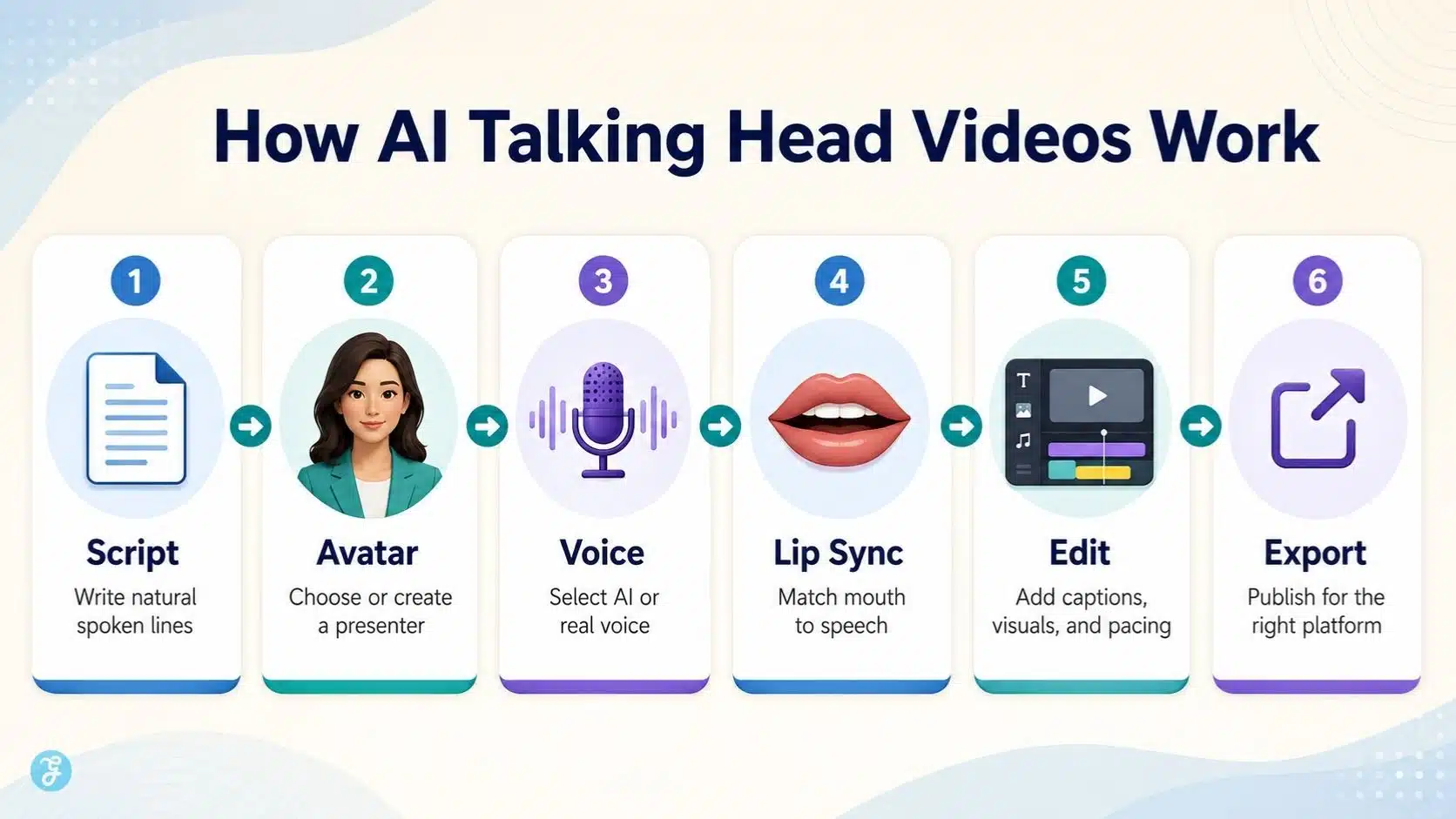
How AI Talking Head Videos Work
Most AI talking head video workflows follow this basic process:
| Step | What Happens |
| 1. Choose or create an avatar | Select a stock avatar, upload a photo, or create a custom presenter |
| 2. Write the script | Prepare short, spoken, natural lines |
| 3. Choose a voice | Use AI voice, cloned voice, or uploaded audio |
| 4. Generate lip sync | AI matches mouth movement to the speech |
| 5. Add visuals | Use backgrounds, slides, images, screen recordings, or B-roll |
| 6. Edit the video | Trim, caption, resize, add branding, and adjust pacing |
| 7. Review ethics and accuracy | Check consent, disclosure, factual claims, and likeness use |
| 8. Export for platform | Publish in the correct aspect ratio and format |
HeyGen says users can create AI videos by picking an avatar, adding a script or uploaded deck, choosing voice and language, then customizing visuals and branding before export.
Synthesia also emphasizes avatar and voiceover creation across many languages, which makes talking head videos especially useful for training and localization. The workflow is simple, but the quality depends on how carefully each step is handled.
Best Use Cases For AI Talking Head Videos
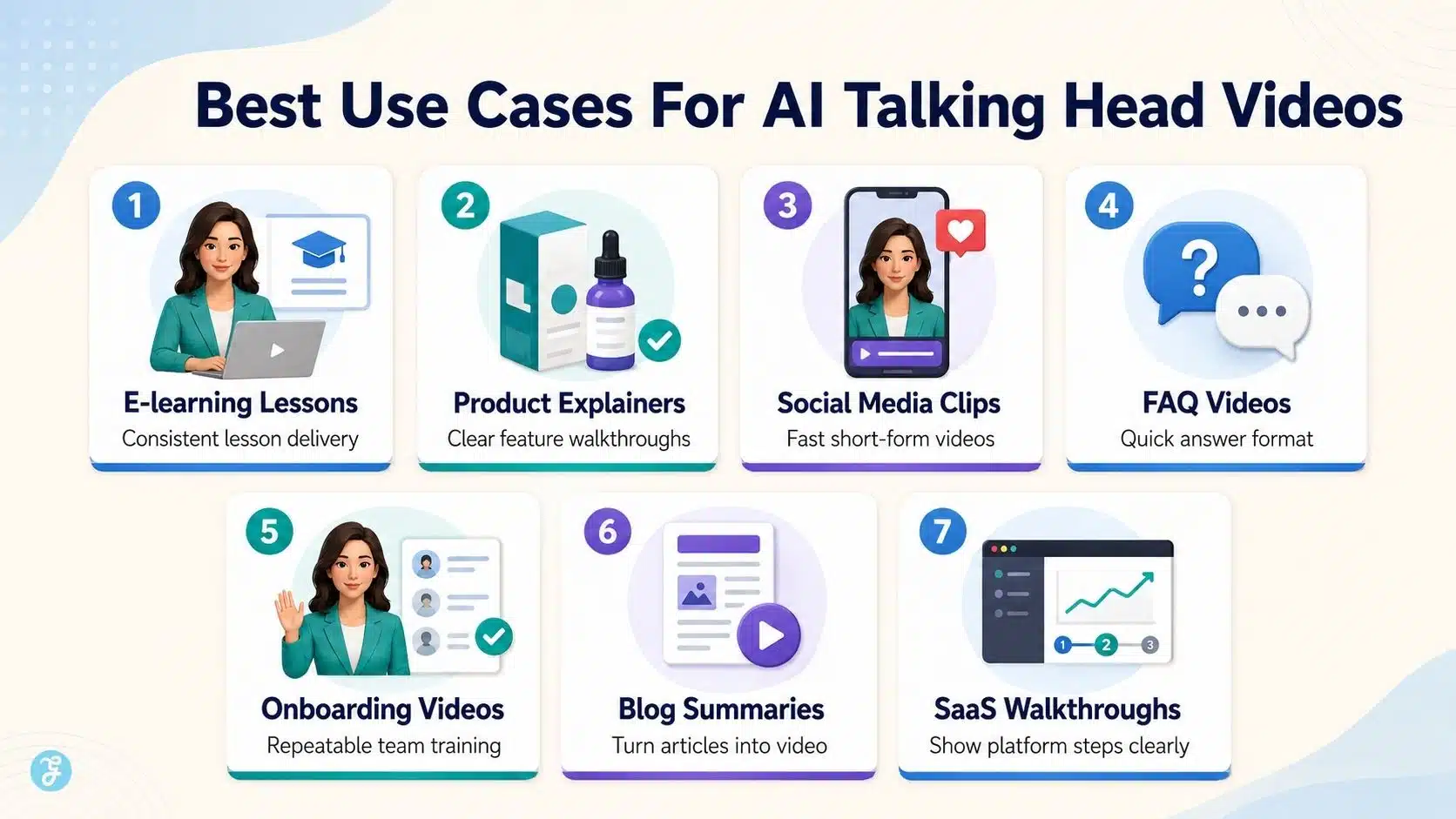
AI talking head videos are not perfect for every situation. But they are very useful when the message is structured, repeatable, and easy to explain.
| Use Case | Why It Works |
| E-learning lessons | Consistent presenter style across lessons |
| Product explainers | Clear script and direct explanation |
| Internal training | Fast updates without filming every time |
| FAQ videos | Short answers become reusable clips |
| Social media explainers | Strong for quick educational videos |
| Multilingual content | Easier localization with avatars and voices |
| Blog summaries | Turns article points into short videos |
| Onboarding videos | Repeatable training format |
| SaaS walkthroughs | Avatar plus screen recording works well |
| Newsletter videos | Makes updates feel more personal |
For a platform like Edutorial, this format can support short learning modules, course introductions, and quick concept explainers. For Editorialge, it can support article explainers, social clips, and topic summaries. For ImagineLab-related workflows, it can support image creation tutorials or short product walkthroughs.
When AI Talking Head Videos Are Not The Best Choice
I would avoid AI talking head videos when the topic needs deep human emotion, sensitive personal testimony, investigative reporting, or a clearly real human presence.
They are weaker for:
- Emotional founder stories
- Serious news reports
- Crisis communication
- Sensitive health or legal topics
- High-trust personal opinion pieces
- Interviews
- Content where authenticity matters more than speed
- Videos where viewers expect a real human speaker
That does not mean AI cannot assist with these videos. It can still help with editing, captions, voice cleanup, and repurposing. But the speaker should often be real.
The Beginner Workflow I Recommend
Here is the workflow I would use for a beginner creating AI talking head videos.
Step 1: Define The Video Goal
Do not create the video just because the avatar looks good.
Define the goal first:
- Explain a concept
- Introduce a product
- Summarize an article
- Teach a lesson
- Answer a question
- Promote a blog
- Create a social clip
- Localize a message
- Train a team
A talking head video should have one main job.
Step 2: Write A Spoken Script
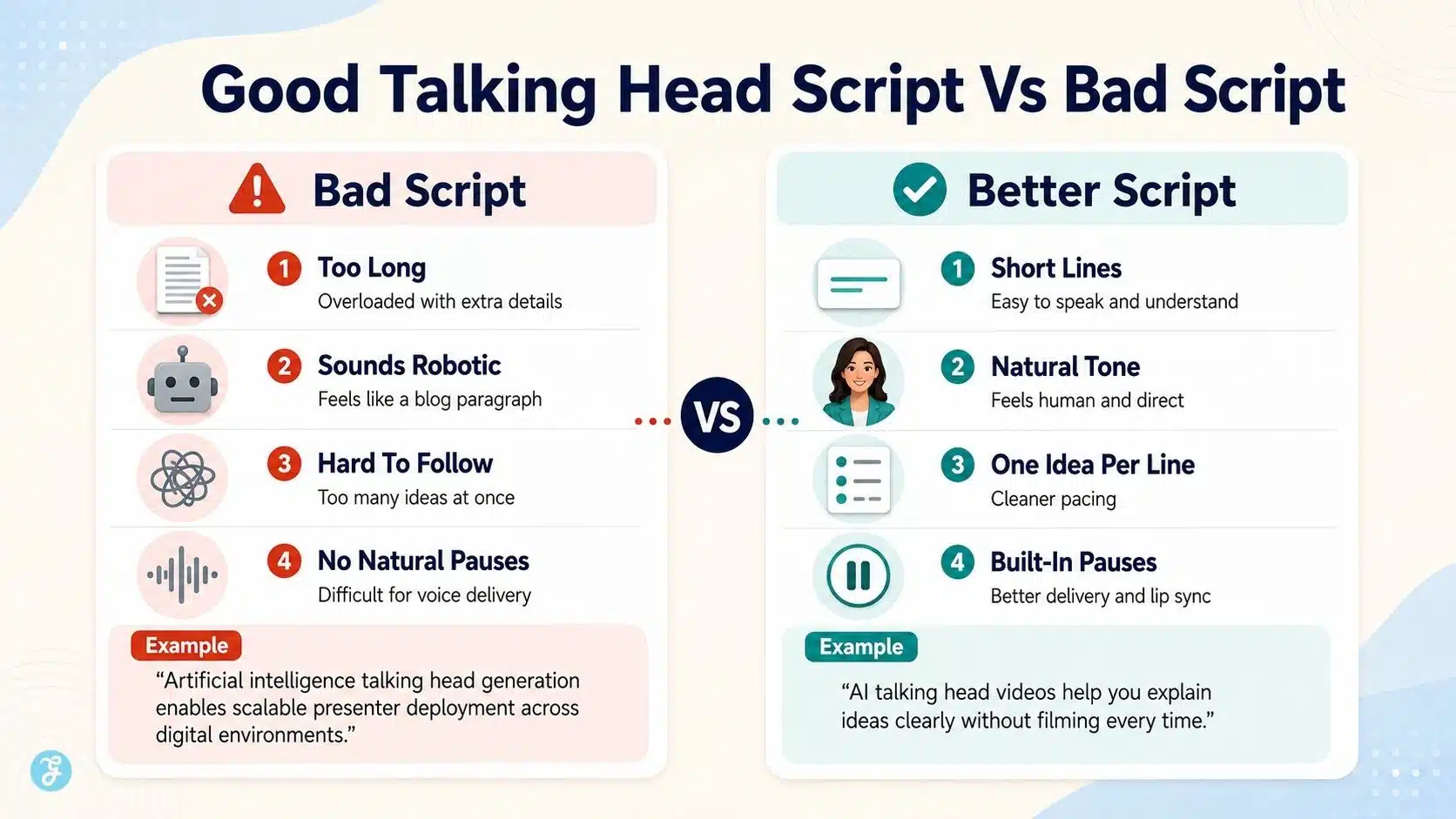
Talking head scripts should sound like speech, not a blog paragraph.
Bad script:
Artificial intelligence talking head video generation enables creators to deploy scalable synthetic presenters across various digital communication environments.
Better script:
AI talking head videos help you create presenter-style videos without filming every time. But the script still needs to sound human.
The second version is easier to listen to.
My script rules:
| Rule | Why It Helps |
| Use short sentences | Easier for voice delivery |
| Use natural phrasing | Avoids robotic narration |
| One idea per line | Makes pacing cleaner |
| Read it aloud | Catches awkward wording |
| Add pauses | Improves delivery |
| Avoid jargon | Keeps beginner viewers engaged |
| Keep it focused | Prevents avatar fatigue |
A 60-second AI talking head video usually needs around 120–150 spoken words, depending on pacing.
Step 3: Choose The Right Avatar Type
The avatar should match the content.
| Avatar Type | Best For | Watch Out For |
| Realistic stock avatar | Training and explainers | May feel generic |
| Custom avatar | Brand consistency | Needs consent and review |
| Illustrated avatar | Friendly education | Less formal |
| Photo-based avatar | Simple social clips | Can look stiff |
| Real recorded presenter + AI edit | Personal brand | Requires filming |
If the video represents the brand, I prefer a consistent presenter style. If the topic is casual or experimental, a lighter avatar style may work better.
Step 4: Use A Clean Base Visual When Needed
Some AI talking head workflows begin from a still image or avatar portrait. That is where image quality matters.
A good base image should have:
- Clear face
- Front-facing pose
- Natural expression
- Good lighting
- Clean background
- Correct aspect ratio
- No messy text
- No distorted facial details
If I need a controlled visual base, I can create or refine the starting image with ImagineLab before turning it into a talking head video. This helps keep the avatar or presenter’s visuals cleaner before the motion and lip sync stage.
Step 5: Pick Voice Carefully
Voice makes or breaks the video.
The best voice depends on the content:
| Content Type | Voice Direction |
| Course lesson | Calm, clear, steady |
| Product explainer | Confident and friendly |
| Social clip | Energetic and quick |
| Internal training | Professional and neutral |
| News-style explainer | Clear and serious |
| Tutorial | Patient and practical |
A talking head avatar without a believable voice often feels flat. If you use a cloned voice, connect the workflow with how AI voice cloning works and the ethics of AI voice cloning. Consent is not optional.
Step 6: Check Lip Sync Carefully
Lip sync is the part viewers notice quickly.
Good lip sync should match:
- Mouth movement
- Word timing
- Pauses
- Facial expression
- Head movement
- Emotional tone
This links directly to AI lip sync technology. The technology is useful, but it still needs review. If the mouth moves strangely or the face feels frozen, the viewer may lose trust.
Step 7: Add Supporting Visuals
A talking head video should not always be only a face.
To keep viewers engaged, add:
- Slides
- Screen recordings
- Product screenshots
- Article visuals
- B-roll
- Diagrams
- Captions
- Simple motion graphics
This is where AI animation styles can support the workflow. Light animation, icons, and motion graphics can help explain ideas without distracting from the speaker.
Step 8: Edit Like A Real Video
Even if AI generates the talking head, the final video still needs editing.
Editing tasks include:
- Trim awkward pauses
- Add captions
- Add intro or hook
- Adjust pacing
- Add brand elements
- Insert B-roll
- Balance audio
- Resize for the platform
- Review final output
- Check disclosure needs
This connects with the AI video editing comparison, because AI can create the presenter, but editing still decides whether the video feels watchable.
Descript offers AI-assisted features like Eye Contact, Green Screen, Studio Sound, filler word removal, transcription, captions, and avatars, showing how AI editing tools now support talking head workflows beyond simple avatar generation.
Descript’s Eye Contact feature specifically adjusts gaze so a speaker appears to look at the camera even when reading from a script or screen.
Best Aspect Ratios For AI Talking Head Videos
The aspect ratio should match the platform.
| Platform | Best Ratio | Notes |
| YouTube long-form | 16:9 | Good for tutorials, courses, explainers |
| Website/course page | 16:9 | Standard learning format |
| LinkedIn feed | 4:5 or 1:1 | Good for professional talking clips |
| Instagram Reels | 9:16 | Full vertical mobile format |
| TikTok | 9:16 | Keep face and captions in the safe zone |
| YouTube Shorts | 9:16 | Short and fast-paced |
| Facebook feed | 4:5 or 1:1 | Mobile-friendly |
| Instagram Stories | 9:16 | Keep UI safe zones clear |
AI image aspect ratios should be accurate because avatar framing and caption placement must be planned before export. For vertical videos, keep the face in the center. Leave enough room for captions and platform buttons.
Beginner Script Template For AI Talking Head Videos
Use this simple structure:
| Part | Purpose | Example |
| Hook | Grab attention | “AI talking head videos are easy to make, but easy to make badly.” |
| Problem | Show the pain point | “Most beginners start with the avatar before fixing the script.” |
| Explanation | Teach the idea | “The avatar is only the presenter. The script, voice, and edit carry the message.” |
| Practical tip | Give value | “Write short spoken lines and review lip sync before publishing.” |
| Closing | Clear takeaway | “Use AI to speed up production, but keep human judgment in the final review.” |
Here is a short 30-second sample:
- AI talking head videos can save time, but they are not magic.
- Start with the message, not the avatar.
- Write short lines that sound natural when spoken.
- Choose a voice that matches the topic.
- Then review the lip sync, captions, and pacing before publishing.
- The goal is not just to make a talking face. The goal is to create a useful video that people trust.
That sounds better than a stiff corporate paragraph.
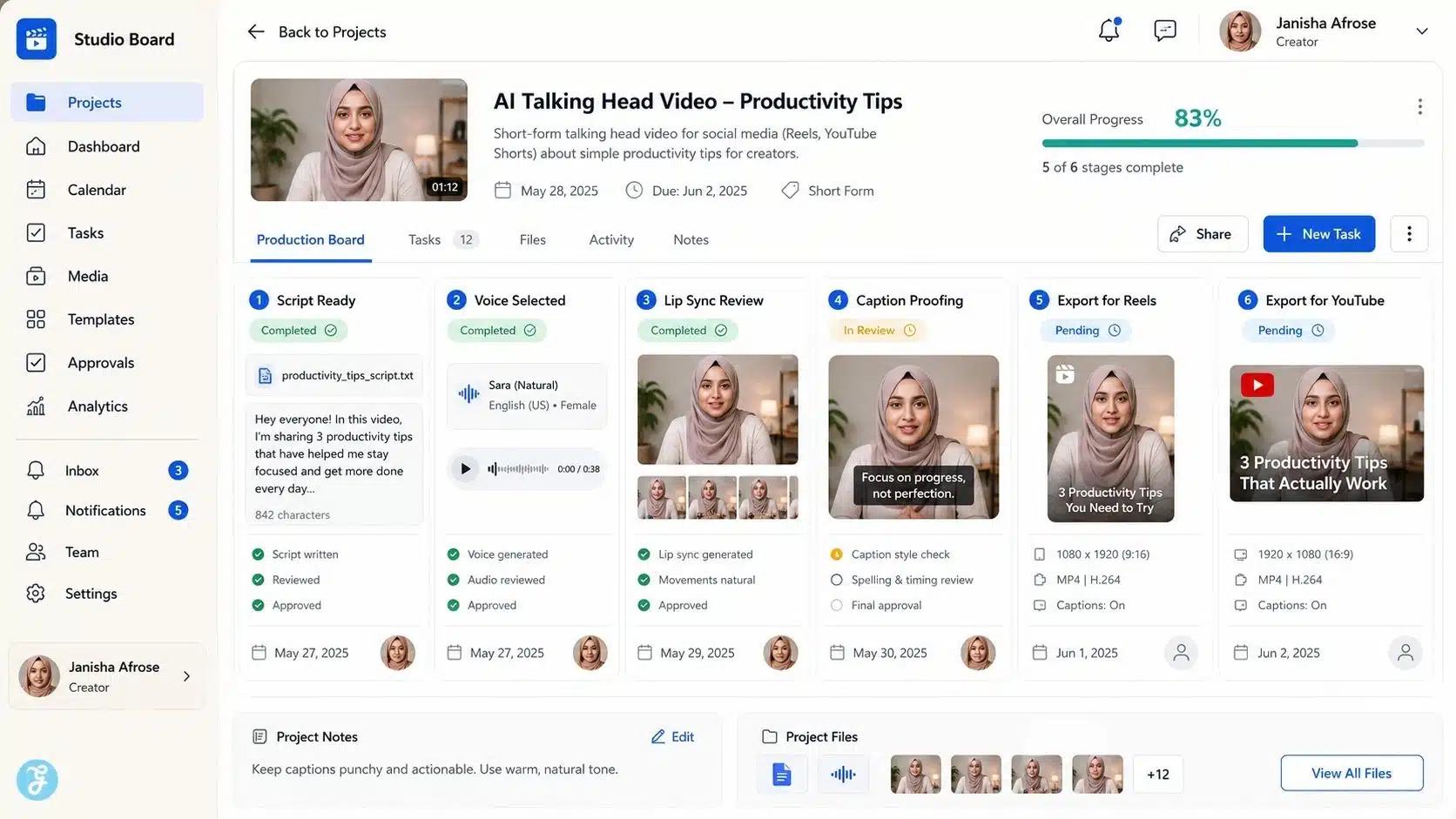
Common Mistakes Beginners Make
Mistake 1: Choosing The Avatar Before The Message
The avatar is not the strategy. The message is that if the script is weak, the avatar cannot save the video.
Mistake 2: Writing Blog-Style Scripts
Written content and spoken content are different. A script should sound natural when read aloud.
Mistake 3: Using A Voice That Does Not Match The Topic
A cheerful voice may feel wrong for a serious topic. A flat voice may ruin an exciting social clip.
Mistake 4: Ignoring Lip Sync Errors
Small mouth timing issues can make a video feel fake. Always review the final video.
Mistake 5: Keeping The Frame Too Static
If the avatar sits still for too long, viewers may lose interest. Add B-roll, captions, graphics, or scene changes.
Mistake 6: Forgetting Captions
Captions help mobile viewers and improve clarity. AI captions are useful, but always proofread them.
Mistake 7: Ignoring Consent
Do not create a custom avatar or clone someone’s likeness without permission.
Mistake 8: Not Disclosing Realistic Synthetic Content
YouTube requires creators to disclose content that is meaningfully altered or synthetically generated when it seems realistic. YouTube says disclosure is needed when viewers could mistake synthetic content for a real person, place, scene, or event.
Ethics And Trust In AI Talking Head Videos
This is the section beginners should not skip. AI talking head videos can create realistic digital presenters. That power comes with responsibility.
Use this checklist:
| Ethical Question | Why It Matters |
| Is this a real person’s likeness? | You may need consent |
| Is the voice cloned? | Voice identity needs permission |
| Could viewers think this person really said it? | Disclosure may be required |
| Is the topic sensitive? | Extra caution is needed |
| Is the avatar representing a brand? | Accuracy and tone matter |
| Is the video used in education or news? | Trust standards are higher |
| Is the content misleading? | Do not publish it |
YouTube’s altered or synthetic content policy requires disclosure for realistic AI-altered or synthetic content and says labels may appear in the expanded description, with more prominent labels for sensitive topics.
YouTube has also been developing likeness-detection tools to help creators identify AI-generated or manipulated videos that mimic their face or likeness, which shows how seriously platforms are treating synthetic identity risks.
My rule is simple: if a viewer could misunderstand what is real, disclose it.
AI Talking Head Videos For Social Media
For social media, AI talking head videos should be short, direct, and visually supported.
Best practices:
- Start with a strong hook
- Keep the first video under 60 seconds
- Use captions
- Use 9:16 for Reels, Shorts, and TikTok
- Add B-roll or visual cutaways
- Keep the face centered
- Avoid long monologues
- Use a clear CTA
- Review the synthetic disclosure needs
This connects naturally with AI video for social media best practices. A talking head video made for LinkedIn should not feel the same as a TikTok video.
Copyright And Usage Issues
AI talking head videos can include several rights layers:
- Avatar rights
- Voice rights
- Script rights
- Background image rights
- Music rights
- Brand/logo rights
- Likeness rights
- Stock asset licenses
- Tool commercial terms
Before publishing, I would check:
| Item | What To Review |
| Avatar license | Can you use it commercially? |
| Custom avatar consent | Did the real person agree? |
| Voice license | Is the voice allowed for your use case? |
| Music | Is it licensed? |
| Background visuals | Are they owned, licensed, or generated responsibly? |
| Brand assets | Are logos accurate and permitted? |
| Disclosure | Is the content realistic synthetic media? |
For business use, do not skip tool terms.
How I Would Create A 60-Second AI Talking Head Video
Here is a practical example. Topic: “Why AI image aspect ratios matter.”
| Step | My Action |
| 1 | Define viewer: beginner content creator |
| 2 | Write a 130-word script |
| 3 | Choose a calm, professional avatar |
| 4 | Create supporting ratio graphics |
| 5 | Add voiceover with clear pacing |
| 6 | Generate a talking head video |
| 7 | Insert B-roll of 16:9, 9:16, 4:5 examples |
| 8 | Add captions |
| 9 | Export 16:9 for article embed and 9:16 for social |
| 10 | Review disclosure, accuracy, and final quality |
If I need custom supporting visuals, I would create them first with ImagineLab, then place them into the talking head edit as examples or B-roll. That makes the video feel more useful than a face reading a script.
The Best Beginner Tool Stack
A beginner does not need too many tools. Start with a simple stack:
| Need | Tool Category |
| Avatar or presenter | AI talking head tool |
| Image assets | ImagineLab |
| Voiceover | AI voiceover or a real recorded voice |
| Lip sync | Avatar/lip sync tool |
| Editing | AI-assisted or traditional editor |
| Captions | Auto caption tool + manual proofreading |
| Export | Platform-specific video editor |
The goal is not to use the most tools. The goal is to build the simplest workflow that produces clean, trustworthy videos.
Quality Checklist Before Publishing
Before publishing AI talking head videos, I check:
| Checkpoint | Done? |
| Script sounds natural when spoken | ☐ |
| Avatar matches the topic | ☐ |
| Voice tone fits the message | ☐ |
| Lip sync looks acceptable | ☐ |
| Captions are proofread | ☐ |
| Face stays clear in the frame | ☐ |
| Background is not distracting | ☐ |
| B-roll supports the message | ☐ |
| Aspect ratio matches platform | ☐ |
| Consent is confirmed if the likeness is used | ☐ |
| Synthetic disclosure is considered | ☐ |
| The final video is reviewed manually | ☐ |
This checklist is simple, but it prevents most beginner mistakes.
Final Thoughts: AI Talking Head Videos Need Human Direction
The biggest lesson from creating AI talking head videos is this: the avatar is not the video. The video is the full communication system. A good talking head video needs a clear script, believable voice, clean avatar, accurate lip sync, useful visuals, smart editing, platform-aware formatting, and ethical review.
AI can speed up production. It can help you create a presenter without filming every time. It can help scale explainers, training, lessons, and social videos. But the final quality still depends on human judgment.
Use AI to create faster. Use your own editorial judgment to make it trustworthy. That is how AI talking head videos become useful content, not just another synthetic face on the internet.
Frequently Asked Questions About AI Talking Head Videos
1. What Are AI Talking Head Videos?
AI talking head videos are presenter-style videos where an AI avatar, digital human, or animated portrait appears to speak on screen. They are commonly used for explainers, training, social content, and product videos.
2. Are AI Talking Head Videos Good For Beginners?
Yes, they are beginner-friendly if you start with a short script, simple avatar, clear voice, and basic editing. The key is to review lip sync, captions, and final quality before publishing.
3. Do AI Talking Head Videos Need A Real Camera?
Not always. Many AI tools let you create talking head videos from scripts, avatars, photos, or uploaded audio without filming. But real recorded video may still feel more authentic for personal branding or sensitive topics.
4. Should I Disclose AI Talking Head Videos?
You should disclose realistic AI-generated or altered content when viewers may think it is real. Platforms like YouTube require disclosure for realistically altered or synthetic content that could mislead viewers.
5. What Makes An AI Talking Head Video Look Professional?
A professional AI talking head video needs a natural script, a suitable avatar, a clear voice, accurate lip sync, captions, good pacing, useful supporting visuals, and human review before publishing.






















