

Listen to the Podcast:
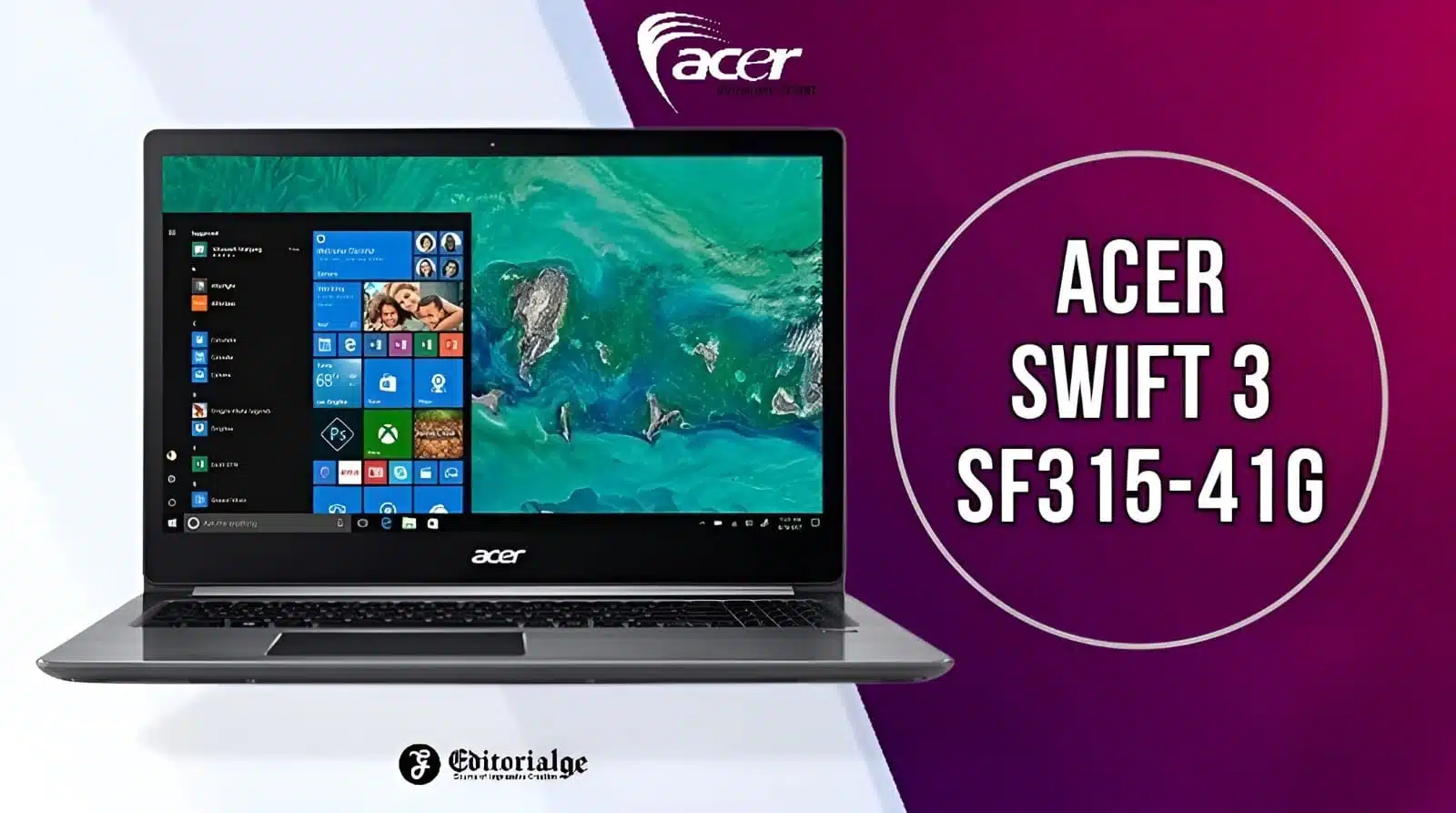
The Acer Swift 3 sf315-41g is an ultraportable laptop that is affordably priced to the point where no one can avoid purchasing it. This particular laptop model is currently the most energy-efficient product on the market, according to tests. In addition, it adds a dedicated AMD Radeon RX 540 graphics card to the standard setup.
The earlier edition of Acer Swift was quite great. So, it is likely that the following model will not disappoint. Thus, let’s continue with our Acer Swift 3 sf315-41g review and discover more about it.
Acer Swift 3 sf315-41g Specifications
|
Brand: |
Acer |
|
Series: |
Acer Swift |
|
Ram: |
8 GB DDR4 |
|
Solid State Drive: |
256 GB |
|
Processor: |
AMD Ryzen 7 2700U |
|
Processor Model: |
2700U |
|
Processor Speed: |
2.01 – 2.50 GHz |
|
Processor Core: |
Quad-core (4 Core) |
|
Operating System: |
Windows 10 Home |
|
Screen Size: |
15.6″ |
|
Display Technology: |
In-plane Switching (IPS) Technology |
|
Graphics Card: |
AMD Radeon RX 540 |
|
Product Model: |
SF315-41G-R6MP |
|
Screen Resolution: |
1920 x 1080 |
|
Condition: |
Factory Recertified |
|
Standard Memory: |
8 GB |
|
Weight: |
4.63 Ib |
|
Wireless Technology: |
IEEE 802.11ac |
|
Additional Monitor Info: |
Aspect Ratio: 16:9 – |
|
Built-in Devices: |
Webcam: Yes – Microphone: Yes |
|
Warranty |
1 Year |
Acer Swift 3 sf315-41g Best Features
Design and Build
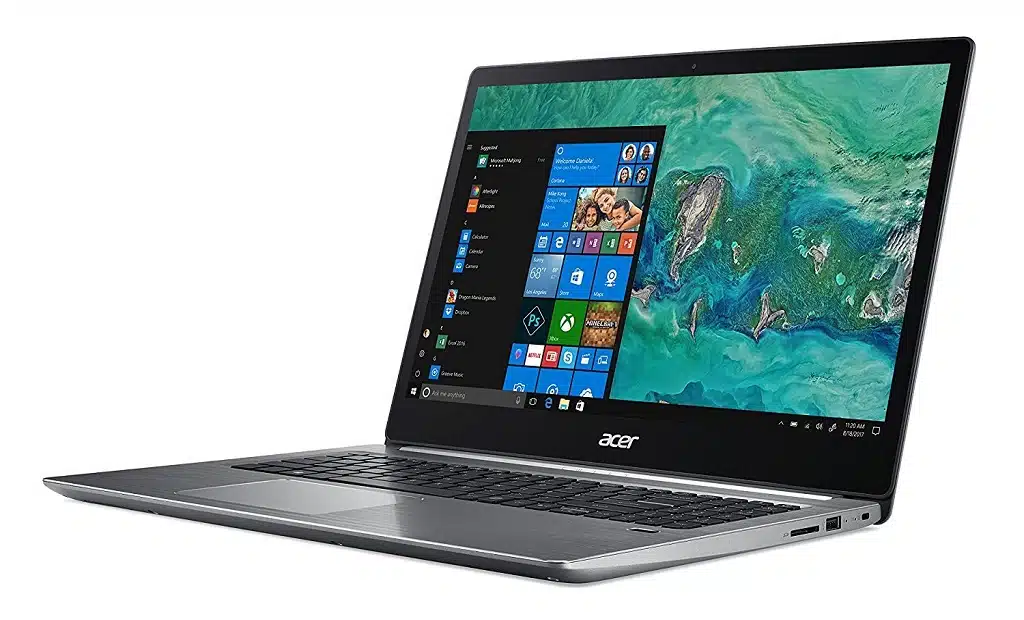
The new Swift 3 is significantly larger than its 14-inch predecessor, but their aluminium bodies are identical. It features a 15.6-inch, 1080p display, a conventional isle keyboard, a brushed metal deck, and a fingerprint reader when opened. The silver hinge may appear deceptive, but it has proven to perform a crucial function in sustaining the screen.
Swift 3 has also received high marks for its 4.6-pound lightweight profile, which makes it significantly lighter and thinner than its competitors.
Performance
Acer delivers a 15.6-inch multimedia all-rounder with a sufficient processing power for all standard use cases with the Swift 3 SF315-41G. The specialized graphics unit enables modest gaming capabilities. Our test device is available for 900 Euros (~$1050). Different variants with varying features are available for approximately 680 Euros ($795). Acer extends this series of goods with the Swift 3 51G line, which uses identical Intel processors and Nvidia graphics cards.
Graphics Card
The Radeon RX 540 is a GPU from the Polaris family. It supports DirectX 12 and operates at speeds as high as 1.124 MHz. We were able to confirm this figure while doing GPU benchmarks. Nevertheless, the GPU falls short of the maximum speed proposed by AMD, which is 1219 MHz. Thermals are the reason why Acer has reduced the maximum speed. The GPU has 2048 MB of GDDR5 graphics RAM available. The 3D Mark benchmark scores are comparable to those of the GeForce MX150 graphics card from Nvidia.
The Swift 3 combines the Radeon RX 540 graphics unit and the integrated Radeon RX Vega 8 GPU to provide two AMD versions. The two GPUs constitute a solution for graphics switching (Enduro).
Read More: Asus 2 in 1 q535
Display Quality
The Acer Swift 3 (SF315-41) includes a FullHD IPS display with the serial number BOE NV156FHM-N48. The display is 15.6 inches with a resolution of 1920 x 1080 pixels. With a pixel density of 142 pixels per inch and an aspect ratio of 16.9, the screen becomes a “Retina” from a distance of at least 60 cm.
The maximum measured luminance was 233 cd/m2 in the centre of the display and 221 cd/m2 on average throughout the entire surface, with a maximum variation of 19%. The colour temperature of a white screen is 6000K, which is a tad warmer than the sRGB standard (6500K) but is still acceptable. Switching to the greyscale, the temperature remains unchanged.
Audio and Webcam
The bottom of the Acer Swift 3 SF315-41G laptop contains dual stereo speakers. The speakers give acceptable sound quality for a laptop, and the volume can be cranked up pretty loudly without sound distortion. Moreover, the laptop features a 3.5mm headphone connector, allowing you to connect additional speakers or headphones for a superior audio experience.
The webcam on the Acer Swift 3 SF315-41G is an HD 720p camera located at the top of the screen. The camera’s image quality for video calls is adequate. However, it can be hampered by low-light settings. A built-in microphone on the laptop provides clear audio for video conversations and voice recordings.
The audio and webcam of the Acer Swift 3 SF315-41G are competent for general use but may not be appropriate for professional audio or video production. Yet, they are more than adequate for casual video calls and ordinary use.
Ports and Storage
Swift 3 features practically every port a user could require, despite its compact profile. On the left side, you will find the HDMI output, a USB type-C connector (which does not support charging), two USB 3.0 ports (one of which supports power-off charging), and a headphone jack. There are a DS card slot, a USB 2.0 port, and a Kensington lock slot on the right side.
In addition, a front-facing webcam and a fingerprint reader are included. The machine includes 8 GB DDR4 onboard memory and a 256 GB solid-state drive for storage.
Keyboard and Touchpad
The keyboard of the Acer Swift 3 SF315-41G is full-sized, with well-spaced keys, a comfortable travel distance, and tactile feedback. Moreover, the keyboard is illuminated, making it easy to operate in low-light conditions. The keyboard layout is basic and features a number pad, which is handy for users who enter a great deal of numerical information.
Large and responsive, the touchpad facilitates screen navigation and multi-finger movements such as pinch-to-zoom and two-finger scrolling. The touchpad is compatible with Windows Precision drivers, which offer precise and fluid tracking. The touchpad incorporates a fingerprint reader, allowing for rapid and secure laptop access.
Overall, the keyboard and touchpad of the Acer Swift 3 SF315-41G give a comfortable and efficient typing experience, making it excellent for those who must type extensively for business or school. In addition to being well-designed and simple to use, the touchpad is an excellent alternative to a mouse.
Read Also: Macbook 12in m7
Battery Life
In our real-world Wi-Fi test, the Acer Swift 3 achieves a runtime of 6:41 h. This test simulates the load associated with web page access. Display brightness is around 150 cd/m2, and the active profile is “Balanced.” After 6:06 hours, the Acer computer finished our video test. This test determines the duration of video playback. This is accomplished by continuously looping the short film Big Buck Rabbit (H.264-encoding, 1920×1080 pixels). At this period, the radio modules are disabled, the power saver mode is engaged, and the display brightness is decreased to 150 cd/m2.
The Swift 3 has acceptable battery life overall. Despite having equal battery capacities as the Swift 3 SF315-51G, it is much inferior. The explanation behind this is readily apparent: During idle and mild loads, the SF315-41G consumes more energy than its Intel counterpart.
Acer Swift 3 sf315-41g Gaming Performance
The Swift 3 SF315-41hardware G’s can deliver a fluid gaming experience in various titles. Generally, playable frame rates may be reached at HD resolution (1280 x 720) and medium-quality settings. Games with modest hardware requirements permit increased settings. Many performance-hungry 2017/2018 blockbusters, such as “Assassin’s Creed Origins” and “Final Fantasy XV,” are not actually playable.
In terms of benchmarks, the Radeon RX 540 graphics unit is on par with Nvidia’s GeForce MX150 GPU. However, when it comes to gaming, the picture is less clear. The frame rates attained fall between those of a GeForce MX130 and a GeForce MX150.
Acer Swift 3 sf315-41g Pricing and Availability
The Acer Swift 3 SF315-41G is affordably priced, making it a viable alternative for individuals desiring a slim, lightweight laptop with enough performance and features. The price may vary depending on the configuration, with the base model costing approximately $600.
The laptop is widely available and can be purchased via Acer’s website as well as from Amazon, Best Buy, and Walmart, among others. It’s also accessible to a large number of consumers because it’s offered in multiple nations.
Overall, the Acer Swift 3 SF315-41G provides decent value for the money and is an affordable option for individuals who desire a sleek and best laptop.
How to Optimize Your Acer Swift 3 for Maximum Performance?
The Acer Swift 3 sf315-41g is, without a doubt, a strong laptop. Nonetheless, as with any other device, it can be tweaked for enhanced performance. There are numerous ways to maximize the performance of your Acer swift 3.
Ensure that all of your software is up-to-date before doing anything else. This includes the operating system and all applications installed on your computer. Software developers routinely make updates with bug fixes and performance enhancements, so it is essential to maintain everything up-to-date.
It would be beneficial if you closed any programs you are not using at the moment. This will free up resources for other tasks and enhance performance overall. You can also disable features or settings you rarely or never use; for example, if you don’t need Bluetooth enabled, disable it! When it comes to boosting the performance of your laptop, every little one counts.
If possible, consider upgrading specific hardware components. Increasing extra RAM can significantly improve performance. According to these guidelines, you should be able to keep your Acer fast operating at peak performance!
Also Read: Razer Blade 15 2018 h2
Why Should You Buy the Acer Swift 3?
The Acer Swift 3 is among the first laptops to feature eighth-generation processors. Nevertheless, the device’s design, functionality, and performance are all commendable.
The battery life of the Acer Swift 3 may be a touch disappointing, but it is unquestionably superior to that of the Dell Alienware M15 R6. Also, some users may experience issues with the screen’s brightness, which may not be as ideal as one may hope.
Pros and Cons
Pros:
- Slim and elegant design.
- A variety of connectors and connecting options are available.
- Acceptable visual performance.
- With backlighting and a number pad.
- dependable and quick wireless connectivity
- Reasonable pricing.
Cons:
- Insufficient battery life.
- Low-grade webcam quality.
- Thunderbolt 3 is not supported.
- May have difficulty with challenging games.
- The speakers are positioned at the bottom and are capable of being muted.
- Minimal upgrade potential (RAM is soldered to the motherboard).
Conclusion
The Acer Swift 3 SF315-41G is an excellent laptop for people in need of a lightweight, portable, and powerful device. It includes a potent AMD Ryzen 5 2500U processor and 8GB of RAM, which is sufficient for the majority of jobs. A backlit keyboard and a fingerprint reader contribute to the portability of the laptop. In addition, the USB Type-C port is a welcome feature. The laptop is a wonderful option for individuals in need of a portable, lightweight, and powerful laptop.
























