You fronted $1,500 for the cabin, three friends owe you, and the group chat went quiet. Tricount is the best free pick among apps for splitting bills and shared expenses, while Splitwise Pro still wins for long-term roommates.
Below is a side-by-side chart, the honest flaws, and how to pick in two minutes.
Here’s the short version. Prices are US list prices as of late 2026 and can vary by region.
| App | Price | Best For | Moves Money? |
|---|---|---|---|
| Tricount | Free | Trips and friend groups | No (tracks only) |
| Splitwise | Free, Pro $39.99/yr | Roommates | No (links to Venmo/PayPal) |
| Venmo Groups | Free | Groups already on Venmo | Yes |
| Settle Up | Free, Premium $19.99/yr | Detailed group accounting | No |
| Splid | Free, small one-time fee | Offline travel | No |
| Tab | Free | Restaurant receipts | No |
| Spliit | Free (open source) | Privacy, no sign-ups | No |
| Honeydue | Free | Couples | No |
| PayPal Split a Bill | Free between friends | One-off splits | Yes |
| Zeta | Free | Couples with joint money | Yes (it’s a bank account) |
Key takeaway: Most of these apps only keep score. You still settle up with Venmo, Zelle, PayPal, or cash.
Tracker or Payment App? Know Which Job You Need
Here’s the catch: splitting apps and payment apps do two different jobs. A tracker like Tricount or Splitwise logs who paid what over weeks and does the math. A payment app like Venmo actually moves the money.
The best apps for splitting bills and shared expenses make that handoff smooth. You get one clear number, then pay it however your group likes.
If you mostly need to send money fast, our guide to the best peer-to-peer payment apps covers that side.
The 10 Best Apps for Splitting Bills
1. Tricount: Best Free App for Most Groups
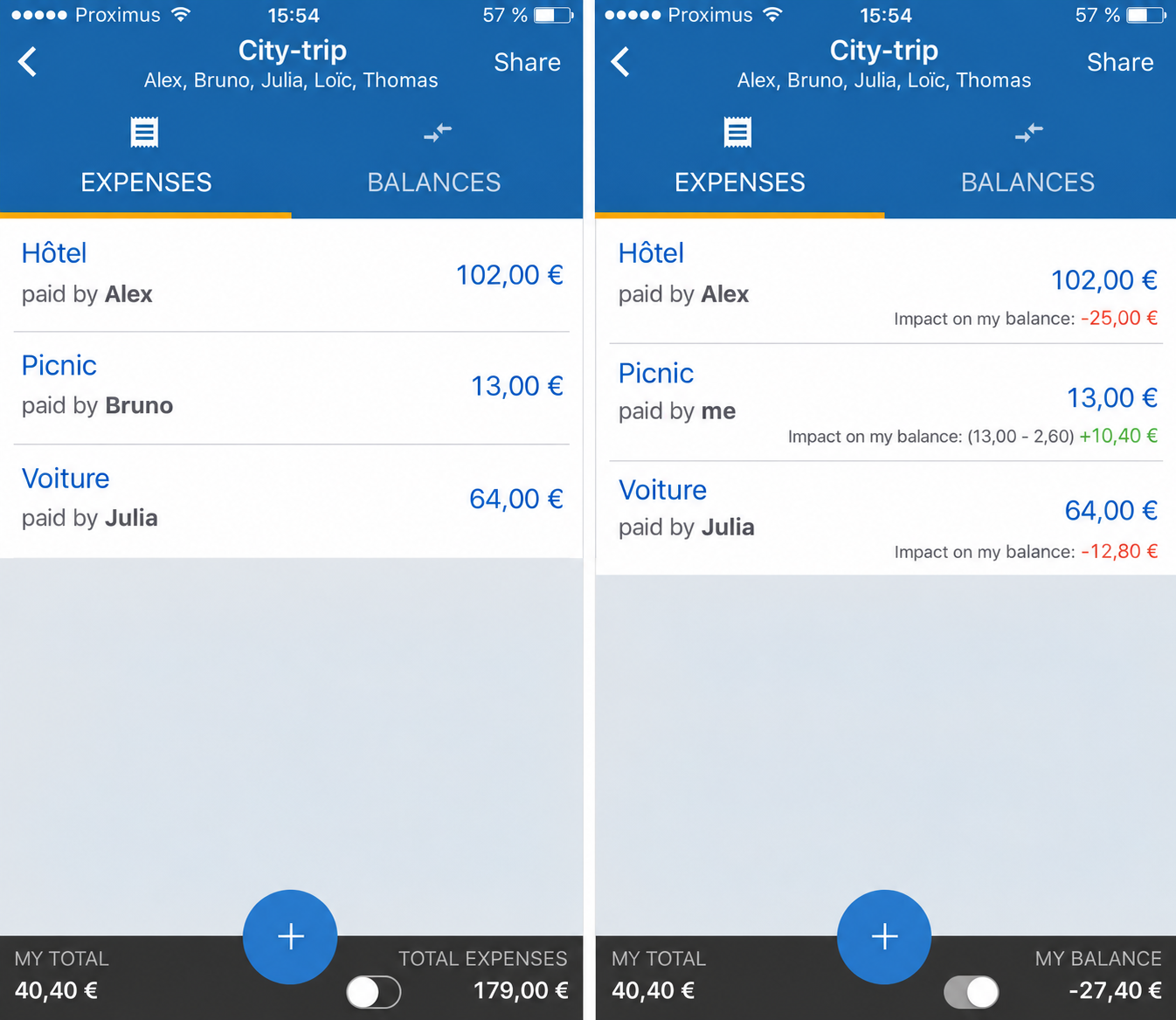
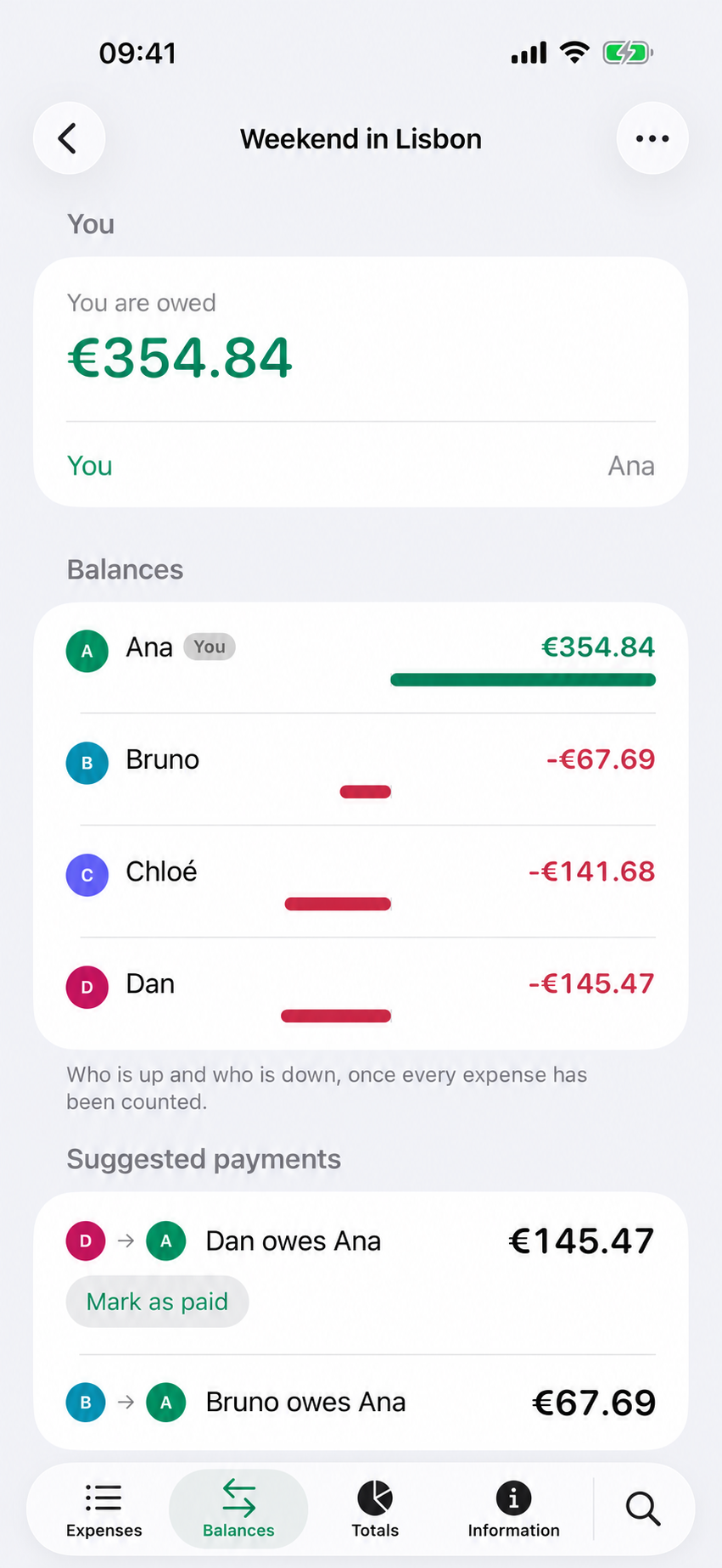
Picture this: six friends, four days in Lisbon, euros and dollars flying everywhere. Tricount lets everyone join from one shared link, log expenses offline, and see balances in multiple currencies. Among free apps for splitting bills and shared expenses, nothing else covers this much without a paywall.
Tricount is owned by Dutch bank bunq. Its old premium plan was scrapped, and the core app is now free with no daily expense cap.
Real flaws owners mention:
- When Premium ended, some longtime users lost tools they had paid for, like CSV and PDF export. They weren’t happy.
- The app keeps nudging you toward bunq’s free credit card, which feels like an upsell.
Who Should Skip This: Anyone who needs to export detailed spending reports for taxes or bookkeeping.
2. Splitwise: Best for Long-Term Roommates
Splitwise is still the classic among apps for splitting bills and shared expenses that pile up over months, like rent, utilities, and groceries. It tracks running balances with each person and simplifies debts, so four people don’t need twelve payments.
The truth is, the free plan got worse. Splitwise’s own help center says free users can add only four expenses a day, and there’s a short timer between entries. Pro runs about $4.99 a month or $39.99 a year in the US.
Real flaws owners mention:
- The daily cap breaks the “log everything Sunday night” habit. Reviews are full of complaints about it.
- Receipt scanning and currency conversion sit behind Pro, and the free version shows ads.
Who Should Skip This: Travel groups that log 10-plus expenses a day and won’t pay for Pro.
3. Venmo Groups: Best If Everyone Already Uses Venmo
Venmo added Groups in late 2023. Members add expenses, Venmo does the math, and you settle up inside the same app you already use. Groups hold up to 30 people.
The best part? There’s nothing new to download. For US groups, it’s the easiest of all the apps for splitting bills and shared expenses, because your friends are already there.
Real flaws owners mention:
- Adding an expense doesn’t move money. Someone still has to tap Pay, so slow payers stay slow.
- Cashing out fast costs 1.75% per instant transfer, up to $25. Standard transfers are free but take one to three business days.
Who Should Skip This: International groups. Venmo is US-only.
4. Settle Up: Best for Detailed Group Accounting
Settle Up is one of the few apps for splitting bills and shared expenses that handles the messy stuff: several people paying one bill, unequal weights, and the fewest transfers to settle everything. It syncs across Android, iOS, and the web.
Premium lists at $3.99 a month or $19.99 a year in the US. There are also one-group passes for a single trip.
Real flaws owners mention: The free version shows ads, and useful extras like recurring expenses, charts, and exports are premium-only. Premium also comes as a long list of plans and one-group passes, which takes some sorting out.
Who Should Skip This: Casual users who split one dinner a month.
5. Splid: Best for Offline Travel
Splid is fast, simple, and works without a signal. Friends don’t need an account to be added. One group is free, and a small one-time payment adds unlimited groups and Excel export.
On the flip side, it’s bare-bones.
Real flaws owners mention: The interface is functional but plain, and there’s no web app, so you’re stuck on your phone.
Who Should Skip This: Roommates who want reminders, charts, and long-term balances.
6. Tab: Best for Restaurant Receipts
Tab does one thing well. You snap the check, it reads the items, and everyone taps what they ordered. Tax and tip get split in proportion, so the salad person doesn’t pay for the steak.
Real flaws owners mention:
- It’s built for one bill at a time. It won’t track balances across a trip.
- Everyone has to claim their own items, so one friend without the app slows the whole table.
Who Should Skip This: Roommates and travel groups. Pair it with a tracker instead.
7. Spliit: Best for Privacy and No Sign-Ups
Spliit is free, open-source, and runs in your browser with no account and no ads. It’s the most private of the apps for splitting bills and shared expenses here. You create a group, share the link, and add expenses. It supports uneven splits, categories, and receipt photos.
Now, you might be wondering how it pays the bills. Donations. Tech-savvy users can even host their own copy.
Real flaws owners mention: There’s no app store app, just a web app you add to your home screen. And with a small volunteer team, some users have worried about how actively it’s maintained.
Who Should Skip This: Groups that want push notifications and payment reminders.
8. Honeydue: Best for Couples
Honeydue is a free budgeting app built for two. You link accounts, choose what to share, track bills, and chat about charges in the app. There’s no paid tier.
Real flaws owners mention: Bank syncing can be spotty depending on your bank, and there’s no web version.
Who Should Skip This: Roommates or friend groups. It’s built strictly for couples. For broader options, see our guide to the best apps for managing shared finances.
9. PayPal Split a Bill: Best for One-Off Splits
PayPal’s Split a Bill tool turns one total into separate money requests for each person. It’s handy for a shared gift or concert tickets.
Real flaws owners mention: There’s no running ledger, so it’s useless for ongoing costs. And everyone needs a PayPal account or has to pay as a guest, which some people won’t do.
Who Should Skip This: Anyone splitting more than a few bills a month.
Zeta is a banking app for couples. You can open joint and individual accounts, share a debit card, and track spending together, with no monthly fees.
Real flaws owners mention: It means moving your money to a new bank, which is a big step. It also does nothing for friends or roommates.
Who Should Skip This: Couples who want to keep their current banks.
How to Pick the Right App in Two Minutes
Bottom line: when choosing apps for splitting bills and shared expenses, match the app to your laziest group member, not your most organized one.
- Trip with friends? Tricount or Splid.
- Roommates splitting rent for a year? Splitwise Pro or Settle Up.
- Everyone already on Venmo? Use Venmo Groups.
- Restaurant dinner tonight? Tab.
- Privacy matters most? Spliit.
- Couple? Honeydue to the track, Zeta is to merge money.
That brings us to the biggest mistake people make: picking an app that forces every friend to sign up. The more steps you add, the fewer people log their expenses.
Frequently Asked Questions (FAQs)
What is the best free app for splitting bills?
Tricount, for most groups. It’s free with no daily expense cap. Spliit is a strong no-account option.
Is Splitwise still free?
Yes, but free users can add only four expenses a day. Pro removes the cap.
Can Venmo split bills?
Yes. Venmo Groups tracks shared expenses for up to 30 people and lets members settle up in the app.
Do bill-splitting apps send money?
Most don’t. Trackers like Tricount and Splitwise do the math, then you pay through Venmo, PayPal, Zelle, or cash.
Which app is best for splitting restaurant bills?
Tab. It scans the receipt and splits tax and tip by what each person ordered.
Final Thoughts
Don’t overthink it. Pick one app, set it up before the trip or the lease starts, and log each expense the moment someone pays.
The best apps for splitting bills and shared expenses save money and friendships. Start with Tricount if you want free, Splitwise Pro if you live together, and Venmo Groups if everyone’s already there.