Listen to the Podcast:
This is an option to privately browse the internet, but it is not as secure as it appears.
We have repeatedly cautioned you that when you browse the Internet, you leave a trail of all your activities, from your social media accounts to the queries you conduct. With the hope that this information does not persist on the network, many users opt for the anonymous browsing mode, but does it actually work?
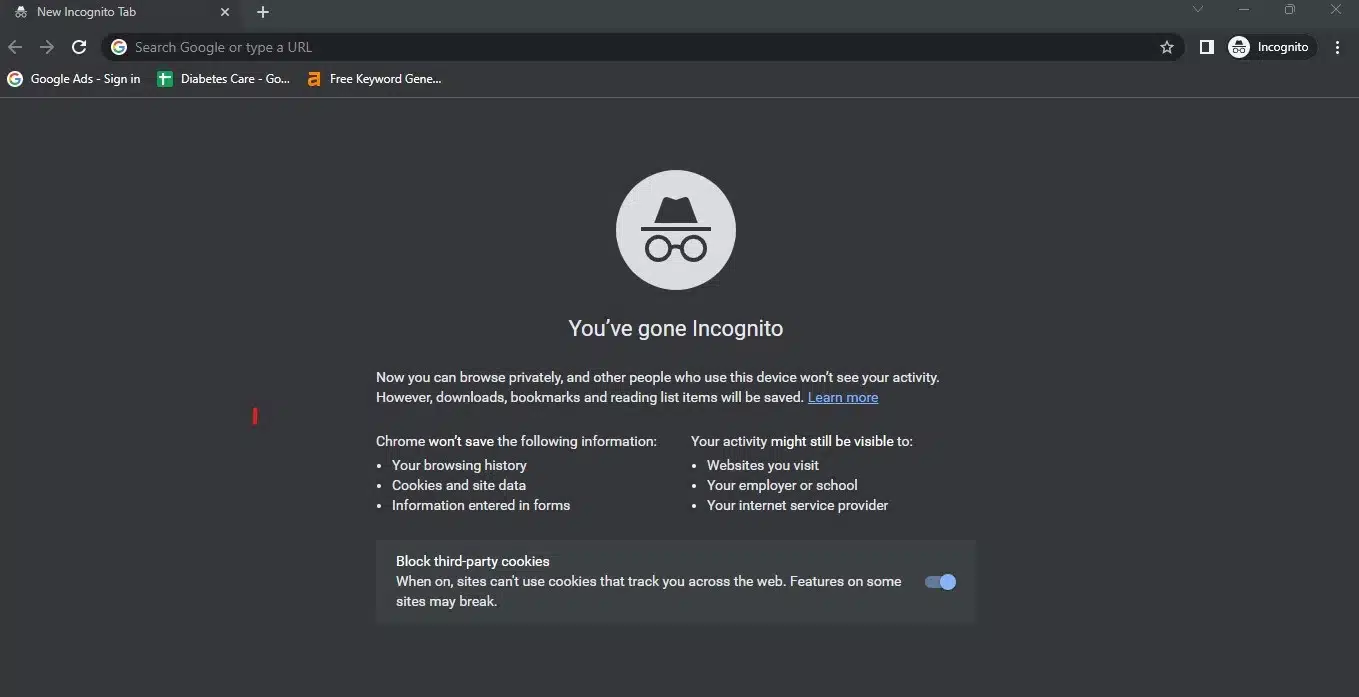
If you use browsers such as Chrome or Safari, you have seen the option to browse in incognito mode or privately, and when you activate it, the screen turns dark. However, you may not have known what it does or how much security it provides.
Incognito Mode to Browse Privately
Surely you have performed an Internet search, for example for a product, and the next time you connected, advertisements for that product appeared. Because, as we’ve already stated, you leave traces of your interests, which corporations then exploit, this is the case.
However, there are times when we do not want some of our online activity to be stored on the network. Incognito mode allows us to circumvent this.
If you don’t want Chrome to retain your activity, you can browse the web anonymously in incognito mode, according to Google.
Let’s begin by observing how to activate this feature:
- Launch any website in Chrome.
- To access the three dots to the right of the address bar, click on them.
- This will display a menu with several options, including the “New Incognito tab.”
- When you select it, a new window pertaining to this function will appear; you will be able to identify it by its black color.
- It is important to note that you can switch between incognito and regular Chrome tabs.
Tips When Using Incognito Mode on The Internet
Google explains that using the incognito mode in Chrome provides a number of privacy benefits, including the fact that your browsing history, cookies, and site data are not saved, and the information you input into forms is not saved.
However, it is essential to note that, despite the fact that this option provides you with an additional layer of security, this system is not foolproof, so you must consider the following:
- Your activity remains viewable on the websites you visit. If you seek a product on Facebook, for instance, it is highly likely that the social network will later show you advertisements for similar products.
- Your employer, educational institution, or Internet service provider will continue to monitor your activity if your computer’s network is tampered with, as is often the case at work. In any case, your browsing is not private.
- Downloaded files and created bookmarks will be preserved.
- Even in incognito mode, anyone with access to your device can view any open tabs.
- Some browsers even retain a temporary history while in incognito mode; however, this history is promptly deleted when the window is closed.
- If you are working on a shared computer, incognito mode is the best option, but if you want your information to be saved in certain forms or your shopping cart to be available the next time you visit the page, do not use it.
- Please note that this option disables browser extensions; although you can re-enable them, you may not be able to use them with this option.
- Your IP address is still visible to any website or search engine you visit while in anonymous mode.
- This tool provides no protection against malware, phishing, or the risk of visiting dangerous websites, so be wary of what you view online and use an antivirus program.