

Microsoft has officially released a new Windows 11 update that introduces a smarter, adaptive energy saver system aimed at significantly improving laptop battery life. This is part of the tech giant’s broader goal to enhance user experience and sustainability through AI-driven automation and efficient power management technologies.
The update is now being made available to users via the Windows Update feature, and it’s specifically designed to optimize energy usage without disrupting performance or requiring manual input from the user.
What’s New: A Smarter Battery Saver with Adaptive Intelligence
Traditionally, energy saver modes rely on battery percentage thresholds—only activating when the battery drops below a certain level, usually 20%. However, this model doesn’t account for the actual workload or usage behavior, leading to inconsistent performance or wasted battery.
Microsoft’s new adaptive energy saver mode solves this by factoring in what you’re doing at any given moment. According to Microsoft’s engineers, it uses real-time system analytics to automatically decide when to enable or disable energy-saving functions, such as reducing screen brightness or pausing background processes.
Example Use Case:
- If you’re browsing lightweight websites, reading PDFs, or typing documents, the system quietly switches to energy saver mode. This reduces battery consumption by adjusting non-essential features.
- But when you start editing videos, gaming, or working with heavy applications like Photoshop or Visual Studio, the laptop automatically returns to full-performance mode, allowing maximum processing power without delay.
This kind of context-aware energy optimization is a first for Microsoft’s consumer operating system and builds upon machine learning technologies already used in Azure and Windows Scheduler.
How the Adaptive Energy Saver Works Under the Hood
Windows 11’s new adaptive mode goes beyond toggling power plans. Here’s a breakdown of its key actions:
- Display Dimming: Screen brightness is reduced by around 30%—one of the most effective ways to reduce power usage, as displays typically consume a major portion of battery life.
- Visual Effects Disabled: Transparency, animations, and background blur effects (powered by GPU) are turned off, reducing processing demand.
- Background Sync Throttled: Apps like OneDrive, OneNote, Phone Link, and Windows Updates are paused or slowed to conserve energy. This especially helps if you’re on the go or working without a charger.
- Processor Throttling: The CPU enters a low-power state, handling tasks more efficiently while reducing heat and fan usage.
Unlike older versions where you had to manually turn on Battery Saver, this update makes the process intelligent and seamless—improving both convenience and efficiency.
No More Screen Flickers or Sudden Brightness Drops
One of the complaints users often had with older battery-saving features was the abrupt visual change when battery saver kicked in. With this new adaptive mode, brightness transitions are handled smoothly, or in some cases, skipped entirely to maintain a more stable user experience.
Microsoft has explicitly ensured that switching between energy modes doesn’t disrupt your workflow, especially on tablets, convertibles, and premium ultrabooks.
Who Can Benefit from This Update?
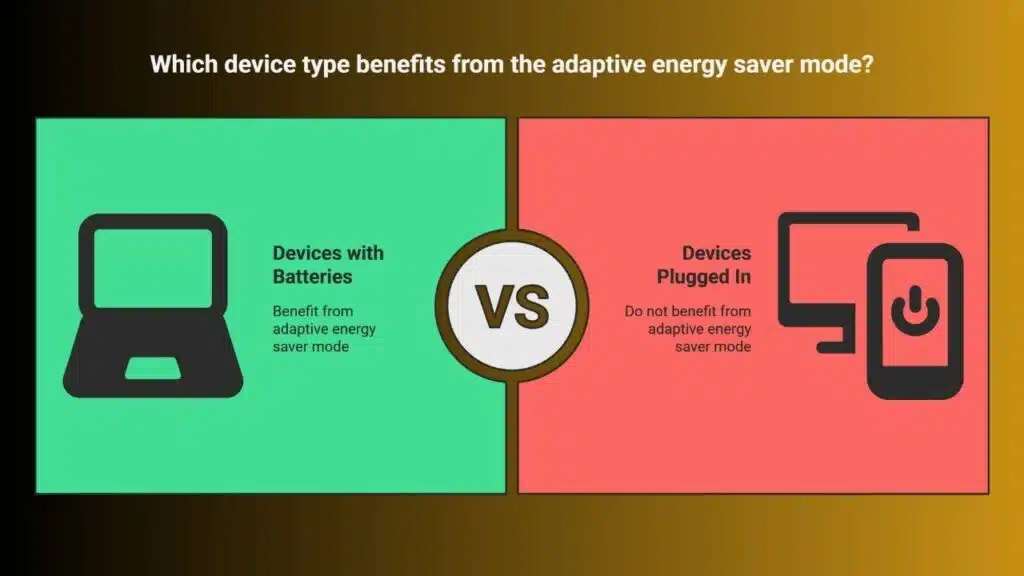
This feature is exclusive to devices with built-in batteries, such as:
- Laptops (including ultrabooks and Chromebooks running Windows)
- 2-in-1 hybrid devices
- Windows tablets and ARM-based handhelds
Desktops and servers will not utilize this mode, as they’re typically plugged in at all times.
Microsoft has stated that the adaptive energy saver mode is designed to work in the background invisibly, allowing users to keep focusing on their tasks without being bothered by prompts or notifications.
New Battery Usage Dashboard: Transparency for Power Users
With this Windows 11 update, Microsoft also introduces a new battery usage monitoring dashboard, offering much more detailed insights into:
- Real-time battery life estimates
- Breakdown of battery usage by individual apps
- Historical battery performance trends over time
This makes it easier to spot apps that are silently draining your battery—especially those running in the background like Slack, Chrome, Teams, or background video players.
Practical Benefits:
- You can identify apps with high battery drain and decide whether to restrict their background activity.
- Developers can use these metrics to optimize app performance.
- IT administrators can monitor energy consumption across fleets of devices for corporate use.
These insights align with Microsoft’s broader effort toward eco-friendly computing and energy-aware digital behavior.
Smarter Screen and Refresh Rate Controls: Sensing When You’re Away
Another important addition in this update is automatic screen refresh rate control. If your laptop detects you’ve stepped away—using presence sensors or webcam input—it will temporarily:
- Lower the refresh rate of the screen (e.g., from 120Hz to 60Hz or 30Hz)
- Reduce screen brightness gradually
- Pause non-critical background apps
When you return, the system restores settings without needing to press a key or touch the mouse. This behavior not only extends battery life but also reduces strain on internal components, ultimately helping devices last longer.
These refinements are especially beneficial for high-refresh-rate displays, like those on Surface devices, gaming laptops, and OLED screens, where higher Hz rates significantly increase battery drain.
Why This Update Matters in 2025
In today’s mobile-first, remote-work-driven world, battery efficiency is not just a convenience—it’s a necessity. Whether you’re working in cafes, traveling, attending classes, or relying on mobile hotspots, every extra hour of screen time matters.
Microsoft recognizes that most users forget to toggle battery-saving settings until it’s too late. With this update, the goal is to automate smart power management without disrupting the user’s experience.
The company is also signaling that AI and real-time device telemetry will play a growing role in how the Windows ecosystem evolves—echoing broader industry trends seen in Apple’s macOS energy optimization and Android adaptive battery controls.
How to Access the Update
To check if this new feature is available on your Windows 11 device:
- Open Settings.
- Navigate to Windows Update.
- Click on Check for Updates.
If the update has been rolled out to your region, it will automatically download and install. You may need to restart your device once for all features to activate.
A Step Toward Sustainable Computing
Microsoft’s latest update to Windows 11 marks a significant milestone in the push for intelligent power management. By combining automation, contextual awareness, and user insights, the company is redefining what it means to have a “smart” battery saver.
These updates are more than just software tweaks—they represent a shift toward sustainability, efficiency, and smarter digital habits, empowering users to do more with less power.
Whether you’re a student, remote worker, or frequent traveler, this update is bound to extend your productivity hours without sacrificing performance, making it a worthy enhancement in Microsoft’s ongoing development roadmap.





















