If you’re weighing Hot Wallets vs. Cold Wallets, start with how often you expect to move your crypto. A hot wallet is handy for payments and quick swaps. For funds you plan to leave alone for months, a cold wallet is generally safer because it keeps the keys used to approve transactions offline.
Before you pick one, think about who controls the keys and what you’d do if you lost access. Then decide how much you need for everyday transactions and what you’d rather keep separate from the apps you use most often.
What Are Cold and Hot Wallets?
Your crypto is recorded on the blockchain. The wallet manages the private keys that let you move it. A hot wallet uses those keys on an internet-connected device or service. A cold wallet keeps the keys offline.
How Do a Hot Wallet and a Cold Wallet Work?
When you send crypto from a hot wallet, the software can sign the transaction and send it to the network from the same connected device. With a hardware wallet used for cold storage, a companion app can prepare the transfer and send it to the network once you approve it and the hardware signs it. The private key stays on the hardware.
The Core Difference: Hot Wallets vs Cold Wallets
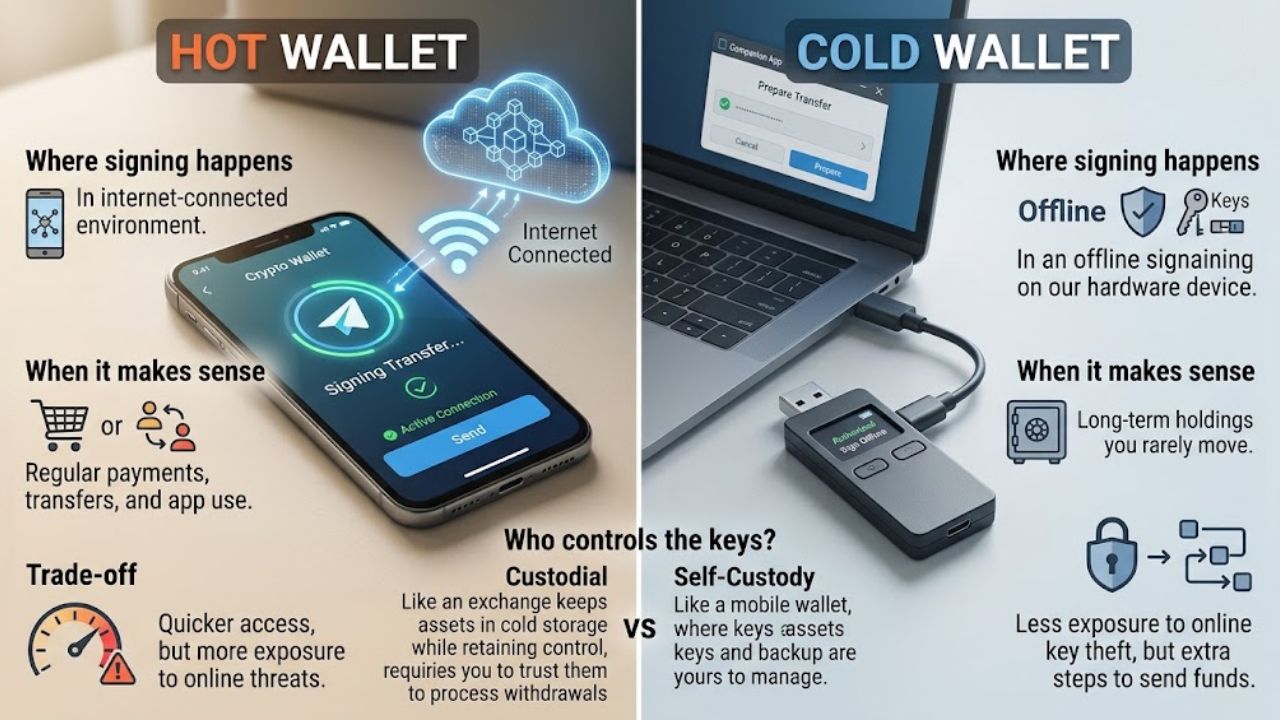
Your crypto is recorded on the blockchain, and your wallet manages the private keys that let you move it. A hot wallet uses those keys in an internet-connected environment, so the software can sign a transfer and send it to the network from the same device or service.
A cold wallet keeps the keys offline. With a hardware wallet, for example, a companion app can prepare the transfer and send it to the network once the device signs it. The key stays on the hardware even when you connect it to your phone or computer, provided signing happens on the device.
Here’s what that looks like in practice.
| What to compare | Hot wallet | Cold wallet |
| Where signing happens | In an internet-connected environment | In an offline signing setup |
| When it makes sense | Regular payments, transfers, and app use | Holdings you rarely move |
| Trade-off | Quicker access, with more exposure to online threats | Less exposure to online key theft, with extra steps to send funds |
Who controls the keys is a separate question. An exchange can keep customer assets in cold storage while retaining control of the keys, so you still depend on it to process withdrawals. A self-custody phone app is a hot wallet, and the keys and backup are yours to manage.
If you keep funds on an exchange, protect your login with strong two-factor authentication. If you want to hold the keys yourself, check which networks and backup options are supported by mobile wallets for crypto transactions.
What Cold Storage Can’t Prevent
A Permission That Outlasts the Swap
Say you connect to an Ethereum app for a swap and it asks for permission to spend a token from your wallet. Your hardware keeps the keys inside the device, but if you approve a malicious request, the contract may be able to spend that token later, even after you disconnect from the site. If you’ve already granted a suspicious permission, check and revoke the token approval.
A Prompt You Can’t Verify
For a regular transfer, check the recipient’s address and the amount on the hardware display if your device supports it. If you can’t tell what a prompt is asking you to approve, stop there.
If a surprise “wallet locked” message takes you to a page asking for your recovery phrase, close it. If you already clicked, base your next step on what you did on the phishing page. Entering a secret or signing a transaction carries more risk than opening the page.
When to Use Which
Keep a small balance in your everyday wallet for the payments and app transactions you expect to make, plus enough to cover the fees. The rest can stay in a separate cold wallet.
Give each wallet its own keys. If you import your hardware wallet’s recovery phrase into a browser extension, the same keys are available to an online app. Using two addresses derived from that phrase leaves you with the same risk if someone gets a usable copy.
If you rarely move crypto, a single cold wallet may be simpler to manage, provided you can recover it from your backup. One hardware wallet can manage several cryptocurrencies if the model and its companion software support them. Before choosing a device, check its list of supported coins and networks.
Keep Your Crypto Safe: Best Practices
Keep the Recovery Phrase Offline
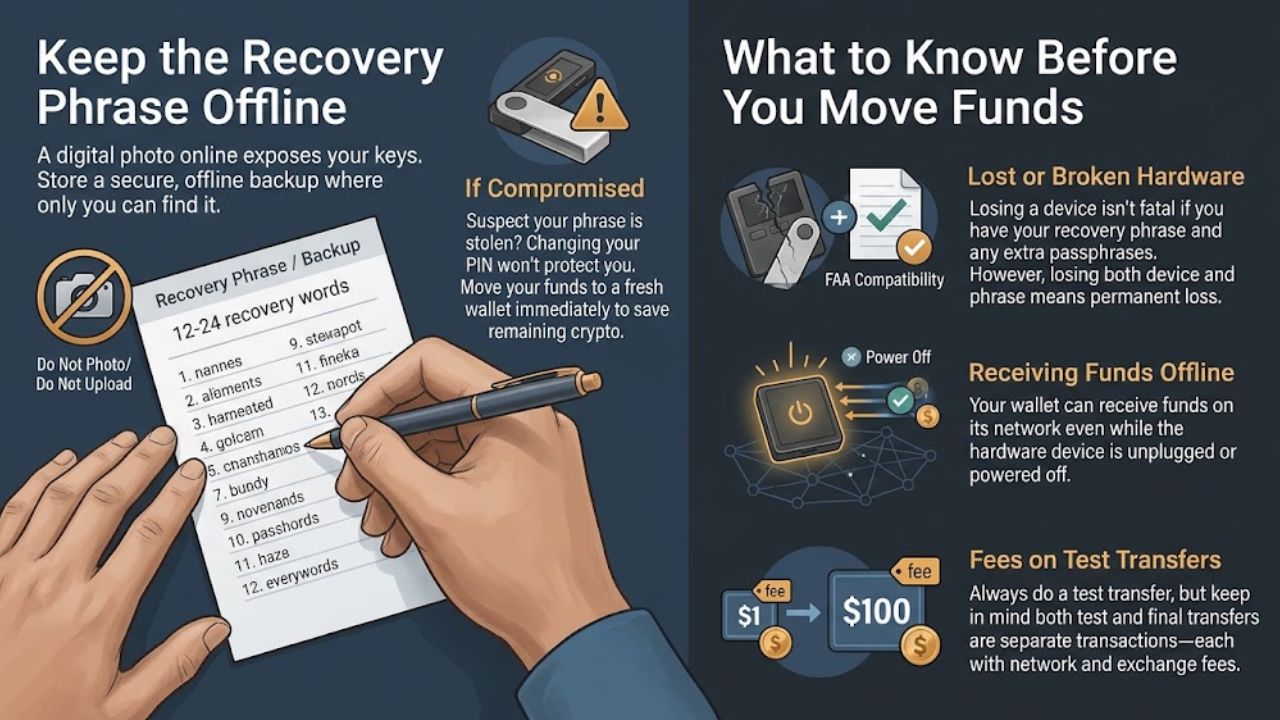
While the PIN protects the device, anyone with a usable copy of the recovery phrase can recreate the keys elsewhere. A photo that syncs to the cloud puts a copy of the phrase online, even if the hardware stays in a drawer. Keep a secure offline backup of the phrase somewhere you can retrieve it, and others can’t easily copy it.
If you spot signs that your wallet may be compromised and suspect someone has the phrase, treat the keys as exposed. Changing the device PIN leaves the copied phrase usable, so prioritize moving any remaining funds to a fresh wallet with keys the other person can’t recreate.
What to Know Before You Move Funds
- Lost or broken hardware. A valid backup and a compatible wallet can usually restore access. If you set an additional passphrase, you may need that exact passphrase too. Losing the device and every usable recovery option can mean losing access permanently.
- Receiving funds while unplugged. A verified receiving address can receive crypto on its supported network while the signing device is off.
- Fees on a test transfer. The test and the larger transfer are separate transactions. Each may carry a network fee or an exchange withdrawal charge.
Moving to Cold Storage
Give yourself time to set up the hardware wallet before you move any funds. Importing the recovery phrase from your phone would carry over the old keys and any exposure they already had. A fresh wallet gives you new keys, and a small first transfer lets you check where the funds land.
- Start with a fresh wallet and its backup. Follow the manufacturer’s setup instructions and record the new backup offline. If there’s a built-in backup check, run it while you still have the instructions in front of you.
- Check where the transfer will land. Make sure the destination supports the asset on the network you plan to use. If your hardware shows the receiving address, compare it with the one you pasted into the sending app or exchange.
- Try a small transfer first. Check the fees and any minimums before you send a test amount on the intended network. Once it’s confirmed, open the receiving wallet and make sure the funds reached the right account.
- Recheck the details before moving the rest. Look at the asset, network, and address again when you set up the larger transfer. If the old wallet still holds assets or controls positions you haven’t moved, keep its backup.
Before you move a balance you’d miss, picture the device breaking tomorrow. Could you find the backup, tell which wallet it belongs to, and restore access? Work that out while your current setup still works.
Final Thoughts
Before you move a balance you’d miss, picture the device breaking tomorrow. Could you find the backup, tell which wallet it belongs to, and restore access? Work that out while your current setup still works.
Frequently Asked Questions
Is a cold wallet safer than a hot wallet?
For long-term storage, usually yes. Keeping the private keys offline makes them harder to steal remotely. You still need a secure backup and a way to recover it.
Can someone steal crypto from a cold wallet?
Yes. Someone with a usable copy of your recovery phrase can recreate the keys. You can also lose funds if you use the hardware wallet to approve a fraudulent transfer or give a malicious app permission to spend a token.
Does connecting a hardware wallet make it a hot wallet?
A hardware wallet can connect to a phone or computer and still sign offline, as long as the private keys stay on the device. If you import its recovery phrase into an online wallet app, those keys are exposed to the online environment.
Can one hardware wallet manage more than one cryptocurrency?
Yes, if the device and its companion software support the assets and networks you use. Check the manufacturer’s list of supported coins and networks for the model you’re considering.