

Smartphones have shaped how we live, work, communicate, and think for nearly two decades. They sit at the center of modern life, handling everything from banking and navigation to entertainment and social connection. Yet, despite their dominance, signs of change are everywhere. Screen fatigue is rising. Privacy concerns are growing. People want technology that blends into life rather than demanding constant attention.
This shift has sparked a powerful question: what will replace smartphones?
The answer is not as simple as a single new gadget. Instead, the future points toward a more distributed model of technology. Tasks once locked inside phones are spreading across wearables, ambient systems, AI assistants, and spatial interfaces. The smartphone may not vanish overnight, but it may slowly lose its role as the primary gateway to the digital world.
In this in-depth guide, you will explore eight major innovations that could reduce, reshape, or eventually replace smartphones. Each section explains what the technology is, why it matters, where it succeeds, and where it still falls short. The goal is clarity, not hype. By the end, you will understand how the post-smartphone era is likely to unfold and what it means for everyday users.
What Will Replace Smartphones: The Smartphone Replacement Test
Before deciding what might replace smartphones, it is important to define what “replacement” actually means. A replacement does not need to eliminate phones instantly. Instead, it must reduce how often and how heavily people depend on them.
Smartphones succeed because they combine many roles into one device. Any serious alternative must handle at least some of those roles better or more conveniently. Without this baseline, even impressive technology struggles to gain daily relevance.
Another key point is behavior. Technology only replaces older tools when it fits naturally into daily habits. If a device feels awkward, slow, or socially uncomfortable, users return to what they know. This test helps separate exciting ideas from practical replacements.
Core Jobs Smartphones Handle Today
Smartphones act as a digital control center for modern life. They combine communication, information, identity, and entertainment into one portable object.
They allow instant communication through calls, messages, and video chats. They serve as cameras for memories and documentation. They guide people through cities with maps and navigation. They manage payments, tickets, and identity. They support work through email, documents, and authentication. They also deliver endless content, from news to games.
Any replacement must take over at least several of these jobs in a way that feels easier, faster, or more natural.
The Six Criteria A True Replacement Must Meet
A realistic replacement must meet six practical standards.
First, it must reduce friction. People will not adopt tools that add steps. Second, it needs reliable input, such as voice, gestures, or touch, that works in real environments. Third, it must provide clear output, whether visual or audio, without strain.
Fourth, connectivity must be dependable, including graceful behavior when networks fail. Fifth, privacy must be built in, not added later. Sixth, comfort matters. Devices worn all day must feel natural and socially acceptable.
Smartphone Replacement Test
| Requirement | What It Means In Practice | Why It Matters |
| Low friction | Instant access without menus | Habits form quickly |
| Input | Voice, gesture, or gaze that works | Real-world usability |
| Output | Clear visuals or audio | Reduces fatigue |
| Connectivity | Works online and offline | Reliability builds trust |
| Privacy | Transparent data use | Adoption depends on trust |
| Comfort | All-day wearability | Comfort drives consistency |
Innovation 1: AR Smart Glasses That Put A Screen In Your World
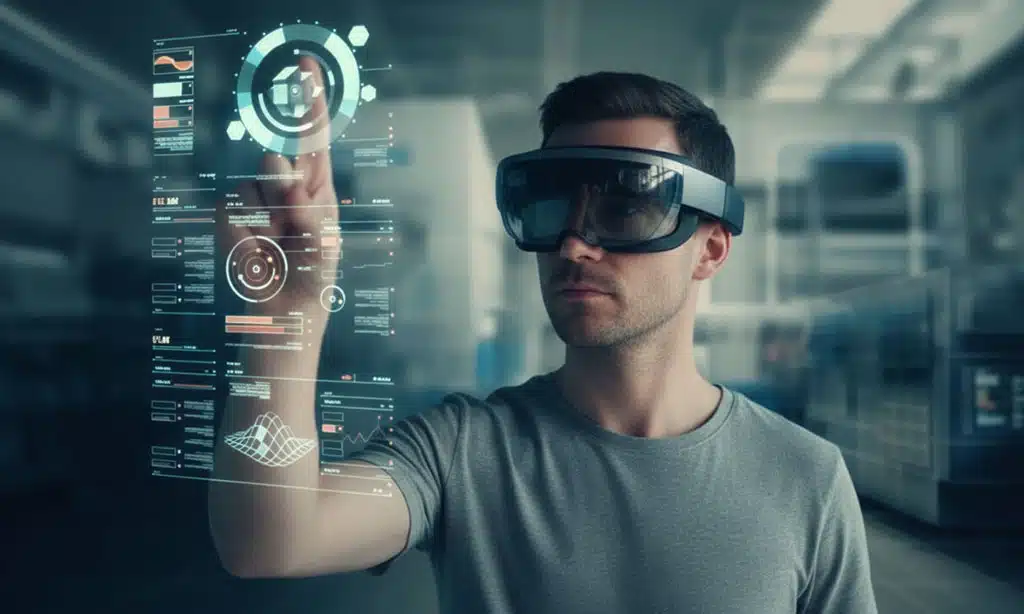
AR smart glasses aim to shift screens from pockets to faces. Instead of looking down at a phone, users see information layered directly onto the world around them.
This concept promises faster access to information and fewer distractions. Rather than opening apps, users glance at directions, messages, or alerts in their field of view. Over time, this could significantly reduce phone usage.
However, success depends on execution. Glasses must feel natural, look normal, and respect privacy. Without these elements, adoption stalls.
What AR Smart Glasses Are
AR smart glasses are lightweight eyewear with built-in displays. They overlay digital information onto the real world. Unlike virtual reality, they do not block surroundings.
Typical features include navigation arrows, notifications, translations, captions, and simple prompts. The interface is designed for quick interactions rather than long sessions.
Why They Could Replace Smartphone Time
AR glasses allow hands-free interaction. Navigation becomes safer while walking or cycling. Messages can be read discreetly. Translations appear instantly during conversations. This reduces the need to unlock and scroll on a phone.
They also support context-aware computing. What you see becomes the interface. This aligns closely with how humans naturally process information.
Barriers Slowing Adoption
Battery life remains a challenge. Face-worn devices have limited space for power. Heat and weight also matter. Style is another issue. People will not wear devices that look awkward.
Privacy concerns are significant. Cameras on glasses raise fears of constant recording. Clear indicators and strict controls are essential for public acceptance.
AR Smart Glasses Overview
| Aspect | Strength | Limitation |
| Navigation | Hands-free and visual | Battery drain |
| Messaging | Quick glance replies | Limited text input |
| Translation | Real-time assistance | Privacy concerns |
| Comfort | Lightweight designs emerging | All-day wear still hard |
Innovation 2: Spatial Computing Headsets As The New Digital Workspace
Spatial computing headsets focus on immersive environments rather than portability. They aim to replace laptops, tablets, and phones during focused work and media consumption.
These devices are not meant for constant wear. Instead, they target long sessions at home or work, where screen space matters most.
By absorbing indoor screen time, headsets indirectly reduce smartphone dependence.
What Spatial Computing Headsets Are
These headsets create virtual screens around the user. Instead of one physical display, users interact with multiple floating windows.
They support productivity, media, and collaboration in a three-dimensional space. This allows more natural multitasking and immersive experiences.
How They Reduce Phone Usage
Many people use phones indoors for browsing, messaging, and streaming. Spatial headsets shift these activities to a larger, more comfortable interface.
Over time, users may rely on phones only for quick checks, not extended sessions.
Practical Challenges
Comfort is critical. Headsets must be light enough for long use. Eye strain and motion discomfort remain issues.
Cost is another factor. Premium devices slow mass adoption. Social isolation concerns also affect acceptance.
Table: Spatial Computing Summary
| Use Case | Benefit | Challenge |
| Productivity | Large virtual workspace | Fatigue |
| Media | Immersive viewing | Cost |
| Collaboration | Shared virtual rooms | Hardware limits |
| Replacement role | Reduces indoor phone use | Not portable |
Innovation 3: AI-First Wearable Assistants Without Screens
AI wearables aim to replace apps with conversation. Instead of tapping icons, users speak requests and receive results.
This approach reduces screen dependency and encourages more natural interaction. It also shifts computing toward outcomes rather than interfaces.
However, reliability and trust are critical. Without them, users quickly abandon these devices.
What AI Wearable Assistants Are
These are small wearable devices designed around voice interaction. They rely on AI to answer questions, manage tasks, and summarize information.
They often include microphones, cameras, and cloud connectivity. The goal is constant availability without constant attention.
Why The Concept Is Appealing
Screenless devices reduce distraction. They allow multitasking and support movement-based lifestyles.
They also promise simplicity. One request replaces multiple app steps.
Risks And Lessons Learned
Reliance on cloud services creates vulnerability. If servers shut down, core features disappear.
Privacy is another concern. Always-on microphones require strong safeguards and user control.
AI Wearable Assistants Overview
| Feature | Advantage | Risk |
| Voice interaction | Hands-free control | Accuracy issues |
| AI summaries | Saves time | Cloud dependency |
| Screenless design | Less distraction | Limited feedback |
| Portability | Always available | Battery limits |
Innovation 4: Smart Rings As Identity And Control Tools
Smart rings are small but powerful. They focus on health tracking, authentication, and subtle input rather than displays.
They are unlikely to replace phones alone, but they play a key role in the post-smartphone ecosystem.
What Smart Rings Are
Smart rings contain sensors for health metrics and secure identification. Some also support gesture input.
They are designed for continuous wear with minimal disruption.
How They Reduce Phone Dependence
Rings can handle authentication without unlocking a phone. They track health passively, reducing app checks.
They may also serve as secure keys for other devices.
Current Limitations
Lack of display means rings rely on other devices. Fit and accuracy vary.
Health data expectations must be managed carefully.
Smart Rings Summary
| Role | Benefit | Limitation |
| Health tracking | Passive monitoring | Not medical-grade |
| Authentication | Fast and secure | Ecosystem limits |
| Input | Discreet gestures | Early-stage |
| Replacement role | Supports other devices | Not standalone |
Innovation 5: AI Earbuds And Hearables
Earbuds are already widely adopted. Adding AI transforms them into personal assistants.
This makes them one of the most realistic smartphone alternatives in the near term.
What AI Hearables Are
These are earbuds enhanced with AI features. They handle calls, commands, translations, and summaries.
They combine audio output with voice input.
Why They Scale Easily
People already wear earbuds daily. Adding intelligence does not require behavior change.
They work well for navigation, communication, and quick tasks.
Areas That Need Improvement
Context awareness must improve. Privacy protections must be clear.
On-device processing is key to reducing delays and data exposure.
AI Earbuds Summary
| Task | Strength | Weakness |
| Calls | Hands-free clarity | Noise issues |
| Navigation | Audio guidance | No visuals |
| Translation | Real-time help | Accuracy varies |
| Replacement role | High potential | Limited output |
Innovation 6: Brain-Computer Interfaces And Neural Input
BCIs represent the most radical shift. They aim to bypass physical input entirely.
This technology is still early, but its long-term implications are significant.
What BCIs Are
BCIs translate brain signals into commands. Some are implanted. Others are external.
Most current applications focus on medical and accessibility uses.
Replacement Potential
If neural input becomes safe and reliable, it could enable direct intent-based control.
This could reduce the need for screens and manual input.
Major Barriers
Safety, ethics, cost, and regulation are significant challenges.
Consumer adoption remains distant.
BCI Summary
| Aspect | Opportunity | Barrier |
| Input speed | Instant intent | Signal noise |
| Accessibility | Life-changing tools | Regulation |
| Consumer use | Long-term potential | Cost and ethics |
| Replacement role | Future possibility | Not near-term |
Innovation 7: Ambient Computing Everywhere
Ambient computing spreads technology across environments rather than concentrating it in one device.
This approach reduces the need to carry a central gadget.
What Ambient Computing Is
It is a network of connected devices that respond automatically to users.
Your environment becomes interactive.
How It Replaces Phone Habits
Tasks follow you across devices. You check phones less because information appears when needed.
Key Challenges
Identity handoff and interoperability are difficult.
Privacy must be carefully managed.
Ambient Computing Summary
| Element | Benefit | Risk |
| Seamless access | Less device switching | Data exposure |
| Context awareness | Faster tasks | Complexity |
| Multi-device flow | Reduced phone use | Ecosystem lock-in |
Innovation 8: Projection And Screen-On-Demand Interfaces

These technologies aim to keep screens but remove the need to carry them.
They provide flexibility but face practical hurdles.
What Screen-On-Demand Means
Temporary displays appear when needed through projection or advanced optics.
Why It Appeals
Bigger screens without permanent hardware.
Useful for collaboration.
Practical Limits
Visibility, privacy, and input remain challenges.
Projection Interfaces Summary
| Feature | Advantage | Limitation |
| Portability | No fixed screen | Visibility issues |
| Collaboration | Shared display | Privacy |
| Flexibility | Use-anywhere concept | Input difficulty |
Final Thoughts: What Will Replace Smartphones
What will replace smartphones is not a single invention. It is a gradual shift toward a distributed digital life.
Phones may shrink in importance as tasks spread across wearables, environments, and AI systems. The future favors less screen time, more context-aware computing, and tools that work quietly in the background.
Smartphones are unlikely to vanish soon. But their role as the center of everything is already weakening. The next decade will be defined not by phone killers, but by smarter combinations of devices that fit human life better.























