The digital purchases you could lose when a platform closes are not limited to games or streaming media. E-books, music, apps, software, fonts, and website themes can remain visible in a purchase history yet become impossible to download, activate, or use.
Clicking Buy often provides a limited license, not a platform-independent copy. Access may still depend on an account, app, device, download server, or authentication system.
The US Federal Trade Commission has warned consumers that digital products may remain usable only while an account stays active or the seller remains in business. The risk is not equal across every format. A DRM-free music file stored on two drives is much safer than a cloud game that cannot start without company servers.
A Platform Closure Does Not Always Mean Immediate Loss
Digital shutdowns usually happen in stages:
- New sales stop: Existing customers may still download and use previous purchases.
- Redownloads stop: Installed copies may work, but anything deleted or lost may be impossible to recover.
- Authentication or content servers stop: DRM checks, streaming, cloud saves, multiplayer features, or the entire product may fail.
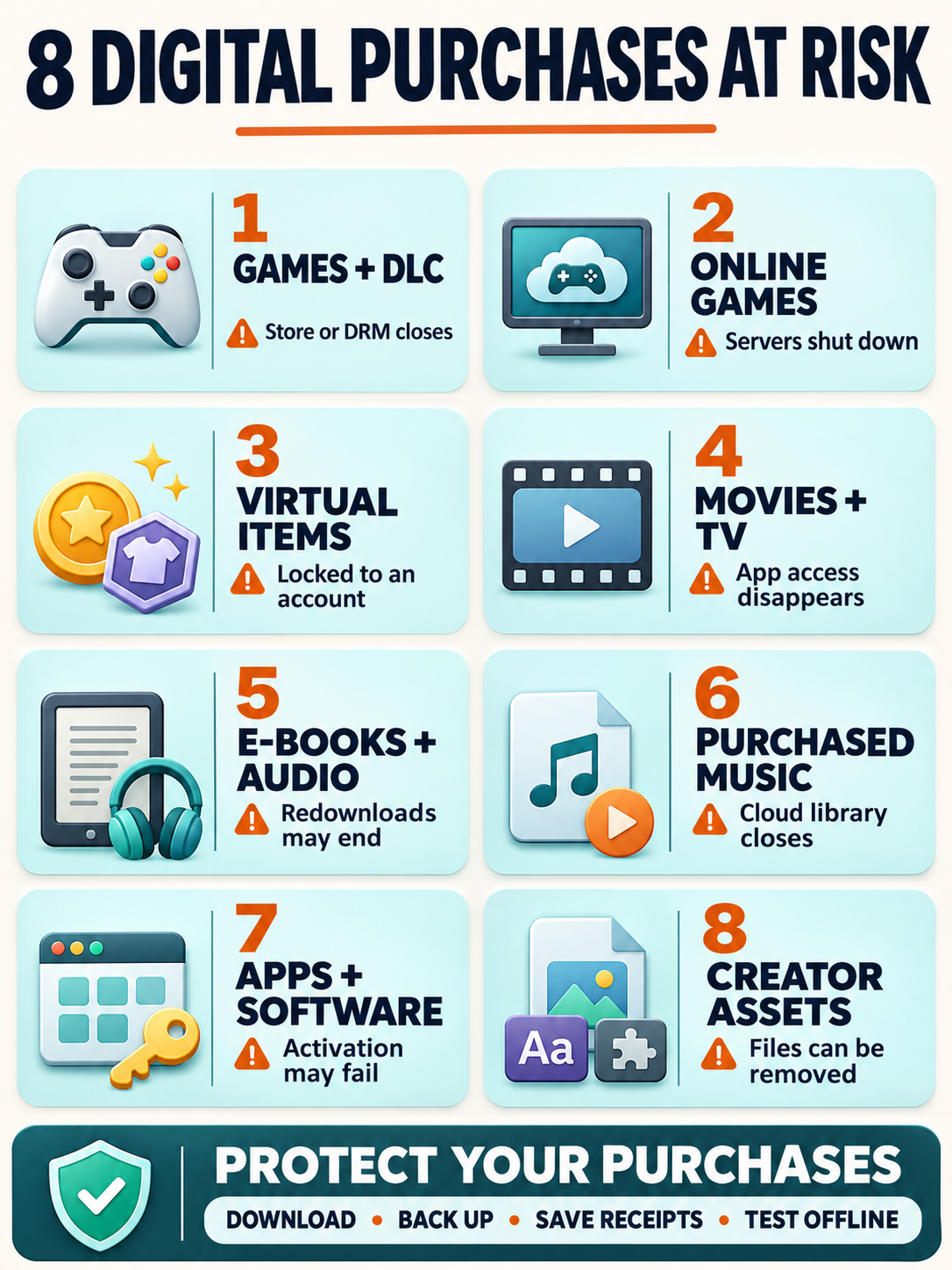
1. Downloadable Games, DLC, and Required Updates
A downloaded game may rely on more than the files installed on a console or computer. The storefront holds the account entitlement, while DRM confirms that the account has permission to launch the game. DLC, patches, language packs, and other required files may remain on separate servers.
This creates a delayed risk. A store can stop new sales without affecting current owners, but ending redownload support can make reinstalling the game or its add-ons impossible. A console reset or storage failure may expose the problem years later.
Download games, DLC, and essential updates while support remains available. Keep legitimate DRM-free installers with the receipt and license information when the seller provides them. The wider preservation problem is explored in game preservation in the digital age, including the effects of storefront closures, aging hardware, and DRM.
2. Online-Only and Cloud Games
An online-only game is more vulnerable because the customer may receive only the client software. Authentication, world data, matchmaking, or core gameplay can still run on servers controlled by the publisher.
Refunds, transfers, offline patches, and community-server releases are company decisions. Buyers should not assume every shutdown will include them. Before purchasing an online-only title, check whether it has a genuine offline mode and whether the publisher explains what will happen at the end of service.
3. In-Game Currency, Skins, and Battle Pass Items
Virtual currency, cosmetics, characters, and paid progression usually exist only inside a game’s account system. They cannot normally be exported as independent files. Even an item described as permanent may last only while the account, game, and supporting servers remain active.
If the game closes, unused currency may have nowhere to go. Skins and characters can disappear with the account database or become useless when the game itself is no longer playable. Keeping a receipt may support a refund request, but it cannot make a server-dependent item work offline.
Before spending heavily, check the rules for expiration, refunds, transfers, account termination, and service closure. The difference between owning an item and receiving permission to use it is explained further in who owns in-game items.
4. Purchased Movies and TV Shows
A purchased movie may still be locked to one company’s account, app, and devices. If the platform stops selling video, customers might retain access, face a download deadline, or lose titles the store can no longer distribute.
Microsoft no longer sells new movies and TV shows through its stores, but it says previous purchases remain playable through the Movies & TV app on Windows and Xbox. It also states that customers cannot transfer those purchases directly to another service.
Apple’s guidance for purchased media says content will generally remain available, while also warning that a title may be removed and become unavailable for further download or access. Apple recommends downloading purchases to a compatible device.
A download still may not be a portable video file. DRM can restrict it to an authorized app or account, so confirm what offline access actually means before treating it as a permanent copy.
5. E-Books and Audiobooks
An e-book or audiobook can depend on a store account, reading app, DRM authorization, compatible device, and the seller’s distribution rights. The cover displayed on a digital shelf may therefore represent an account entitlement rather than a freely transferable file.
If the store closes or loses the right to distribute a title, future downloads can stop. The problem may not appear until the reader replaces a device or deletes the local copy. Notes, bookmarks, and highlights may also live in the platform’s cloud instead of inside the book file.
Download eligible books and audiobooks to a compatible device. Keep an authorized backup where the platform allows one, and export important notes separately. When long-term access matters, a DRM-free EPUB, PDF, or audio file provides more control than content locked to one reading app.
6. Purchased Music
Purchased music is easier to preserve when the seller provides standard, DRM-free audio files. Once those files are downloaded and backed up, the store does not need to remain online for ordinary playback.
The risk increases when tracks stay only in a cloud library or require a particular app, account, or authorization server. Redownload rights can also end if the store loses distribution rights. Purchased music should not be confused with offline tracks from a streaming subscription, which normally stop working when the subscription or service ends.
Download purchased tracks in the highest available quality, preserve their metadata, and confirm that they play without the store app. Keep a second copy on separate storage. If DRM remains, record which account and devices are authorized to play the files.
7. Paid Apps and Software Licenses
A paid app may remain installed after it disappears from a store, but reinstalling or updating it can become impossible. Google Play states that when an app is removed, existing installations may continue working, while new downloads, updates, and its billing functions stop. Deleting the installed copy can therefore turn a manageable problem into permanent loss.
Desktop software can face similar limits. A “perpetual” license may cover one version while still relying on an activation server, account portal, compatible operating system, or cloud feature.
Keep legitimate installers, license keys, invoices, offline documentation, and the last compatible version available to you. Before changing computers or operating systems, check whether the license can be deactivated and transferred. Do not assume purchase history alone guarantees another installation.
8. Plugins, Themes, Fonts, and Creator Assets
Creative marketplaces sell WordPress themes, plugins, fonts, stock graphics, audio files, video templates, 3D models, presets, and similar assets. A buyer may retain permission to use a downloaded item while losing access to the original package, documentation, updates, or purchase code.
Envato Market tells customers to download purchases promptly because items may be removed. Its support guidance says that when an entire marketplace closes, its items become unavailable for download. Permanently removed files cannot be offered again.
Save the original archive, license certificate, purchase code, invoice, documentation, and the latest compatible version. Keep the software needed to open important project files as well. An archived template provides little protection if its required editor or plugin no longer runs.
How to Protect Digital Purchases You Could Lose
No backup plan can preserve every server-based product, but a few habits can prevent avoidable losses:
- Identify what you are buying: Check whether the payment provides a file, an account license, a subscription benefit, or access to a live service.
- Download purchases promptly: Do not treat a purchase-history page as a permanent archive.
- Save the complete package: Keep installers, updates, DLC, documentation, license files, purchase codes, and required companion assets where permitted.
- Keep proof of purchase: Store invoices, transaction IDs, purchase dates, editions, regions, and the account used.
- Maintain an independent backup: Use local storage plus a second copy. Cloud sync and backup serve different purposes, especially when every copy depends on one account.
- Test offline use: Confirm whether a downloaded product opens without the store or internet connection, while respecting its license and DRM rules.
- Protect account access: Use a unique password, multifactor authentication, and current recovery details.
- Act on shutdown notices: Migration, refund, export, and final-download periods may be limited.
- Choose portable formats when longevity matters: DRM-free files, downloadable installers, and complete physical editions usually provide more control.
Keep What You Paid For
The digital purchases you could lose do not all carry the same level of risk. A DRM-free file can survive its seller. A cloud game, virtual item, or account-bound movie may not.
Before paying, identify the weakest dependency: the account, store, app, device, DRM server, or live service. A durable digital library is more than a purchase history. It contains usable files, valid license records, secure accounts, and a realistic recovery plan.
Frequently Asked Questions about Digital Purchases You Could Lose
Does Downloading a Digital Purchase Guarantee Permanent Access?
No. A download may still require DRM authorization, a compatible app, a particular account, or supported hardware. A standard DRM-free file offers more independence, but it still needs a working device and suitable software.
Can a Company Remove Content After Someone Buys It?
Access can end under some platform terms, especially when the transaction grants a license rather than unrestricted ownership. Consumer rights and remedies depend on the country, the seller’s promises, and why access ended. Keep the receipt and contact the seller or local consumer-protection authority when paid content disappears.
Is Physical Media Always Safer?
Physical media gives the buyer a copy that is not stored only in an online account, but it is not a complete guarantee. Some discs require downloads, patches, activation, or live servers. Check whether the physical edition contains a complete, playable version.