

When starting a website or online project, many beginners come across the term “VPS hosting” but might not fully understand what it entails. Virtual Private Server (VPS) hosting is a popular choice for those who need more control and power than shared hosting but aren’t ready to commit to a dedicated server.
Beginners may find VPS hosting intimidating, but with the right resources, you can quickly become proficient. We’ll explore 12 VPS hosting resources for beginners in starting with VPS hosting, comprehending its benefits, and utilizing it effectively.
VPS Hosting
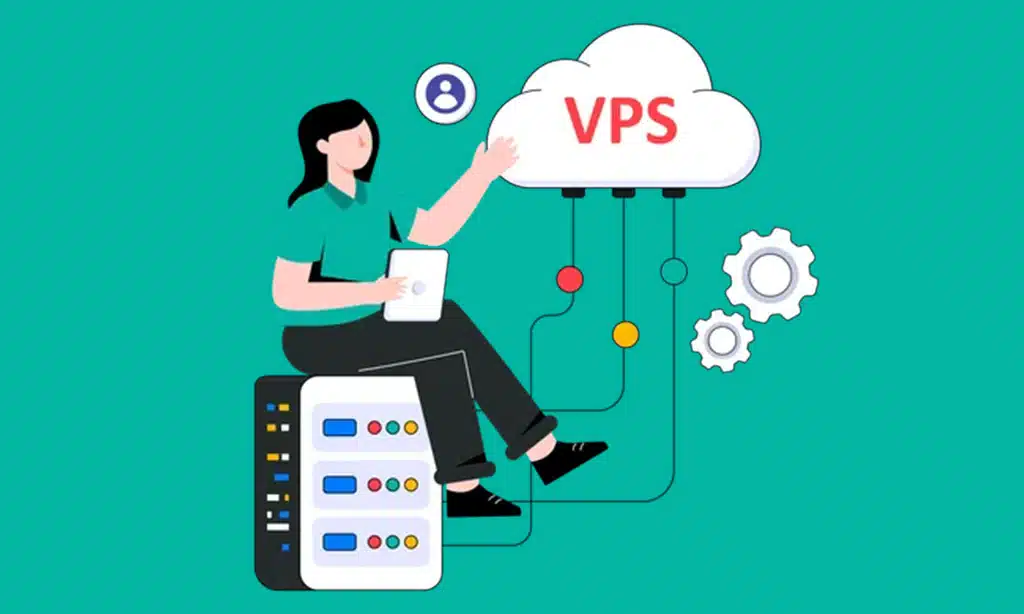
Before diving into the resources, it’s important to have a foundational understanding of VPS hosting. Unlike shared hosting, which distributes resources among multiple users, VPS hosting offers a virtualized environment where your website receives its own allocated resources, such as RAM, CPU, and storage. This gives you better performance, scalability, and security while still being cost-effective compared to a dedicated server.
Beginners often struggle with configuring, maintaining, and optimizing their VPS environment, which is why finding the right tools and learning materials is essential. Whether you’re new to hosting or looking to upgrade from shared hosting, these resources will offer valuable insights and tools to help you succeed.
1. DigitalOcean Tutorials
DigitalOcean is a popular cloud service provider, and they offer a rich collection of tutorials aimed at beginners. These tutorials cover a range of topics, from basic VPS setup to advanced server management. With step-by-step guides, beginners can learn how to create and configure a VPS, install software, and even secure their server. DigitalOcean’s community tutorials are well-documented, easy to follow, and cater specifically to beginners.
Key Features:
- Beginner-friendly
- Covers VPS setup, management, and security
- Offers community support
2. Linode Community Guides

Linode, another reputable cloud hosting provider, offers comprehensive community guides. Linode’s guides range from setting up your first VPS to managing various applications on your server. Beginners will appreciate the clear, concise instructions and helpful screenshots. Whether you’re looking to host a WordPress website or deploy an application, Linode’s community guides have you covered.
Key Features:
- Clear instructions with screenshots
- Focused on VPS and application management
- Regular updates on new technologies
3. Vultr Docs
Vultr provides VPS hosting services globally, and their documentation section is rich with information that beginners can use to set up and manage their VPS. Topics range from creating your first VPS instance to scaling your resources and managing backups. Vultr Docs also includes guides on installing different operating systems, which is particularly useful for beginners looking to explore different environments, like Linux or Windows.
Key Features:
- Step-by-step VPS setup guides
- Covers both Linux and Windows environments
- Focuses on scaling and management
4. ServerPilot
ServerPilot is a control panel designed specifically for managing VPS servers. It simplifies the process of deploying and managing PHP applications like WordPress on your VPS. ServerPilot automates the process of installing software like Apache, MySQL, and PHP, making it an excellent tool for beginners who may not be comfortable with the command line. The interface is user-friendly, and it’s a great starting point for anyone managing a VPS.
Key Features:
- User-friendly interface
- Automates software installation
- This tool is perfect for handling WordPress and PHP applications.
5. Webmin
Webmin is a free web-based control panel for managing Unix-based systems like Linux. It allows beginners to manage their VPS through a graphical interface rather than the command line. With Webmin, you can perform tasks like user account management, DNS configuration, and software installation with just a few clicks. For those who want to start with VPS hosting but feel overwhelmed by the command line, Webmin is a powerful tool.
Key Features:
- Free to use.
- Graphical interface for server management
- Supports various Unix-based systems
6. cPanel
One of the most widely used control panels in the hosting industry is cPanel. It simplifies VPS management by providing a user-friendly interface where you can manage domains, databases, and email accounts. While cPanel is commonly associated with shared hosting, many VPS hosting providers also offer cPanel. For beginners, cPanel is an excellent resource because it takes the complexity out of VPS management, allowing users to focus on their projects rather than server maintenance.
Key Features:
- Industry-standard control panel
- It streamlines the administration of websites, emails, and databases.
- Beginner-friendly with extensive documentation
7. YouTube VPS Hosting Tutorials
YouTube is an excellent platform for beginners to learn about VPS hosting through video tutorials. Channels like “Chris’ Tutorials” and “LearnLinuxTV” offer detailed guides that walk you through setting up a VPS, securing your server, and installing popular applications like WordPress. For beginners who require visual guidance, video tutorials offer a valuable visual learning experience.
Key Features:
- Visual learning experience
- Detailed step-by-step tutorials
- Covers various aspects of VPS hosting
8. Udemy VPS Hosting Courses
For those who prefer structured learning, Udemy offers several VPS hosting courses tailored for beginners. These courses often cover everything from the basics of VPS hosting to more advanced topics like server security, performance optimization, and troubleshooting. Courses are usually well-structured and allow beginners to learn at their own pace.
Key Features:
- Structured learning format
- This course covers basic to advanced VPS hosting topics.
- Learn at your own pace.
9. HowtoForge
The website HowtoForge specializes in publishing tutorials related to Linux and includes a comprehensive section on VPS hosting. Beginners can find step-by-step guides for setting up and configuring a VPS, installing control panels like cPanel or Webmin, and optimizing server performance. HowtoForge also offers guides on securing your VPS, which is crucial for keeping your data safe.
Key Features:
- Focus on Linux and VPS hosting
- Step-by-step guides
- Includes security tutorials
10. Stack Overflow & ServerFault
For those who run into specific issues or have questions about VPS hosting, forums like Stack Overflow and ServerFault are invaluable resources. Beginners can search for common problems or post their own questions to receive help from experienced professionals. Community-driven platforms frequently provide answers to niche or technical issues not addressed in tutorials.
Key Features:
- Community-driven Q&A
- Ideal for troubleshooting
- Covers niche and technical issues
11. GitHub VPS Hosting Repositories
GitHub is a great place to find open-source VPS hosting projects and scripts that can automate various tasks, such as setting up a web server or managing security configurations. Beginners can explore repositories, follow instructions, and even contribute to projects. Using GitHub resources helps beginners dive deeper into VPS hosting by understanding the code behind various setups.
Key Features:
- Open-source projects and scripts
- Automation tools for VPS hosting
- Ideal for learning and contributing
12. HostAdvice VPS Hosting Reviews
HostAdvice is a website that provides reviews and comparisons of various hosting providers, including VPS hosting. Beginners can use HostAdvice to compare different VPS hosting services based on price, features, performance, and user reviews. It’s an excellent resource for those who are still deciding which VPS hosting provider to choose.
Key Features:
- Detailed hosting provider comparisons
- User reviews and expert ratings
- This option is perfect for novices selecting a VPS host.
Conclusion
VPS hosting may seem complicated at first, but with the right resources, beginners can quickly master the basics and take full advantage of the flexibility and power that VPS offers. From hands-on tutorials to community-driven forums, the 12 resources mentioned above will help you navigate the challenges of VPS hosting with confidence. Whether you’re setting up a small website, launching an application, or learning to manage servers, these tools and guides will provide the knowledge and support you need to succeed.
Consider VPS hosting a journey—the more you try, the more comfortable you’ll become. Don’t hesitate to dive into these resources and take your hosting skills to the next level!
























