

Energy-efficient buildings are more important than ever. People want homes that save energy, stay comfortable, and work well in all seasons. But figuring out how to plan and build these “passive houses” can feel tricky without the right tools.
The good news? There are amazing software tools for Passive House modeling and energy analysis that make this easier. These programs help architects, builders, and planners design spaces with less energy use while keeping comfort high.
This blog will break down the top seven tools you need to know about. Each tool has unique features to help with planning, analyzing energy demands, or improving indoor air quality.
Keep reading—you’ll be glad you did!
WUFI Passive
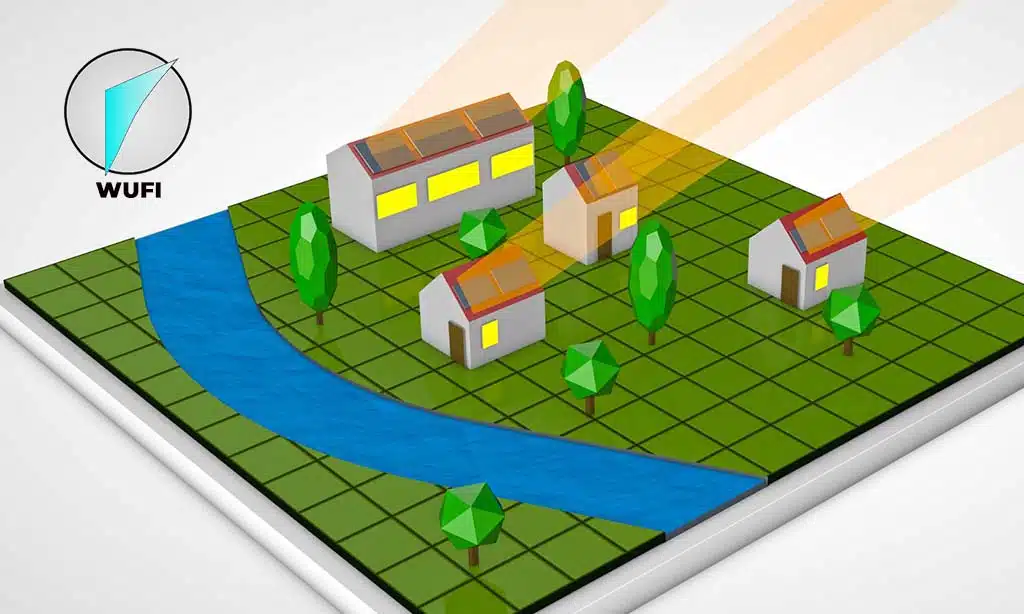
WUFI Passive helps model buildings to save energy and improve comfort. It calculates heat flows, making energy analysis easier.
Key Features and Capabilities
This tool provides precise modeling for energy efficiency and passive house standards. It calculates heat flows, cooling loads, and heating needs with high accuracy. Users can simulate renewable energy use like solar PV systems or battery storage.
The software works well for primary energy demand analysis in sustainable construction projects.
It includes features for airflow analysis and ventilation system planning. The program supports combined ventilation setups with split units or heat pumps. Mold growth risks are analyzed to improve thermal comfort indoors.
Detailed visualizations help track building envelope performance and summer comfort predictions.
“Energy-efficient tools lead to better buildings.” Benefits for Passive House Modeling
WUFI Passive helps cut energy use in homes. It checks heating load, cooling needs, and air flow to boost comfort. The tool also tracks solar gains and heat loss through the building envelope.
These features make it easy to save energy while meeting passive house standards.
The software ensures precise energy balance calculations using real data. Users can analyze summer comfort or evaluate HVAC systems like heat pumps and combined ventilation units. Its room data tool supports detailed planning for indoor environments, helping to meet primary energy demand goals effectively.
Passive House Planning Package [PHPP]
PHPP helps balance energy use in buildings with precision. It simplifies complex data, making it ideal for planning efficient homes.
Overview and Functionality
This tool uses a spreadsheet-style approach. It helps track energy consumption, primary energy demand, and summer comfort. Architects rely on it for accurate building envelope analysis.
Simple tools can solve big problems in passive house modeling.
It includes room data tools and record functions to monitor heating, cooling, and ventilation needs. The software balances simplicity with detailed results for experts seeking energy savings.
Suitability for Architects and Experts
PHPP works well for architects and planners. It gives clear energy balance calculations, making designs easier to adjust. The spreadsheet program is simple but effective for detailed planning.
Experts enjoy its precision in estimating primary energy demand. It supports complex projects like net-zero buildings by helping model heating, ventilation, and cooling systems.
DesignBuilder
DesignBuilder makes energy modeling quick and simple. Its interface helps users simulate buildings with ease, saving time and effort.
User-Friendly Interface
Users can quickly grasp DesignBuilder’s layout. The software groups tools like energy modeling, daylighting, and HVAC analysis for easy access. Clear icons guide users through steps without confusion.
Short loading times keep work smooth.
Its interface saves time during passive house projects. Architects can compare building options in seconds. Even first-time users feel confident testing ideas or adjusting room data settings.
Advanced Simulation Capabilities
DesignBuilder stands out with its energy modeling. It simulates heating, cooling, lighting, and ventilation performance effectively. This makes it ideal for larger projects needing precise energy analysis.
Its built-in tools support integrating HVAC systems like heat pumps or combined ventilation.
It helps users evaluate thermal mass benefits and analyze building envelopes thoroughly. The software offers daylighting simulations too, ensuring good summer comfort and passive cooling strategies.
Simulating renewable energy production is also possible, enhancing its value for green building goals.
EnergyPlus
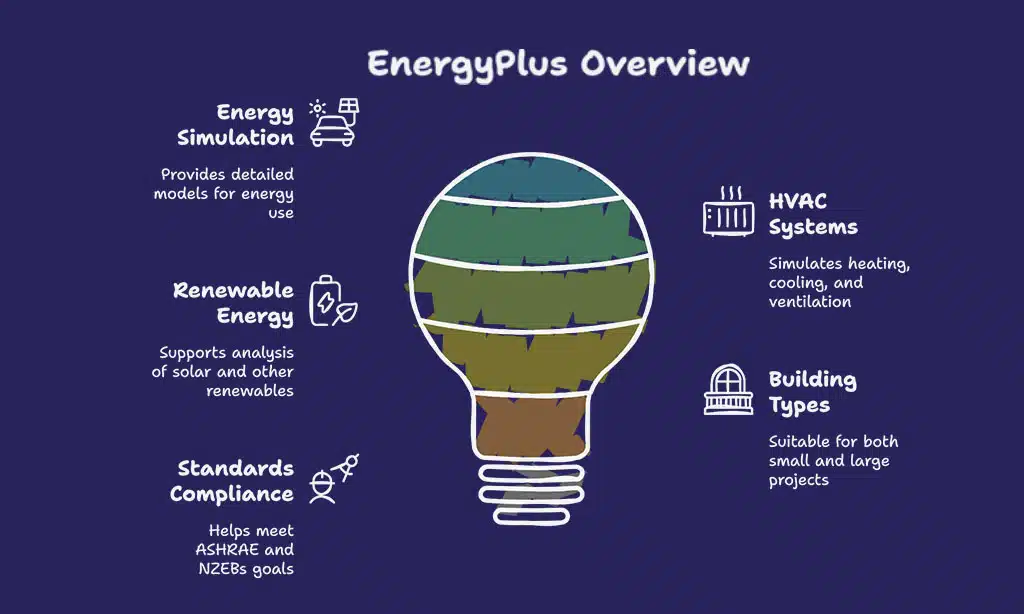
EnergyPlus is free software backed by the U.S. Department of Energy. It offers detailed energy simulations to help reduce building energy use and improve efficiency.
Official U.S. Department of Energy Software
EnergyPlus is free software created by the U.S. Department of Energy. It helps model energy use in buildings. This program calculates heating, cooling, lighting, and ventilation needs.
Builders and engineers rely on it to save energy and reduce costs.
The tool can simulate heat pumps, HVAC systems, domestic hot water usage, and more. Users also analyze renewable energy technologies like solar panels with it. Its comprehensive engine makes it reliable for both small homes or large commercial projects looking to meet standards like ASHRAE 90.1 or NZEBs goals.
Free and Comprehensive Simulation Engine
EnergyPlus stands out as a powerful tool for energy simulation. This free software, supported by the U.S. Department of Energy, provides detailed models for heating, cooling, lighting, and ventilation systems.
It handles both small buildings and large commercial projects with ease.
The program helps predict how buildings will use energy. It also supports renewable energy sources like solar hot water systems. With this tool, users can analyze HVAC performance or evaluate summer comfort strategies while lowering greenhouse gas emissions.
IES Virtual Environment
This software helps cut energy use in buildings while focusing on greener choices. Its tools make it easier to plan better heating and cooling systems.
Electrification and Decarbonization Focus
IES Virtual Environment pushes green energy goals forward. It supports electrification in HVAC systems like heat pumps and split units. These upgrades shrink fossil fuel use, cutting carbon output fast.
Tools inside track energy use intensity for better planning.
Models help find gaps in comfort or summer cooling problems. The software works well with renewable energy technology, such as solar hot-water setups. Building designs become smarter by mixing low-energy choices with reliable data insights.
Building Energy Modeling Features
Building energy modeling tools focus on boosting energy efficiency. They simulate HVAC systems, lighting controls, and energy storage to predict performance. EnergyPlus stands out as a free tool backed by the U.S. Department of Energy.
It manages heating, cooling, and ventilation needs for buildings of all sizes. DesignBuilder makes this process easier with its user-friendly interface while offering thermal analysis and daylighting features.
Simulations help reduce primary energy demand and support sustainable practices. Tools like Autodesk Revit link design data to allow precise building performance simulations. They also incorporate demand response strategies to cut fossil fuel use and improve comfort levels indoors.
This ensures better climate control through heat pumps or dehumidification solutions customized for net-zero energy projects or passive house designs.
FLIXO
FLIXO helps you spot energy loss in building edges and corners. It shows clear reports and visuals for better planning.
Thermal Bridge Analysis
Thermal bridges cause heat loss in buildings. They form at spots like corners, edges, and window frames. FLIXO helps spot these weak areas. It models the building envelope to find problems early.
Detailed reports and clear visuals improve understanding. This tool supports energy-saving by showing where insulation fails. Architects use it to meet passive house standards or lower primary energy demand.
Reporting and Visualization Tools
FLIXO makes thermal bridge checks simple. Its reports are clear and professional. Engineers can see issues fast, saving time. The visuals make complex data easy to understand. You can spot heat leaks or weak points quickly with its charts and graphics.
The software pairs numbers with pictures for better insights. This helps with energy conservation and improving the building envelope. It’s great for showing primary energy demand or comfort levels in homes.
Architects use it to solve problems without guesswork, boosting reliability in passive house designs.
Takeaways
Energy analysis tools make passive house modeling easier and faster. WUFI Passive offers detailed features for energy balance and climate comfort. PHPP is simple yet effective for architects aiming to design green homes.
DesignBuilder combines usability with powerful simulations for big projects. EnergyPlus provides a free, in-depth tool backed by experts in the field. IES Virtual Environment focuses on reducing fossil fuels and boosting efficiency.
FLIXO specializes in fixing thermal bridge issues with ease.
These tools save time while improving building energy use, helping us fight climate change one project at a time!
FAQs on Software Tools For Passive House Modeling
1. What is passive house modeling?
Passive house modeling helps design buildings with high energy efficiency. It focuses on reducing primary energy demand and improving the building envelope to save energy.
2. Which software tools are useful for passive house projects?
Tools like WUFI Passive, Autodesk Insight, and BIM software are popular for creating project overviews, running building energy simulations, and analyzing energy balance.
3. Can these tools help with HVAC systems?
Yes, they can optimize HVAC [heating, ventilation, and air conditioning] setups like heat pumps or split units to improve comfort while cutting down fossil fuel use.
4. How do these tools support summer comfort in homes?
By analyzing room data and monitoring data, these tools ensure proper ventilation strategies using combined ventilation systems that keep spaces cool during hot months.
5. Are these tools helpful for net-zero energy buildings?
Absolutely! They assist in achieving net-zero goals by mitigating climate change impacts through predictive maintenance and accurate audits of primary energy demand.
6. Do I need advanced skills to use these programs?
Not always! Some tools integrate familiar platforms like Microsoft Excel or IoT features for easier use while still supporting detailed specifications for professionals working in the North American market or beyond.


























