

Running a successful online store requires more than just setting up products and a checkout page. To truly supercharge your WooCommerce store, it’s essential to integrate plugins that enhance functionality, improve user experience, and drive sales.
In this comprehensive guide, we’ll explore the 10 best WooCommerce plugins that can transform your online store into a powerful e-commerce platform.
1. WPForms
WPForms is a user-friendly form builder that allows you to create custom forms for your WooCommerce store without any coding knowledge. From simple contact forms to complex order forms, WPForms offers a drag-and-drop interface to design forms that suit your specific needs.
Key Features:
- Drag-and-Drop Builder: Easily create and customize forms with a visual editor.
- Pre-built Templates: Access a variety of templates to quickly set up forms.
- Payment Integrations: Accept payments through integrations with PayPal, Stripe, and Square.
- Surveys and Polls Addon: Gather customer feedback to improve your services.
Pros:
- Intuitive interface suitable for beginners.
- Comprehensive documentation and support.
- Mobile-responsive forms.
Cons:
- Advanced features require a premium subscription.
Pricing:
WPForms offers a free version with basic features. Premium plans start at $49.50 per year.
WPForms Feature Overview
| Feature | Description |
| Drag-and-Drop Builder | Visual editor for easy form creation |
| Pre-built Templates | Ready-made templates for various form types |
| Payment Integrations | Supports PayPal, Stripe, and Square |
| Surveys and Polls Addon | Tools for collecting customer feedback |
2. OptinMonster
OptinMonster is a powerful lead generation and conversion optimization plugin designed to help you grow your email list and increase sales. With its advanced targeting features, you can create personalized campaigns that resonate with your audience.
Key Features:
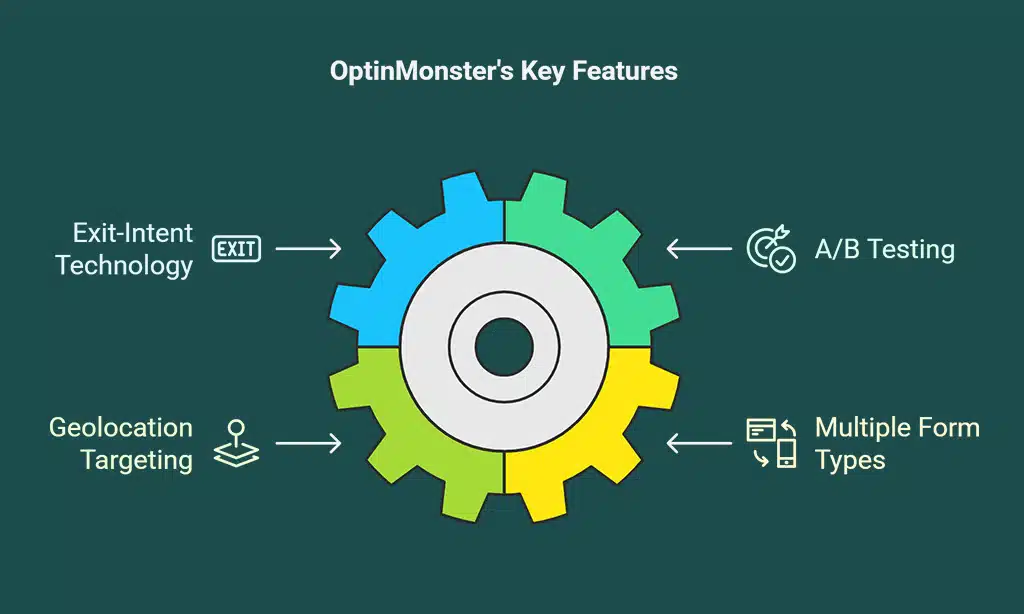
- Exit-Intent Technology: Detects user behavior to display targeted messages before they leave your site.
- A/B Testing: Test different campaign strategies to determine what works best.
- Geolocation Targeting: Deliver location-specific offers to visitors.
- Multiple Form Types: Choose from popups, slide-ins, inline forms, and more.
Pros:
- Increases conversion rates with targeted campaigns.
- Integrates with major email marketing services.
- User-friendly interface with customizable templates.
Cons:
- The cost may be high for small businesses.
Pricing:
OptinMonster’s plans start at $9 per month when billed annually.
OptinMonster Feature Overview
| Feature | Description |
| Exit-Intent Technology | Engages users about to leave the site |
| A/B Testing | Compares different campaign strategies |
| Geolocation Targeting | Offers tailored to visitor locations |
| Multiple Form Types | Various opt-in form options |
3. MonsterInsights
MonsterInsights brings the power of Google Analytics to your WooCommerce store, providing actionable insights into your website traffic and user behavior. With eCommerce tracking, you can monitor sales performance and make data-driven decisions.
Key Features:
- Real-Time Stats: Monitor live traffic and sales data.
- Enhanced eCommerce Tracking: Detailed reports on product performance, conversion rates, and customer behavior.
- Customizable Dashboard: View key metrics directly from your WordPress dashboard.
- Affiliate Link Tracking: Track outbound links to measure affiliate marketing effectiveness.
Pros:
- Simplifies complex analytics data.
- No coding required for setup.
- Regular updates and excellent customer support.
Cons:
- Some advanced features are only available in the Pro version.
Pricing:
MonsterInsights offers a free version with basic features. Premium plans start at $99.50 per year.
MonsterInsights Feature Overview
| Feature | Description |
| Real-Time Stats | Live monitoring of traffic and sales |
| Enhanced eCommerce Tracking | In-depth analysis of sales and customer behavior |
| Customizable Dashboard | Key metrics accessible within WordPress |
| Affiliate Link Tracking | Measures effectiveness of affiliate links |
4. TrustPulse
TrustPulse leverages the power of social proof to build trust and boost conversions on your WooCommerce store. By displaying real-time notifications of customer activity, it creates a sense of urgency and encourages potential customers to take action.
Key Features:
- Real-Time Event Tracking: Showcase live customer actions such as purchases and sign-ups.
- Smart Targeting: Display notifications to specific audiences based on behavior and location.
- Flexible Design Options: Customize the appearance of notifications to match your brand.
- Actionable Analytics: Monitor the impact of social proof on your conversion rates.
Pros:
- Easy to set up with no coding required.
- Increases credibility and trust among visitors.
- Integrates seamlessly with WooCommerce.
Cons:
- The free plan has limited features.
Pricing:
TrustPulse offers a free plan with basic features. Paid plans start at $5 per month.
5. WooCommerce Subscriptions
WooCommerce Subscriptions allows you to create and manage subscription-based products. Whether you’re running a membership site, offering monthly product deliveries, or providing online courses, this plugin simplifies recurring billing.
Key Features:
- Recurring Payments: Supports weekly, monthly, and annual subscriptions.
- Multiple Payment Gateways: Compatible with PayPal, Stripe, and other major providers.
- Flexible Subscription Plans: Allow customers to upgrade or downgrade their plans.
- Automated Renewals & Reminders: Reduce churn with timely payment notifications.
Pros:
- Helps in building a stable recurring revenue stream.
- Provides flexible billing options for customers.
- Seamless integration with WooCommerce checkout.
Cons:
- Requires a premium license.
- Might be complex to configure for beginners.
Pricing:
WooCommerce Subscriptions costs $239 per year.
WooCommerce Subscriptions Feature Overview
| Feature | Description |
| Recurring Payments | Set up automatic billing cycles |
| Multiple Gateways | Accepts payments via PayPal, Stripe, and others |
| Subscription Flexibility | Allows plan upgrades, downgrades, and pauses |
| Automated Renewals | Sends reminders and renewals to customers |
6. YITH WooCommerce Wishlist
YITH WooCommerce Wishlist enables customers to save their favorite products for future purchases. This feature enhances user experience and increases sales through wishlisted product reminders.
Key Features:
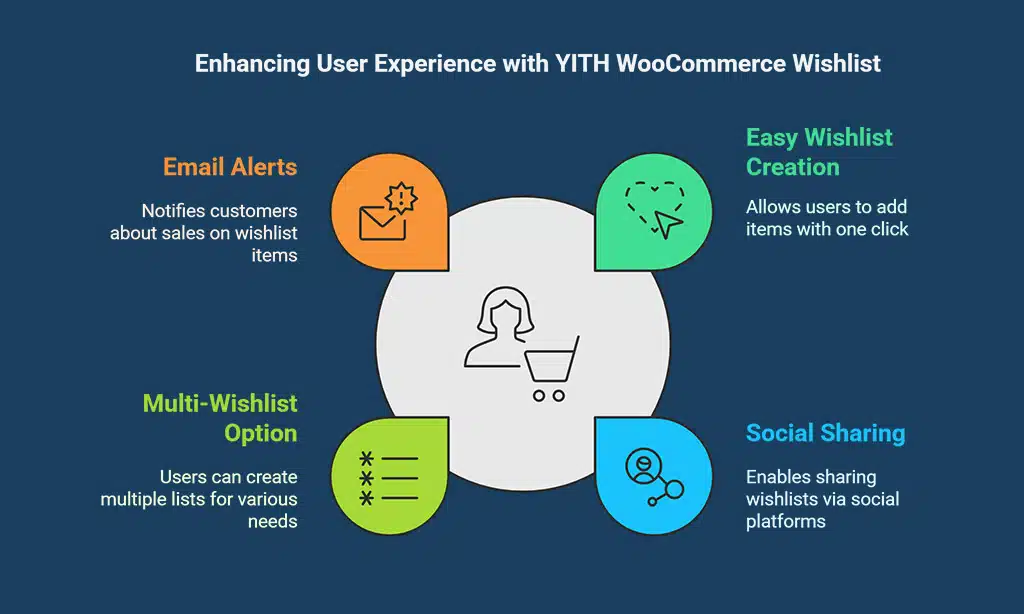
- Easy Wishlist Creation: Users can add items to their wishlist with one click.
- Social Sharing: Customers can share wishlists via email and social media.
- Multi-Wishlist Option: Users can create multiple lists for different needs.
- Email Alerts: Notify customers about wishlist items going on sale.
Pros:
- Encourages repeat purchases.
- Boosts engagement by allowing social sharing.
- Helps store owners track popular products.
Cons:
- Some advanced features require the premium version.
Pricing:
The free version is available, while the premium version starts at $94.99 per year.
YITH WooCommerce Wishlist Feature Overview
| Feature | Description |
| Wishlist Creation | Enables users to save favorite items |
| Social Sharing | Allows wishlists to be shared on social platforms |
| Multi-Wishlist | Users can create multiple wishlists |
| Email Alerts | Sends notifications for discounts on wishlist items |
7. WooCommerce PDF Invoices & Packing Slips
WooCommerce PDF Invoices & Packing Slips automates the generation of invoices and packing slips, saving time and ensuring compliance with tax regulations.
Key Features:
- Automated Invoice Generation: Generates PDF invoices for every order.
- Customizable Templates: Design invoices to match your brand.
- Bulk Invoice Download: Download multiple invoices in one click.
- Supports Multiple Languages & Currencies: Ideal for international businesses.
Pros:
- Saves time by automating invoice creation.
- Ensures professional and tax-compliant documentation.
- Easy integration with WooCommerce orders.
Cons:
- The free version has limited customization options.
Pricing:
The free version is available, while the premium version starts at $59 per year.
WooCommerce PDF Invoices & Packing Slips Feature Overview
| Feature | Description |
| Automated Invoices | Creates PDFs for every order automatically |
| Custom Templates | Personalize invoices with branding |
| Bulk Download | Download multiple invoices at once |
| Multi-Language | Supports various languages & currencies |
8. WooCommerce Currency Switcher
WooCommerce Currency Switcher enables customers to switch currencies on your store dynamically, improving the shopping experience for international buyers.
Key Features:
- Real-Time Currency Conversion: Automatically updates exchange rates.
- Multi-Currency Checkout: Allows customers to pay in their preferred currency.
- GeoIP-Based Pricing: Detects location to display relevant currency.
- Shortcode Support: Easily add currency switchers anywhere on your site.
Pros:
- Enhances customer convenience for global buyers.
- Helps reduce cart abandonment due to currency confusion.
- Easy integration with WooCommerce payment gateways.
Cons:
- Some payment gateways might not support all currencies.
Pricing:
The free version is available, while the premium version starts at $32 per year.
WooCommerce Currency Switcher Feature Overview
| Feature | Description |
| Real-Time Conversion | Updates exchange rates automatically |
| Multi-Currency Checkout | Allows payment in different currencies |
| GeoIP-Based Pricing | Displays currency based on user location |
| Shortcode Support | Easily adds currency switchers to pages |
9. WooCommerce Social Login
WooCommerce Social Login allows users to log in using their social media accounts, streamlining the registration process and improving customer retention.
Key Features:
- One-Click Social Login: Users can log in via Facebook, Google, Twitter, and more.
- Faster Checkout Process: Reduces friction at checkout.
- Secure Authentication: Uses OAuth technology to ensure security.
- Analytics & Reporting: Track login methods and customer behavior.
Pros:
- Simplifies the login process, reducing abandoned carts.
- Increases customer retention with easier account access.
- Secure login authentication.
Cons:
- Some users prefer traditional email logins.
Pricing:
Starts at $79 per year.
WooCommerce Social Login Feature Overview
| Feature | Description |
| One-Click Login | Customers log in with social media accounts |
| Faster Checkout | Reduces login time for quick purchases |
| Secure Authentication | Uses OAuth for enhanced security |
| Analytics & Reports | Tracks customer login behaviors |
10. WooCommerce Google Analytics Integration
WooCommerce Google Analytics Integration provides in-depth insights into customer behavior, sales performance, and marketing effectiveness.
Key Features:
- Enhanced eCommerce Tracking: Tracks product views, add-to-cart actions, and conversions.
- Google Ads Integration: Monitors ad performance and ROI.
- Detailed Traffic Reports: Analyzes visitor sources and engagement.
- Custom Event Tracking: Set up specific tracking events for better insights.
Pros:
- Helps store owners make data-driven decisions.
- Tracks the entire customer journey.
- Free to use with Google Analytics.
Cons:
- Requires some knowledge of Google Analytics for setup.
Pricing:
Free.
WooCommerce Google Analytics Integration Feature Overview
| Feature | Description |
| Enhanced eCommerce | Tracks sales funnel performance |
| Google Ads Integration | Analyzes ad performance and ROI |
| Detailed Reports | Shows visitor behavior and traffic sources |
| Custom Event Tracking | Measures specific user interactions |
Final Thoughts
Choosing the right WooCommerce plugins can significantly improve your store’s performance, enhance user experience, and boost conversions. The above-listed plugins cater to different aspects of an online store, from marketing and analytics to payment processing and customer engagement.
By integrating these tools, you can create a seamless shopping experience that drives sales and retains customers.



























