

In today’s fast-paced world, laptops have become essential tools for both work and leisure. Whether you’re a professional needing a powerful machine for demanding tasks or a casual user looking for entertainment on the go, finding the right laptop can make a big difference in your daily life. This article will guide you through the best laptops available for work and play, helping you make an informed decision based on your needs and budget.
What to Look for in a Laptop
Before diving into specific models, it’s important to understand the key features that make a laptop suitable for both work and play:
- Performance: Look for a fast processor and enough RAM to handle your tasks smoothly.
- Display: A high-quality screen is crucial for both work and entertainment.
- Battery life: Long battery life ensures you can work or play without constantly searching for an outlet.
- Portability: Consider the weight and size if you plan to carry your laptop often.
- Storage: Choose between faster SSD storage or larger capacity HDDs based on your needs.
- Graphics: For gaming or video editing, a dedicated graphics card is important.
- Connectivity: Ensure the laptop has the ports and wireless capabilities you need.
Best Laptops for Work and Play
1. Apple MacBook Pro (14-inch or 16-inch, M2 Pro/Max)
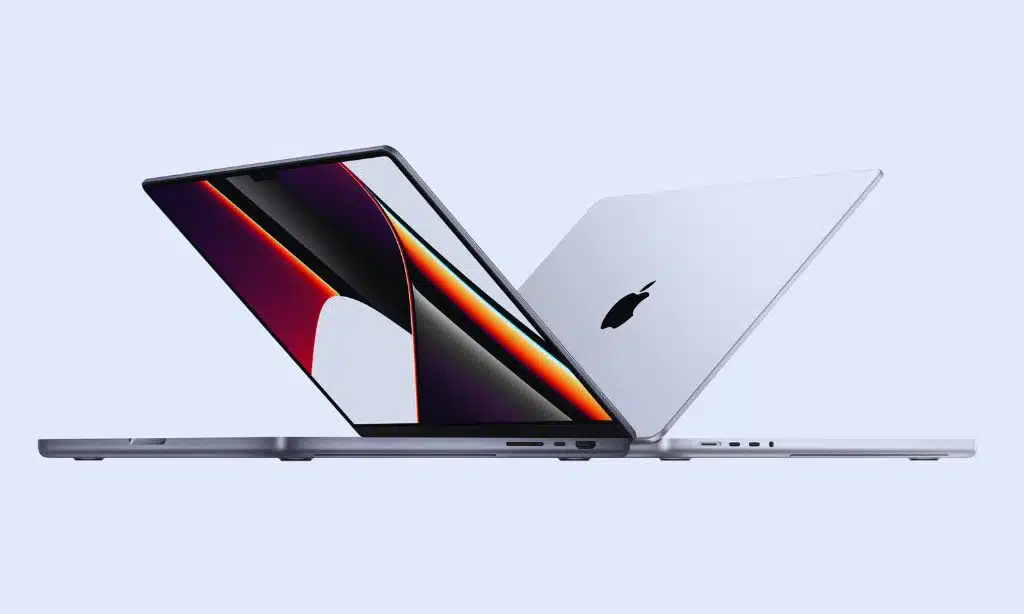
The latest MacBook Pro models offer exceptional performance for both work and play. They feature Apple’s powerful M2 Pro or M2 Max chips, providing blazing-fast performance for tasks like video editing, coding, and even gaming.
Key features:
- Stunning Mini-LED display with ProMotion technology
- Excellent battery life (up to 22 hours)
- Powerful M2 Pro or M2 Max chip
- High-quality speakers and microphones
- Wide range of ports including HDMI and SD card slot
Pros:
- Exceptional performance
- Beautiful display
- Long battery life
- macOS ecosystem
Cons:
- Expensive
- Limited gaming library compared to Windows
2. Dell XPS 15
The Dell XPS 15 is a premium Windows laptop that excels in both work and play scenarios. It offers a great balance of performance, build quality, and portability.
Key features:
- 15.6-inch InfinityEdge display (4K OLED option available)
- Intel Core i7 or i9 processor
- NVIDIA GeForce RTX 3050 Ti graphics
- Up to 64GB RAM and 2TB SSD storage
- Excellent keyboard and touchpad
Pros:
- Powerful performance
- Sleek design
- Great display options
- Good battery life
Cons:
- Can get expensive with higher-end configurations
- Limited port selection
3. Lenovo ThinkPad X1 Carbon
The Lenovo ThinkPad X1 Carbon is a business-focused laptop that’s also great for personal use. It’s known for its durability, excellent keyboard, and long battery life.
Key features:
- 14-inch display with various resolution options
- Intel Core i5 or i7 processor
- Up to 32GB RAM and 2TB SSD storage
- Legendary ThinkPad keyboard
- Extensive connectivity options
Pros:
- Extremely durable
- Excellent keyboard
- Long battery life
- Lightweight and portable
Cons:
- Not ideal for gaming
- Business-oriented design may not appeal to everyone
4. ASUS ROG Zephyrus G14
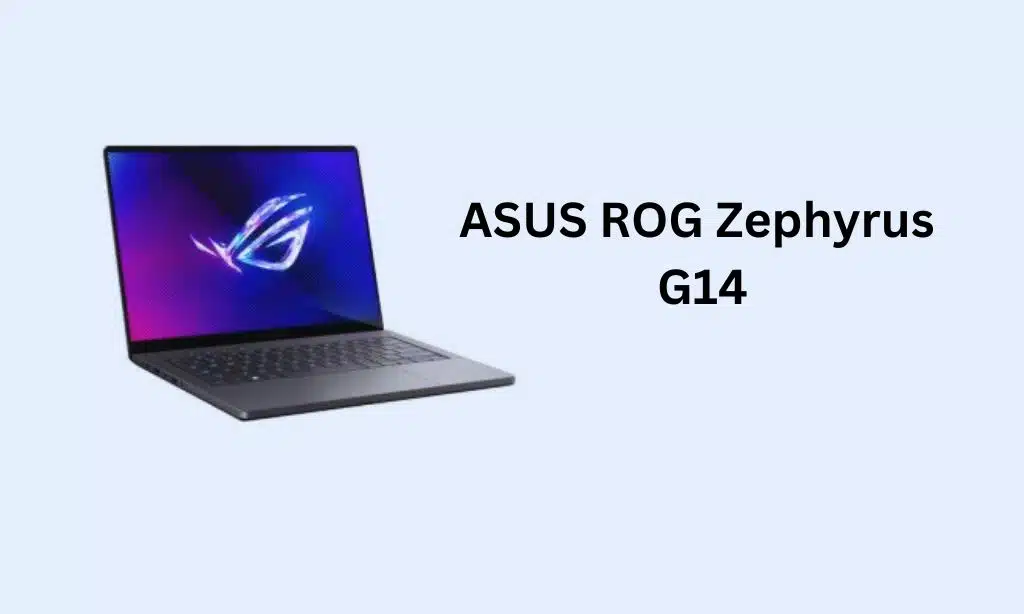
The ASUS ROG Zephyrus G14 is a powerful gaming laptop that’s also suitable for work tasks. It offers a great balance of performance and portability.
Key features:
- 14-inch display (120Hz or 144Hz refresh rate)
- AMD Ryzen 9 processor
- NVIDIA GeForce RTX 3060 or 3070 graphics
- Up to 32GB RAM and 1TB SSD storage
- AniMe Matrix LED display on some models
Pros:
- Powerful performance in a compact size
- Excellent battery life for a gaming laptop
- Lightweight for its capabilities
- Unique design with optional LED matrix display
Cons:
- No webcam
- Can run hot under heavy loads
5. Microsoft Surface Laptop Studio
The Microsoft Surface Laptop Studio offers a unique form factor that’s great for both work and creative tasks, with the ability to transform into a tablet-like device.
Key features:
- 14.4-inch PixelSense Flow touch display
- Intel Core i5 or i7 processor
- NVIDIA GeForce RTX 3050 Ti graphics (in some models)
- Up to 32GB RAM and 2TB SSD storage
- Unique hinge design for multiple modes
Pros:
- Versatile design
- High-quality touch display
- Good performance for creative tasks
- Excellent build quality
Cons:
- Expensive
- Limited port selection
6. HP Spectre x360 16
The HP Spectre x360 16 is a premium 2-in-1 laptop that combines versatility with power, making it excellent for both work and entertainment.
Key features:
- 16-inch 3K+ (3072 x 1920) OLED touch display
- Up to Intel Core i7-12700H
- Up to NVIDIA GeForce RTX 3050
- Up to 32GB DDR4
- Up to 2TB PCIe NVMe SSD
- Up to 17 hours
Pros:
- Versatile 2-in-1 design with pen support
- Gorgeous OLED display
- Strong performance for productivity and light gaming
- Premium build quality with unique gem-cut design
- Good battery life
Cons:
- Can be expensive in higher configurations
- Heavier than some competitors
- Fan noise can be noticeable under load
Real-world performance: The Spectre x360 16 excels in creative tasks like photo and video editing, thanks to its color-accurate OLED display. Its convertible design makes it great for note-taking and drawing. While not a dedicated gaming machine, it can handle casual gaming and even some modern titles at lower settings.
7. Razer Blade 14
The Razer Blade 14 is a compact powerhouse that brings desktop-class gaming performance to a portable form factor.
Key features:
- 14-inch QHD 165Hz or FHD 144Hz
- AMD Ryzen 9 6900HX
- Up to NVIDIA GeForce RTX 3080 Ti
- 16GB DDR5
- Up to 1TB PCIe NVMe SSD
- Up to 11 hours
Pros:
- Exceptional gaming performance in a compact size
- High-quality build with CNC aluminum chassis
- Powerful AMD processor for productivity tasks
- Advanced cooling system for sustained performance
- Bright, color-accurate display with high refresh rate
Cons:
- Expensive, especially in higher configurations
- RAM is soldered and not upgradeable
- Can run hot under heavy loads
Real-world performance: The Blade 14 handles demanding games with ease, often achieving high frame rates even at maximum settings. It’s also capable of tackling resource-intensive tasks like 3D rendering and video editing. Despite its power, it’s portable enough for daily commutes or travel.
8. LG Gram 17
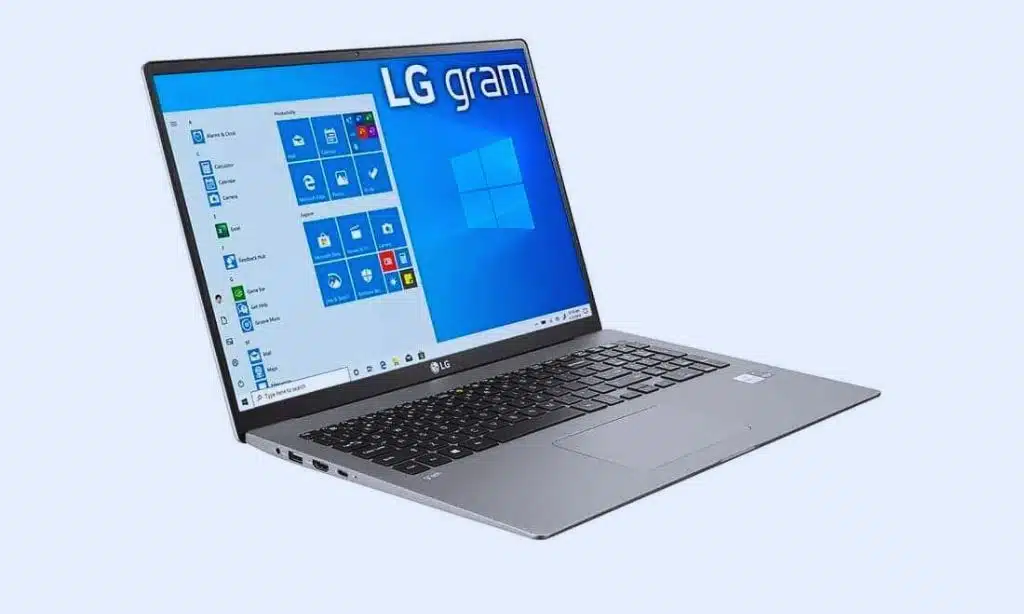
The LG Gram 17 is an ultra-lightweight laptop that doesn’t compromise on screen size or performance, making it ideal for those who need a large display on the go.
Key features:
- 17-inch WQXGA (2560 x 1600) IPS
- Up to Intel Core i7-1260P
- Intel Iris Xe Graphics
- Up to 32GB LPDDR5
- Up to 2TB PCIe NVMe SSD
- Up to 19.5 hours
Pros:
- Incredibly light for a 17-inch laptop (under 3 lbs)
- Large, high-resolution display
- Excellent battery life
- Good selection of ports
- Quiet operation
Cons:
- Integrated graphics limit gaming capabilities
- Flex in the chassis due to its lightweight design
- Premium price
Real-world performance: The LG Gram 17 is perfect for productivity tasks, offering a large workspace for multitasking. It handles office applications, web browsing, and media consumption with ease. While not suitable for demanding games or heavy video editing, it’s more than capable for most professional and personal uses.
9. Acer Swift 3
The Acer Swift 3 offers a great balance of performance and affordability, making it an excellent choice for students and budget-conscious professionals.
Key features:
- 14-inch Full HD IPS
- Up to AMD Ryzen 7 5700U or Intel Core i7-1165G7
- Integrated AMD Radeon or Intel Iris Xe Graphics
- Up to 16GB LPDDR4X
- Up to 512GB PCIe NVMe SSD
- Up to 16 hours
Pros:
- Excellent value for money
- Thin and light design
- Good performance for everyday tasks
- Solid battery life
- Fingerprint reader for quick logins
Cons:
- Build quality not as premium as more expensive laptops
- Display could be brighter
- Integrated graphics limit gaming potential
Real-world performance: The Swift 3 handles everyday tasks like web browsing, document editing, and media streaming with ease. It can also manage lighter creative work and coding tasks. While not a gaming laptop, it can run less demanding games smoothly.
10. Lenovo Yoga 9i
The Lenovo Yoga 9i is a premium 2-in-1 laptop that offers a great blend of style, performance, and versatility.
Key features:
- 14-inch up to 4K OLED touch display
- Up to Intel Core i7-1260P
- Intel Iris Xe Graphics
- Up to 16GB LPDDR5
- Up to 1TB PCIe NVMe SSD
- Up to 14 hours
Pros:
- Versatile 2-in-1 design with excellent hinge
- Beautiful OLED display option
- Strong performance for productivity tasks
- Excellent audio quality with rotating soundbar
- Included active stylus
Cons:
- Can get warm under load
- Limited port selection
- Integrated graphics not ideal for gaming
Choosing the Right Laptop for You
When selecting a laptop for both work and play, consider these factors:
- Budget: Determine how much you’re willing to spend. High-end laptops offer better performance but come at a higher cost.
- Primary use: If you mainly use your laptop for work with occasional gaming, prioritize business features. If gaming is a big part of your usage, focus on models with dedicated graphics cards.
- Portability needs: If you travel frequently, consider lighter models with long battery life.
- Operating system preference: Choose between Windows, macOS, or even Linux based on your familiarity and software requirements.
- Future-proofing: Consider models with upgradeable components if you want to extend the laptop’s lifespan.
Tips for Maintaining Your Laptop
To ensure your laptop performs well for both work and play over time:
- Keep it clean: Regularly clean the keyboard, screen, and vents.
- Update software: Keep your operating system and drivers up to date.
- Manage storage: Regularly clean up unnecessary files and consider using cloud storage.
- Use protection: Invest in a good laptop bag or sleeve to protect it during transport.
- Monitor battery health: Follow best practices for battery care to maintain its longevity.
- Be mindful of temperature: Avoid using your laptop on soft surfaces that can block ventilation.
Takeaways
Finding the perfect laptop for both work and play involves balancing performance, portability, and price. The models discussed in this article represent some of the best options available, catering to different needs and preferences. Whether you choose the versatile MacBook Pro, the powerful Dell XPS 15, the business-oriented ThinkPad X1 Carbon, the gaming-capable ASUS ROG Zephyrus G14, or the innovative Surface Laptop Studio, you’ll have a machine that can handle your professional tasks and provide entertainment when you need it.
Remember to consider your specific needs, budget, and usage patterns when making your decision. With the right laptop, you’ll be well-equipped to tackle your work responsibilities and enjoy your leisure time, all from a single device.
























