Have unused hard drives scattered around and thinking of destroying them to secure your data forever? You’ve come to the right place!
In this post, we will learn all you need to know about how to destroy a hard drive, but first, let us discuss whether destroying your old drives is the only viable solution.
Is Destroying Your Hard Drive The Best Option?
Your concern is legitimate: you have an unused hard drive and you don’t want its content to fall into the wrong hands.
However, keep in mind that destroying the hard drive is not the only viable solution. Before you decide to destroy a hard drive, consider these two options:
Re-utilize Your Hard Drives
After all, the volume and value of data keep increasing year after year, and you’re only going to need more storage space, not less.
How can you re-utilize your old hard drives? The most basic approach is to turn them into external hard drives.
Converting an old hard drive into an external hard drive is fairly simple:
You’ll need an external drive enclosure (or case/caddy) to convert your internal hard drive into an external one, while also protecting the drive when used externally. There are various external drive enclosure products available in the market, and there are generally three main considerations you should have:
- Make sure the interface of the external enclosure/case matches the interface of your hard drive. The most common interface is SATA, but there are also other types like M.2 (for SSDs)
- Make sure to pick the right size. For HDDs, there are two main sizes: 3.5 inches and 2.5 inches.
- The enclosure system typically has an upper limit for the connected hard drive, at the moment it’s between 4TB and 8TB. Make sure your old hard drive doesn’t exceed the maximum size.
Keep in mind, however, that the average lifespan of an HDD is between 3 and 5 years. More than that, and you might not want to re-utilize the drive as an external HDD.
Selling Old Hard Drives
Another option is to sell your hard drives for extra cash, but the main concern is data security: is it actually safe to sell your hard drives?
The answer is yes, and there are actually companies specializing in bulk-buying IT equipment that will securely wipe your data for you.
However, you can actually wipe your old hard drives on your own with fairly affordable and even free tools. If your old hard drive is an HDD (not SSD), then you can follow the following steps:
On Windows:
- Run Windows Disk Management. Click Start->Run, then type diskmgmt.msc in the box
- Select the drive to be formatted
- Uncheck the “perform a quick format” checkbox, and select NTFS
On Mac OS
- Go to the Utilities folder and run Disk Utility (you can open the Utilities folder by hitting Apple+Shift+U together)
- Select the drive to be formatted, and click erase
You should generally wipe the drive three times to make sure the data is 100% unrecoverable.
For SSDs, however, it’s more difficult to securely wipe the data due to how the SSD works. The best approach is to use the disk management software/app provided by the SSD’s manufacturer. For example, if you use a Seagate SSD, then you can use Seagate’s Disc Wizard for this purpose.
If, however, you can’t find the manufacturer’s tool and/or if you don’t know who your SSD manufacturer is, then you will need to opt for third-party solutions or services.
The Best Ways To Destroy Used Drives
So, after weighing the other options, you still decide to sell your old drives?
There are few options here.
Using a hard drive destruction service
There are specialist companies that offer the service to securely wipe and/or destroy your hard drives, and there might also be local shops near you that offer this service. In most cases, doing a simple Google search will let you find these hard drive destruction services.
If you care about being eco-friendly, there are also specialist companies that will recycle your old hard drive, although the cost might be more expensive in the end.
Destroy your drives on your own
Another viable option is to physically destroy the hard drive yourself.
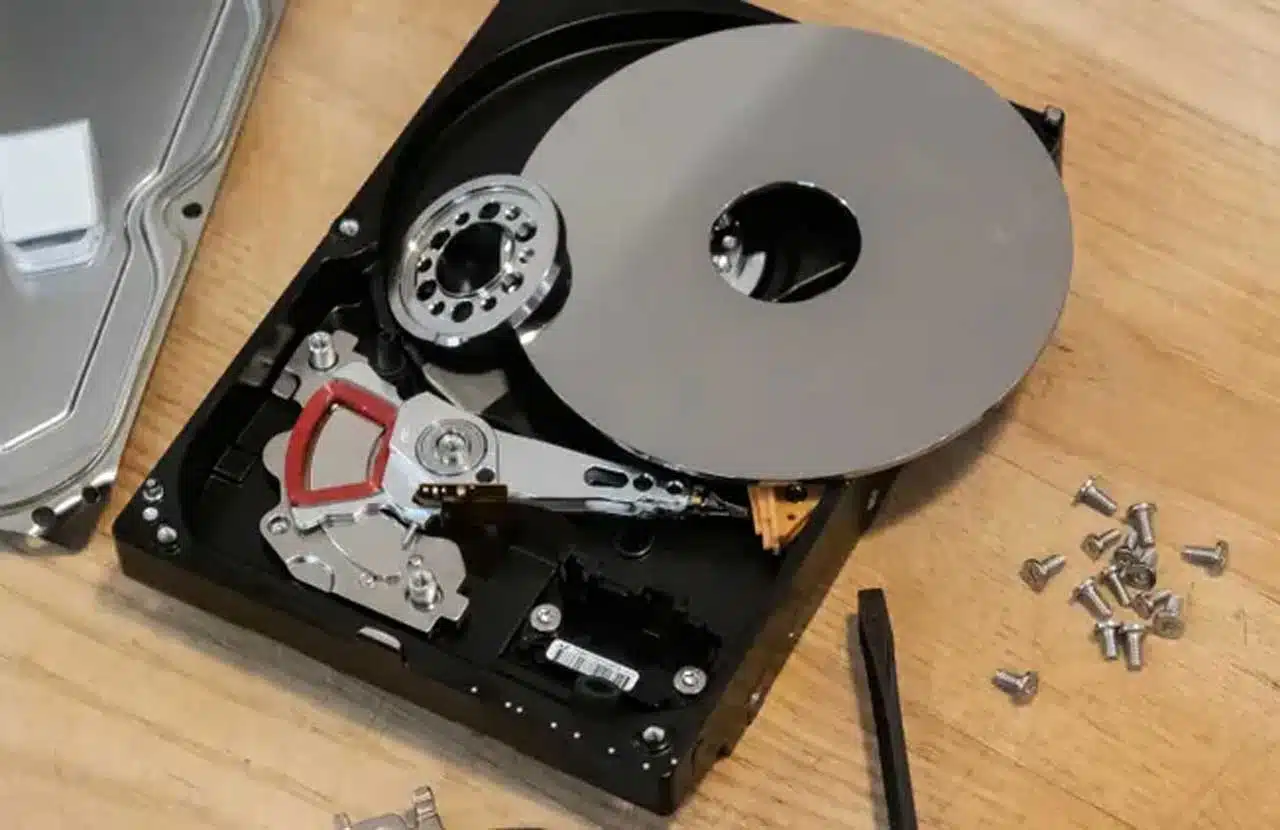
If your drive is an HDD (with motorized disk spinning inside it), then there are three ways to physically destroy it:
- Carefully destroy the disk platters
This method involves disassembling the hard drive and dislodge the disk platters. Then, you can either place the disk platters between neodymium magnets (you can easily get them on online marketplaces) to “destroy” the data contained within.
Another option is to grind/sand the disk platters with sandpaper to destroy their magnetic surfaces.
- Nail the platters
Hammer nails directly into the disk platters, and typically it’s enough to destroy the data. You might want to spike the platters in multiple areas to ensure a total wipe-out of data.
- Hammer and destroy
The simplest method, you can simply use your hammer to thoroughly smash the HDD. It Will need some effort since you’ll need to be thorough, but this is also a very reliable method.
If your drive is an SSD, however, then you might not need to destroy it, since most SSDs are fairly new and most likely you can re-utilize or sell them. As mentioned above, you can use your SSD manufacturer’s SSD management tool or third-party solutions to securely wipe your data.
However, if you still want to physically destroy the SSD, then keep in mind that due to the physical structure of the SSD, you’ll need to thoroughly destroy it with a hammer to ensure all the memory chips within the SSD are pulverized. Using nails and/or magnets might not be sufficient.
Closing Thoughts
Properly destroying your hard drives is not only important for protecting your confidential information but can also help your business stay compliant with PCI DSS and other regulations.
Above, we have shared some tips on how to securely destroy your hard drive, as well as some other options if you decide to either re-utilize your drives as external drives or sell your old drives for extra cash.
Also, when physically destroying a hard drive on your own, make sure to use adequate equipment like goggles and protective gloves. Securing your data is important, but not at the expense of injuring yourself.
Apart from this, you can also read Entertainment, Tech, and Health-related articles here: 444 angel number, 666 angel number, 1616 angel number, 777 angel number, 333 angel number, Mangago, Project Free TV, Jio Rockers, Best Record Players, M4uHD, Hip dips, M4ufree, Pulse Oximeter, Google Pixel 5a Review, NBAstreams XYZ, CCleaner Browser review, Avocado Calories, Bear Grylls net worth, Rihanna net worth 2021, Dry white wine, Highest Paid CEO, The 100 season 8, Sundar Pichai net worth, Grimes net worth, F95Zone, how to change MSI keyboard color, Microsoft Office Suite, How to Share Netflix Account, how to change Twitch name, The Last Airbender 2, Sherlock Season 5, Homeland Season 9, Now you see me, Salvation season 3.