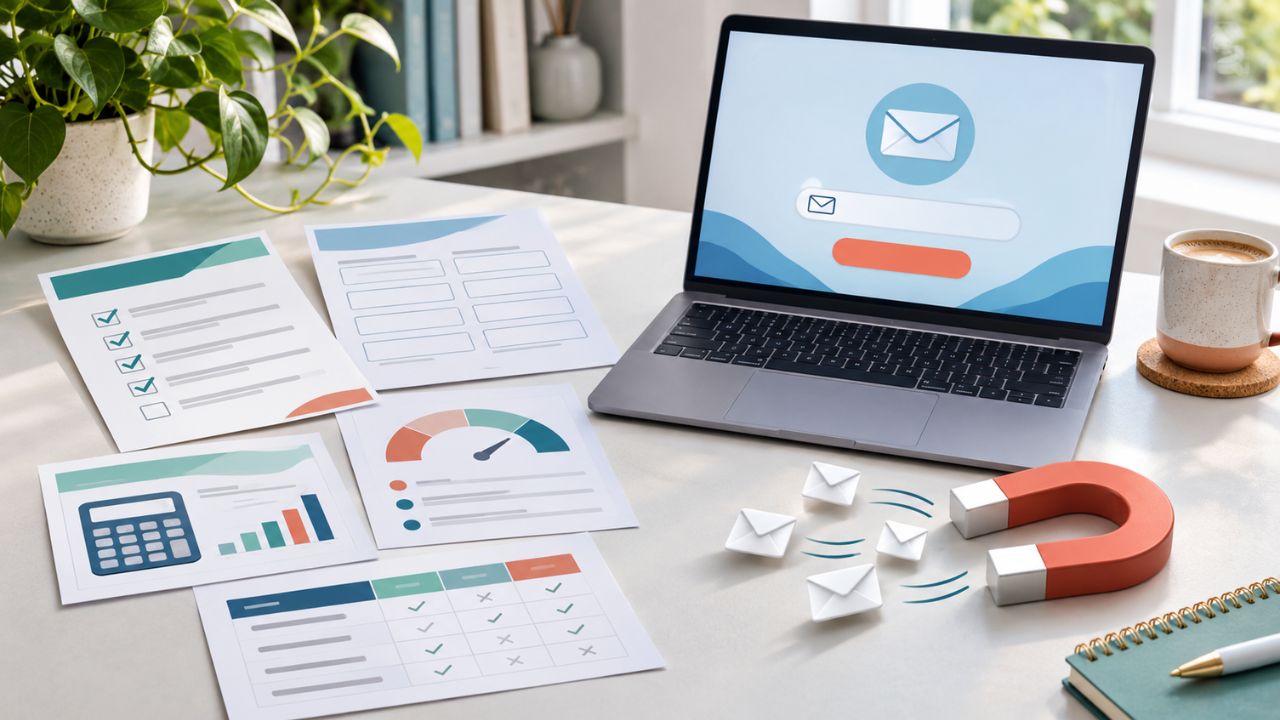
People rarely share an email address because a business promises “a free PDF.” They subscribe because the offer saves time, removes uncertainty, prevents a mistake, or produces a useful result.
That is what separates practical lead magnet ideas readers trade from digital clutter. A 40-page ebook can feel like homework. A one-page checklist, completed spreadsheet, or personalized estimate may solve the reader’s next problem in minutes.
Context matters just as much as format. Someone reading a tutorial may want a working template. A visitor comparing products may value a decision worksheet. A prospect researching costs may prefer a calculator. Businesses trying to grow an email list without buying one should begin with that connection between the reader’s current question and the next useful step.
What Makes a Lead Magnet Worth an Email Address?
Before creating the asset, check whether the exchange feels fair from the reader’s side.
- It solves a specific problem: “The Complete Marketing Handbook” is vague. “A 12-Point Landing Page Launch Checklist” has a clear purpose.
- The value is easy to recognize: A preview, sample result, or completed section helps visitors judge the offer before submitting a form.
- It can be used quickly: The reader should not need another tutorial just to understand the resource.
- The form asks for proportionate information: A checklist rarely justifies requesting a phone number, company revenue, job title, and purchasing timeline.
- The follow-up matches the original promise: Someone who requested a budgeting template should not immediately receive unrelated product promotions.
The best format is not always the most impressive one. It is the format that removes the next obstacle with the least unnecessary effort.
10 Lead Magnet Ideas Readers Trade and Can Use Immediately
These lead magnet ideas work because they help readers complete a task, make a decision, or solve a specific problem faster. Choose the format that best matches what visitors need immediately after reading the page.
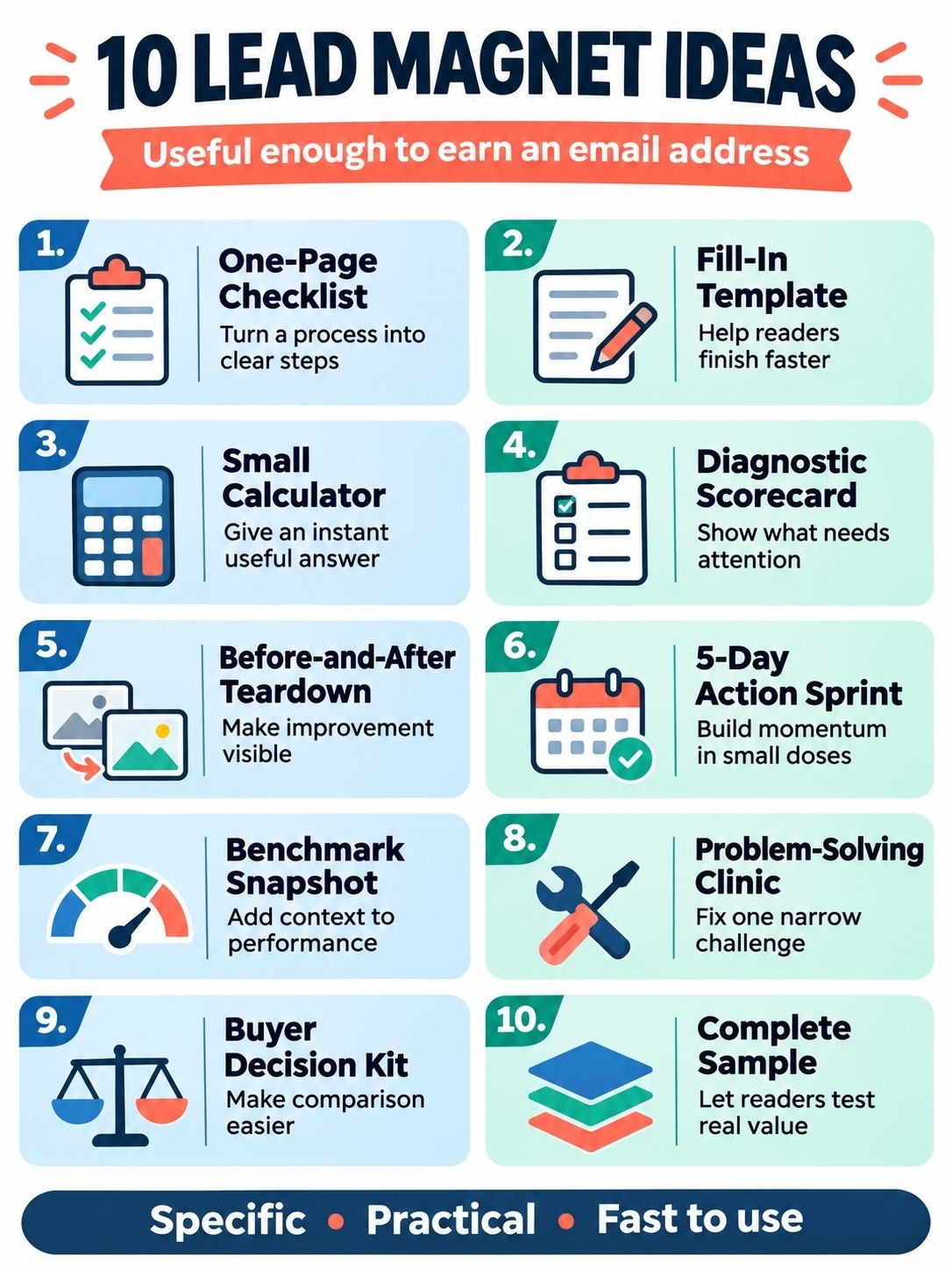
1. A One-Page “Do Not Miss This” Checklist
A checklist is useful when readers understand the task but worry about overlooking a step. It fits launches, client handoffs, software migrations, interviews, events, trips, audits, and recurring monthly processes.
Keep the scope narrow. “The Complete Marketing Checklist” could contain almost anything. “The 12 Checks to Run Before Publishing a Landing Page” tells people when to use it and what it helps them avoid.
Put the steps in a sensible order. Identify the owner when several people are involved, and add a short explanation beside anything that is easy to misunderstand. The finished checklist should work without a separate instruction manual.
A direct signup promise could be: “Get the 12-point checklist and catch launch problems before the page goes live.”
2. A Filled-In Template
Templates remove the blank-page problem, but only when they contain more than branded headings. An almost-empty document simply gives the subscriber a different blank page.
A useful template may include formulas, sample entries, dropdown choices, prompts, instructions, or completed examples. A content brief can show the difference between a vague instruction and a precise one. A budget spreadsheet should arrive with working formulas and clearly labeled assumptions. A client-onboarding board can include realistic tasks, owners, and due-date logic.
Show visitors one completed section before the form. That preview demonstrates why the template is more useful than a file they could assemble themselves.
3. A Small Calculator With a Personal Result
Calculators turn a general question into an individual estimate. They suit break-even points, project budgets, meeting costs, capacity planning, savings comparisons, pricing scenarios, and timelines.
The calculation must be understandable. Explain the inputs, display the main assumptions, and describe uncertain outputs as estimates. A polished number is not trustworthy when the visitor cannot tell how it was produced.
Consider showing a basic result before requesting an email address. The subscriber can then receive an editable scenario, a detailed breakdown, or a saved copy. This proves the tool has value before asking for contact information.
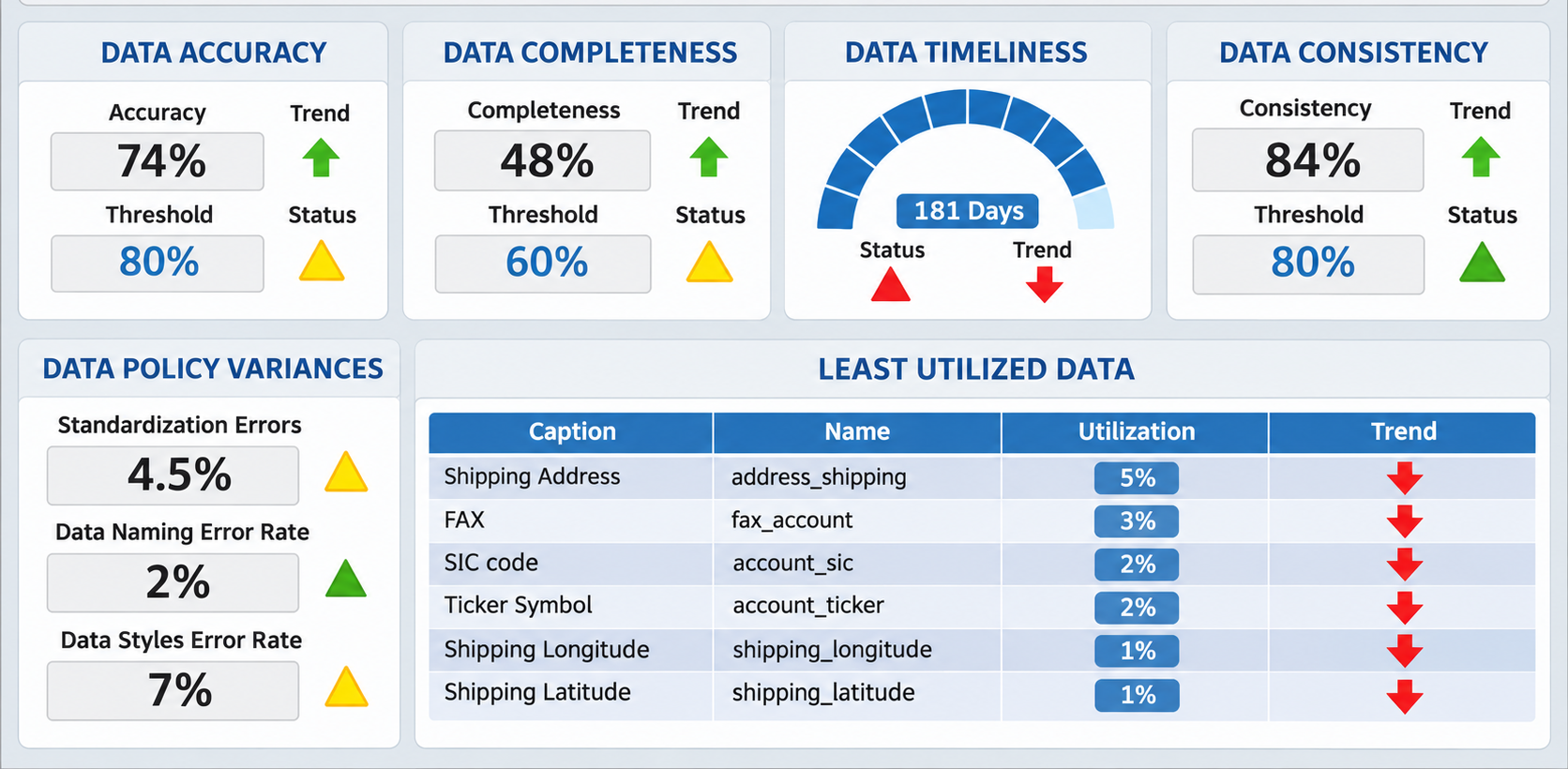
4. A Diagnostic Scorecard With Prioritized Actions
A scorecard helps people who recognize a problem but cannot decide where to begin. Examples include a CRM data-quality check, website-readiness review, hiring-process diagnostic, content-operations assessment, or product-fit questionnaire.
Every question should affect the result. If all answer combinations lead to the same recommendation, the personalization is cosmetic. Keep the assessment focused, explain what the score means, and provide two or three actions in priority order.
Avoid collecting sensitive personal or business information unless it is essential and properly protected. The scorecard should help the participant first and qualify the lead second.
5. An Annotated Before-and-After Teardown
Some readers understand an idea more easily when they see it applied. A teardown can show how a landing page, email, résumé, dashboard, advertisement, onboarding flow, or product description changed and why each revision mattered.
Publish one complete example openly. The email-gated version can include several additional examples, a review worksheet, and a blank copy the subscriber can use on their own work.
Use material the business owns or has permission to reproduce. When a third-party example is necessary, link to the original and reproduce only what the analysis requires. A folder of unexplained screenshots is a collection, not a teardown.
6. A Five-Day Action Sprint
Some problems need several small actions rather than one download. A short email sprint can help subscribers clean a contact database, prepare a portfolio, organize files, improve a product page, or set up basic analytics.
Send the first task while the signup is still fresh. Each message should require a manageable amount of time and produce a visible result. Five useful lessons are better than ten padded emails.
The sequence should respond to the action that brought the person in. Behavior-based email timing is more useful than sending the same follow-up to everyone. Clear, accurate email subject line formulas can also help subscribers recognize each lesson without relying on clickbait.
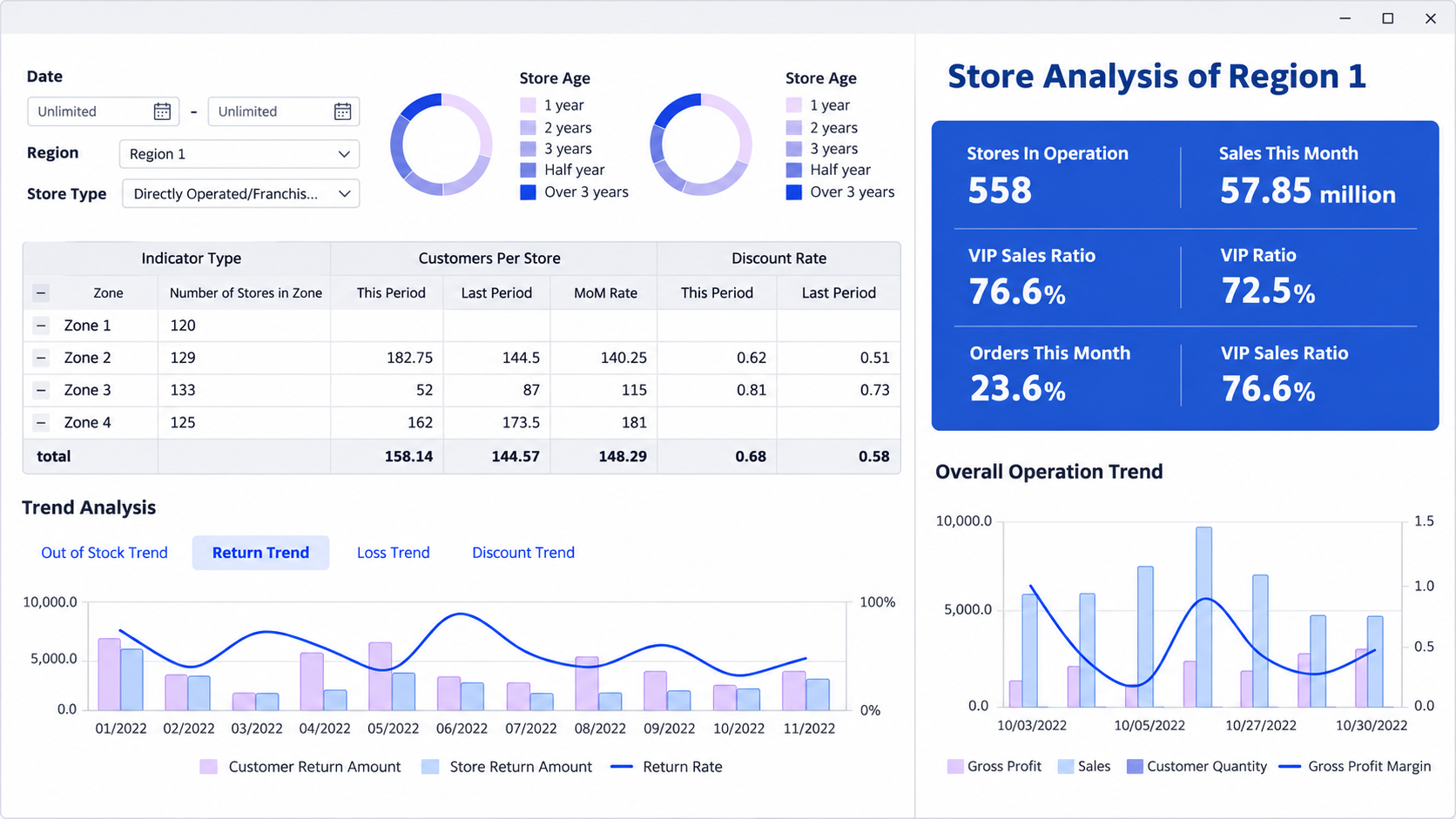
7. A Niche Benchmark Snapshot
Original data can justify the exchange when readers need evidence for planning, budgeting, or internal discussions. The subject should be narrowly defined, such as onboarding practices among small SaaS teams or pricing structures within one service category.
Keep the headline findings and methodology public. The downloadable version can contain detailed tables, segment breakdowns, presentation-ready charts, or a worksheet for comparing the reader’s results with the sample.
This format requires defensible data. State the sample size, collection period, respondent or dataset profile, method, and limitations. A small social poll should not be presented as an industry benchmark.
8. A Focused Problem-Solving Clinic
“Join our webinar” gives readers little reason to register. “Bring your landing page and leave with a clearer offer” defines the work and the outcome.
A clinic should address one narrow problem. A software company might host a setup session. An agency could review volunteered landing pages with permission. A trainer might help attendees complete one part of a practical plan during the event.
Ask for an email address and, if useful, one question about the participant’s obstacle. Afterward, send the replay, working notes, and promised resource. Avoid turning a useful registration into a long sales-qualification form.
9. A Buyer Decision Kit
Decision kits serve readers who are approaching a purchase. A kit might contain a requirements worksheet, vendor comparison matrix, migration-readiness check, implementation timeline, total-cost questions, and a list of issues to raise during product demonstrations.
Keep the criteria fair. A worksheet designed so that only the publisher’s product can score well is a sales brochure in disguise. Include staff time, training, switching effort, accessibility, integrations, data export, support, and the possibility that postponing the purchase may be reasonable.
This lead magnet often suits agencies, consultants, software companies, and other businesses with longer evaluation cycles. It may attract fewer casual signups, but the people who use it have a defined decision to make.
10. A Limited but Complete Sample
High-intent prospects may not want more educational content. They want evidence of what the paid offer is actually like.
A course creator can release one complete lesson. A software company can provide a guided workspace or sandbox with sample data. A consultant might share a redacted sample deliverable. A publisher could unlock one premium briefing that represents the normal standard of its paid work.
The sample should function without an immediate sales call. If “instant access” leads to another form or a mandatory consultation, the offer feels misleading. Service businesses should also control delivery costs so the free sample does not require hours of manual work for every prospect.
Match the Lead Magnet to the Reader’s Current Page
One generic resource should not appear across the entire website. Match the offer to the question the visitor is already trying to answer.
| Page or Traffic Context | Reader’s Likely Next Job | Suitable Lead Magnet |
|---|---|---|
| Step-by-step tutorial | Complete the process correctly | Checklist or filled-in template |
| Comparison article | Evaluate available choices | Buyer decision kit |
| Pricing or cost article | Estimate a personal outcome | Calculator |
| Research article | Apply or present the findings | Benchmark appendix or worksheet |
| Product page | Judge the actual experience | Sample or sandbox |
| Problem-awareness article | Identify the first priority | Diagnostic scorecard |
| Expert or event content | Get guided help | Focused clinic or action sprint |
This approach also creates more natural ways to grow email signups without popups. An inline offer placed after useful information can feel like a logical next step rather than an interruption.
Make the Signup Promise Clear
The landing page or form should answer four questions before asking for an email address:
- What will the person receive?
- What problem will it help solve?
- When and how will it arrive?
- What other emails, if any, will follow?
Specific button text supports that promise. “Send Me the Checklist” or “Email My Results” is clearer than “Submit.” If the page still struggles to convert, use these landing-page A/B test ideas to investigate the headline, proof, form, and call to action separately.
Delivery should be immediate whenever possible. A simple confirmation email can provide the file or access link. More complex journeys may use marketing automation to deliver the asset, apply a relevant tag, and start a follow-up sequence. Automation should carry out a clear plan, not compensate for a weak offer.
Keep the Email Exchange Honest
The signup form should distinguish delivery of the requested resource from permission for continuing marketing. Requirements vary by jurisdiction, so campaigns need market-specific review.
In the UK, the Information Commissioner’s Office guidance explains that when consent is used for electronic marketing, it must be freely given, specific, informed, and unambiguous. It also requires a positive action rather than silence or a pre-ticked box.
In the United States, the FTC’s CAN-SPAM guidance requires accurate sender information and subject lines, a valid postal address, a clear way to opt out, and timely handling of opt-out requests. Those rules are not a substitute for checking requirements in other countries.
Single and double opt-in create different signup journeys. Single opt-in adds the address after form submission. Double opt-in requires a confirmation click, which can help verify the address but adds another step. Broader email list-building basics still apply: set expectations, deliver what was promised, and make unsubscribing straightforward.
Measure What Happens After the Download
A form submission confirms that someone wanted access. It does not show whether the asset was used, whether the subscriber was relevant, or whether the campaign contributed to a commercial result.
Track the stages that matter for the actual offer:
- Landing-page visits and completed forms
- Confirmed subscriptions when double opt-in is used
- Asset downloads, starts, or completed results
- Replies and return visits to related pages
- Trial starts, consultations, or product actions
- Qualified leads and customers
- Unsubscribes and spam complaints
If GA4 is part of the measurement stack, generate_lead is the recommended event for a submitted form or request for information. Later lead stages usually need CRM data or another customer system. Do not treat a button click as a completed signup, and do not compare a narrow search page with a broad social campaign without considering the difference in traffic intent.
Build the Smallest Useful Version First
The best lead magnet ideas do not have to be large or expensive. They need to make one valuable job easier and give the reader a sensible reason to continue the relationship.
Start with a page that already attracts the right audience. Identify the problem that comes immediately after the answer on that page. Build the smallest asset that solves it well, preview enough of the resource to make its value credible, and request only the information required for delivery.
Choose an email platform that can deliver the asset reliably and preserve consent records. This comparison of email marketing tools can help narrow the options, but the offer should be proven before the team invests in a complicated system.
Then watch what subscribers do next. A focused resource that attracts fewer but more relevant readers may be worth more than a generic freebie that produces a large, disengaged list.
Frequently Asked Questions about Lead Magnet Ideas Readers Trade
What Is the Best Lead Magnet for a Small Business?
A filled-in template or focused checklist is often the most practical starting point. Both are inexpensive to build, easy to preview, and useful without custom development. Base the subject on a question customers already ask.
How Long Should a Lead Magnet Be?
There is no ideal page count. Time to value matters more than length. A one-page reference that solves the problem can be more useful than a long ebook that readers postpone.
Should Every Valuable Resource Be Gated?
No. Public resources can build trust and let readers evaluate the quality before subscribing. One practical compromise is to keep the main explanation public and offer an editable file, personalized result, detailed appendix, or saved version by email.
Should a Lead Magnet Use Double Opt-In?
Double opt-in helps verify control of an address and confirms an additional step of intent, but it also creates more friction. The choice should reflect applicable law, platform rules, signup quality, and whether confirmation emails reach subscribers reliably.
How Do You Know Whether Lead Magnet Ideas Are Working?
Look beyond raw form submissions. Review confirmed subscribers, asset use, relevant return visits, qualified leads, conversions, unsubscribes, and complaint rates. A smaller list that takes meaningful next actions can be more valuable than a large list that ignores every follow-up.