


Are you tired of missing sales when stock runs dry? You track stock in a spreadsheet, yet errors pop up. Spreadsheet juggling feels like chasing ghosts. A WooCommerce inventory management system cuts errors and saves hours with automation.
We hand-pick seven WooCommerce Plugins That Help You Manage Inventory like a pro. Each tool boosts stock control, triggers low-stock alerts, and handles purchase orders with ease. You learn to track stock quantity in real time.
You see how to cut errors and save time. Read on.
Key Takeaways
- ATUM adds a live Stock Central dashboard, lets you manage suppliers, and auto-creates purchase orders when stock hits your low-stock threshold.
- Smart Manager turns your WooCommerce table into a spreadsheet grid for bulk edits on over 1,000 SKUs, low-stock alerts, and scheduled CSV imports in catalogs up to 50,000 entries.
- Stock Sync links up to ten WooCommerce shops and nine satellite outlets via SFTP or API, pushes real-time multi-channel quantity updates, and logs each sync action for full audits.
- Orderhive and Veeqo unite Amazon, Etsy, your POS, and multiple warehouses on one console, automate dropship routes, run rule-based order fulfillment, and fire low-stock alerts.
- Katana and WooCommerce Stock Manager deliver ERP-style tools—real-time updates for raw materials and finished goods, serial-number tracking, barcode scanning, and in-place bulk edits for variable products.
ATUM Inventory Management
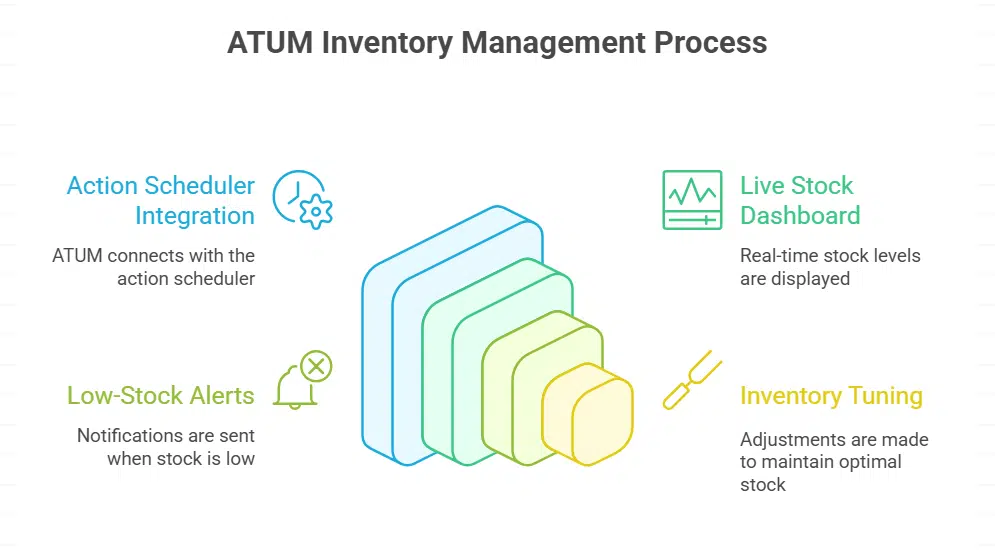
ATUM leaps into your plugin roster and taps the action scheduler. It turns your stock into a live dashboard, fires low-stock alerts, and helps you keep every item in tune.
Features: Stock Central, supplier management, purchase orders
This plugin adds powerful stock controls to your online store. It shows live inventory tracking and sales stats.
- Stock Central offers a customizable workbench with quick SKU edits, price updates, and WPML compatibility. It taps into advanced search, uses action scheduler hooks, and pulls historical sales data to aid demand forecasting and inventory optimization.
- Supplier management lets you add vendors, track incoming goods, and store lead times inside your dashboard. Users can attach contact details and use CRM tags for better vendor relations.
- Purchase orders kick in when stock quantity falls to a set low stock threshold, auto-creating new orders. The plugin logs each order in inventory logs, feeds business stats, and lets you export them as print-ready PDFs.
Smart Manager
Smart Manager blends a spreadsheet-style grid with low-stock alerts, bulk edits, and data file imports in your WordPress dashboard, so you can tame your inventory in minutes—keep reading to learn more.
Features: Bulk editing, low-stock alerts, quick updates
The Smart Manager plugin turns your inventory table into a live grid. It runs inside WooCommerce settings with no code.
- Bulk editing gives you fast price and stock changes across hundreds of items. It uses an advanced search tool to find the exact row. You can mass edit stock quantity, apply demand forecasting, or change sale price. You can schedule CSV exports or imports at 2 AM. Infinite scrolling and live preview help you know what you will update before you click. The tool handles over 1,000 SKUs in one go, cutting hours off updates for big retailers.
- Low-stock alerts warn you when stock dips below your set number. You choose a low-stock threshold for each product or variation. The plugin uses action scheduler to send an email the moment stock for variable products nears your reorder point. It can link to your CRM or purchase orders system, so you jump to a new order in seconds. This proactive stock tracking stops out of stock lists from growing.
- Quick updates let you tap values in a data grid that looks like a spreadsheet. You point and type to change stock, adjust price or update product bundles. A live preview shows you results on the front end. It works on laptops, iPads or Android devices. You can even snap barcodes via a scanner to edit stock in real time. This setup trims editing time to minutes, even in catalogs with 50,000 entries.
Stock Sync for WooCommerce
Stock Sync for WooCommerce links your spreadsheet to your ecommerce platform and pushes stock updates in real time via SFTP and API calls. Find out how it keeps item counts correct across all marketplaces.
Features: Multi-channel synchronization, real-time updates
Link storefronts and marketplaces under one control panel. Update quantities instantly across channels.
- Control panel covers up to ten WooCommerce shops and external ecommerce platforms.
- Live feed updates cut stock tracking errors and boost inventory optimization.
- SKU filters let you sync product bundles, variable products, or single items.
- Batch push sends stock quantity from primary location to nine satellite outlets in seconds.
- Activity logs record user IDs, time stamps, and sync actions for full audit trails.
- Email alerts warn of sync failures via API or SFTP, so managers act fast.
- Pro plan syncs images, descriptions, and CRM fields for richer customer data.
Orderhive
Orderhive drops the data chaos with a slick console that ties in your shops on Amazon and Etsy, plus your local register, with drop-ship links. It talks to interfaces and handheld readers to show true stock levels in seconds, and it fires off reorder alerts before you run dry.
Features: Centralized dashboard, automation, dropshipping integration
Orderhive gives you a clear view of your stock and orders in one place. It cuts manual work and speeds up tasks.
- The dashboard merges stock tracking, sales orders, and purchase orders into one real-time screen. It supports EDI, 3PL, and links with accounting software for smooth financial management. It also shows analytics for sales and inventory trends.
- Automation cuts manual touches, uses action scheduler and machine learning algorithms to update stock quantity and batch process orders. It taps historical sales data to boost demand forecasting and inventory optimization.
- Dropshipping integration routes out-of-stock items to suppliers and triggers supplier orders automatically. It fits point of sale systems and CRM tools, and adapts to product bundles and variable products.
Veeqo
Veeqo tracks stock in multiple warehouses, links orders with your point of sale system, and sends low-stock alerts so you hit every deadline—read on.
Features: Multi-location support, warehouse management, inventory tracking
This plugin helps you manage inventory across multiple sites. It links real-time inventory tracking, maps, and shipping rules.
- Multi-location support in WooCommerce inventory management lets you view and edit stock across warehouses.
- Location grouping links store points and CRM data to control inventories from one central hub.
- Google Maps integration filters stores and finds the nearest warehouse in your browser.
- Rule-based order fulfillment swoops in like a hawk to pick the best shipping location for purchase orders.
- AJAX add-to-cart boosts load speed and levels up the customer experience in a shop.
- Bulk central dashboard updates real-time stock quantity and inventory tracking fast.
- Point of sale system and multi-currency support drive global sales through reports.
- Location-based dashboards show sales and historical data for demand forecasting.
WooCommerce Stock Manager

You tweak stock quantity in seconds right from the WordPress dashboard, with bulk edits and swift variation management. You pair it with a point of sale (POS) system or a barcode scanner, and it taps into Action Scheduler for real-time inventory tracking in WPML stores.
Features: Easy stock adjustments, variation management, bulk edits
This feature pack cuts time on stock checks. It speeds up WooCommerce inventory management.
- Data grid tool lets users perform in-place edits inside a table editor. It simplifies stock adjustments by letting you tweak stock quantity with a click.
- Variation support handles variable products and product bundles with separate stock levels. It tracks individual variations to prevent oversells.
- Data transfer function uses import-export to push mass updates and backups of inventory data. It ties into historical sales data for better demand forecasting.
- Mass edit tool offers bulk editing and advanced search to update hundreds of items in seconds. It suits businesses that need efficient, user-friendly stock management.
- Status panel adds a dashboard widget that shows low stock threshold and current stock status. It gives a quick glance for stock central and CRM teams.
- Notification system sends customizable alerts for low or out-of-stock items. It hooks into action scheduler for precise timing and threshold settings.
- Custom hooks let developers use filter hooks for advanced customization of settings. It adapts to WPML compatibility, point of sale system and various WooCommerce settings.
Takeaways
Managing stock can feel like juggling flaming torches. Addons like ATUM and Smart Manager handle purchase orders and supplier data with ease. Stock Sync and Orderhive keep your catalogs in line across channels.
Veeqo, Katana, and Stock Manager save time with real-time updates and barcode scanning tools. You can now tame your inventory beast and focus on growth.
FAQs on WooCommerce Plugins That Help You Manage Inventory
1. What plugin works best for WooCommerce inventory management?
Atum Inventory Management, Smart Manager for WooCommerce and Stock Central lead the pack. They track stock quantity, run stock tracking and boost inventory optimization. You can grab them on wordpress.org, tweak the look with css, and tap into your WooCommerce settings.
2. How can I forecast demand and handle purchase orders?
Atum Inventory Management reads your historical sales data, then it plans demand forecasting. It spots low stock threshold, then it auto-generates purchase orders. It feels like having a crystal ball for your buyer, minus the smoke and mirrors.
3. How do I track product variations and product bundles at once?
Smart Manager for WooCommerce shows variable products and bundles in a single view. You scroll with a mouse wheel, edit stock quantity on the fly, and watch inventory tracking happen in real time. It’s like magic, but it’s just good coding.
4. Which plugin adds advanced search and WPML compatibility?
Stock Central nails advanced search, it links with WPML compatibility and plugs into your CRM (customer relationship management). You get filters that work smooth on iOS too. It feels like flipping through a well-worn catalog—fast, friendly, familiar.
5. Can I use a barcode scanner or barcode scanning feature?
Yes, Smart Manager has a built-in barcode scanner. You can scan items on a shelf or pack goods with a handheld device. It speeds up materials management and stops errors before they start, no more guesswork at the checkout.
6. How do I tie CRM and action scheduler tasks to my stock?
Stock Central hooks into your CRM, then it runs action scheduler jobs behind the scenes. It can nudge you when stock dips, push purchase orders, or ping a buyer group. Imagine a helpful assistant who never sleeps and never spills coffee.






















