


Do you ever finish a packed day and still wonder where the time went? AI Productivity Workflows For Solopreneurs can help you move recurring admin work out of your head and into repeatable systems, so you have more room for clients, sales, and creative work.
A useful place to start is small. The 2026 Federal Reserve Small Business Credit Survey found that businesses using AI most often use it for writing or marketing, individual productivity, and planning, which makes these everyday workflows a practical starting point.
You do not need to rebuild your whole Solo Business at once. Pick one recurring bottleneck, set a human review step, and build from there.
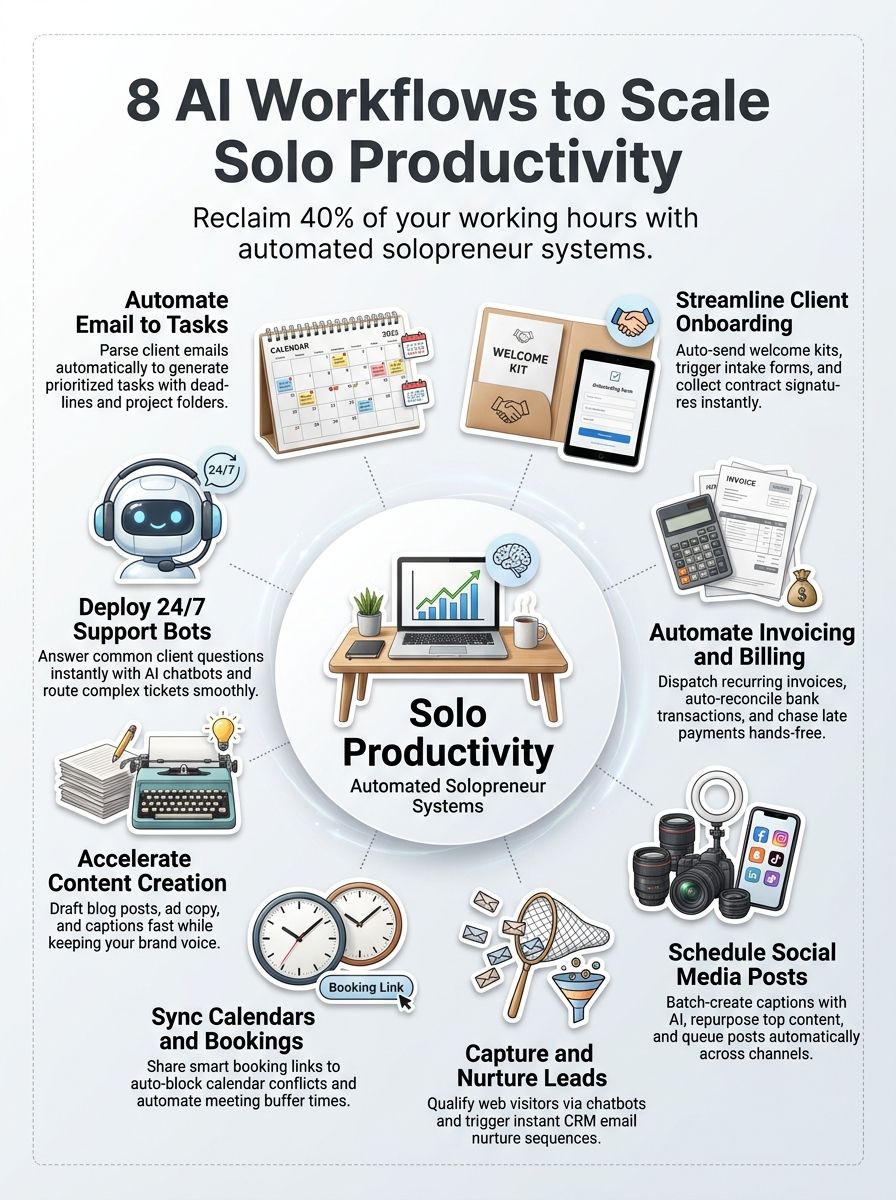
1. Email to Task Management
Your inbox should not be your task list. An email-to-task Workflow turns a client request into a visible next action with a due date, priority, and link back to the original message.
Automate turning emails into actionable tasks
Zapier can watch Gmail or Outlook for starred, flagged, or labeled messages and create tasks in Asana, ClickUp, Notion, Todoist, or Trello. Its AI steps can pull out action items, deadlines, and priority from the email body, which saves you from copying details by hand.
Start with emails you label Action instead of sending every message through AI. That filter prevents newsletters, receipts, and automated alerts from clogging your Task Management system.
- Set up one inbox label for client requests, sales leads, and billing questions.
- Have the Workflow create a task title, client name, requested deliverable, due date, and email link.
- Use a default due date only when the email gives no deadline; then review that task before committing time on your calendar.
- Send finance-related messages to a separate billing list so they do not compete with client delivery work.
2. Client Onboarding Automation
Client Onboarding Automation helps you start paid work with fewer loose ends. A signed agreement can trigger the same core sequence every time: welcome email, intake form, invoice, project folder, kickoff booking, and task list.
Simplify the welcome process
Use a form tool such as Typeform, Jotform, or Google Forms to collect the details you need once, then send those answers into your project board. The goal is simple: do not ask a new client for the same information in an email, a kickoff call, and a shared document.
A practical NoCode setup uses a signed-contract status as the trigger, then creates a client record, folder, and kickoff checklist. Build a verification message 10 minutes later that confirms each item exists, because silent workflow failures are more frustrating than manual work.
- Send a short welcome email with one clear next step: complete the intake form.
- Create a project from a template that includes discovery, delivery, review, and invoice tasks.
- Generate a shared folder using a consistent name format, such as client name plus project name.
- Send a booking link for the kickoff call only after the intake form is complete.
- Create a manual review task for any unusual scope, payment terms, or compliance needs.
3. Invoice & Payment Processing
Getting an invoice out quickly matters more than making a fancy billing system. Your Workflow should create accurate invoices, give clients easy payment options, send polite reminders, and keep your records current.
Automate billing and cash flow management
QuickBooks Payments AI can suggest payment methods and draft editable reminder messages based on customer payment history. QuickBooks says users who send invoice reminders with Payments AI get paid four days faster on average, so this is a strong Workflow to test if late payments keep interrupting your cash flow.
Use receipt capture for expenses, recurring invoices for retainers, and automatic payment matching where your accounting software supports it. Review AI-filled invoices and receipts before sending or filing them, especially if your work includes variable rates, sales tax, reimbursable expenses, or deposits.
| Billing task | Automation to use | What you still review |
|---|---|---|
| Monthly retainer | Recurring invoice and scheduled reminder | Hours, scope changes, and client contact |
| Project deposit | Invoice after contract status changes to signed | Deposit amount and payment deadline |
| Expense receipt | Receipt scan and category suggestion | Vendor, category, tax treatment, and client reimbursement |
Do not send a collections sequence the moment an invoice becomes late. Give long-term clients a softer first reminder, then create a personal follow-up task if the amount or relationship calls for it.
4. Social Media Scheduling
Social media scheduling works best when you stop making content decisions every day. Batch a small group of posts, edit them in your own voice, and queue them before the week gets busy.
Maintain a consistent online presence with less daily work
Buffer’s free plan supports up to three channels and 10 scheduled posts per channel. Its paid Essentials plan includes unlimited scheduled posts per channel, AI Assistant, and advanced analytics, which can be useful once your posting volume exceeds the free limit.
Use AI for first drafts, variations, hooks, and repurposing. Keep the final edit human, because your stories, opinions, client boundaries, and examples are what make Content Generation sound like you.
- Choose three content themes tied to your offers, client questions, and point of view.
- Write one longer idea, then create a short post, a tip list, a client-safe story, and an email snippet from it.
- Schedule posts in a single weekly session and leave room for timely posts.
- Review clicks, replies, saves, and inquiries once a week instead of checking analytics all day.
Reuse the format of posts that attract qualified conversations. Do not copy the same message word for word across every channel.
5. Lead Capture & Follow-up
A good lead Workflow answers one question fast: what should happen after someone raises a hand? Your system should capture the contact, record where they came from, send the right next message, and tell you when personal follow-up is needed.
Automate lead collection and nurture workflows
Use a short form or chatbot to gather a name, email, service interest, budget range if appropriate, and preferred timeline. Then route the contact into a CRM such as HubSpot, where you can score activity such as form submissions, email clicks, and page visits.
Fast replies help, but generic replies can feel cold. Build separate paths for a ready-to-book lead, a research-stage lead, and a poor-fit inquiry, then write each message around the next helpful action.
- Send every new form submission to one CRM record, not a disconnected spreadsheet.
- Apply source tags such as referral, newsletter, search, event, or social media.
- Send an immediate confirmation that tells the prospect when they will hear from you.
- Create a personal Task Management alert when a lead reaches your chosen score or requests a quote.
- Place lower-intent contacts into a short educational email sequence instead of chasing them manually.
- Stop automated follow-up after a sale, opt-out, or clear rejection.
6. Meeting Scheduling & Calendar Sync
Scheduling is a small task that can create a surprising amount of email. A booking page lets clients choose from times you already approved, while calendar rules protect your focus blocks and personal time.
Minimize scheduling conflicts with AI assistance
Calendly and similar scheduling Tools can check connected calendars, display available times, add confirmation emails, and create buffers before or after meetings. Use a booking link for discovery calls, kickoff sessions, and office hours, but keep high-value or unusual meetings under your direct control.
Set your availability based on the work you can actually deliver. If client calls regularly cause you to lose a full afternoon, reduce daily slots and add 15 to 30 minutes of buffer time.
- Connect every calendar that can create a conflict, including personal commitments if you use one calendar for both.
- Set a minimum notice period so clients cannot book over work you already planned.
- Use automatic time zone detection for remote clients.
- Ask booking questions that help you prepare, such as goals, project type, and current challenge.
- Create a follow-up task after each meeting for proposals, notes, or promised resources.
7. Content Creation Assistance
AI can reduce the blank-page problem, but it should not become your unedited publisher. Use it to organize ideas, create outlines, produce options, and handle repeatable formatting while you supply the judgment and facts.
Generate blog posts, captions, and marketing copy
Give your AI tool a clear brief: audience, offer, desired action, product facts, tone examples, and words to avoid. A vague prompt produces vague copy, while a focused brief gives you a draft you can shape much faster.
A 2025 analysis of millions of AI conversations found more use for augmentation than full automation. That matches a smart Content Generation habit for solopreneurs: let AI prepare the first pass, then add your proof, experience, client-safe examples, and final decision-making.
| Content job | Useful AI input | Your final check |
|---|---|---|
| Blog outline | Keyword, reader question, service offer, and desired sections | Facts, structure, practical advice, and brand point of view |
| Social captions | Core idea, platform, character limit, and call to action | Voice, accuracy, and whether the caption sounds natural |
| Email sequence | Audience segment, offer, objections, and next step | Claims, client privacy, links, and unsubscribe requirements |
Never publish AI-created statistics, legal guidance, medical advice, prices, or testimonials without checking them yourself. The time you save on drafting disappears if you later need to correct a public mistake.
8. Customer Support Automation
Customer Support Automation gives people a fast first response without asking you to sit in a chat window all day. It works best for common questions with stable answers, such as process, access, service details, appointment policies, and basic troubleshooting.
Provide 24/7 responses to customer inquiries
Intercom’s Fin AI Agent can answer across chat, email, SMS, and other supported channels using the support content you provide. Intercom reports an average resolution rate of 76%, but your result will depend on how current and specific your help content is.
Build escalation rules for refunds, cancellations, sensitive personal information, legal issues, billing disputes, and any question that needs your judgment. A bot should make it easier to reach you when the situation calls for a person, not create a dead end.
- Start with your 10 most common questions and write clear, approved answers.
- Give the bot a rule to say it does not know rather than guess.
- Route urgent phrases, payment problems, and client complaints to your priority inbox.
- Log unresolved questions each month, then update your help content and workflows.
- Test the bot with real questions before placing it on every client-facing channel.
Tools to Implement AI Workflows
The best Tools are usually the ones that connect with software you already pay for. Start with one automation platform, one task system, one source of client data, and one clear place to review failures.
Traditional automation platforms
Zapier is a strong choice for simple trigger-and-action Workflows, such as a labeled Gmail email creating an Asana task. It supports connections between email, calendars, task apps, forms, spreadsheets, CRMs, and invoicing software, so it can act as the bridge between your existing apps.
IFTTT works well for lighter personal or consumer-style automations. Make gives you a visual builder for more detailed branching, while n8n can suit people who want more technical control.
AI-driven solutions
AI-driven features are useful when the input is messy, such as an email, meeting transcript, receipt image, support question, or form response. Use standard automation rules for predictable decisions, such as creating a folder after a contract is signed.
That split keeps your Workflow easier to debug. Ask AI to summarize, classify, extract, or draft, then use fixed rules to route, label, calculate, and notify.
| Need | Good starting tool type | First Workflow to test |
|---|---|---|
| Inbox overload | Automation platform plus task app | Starred email to task |
| Late invoices | Accounting software with reminders | Invoice due-date reminder |
| Missed leads | Form, CRM, and email automation | Form submission to follow-up sequence |
| Content delays | AI writing tool plus scheduler | One idea to five approved post drafts |
Future Trends in AI Workflows for Solopreneurs
AI Workflows are moving beyond text prompts. Newer systems can work with voice notes, screenshots, receipts, meeting transcripts, and customer conversations, which gives solopreneurs more ways to capture work without stopping to type everything into a tool.
Emerging tools and advancements to watch
Multimodal AI can extract text and details from images, summarize spoken notes, and turn meetings into follow-up tasks. This can be helpful after a client call, site visit, or sales conversation, where typing notes later creates delay and lost context.
Agent-style systems can also take actions across connected software, but they need boundaries. Test them on narrow processes with approval steps, activity logs, and a clear fallback route to you.
- Watch for tools that can turn meeting transcripts into approved tasks and proposals.
- Use voice capture for quick ideas, then review the transcript before it enters a client record.
- Expect more AI support inside accounting, CRM, and project software you already use.
- Prioritize privacy settings, permission controls, and audit logs before connecting sensitive client data.
Final Thoughts about AI Productivity Workflows For Solopreneurs
AI Productivity Workflows For Solopreneurs can reduce busywork across email, onboarding, invoicing, social media, lead follow-up, scheduling, Content Generation, support, and reporting.
Start with the task that costs you the most time each week. Build one simple Automation, review its output, measure the result, and improve it before adding another Workflow.
A calmer business usually comes from fewer repeated decisions, cleaner Task Management, and more time for work that needs you.