Most Windows PCs do not need fifteen new apps. They need two or three tools that stop a task from slipping, find a buried file, block a distracting site, or remove repeated clicks. The best free productivity apps for PC solve one of those problems without creating another system to manage.
This ranking favors a useful free version, a proper Windows app, manageable setup, and honest limitations. The first choices have broad value; later entries solve narrower problems. Because free plans change, check current terms before adopting an app across a workplace or classroom.
Before You Install Anything
“Free” has several meanings here. PowerToys, LibreOffice, ShareX, and LocalSend are open source. Todoist, Notion, Clockify, and Cold Turkey reserve useful features for paid plans.
The common mistake is collecting free productivity apps for PC that overlap. Microsoft To Do and Todoist both manage tasks; Notion and Obsidian both hold notes. Choose one tool for one recurring problem. A dashboard that needs constant care is not saving time.
15 Best Free Productivity Apps for PC
These Free Productivity Apps for PC cover task management, notes, automation, communication, file handling, focus, and research, helping Windows users build a practical toolkit without adding another monthly subscription expense.
1. Microsoft PowerToys
PowerToys is the best starting point for most Windows 11 users because it improves work already happening on the PC. FancyZones creates window layouts, PowerRename handles batch file names, Text Extractor copies text from the screen, and Workspaces reopens groups of apps. Disable utilities you do not need.
It is free and open source, with current requirements covering 64-bit Windows 11 or Windows 10 version 2004 and later. Standard Windows 10 support ended in October 2025, so app compatibility does not make an unsupported system secure.
2. Microsoft To Do
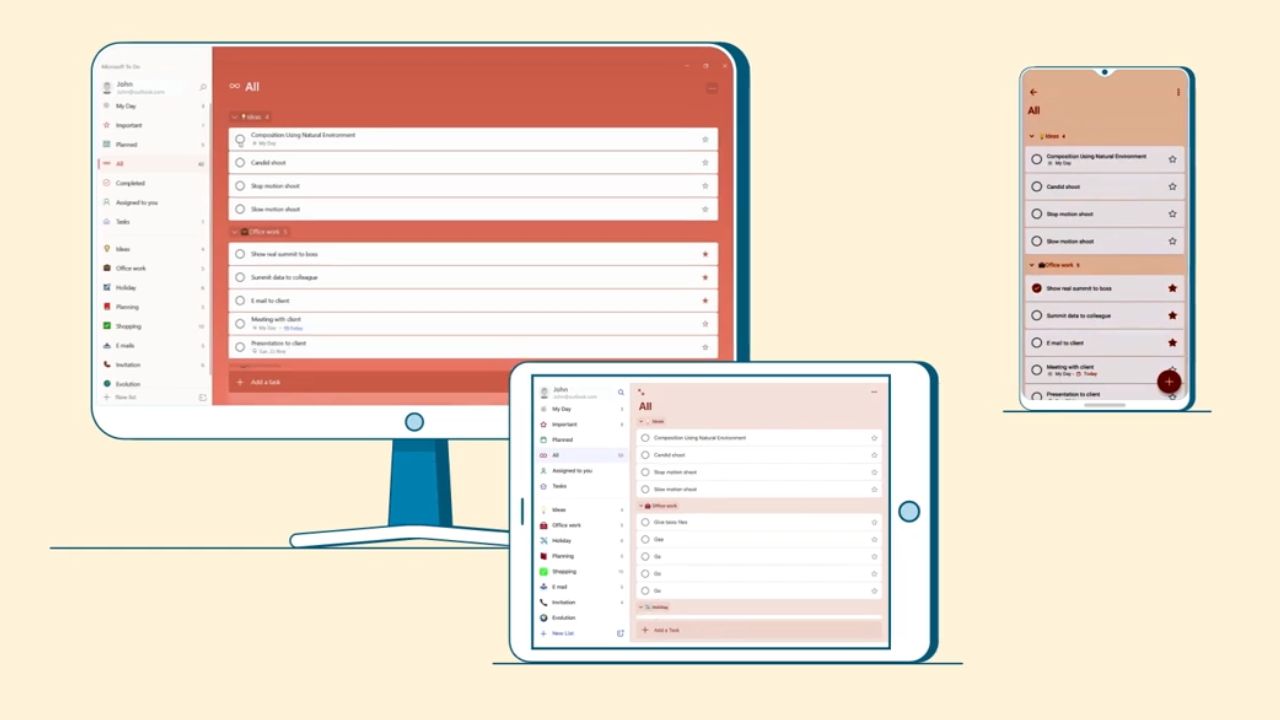
Microsoft To Do is the sensible choice for a dependable list, not a miniature operations department. It offers reminders, task steps, shared lists, My Day, cross-device syncing, and Outlook task integration. Teams needing dependencies, approvals, or detailed reporting should look elsewhere.
3. Todoist
Todoist suits a freelancer balancing personal work with a few active projects. Quick entry, recurring dates, and broad app access make it more flexible than Microsoft To Do. The free Beginner plan currently allows five personal projects, three filter views, reminders, list and board layouts, and one week of activity history. If every client needs a separate project, that limit becomes restrictive.
4. Notion
Among free productivity apps for PC, Notion offers the broadest workspace: pages, databases, boards, forms, and calendars. Its Windows app has x64 and ARM installers. Individuals receive unlimited pages and blocks, but uploads are capped at 5 MB per file, page history covers seven days, and multi-member workspaces face content limits.
Its fourth-place ranking is deliberate. Notion is powerful, but it invites needless system-building. Use it when information needs linked views and shared structure—not for a three-item daily list.
5. Obsidian
Obsidian is better than Notion for private notes, long-term research, and writing kept as local files. Its core Windows app is free without usage limits, including commercial use, and needs no account; Sync and Publish cost extra. Start with plain notes and links before installing community plugins.
6. LibreOffice
LibreOffice is the strongest no-subscription office suite here. Writer, Calc, Impress, Draw, Base, and Math cover most offline document work. It suits students and small organizations that do not need Microsoft 365 collaboration. Check complex Office files in the recipient’s software before sending them; fonts, formulas, and layouts can shift.
7. Everything
Everything by Voidtools finds local files and folders by name with very little fuss. Its index follows file-system changes, and the program is freeware. File contents are not indexed, so content searches are slower. For a crowded local drive, it is hard to beat.
ShareX handles scrolling captures, screen recording, OCR, annotations, and post-capture actions. It is valuable for documentation and bug reports, though its dense interface asks more of beginners than Snipping Tool. The app is free, open source, ad-free, and account-free. Before enabling automatic uploads, check both the destination and the image for private information.
9. LocalSend
LocalSend is one of the most immediately useful free productivity apps for PC for anyone who emails files to themselves. It transfers files across Windows, macOS, Linux, Android, and iOS over a local network. No account or internet access is required, and transfers are encrypted. Both devices generally need the same network, so it does not replace remote file sharing.
10. AutoHotkey
AutoHotkey ranks lower because it requires a willingness to write or adapt scripts. It can expand repeated text, remap keys, open folders, or automate stable sequences. Confirm that examples target AutoHotkey v2; older v1 syntax may fail. Never run a script without understanding what it can access.
11. Clockify
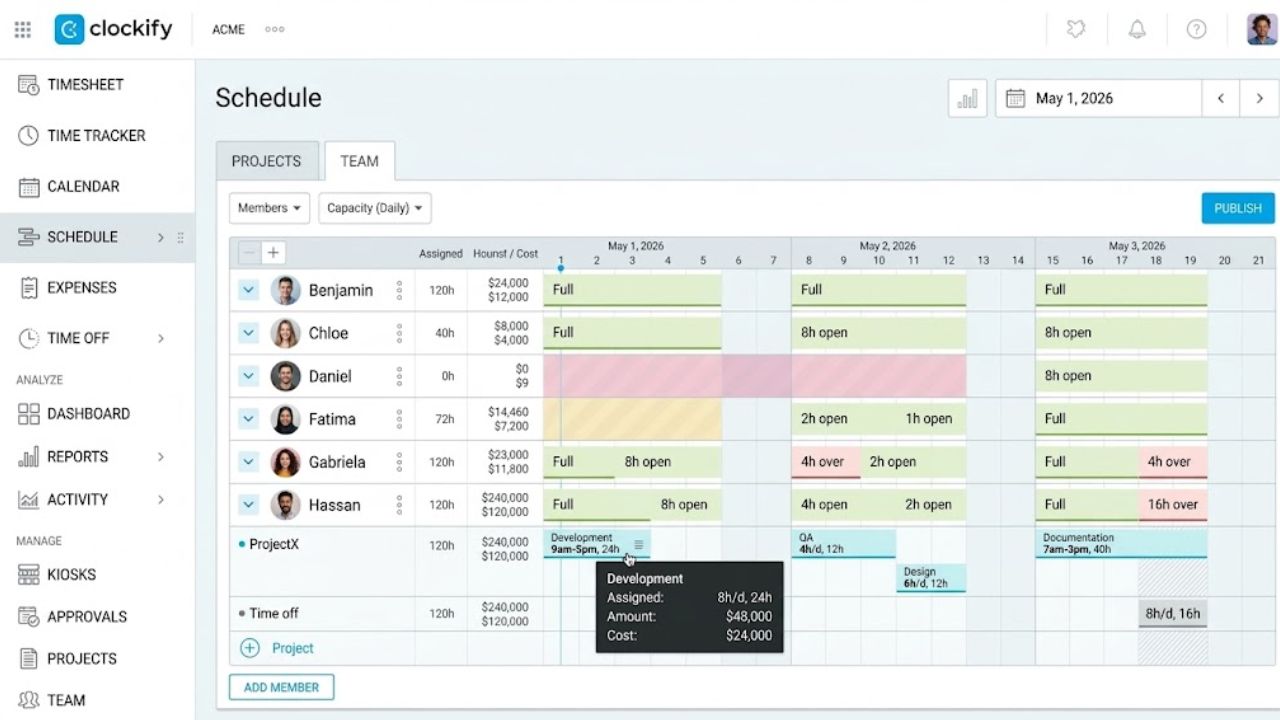
Clockify is useful when time data will change a decision, such as comparing estimated and actual client hours. Its Windows app includes timers, timesheets, reports, automatic tracking, idle detection, and a Pomodoro timer. The free plan currently provides unlimited tracking for up to five users—the owner plus four invitees. Avoid categories that create more record-keeping than insight.
12. Cold Turkey Blocker
Cold Turkey’s free version blocks websites, allows exceptions, runs timed blocks, and shows statistics. Application blocking, weekly schedules, breaks, and stronger locking controls require Blocker Pro. The free edition suits occasional focus sessions, not a recurring system.
13. Bitwarden
Bitwarden belongs among free productivity apps for PC because forgotten and reused passwords waste time and increase risk. Its free account supports unlimited passwords and devices. The desktop download page currently lists Windows 11, so Windows 10 users should verify support or use the browser extension. Choose a strong master password, enable two-step login, and safely store the recovery code; Bitwarden cannot reset an individual vault’s forgotten master password.
14. Microsoft Teams Free
Teams Free covers chat, calls, meetings, file sharing, tasks, and informal collaboration. Current limits include 60-minute group meetings, 100 participants, and 5 GB of cloud storage per user. Microsoft permits small-business and nonprofit use, but organizations needing centralized administration or longer meetings should assess a business plan.
15. Zotero
Zotero is a niche recommendation with exceptional value for research. It collects sources, organizes libraries, supports annotation, and creates citations in Word, LibreOffice, and Google Docs. The Windows program is free; the free online attachment allowance is 300 MB, which a PDF-heavy library can outgrow quickly. For academic work, Zotero is one of the few free productivity apps for PC that removes an entire category of repetitive formatting.
Final Thoughts
Begin with the problem that interrupts work most often. For planning, choose Microsoft To Do or Todoist—not both. Add PowerToys for Windows friction, then choose Notion or Obsidian only if scattered information is the real issue. Bring in Clockify, ShareX, or Zotero when there is a specific job waiting.
The right free productivity apps for PC should prove their value within a week. If an app creates more upkeep than it removes, deleting it is the better productivity decision.
Frequently Asked Questions (FAQs)
Are free productivity apps for PC safe to install?
Many are, but “free” and “open source” do not guarantee safety. Use the developer’s site or a trusted store, review permissions, install updates, and check privacy settings. Read AutoHotkey scripts before running them.
Can these apps be used for paid work?
Several can. Obsidian’s core app permits commercial use, while LibreOffice, PowerToys, ShareX, and LocalSend are not limited to personal projects. Free consumer plans may lack the access controls, support, or administration a company requires, so teams should review licensing and data-handling terms.
Can free tools replace Microsoft 365?
LibreOffice covers many offline documents, spreadsheets, and presentations. It is a weaker substitute when a team needs live Microsoft collaboration, exact Office formatting, centralized administration, or vendor support.