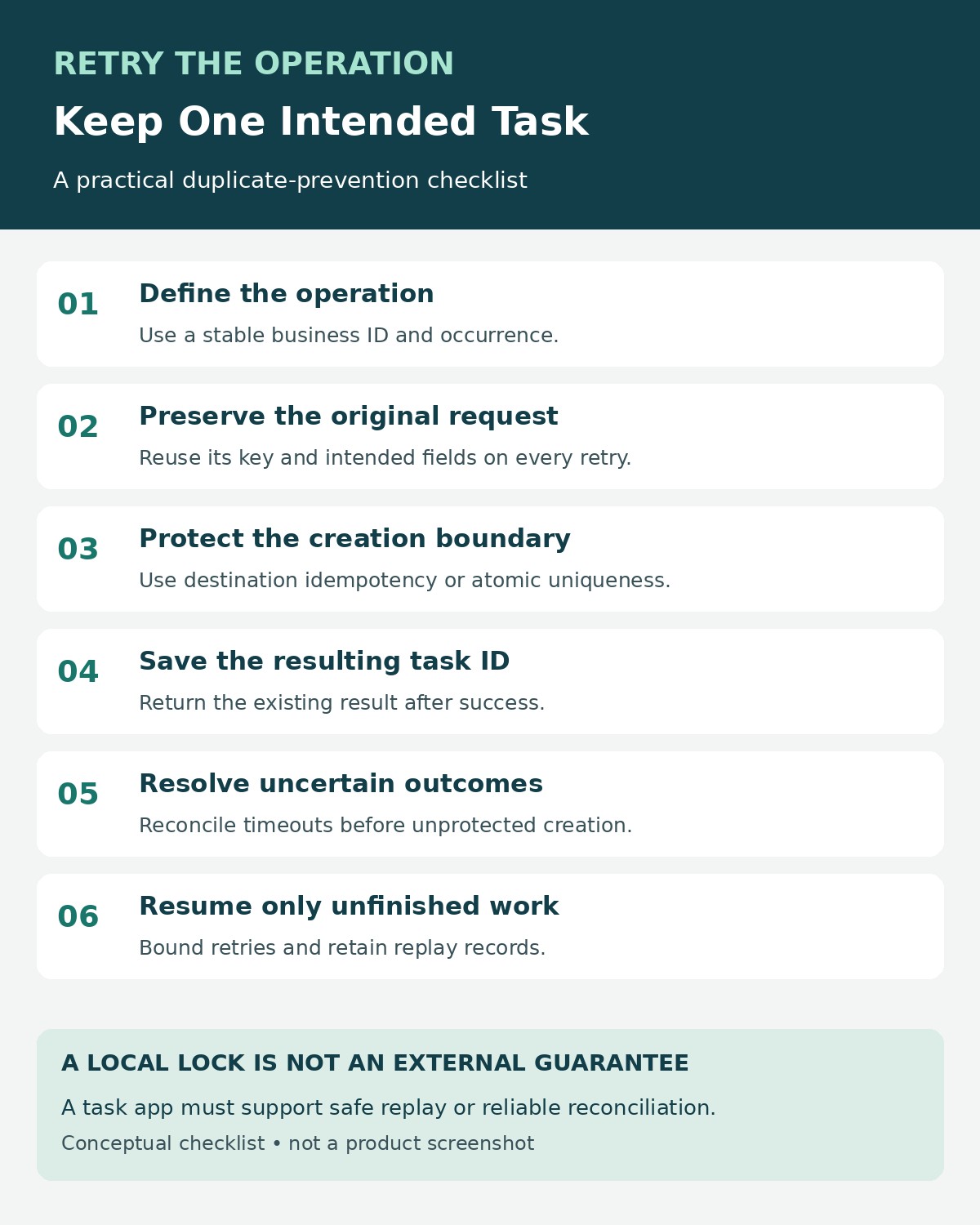
To prevent duplicate tasks when an automation retries, give each intended task a stable operation key and make the destination recognize that key. A retry must reuse the original identity, check the recorded outcome, and return the existing task when creation has already succeeded.
The difficult part is a timeout. Your automation may report an error even though the task app created the task successfully. Clicking “retry” then sends another creation request. Without duplicate protection, both requests can produce valid tasks.
You do not need to disable retries. You need to separate “try this operation again” from “create another task.” This guide explains how to make that distinction in a workflow, what to check in a task app, and how to test the failure cases before turning an automation loose.
First-Hand Review: What Happened When I Retried Task Creation
I built a small Python and SQLite demonstration to test the part of the workflow where a task and its operation key can be saved together. Five sequential deliveries of the same operation returned the same task ID. Eight threads using separate database connections also produced one task: one response reported creation, and seven reused the existing result.
The more revealing check deliberately raised a timeout after the database commit. The caller saw an error, but the task already existed. Retrying with the original key returned that task without creating another. When I injected a failure before the commit, the transaction rolled back and the retry created the task normally.
My takeaway is to protect the creation boundary, then design retries around it. A “completed” checkbox added later is weaker because the process can stop between creating the task and updating the checkbox.
Method: Assistant-operated local experiment on November 18, 2026, using Python 3.12.14 and SQLite 3.53.1. All six defined checks passed. No external task app or automation platform was called; the downloadable package includes the executable script, database, and original result log.
Why a Retry Can Create a Second Task
Imagine an onboarding workflow that creates a task when order 1042 is approved. The task app receives the request and saves the task. Its response is delayed or lost, so the automation cannot tell whether creation succeeded.
A second request is reasonable from the caller’s perspective. The destination, however, needs enough information to recognize that it represents the same intended action.
Microsoft’s retry guidance describes this exact class of ambiguity: a service can finish processing and fail to return the response. Retrying a non-idempotent operation can then repeat its effects. Idempotent means that repeating an operation has the same intended effect as performing it once.
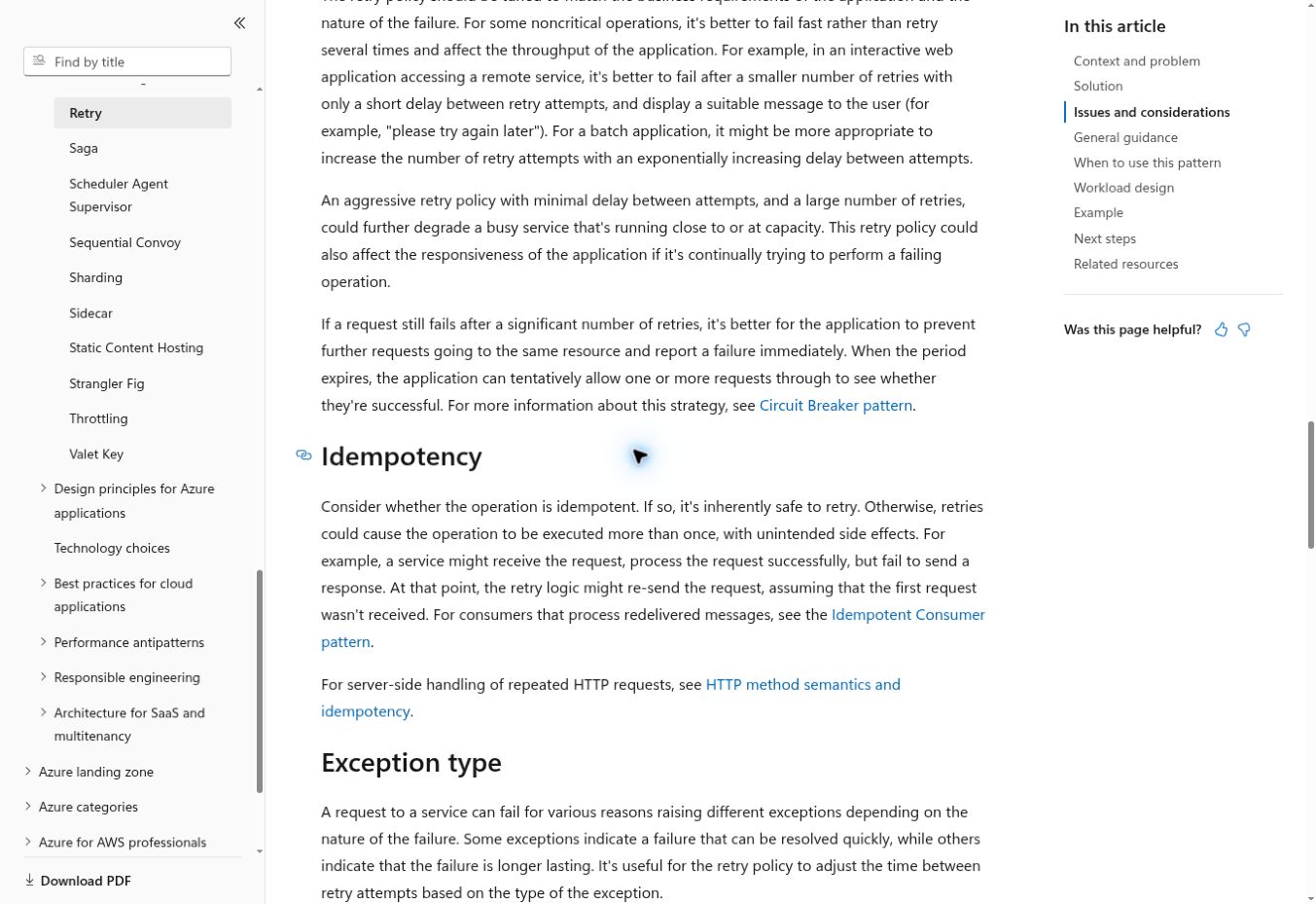
For task creation, the useful outcome is one task for one logical operation, even if there are several delivery attempts. This does not mean every workflow step executes only once. Logs, requests, and retry counters can still record multiple attempts.
1. Define What Counts as the Same Task
Start with the business rule. “Create an onboarding task for this approved order” is different from “create a task whenever any order field changes.” If the rule is vague, duplicate detection may either miss repeat requests or suppress legitimate work.
A practical key might combine a workspace, action, source record, and business occurrence:
workspace-17:onboarding-task:order-1042:approval-1Every retry of that approval uses the same key. A genuinely new approval occurrence can use a different one if the business process calls for another task.
Do not use the task title as the identity. Two legitimate tasks can share a title, and an edited title should not automatically authorize another creation. Avoid a fresh timestamp or random ID generated inside the retry step: that makes every attempt look new.
A random identifier is suitable when generated once for the intended operation, saved durably, and reused. A source event ID can work when repeat deliveries preserve that ID. If separate source events can represent the same business action, derive identity from the business occurrence instead.
For scheduled work, include the intended schedule occurrence, such as the billing month or scheduled date. Specify its timezone. A retry after midnight should still belong to the original occurrence.
2. Check What the Destination Actually Supports
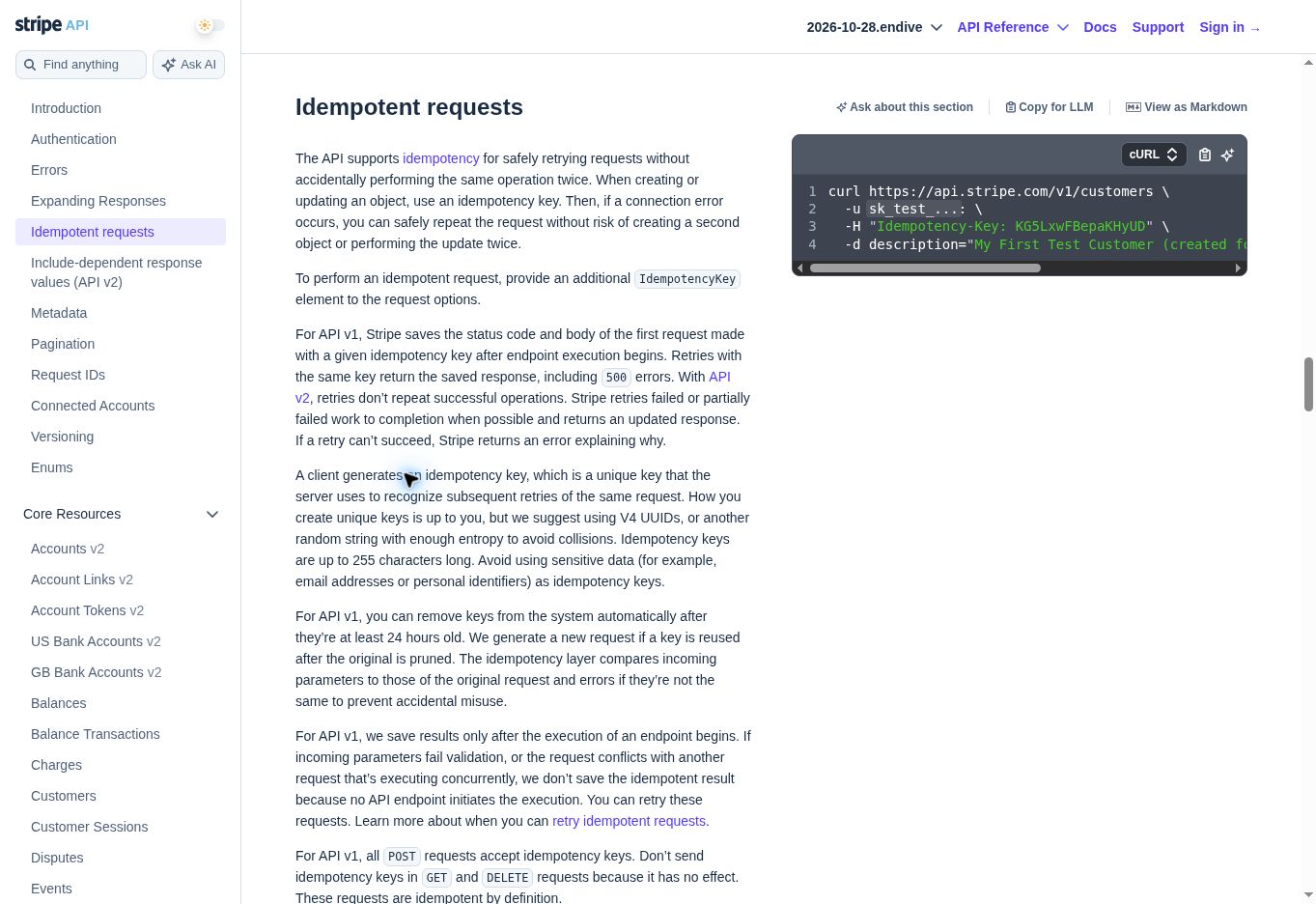
Look for an idempotency key, a unique external ID, or a documented atomic upsert. “Upsert” means creating a record when it does not exist and updating or returning the existing record when it does. Its usefulness depends on a genuinely unique match field and the destination’s concurrency behavior.
| Destination capability | Practical approach | Important check |
|---|---|---|
| Idempotency key on task creation | Send the saved key with each attempt | Retention window, parameter matching, and retry behavior |
| Unique external ID with atomic create or upsert | Store the operation key in that field | Uniqueness must be enforced, not merely suggested |
| Searchable custom field only | Search and reconcile before another create | Two workers can still race; search may lag |
| No stable lookup or duplicate protection | Stop uncertain outcomes for reconciliation | Automatic retries cannot guarantee one task |
Do not assume that an HTTP header works just because your automation can send it. The receiving endpoint must explicitly implement its behavior. Likewise, a connector’s “find or create” action needs verification: the name does not establish that the search and creation happen atomically.
Read the exact API version’s rules. Stripe provides a useful documented example of why details matter: its API v1 can replay a saved response, including a server error, whereas its API v2 describes different handling for failed or partially failed work. That is evidence of differing contracts, not a claim that a particular task app behaves like Stripe.
3. Make the Duplicate Check and Local Creation Atomic
This common sequence is vulnerable:
Search for operation key
If not found, create task
Record success
Two workers can both search before either creates anything. Both see “not found,” and both proceed. A spreadsheet lookup followed by an append has the same underlying problem when concurrent runs are possible.
In my local demonstration, the tasks table has a non-null unique operation key. Each call starts an immediate write transaction, checks the key, and either returns the existing ID or inserts the task before committing. The lookup and insertion share the same database transaction; the uniqueness constraint provides an additional safeguard.
The key structure is small:
CREATE TABLE tasks (
    id INTEGER PRIMARY KEY,
    operation_key TEXT NOT NULL UNIQUE,
    fingerprint TEXT NOT NULL,
    payload TEXT NOT NULL
);
This is a teaching example, not a complete service. The supplied Python script implements the transaction and rollback behavior. SQLite can serialize writers, and an immediate transaction can encounter a busy database; production code needs appropriate handling for that condition.
If your task lives in an external app, putting a unique key in your own database does not make the external creation part of the same transaction. That boundary needs separate protection.
4. Keep the Key Stable and Check the Request Content
Reusing a key with a different request is another failure mode. Suppose the first attempt assigned the onboarding task to one team, while the retry sends a different team and due date. Should the destination return the first task, update it, or reject the request?
Choose and document that behavior. For creation, I recommend treating an unexpected payload change as a conflict rather than quietly creating something else.
The demonstration stores a SHA-256 fingerprint of a consistently serialized JSON payload. A repeated key with a changed title raises a validation error. The original task remains the only task for that key.
In a real workflow, fingerprint the fields that define the operation’s intent. Exclude attempt-specific metadata such as a retry counter. Calculate values such as the due date once and save them with the operation; recalculating “tomorrow” during a later retry may change the request unintentionally.
The fingerprint is a comparison aid, not a replacement for the operation key. Two intentionally separate tasks can have identical content. In my final check, two different keys with identical payloads correctly created two tasks.
5. Handle an Unknown Outcome Before Retrying
Use states that help the next attempt decide what to do. A single success/failure flag cannot express an action that may already have happened.
| Recorded state | Next action |
|---|---|
| Pending | Begin the protected creation attempt |
| Processing | Avoid competing work; inspect ownership and progress |
| Succeeded | Return the saved destination task ID |
| Retryable failure | Retry under the destination’s documented contract |
| Unknown outcome | Reconcile or retry with verified destination-side idempotency |
| Permanent failure | Fix the input or route it for review |
After a timeout, look up the destination using a stable external ID if supported. If the task exists, save its ID and mark the operation complete. If the app guarantees safe replay under the original idempotency key, follow that contract.
An empty search result may be inconclusive when a service’s search index is delayed. Do not convert “not visible yet” into certainty that nothing was created. Without a trustworthy lookup or idempotent creation mechanism, hold the operation for reconciliation instead of repeatedly creating tasks.
A processing lock can reduce overlap, but an expired lock does not prove the previous worker stopped. Workers that resume after losing ownership can still act. Systems using leases need ownership checks and, where supported, fencing that prevents stale workers from changing the destination.
6. Resume the Failed Step, Not Every Completed Step
Consider a workflow that creates a task, adds a comment, and sends a notification. If the notification fails, restarting the entire workflow can duplicate the task and comment.
Save each completed step’s output and resume from the unresolved step. Use separate operation identities for side effects, such as task creation and notification sending, when those destinations support duplicate protection.
When your application must both update its database and queue work, a transactional outbox can help. It saves the business change and an outgoing-work record in one transaction. A separate dispatcher sends the queued work later.
AWS’s outbox guidance also identifies a remaining issue: delivery can repeat. An outbox prevents losing the intent between two writes; the consumer or destination still needs to handle duplicates. It does not, by itself, make an external task-creation request happen exactly once.
For a small no-code workflow, the practical question is simpler: can you recover the task ID from a completed step and rerun only the next step? Check that behavior before relying on the platform’s rerun button. Editorialge’s guide to automating repetitive work tasks can help map the process before configuring its recovery rules.
7. Set a Retry Limit and Keep Records Long Enough
Retry temporary failures with bounded delays and random variation when appropriate. Honor the destination’s retry instructions, including applicable rate-limit guidance. Invalid data and missing permissions usually need correction, not repeated identical requests.
Delays reduce pressure on a struggling service; they do not recognize duplicate tasks. Keep duplicate protection in place independently of the timing policy.
Also inspect how many layers retry. A connector, workflow engine, and your own loop can multiply attempts if each runs its own policy. Choose clear ownership of retries and a limit on total elapsed time or attempts.
Retain operation records for the period during which automated retries, delayed deliveries, and manual replays may occur. A daily cleanup can erase protection for a replay performed next week. Destination-side keys may have their own expiry rules, so local retention alone cannot extend the destination’s guarantee.
For example, Stripe’s API v1 documentation allows keys to be removed after they are at least 24 hours old; a reused key after pruning can represent a new request. Treat that as a provider-specific rule, not a universal retention period.
Test Whether You Prevent Duplicate Tasks
The local experiment produced the following results. Its injected timeout was an exception raised after a successful commit, not an actual network outage.
| Test | Observed result |
|---|---|
| Same key submitted five times | One task; the same ID returned five times |
| Response lost after commit, then retry | Existing task reused; no second task |
| Failure before commit, then retry | Zero tasks before retry; one afterward |
| Eight concurrent threads using the same key | One creation response; seven reused responses |
| Same key with changed title | Conflict rejected; original task retained |
| Two distinct keys with identical content | Two tasks created as intended |
For your actual integration, add tests for delayed search visibility, worker restarts, expired keys, and manual replay. Inspect the destination itself and count the resulting tasks. A green automation run is not enough evidence that only one task exists.
Log the operation key, attempt ID, destination task ID, state, timestamp, and error category. Use opaque identifiers where possible and avoid putting sensitive customer details into keys or logs. Separate attempt IDs let you trace multiple deliveries while the operation key keeps their shared purpose clear.
A Practical Starting Point
Start with one workflow that frequently retries. Define its task identity, preserve the original request, and verify what the destination supports. Then test a successful creation followed by a lost response—the moment when many workflows create their first duplicate.
To prevent duplicate tasks reliably, retries must recover the outcome of an existing operation. Stable keys, atomic local writes, destination-side protection, and an explicit unknown-outcome path make that recovery possible. Where a task app cannot provide those protections, make the uncertainty visible and reconcile it before creating more work.