
Small-business owners rarely lose an entire day to one huge administrative job. Time disappears in five-minute actions repeated all week: copying a lead, confirming an appointment, chasing an invoice, or rebuilding a report. These are exactly the small business tasks worth automating.
The goal is not to hand every decision to software. Good automation handles repeated, rules-based work that is digital and easy to check. People remain responsible for exceptions, sensitive conversations, money, access, and final approval.
That pressure appears in Intuit QuickBooks’ 2026 Business Owner Report. In its survey of 1,305 US business owners, 17% chose bookkeeping, invoicing, and tax preparation when asked what they would hand to a perfectly accurate and secure AI assistant. Creative marketing followed at 15%. The question was hypothetical, but the priority is familiar: relief from routine work without losing control.
Treat workflow automation as a series of controlled handoffs. Software completes predictable steps. A named person checks the result and handles anything outside the normal path.
How to Choose Small Business Tasks Worth Automating
Before buying another tool, observe the task for a week. Record its frequency, duration, required information, and cost of error. It is a strong candidate when most answers below are yes:
- Does it happen frequently?
- Does it follow the same steps most of the time?
- Are the inputs digital and consistent?
- Can a failed action be spotted and reversed?
- Can one person own and review the workflow?
If the process changes every time, standardize it first. When automating repetitive work tasks, map the real process, define exceptions, test failures, and name the person who responds. A free SaaS automation stack may be enough at first. Reliability matters more than the number of connected apps.
| Task | Useful automation trigger | Keep a person responsible for |
|---|---|---|
| Lead capture | New form or inquiry | Qualification and sales judgment |
| Scheduling | Booking request | Complex changes and exceptions |
| Invoicing | Approved milestone | Rates, taxes, and disputes |
| Expense collection | New receipt or transaction | Coding exceptions and reconciliation |
| Inbox management | New email | Promises and sensitive replies |
| Customer support | New request | Complaints, refunds, and escalations |
| Client onboarding | Signed agreement | Scope and access approval |
| Email marketing | Consent or customer action | Claims, offers, and segmentation rules |
| Social publishing | Approved post | Final wording and live checks |
| Inventory | Stock threshold | Purchase approval and cash flow |
| Backups | Scheduled time or data change | Restore testing and access control |
| Reporting | Reporting date or data update | Metric definitions and decisions |
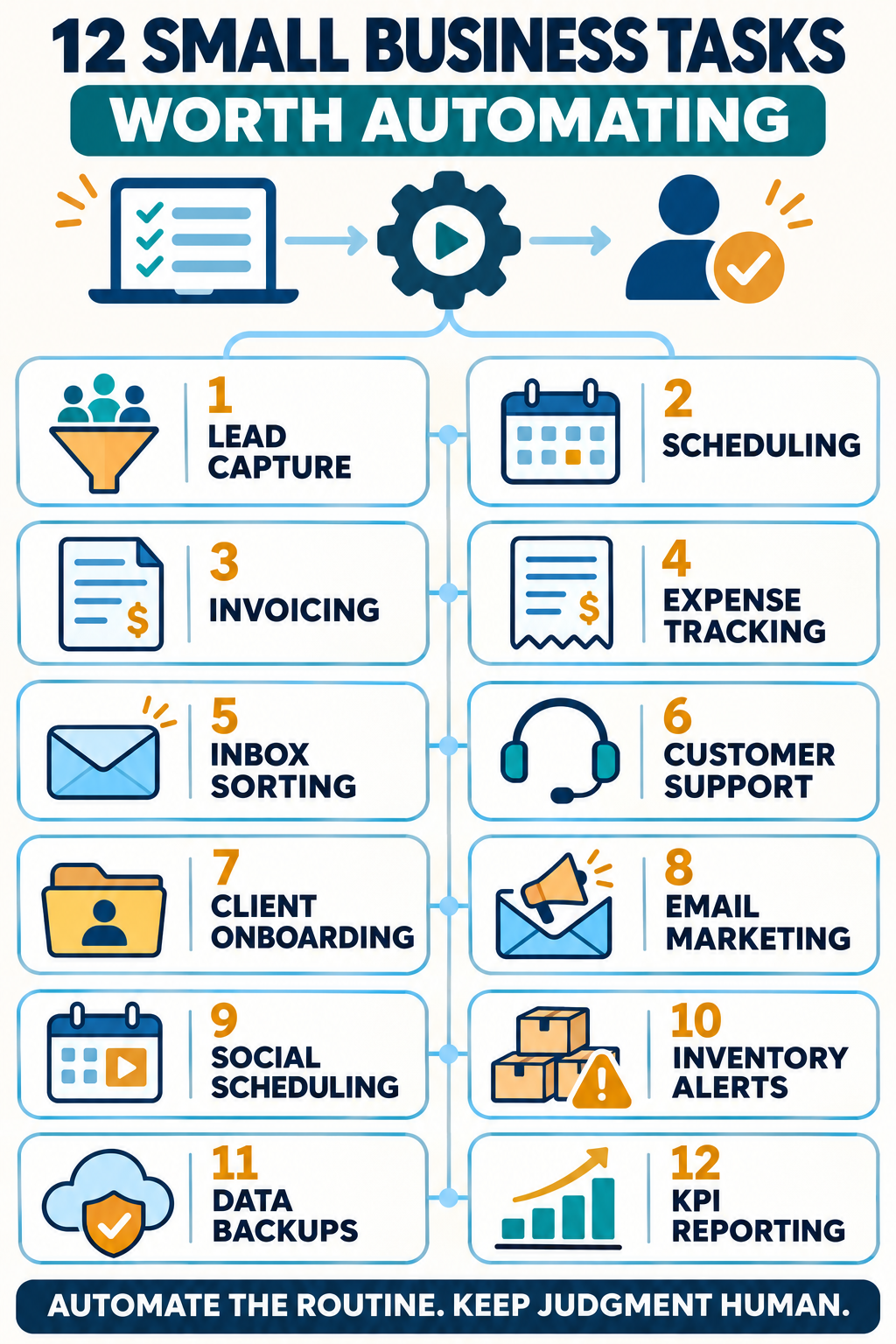
1. Lead Capture and First Response
A new website inquiry should not sit unnoticed in a shared inbox. A workflow can create or update the contact record, save the lead source, send a short acknowledgment, assign an owner, and schedule a follow-up task.
Keep the first response factual. It can confirm receipt and explain when someone will reply, but it should not promise a price, deadline, or service fit before review. Compare CRM options for solopreneurs by how well they handle forms, contact history, follow-up tasks, and future growth, not by feature count.
2. Appointment Scheduling and Reminders
Manual scheduling creates a chain of messages about availability, time zones, locations, and last-minute changes. A booking page can show open times, collect essential information, create the calendar event, send a confirmation, and issue reminders.
Use buffers and clear cancellation rules. If several employees share bookings, decide how the system assigns work. The best choice among scheduling tools depends on whether the business needs simple meeting links, group coordination, paid appointments, intake forms, or staff routing.
3. Invoice Creation and Payment Reminders
Invoicing becomes a strong automation candidate when the billing event is clear. An approved milestone, completed order, or recurring service date can create a draft invoice and start a reminder schedule. The system can also flag overdue accounts without requiring someone to check every invoice daily.
A person should still confirm the customer, amount, currency, tax treatment, discount, and payment terms before a new or unusual invoice goes out. Refunds and disputes also need human review. A broader invoice and admin automation workflow can connect billing with documents and reminders while preserving approval for important financial decisions.
4. Expense Collection and Bookkeeping Preparation
Small receipts become a large problem when they remain scattered across email threads, wallets, and chat messages. A receipt-capture workflow can save the file, extract the date and amount, suggest a category, match it with a transaction, and flag missing information.
Treat the result as preparation, not unquestionable accounting. Duplicate charges, unusual vendors, mixed expenses, and uncertain tax categories need review. The gain is a cleaner record for the owner or bookkeeper, not the removal of professional judgment.
5. Inbox Sorting and Routine Email Drafts
Rules can label receipts, route supplier messages, surface priority customers, and move newsletters out of the main inbox. AI can also draft routine replies for scheduling, status updates, and common questions.
Do not let a draft send itself when it contains a price, commitment, attachment, complaint response, or confidential information. Check names, dates, numbers, and tone. The current range of AI email apps includes tools for prioritization, summaries, drafting, and follow-up reminders, but each business should begin with one narrow inbox problem.
6. Customer Support Intake and Routing
Automation can acknowledge a request, create a ticket, identify the topic, route it to the right person, and suggest a saved answer. It can also alert the team when a case has waited too long.
Routine questions about opening hours, order status, or basic setup are suitable starting points. Billing disputes, security reports, cancellations, and angry customers need a visible path to a person. When comparing customer support tools, prioritize shared history, ownership, human escalation, permissions, and reporting over the promise that a chatbot can answer everything.
7. Client Onboarding and Project Setup
Once an agreement is signed, a workflow can create the client folder and project, send a welcome message, request documents, assign internal tasks, and schedule the kickoff meeting. This prevents the same details from being copied into several systems.
The workflow should not decide the scope or grant broad access. Someone must confirm what was purchased, which files are required, and who may see sensitive information. Some project management tools for freelancers combine forms, tasks, files, invoices, and client portals, reducing separate handoffs.
8. Email Marketing and Follow-Up Sequences
A contact’s action can start a relevant sequence: a welcome email after signup, an educational series after a download, a reminder after an unfinished inquiry, or a renewal message before a service ends. Segmentation prevents every subscriber from receiving the same message.
Build consent, unsubscribes, exclusions, and sending frequency into the workflow. A person should approve claims, discounts, deadlines, and major changes. Compare email marketing platforms by the automation the business will maintain, contact limits, integrations, and reporting, not the longest feature list.
9. Social Media Scheduling and Content Handoffs
Social automation is most useful before publication. A content calendar can assign an owner, show draft and approval status, schedule an approved post, and alert the team if publishing fails. This reduces daily interruptions without outsourcing the brand’s judgment.
Keep final approval for sensitive topics, news reactions, complaints, and statements attributed to a person. A practical content calendar should show what is going live, who owns it, and what is blocking it. Someone should still confirm that a scheduled post published correctly and fits the moment.
10. Inventory and Reorder Alerts
For a product business, each sale can update stock and trigger an alert when an item reaches its reorder point. A workflow may also prepare a purchase request, notify the buyer, or highlight slow-moving inventory.
Avoid automatic purchasing until supplier reliability, lead times, minimum order quantities, seasonal demand, and cash limits are understood. Start with alerts and approval, then expand if the data proves dependable. The features to compare in inventory management systems include channel syncing, reorder points, barcode support, location tracking, and accounting integrations.
11. Backups and Failure Alerts
Backups are ideal for scheduling because they must run even when nobody remembers them. Automate copies of essential files, website data, and business records, then send an alert when a job fails or a protected system has not backed up on time.
Do not confuse file synchronization with a complete backup strategy. Restrict deletion rights, protect at least one recovery copy from ordinary accounts, and test a real restoration. The common cybersecurity mistakes small businesses make include keeping inadequate backups or never confirming that stored data can actually be recovered.
12. Recurring Dashboards and Status Reports
Weekly reporting often means copying the same numbers from sales, marketing, support, and operations tools. Automation can collect approved metrics, refresh a dashboard, generate a standard summary, and alert the owner to an unusual change.
The system cannot repair a poorly defined metric. Decide what each number means, which source controls it, and who investigates a mismatch. When comparing marketing reporting tools, consider connector reliability, refresh limits, data ownership, and dashboard maintenance.
Start With One Reliable Workflow
Choose one frequent, low-risk task that employees already understand. Document the trigger, required information, normal steps, exception path, owner, and stop condition. Test it with sample data before using it on a small share of live work. Watch the failed runs as closely as the successful ones.
Then measure what changed: time saved, errors reduced, response speed, and completed follow-ups. Automation still needs maintenance because apps change, permissions expire, fields are renamed, and business rules evolve. Review important workflows regularly and keep a manual recovery path. The best small business tasks worth automating quietly remove predictable work while leaving trust and judgment with people.
Frequently Asked Questions about Small Business Tasks Worth Automating
What should a small business automate first?
Start with a frequent, rules-based task that is easy to inspect and reverse. Lead acknowledgment, appointment reminders, invoice reminders, and routine reports are common choices. Pick the clearest process, not the most impressive software demo.
How can a business tell whether automation is saving money?
Record time, errors, and delays before the change. After launch, include subscription fees, setup, maintenance, and correction costs. The workflow is worthwhile when its measured benefit exceeds its full operating cost.
Which decisions should remain human?
Keep people involved in hiring and firing, negotiations, unusual payments, refunds, contracts, access changes, legal or tax judgments, sensitive complaints, and permanent deletion. Automation may collect information and prepare the next step, but an authorized person should decide.