Branching customer support training scenarios let agents practice difficult conversations before a real customer is waiting. The right tool helps a team map choices, show consequences, and give useful feedback without turning every situation into a long, linear course. These six tools cover dedicated dialogue simulations, full course authoring, and lighter-weight ways to prototype a branching exercise.
How to choose a scenario tool
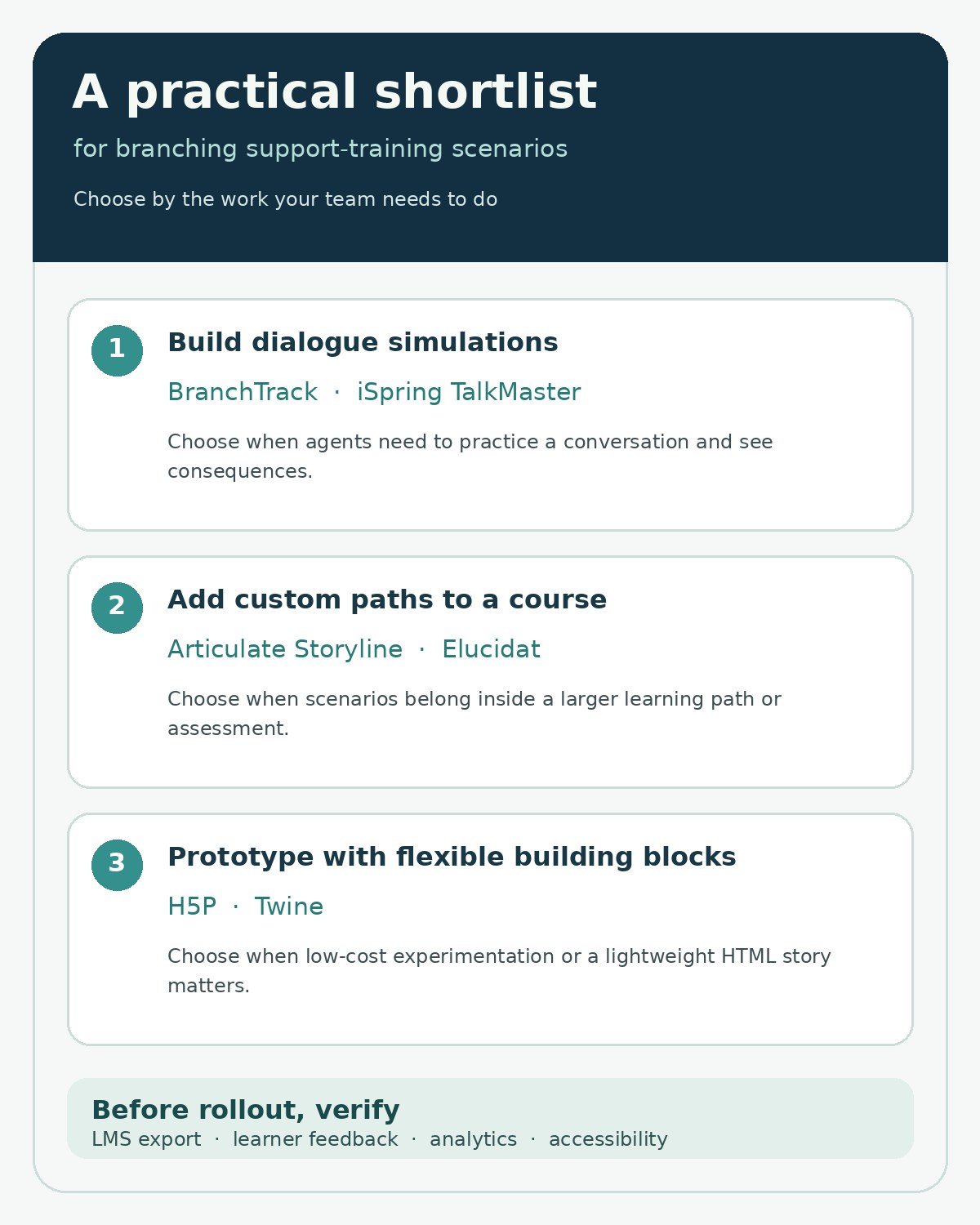
If you want a purpose-built conversation simulation, start with BranchTrack or iSpring TalkMaster. If your scenario belongs inside a larger course, compare Articulate Storyline and Elucidat. H5P and Twine offer more flexible, lower-cost starting points, although you may need to handle hosting, analytics, or technical setup yourself.
What We Checked
On November 17, 2026, we reviewed public product and help documentation for BranchTrack, Articulate Storyline, and H5P, then checked the published feature descriptions for Elucidat, iSpring TalkMaster, and Twine. The pages describe different authoring approaches, from a visual decision-tree editor to branching inside a course and a nonlinear story tool. These are documentation checks, not tests of paid accounts, LMS exports, learner analytics, or customer-support workflows. No product account or live training scenario was operated for this article.
Six tools for building branching customer support training scenarios
The list is grouped by the kind of work each tool supports; it is not a ranking. Capabilities below reflect public product documentation reviewed on the date above. Pricing and access can vary by plan, hosting choice, and organization.
| Tool | Useful starting point | Check before choosing |
|---|---|---|
| BranchTrack | Dedicated conversation simulations | Plan limits, LMS connection, and reporting |
| iSpring TalkMaster | Dialogue practice with characters and scoring | Delivery workflow and reporting for your LMS |
| Articulate Storyline | Custom branching inside a full course | Authoring time and licensing |
| Elucidat | Rule-based paths in collaborative course projects | Plan access and implementation support |
| H5P Branching Scenario | Interactive, media-rich branching content | Hosting, integrations, and learner data |
| Twine | Lightweight text-first prototypes | Tracking, accessibility, and technical upkeep |
BranchTrack is the most directly focused option here for customer-facing dialogue practice. Its browser-based editor is designed around writing choices and connecting decision points. That structure fits a support exercise such as a delayed-delivery complaint: an agent can acknowledge the impact, ask a clarifying question, or jump to a policy answer, with each choice leading to a different response.
The company documents shareable simulations, SCORM packages for an LMS, embeds in other authoring tools, reviewer comments, and learner-behavior insights. Those features make it worth considering when instructional designers want a scenario editor separate from their main course builder. The trade-off is that the LMS, reporting, collaboration, and learner-platform features may depend on the selected plan. Confirm that the exact export and analytics you need are included before building a large scenario library.
2. iSpring TalkMaster: practice the words and tone of a support conversation
iSpring describes TalkMaster as an authoring tool for interactive role-plays and branching scenarios. Its product materials describe dialogue simulations using characters, locations, emotions, voiceovers, and scoring. That makes it a natural fit for coaching agents through the language of a conversation: de-escalating an angry customer, explaining a refund boundary, or setting expectations during an outage.
TalkMaster is more conversation-oriented than a general course builder, which can help a training team focus on the learner’s response at each turn. Before adopting it, map how scenarios are published and tracked in your current learning environment, and confirm which product or subscription includes the features you intend to use. Public feature descriptions do not establish how your own LMS will record completion or scores.
3. Articulate Storyline: create detailed branches inside a custom course
Storyline is a broad course-authoring environment with branching scenarios as one of many interaction types. Articulate documents slide layers, triggers, states, variables, quizzes, feedback layers, and LMS publishing. A support trainer can use those controls to build a realistic sequence: the customer begins with a billing dispute, the agent chooses a response, and later information changes depending on that choice.
This flexibility suits teams that need a carefully branded course, several interaction styles, and control over the full learning path. Storyline can also be more work to design and maintain than a dedicated simulation tool, especially when a course contains many branches, exception rules, or translated versions. Plan a small scenario first and confirm how the selected LMS package reports the outcomes you care about.
4. Elucidat: route different learners through rule-based course paths
Elucidat’s authoring documentation describes Rules that can reveal or omit course pages based on learner answers, scores, completed pages, or overall results. That can support role-specific training—for example, sending billing specialists and technical support agents through different follow-up paths after a shared opening scenario.
The advantage is that branching can sit within a larger course and adapt what each learner sees. This is useful when the same support policy applies to several teams but the decisions differ by role. The authoring model requires a clear plan for the rules and their edge cases; otherwise, learners can miss a required step or receive a path that does not match their job. Elucidat is a cloud authoring product, so teams should confirm plan access, review workflow, and LMS delivery requirements before committing.
5. H5P Branching Scenario: combine choices with interactive learning content
H5P’s Branching Scenario content type lets authors arrange choices as a tree with multiple paths and endings. The official description says an activity can include text, images, video, interactive video, hotspots, and course-presentation content; authors can also attach different feedback and scores to branches or endings. That gives a support trainer room to combine a customer message, a short policy excerpt, and a decision point in one activity.
H5P can be an appealing option for teams already using an H5P-compatible learning platform or hosting setup. Its flexibility comes with implementation questions: who will maintain the content type, where it will be hosted, and what learner data the organization can collect. Separate the content authoring decision from hosting and analytics; open-source content does not mean every delivery or reporting need is automatically covered.
6. Twine: sketch a text-first support scenario quickly
Twine is an open-source tool for interactive, nonlinear stories. Its official site says a simple story can be created without code, while variables, conditional logic, images, CSS, and JavaScript can extend the experience. It publishes to HTML, so a small team can use it to map a conversation, test the wording of alternative replies, and share a prototype before investing in a polished course.
That makes Twine useful for an early design pass or a low-complexity, text-led exercise. It is not a dedicated LMS course-authoring system: the team should verify how it will capture learner progress, protect customer or employee data, provide accessible interactions, and maintain custom code. If completion records and detailed performance reports are essential, compare an LMS-integrated authoring tool before choosing Twine for final delivery.
Turn a support policy into a useful branching exercise
Start with one recurring customer problem rather than a broad “customer service” course. For example, take a customer whose subscription renewed after they intended to cancel. Define the learning goal as explaining the renewal policy clearly, checking eligibility, and offering the next valid step. Then map the scenario:
- Opening: Show the customer’s message and the information an agent is allowed to see.
- Decision: Offer a few realistic replies, including a tempting but incorrect promise.
- Consequence: Show how the customer responds and which policy or handoff applies.
- Feedback: Explain why the choice helped or harmed the conversation, citing the relevant internal rule.
- Recovery: Let the learner try again or practice the escalation path.
Use fictional names, account details, and order data. Have a support subject-matter expert review the policy and edge cases before learners see the activity. A scenario should teach judgment as well as the correct script: when to ask a question, when to stop promising a fix, and when to transfer the issue.
What to pilot before rolling out
- Can authors inspect and test every branch, including dead ends and repeated loops?
- Does the tool export or embed in the organization’s LMS, and do completions or scores return as expected?
- Can a learner pause, retry, use captions, and navigate with a keyboard?
- Can trainers revise a policy without rebuilding unrelated course sections?
- Are analytics meaningful for coaching, and are they collected in a way the organization has approved?
Keep the first pilot small: one policy, one customer persona, and a handful of decisions. Ask agents to explain why they chose a reply, not only whether they reached the preferred ending. For more on the system that records incoming support work, see our guide to tools for recording learner support requests in paid courses. Training content and the ticketing process serve different jobs, but they should use the same approved policies and escalation routes.
Scenario-based training is best treated as a practice environment, not a guarantee of better service outcomes. A recent workplace study examined role-play training in a specific customer-support setting; its findings should not be assumed to transfer automatically to another team or tool. Use a short pilot to see whether the exercise reflects real cases and whether managers can identify a skill worth coaching. Read the workplace study on customer-service role-play training.
Final Thoughts: match branching customer support training scenarios to the team
The best fit depends on how much of the experience you want to build. BranchTrack and iSpring TalkMaster center on dialogue simulations; Storyline and Elucidat support richer paths inside complete courses; H5P and Twine can help teams prototype interactive content with different hosting and tracking responsibilities. Before selecting a platform, build one small scenario from a real support policy, test its branches and accessibility, and verify how it will reach learners and report completion. A short pilot will show which platform fits your branching customer support training scenarios and internal workflow.