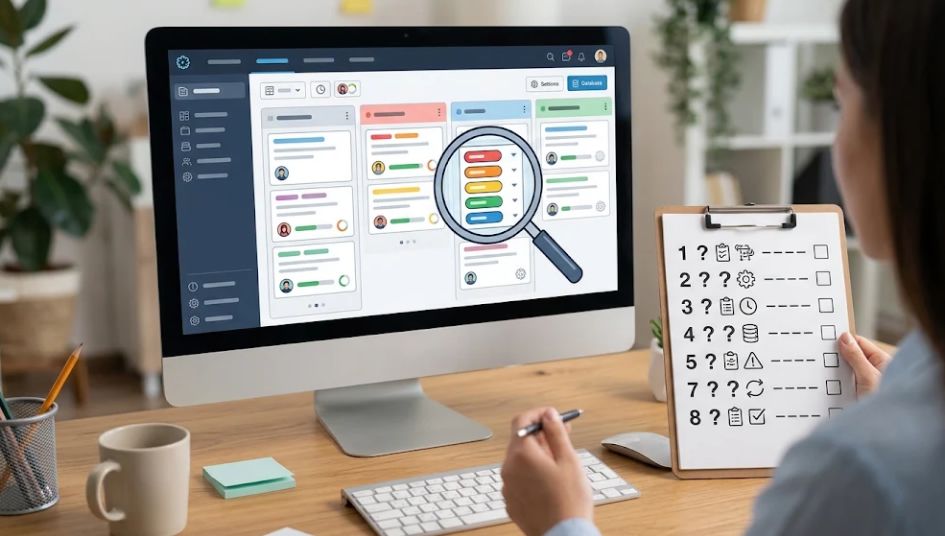
Letter-tracing feedback can tell you how an app responded to a child’s movement. A line changes color, a sound plays, or a star appears. What that response means depends on the activity’s rules. It does not, by itself, establish that the child recognizes the letter, remembers its shape, or can write it independently.
For parents and early childhood educators, the useful question is narrower: what happened during this attempt, and what might help next? Watch the movement, record the support, and keep the app’s response separate from your interpretation. That gives you something more useful than a screen full of rewards: a description you can revisit.
Research-Based Review Overview
Early childhood assessment guidance favors purposeful observations across activities and over time. Handwriting research also distinguishes tracing an existing shape from producing a letter yourself. Together, these point toward a practical approach: treat a tracing activity as one opportunity to observe, rather than a complete measure of literacy.
This guide draws on professional assessment guidance, a published handwriting study, and an educational institution’s observation procedures. No children or commercial apps were tested for this article. The sample notes and scenarios are illustrative, and the observation sheet is an editorial tool, not a validated assessment.
The goal is not to remove encouragement or dismiss digital practice. It is to avoid asking for a completion signal to answer questions it was not designed or shown to answer.
What Letter-Tracing Feedback Can—and Cannot—Show
An app may respond to contact with a target, movement along a path, stroke order, or completion of a shape. Check its instructions before deciding what a signal represents. If the scoring method is not explained, record the visible response without inventing an explanation for it.
“The outline turned green after the final stroke” is an observation. “The child has mastered the letter” is a much broader conclusion.
Several different abilities can appear in the same activity. A child might follow a visible line without naming the letter. Another might recognize it immediately but find the touch controls difficult. An adult may have demonstrated each stroke before the app rewarded the result. Those distinctions disappear when everything is summarized as a percentage.
| What you see | What you can record | What it does not establish by itself |
|---|---|---|
| The app gives a star | The activity awarded a star after this attempt | Independent letter knowledge or a reading level |
| A stroke is rejected | The app did not accept that movement | Why it was rejected or whether the child understands the letter |
| The child finishes quickly | The attempt was completed quickly in these conditions | Better understanding than a slower attempt |
| The child retries | Another attempt followed the feedback | A fixed level of motivation, ability, or persistence |
| The result improves after help | Performance changed with the recorded support | The same performance without that support |
A progress display is not automatically invalid. However, a claim that it measures learning needs evidence for the intended interpretation, the children it serves, and the way it is used. NAEYC’s developmentally appropriate practice guidance makes this distinction explicit: assessments should be used for purposes and populations for which reliable, valid information has been demonstrated.
Choose One Thing to Notice Before Starting
A broad aim such as “check handwriting” is hard to observe consistently. Choose a small question instead: does the child notice the starting cue? What happens after an audio prompt? Does the child attempt the next stroke before asking for help?
Keep the question appropriate to the activity. If you want to know about letter recognition, tracing alone will not answer it. If you want to understand how the child responds to a correction, record the correction and the next action rather than how attractive the final letter looks.
You do not need to document every movement. One useful note from an ordinary interaction can be easier to interpret than a long checklist completed while the child waits for you. Observation should support the activity, not turn it into a performance for the adult.
Record the Conditions That Change the Meaning
Start with the letter and form shown. Uppercase A and lowercase a are different tasks; different typefaces can also present different forms. Note whether the child traced a model, copied one nearby, or tried to produce a letter without a visible model.
Then record the input method and support. Finger tracing on glass, using a stylus, and drawing with a pencil are different situations. Do not assume a change between them measures progress or decline.
Useful context includes:
- The letter, case, and visible model or guide.
- Finger, stylus, pencil, or another input method.
- Any demonstration, spoken cue, gesture, or physical assistance.
- The app’s exact response, where practical.
- What the child did or said next.
Record accommodations as part of the conditions, without labeling them as failures. An enlarged target or familiar language prompt may make participation more accessible. If you change a setting, note it before comparing this attempt with an earlier one.
Write What Happened Before Explaining It
Objective notes help another adult understand the event without inheriting your judgment. Lower Columbia College’s Head Start observation procedures call for factual descriptions of children’s actions and language, gathered across activities and over time. Its local reporting schedule is a program requirement, not a recommended schedule for every family.
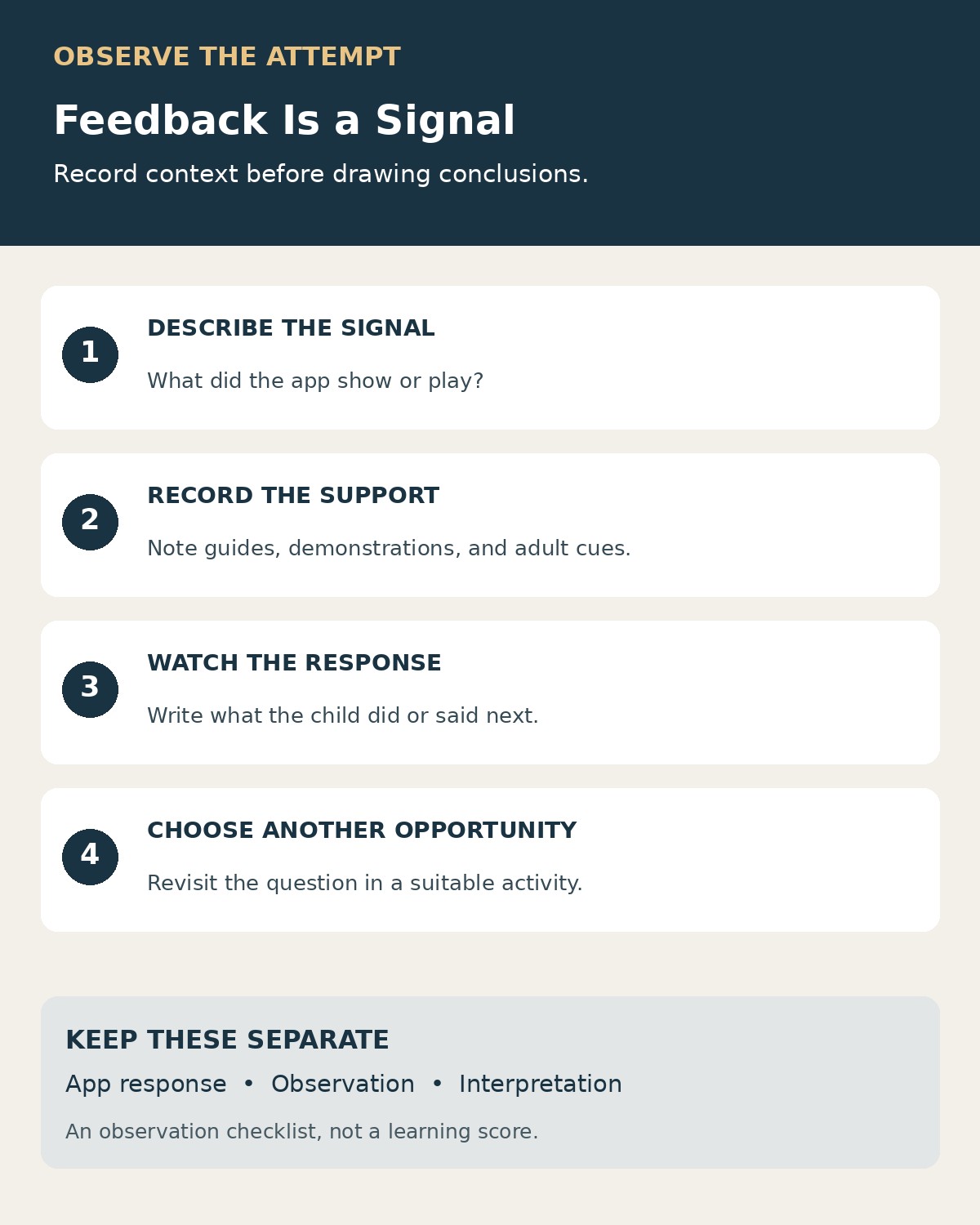
For a tracing activity, separate three short entries: observation, tentative interpretation, and next opportunity. Keeping them distinct prevents a reasonable guess from quietly becoming a recorded fact.
| Less useful note | More useful observation |
|---|---|
| “Poor at tracing.” | “Lifted the finger halfway through the curve; the app restarted the path.” |
| “Understands lowercase b.” | “Traced lowercase b with the model visible; naming was not observed.” |
| “Needed too much help.” | “Started after an adult pointed to the starting dot.” |
| “Got frustrated.” | “Pushed the tablet away and said, ‘I don’t want another turn.’” |
| “Much better today.” | “Completed the path without the spoken cue used in the previous recorded attempt.” |
These are sample phrasings, not observations of real children. The more useful versions leave room for explanation. A finger lift could reflect a movement choice, a misunderstanding of the interaction, or something else. The note does not settle the cause.
An Illustrative Example: The Same Star, Different Support
Imagine two attempts at tracing uppercase L. In the first, an adult points to the starting dot and says, “Down, then across.” The child follows the path and receives a star. In the second, the child starts and completes the path without a spoken prompt while the on-screen guide remains visible. The app awards the same star.
The rewards look identical. The observation records should not.
For the first attempt, a useful note is: “Completed L with the path visible after one pointing gesture and one spoken direction.” For the second: “Completed L with the path visible; no adult cue during this attempt.”
The second observation shows less adult support in that particular task. It does not yet show independent writing from memory. The visual path is still support, and the two attempts might also differ in familiarity, settings, or other conditions.
The next opportunity could be ordinary play: making an L on a pretend shop sign, copying it beside a model, or finding it in a familiar name. Choose the activity to match the question you still have. Do not require a child to pass a sequence of checks before being allowed to enjoy the activity.
Look Beyond the Traced Outline
Tracing, copying, recognizing, naming, and producing a letter from memory ask the child to do different things. A useful record names the task rather than combining them under “knows letters.”
In a 2012 study by Karin H. James and Laura Engelhardt, preliterate five-year-olds printed, typed, or traced letters and shapes before researchers examined brain activity during visual perception. The researchers reported differences associated with the preceding experience, including recruitment of a previously identified reading-related circuit after free printing rather than tracing or typing.
This was a neuroimaging study, not a validation of app scores or a measurement of a particular child’s reading attainment. It does not establish that tracing is useless. Its relevance here is narrower: different activities should not be treated as interchangeable evidence.
To explore recognition, you might notice whether the child finds the letter in a book or among familiar letter cards. To explore formation, offer paper and a writing tool during a meaningful activity. To explore recall, notice an occasion when the child chooses to make the letter without a visible model. Record what actually occurs, including any help.
These observations can inform your next conversation with an educator. They should not be added together into a homemade literacy score. Letter names, letter sounds, and movement control deserve their own descriptions.
Respond to the Child, Not Just the Animation
Feedback is most useful to observe when you watch what follows it. Does the child look at the highlighted starting point? Ask what the sound means? Make the same movement again? Stop because the activity is no longer enjoyable?
Use comments that make the action understandable. “You started at the dot that time” describes something visible. “The app wants another stroke; let’s look at its guide” keeps the correction attached to the task. Avoid treating a rejection sound as a judgment about the child.
If the response seems inconsistent with what you saw, pause and inspect the instructions or settings. You can explore the interaction yourself without asking the child to keep repeating it. Record the uncertainty: “App rejected the stroke; reason not established.”
There is no need to insist on a perfect run. If the child wants to stop, put the device aside and return to a familiar activity. A note about what happened can be sufficient; finishing every screen is not the purpose of observation.
Use a Small Observation Record
The following format keeps the evidence and interpretation visible. It is designed for notes, not ranking children or diagnosing difficulties.
| Field | What to enter |
|---|---|
| Date and context | When and where the observation occurred |
| Question | The one thing you intended to notice |
| Task | Letter, case, input method, visible guide, and relevant settings |
| Support | What the app or adult provided before and during the attempt |
| Observation | Actions, words, and the app’s response |
| Interpretation | A tentative explanation, with uncertainty stated |
| Next opportunity | A small activity or question to revisit |
Keep “not observed” available. It means the activity did not give you evidence about that skill; it does not mean the child cannot do it. If you keep work samples, date them and add the task conditions. A screenshot of a completed path cannot show who guided the movement or what happened before it.
Store notes privately and share only what is needed with the relevant educator or caregiver. A child’s face, full name, or account details are unnecessary for a simple tracing observation record.
Discuss Patterns Without Turning Them Into Labels
When you have several notes, look for a useful teaching question. Perhaps the child begins more readily after a demonstration, notices a visual cue but not an audio one, or recognizes a letter in print while needing support to form it. Describe the situations in which each observation occurred.
Avoid comparing two children through an app leaderboard, or comparing your own child’s results across changed settings as though the tasks were identical. If a difficulty repeatedly interferes with participation across activities, bring concrete examples to the child’s educator. An app’s percentage alone is not a diagnostic finding.
When choosing a tool, ask what its progress display actually represents and whether its feedback gives the child useful information. Editorialge’s guide to evaluating educational apps provides a broader framework for considering purpose, feedback, accessibility, and family fit.
Let the Observation Guide the Next Activity
Letter-tracing feedback is useful when it helps you notice an action, understand the support involved, and choose what to offer next. Keep the reward in its proper place: it is a response from the activity, with a meaning that needs to be understood.
A short factual note—what the child did, what help was present, and what remains unobserved—preserves more useful information than an unsupported claim of mastery. Over time, ordinary writing, play, conversation, and shared reading can add context that a tracing screen cannot supply on its own.