
The best employee SOP and process documentation tools help people find the right instructions, follow them and keep them current. Scribe and Tango suit screenshot-based software guides; Trainual and Waybook connect documentation with training; and Process Street suits repeatable work that needs recorded execution. SweetProcess, Notion, Confluence, ClickUp, and Google Docs cover different combinations of procedures, team knowledge, and everyday collaboration.
The expensive mistake is buying a training platform when you only need a document library—or buying a document library when managers need proof that work was completed. This comparison separates those jobs and pays particular attention to what happens when you export your SOPs.
How We Evaluated Employee SOP and Process Documentation Tools
We compared official product, pricing and export documentation for ten tools on November 15, 2026, focusing on instructions, upkeep, accountability and portability. We also completed one original Google Docs document-and-export pilot through an authorized connection; the test was assistant-operated, not a human employee study.
The evidence below shows what that pilot produced. The other nine tools are research-based assessments, and the numbered order groups useful options rather than ranking measured performance. Public-page images document vendor disclosures; red boxes are editorial highlights. Displayed prices depend on billing period, currency and seat count.
Our Google Docs Test: Eight Steps, Two Export Formats
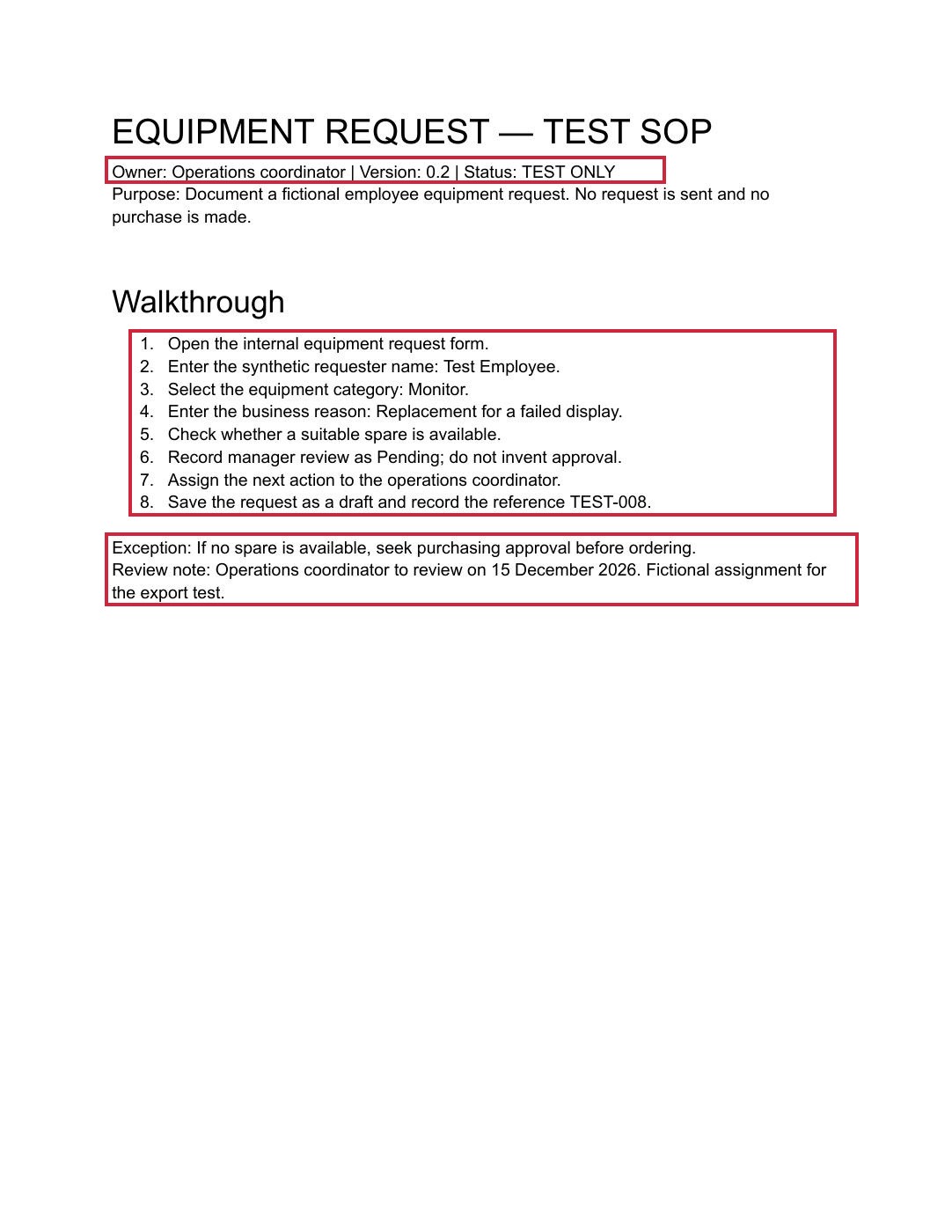
The concrete result: the inspected PDF contained all eight numbered instructions on one page, together with version 0.2, an exception and the revised review note. The DOCX also retained the instruction text and native numbering structure. This gives readers an original output to inspect, rather than only a description of an export feature.
The sample documented a fictional equipment request: open the form, identify the requester, choose equipment, explain the need, check for a spare, record pending review, assign the next action and save a draft reference. Those were instructions inside the test document; no equipment application was operated and no purchase or approval occurred.
| Check | Observed result | Limit |
|---|---|---|
| Create and format | Native document with eight numbered steps | Connector operation; browser usability untested |
| Revise | Version 0.2 and new review note saved | No multi-person approval test |
| PDF export | One readable page; all eight steps retained | Text-only sample, without media or tables |
| DOCX export | Instruction text and numbering structure present | Microsoft Word rendering not tested |
An initial formatting request used an invalid list-style value and was rejected. After correcting that request, numbering was saved successfully. That was an automation configuration error, not evidence of a failure in the Google Docs interface. The retained test files document the final output rather than hiding the retry.
Open the original, unannotated test PDF to inspect the exported document itself.
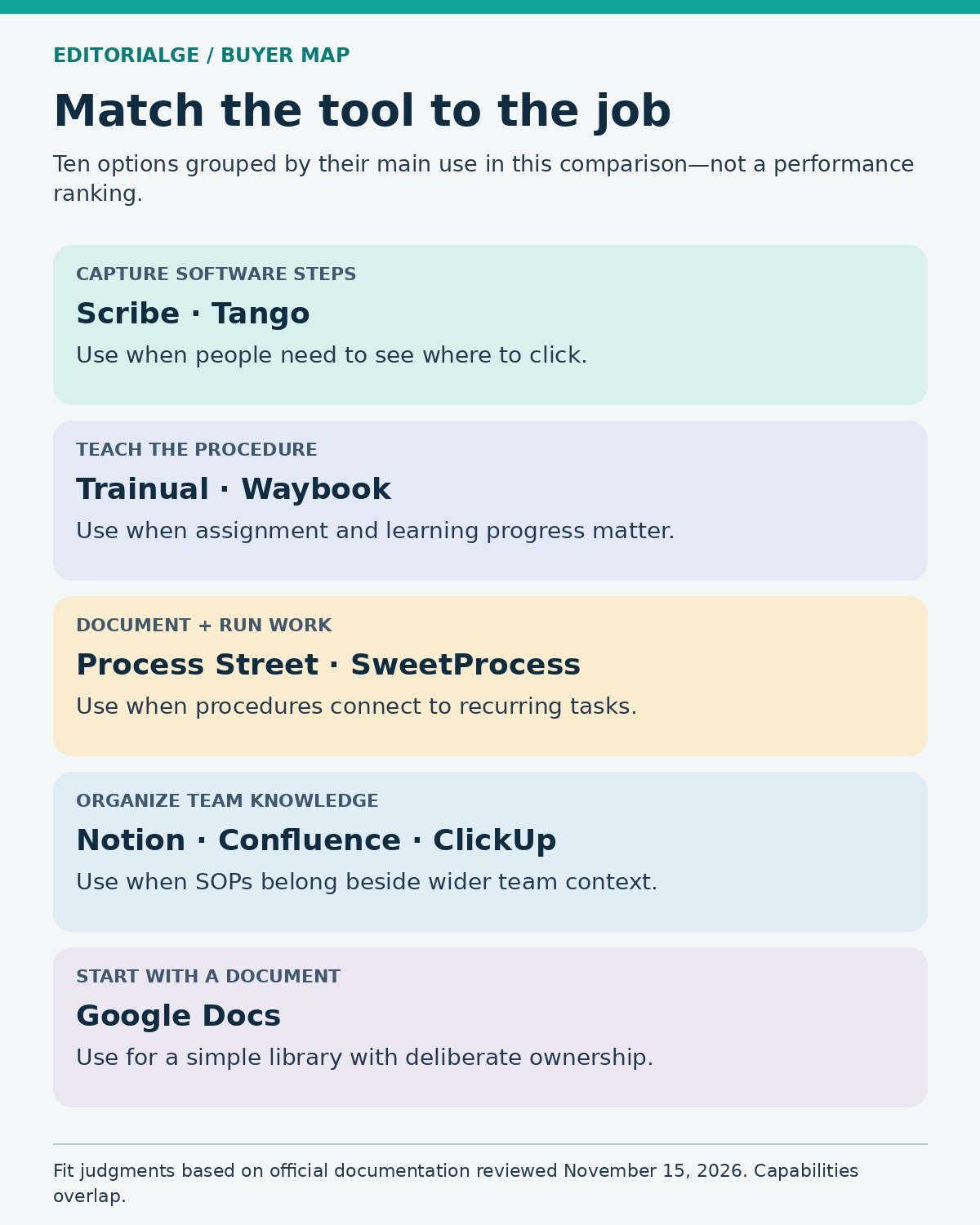
Quick Comparison: Choose by the Job You Need Done
| Tool | Best-fit use | Export route | Commercial or access consideration |
|---|---|---|---|
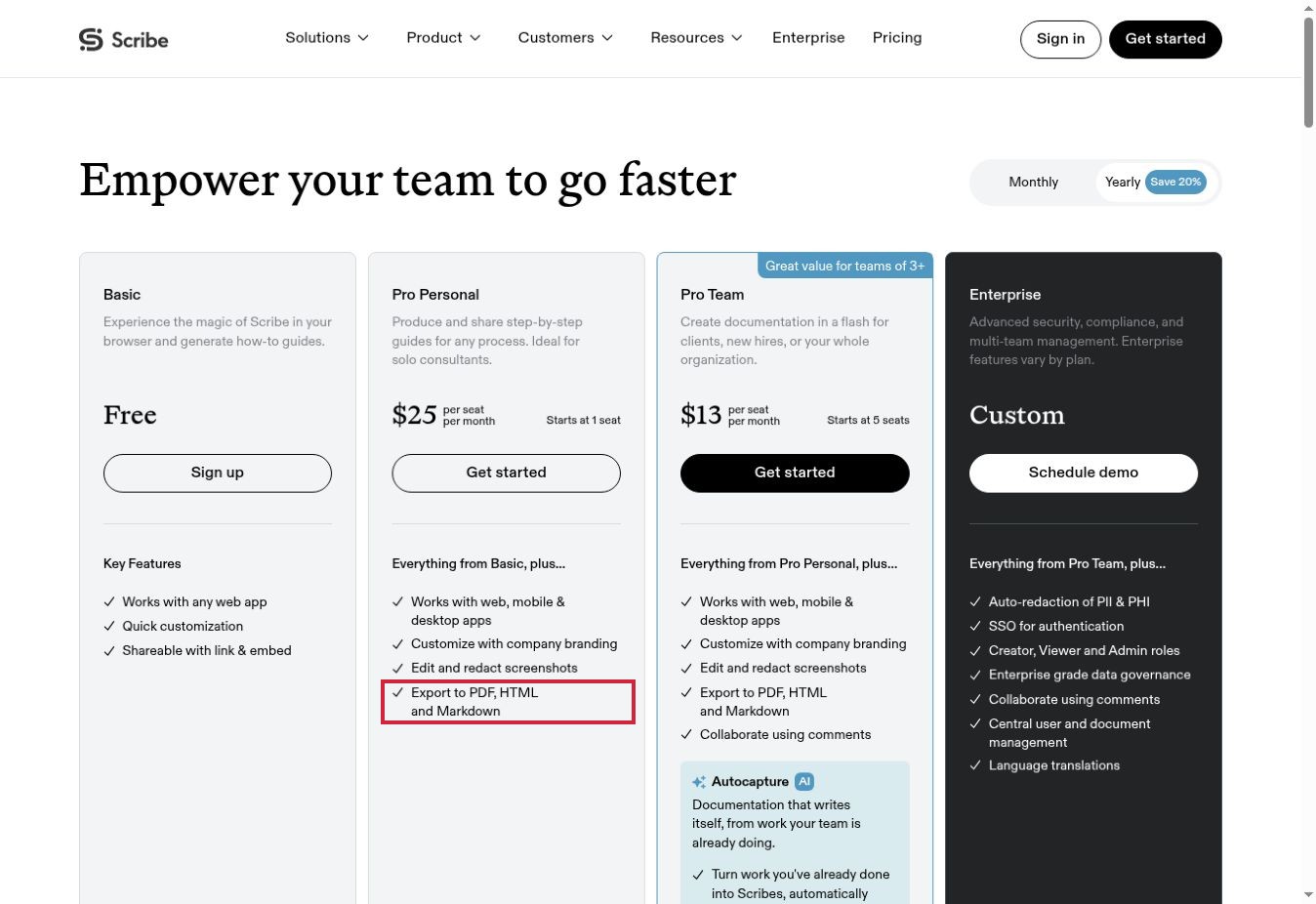
| Scribe | Visual software instructions | PDF, HTML and Markdown on Pro | Free browser capture; Pro Team has a five-seat minimum |
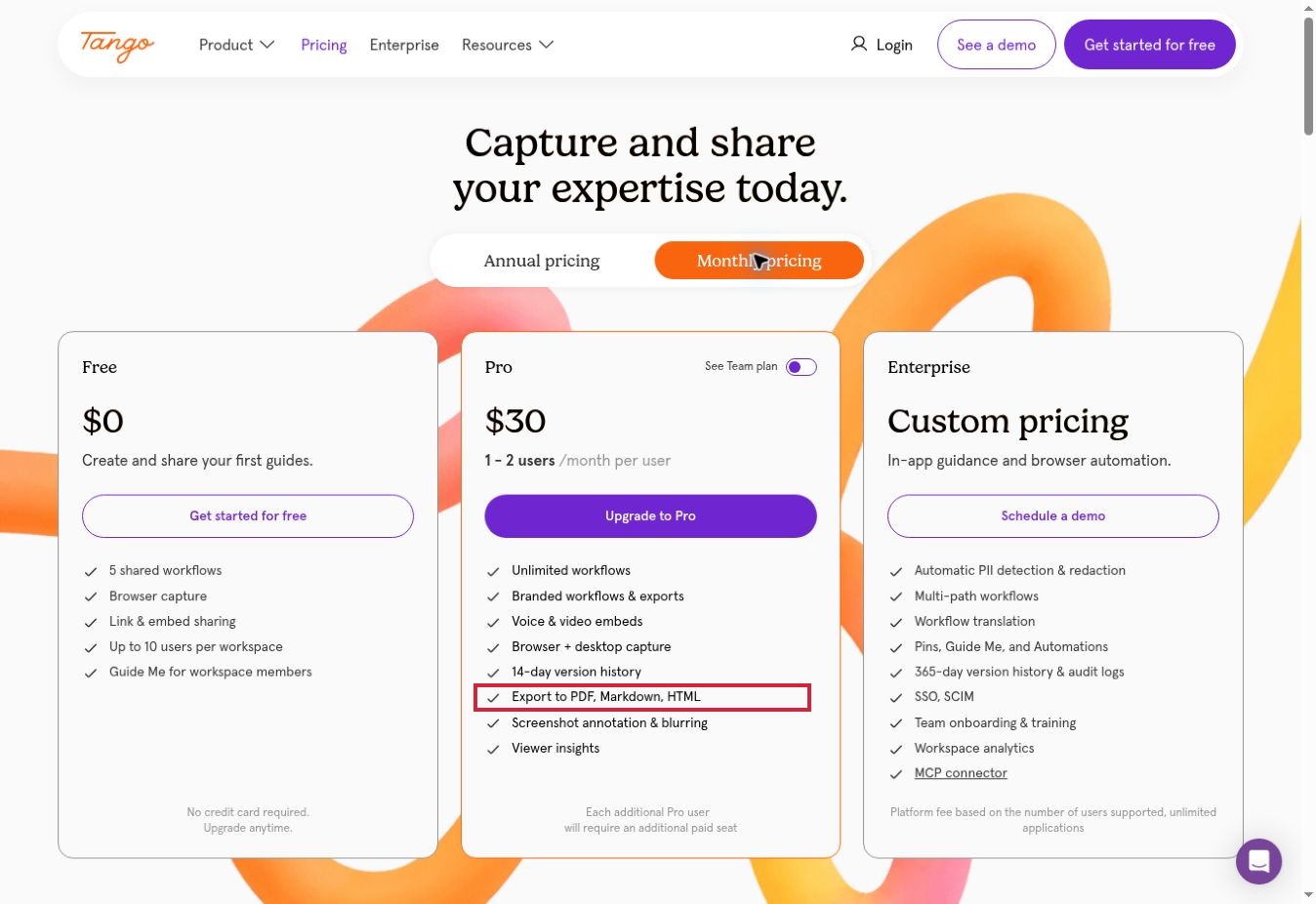
| Tango | Captured guides and supported in-app guidance | PDF, HTML and Markdown on Pro/Enterprise | Free workspace limits; guidance capabilities vary by plan |
| Trainual | Assigned employee training | PDF for supported content | Enable exports; admin or subject-owner access matters |
| Process Street | Repeatable workflows with run records | Workflow/run PDFs; run-data CSV | Sales-led pricing; separate template and execution data |
| SweetProcess | Procedures, policies and assigned tasks | PDF/Word; processes are PDF-only | Team subscription; owner can restrict exports |
| Waybook | Employee playbooks and training progress | Document or step PDF | Base team allocation; reader downloads must be enabled |
| Notion | Flexible SOP wiki and register | PDF, HTML, Markdown/CSV | Nested PDF export requires Business or Enterprise |
| Confluence | Structured knowledge across teams | Page Word/PDF; broader space exports | Space exports require administration rights |
| ClickUp | Instructions beside project work | PDF, HTML and Markdown | Doc exports omit embedded content |
| Google Docs | A small, collaboratively edited SOP library | PDF and DOCX observed in our pilot | Library structure and follow-up need a defined operating process |
Export information above is vendor-documented except for the narrow Google Docs pilot. A file export is not a complete backup of permissions, automation, training history or audit records.
1. Scribe: For Capturing Software Procedures
Scribe is a sensible starting point when the hard part is showing someone where to click. Its product materials describe generating step-by-step guides from captured work, with screenshots that authors can refine. That fits tasks such as updating a CRM record or navigating an expense application.
The useful distinction is between producing a guide and managing an employee’s learning. A captured sequence can explain the interface, but an author still needs to supply the purpose, prerequisites, decision rules and exceptions. A guide showing a successful submission will not automatically explain what to do when a request is rejected.
According to Scribe’s pricing page, Basic covers browser-based creation and link/embed sharing. Pro adds screenshot editing and redaction, broader capture capabilities and PDF, HTML and Markdown exports. The Pro Team entry has a five-seat minimum, so a small group should compare the total purchase with individual licensing.
Best for: teams repeatedly explaining software tasks. Choose it for capture-led documentation; shortlist a training or workflow platform alongside it when completion tracking is the main requirement. Our review did not measure capture accuracy, editing time or redaction effectiveness.
Our assessment: Scribe is worth shortlisting when repeated software explanations are the bottleneck. The documented Pro export options make portability part of that decision; a trial should establish how well capture and redaction work in your applications.
2. Tango: For Guides That Support Work in the Application
Tango also starts with captured workflows, but its plan distinctions deserve attention if you want guidance while employees use an application. Its current materials separate shared guides from more advanced in-app guidance and automation. Do not assume that every guidance feature comes with a basic paid seat.
The free plan lists five shared workflows, browser capture and up to ten workspace users. Pro lists desktop capture, screenshot annotation and blurring, viewer insights, and PDF, Markdown and HTML export. Enterprise adds capabilities such as pinned guidance, conditional paths and extended governance. The pricing table and plan cards do not describe every guidance entitlement identically, so put the exact desired behavior into the trial acceptance checklist.
For an HR team, this matters when a guide must appear inside the system employees already use. A printable instruction sheet and a guided on-screen experience solve related but different problems.
Tango’s help center places PDF download behind Pro or Enterprise. Treat the free plan as a way to assess basic guide creation and sharing, not as proof that the export workflow meets your needs. We did not run its extension or paid guidance features.
Our assessment: Tango is a useful candidate when employees need both a reusable guide and support within their workflow. Confirm the exact guidance entitlement before buying, because a portable guide and live in-app assistance solve different problems.
3. Trainual: For Turning Procedures Into Assigned Training
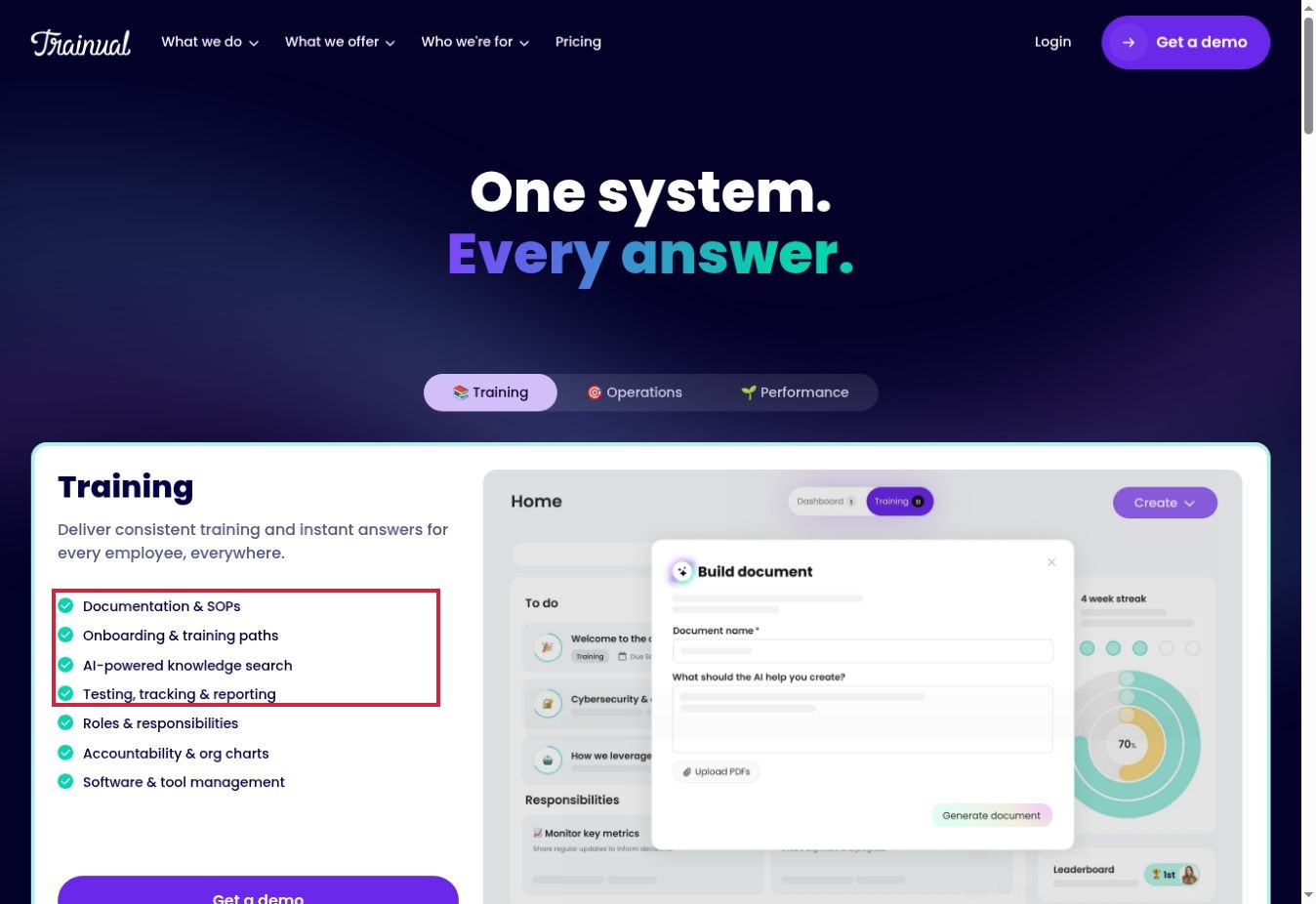
Trainual is worth examining when the question is “Who has learned this?” as well as “Where is the procedure?” Its official materials cover onboarding paths, roles, testing, tracking and reporting. Those capabilities make it a different purchase from a screenshot recorder.
Consider a new operations hire who must learn equipment requests, purchasing boundaries and escalation routes. A training structure can organize those subjects into an assigned sequence rather than leaving the person to browse a folder. Whether that improves learning depends on the quality of the content and assessment; product features alone do not establish the outcome.
Export is the important limitation. Trainual documents PDF export for subjects, documents and flowcharts, with export enabled and appropriate permissions. Its help page excludes tests, standalone videos, checklists, premium courses and standalone files from that content-PDF route. Embedded videos become placeholder images.
That means a training program cannot be judged portable merely because one subject prints successfully. Ask for the exit plan for learning records and excluded assets separately. Use a current sales proposal for commercial terms: the main pricing page inspected directs buyers toward a demonstration rather than a simple, directly comparable public subscription total.
Our assessment: Trainual has a clear role when managers need to assign learning and follow progress. Its content-export exclusions mean the purchasing conversation should cover training records as well as the instructions themselves.
4. Process Street: For Procedures That Need Recorded Execution
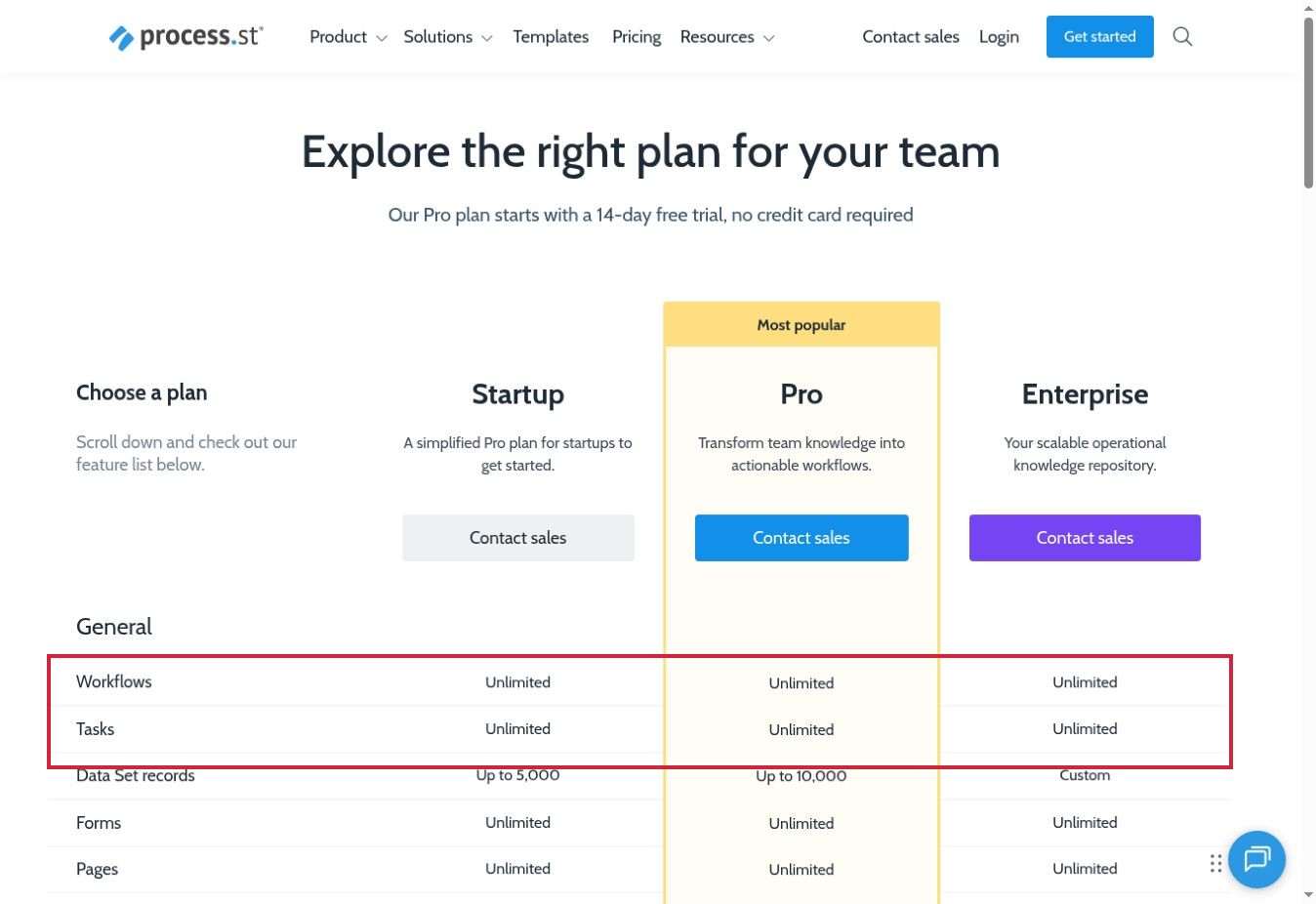
A written SOP explains the process. A workflow run records a particular instance of it. Process Street is a strong shortlist candidate when that distinction matters—for example, when operations needs to know which onboarding tasks were completed for a specific hire.
The company’s platform materials distinguish document management from workflow orchestration. Its export documentation also separates workflow templates from workflow runs. Both can be printed or saved as PDFs, while run data can be exported to CSV. The CSV documentation specifies Admin and Builder access.
This creates a practical evaluation question: can a manager reconcile the instruction, the completed run and the spreadsheet record? A PDF of an empty workflow is useful documentation, but it does not prove that an employee followed it. For the pilot, request one completed sample run as well as the blank procedure.
Process Street’s pricing is sales-led. Define the scope before seeking a quote, including users, workflows and the controls you actually need. It may be more system than a small team needs for a handful of read-only instructions. Its value is easier to assess when repeated execution and handoffs are the source of the operational problem.
Our assessment: Process Street is most relevant when the team needs a record of each completed process. Evaluate one completed run alongside its template so that the evidence of execution is as useful as the written SOP.
5. SweetProcess: For a Procedure Library Connected to Tasks
SweetProcess brings procedures, policies, processes, and tasks into one environment. Its official feature descriptions include assigning and tracking work, collecting information through forms, collaborative editing and submitting changes for approval. That makes it relevant to operations teams that want a common structure without designing an entire wiki from scratch.
Its document types affect portability. The help center documents PDF and Microsoft Word export for supported procedures and policies; processes export only as PDF. The account owner can disable export for teammates. Optional diagram and approver details also depend on the document type.
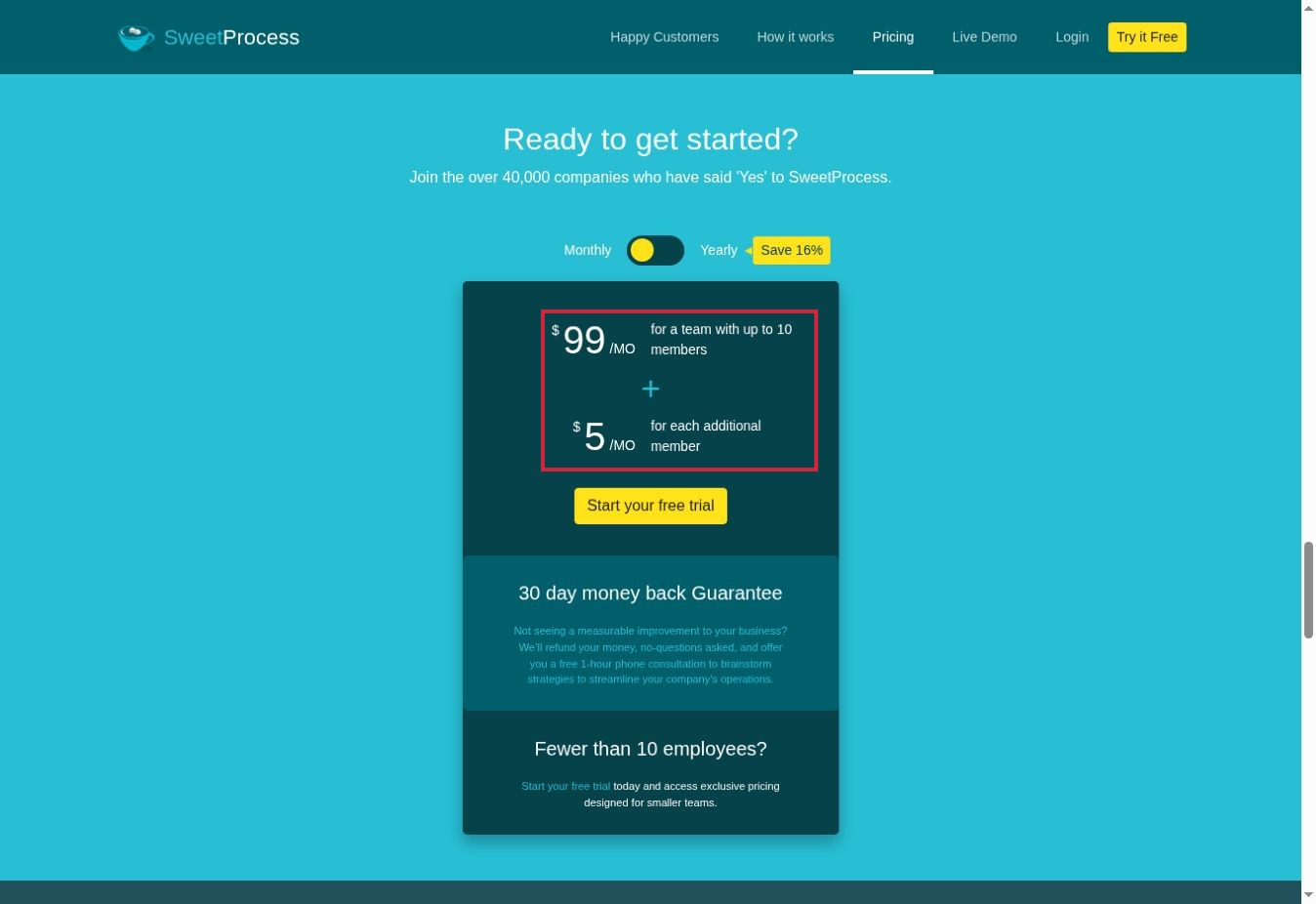
The published standard price is US$99 per month for up to ten members, with US$5 per additional member per month. Annual pricing is US$990 for ten members, with additional-member charges separately stated. Smaller-team offers exist, but they should not be assumed to match the standard package.
Why consider it: the combination of maintained instructions and assigned tasks addresses a common small-business gap. In a trial, compare a procedure, a policy and a process export. Testing only one can hide a format limitation that becomes important during migration or external review.
Our assessment: SweetProcess offers a practical structure for keeping procedures close to assigned work. Check exports across procedures, policies and processes, because one successful document export does not establish that every content type behaves the same way.
6. Waybook: For an Employee Playbook With Training Progress
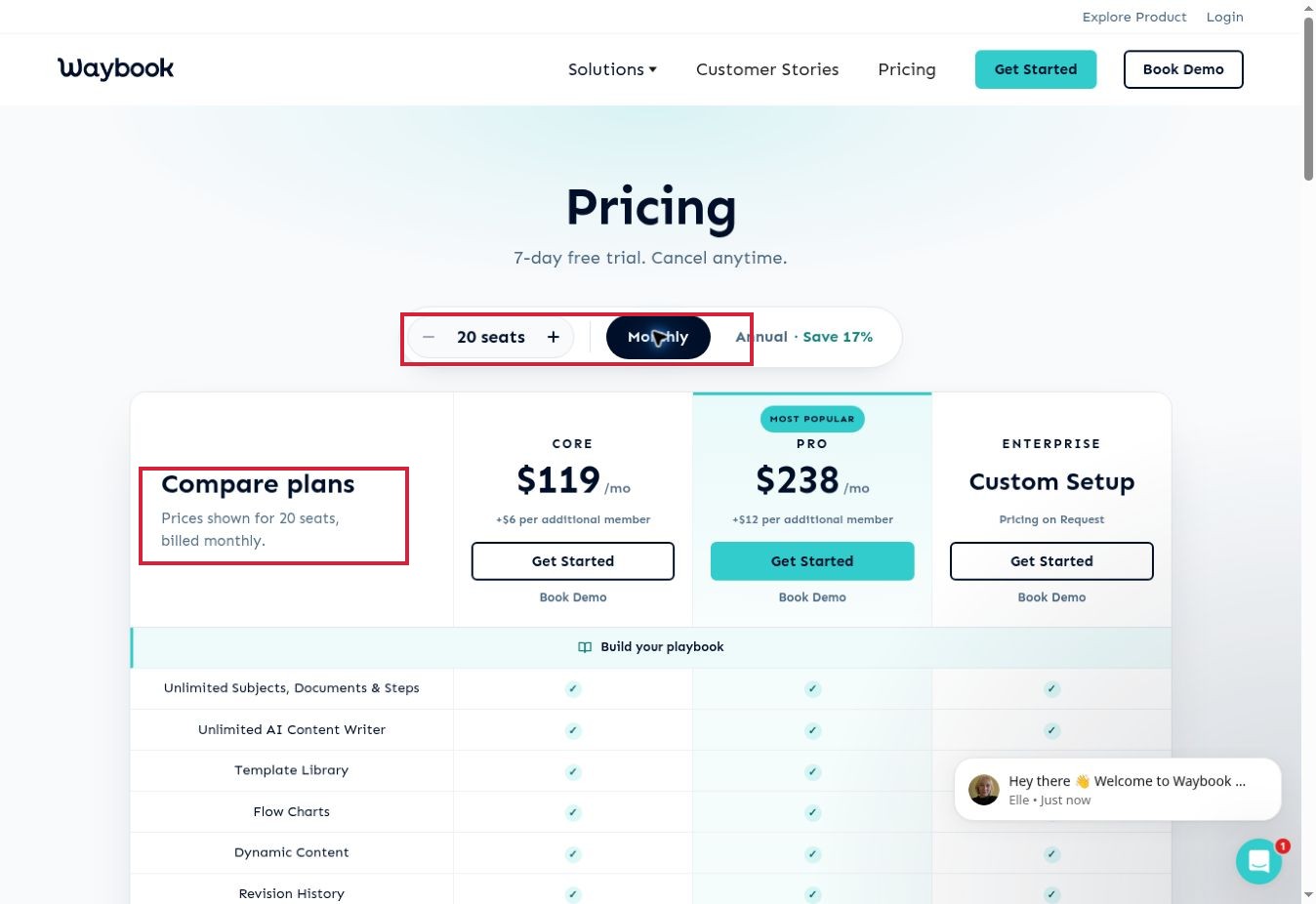
Waybook organizes knowledge into subjects, documents and steps, with training features including tests, learning paths and completion tracking in its plan comparison. This is a useful fit when a company wants an employee playbook that also supports structured onboarding.
Its export options are more specific than a generic “download PDF” claim. The help center lists a full document PDF, a print-optimized PDF and an individual-step PDF. It also says the download uses the most recently published version. An editor’s unissued change is therefore something to check before distributing a handout.
Editors and administrators can export; reader downloads need to be enabled for the document. This is useful control, but it means a successful administrator test does not establish what ordinary employees can do.
Waybook’s pricing comparison uses a base allocation of twenty seats, with additional-member charges and monthly or annual billing choices. That structure can suit a growing team, but a very small business should compare the whole subscription rather than a headline per-person equivalent. Ask the pilot employee to find one procedure, complete the assigned learning and obtain the permitted offline version. Those are three distinct checkpoints.
Our assessment: Waybook is worth considering when the employee playbook needs to connect with training progress. Include reader access and download settings in the trial, rather than judging the product only from an administrator’s view.
7. Notion: For a Flexible SOP Wiki and Ownership Register
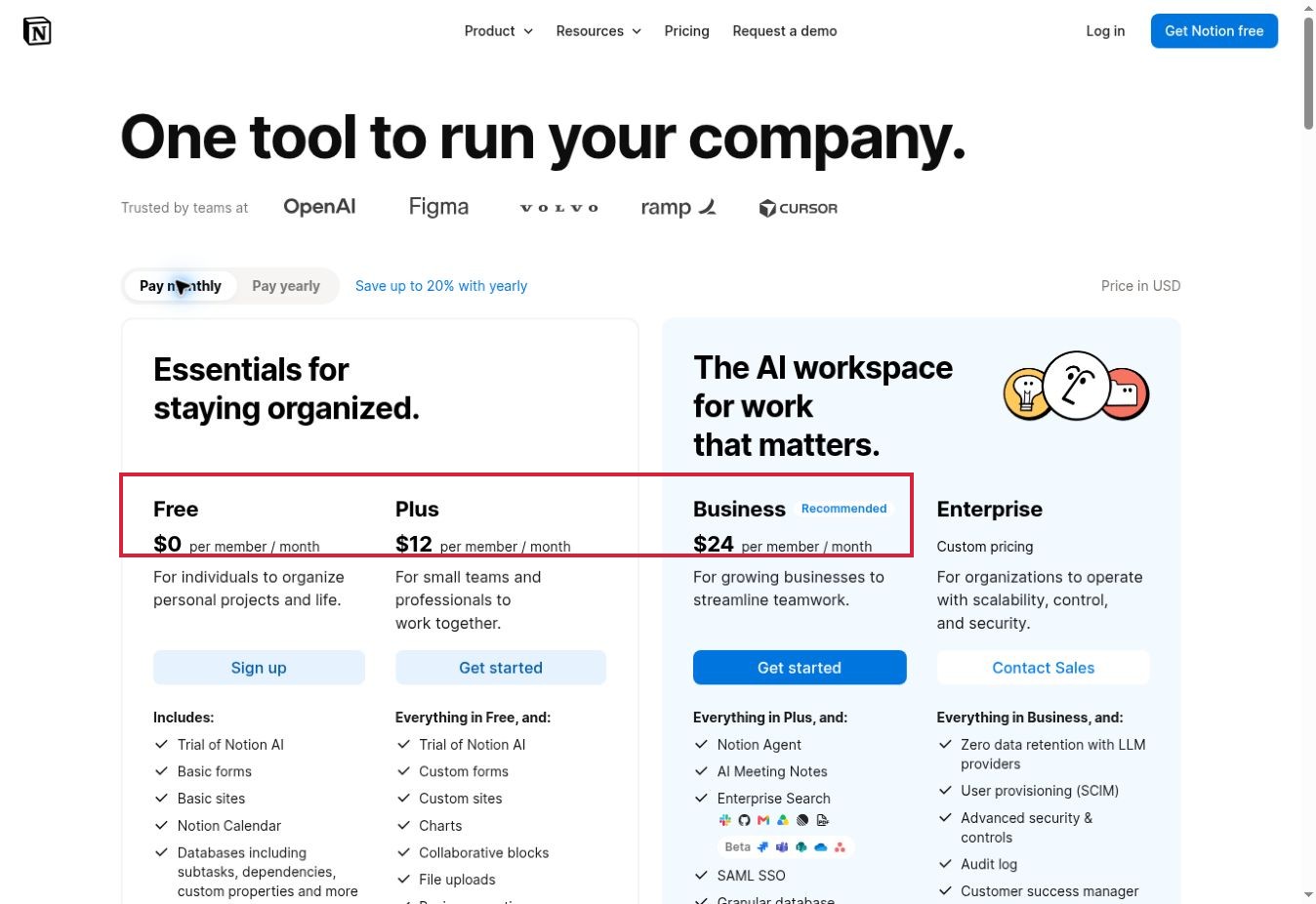
Notion is attractive when a team wants to organize procedures around its own operating model. Pages and databases can support an SOP register containing an owner, status, department and review date. That structure is an implementation choice, not an automatic guarantee that documents will stay maintained.
Its flexibility is useful for mixed knowledge: a procedure can sit near project context, reference material and a team handbook. The cost is design discipline. Without a common template and naming rules, a flexible workspace can become another collection of inconsistent pages.
Notion documents PDF, HTML and Markdown/CSV export. Exporting nested subpages together as PDFs requires Business or Enterprise. Its help center also warns that inaccessible pages are excluded from a workspace export, and a failed PDF export can fall back to HTML. Check the resulting file type rather than treating any downloaded archive as a successful PDF backup.
Notion has free and paid per-member plans; team collaboration and governance needs determine the appropriate tier. It is a reasonable choice for a maintained knowledge library, while a dedicated workflow tool is a clearer starting point when every execution needs assigned steps and a separate completion record.
Our assessment: Notion fits teams that want to design their own SOP register around owners, review dates and linked knowledge. That flexibility is useful only if someone maintains the structure and checks the export route needed for the chosen plan.
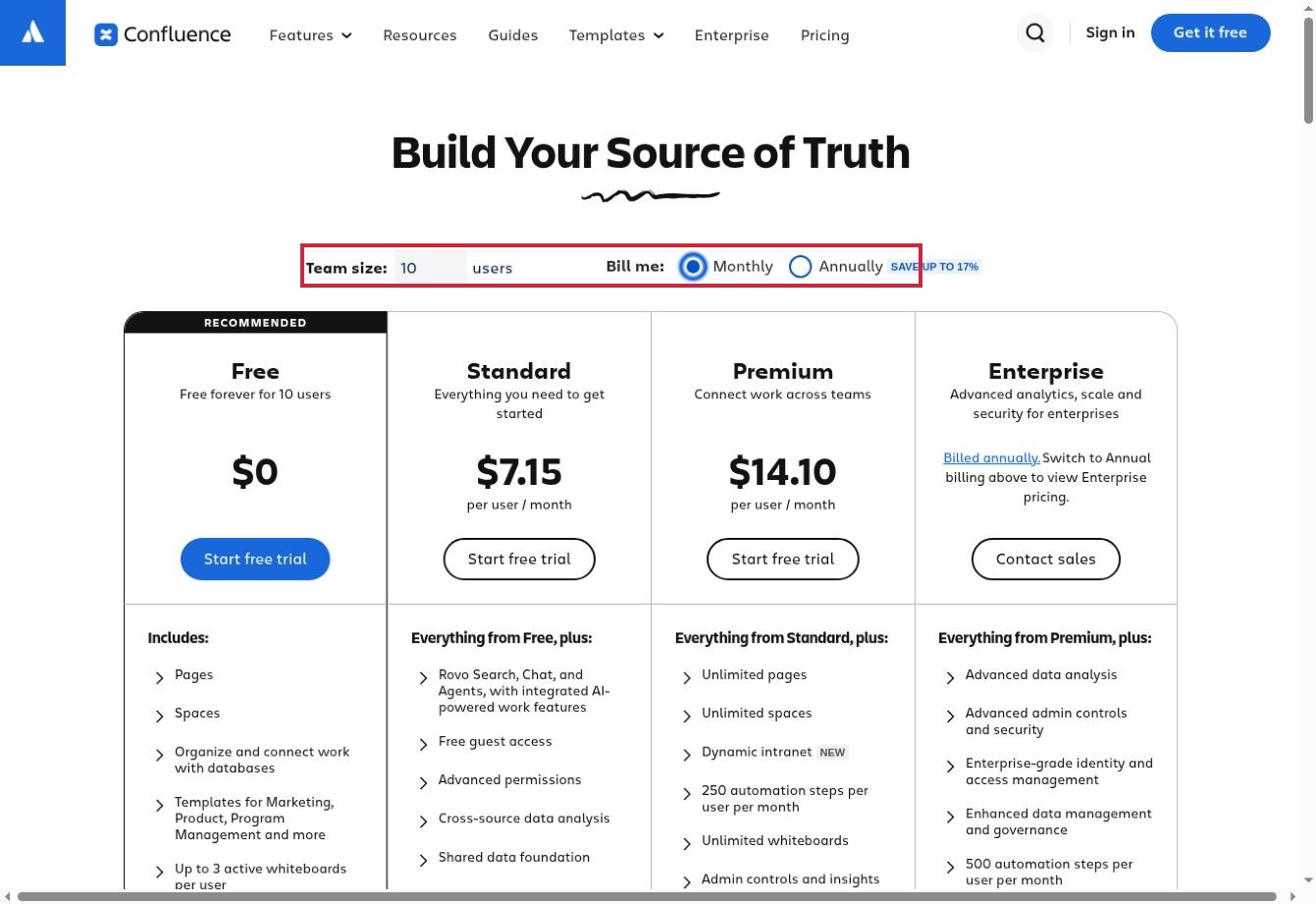
Confluence suits organizations that need a structured home for operational knowledge across departments. Its space-based organization provides a natural way to separate team material while maintaining shared documentation. For an SOP library, the useful design question is where authoritative instructions live and who can change them.
Atlassian documents Word and PDF export for individual pages, and broader space-export formats for administrators. A consequential detail is that page exports use the published version. Unpublished edits are not included. A reviewer should therefore compare the exported file with the intended approved revision, not merely the editor currently open on screen.
Portability also has format-specific limits. Atlassian warns that its exported Word files are intended for Microsoft Word and are not compatible with certain other editors, including Google Docs. Space PDF exports do not include comments. Neither route should be treated as a complete replacement for the live knowledge environment.
Confluence offers free and paid plans, but permissions and administration requirements should drive the tier decision. It is most compelling when teams need an organized shared knowledge system; a small collection of simple procedures may be easier to maintain in a lighter document tool.
Our assessment: Confluence is a sensible shortlist option where established teams already organize knowledge in spaces. Confirm publication state and export permissions early, so the version employees read matches the version retained outside the system.
9. ClickUp: For Instructions Close to Tasks and Projects
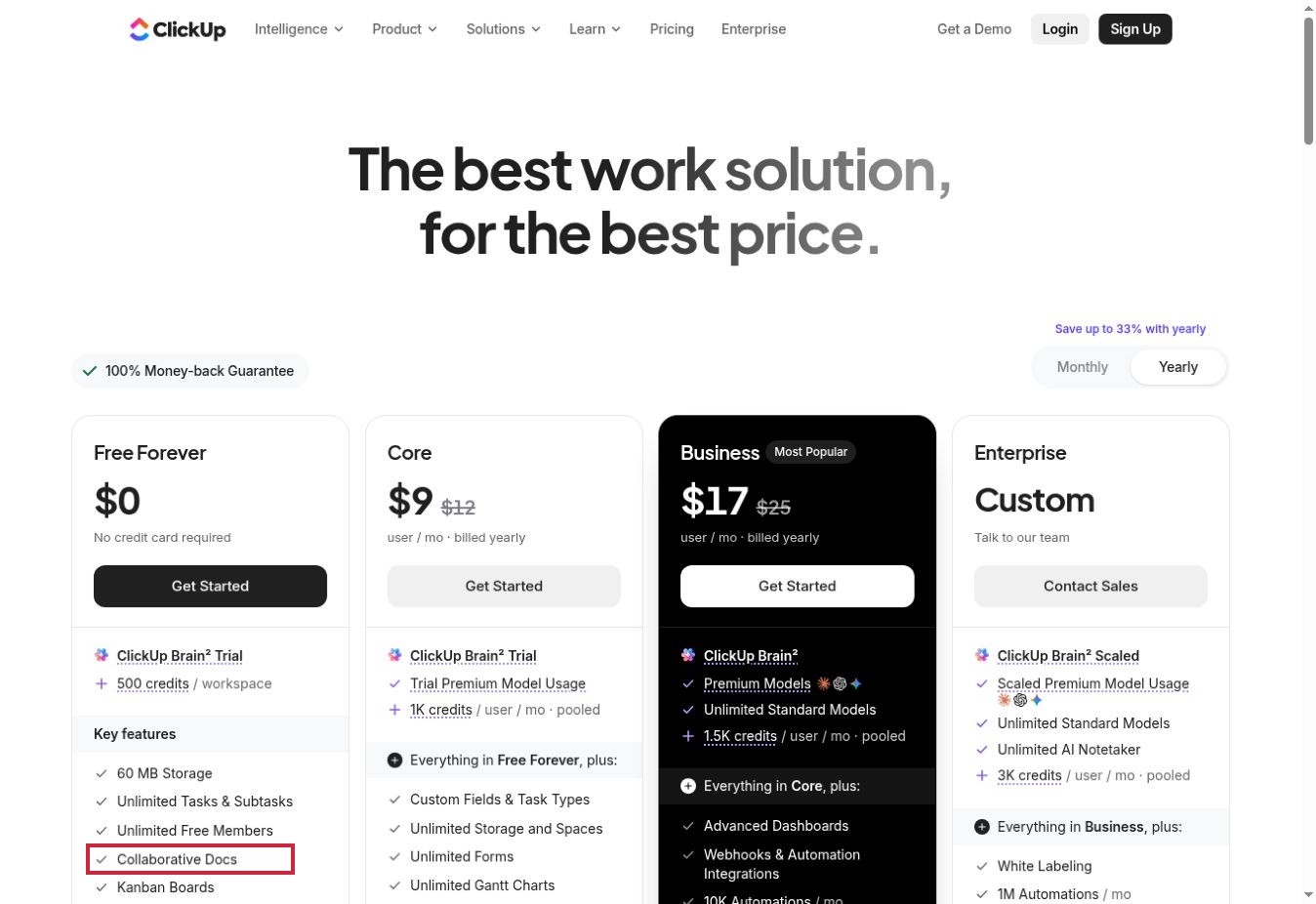
ClickUp deserves consideration when employees already manage their work there. Its product materials combine collaborative Docs with tasks and other work-management features. Keeping a procedure close to the work can reduce the need to search a separate system, provided the team maintains one authoritative version.
The key export limitation is explicit: ClickUp’s help center says embedded content is not included in Doc exports. It supports PDF, HTML and Markdown, and allows exporting one page or all pages. Those are useful options, but a document containing essential embedded material needs a separate preservation check.
Imagine an SOP whose final step depends on an embedded demonstration. An exported document that retains the surrounding instructions but loses that demonstration may be incomplete for an offline reader. Put essential actions into the text and keep a controlled reference to any supporting asset.
ClickUp has a free plan with collaborative Docs and paid per-user plans. The current live pricing page differed from older indexed plan summaries during research, so this comparison avoids recycling those older paid rates. Compare the current package for the whole workspace. ClickUp is an especially practical shortlist option when documentation adoption depends on fitting an existing work habit.
Our assessment: ClickUp is useful to consider when instructions need to stay beside project tasks. Its documented export omissions make an SOP containing embedded material a particularly useful trial case.
10. Google Docs: For a Simple, Exportable Starting Point
Google Docs is a useful baseline before buying a specialist SOP platform. Google describes collaborative editing and document history, while its familiar document format supports a straightforward instruction library. The organizational work—folder structure, naming, ownership and review follow-up—still needs to be assigned.
In the documented eight-step pilot above, we created a fictional equipment-request SOP with eight numbered steps, an owner, version and exception note. We changed the version from 0.1 to 0.2 and added a review date, then exported it as PDF and DOCX.
The inspected PDF retained all eight steps and the revised metadata on one readable page. The DOCX contained the same instruction text and native numbering structure. We did not validate its appearance in Microsoft Word, test simultaneous editing, measure completion time or run a real equipment request.
That result supports a narrow conclusion: this simple text-based SOP survived the tested export routes. It does not establish that Docs supplies training completion records or controlled workflow execution. Docs is available with a Google account and through Workspace subscriptions; organizational administration requirements may justify a paid Workspace plan even when basic document creation is sufficient.
Our test takeaway: the eight-step Google Docs sample retained its instructions and revised metadata in the inspected PDF, while the DOCX retained the text and numbering structure. That is direct evidence for this simple document-and-export task; it is not a test of employee training, mobile usability or workflow approvals.
Export Is an Exit Test, Not Just a Download Button
Before committing, define what must survive outside the service. A readable PDF preserves instructions for offline use. An editable file helps migration. A CSV may preserve execution data. Training records, permissions and approvals can require separate exports or reports.
The differences in this list are consequential: Trainual excludes certain content types from its PDF route; ClickUp omits embeds; Waybook and Confluence can export a published version rather than the latest edit; Notion has nested-PDF and access limitations. These are documented boundaries, not failures observed in a comparative test.
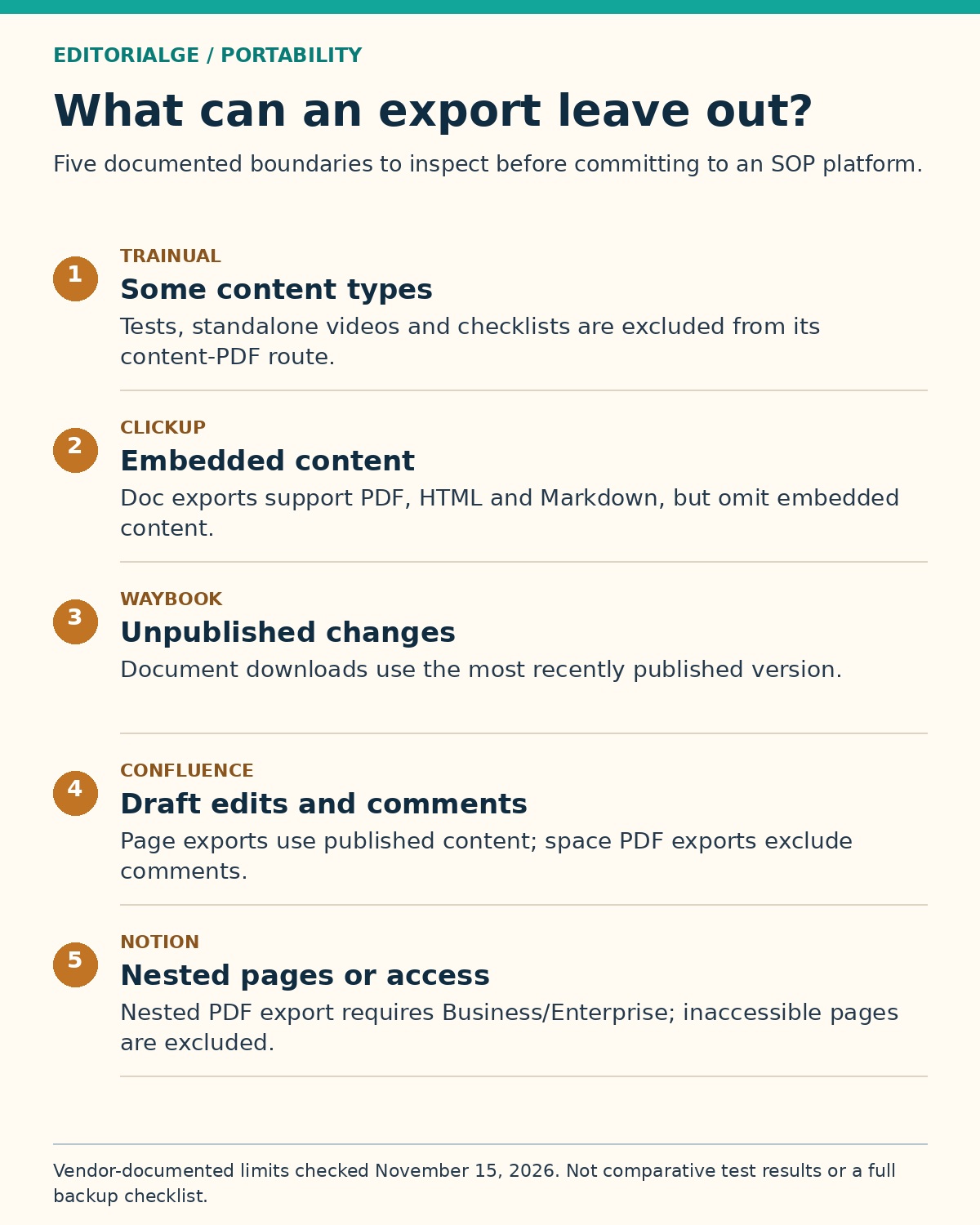
For a useful trial, include one essential image, one link, an exception and a recent revision. Open the resulting files on another device or account with the intended permissions. Check the final step as carefully as the first. A successful download notification is not evidence that the complete procedure survived.
A Practical Pilot for Operations and HR Teams
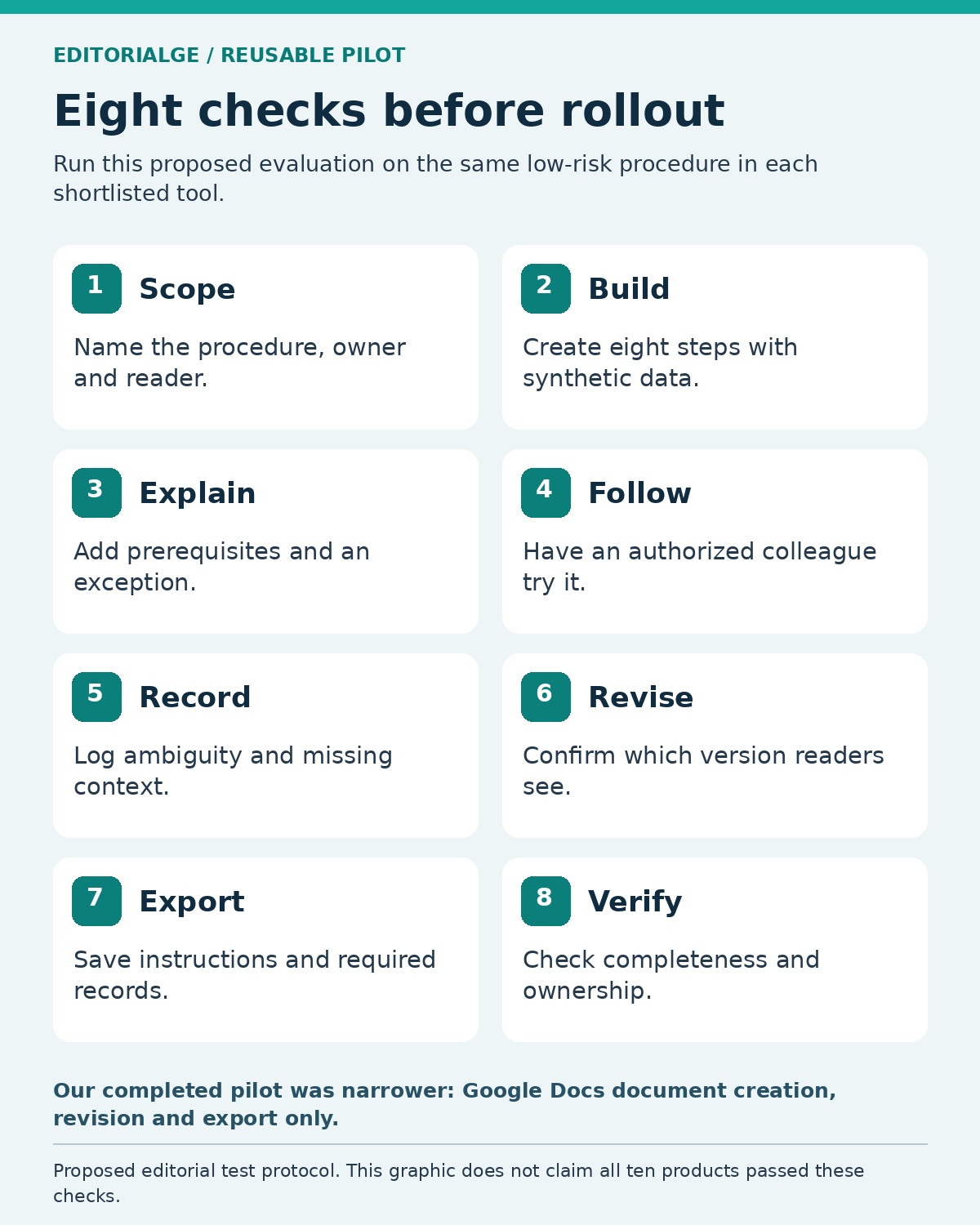
Shortlist two candidates that solve the same primary problem. Use one low-risk procedure with synthetic data and run the same evaluation in both. Do not compare a screenshot recorder’s capture speed with a training system’s onboarding depth as though they were the same measure.
The US EPA’s guidance on preparing SOPs emphasizes reproducible instructions, review, approval and keeping revisions current. Although written for environmental quality systems, those document-control principles are useful questions for an operations pilot; they do not certify any tool in this article.
- Define one procedure, its owner and the intended reader.
- Create eight meaningful steps using synthetic information.
- Add prerequisites and an exception that changes the next action.
- Ask an authorized colleague to follow the instructions without coaching.
- Record unclear steps and missing context.
- Revise the procedure and verify which version readers receive.
- Export the instruction and any required execution or training records.
- Check completeness, permissions and the next review responsibility.
This is a recommended comparative pilot, not a claim that we performed all eight evaluation actions across the ten products. Our completed test was the narrower Google Docs document-and-export exercise described above.
For the broader information architecture, Editorialge’s guide to a self-serve onboarding wiki explains ownership, navigation and ongoing maintenance. If the underlying need is employee records, payroll or recruiting, compare the separate category of hiring and HR tools before purchasing an SOP platform to solve an HR-system problem.
Questions to Resolve Before Buying
Is a screenshot guide a complete SOP?
It can be part of one. A complete procedure also needs a purpose, prerequisites, responsible roles, exceptions and a clear finish condition. Screenshots are useful when the interface matters; they cannot explain an unwritten approval rule.
Can a free plan support an employee SOP library?
For a small, simple library, it may. Check collaboration limits, export access, revision history and permissions before moving important material. A free capture plan and a free knowledge workspace have different restrictions.
Does exporting a PDF preserve the audit trail?
Do not assume so. A PDF may preserve only the current instruction. Completed runs, learner results, comments, approvals and revision history may be separate records. Specify the records you need and test the relevant export for each.
Should AI write the SOP?
AI can help turn notes into an initial structure, but a process owner must check the actual sequence and decision rules. Have someone unfamiliar with the task follow the draft. A polished paragraph can still omit the exception that causes most mistakes.
Choose the Tool Around the Responsibility
Start with Scribe or Tango for software instructions, Trainual or Waybook for training, and Process Street when each run needs an operational record. SweetProcess connects procedures with assigned work; Notion and Confluence offer broader knowledge structures; ClickUp keeps documentation near projects; Google Docs provides a straightforward baseline.
The right Employee SOP and Process Documentation Tools should make ownership and maintenance easier after the first document is written. Before expanding the rollout, prove that an employee can find the current instruction, understand its exceptions and obtain the required export. That small pilot is more informative than choosing the longest feature list.