A tutor needs parents to book the right lesson. A learning center needs to coordinate teachers, classrooms, attendance, and fees. A school building its master timetable needs to fit subjects and staff into a workable teaching week. These jobs overlap, but they require different software.
This school and tutor scheduling software shortlist covers all three. TutorBird, Teachworks, and TutorCruncher focus on tutoring operations; Teach ’n Go, Classcard, and Sawyer suit different class-based businesses. SimplyBook.me and Acuity handle appointment booking, while aSc TimeTables and FET address whole-school timetabling.
How this list was selected: This is a research-based comparison of official product documentation and pricing checked on November 15, 2026. Selection considers scheduling model, administrative coverage, billing structure, and practical limitations. Numbering is for navigation, not a performance ranking. An assistant-operated Teachworks public-demo walkthrough reached lesson selection, tutor selection, and available time slots. No booking was submitted, and no end-to-end workflow was tested across the ten products.
Choose the Type of Scheduling You Actually Need
Before comparing prices, decide what creates the schedule.
- Individual bookings: A parent or student chooses an available lesson time. Availability, reminders, cancellations, and payment collection matter most.
- Class enrollment: Students join a course, term, camp, or recurring group. Capacity, family records, attendance, and fee rules become central.
- School timetabling: An administrator allocates teachers, student groups, subjects, and rooms across periods. The system must handle competing constraints.
Computer scientist Nelishia Pillay, then at the University of KwaZulu-Natal, explains the distinction between mandatory and preferred scheduling constraints in her 2010 school-timetabling research overview. A usable timetable must satisfy its hard constraints; softer preferences affect its quality. For buyers, that means a pleasant calendar interface is not enough if it cannot represent the school’s actual rules.
If the requirement is simply arranging meetings, Editorialge’s guide to general scheduling tools offers a broader comparison. The education-specific choices below address lesson and class administration more directly.
School and Tutor Scheduling Software at a Glance
Prices are vendor disclosures, not checkout quotes. Figures marked USD were explicitly identified as US-dollar prices; other currencies or ambiguities are stated. Taxes, processing, messaging, and optional services may add to the total.
| Software | Consider it for | Published entry price or pricing basis | Decision point |
|---|---|---|---|
| TutorBird | Independent tutors and small teams | $16.95/month plus $4.95 per additional tutor or staff member; dollar currency code not explicit in the inspected page | Count administrative staff as well as tutors |
| Teachworks | Centers with multiple teachers and locations | USD $16.49/month plus $0.350 per student lesson on Starter | Group attendance increases billable student lessons |
| TutorCruncher | Agencies coordinating lessons, billing, and tutor pay | Pay as you go starts at USD $30/month, plus applicable fees | Review card and offline-payment charges |
| Teach ’n Go | Small schools and learning centers | USD $79/month for up to 100 live students; monthly billing | Student bands and Pro-only features affect cost |
| Classcard | Academies selling classes and managing enrollment | Starter displays $99/month with monthly billing selected; confirm dollar currency in the quote | Payroll and facility rentals are separately priced add-ons |
| Sawyer | Children’s programs, camps, and after-school activities | Launch displays $79/month, or $71/month billed annually; confirm billing currency | Marketplace and processing fees are material |
| SimplyBook.me | Booking-first tutoring services | Free tier; browser showed Basic at €11.90/month billed annually | Check bookings, providers, and custom-feature allowances |
| Acuity Scheduling | Appointment-based lessons and small tutoring teams | Starter: USD $20/month, or $16/month billed annually | One calendar on Starter; packages require Standard or above |
| aSc TimeTables | Schools generating a master timetable | Paid price not verified; request a local quote | The trial excludes export and watermarked printouts |
| FET | Schools needing a free timetabling engine | Free, open-source software | Requires setup and timetable expertise |
1. TutorBird: A Practical Starting Point for Small Tutoring Teams
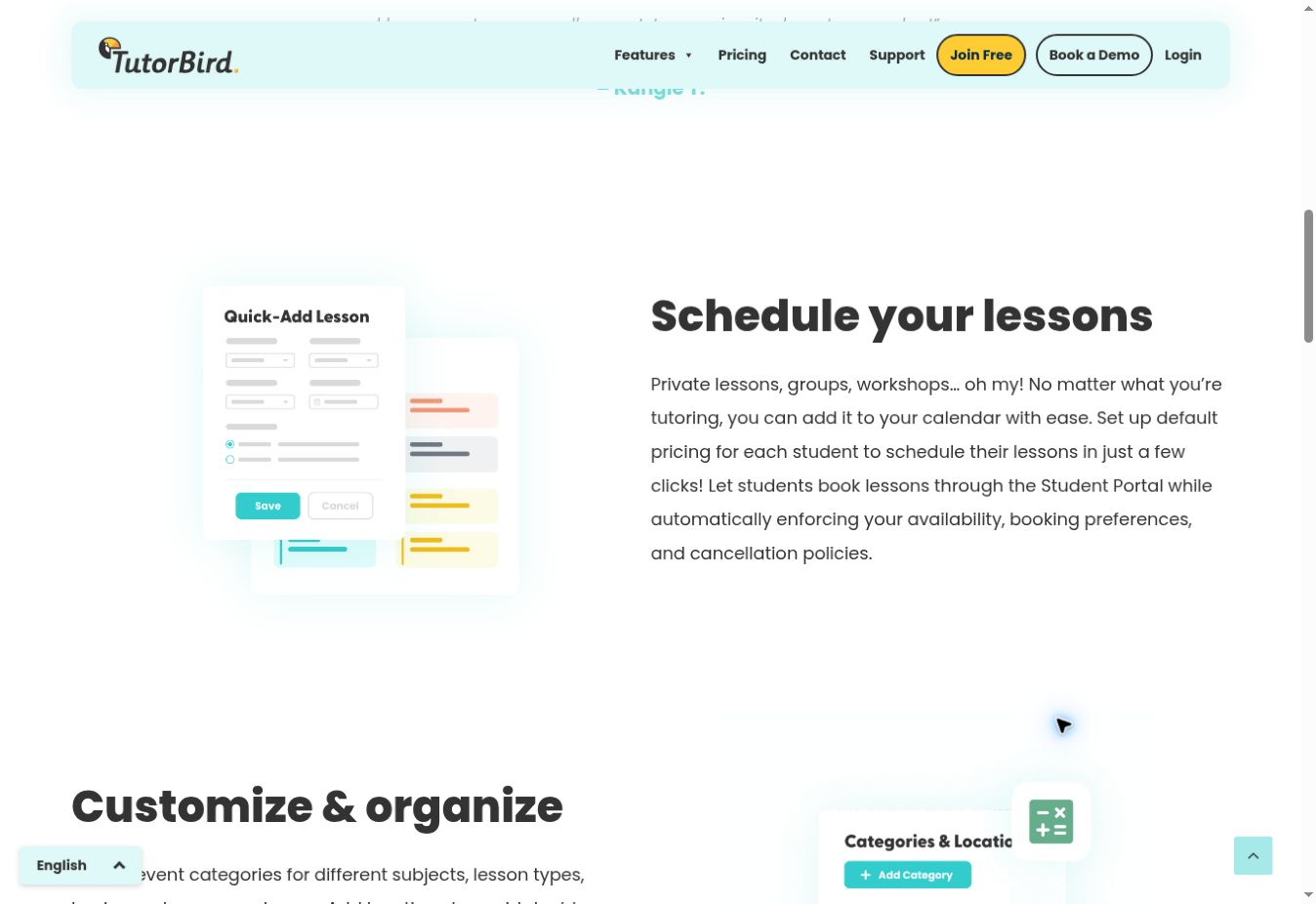
TutorBird brings scheduling, attendance, student records, invoicing, and a student portal into one subscription. Its calendar documentation describes private lessons, groups, workshops, location handling, and make-up credits. Those details matter when missed lessons create administrative work beyond moving a calendar entry.
Parents and students can use the portal for permitted self-service booking, with availability and cancellation policies controlling their choices. Tutors can keep lesson notes alongside the schedule, reducing the need to move between a diary and separate progress records.
The main buying question is team size. The pricing model adds a charge for each extra tutor or staff member, so include an administrator who needs access when calculating cost. The advertised 30-day trial requires no credit card. Use it to check a real cancellation-and-make-up scenario before importing the full student list.
2. Teachworks: Detailed Scheduling for a Growing Center
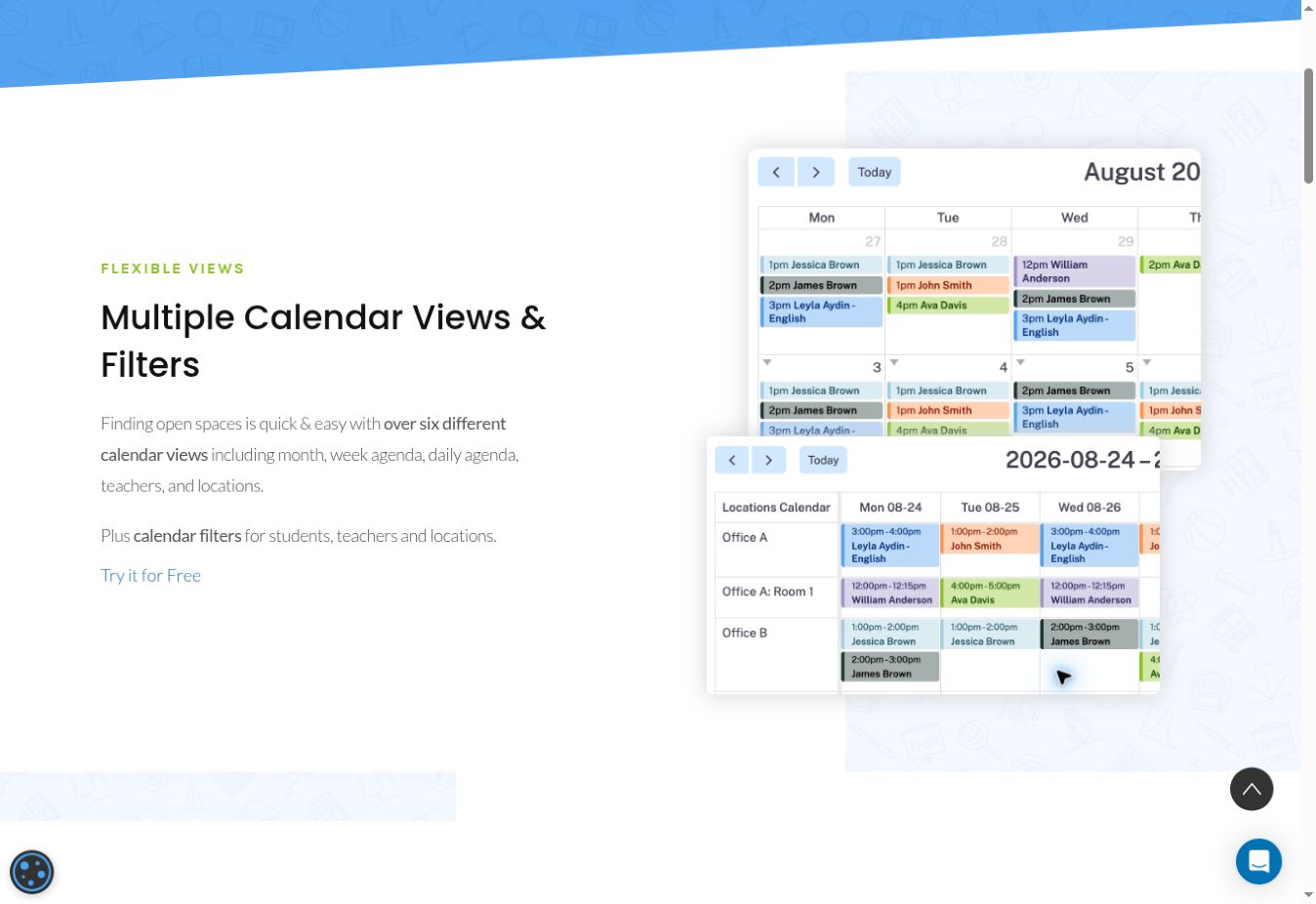
Teachworks is worth considering when several teachers share students or teaching spaces. Its scheduling features include teacher and location views, availability management, conflict details, repeating lessons, and website booking. Lesson records can also contain attendance, revenue, wages, and notes.
The public booking demonstration allowed an assistant to choose a math lesson, open the tutor list, and reach a week of available times labeled Eastern Time. That is a narrow observation of the booking interface; it does not establish reminder delivery, payment handling, or double-booking prevention.
Its subscription scales with student lessons, rather than tutor seats. The current visible pricing cards show Starter at USD $16.49 plus $0.350 per student lesson, Growth at $47.99 plus $0.210, and Premium at $187.99 plus $0.080, monthly. A class containing several students counts more than once. Calculate normal and peak months before choosing a tier.
3. TutorCruncher: Agencies That Need Scheduling and Financial Administration Together
TutorCruncher’s lesson-management documentation covers recurring and group lessons, tutor availability, locations, reminders, and lesson reports. Its one-to-one self-service booking can suit agencies that want clients to choose times while administrators retain an overview of the business.
The distinction becomes more useful when lessons need different client charges and tutor pay rates. Compare that workflow with the agency’s existing payroll and invoicing process during a demo rather than assessing the calendar alone.
The US pricing page lists Pay as you go from $30/month. It also lists a 3.85% standard card fee and a 1% fee for relevant lessons or ad hoc charges paid outside its integrated online methods. Those are different payment routes, not automatically cumulative charges on every payment. Additional card categories and optional services can cost more. Request a written estimate using the agency’s actual payment mix.
4. Teach ’n Go: Small Schools With Recurring Classes
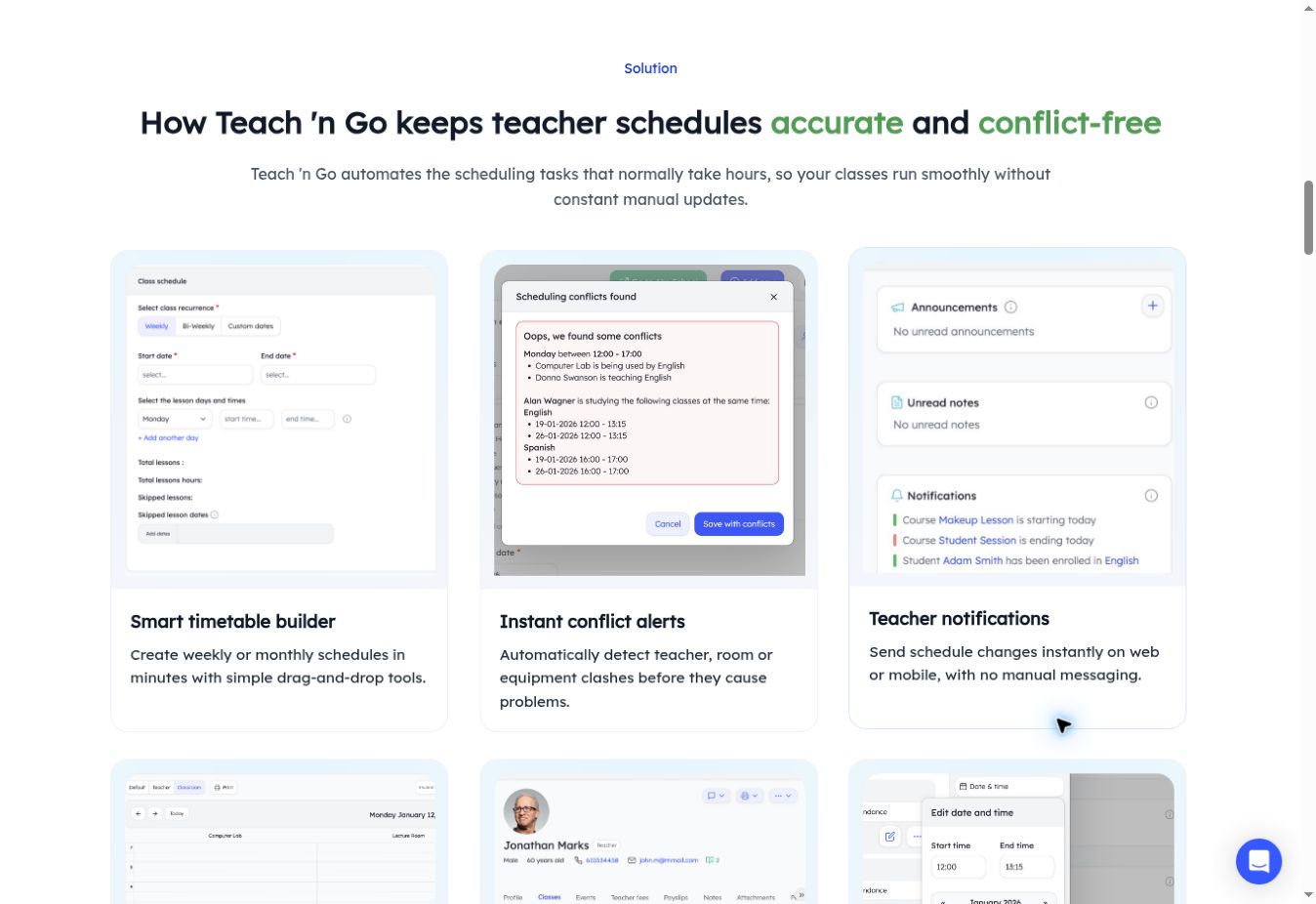
Teach ’n Go combines scheduling, attendance, invoicing, and student, parent, and teacher portals. Its plan page includes unlimited teachers and classes, with pricing based on live-student bands. That makes enrollment a more useful budgeting variable than teacher headcount.
The monthly US-dollar list price starts at $79 for up to 100 live students. Pro starts at $109 for that band and adds capabilities including multiple locations and teacher payroll. The standard plan lists one location and three administrators.
A school should first decide who needs administrative access and whether separate branches must share the system. A low student count does not necessarily mean the standard tier covers the operating model. The 14-day trial can use sample school data; build a representative class and check how fees and attendance relate before committing to migration.
5. Classcard: Academies With Class Enrollment and Booking
Classcard’s plan comparison combines scheduling, online booking, attendance, invoicing, and student management. It advertises unlimited staff, students, and classes across plans, making it a potential fit for academies that prefer a flat subscription model over a charge linked to each lesson.
The visible monthly plan cards list Starter at $99, Growth at $199, and Business at $349. Confirm the billing currency in the order form. Growth adds recurring billing and installments, which may matter more to a term-based academy than the headline number of included classes.
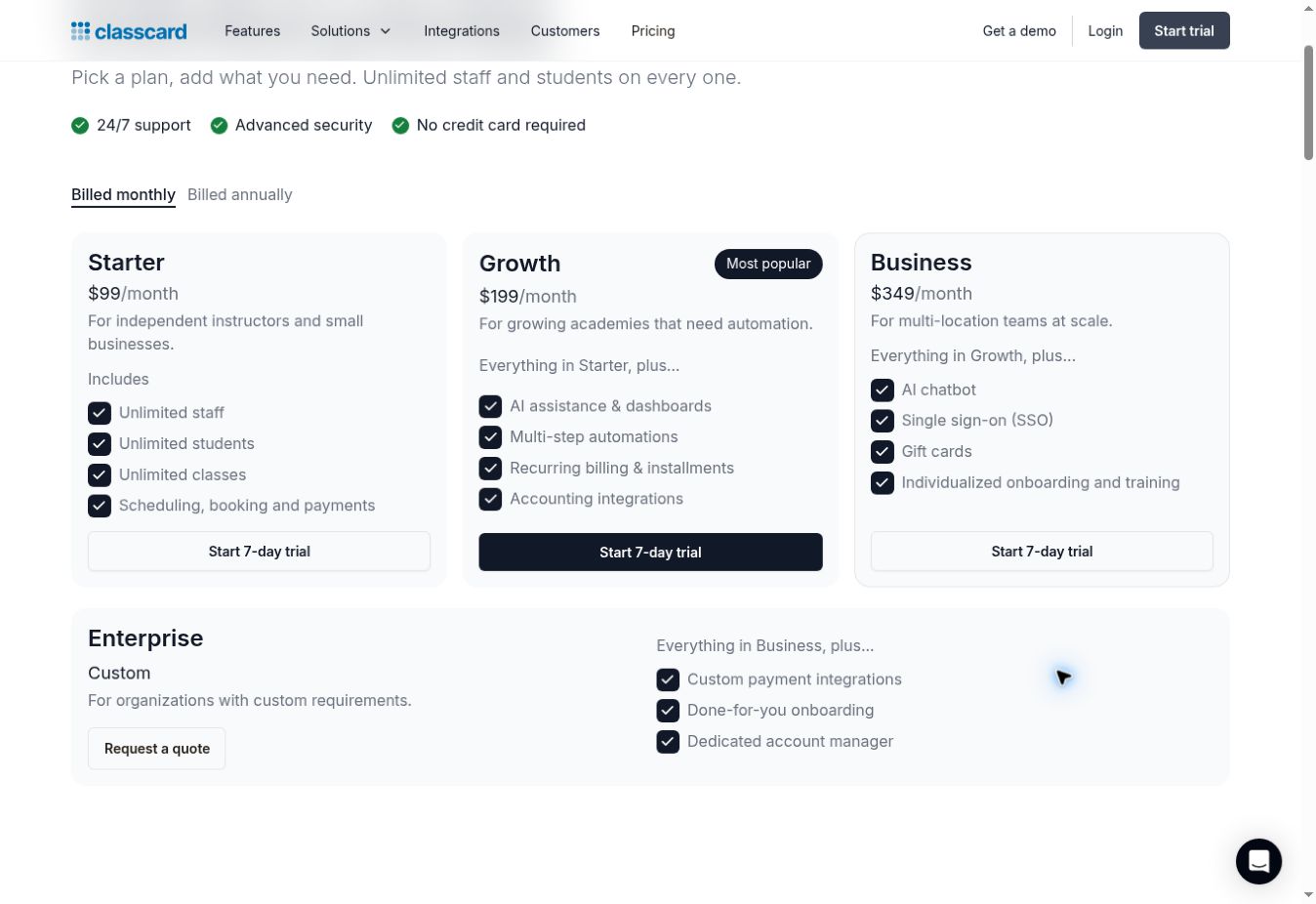
“Unlimited staff” does not mean every staff-related function is included. Payroll is a separate add-on priced per staff member processed each month, while facility rental management is priced per location. Include those extras and regional payment fees in the quote before comparing Classcard with an all-in-one tutoring subscription.
6. Sawyer: Children’s Programs and After-School Enrollment
Sawyer organizes children’s activities around enrollment, family accounts, rosters, attendance, and payments. Its pricing comparison covers camps, semesters, appointments, and events, with higher-tier differences such as waitlists and more advanced scheduling.
Launch displays $79 per month with monthly billing or $71 per month billed annually. The more consequential distinction is the marketplace model: the page lists a required 30% marketplace fee on Launch, with optional participation at 20% on Grow and 15% on Scale. Marketplace purchases also carry standard processing fees. Confirm currency and any applicable booking fee when obtaining a quote.
This deserves a close look for an activity provider that values both administration and marketplace discovery. A school with an established enrollment pipeline should compare the value of those services against the full cost of its expected booking channels, not just the subscription.
7. SimplyBook.me: Booking Flexibility With Explicit Usage Limits
SimplyBook.me is a general booking system that can serve tutors whose main need is publishing availability and accepting appointments. Its plan information lists recurring appointments, provider schedules, buffer times, and reminders.
The free plan includes 50 bookings, one provider, and one custom feature. Basic allows 100 bookings, five providers, and three custom features. In the browser session, Basic displayed €11.90 per month billed annually; the retrieved web version displayed dollar pricing. Use the currency shown for the actual purchasing region rather than converting one list price into another.
The custom-feature allowance is a buying constraint alongside booking volume. Make a list of required extras before choosing a tier, and check which consume that allowance. SMS credits and some other services cost separately. This is an appointment-booking candidate; a school needing a complete academic timetable should evaluate the dedicated options below.
8. Acuity Scheduling: Appointment-Based Tutoring and Lesson Packages
Acuity offers self-scheduling, intake forms, reminders, payments, and automatic client time-zone conversion. Its education positioning makes it relevant to tutors who primarily sell bookable sessions and want the booking experience to fit an existing website.
Starter costs USD $20 per month on monthly billing, or $16 per month billed annually, and includes one calendar. Standard expands to six calendars and adds packages, memberships, and text reminders; SMS availability varies by country. Calendar count therefore deserves attention if several tutors need separate availability.
Acuity can be a sensible shortlist entry when appointment sales are the core task. Before adopting it as the center’s main system, demonstrate how attendance, parent access, progress notes, and tutor payment will be handled. Those requirements should be checked individually rather than inferred from a booking feature list.
9. aSc TimeTables: Building the School’s Master Schedule
aSc TimeTables addresses automatic timetable generation and related school scheduling. Its surrounding tools include substitution handling and sharing schedule changes with teachers, students, and parents. This is the category to investigate when the task is placing lessons across a school week.
The vendor offers an online version and a Windows desktop application that can work offline. Its trial terms say the trial performs the paid version’s functions except export and adds watermarks to printouts. A dependable paid price was not available in the inspected regional page; obtain a local quote.
Use the trial with representative constraints: a part-time teacher, a shared laboratory, a double-period lesson, and a class split into groups. The useful question is whether the resulting timetable satisfies the school’s rules and remains manageable after changes. Vendor speed claims are not a substitute for that test.
10. FET: Free Timetabling for Schools With Setup Capacity
FET is free, open-source timetabling software licensed under AGPLv3. Its feature documentation describes automatic, semi-automatic, and manual allocation; time and room constraints; student groups and subgroups; and HTML, XML, and CSV timetable output.
The software runs on platforms including Windows, macOS, and GNU/Linux. It is a serious candidate when avoiding a subscription is important and the school has someone who can define scheduling constraints and maintain the input data.
The tradeoff is organizational effort. Free software still needs an owner, a backup process, and time for configuration. Evaluate FET as a timetable engine, and separately establish how the institution will handle booking, parent communications, and fee collection. Its fit depends more on the complexity of the scheduling rules and available expertise than on the size of the software budget.
Compare a Busy Month, Not Just the Entry Price
A useful budget includes the subscription, usage charges, payment costs, messages, add-ons, and staff time required to maintain the system. These components vary enough that the cheapest advertised plan may not produce the lowest working cost.
For an illustrative Teachworks calculation, suppose a center records 400 billable student lessons in a month. Using the visible monthly rates:
| Plan | Calculation | Monthly subscription and lesson fees |
|---|---|---|
| Starter | $16.49 + (400 × $0.350) | USD $156.49 |
| Growth | $47.99 + (400 × $0.210) | USD $131.99 |
| Premium | $187.99 + (400 × $0.080) | USD $219.99 |
Growth is cheaper for this particular lesson volume. This is arithmetic, not a measured customer bill, and excludes any separate applicable charges. A different mix of group lessons or a busier month changes the result.
Ask every shortlisted vendor for the same scenario: number of teachers, administrative users, active students, monthly student lessons or bookings, locations, and payment methods. Keep the annual commitment visible alongside the monthly equivalent.
What to Check Before Moving Student Records
A useful pilot should include an ordinary lesson and an awkward exception. Schedule a weekly session, cancel one occurrence, issue any applicable make-up credit, change the tutor, and inspect the invoice. For group classes, fill the class to capacity and check what the next family sees. For a school timetable, change a teacher’s availability and inspect the affected lessons.
Then check access and exports. Confirm who can view each student’s record, whether parents can manage siblings, and what happens when a teacher leaves. Export a sample of the information the organization would need when changing systems. Review the vendor’s data-processing and retention terms with the person responsible for student information; a marketing security badge is not a review of the institution’s requirements.
The strongest shortlist follows the work: tutoring administration points toward TutorBird, Teachworks, or TutorCruncher; class enrollment toward Teach ’n Go, Classcard, or Sawyer; appointment booking toward SimplyBook.me or Acuity; and master timetabling toward aSc TimeTables or FET. Choose within the relevant category after the difficult everyday scenario works, not after the cleanest sales demonstration.