

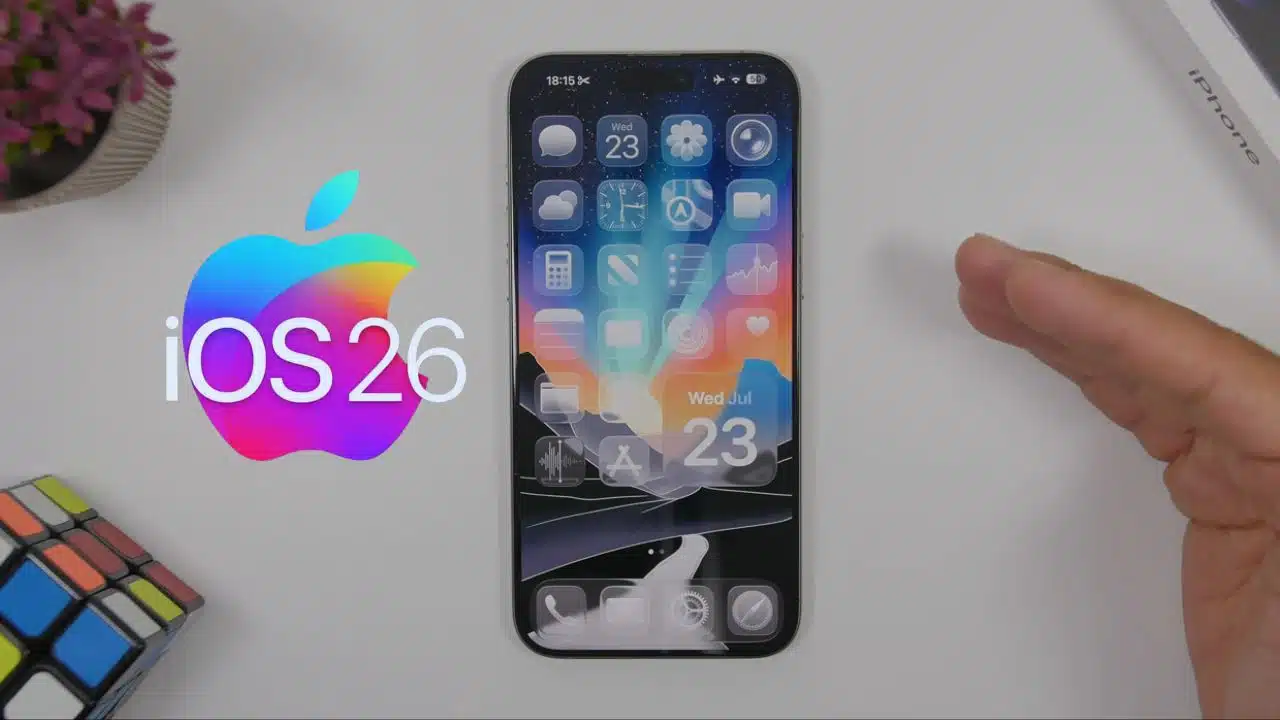
Apple has officially launched the public beta versions of its upcoming operating systems—iOS 26, iPadOS 26, macOS 26 Tahoe, and watchOS 26. This rollout follows the big announcements made during Apple’s WWDC 2025 (Worldwide Developers Conference) held last month.
These next-generation updates not only introduce a fresh new visual identity called Liquid Glass but also bring significant advancements in Apple’s AI offerings under the brand Apple Intelligence.
The beta releases are now available to all eligible users through Apple’s Beta Software Program, offering a chance to experience the future of Apple’s ecosystem before the full launch expected later this year.
iOS 26 Public Beta: A Dramatic Visual Shift and Smarter Experience for iPhones
The iOS 26 public beta is now available for users with compatible iPhones. The update features a complete design overhaul, an expansion of Apple’s native AI tools, app improvements, and a brand-new Games app designed to unify gaming content across Apple’s platforms.
Compatible iPhone Models
If you want to try iOS 26, you’ll need one of the following models:
- iPhone 16 Series: 16 Pro Max, 16 Pro, 16 Plus, 16, 16e
- iPhone 15 Series: 15 Pro Max, 15 Pro, 15 Plus, 15
- iPhone 14 Series: 14 Pro Max, 14 Pro, 14 Plus, 14
- iPhone 13 Series: 13 Pro Max, 13 Pro, 13, 13 mini
- iPhone 12 Series: 12 Pro Max, 12 Pro, 12, 12 mini
- iPhone 11 Series: 11 Pro Max, 11 Pro, 11
What’s New in iOS 26
Liquid Glass Interface
Apple’s new Liquid Glass design language is a major highlight. It features:
- Translucent layers and textures
- Smoother system-wide animations
- Rounded corners and floating effects
- Modernized app icons
- Fully customizable widgets on both Home Screen and Lock Screen
Expanded Apple Intelligence
Apple Intelligence, the company’s proprietary AI system, is now more deeply embedded in the OS. New features include:
- Live translation in Phone and Messages apps
- Visual Intelligence that understands the context of what’s on-screen and offers suggestions
- Enhanced Genmoji, letting users generate expressive emojis using prompts
- Image Playground lets users create unique AI-generated images in various styles
Upgrades to Core Apps
Several native apps have received a redesign or new functionality:
- Phone app: Unified layout for calls and voicemail, easier access to recent calls and contacts
- Messages: Ability to conduct polls in group chats, a feature long requested by users
- Apple Games App: Track achievements, gameplay time, and Apple Arcade titles in one place
With iOS 26, Apple is aiming to not only improve aesthetics but also make the iPhone smarter, more personal, and more immersive.
macOS 26 Tahoe Public Beta: Intelligent, Sleek, and Productivity-Driven
Apple’s macOS 26, codenamed Tahoe, is now in public beta. It brings desktop-class improvements, expanded AI features, and a more fluid visual environment, making the Mac more powerful and efficient.
Compatible Mac Models
macOS 26 Tahoe is available for the following devices:
- MacBook Air: M1 or newer
- MacBook Pro: 16-inch (2019+), 2020+, 13-inch 2020 (4 Thunderbolt ports)
- iMac: 2020 and newer
- Mac mini: 2020 and newer
- Mac Pro: 2019 and newer
- Mac Studio: 2022 and newer
What’s New in macOS 26 Tahoe
Liquid Glass and Visual Enhancements
- The new transparent menu bar adds visual depth
- Folder icons can now be decorated with emoji overlays
- Theme color matching brings a consistent look across folders and app icons
Apple Intelligence Features
AI-powered tools are now available on Mac:
- Smarter Shortcuts to automate workflows
- Better Genmoji capabilities
- Advanced image generation through Image Playground
Spotlight Gets Smarter
The Spotlight search tool now supports:
- Grouped search results
- Dynamic filters
- Integration with third-party content
- Previews of files, media, and calendar entries directly in Spotlight
- Ability to trigger hundreds of system-level tasks without opening an app
Upgraded Apps
- Safari: Speed improvements, memory efficiency
- Notes: Support for Markdown and audio call transcription
- Journal: A reflective journaling app now on Mac with mood tracking
- Games App: A centralized hub for game discovery, Apple Arcade, and Game Center activities
macOS 26 is geared toward both creators and power users, blending productivity with Apple’s unique aesthetic and AI-forward future.
iPadOS 26 Public Beta: A Leap Toward Desktop-Like Functionality
iPadOS 26 brings the most desktop-like experience to the iPad yet. The update enhances multitasking, introduces powerful tools for creators, and refines Apple Pencil usage with new app capabilities.
Compatible iPad Models
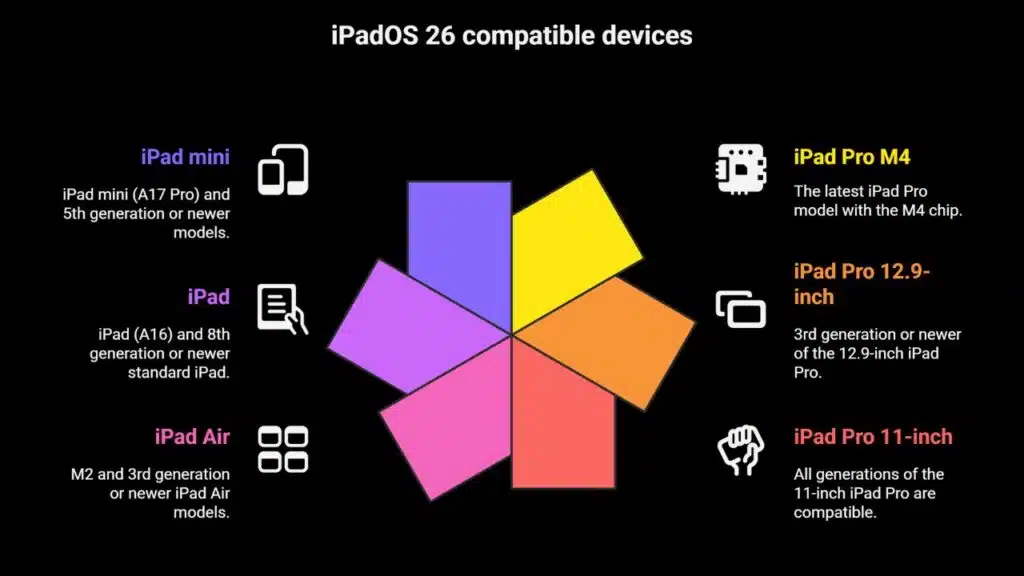
This beta is available for the following iPads:
- iPad Pro M4
- iPad Pro 12.9-inch (3rd gen or newer)
- iPad Pro 11-inch (all generations)
- iPad Air M2 and 3rd gen or newer
- iPad (A16) and 8th gen or newer
- iPad mini (A17 Pro) and 5th gen or newer
What’s New in iPadOS 26
Liquid Glass & Custom UI
The new design brings the iPad interface in line with iOS and macOS, making transitions between devices more seamless. Liquid Glass offers the same translucent UI, updated icons, and enhanced widget functionality.
Powerful Multitasking
- A new macOS-like windowing system for better app control
- Support for Stage Manager enhancements
- A floating system-wide menu bar with contextual tools
Expanded App Capabilities
- Preview App finally arrives on iPad with full support for PDF editing, annotation, and markup using Apple Pencil
- Files App now allows folder pinning, List view enhancements, and background task handling like video exports
- Mic selection per app, voice isolation, and Local Capture tools are tailored for content creators and virtual presenters
Apple Intelligence on iPad
- Smart translation across system apps
- Improved Shortcuts
- Seamless use of Genmoji and Image Playground
watchOS 26 Public Beta: Fitness Coaching Meets Smart AI
Apple Watch users are also getting a major update with watchOS 26, now in public beta. The update brings Apple’s signature Liquid Glass design to the wearable, along with a fitness-focused AI coach and upgraded messaging features.
Compatible Apple Watch Models
watchOS 26 works with:
- Apple Watch Series 6 to 10
- Apple Watch SE (2nd generation)
- Apple Watch Ultra and Ultra 2
What’s New in watchOS 26
Visual Refresh with Liquid Glass
The updated design touches areas like:
- Control Centre
- Smart Stack
- Overall UI elements that now look more cohesive with iOS and macOS
AI-Powered Fitness Coach
- Workout Buddy is the standout feature, using Apple Intelligence to give live coaching, encouragement, and performance tips during workouts
- Works across a variety of activities: HIIT, cycling, running, etc.
- The Workout App gets a new layout with fast access to music and activity stats
Messaging and Gesture Control
- Live Translation during conversations on select models
- Smart replies and AI-powered context-based suggestions
- A new wrist flick gesture can dismiss calls or snooze alarms
Notes and Accessibility
- Notes App comes to Apple Watch, supporting voice dictation and secure access
- New Live Listen captions improve accessibility
- Users can now control remote audio sessions from their wrist
Additional Tweaks
- A refreshed Watch Face Gallery
- Smarter face recommendations from your Photos library
- New tools for developers to create custom widgets and interface elements
A Unified Future for Apple Ecosystem
With the launch of these public betas, Apple is clearly signaling a new era. The Liquid Glass design offers a visually unified and immersive experience across all devices. Meanwhile, Apple Intelligence is now the brain behind a wide range of features—from smart translations to on-device coaching, from Genmoji to Spotlight automation.
Whether you’re a casual iPhone user, a Mac power user, or a creative working on an iPad, these updates are packed with thoughtful, future-ready features. The public beta is free to try, but users should back up their devices and be aware that beta software can sometimes include bugs or unexpected behavior.
To test any of the above updates, visit the Apple Beta Software Program and enroll your eligible devices.
The Information is Collected from Engadget and Business Standard.





















