


Meta’s WhatsApp has begun rolling out WhatsApp passkey encryption for chat backups, a landmark security upgrade announced this week. The move, impacting billions of users, replaces the notoriously complex 64-digit encryption key system with simple, on-device biometrics or a PIN, finally making high-level backup security accessible to everyone.
Key Facts: The New Passkey Rollout
- What’s New: WhatsApp is enabling passkeys (fingerprint, face, or screen lock) to secure and restore end-to-end encrypted (E2EE) chat backups on Google Drive and iCloud.
- The Problem Solved: This replaces the previous system, launched in 2021, which required users to remember a complex password or a 64-digit encryption key. Losing this key meant permanently losing access to backed-up chats.
- Why It Matters: The high friction of the old system led to poor adoption, leaving millions of user backups vulnerable. Passkeys make robust security simple, phishing-resistant, and easy to use.
- User Base: This change directly affects WhatsApp’s global user base, which exceeds 3 billion people.
- Rollout: The feature was officially announced on October 30, 2025, and is rolling out “gradually over the coming weeks and months” to all iOS and Android users.
The Security Barrier That Was ‘Too Secure’
When WhatsApp first introduced end-to-end encrypted backups in 2021, it was a major technical achievement. It made WhatsApp the first major global messaging service to offer a way to protect chat backups—which sit on third-party cloud servers like Google Drive and iCloud—from being accessed by anyone, including law enforcement, the cloud providers, or even WhatsApp itself.
But this security came at a steep price: usability.
To enable it, users had to either create a unique password or, if they forgot that, rely on a 64-character-long encryption key. This single point of failure was, as described by one technology publication, “very troublesome”.
If a user lost their phone and also forgot their password or lost their 64-digit key, their entire chat history was irrecoverably gone. This immense friction meant that countless users either never enabled the feature or, worse, enabled it and then lost their key, defeating the purpose of a backup entirely.
This usability nightmare left a significant security gap. While messages in transit were secure, the gigabytes of “precious memories,” as WhatsApp called them in a statement, remained vulnerable in the cloud.
How WhatsApp Passkey Encryption Changes Everything
The new system, announced by parent company Meta on Thursday, October 30, 2025, dismantles this barrier. It leverages the FIDO (Fast Identity Online) Alliance standard for passkeys, which is already integrated into the operating systems of modern smartphones.
Instead of a password you must remember, a passkey uses a pair of cryptographic keys.
- A public key is stored on WhatsApp’s servers.
- A private key is stored securely on your device, protected by your phone’s built-in security.
When you need to restore your backup on a new phone, the process is simple:
- You initiate the restore.
- The service (WhatsApp) challenges your device to prove it’s you.
- You simply look at your phone, touch the fingerprint sensor, or enter your screen lock PIN.
- Your device uses the private key to “sign” the challenge, proving your identity without the private key ever leaving your device.
This method is not only simpler but significantly more secure. It is inherently resistant to phishing attacks, as there is no password for a scammer to steal.
Industry Analysis: The ‘Passwordless’ Revolution Is Here
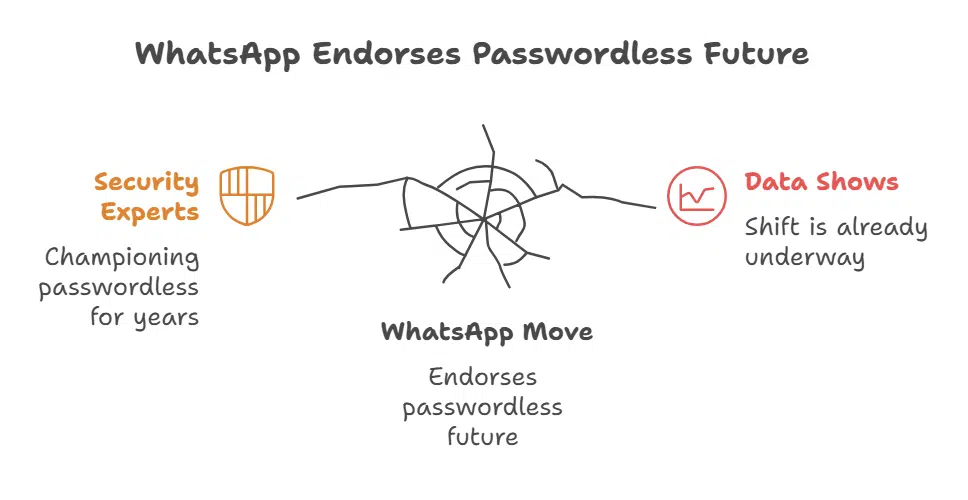
WhatsApp’s move is not happening in a vacuum. It is the most significant endorsement yet of the “passwordless future” that security experts have been championing for years. The data shows this shift is already well underway.
Data Point 1: Passkey Adoption is Growing
A Consumer Cyber Readiness Report published on October 3, 2025, found that 33% of Americans who use multi-factor authentication (MFA) have already started using passkeys. This indicates a strong and growing public appetite for simpler, stronger authentication.
Data Point 2: Passkeys Are More Reliable
The reliance on passwords is a major burden on users and a cost center for businesses. The FIDO Alliance’s “Passkey Index” report from October 2025 provides striking data on their effectiveness:
- Login Success Rate: Passkey logins have a 93% success rate.
- Legacy Login Success Rate: Other traditional methods (like passwords) have only a 63% success rate.
- Support Reduction: Crucially, organizations implementing passkeys report up to an 81% reduction in sign-in-related help desk incidents.
By integrating this technology, WhatsApp is effectively eliminating the single largest point of friction and failure in its backup security model.
Dr. Amrita Singh, a cybersecurity analyst at the Digital Privacy Foundation, commented on the trend. “For years, we’ve forced a false choice on users: convenience or security. The 64-digit key was peak ‘security-at-the-cost-of-convenience.’ Passkeys are the first mainstream technology to offer more security through more convenience. By pushing this to three billion users, WhatsApp is normalizing high-level, phishing-resistant security for the entire planet.”
The Impact on 3 Billion Users
For the average user, this update is a profound quality-of-life improvement. The anxiety of losing a 64-digit key is gone. Setting up a new phone will now be a seamless and secure experience.
“Many of us carry years of precious memories in our WhatsApp chats,” a WhatsApp spokesperson noted in a statement. The company emphasized that this update makes backup protection “more accessible through a simple tap or glance.”
This move also gives WhatsApp a significant competitive advantage. While rivals like Signal are renowned for their privacy, their backups are often handled locally or not at all, making device migration difficult. WhatsApp’s solution now offers the best of both worlds: the convenience of a cloud backup with the security of on-device E2EE, all verified by a simple biometric scan.
What to Watch Next
The immediate next step is the rollout itself. WhatsApp has stated it will be gradual, and users can enable the feature by navigating to Settings > Chats > Chat backup > End-to-end encrypted backup.
The broader context for this upgrade is an increasingly hostile digital environment. Only two months ago, in September 2025, WhatsApp had to patch a critical “zero-click” vulnerability that could have allowed attackers to compromise devices without any user interaction.
While that bug was unrelated to backups, it underscores the constant and sophisticated threats facing messaging platforms. The push for passkey encryption is a critical defensive move, hardening the single largest and most vulnerable collection of user data—their archives—against future attacks.
The 64-digit key is dead. For billions of users, real, usable security has finally arrived.
The Information is Collected from MSN and Yahoo.
























