


Hey there, have you ever stared at that little green dot on Snapchat and wondered what’s going on? Maybe you’re curious if a friend is online right now, or you’re just puzzled by this tiny icon next to someone’s Bitmoji or avatar.
It can be a bit of a mystery, and let’s be honest, it’s like trying to crack a secret code sometimes!
Here’s a cool tidbit to chew on: that green dot, often called the activity indicator, shows if someone is currently active or has been recently active on the app. Pretty neat, right? In this post, we’re tackling the big question, “What Does The Green Dot Mean On Snapchat,” and breaking it down for you.
We’ll chat about what it signals, how long it sticks around, and even if you can turn off the green dot for some extra privacy. Stick with us to find out more!
Key Takeaways
- The green dot on Snapchat shows if someone is online or active recently.
- It stays active for 3 to 5 minutes after closing the app.
- A time stamp like “active 25 minutes ago” can show for up to 24 hours.
- You can turn off the green dot in Privacy Controls under Activity Indicator.
- Turning it off won’t hide recent activity within the last 24 hours.
What Does the Green Dot Mean on Snapchat?
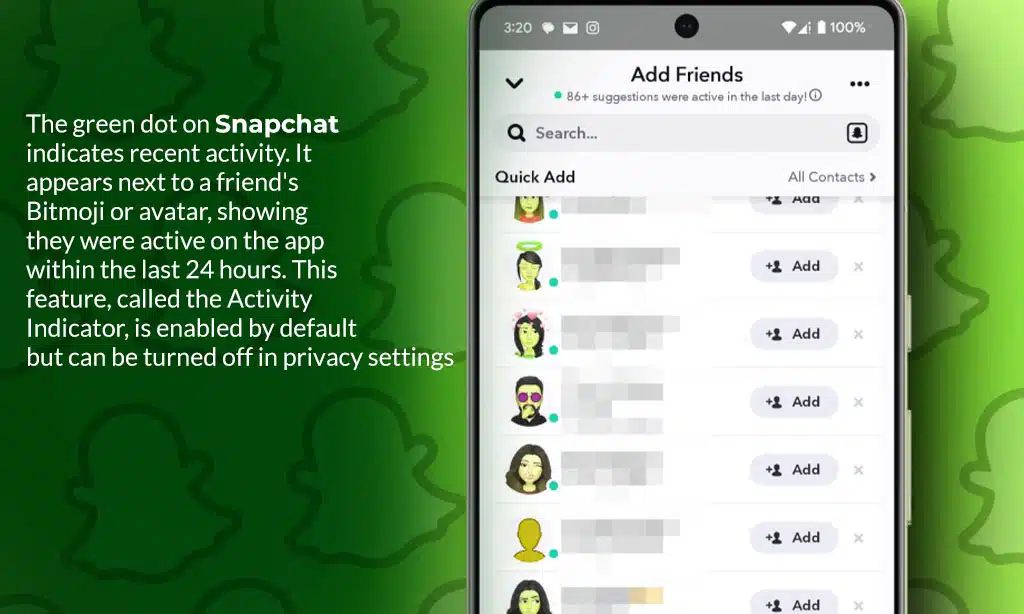
Hey there, ever spotted that little green dot next to a friend’s Snapchat profile? It’s like a tiny signal, shouting that they’re online or have been active on the app lately!
Significance of the Activity Indicator
Seeing that green dot on Snapchat next to a friend’s avatar feels like a little nudge, doesn’t it? It tells you they’re currently online or have been active on the app recently. This tiny indicator on Snapchat plays a big role in sparking chats.
It pushes you to send a quick message when you spot someone online, making the app a lively spot for talks.
This green dot shows more than just online activity, though. It can stir up a rush to reply fast, creating some pressure. For some, it might even bring on a fear of missing out or a bit of stress if they can’t chat right away.
Plus, not everyone loves having their status visible due to privacy worries. Snapchat lets you tweak settings like Ghost Mode or limit who sees you, but sadly, you can’t hide the dot from just one person, it’s all or nothing.
How it represents online or recent activity
Hey there, Snapchat fans, let’s chat about that little green dot you see next to someone’s profile icon. It’s a handy clue showing if a pal is online on Snapchat right now. When someone’s using the app, like flipping through stories or snapping pics, the green dot appears next to their avatar.
It tells you they’re active on Snapchat, ready to chat or just hanging out in the app. Cool, right?
Now, this dot also spills the beans on recent activity. If they’ve stepped away, it might show a time stamp, like “last active 25 minutes ago” or even “5 hours ago.” This stays up for 24 hours after someone’s been on.
But, heads up, the green dot vanishes fast, in just 3 to 5 minutes, once they close the app. And after about 30 minutes of no action, it’s gone for good until they pop back in. So, keep an eye out on the chat page or Quick Add page to know who’s been active on Snapchat recently!
How Long Does the Green Dot Stay Active?
Got a minute to chat about that sneaky green dot on Snapchat? Let’s break it down, plain and simple. This little dot, acting as an activity marker, sticks around for just 3 to 5 minutes after someone exits the Snapchat app.
But, if it’s showing recent activity, you might see a time stamp, like 25 minutes or 5 hours, and it can linger up to 24 hours since the last use.
Now, here’s a twist. As a privacy sign for when the camera is active, the green dot next to someone’s Snapchat profile flashes for only a few seconds. After about 30 minutes of no action, it vanishes entirely.
Keep in mind, though, glitches or bad internet might mess with this, so it’s not always spot on for real-time updates on Snapchatters.
Can You Disable the Green Dot on Snapchat?
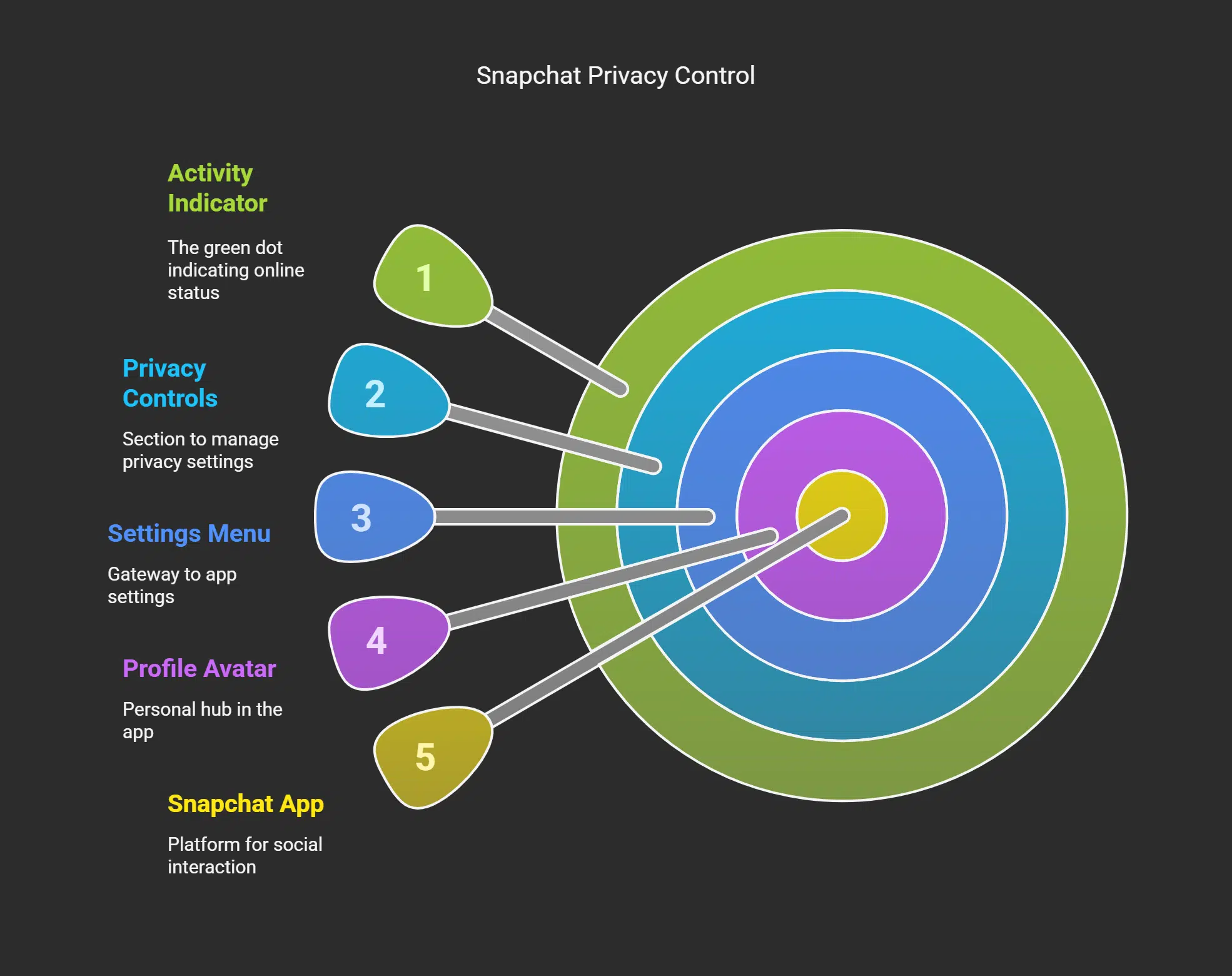
Hey there, let’s talk about that pesky green dot on Snapchat. Want to know if you can turn it off?
- First off, good news, you can indeed disable the Snapchat green dot, also called the Activity Indicator, with a few quick taps on your mobile app.
- To start, open Snapchat on your phone and get ready to tweak some privacy settings for a bit more control over who sees when you’re online.
- Next up, tap your Bitmoji or profile avatar in the top-left corner, it’s like your personal hub in the app.
- After that, hit the gear icon in the top-right spot to access the settings menu, your gateway to making changes.
- Scroll down to the Privacy Controls section, it’s where you manage stuff like who can see if you’re using Snapchat.
- Look for the “Activity Indicator” option, and with a simple toggle, switch it off to hide that green dot next to someone’s Snapchat profile, or rather, yours.
- Keep in mind, though, turning this off doesn’t mean others can’t spot if you’ve been recently active on Snapchat within the last 24 hours, so it’s not entirely hidden.
- Also, just a heads up, messing with Ghost Mode on Snap Map hides your location, but it won’t touch the visibility of that green dot indicating someone’s online status.
Takeaways
Wrapping up, let’s chat about that sneaky green dot on Snapchat. It’s like a little spy, hinting if someone’s online or just popped in recently. Pretty cool to stay in the loop, right? But, keep in mind, it’s not always spot on.
So, don’t sweat it if you’re curious about a pal’s status, just peek at the Snap Map for the real scoop!
FAQs
1. What does the green dot on Snapchat really mean?
Hey, curious snapper, ever spotted that green dot next to someone’s Snapchat profile? It’s a little signal showing the user is active or has recently been active on the app. So, if you see the green dot, they might just be ready to chat!
2. Does the green dot mean they’re online right now?
Not always, my friend. That green dot that appears next to someone’s Snapchat avatar indicates that the app is open or they’ve been active recently, but it’s not entirely accurate as a real-time tracker.
3. Can everyone see the green dot by my name?
Yo, wondering who’s peeking at your status? If that green dot appears by your Bitstrips avatar, others can see the green dot too, since Snapchat lets users know about the green dot as a privacy indicator. Just a heads up, it’s not hidden, so folks might notice if you’ve been active lately!
4. Why do I see a green dot in more than one place in the app?
Hey there, puzzled by seeing that dot pop up everywhere? You might see a green dot next to someone’s Snapchat profile or even near their location on the Snap Map, showing they’ve been active recently across different spots.
Nah, don’t get it twisted like a pretzel. The green dot may only hang out on Snapchat to show someone has been active, unlike Instagram or other social media platforms where different signals might play that role.
6. How long does the green dot stick around after I swipe away?
Gotcha wondering about timing, huh? Well, that green dot represents a short measure of time after you’ve been active, but it fades once the app is no longer in use or the camera is no longer open. So, don’t worry, you won’t be tagged as “online” forever, and pals can still be able to see other stuff to initiate a conversation!





















