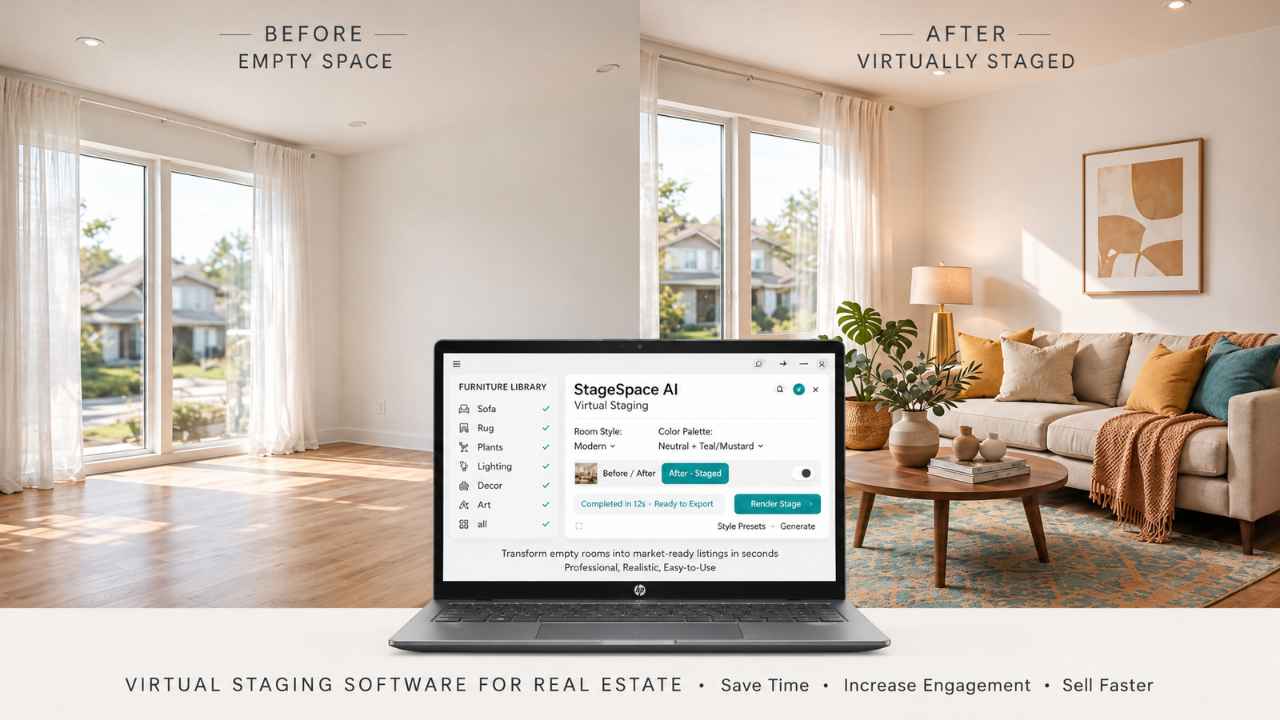
Empty rooms look smaller online, and buyers scroll right past them. REimagineHome is the best all-around virtual staging software for real estate listings, and BoxBrownie is the pick when you want human designers.
Below is a price-per-photo chart, the new disclosure rules, and honest flaws for all 10.
Price per Photo and Turnaround at a Glance
A typical listing needs about eight staged photos, so compare cost per listing, not just the headline rate. Here’s how each virtual staging software for real estate listings stacked up on public pricing in mid-2026.
| Tool | Type | Starting price | Speed |
|---|---|---|---|
| REimagineHome | AI | About $14 to $19/mo for 30 images | Under 1 minute |
| Collov AI | AI | $19/mo for 60 images | Under 1 minute |
| Virtual Staging AI | AI | $16/mo for 6 images | About 15 seconds |
| AI HomeDesign | AI | $19/mo for 30 photos | Under 30 seconds |
| BrightShot | AI | $14/mo for 80 images | Not published |
| Apply Design | AI + DIY editor | $7 to $10.50 per photo | 10+ minutes |
| BoxBrownie | Human | $24 per image | 24 to 48 hours |
| Styldod | Human | $16 per image | 12 to 48 hours |
| PadStyler | Human | From about $23 per image | Varies widely |
| RoOomy | Human | $49 per image | Several days |
Key takeaway: AI tools run from about 20 cents to under $3 a photo. Human services start around $16 and climb to $49, and you’re paying for judgment, not speed.
Why Staging Works and the New Disclosure Rules
The payoff is real. In NAR’s 2025 Profile of Home Staging, 83% of buyers’ agents said staging helps buyers picture the home as theirs, and about 30% of agents saw a 1% to 10% bump in value.
Here’s the catch: since January 1, 2026, California’s AB 723 requires a disclosure on digitally altered listing photos. Virtual staging, furniture removal, and changed landscaping all count. Brightness, color correction, and cropping don’t.
If you list in California, any virtual staging software for real estate listings you use must fit this workflow:
- Add the line “Image has been digitally altered” to every staged photo.
- Link to the original photo, or post the original and staged versions side by side.
- In print, add a QR code or link to the unaltered image.
Bottom line: even outside California, check your MLS rules. Many set their own labeling requirements.
The 10 Best Virtual Staging Software for Real Estate Listings
The first five are fast AI tools. The rest use human designers or give you hands-on control.
1. REimagineHome (best overall)
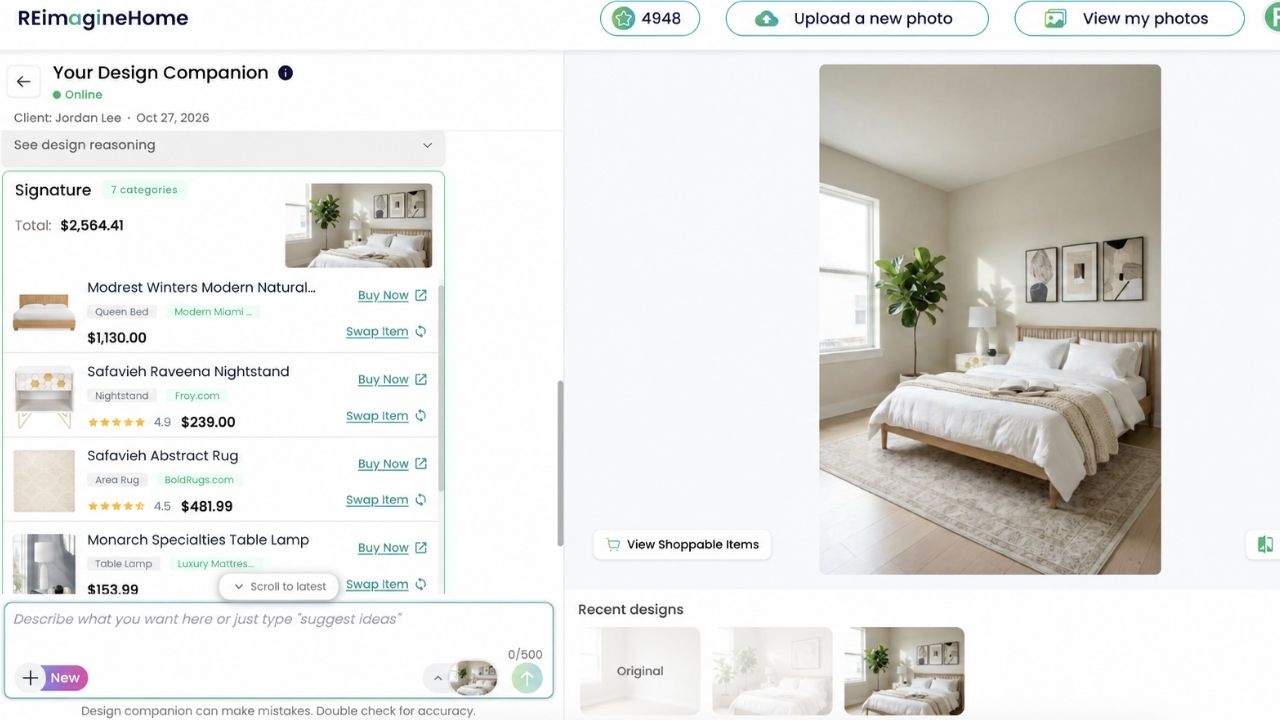
REimagineHome stages up to 50 photos in one batch, removes clutter and old furniture, and handles exteriors like landscaping, sky, and pools. Plans start around $14 to $19 a month for 30 images. Its before-and-after sliders make it the easiest virtual staging software for real estate listings to pair with side-by-side disclosure.
Real complaints:
- Credits vanish fast on the entry plan, and regenerations eat credits too.
- There’s no drag-and-drop furniture placement, and trial images are watermarked.
Who Should Skip This: agents who want to place every sofa by hand.
2. Collov AI (best value)
Collov starts at $19 a month for 60 images, about 32 cents each, and drops to $225 for 1,000. You get selective furniture removal and 10 free revisions per photo. For high-volume teams, it’s the cheapest serious virtual staging for real estate listings.
Real complaints:
- In HousingWire’s test, it made more furniture-removal errors than REimagineHome.
- Revisions cap at 10, and the style library is narrower.
Who Should Skip This: agents staging cluttered, occupied homes that need clean removal first.
3. Virtual Staging AI (fastest)
Picture this: you’re at a listing appointment, and you stage the empty living room in about 15 seconds while the seller watches. That’s Virtual Staging AI, the quickest virtual staging software for real estate listings on this list. The entry plan is $16 a month for six images, with unlimited regenerations.
Real complaints:
- Its Trustpilot score is 3.4 from 176 reviews, with repeated complaints about annual plans renewing without clear notice.
- You can’t move or swap individual furniture pieces.
Who Should Skip This: anyone who won’t double-check billing settings. Not even close to worth a surprise annual charge.
4. AI HomeDesign (best for staging plus renovation)
AI HomeDesign covers 15 room types and eight styles, from Farmhouse to Scandinavian, and adds virtual renovation in the same account. It’s $19 a month for 30 photos, with unlimited free regenerations. That combo makes it handy virtual staging software for real estate listings that need a dated kitchen refreshed too.
Real complaints:
- HousingWire’s test found furniture proportions sometimes off and results less polished than rivals.
- There’s no 360-degree or Matterport hotspot staging.
Who Should Skip This: agents marketing with 3D tours.
5. BrightShot (cheapest bulk AI)
BrightShot’s $14 plan covers 80 images, and its 14 modes include staging, empty-room conversion, sky replacement, and upscaling. For rentals and volume listings, it’s the lowest-cost virtual staging for real estate listings we found.
Real complaints:
- It’s fully AI, with no human review option.
- It has a small user community, so there’s less real-world feedback to go on.
Who Should Skip This: luxury agents who can’t risk a single odd render.
6. Apply Design (most hands-on control)
Apply Design gives you a drag-and-drop editor with 18,000+ furniture pieces and 360-degree staging. DIY photos start at $7, and AI staging runs $10.50 each. If you like to fuss over every lamp, this is the virtual staging software for real estate listings that lets you.
Real complaints:
- Renders take 10+ minutes per image.
- Testers called its credit pricing confusing, and each generation costs money.
Who Should Skip This: agents launching listings same day.
7. BoxBrownie (best human-designed staging)
The truth is, a human still beats AI in tricky rooms. BoxBrownie charges $24 per image with 24- to 48-hour delivery, and designers scale furniture to the room’s measured size. It’s the human virtual staging for real estate listings most agents already know.
Real complaints:
- Every revision restarts the clock, so a fix can cost another two days.
- Add-ons like item removal cost extra, and there’s no free trial or instant preview.
Who Should Skip This: anyone whose listing goes live tomorrow.
8. Styldod (best for Matterport hotspots)
Styldod has used human designers since 2015, charging $16 per photo and $25 per Matterport hotspot, with 12- to 48-hour delivery. If you already sell with 3D virtual tour apps, it’s the virtual staging software for real estate listings that plugs into those tours.
Real complaints:
- There’s no free trial or self-serve interface.
- It can’t handle same-day launches.
Who Should Skip This: DIY agents who want instant results.
9. PadStyler (budget human staging, with caveats)
PadStyler’s human-staged photos start around $23, and some agents get next-morning delivery. On the flip side, its Trustpilot reviews swing wildly, which makes this virtual staging for real estate listings a gamble on tight timelines.
Real complaints:
- Reviewers report 4- to 7-day delays and surprise fees, like a $10-per-photo rush charge.
- Some describe denied refunds and unanswered calls.
Who Should Skip This: agents with a hard go-live date.
RoOomy pairs you with a designer, uses shoppable real furniture, and stages Matterport tours from $434 for 700 square feet. Still photos run $49 each. It’s the high-end virtual staging software for real estate listings in the luxury tier.
Real complaints:
- It’s the most expensive tool here, with no free trial.
- Turnaround takes several days.
Who Should Skip This: starter homes and rentals. Big mistake to spend $49 a photo there.
Mistakes That Make Staged Photos Backfire
That brings us to the biggest mistake people make: trusting the first render. Even the best virtual staging software for real estate listings builds furniture from visual patterns, not tape-measure dimensions.
- Wrong scale: A sectional that wouldn’t fit through the door makes buyers feel tricked at the showing.
- Blocked features: Furniture parked over a fireplace or bay window hides what you’re selling.
- Overstaging: One furniture grouping per room keeps small rooms from looking smaller.
- Clashing styles: Mid-century pieces in a 1920s The craftsman looks off. Neutral transitional is the safe default.
- Skipping the label: Undisclosed staging can break AB 723 in California and your MLS’s rules.
The best part? Staged photos also help you win listings. Show sellers a before-and-after in your pitch to land more real estate seller leads, and log which listings got staged in your real estate CRM.
Frequently Asked Questions (FAQs)
How much does virtual staging cost?
AI tools run from about 20 cents to $3 per photo. Human designers charge roughly $16 to $49 per photo.
Is virtual staging legal?
Yes, as long as it isn’t misleading. In California, AB 723 requires a “digitally altered” disclosure and access to the original photo.
Does virtual staging actually help sell homes?
In NAR’s 2025 staging report, 83% of buyers’ agents said staging helps buyers picture the home as theirs.
Which rooms should I virtually stage?
Start with the living room, primary bedroom, and kitchen. NAR’s report ranks those as the rooms that matter most.
Is AI virtual staging as good as human staging?
For simple, empty rooms, it’s close. For odd layouts and luxury homes, human designers still get scale and lighting right more often.
Final Thoughts
Most agents should start with an AI tool and keep a human service for the tough rooms. REimagineHome or Collov, is the virtual staging software for real estate listings to start with, and BoxBrownie covers the rest.
Stage your next empty listing this week. Label it, link the original, and watch the clicks.