


You confirmed position 1 on a keyword you’d been chasing for months. Screenshot, Slack message, small celebration. Then you opened analytics, and the line was flat. Nothing about that ranking was wrong. Your rank tracker reported it correctly, Google served it correctly, and the traffic still didn’t arrive.
The relationship between SERP layout and organic clicks has quietly broken the assumption underneath most keyword strategies: that moving up the list moves you up the page. Those are two different measurements now, and only one of them shows up in your reports.
Your Rank is an Ordinal but Your Visibility is a Coordinate
A ranking position is a count. It tells you how many organic results Google placed ahead of yours, and it ignores everything on the page that isn’t an organic result. Ads don’t count. Nor does an AI overview, a shopping carousel, a video block, or a People Also Ask accordion.
Your visibility is something else entirely: a location on a rendered page, measured in pixels from the top of the viewport. That’s what determines whether a person sees your listing.
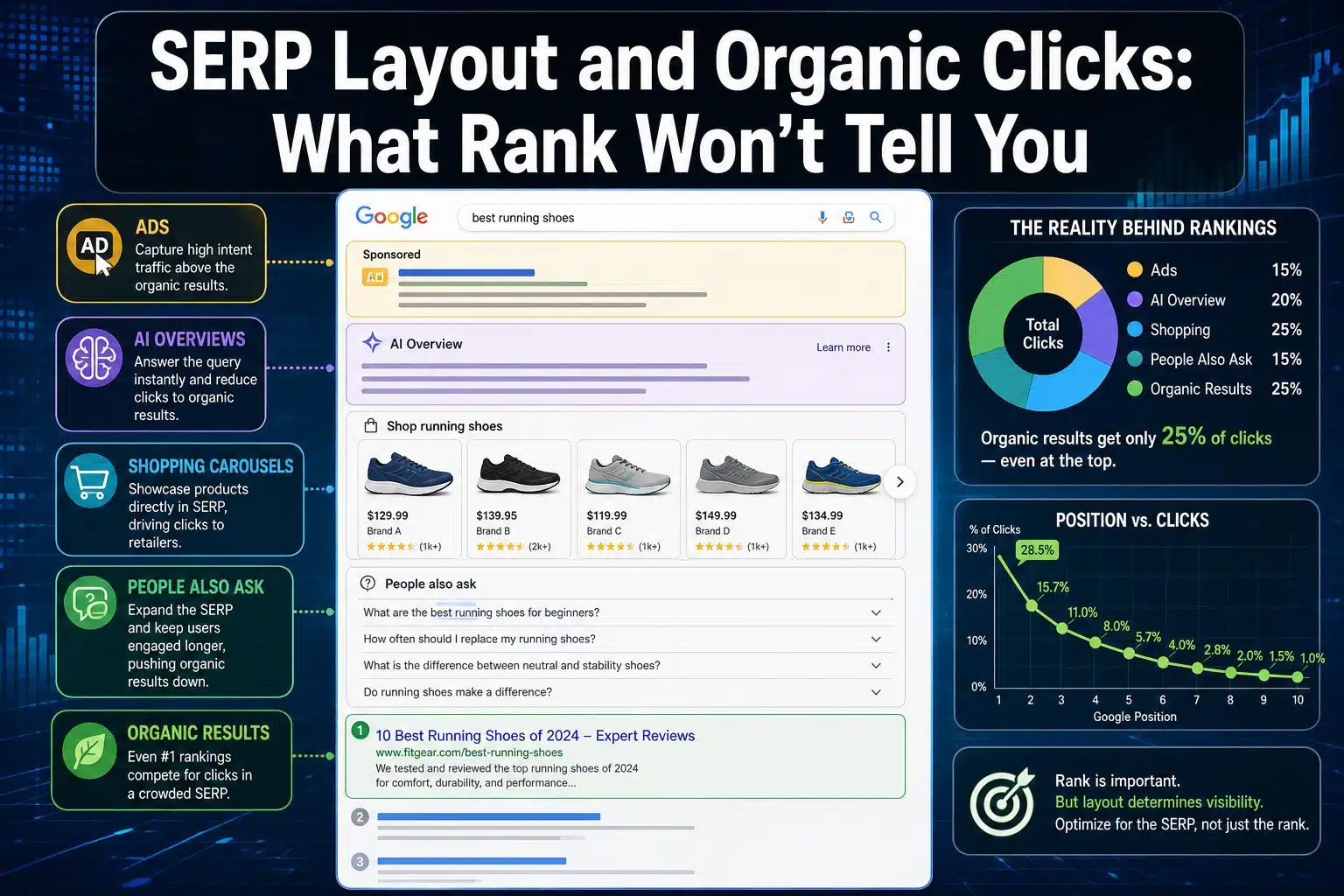
For most of the history of SEO, these two numbers tracked each other closely enough that nobody needed to separate them. Position 3 meant roughly the third thing on the screen. That’s no longer reliable. On a crowded commercial query, position 1 can sit 1,200 pixels down, below a block of ads and a shopping unit, and your rank tracker will report the win without a hint that most searchers never scrolled far enough to see it.
What Sits Between Position 1 and the Top of the Screen
It’s worth being specific about what’s actually consuming that space, because the components behave differently and you can’t fix them the same way.
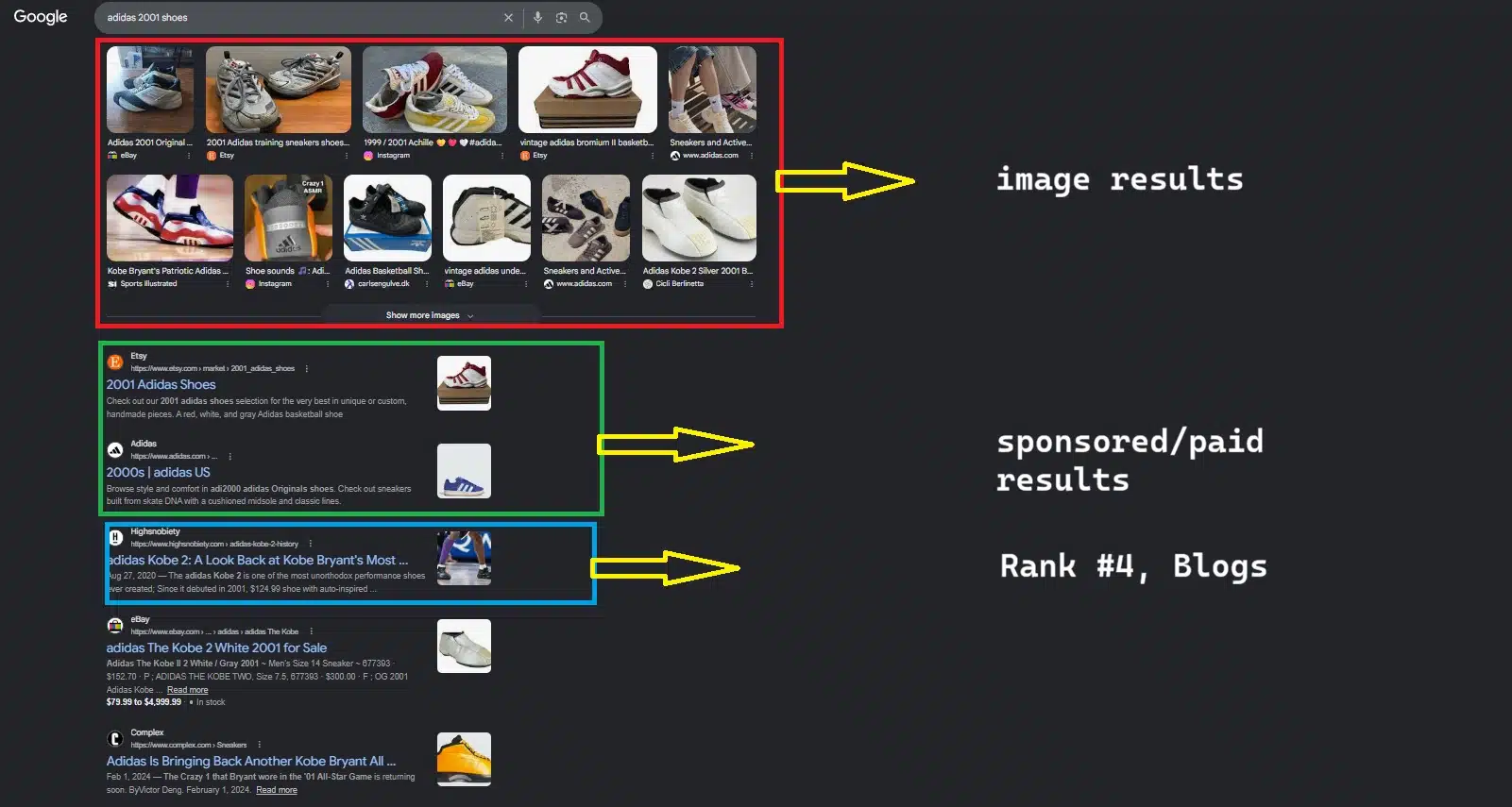
Paid results and shopping units
The oldest form of displacement and still the heaviest on transactional queries. Four text ads plus a product carousel can occupy most of a laptop’s first screen before a single organic result appears. There’s no organic tactic that removes them. On these SERPs the honest question isn’t how to rank higher; it’s whether organic is the right channel for that query at all.
AI Overviews and featured snippets
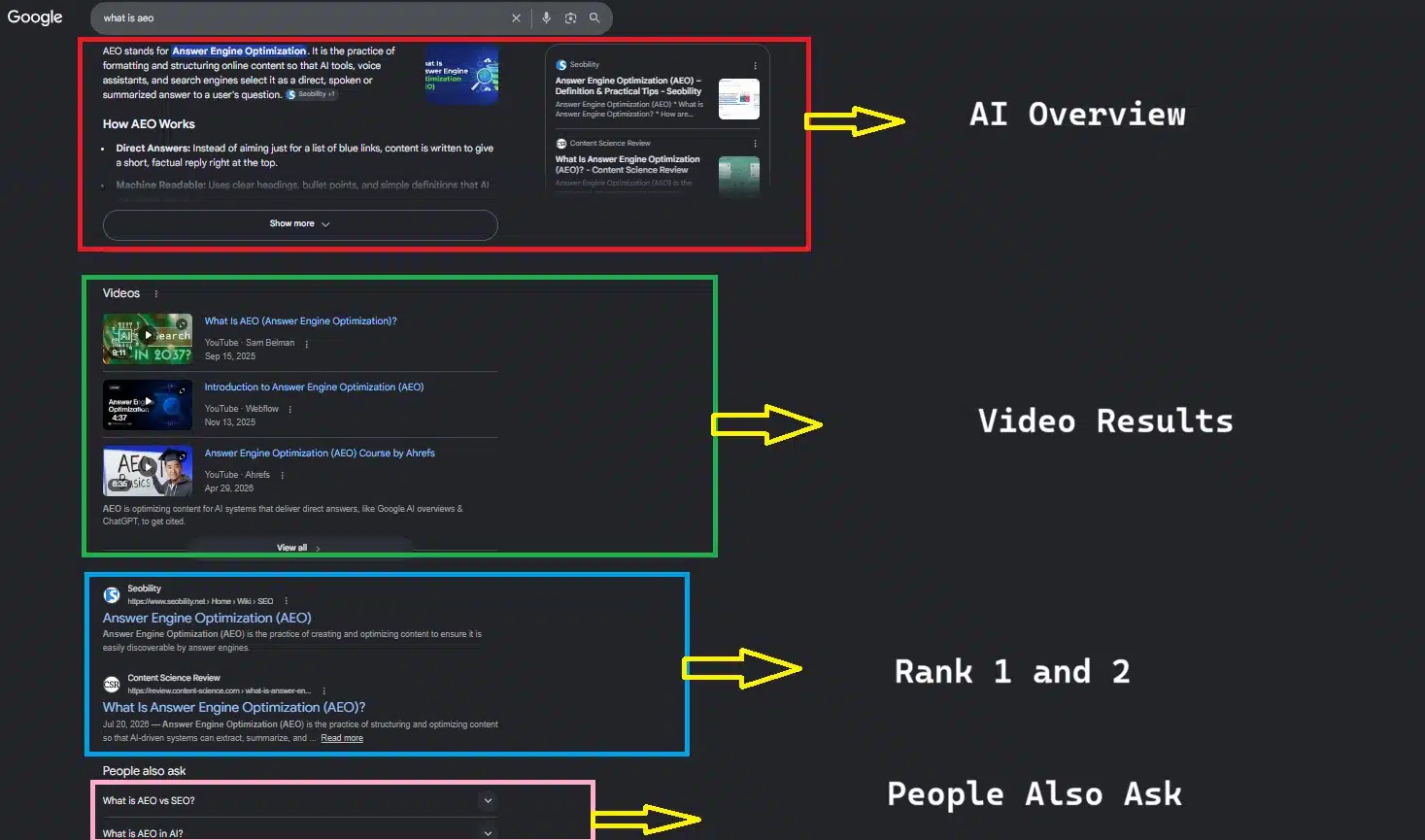
These do something ads don’t: they answer the question. A searcher who reads the summary has no remaining reason to click, and the result is a session that ends on the results page.
The nuance most coverage skips is that these features are usually built from content that ranks well. Getting cited is a visibility win even when it isn’t a click, and being excluded is worse than being summarized. Rankings still buy the ticket, but the payoff has changed shape.
Video, People Also Ask, and local packs
The mid-page interruptions are the sneakiest, because they don’t appear “above” you in any report. A PAA block inserted between positions 2 and 3 pushes everything below it down several hundred pixels without changing anyone’s ranking by a single place. Your position held. Your placement didn’t.
All of this compounds on mobile, where the viewport is a fraction of a desktop screen. The same SERP with the same ranking can be above the fold on a monitor and three swipes down on a phone, which means device split matters before any of these numbers mean anything.
Prove It in Search Console Before You Buy a Tool
Vendors will sell you pixel tracking, and it’s genuinely useful. But you can establish whether layout is your problem for free, and you should do that first, because the diagnosis changes what you’d buy.
The signature of a layout problem in Search Console is a specific combination: average position is flat or improving, impressions are flat or rising, and clicks are falling. Read those three together. If you’d actually lost rankings, impressions would fall too. If demand had dried up, impressions would fall. Stable impressions with declining clicks means people are seeing your listing and choosing not to click it, and the most common reason for that is something else on the page getting the click first.
The trap is running this at the site level, where seasonality and content churn swamp the signal. Segment instead. Take a set of queries whose positions haven’t moved in six months, then split them by type: informational questions against navigational and long-tail commercial terms and compare the CTR trend of each group against the others. When your question-shaped queries lose CTR at a position where your branded queries hold steady, you’re looking at feature displacement, not a site-wide problem.
Two things this won’t tell you. It won’t tell you which feature is doing the damage, only that something is. And Search Console’s average position is itself an average across devices and locations, so a number that looks stable can hide a mobile-specific collapse. Split by device before you conclude anything.
That’s the point where a tool starts earning its cost: when you’ve confirmed the pattern and need to know which feature appeared, on which queries, and how much vertical space it took.
Three Metrics That Explain What Rank Can’t
Pixel position
The vertical distance from the top of the page to your listing. Its value is that it’s the only number that answers the question your ranking can’t: would someone see this without scrolling?
Treat it with the same skepticism you’d apply to any average, though. Pixel position depends on viewport size, device, and whether features fire for that particular search. A single number for a keyword is a summary of many different renderings, which is the same weakness this metric is usually deployed to criticize in CTR models.
Less about you, more about the page. Which features appear on your target queries, how often they fire, and whether you appear inside any of them.
This one changes decisions rather than just explaining outcomes. A keyword where you rank 4th but own the featured snippet is in better shape than one where you rank 2nd under an AI overview and a video carousel. Volume alone won’t tell you which is which, and most keyword lists are still sorted by volume.
Query-specific CTR
The familiar curve, position 1, takes around 30% of clicks, and position 2, around 15%, is an average drawn across millions of structurally different result pages. It describes no individual SERP well. Real click-through at position 1 ranges from most of the available clicks on a sparse informational query down to almost none on a page dominated by ads and an AI answer.
Use your own Search Console data as the baseline instead. You have real CTR figures for your own queries at known positions, which is a better predictor for your site than any published curve, and it costs nothing.
When Rank Still Tells You the Truth
The overcorrection here is expensive, so it’s worth saying plainly: on a large share of queries, position still predicts traffic about as well as it always did.
Sparse SERPs are common. Navigational searches, most long-tail queries, a lot of B2B and technical terms, anything too specific to trigger a shopping unit, or anything interesting enough for Google to answer directly. Ten blue links, maybe one PAA block. On those pages, ranking second instead of fifth is exactly the win it appears to be, and the whole apparatus of pixel measurement adds nothing.
Notice also who benefits from the stronger version of this argument. The companies making the case that rankings have stopped meaning anything are, with reasonable consistency, the companies selling the alternative metric. That doesn’t make them wrong. It does mean the claim deserves the same scrutiny you’d give any other vendor research, and the honest position is narrower than the marketing: rankings still matter; they just stopped being sufficient on their own.
What to Change on Monday
Audit the SERP before you commit to a keyword, not after you’ve ranked for it. Pull up the actual results page and look at what occupies the first screen. That five-minute check should carry as much weight in your prioritization as the volume figure, because a keyword whose page has no room for organic listings isn’t an opportunity regardless of how many people search it.
Then re-score your existing target list on the same basis, and decide per keyword what you’re actually competing for. Some are worth chasing a higher position. Some are worth restructuring content to win the snippet. Some are worth abandoning to pay, and admitting that early is cheaper than proving it over two quarters.
The last change is a conversation, not a task. Tell whoever receives your reports that a ranking improvement is no longer a traffic forecast. Do it before the next win lands, because explaining the gap after you’ve reported position 1 sounds like an excuse, and explaining it beforehand sounds like expertise.
Frequently Asked Questions (FAQs)
1. Why is my #1 ranking not getting traffic?
Most often because your listing isn’t the first thing on the screen. Ads, AI overviews, shopping carousels, and video blocks all sit above the organic results without affecting your reported position, so a technically correct #1 can render well below the fold. Check your Search Console CTR for that query against your own site’s typical CTR at position 1.
2. Does SERP layout affect CTR more than ranking position?
On feature-heavy pages, yes. On sparse result pages, position remains the dominant factor. Which one applies depends on the query, which is why per-keyword SERP inspection has become part of keyword research rather than an optional extra.
3. What is pixel position in SEO?
The vertical distance in pixels between the top of the results page and your listing. Unlike ranking position, it accounts for every element on the page, so it reflects how far someone has to scroll to reach you. It varies by device and viewport, so it’s most useful segmented rather than as a single average.
4. How do I know whether AI Overviews are taking my clicks?
Compare CTR trends across query types where your positions have stayed stable. AI Overviews fire disproportionately on informational and question-shaped queries, so a CTR decline concentrated in that group, while your navigational and transactional queries hold steady, points to AI Overviews rather than a general ranking issue.
5. Are zero-click searches actually increasing?
The direction is well established; the magnitude is contested. Published figures vary considerably depending on whether navigational searches are counted and how sessions are attributed, so treat any single headline percentage with caution and watch your own click-to-impression ratio instead.

























