


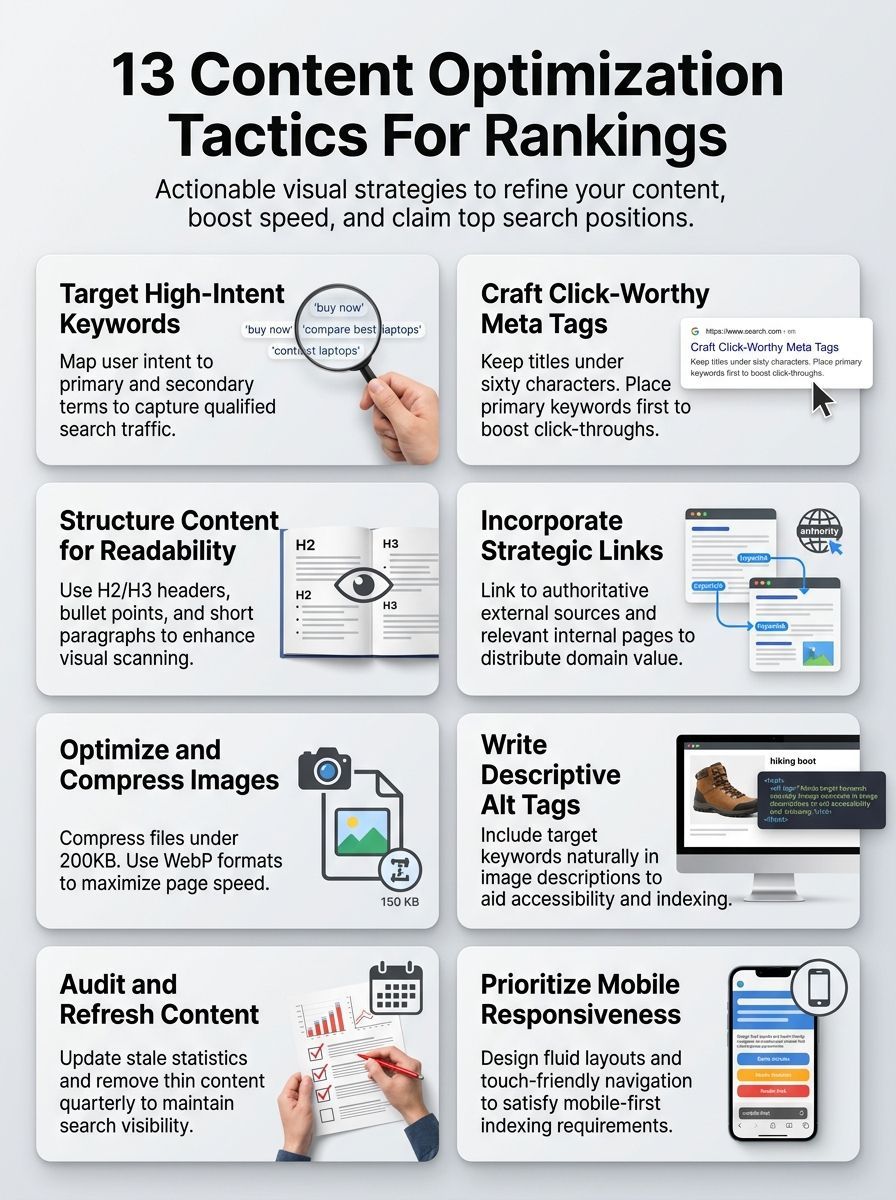
Ever hit publish, wait, and watch your page sit still? If that sounds familiar, 13 Content Optimization Tactics For Rankings is for you.
In Google’s July 2026 guidance for search visibility, the message is still simple: create useful pages for people first, then make those pages easy to crawl, fast to load, and easy to choose in search results.
I’m going to walk you through the fixes that usually move the needle first, from keyword research and onpage optimization to visuals, mobile usability, and content refreshes.
Keep reading.
Why 13 Content Optimization Tactics For Rankings Matter
Content optimization matters because ranking is a two-part job. First, search engines need to understand your page. Then real people need a reason to click it and stay.
That is why clear headings, useful copy, descriptive images, internal links, and fast load times work so well together. Each one sends a stronger signal about relevance, quality, and user experience.
In Google’s latest AI search guidance, the company says unique, helpful, non-commodity content still does more for visibility than chasing gimmicks. That is a helpful reality check for anyone buried under shiny SEO strategies.
The goal is not to stuff in more SEO. The goal is to make the page easier to understand, easier to trust, and easier to use.
When you treat content strategy that way, search engine rankings usually improve as a side effect of a better page. That is also why strong content marketing and technical cleanup should happen together, not as separate projects.
Conduct Thorough Keyword Research
Good keyword research starts with real demand, not guesses. You want to know what readers type, what they expect to see, and where your current pages already have a shot.
Search Console is one of the best analytics tools for this. Its Performance report opens with the last three months of data and lets you sort by query, page, country, and device, which makes it much easier to spot pages getting impressions without enough clicks.
Use primary and secondary keywords
Pick one main phrase for each page, then support it with related terms that match the same intent. That keeps your onpage optimization focused and stops one article from trying to rank for five different jobs at once.
- Choose one primary keyword that matches the page’s true purpose, such as a guide, comparison, service page, or product page.
- Pull your current query data from Search Console and look for phrases that already earn impressions, because those are usually easier wins than starting from zero.
- Place the primary keyword in the title, the first paragraph, and at least one subheading so the topic is clear right away.
- Add four to eight supporting phrases that answer follow-up questions, define terms, or cover close variants readers actually use.
- Map each supporting phrase to a section of the page instead of sprinkling keywords everywhere. This makes the article read naturally and helps each heading earn its place.
- Review older pages for overlap. If two pages target the same search need, merge them or set a preferred version so your content strategy stays clean.
Include semantically related keywords
You do not need to force every exact-match variation onto the page. Google’s documentation says its language systems can understand how a page relates to many queries even when the exact wording does not appear.
That means related terms work best when they deepen the topic. Add them in headings, captions, comparison points, and examples where they genuinely help the reader.
- Use beginner phrasing and expert phrasing if both audiences search differently.
- Turn repeated subtopics into H2 or H3 sections so supporting terms have context.
- Add related phrases to image filenames and alt text only when they truly describe the visual.
- Watch country and device splits in Search Console so your keyword optimization reflects how readers actually find you.
| Keyword signal | What it tells you | Best next move |
|---|---|---|
| High impressions, weak CTR | Your topic is relevant, but the search result is not persuasive enough | Rewrite the title tag and meta description |
| Strong clicks on one query cluster | Google already trusts your page for that theme | Expand the section that serves that theme |
| Big mobile traffic share | Your audience often discovers the page on phones | Shorten intros and move the answer higher |
| Country-specific demand | Readers may expect regional examples or wording | Localize examples, pricing, or terminology |
Optimize Meta Tags and Descriptions
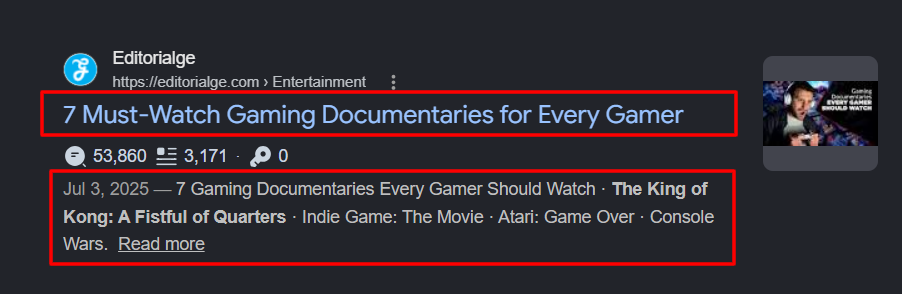
Meta tags help you win the click before the reader ever reaches your page. If the title and snippet feel vague, the page can rank and still underperform.
This is one of the biggest authority gaps in weaker SEO advice. Plenty of articles tell you to write shorter tags, but they never explain how Google actually builds title links and snippets.
Craft compelling title tags
Your title tag should promise exactly what the page delivers. Google can generate title links from the title element and from on-page headings, so mismatched titles and H1s often create messy search results.
- Lead with the clearest topic or benefit, not a long brand phrase.
- Keep the wording unique to that page so it does not compete with similar pages on your own site.
- Match the title to the main heading and the intro. If those pieces disagree, Google has more reason to rewrite the result.
- Use numbers, dates, or product names only if they truly appear on the page.
- Add your brand or location at the end if it helps trust or local relevance.
- If a page has several large headings, tighten them up. Google may use the first prominent heading as the title link text.
Write click-worthy meta descriptions
Google’s snippet documentation notes there is no fixed character limit for meta descriptions. Snippets are trimmed to fit device width, which is why clarity matters more than chasing a rigid number.
Write one or two short sentences that summarize the page and give the searcher a reason to care. For service pages, that may be a benefit or location. For product pages, it may be the price, maker, or age range. For articles, it may be a date, method, or key takeaway.
| Element | What Google may use | Best practice |
|---|---|---|
| Title link | Title element and prominent headings | Keep title and page heading aligned |
| Snippet | Meta description or visible page copy | Write a page-specific summary with a clear benefit |
| Product or article details | Visible information such as author, date, price, or manufacturer | Surface decision-making details early on the page |
A simple test helps here: if someone saw only your title and snippet, would they know what they would get after the click? If the answer is no, rewrite them.
Improve Content Readability and Structure
Readers do not rank pages, but they do send strong feedback through clicks, scrolling, and engagement. A page that feels heavy or confusing usually loses momentum fast.
Google’s SEO Starter Guide says easy-to-read, well-organized text matters, and there is no magic word count that automatically helps a page rank. Good structure beats bloated copy.
Use headers, bullet points, and short paragraphs
Think of headings as signposts. They help readers scan, and they help search engines understand the shape of the page.
- Write H2s that answer real sub-questions instead of vague labels like “More Tips” or “Details.”
- Keep most paragraphs to one or two sentences so readers can move quickly.
- Use bullets or numbers when a section explains steps, examples, or criteria.
- Put the direct answer near the top of each section, then add detail below it.
- Do not obsess over heading order for rankings. Google says semantic heading order is great for screen readers, but it is not a ranking shortcut by itself.
- Break long pages into chunks that match intent, so each section feels useful on its own.
Enhance engagement with visuals and lists
Visuals do more than make the page prettier. They can help readers understand a process faster, compare options faster, and stay oriented as they scroll.
- Place images next to the text they support, not far above or below it.
- Use tables for side-by-side choices, especially in service, software, and product comparisons.
- Add captions when a chart, screenshot, or infographic needs quick context.
- Turn dense explanation into short bullet lists so the main point is visible at a glance.
- Keep decorative images to a minimum if they do not add information.
If a reader has to hunt for the answer, your structure is working against your rankings.
Strong structure also supports content marketing because better pages are easier to share, link to, and update later. That makes future optimization much easier.
Focus on On-Page SEO Techniques
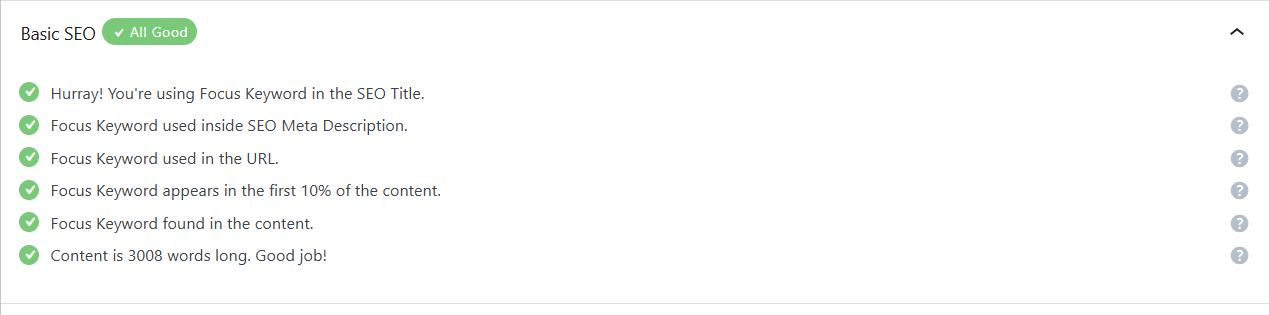
Onpage optimization is where strategy turns into a page that actually works. Small changes here can sharpen relevance without rewriting the whole article.
Match search intent
Search intent is the reason behind the query. If your page format does not match that reason, stronger keywords alone will not save it.
Start by checking what readers appear to want, then shape the page around that need. A how-to query wants a process. A best-of query wants comparisons. A service query wants proof, scope, and a clear next step.
- If the query suggests learning, lead with steps, examples, and definitions.
- If the query suggests choosing, add a comparison table and decision criteria.
- If the query suggests buying or contacting, move pricing, proof, and calls to action higher on the page.
- If the query is broad, add quick-answer sections so both skimmers and deep readers get value.
Incorporate internal and external links
Links help readers move and help search engines discover pages. Google’s SEO Starter Guide points out that the vast majority of new pages it finds each day are discovered through links, which is why smart internal linking is such a practical ranking habit.
- Make sure every important page gets at least one contextual internal link from another page on your site.
- Use descriptive anchor text so readers and crawlers can tell what the next page is about before they click.
- Link to supporting pages where the reader is likely to want more detail, not just where you want to push authority.
- Use trusted external sources when they strengthen a claim or help the reader verify a point.
- Check broken links during each content review so you are not leaking trust or wasting crawl paths.
- Keep link placement natural. A few strong links usually beat a crowded paragraph full of distractions.
Backlinking techniques also get easier when your internal structure is clean. People are more likely to cite a page that is focused, well-sourced, and easy to understand.
Leverage Visual Content Optimization
Images and videos can lift user engagement, improve comprehension, and bring in traffic from visual search surfaces. They can also slow your page down if you handle them poorly.
Compress images for faster load times
Start with the images that load first. PageSpeed Insights reports both lab data and real-world field data, which makes it one of the best analytics tools for spotting what is actually slowing readers down.
- Use modern formats such as WebP or AVIF where they fit your workflow, because Google supports both in image search.
- Resize images to the largest size they need to display, instead of uploading giant originals and shrinking them in CSS.
- Set explicit width and height on image tags so the browser can reserve space and reduce layout shifts.
- Lazy-load below-the-fold images, but keep your hero image eager. Lazy-loading the in-view LCP image is a common speed mistake.
- Track Core Web Vitals after each change. A good target is LCP under 2.5 seconds, INP under 200 milliseconds, and CLS under 0.1.
- Use PageSpeed Insights and Lighthouse together so you can see both the problem and the likely cause.
A fast page usually feels easier to trust. Readers notice speed long before they notice your SEO work.
Optimize alt tags for SEO
Alt text should describe the image for people first. Google uses alt text, surrounding page content, and computer vision to understand the subject of an image, so vague or stuffed tags waste a good opportunity.
- Describe what is actually in the image, not just the topic of the article.
- Use keywords only when they naturally fit the description.
- Keep important images in real img elements. Google does not index CSS background images the same way.
- Use short, descriptive filenames instead of generic names like image1 or photo123.
- If an image acts as a link, the alt text also works like anchor text, so make it meaningful.
- When you use responsive images with srcset or picture, keep a normal src fallback in place.
Update and Refresh Existing Content
Refreshing old pages is often faster than creating new ones. If a page already has impressions, links, and a bit of history, you have something to build on.
Conduct regular content audits
A quarterly review is a smart starting rhythm for many sites because Search Console already gives you a clean three-month default window. That makes trend checks faster and keeps stale pages from sitting untouched for a year.
- Sort pages by impressions, clicks, CTR, and average position so you can separate visibility problems from content problems.
- Review top queries for each page and check whether the page still answers those queries clearly.
- Compare device and country data to see whether mobile readers or regional readers need a better experience.
- Open URL Inspection after major edits to confirm Google can render and index the updated page correctly.
- Update weak titles, stale screenshots, missing internal links, and thin sections in the same pass.
- Keep a short changelog so you can connect ranking movement to specific edits instead of guessing later.
Add new information and remove outdated data
Freshness matters most when the topic changes often. If you update a page significantly, show a clear visible publish or last-updated date so readers and search engines can make sense of the change.
| What to refresh | Where to verify it | Why it matters |
|---|---|---|
| Titles and descriptions | Search Console CTR and impressions | Improves click appeal without changing the full article |
| Stats, dates, screenshots, product details | Official docs, reports, and current product pages | Prevents stale advice from hurting trust |
| Indexing and crawl status | URL Inspection | Confirms Google can see the page you think you published |
| Speed and layout issues | PageSpeed Insights | Protects user engagement after design changes |
| AI search visibility | Generative AI performance report in Search Console | Shows how often your pages appear in AI search features |
As of June 2026, Search Console includes a dedicated Generative AI performance report, so audits can now look beyond classic blue links. That is useful, but do not let it distract you from the basics. Google also says third-party tools do not have access to its internal ranking or AI systems, so treat any “secret score” with caution.
Prioritize Mobile Optimization
Most readers will meet your content on a phone first. If the mobile version is slower, thinner, or harder to use, your rankings and conversions both take a hit.
Ensure responsive design
Google recommends responsive web design because it serves the same URL and HTML across devices while adapting the layout to screen size. It is usually the simplest setup to maintain, and it helps prevent desktop and mobile pages from drifting apart.
- Keep the same primary content on mobile and desktop, even if the design changes.
- Use readable font sizes, enough spacing, and buttons that feel easy to tap.
- Move the answer or offer higher on the page so mobile readers do not wade through a long intro.
- Cut heavy scripts and oversized media that delay the first useful view.
- Test your most important templates on real phones, not just a resized desktop browser.
- Watch mobile Core Web Vitals separately because desktop scores can hide phone-specific issues.
Optimize for mobile-first indexing
Mobile-first indexing means Google mainly evaluates the mobile version of your content. That makes parity checks more important than ever.
| Mobile check | Why it matters | Quick fix |
|---|---|---|
| Same main content | Google indexes from the mobile version | Do not trim essential copy on smaller screens |
| Same title and meta description | Prevents mixed signals in search snippets | Sync metadata across templates |
| Same alt text and image intent | Preserves image understanding on mobile | Use the same descriptive alt text on both versions |
| Stable image URLs | Changing mobile image URLs can cause temporary image traffic loss | Reuse the same image URLs where possible |
| Responsive images | Improves speed and fit across screens | Use srcset with a real src fallback |
This is also where page speed and user engagement meet. A mobile page that loads quickly, stays stable, and gets to the point usually gives your digital marketing a much stronger return.
Final Thoughts
13 Content Optimization Tactics For Rankings works best when you treat SEO as steady upkeep, not a one-time publish job. Start with keyword research, tighten your titles and descriptions, improve structure, compress visuals, and make the mobile experience feel easy.
Then track what changed with analytics tools like Search Console and PageSpeed Insights. Refresh winning pages, fix weak ones, and your content strategy will keep getting stronger.
FAQs about Content Optimization Tactics For Rankings
1. What are the top content optimization tactics to boost rankings?
Focus on keyword research, clear title tags and meta descriptions, fast page speed, a mobile-friendly design, helpful content, smart internal links, and quality backlinks, add rich media and watch user signals. These optimization tactics lift rankings, and grab low-hanging fruit fast.
2. How do I pick keywords that help rankings?
Use keyword research, match user intent, check search volume and competition, pick words your site page can rank for.
3. How often should I update content to keep rankings?
Check analytics, refresh facts, add new media, and prune stale bits on a regular cycle. Think of content like a garden, trim and feed it so it keeps growing.
4. Can on-page fixes alone raise my rank, or do I need backlinks?
On-page content optimization tunes title tags, content quality, and site speed, it helps a lot. But rankings also need trust, which comes from backlinks and strong user signals. Do both, test changes, and watch your rank climb.
























