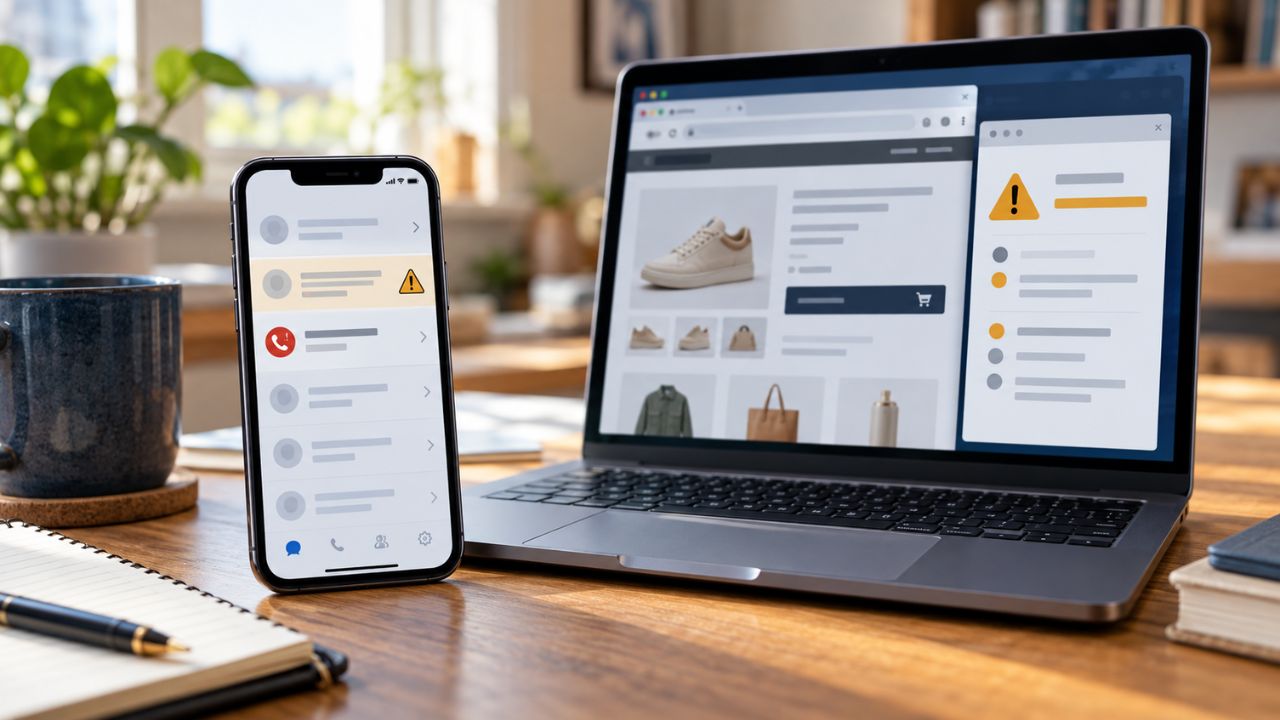
Scam check tools can flag a suspicious text, a reported phone number, or a website associated with known threats. They cannot prove that the person contacting you is who they claim to be. That difference matters when a message appears to come from your bank, a caller uses a familiar business name, or an unfamiliar store looks convincing.
The right tool can give you a reason to pause. The next step is to check the claim through a contact method you chose yourself.
I personally use Truecaller, and its spam detection and automatic blocking have been helpful. For the other scam check tools in this guide, I have compared their documented features and limits.
Which Scam Check Tools Should You Use First?
Choose a tool that matches what reached you:
- Suspicious text: Start with your phone’s spam warning. Use Scamio or Norton Genie scam check tools if you want a closer look at the wording or link.
- Unknown call: Check the number with Truecaller, Phone by Google, or Hiya. A caller label is useful information, but it cannot authenticate the person speaking.
- Unfamiliar website: Check the exact address with Google Safe Browsing or VirusTotal. If it is an online store, ScamAdviser can add business and reputation signals.
Trend Micro ScamCheck covers several of these formats in one app, although scam check tools features and access depend on the plan and device.
10 Scam Check Tools Compared
A result is only as useful as the question the tool can answer. The table shows the signal each product checks and the conclusion you should avoid drawing from it.
| Tool | Best for | What it checks | What it cannot confirm |
| Google Messages | Texts on supported Android phones | Scam patterns, reported senders, and links | That an unflagged text is genuine |
| Bitdefender Scamio | Manually checking texts and screenshots | Suspicious wording, links, and scam tactics | The sender’s real identity |
| Norton Genie | Understanding why content looks suspicious | Potential scam signs in submitted messages and sites | A definitive safe-or-scam verdict |
| Trend Micro ScamCheck | Checking several formats in one app | Messages, screenshots, links, and numbers | That a claimed business or caller is authentic |
| Phone by Google | Incoming calls on supported Android phones | Caller information and spam reputation | Who is speaking on a spoofed call |
| Truecaller | Caller ID and spam blocking | Caller labels and community spam reports | That a displayed name belongs to the caller |
| Hiya Spam Blocker | Looking up unfamiliar numbers | A number’s known spam or scam reputation | That a new number is safe |
| Google Safe Browsing Site Status | Checking a suspicious URL | Whether Google currently flags the site as dangerous | That an unflagged store is legitimate |
| VirusTotal | Comparing security results for a link | Detections from multiple security services | That zero detections means no risk |
| ScamAdviser | Assessing an unfamiliar online store | Website trust signals and user feedback | That the seller will fulfill an order |
1. Google Messages: A Warning Before You Open a Text
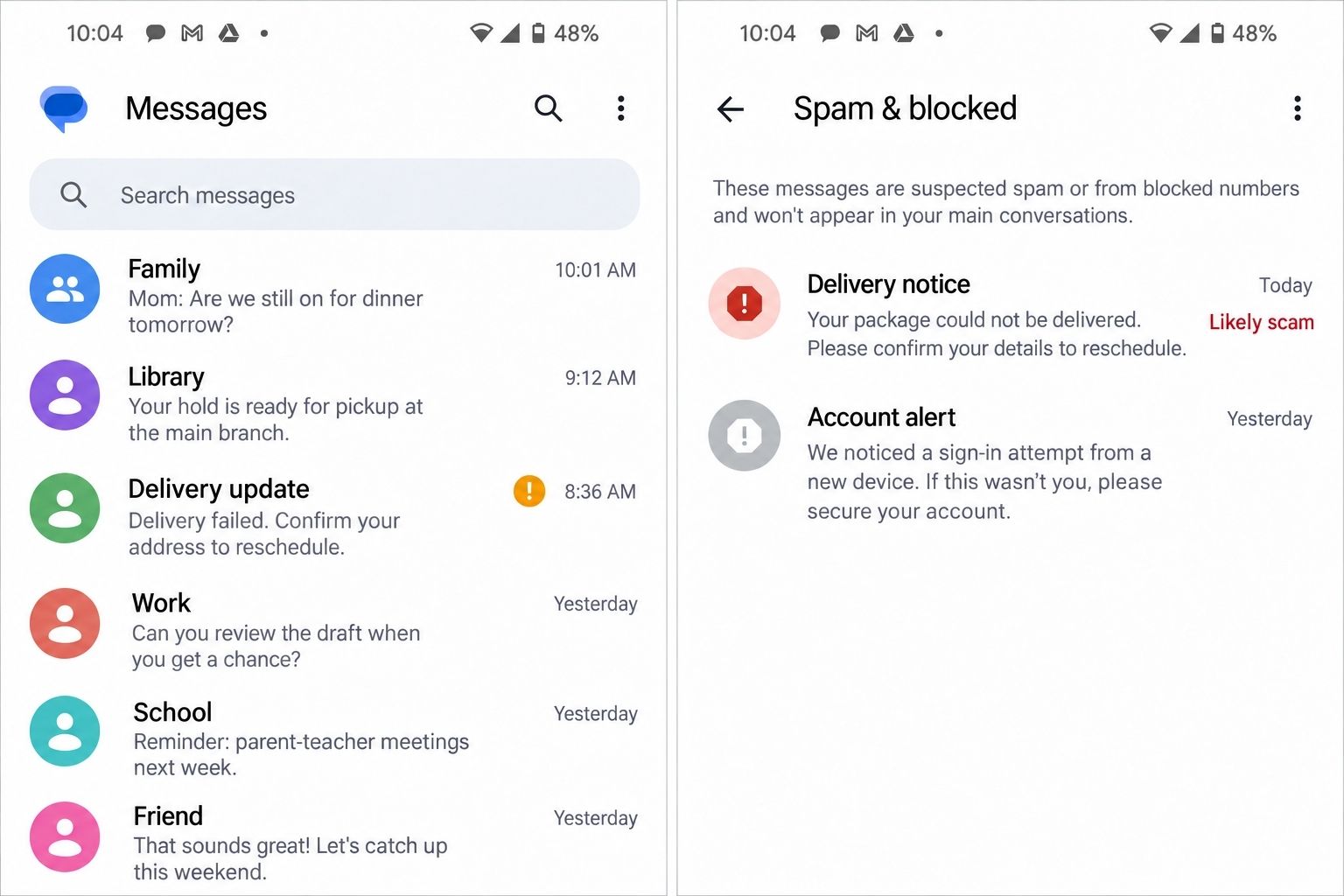
Google Messages can filter or warn about suspected spam and scam texts on supported Android devices. It looks for known patterns and signals associated with unfamiliar senders. It can also check URLs found in messages.
That is useful for texts about a missed delivery, an account problem, or a payment you do not recognize. You may see a warning before you decide whether to respond.
The absence of a warning is less informative. A new scam might not have enough reports or match a known pattern. Google Messages also has different protection settings, so check what is available and enabled on your phone.
2. Bitdefender Scamio: A Second Opinion on Suspicious Content
Bitdefender Scamio lets you submit a message, link, QR code, or screenshot and ask whether it shows signs of a scam. It can also explain tactics such as impersonation or pressure to act quickly. The chatbot is free to use, though getting started may require a Bitdefender account.
Scamio is helpful when you can tell something feels off but want to examine the details. For example, it may draw your attention to a link that does not match the company named in the text.
Its assessment is based on the material you provide. It cannot establish who sent the message or whether the promised job, prize, or delivery is real.
3. Norton Genie: A Risk Assessment With an Explanation
Norton Genie accepts pasted text or screenshots of messages, emails, social posts, and websites. It identifies possible scam signs and explains why they matter.
That explanation is valuable. A reader can inspect the request being made rather than act on a simple “safe” or “unsafe” label. Norton also says Genie may be unable to determine whether some messages are scams.
Genie is one of the manual scam check tools for content you have received. Asking it about one suspicious text should not be confused with automatic protection that filters every message or call.
4. Trend Micro ScamCheck: Checks Across Several Channels
Trend Micro ScamCheck can assess suspicious screenshots, messages, links, and phone numbers. Depending on your plan and device, it also offers protection features for texts, calls, and websites.
It may suit someone who receives questionable offers across social media, messaging apps, and phone calls. Rather than switching between several single-purpose checkers, you can examine different kinds of content in one place.
Check the current trial, subscription, and feature details before relying on its automatic protection. A risk rating for a number or message still does not verify the identity of the person behind it.
5. Phone by Google: Built-In Caller Warnings
Phone by Google can show information about callers outside your contacts and warn about suspected spam. Supported phones may also let you filter spam calls. Some eligible Pixel phones have a separate feature that looks for scam patterns during a call; that feature is not available on every Android device.
The built-in warning can help you decide whether an unfamiliar call deserves your attention. It can also reduce interruptions from numbers already associated with spam.
It cannot settle an urgent claim made during a call. Caller ID can be spoofed, so a familiar name on the screen is not a reason to share a password, verification code, or payment details.
6. Truecaller: Useful Blocking, With Limits Worth Knowing
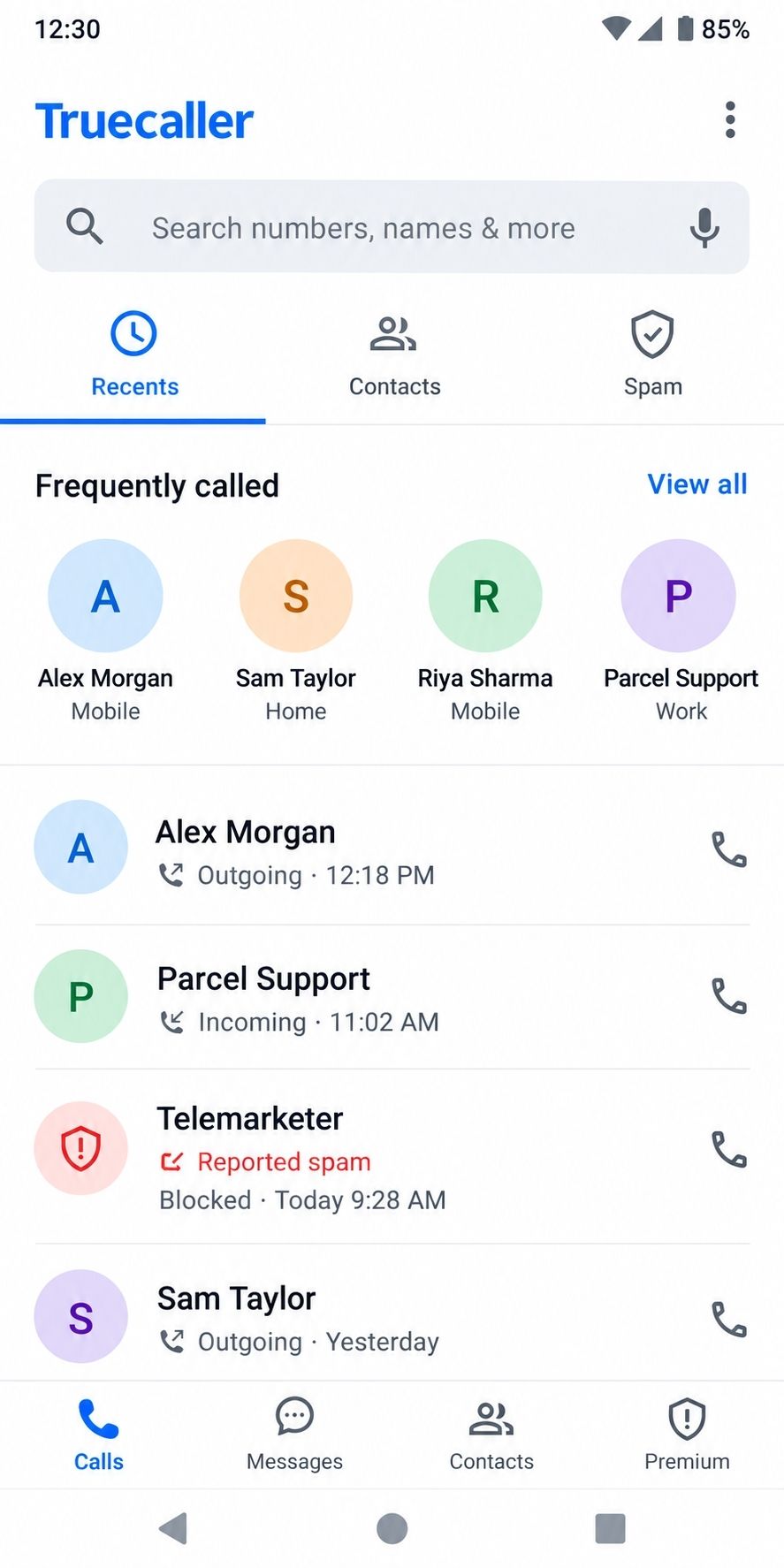
I use Truecaller, and I have found its spam detection and automatic blocking genuinely helpful. It identifies suspected spam numbers and blocks many unwanted calls before I have to deal with them.
Truecaller draws part of its spam information from user reports. Its blocking behavior depends on the phone and settings. On Android, its Basic protection can automatically block the worst reported spammers, while broader blocking is tied to Premium. Automatic spam blocking on iPhone also has separate requirements and Premium features.
That distinction matters if you are choosing the app because of my experience with it. It may block calls effectively once set up, but a number with no reports can still belong to a scammer. A displayed caller name also cannot prove who is speaking.
7. Hiya Spam Blocker: What Is Known About a Number?
Hiya provides caller ID, spam warnings, and phone-number lookups. Its basic protection is free, while some detailed lookups and stronger blocking options require Premium.
It is useful when an unfamiliar number keeps calling, and you want to see whether it has a reported spam or scam history. A warning gives you a reason to be cautious.
A blank lookup is not clearance. Scammers can rotate through new numbers or spoof existing ones, leaving reputation systems with little useful history for the call in front of you.
8. Google Safe Browsing Site Status: Known Website Threats
Google Safe Browsing Site Status lets you check whether Google currently identifies a website as dangerous to visit. It is a sensible first stop when you receive a link to a site you do not recognize.
If the site is flagged, stop and investigate. If it is not flagged, read that result more narrowly: Google is not showing you a current danger warning for that address.
A fake store may be too new to have been identified. It may also mislead shoppers without triggering the kind of technical warning this check provides. Safe Browsing does not verify the seller or its promises.
9. VirusTotal: Several Security Results in One Place
VirusTotal checks a URL against results from multiple security services. It can show whether any of those services identify the link as suspicious or malicious.
This gives you more detail than a single warning, but the numbers need context. Zero detections does not mean the site is safe, and one detection does not automatically prove it is a scam. Threats can be missed, and security services can make mistakes.
Use care with the link you submit. URLs checked through VirusTotal’s standard public service can enter a shared dataset. Do not submit a private document link, password-reset address, or URL containing an access token.
10. ScamAdviser: Clues About an Unfamiliar Store
ScamAdviser gives websites a trust score using signals such as technical details, contact information, business information, and user feedback. It is particularly relevant when you are considering a purchase from a store you have not encountered before.
Read the reasons behind the score. Thin contact details or a very new site may prompt more questions, while a collection of positive signals may be reassuring. Neither result settles the purchase decision.
The score is a risk indicator. It cannot guarantee that a seller will deliver an order, honor a refund, or handle your information properly.
Learn what deepfake scams are here.
A Simple Way to Check a Suspicious Claim
When something asks you to act urgently, use this three-step check:
- Pause the interaction: Do not open the message’s link, share a code, or make a payment while someone is pressuring you.
- Check the relevant signal: Use a text checker for suspicious wording, a caller app for number reputation, or a website tool for the exact address. Keep private details out of screenshots and public URL checkers.
- Contact the organization independently: Open the app you normally use, type a website address you already know, or call a number from a trusted source such as the back of your card.
Pay attention to what the result says. “No reports found” means the tool has no relevant reports to show you. “No threats detected” means the services shown did not flag the site. Neither result confirms the claim in the text or call.
A padlock icon and https do not confirm that a store is legitimate, either. They indicate an encrypted connection, which fraudulent sites can also use.
Read about the Social Security warning retirees scam here.
You do not need another scam score before taking action. What you do next depends on what happened:
- You opened a link: Close the page. If you downloaded or installed anything, update your security software and run a scan. Avoid signing in to sensitive accounts on a device you suspect may be compromised.
- You entered a password: Go to the account through its official app or website and change the password. Change it anywhere else you reused it, and turn on two-factor authentication.
- You shared payment details or sent money: Contact your bank, card issuer, or payment provider immediately through an official channel. Report what happened and ask whether the payment can be stopped or reversed. Recovery is not guaranteed, but acting quickly matters.
- You shared sensitive identity information: Contact the relevant organizations and follow the identity-theft reporting and recovery guidance available in your country.
Keep the original message, transaction details, or screenshots if you need them for a report. Do not respond to anyone who unexpectedly offers to recover your money for a fee.
Commonly Asked Questions About Scam Check Tools
How can I check whether a text is a scam?
Do not use the link in the text. Check its wording and address with a message checker, then confirm the claim in the organization’s official app or through a contact method you already trust.
Can a scammer fake a trusted caller ID?
Yes. A familiar name or number can appear on your screen even when the caller is an impostor. Hang up and call the organization yourself if the request matters.
Can Truecaller block spam calls automatically?
Yes, when the relevant blocking level is available and enabled. Basic Android blocking and Premium features differ, and iPhone automatic blocking has separate requirements.
Is a website safe if Google does not flag it?
Not necessarily. The site may be new, unreported, or deceptive in a way that has not triggered a current warning.
Does https mean an online store is legitimate?
No. It shows that the connection is encrypted, not that the seller is honest or will deliver your order.
Does zero detections on VirusTotal mean a link is safe?
No. It means the security services shown did not flag the link in that result. Keep checking if the message, site, or request gives you another reason for concern.
Can an AI scam checker get it wrong?
Yes. An AI checker can miss a convincing new scam or flag a legitimate message. Use its explanation as a clue, then verify the real-world claim independently.
A Warning Helps and Your Own Check Decides
Scam check tools are most useful when you understand the evidence behind their results. Truecaller has helped me reduce unwanted calls, while message and website checkers can draw attention to risks that are easy to miss in a hurry.
Use the tool that fits the text, call, or link in front of you. Then, if someone wants your money, account access, or personal information, check their claim through a channel you chose yourself.