Have you ever spent hours crafting the perfect image in your mind, only to have your favorite AI tool spit out something entirely different? Your vision gets lost in translation between your brain and the machine. I know how frustrating this feels. It happens to many people who work with visual AI tools. The gap between what you imagine and what the AI creates usually comes from unclear instructions.
This is where Prompt Engineering Fundamentals steps in to save the day. You will learn how to translate your ideas into clear instructions that AI models actually understand. I am going to share the exact strategies professionals use to command their tools with total confidence. Ready to stop guessing and start creating?
What is Prompt Engineering for Visual Generation?
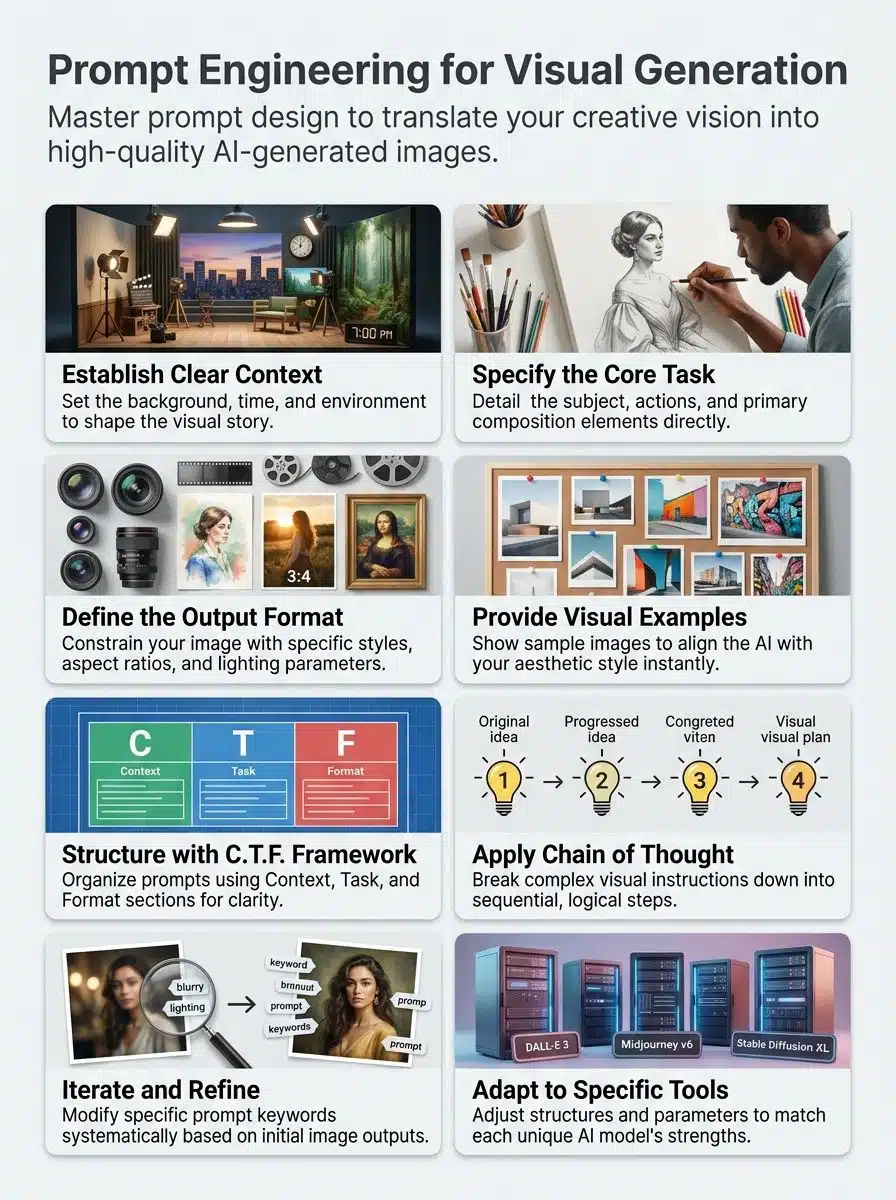
Prompt engineering translates your visual ideas into clear instructions that machines process and execute. Think of it like giving directions to an artist. Instead of using hand gestures, you use specific words that computers map through text embeddings.
Your prompt acts as a roadmap. It guides AI models by providing clear direction without micromanaging every single pixel. This process combines several key elements: subject description, visual style, setting, mood, composition, and creative constraints.
A structured prompt formula gives you real control over the output. You typically want to include the subject, action, setting, style, and lighting. Effective visual prompts prioritize relevant details over word count. Extremely lengthy prompts often backfire and create confusion.
“The difference between a vague prompt and a precise one is the difference between a blurry snapshot and a professional photograph.”
Different contexts demand different approaches. Blog images might need a clean 16:9 aspect ratio, while product mockups require accurate branding. Adapting your technique saves you time and prevents frustration as you learn each new tool.
Key Elements of Effective Prompt Design
Crafting powerful prompts requires you to build three core foundations that work together seamlessly. Get these elements right, and your AI image generator will produce exactly what you picture in your mind.
Context and Background
Context forms the backbone of any visual prompt. You tell the system what environment your image lives in. This matters far more than most people realize.
A simple prompt about a “cat” produces a generic result. A specific prompt about a “cat sitting in a 1950s diner wearing vintage sunglasses” produces a distinct, intentional scene. Background information acts as the scaffolding holding your concept together.
Specificity prevents the AI from making random guesses. If you do not provide context, modern systems will often hallucinate their own backgrounds. Here are a few ways to set strong context:
- Time period: Specify a decade or era (like “1980s neon” or “Victorian era”).
- Cultural elements: Mention specific architectural styles or regional details.
- Atmosphere: Define the mood using words like “gloomy”, “cheerful”, or “mysterious”.
- Location: Name a real or fictional setting to anchor the subject.
Task Specification
Task specification tells the system exactly what you want it to create. You describe the action your subject takes and the specific artistic style you prefer. This step separates vague requests from crystal-clear instructions.
Think of it like giving a friend a recipe. The more precise your measurements are, the better the final dish will taste. The C.T.F. framework (Context, Task, Format) breaks this down perfectly. Your context explains the situation, your task defines the action, and your format describes the final look.
Instead of saying “make a cool picture”, you should say “create a portrait of a woman reading in a library, oil painting style, highly detailed”. This structured approach works beautifully across different models and ensures your results match your creative direction.
Desired Output Format
Your visual generation prompts need a clear structure to guide tools effectively. Specificity in describing your desired format prevents misalignment and creates consistent results.
Follow these core guidelines to structure your format requests:
- Establish consistency: Group your lighting, mood, and style keywords together to avoid confusing the AI model.
- Prioritize clarity: Use precise technical terms like “cinematic lighting” or “macro photography” instead of vague words like “nice lighting”.
- Apply the C.T.F. framework: Clearly separate your Context, Task, and Format so the system processes each instruction independently.
- Set concrete constraints: Explicitly mention your desired aspect ratio, color palette, or camera angle.
- Adapt to the platform: Tweak your formatting style to match whether you are using Midjourney, Firefly, or another specific tool.
Types of Prompting Techniques
Different prompting methods shape how models interpret your requests and generate images.
Zero-shot and One-shot Prompts
Zero-shot prompting works like asking a stranger for directions without showing them a map first. You give the system a single text prompt, and it generates an image based entirely on its training data. This saves time but relies heavily on your descriptive skills.
One-shot prompting takes things a step further by adding a single visual example to the mix. You show the tool one sample of the style you desire. This helps the model grasp your creative direction much faster and leads to more accurate outputs.
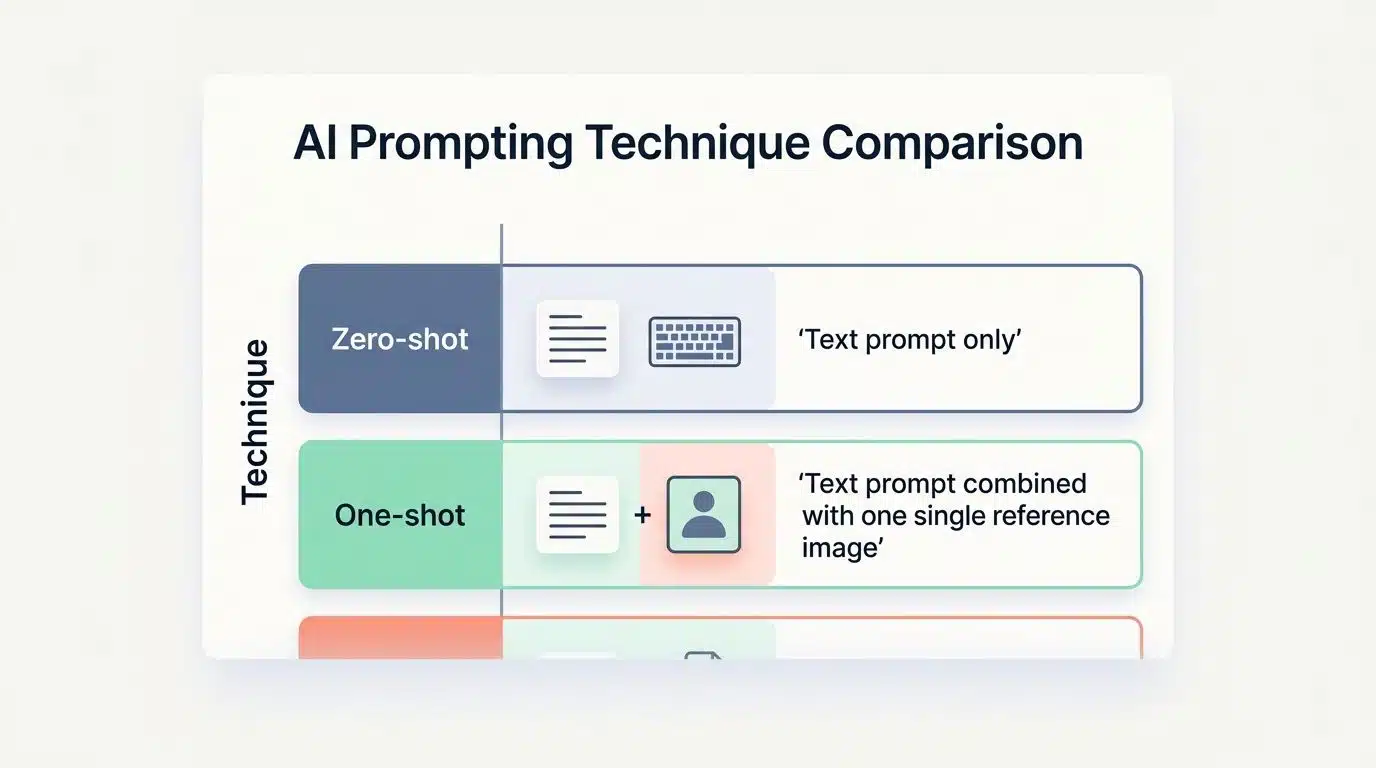
| Technique | How It Works | Best Use Case |
| Zero-shot | Text prompt only. No reference images provided. | Simple concepts or abstract ideation. |
| One-shot | Text prompt combined with one single reference image. | Matching a specific brand style or artistic medium. |
Few-shot Prompting
Few-shot prompting gives the system multiple real examples of what you want to see. You provide two or three sample images showcasing the exact composition or mood you are after. The model learns from these references to create something completely new but stylistically similar.
This approach reduces confusion because the AI has concrete reference points to follow. It replaces paragraphs of wordy explanation with actual visual proof. Instead of writing out a long description of a specific blue hue, you just show a picture that features it.
Combining this method with the C.T.F. framework yields fantastic results. You provide background information, define the action, and then use your reference images to lock in the final format. It is a highly effective way to translate your vision into reality.
Chain of Thought (CoT) Prompts
Chain of Thought prompting breaks down your visual requests into logical, step-by-step instructions. This approach guides the system through a sequence, helping it understand complex or multi-layered ideas.
You organize elements in a structured order to reduce ambiguity. The step-by-step format acts like a checklist, steering the model to your desired outcome. This is especially useful for highly detailed scenes.
Here is how you can build a Chain of Thought prompt:
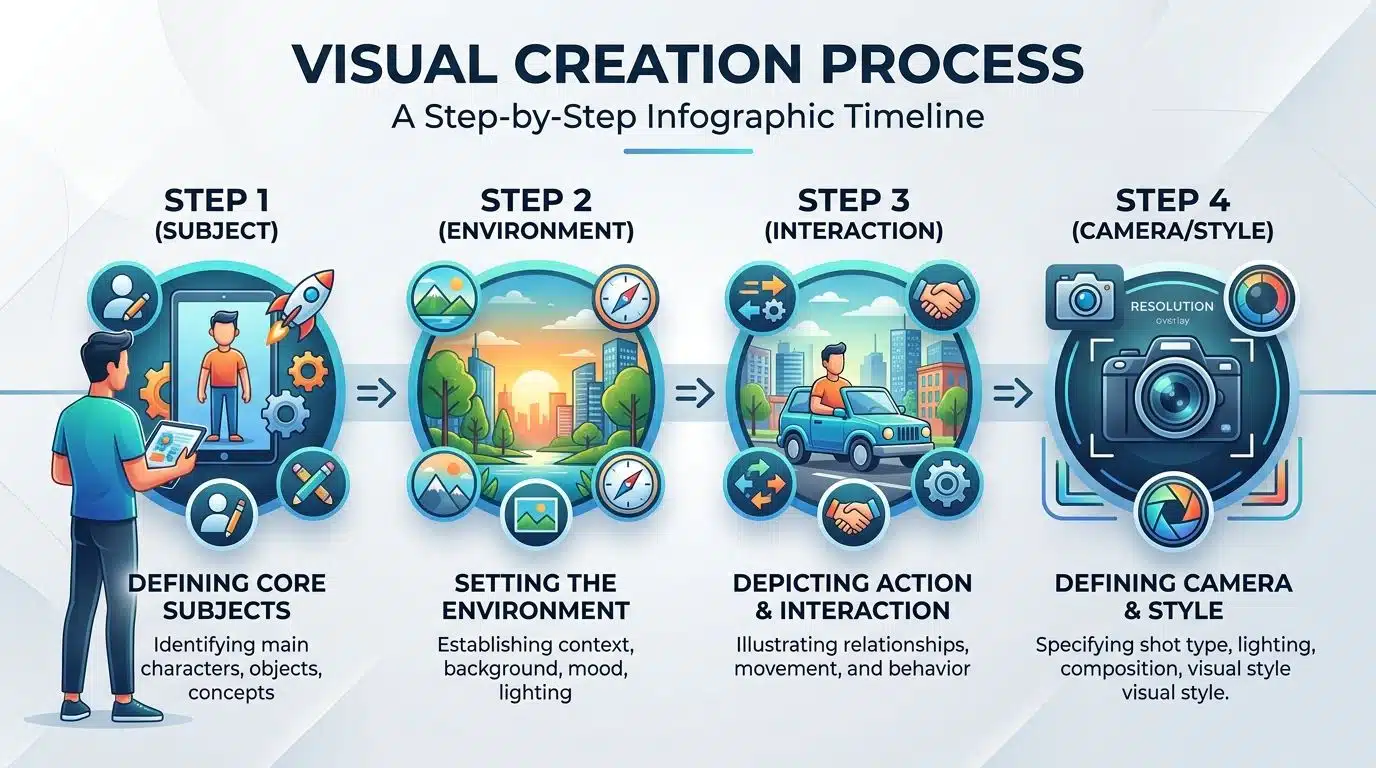
- Step 1 (Subject): Introduce the main character or object clearly.
- Step 2 (Environment): Describe the immediate surroundings and background.
- Step 3 (Interaction): Detail how the subject interacts with the environment.
- Step 4 (Camera/Style): Specify the lens type, lighting, and rendering style.
Advanced Techniques for Visual Generation
You can push your visual results much further by refining your prompts through repeated testing. Adding real examples gives the system concrete targets to hit, producing sharper images.
Iterative Refinement of Prompts
Iterative refinement means you generate an image, spot what is missing, and adjust your prompt to get a better result. This systematic approach transforms ideas into reality through simple trial and error.
- Start with a baseline: Write a basic prompt covering your main subject, setting, and style.
- Evaluate the first run: Look closely at the generated image to identify specific issues with color, balance, or anatomy.
- Adjust one variable: Change only one keyword or parameter at a time so you know exactly what caused the difference.
- Highlight key details: Add specific adjectives where the tool missed your intent, but avoid overcrowding the prompt.
- Track your wins: Keep a record of the specific phrases and formatting structures that work best for your projects.
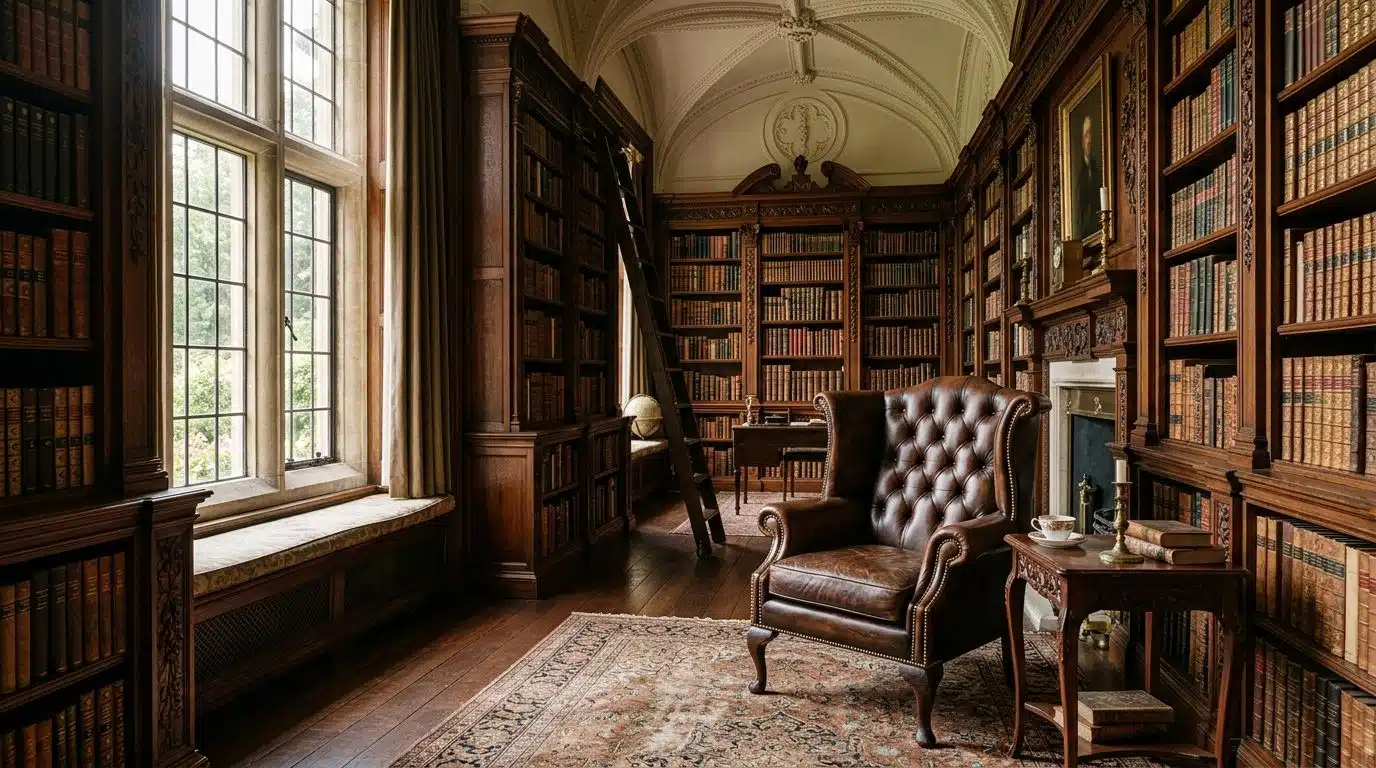
“When an internal lab tested changing one variable at a time on a Victorian library portrait, composition and lighting tweaks produced the biggest improvements. Small adjective swaps rarely moved the needle.”
Using Examples for Better Results
Refining your text gets you close, but showing the system actual visual examples takes you across the finish line. Examples act as a visual anchor for the generation tool.
- Provide direct references: Upload images that perfectly match the mood, style, or lighting you want.
- Show multiple angles: Give the tool different views of similar concepts so it grasps the broader pattern.
- Include specific text details: Back up your image uploads with text descriptions of the textures and colors shown.
- Share failed attempts: Use negative prompts or exclusionary references to tell the system what to avoid.
- Test different combinations: Mix and match your reference materials to discover which pairings produce the strongest final render.
Tool-Specific Prompting
Different AI tools need different prompt styles to perform at their best. Each platform interprets language uniquely, so learning their specific quirks is essential.
Midjourney
Midjourney stands out as a top-tier tool that rewards concise prompts packed with specific details. The platform thrives on clarity. You can skip the conversational filler and get straight to the visual facts.
The recent V6.1 and V8.1 updates drastically improved prompt adherence, meaning the system actually listens to complex instructions better than ever. You can even use the Raw mode parameter to bypass the default cinematic aesthetic and get more realistic, unedited-looking photos.
Mastering Midjourney means using technical parameters effectively. The `–cref` (character reference) command allows you to upload a face and keep that character consistent across multiple different scenes. You can also use the `–no` parameter at the end of your prompt to filter out unwanted elements.
A synthetic workflow comparison found that using just two reference images in Midjourney cut trial and error time by about two-thirds. Teams generating high volumes of images find this efficiency crucial, especially since running hardware locally costs about $0.003 per image on US average electricity rates, while Midjourney Pro offers a flat rate for high-volume users.
Firefly
Adobe Firefly takes a completely different path, focusing heavily on commercial safety and seamless integration for businesses. A 2024 Adobe study revealed that 76% of US consumers want to know if online content is AI-generated. Firefly addresses this automatically.
Here are the core advantages of the Firefly Image 3 model:
- Content Credentials: Automatically embeds metadata proving the image origin.
- Structure Reference: Locks in the exact geometric layout of an uploaded sketch.
- Commercial Safety: Trained on licensed data, making it safe for enterprise use.
To get the best results, use straightforward language. Firefly respects precise, professional phrasing over conversational descriptions.
Imagen
Google’s Imagen 3 model leads the pack when it comes to rendering accurate text inside images and sticking tightly to long, complex prompts. It is currently available to developers and businesses through Google Cloud’s Vertex AI platform.
Imagen 3 puts subject, context, and style at the forefront. It also tackles safety head-on by integrating SynthID watermarking. This invisible watermark helps identify the image as AI-generated, which is a massive benefit for enterprise users managing brand compliance.
You can use natural language freely with Imagen. It understands conversational descriptions and handles multiple subjects in the same scene without blending their traits. Start simple, check your composition, and layer in more details as you go.
Stable Diffusion
Stable Diffusion transforms text into stunning images through a localized, open-source environment. Your written words become mathematical embeddings, and the system gradually removes noise from a latent seed until your image appears.
The latest iteration, Stable Diffusion 3.5 Large, uses a highly advanced MM-DiT (Multimodal Diffusion Transformer) architecture. Stability AI notes that this new framework reduces semantic drift by 40% compared to previous models. This means the model forgets fewer details from your prompt.
Clear instructions are mandatory here. You must focus on critical elements like subject, setting, and style in a highly structured format. Because you can run it locally, many users rely on node-based workflows like ComfyUI to strictly control the generation pipeline.
Iterative refinement is deeply woven into the Stable Diffusion workflow. You will often tweak the CFG (Classifier Free Guidance) scale or adjust prompt weights using parentheses. It requires a bit more technical knowledge, but the granular control is unmatched.
ChatGPT Images
ChatGPT uses the DALL-E 3 model to create pictures directly from conversational language. You simply describe what you want, and the tool transforms your everyday words into a detailed prompt behind the scenes.
This approach makes image creation accessible to anyone. DALL-E 3 is particularly good at interpreting relationships between objects and adding legible text to signs or labels within the picture.
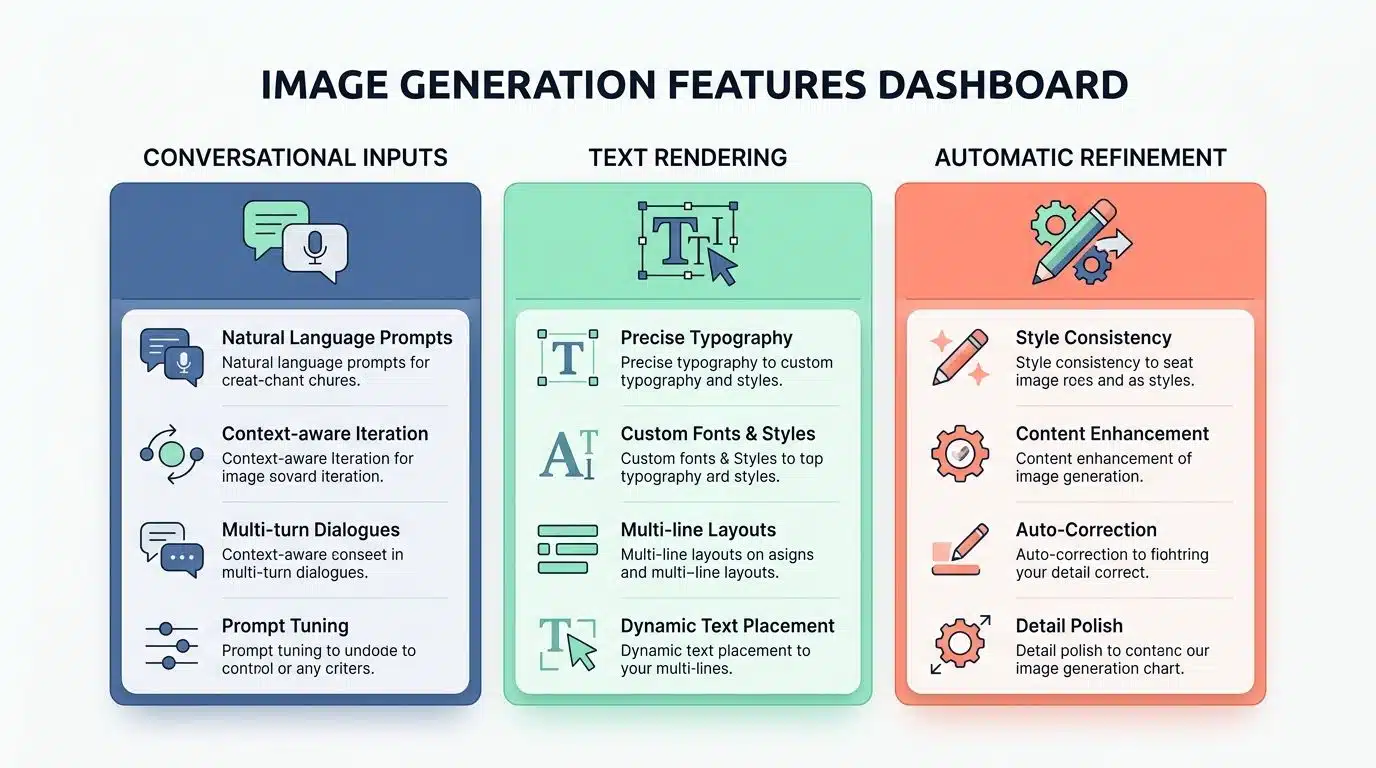
| Feature | How It Helps You |
| Conversational Inputs | You do not need to learn complex parameters; just speak naturally. |
| Text Rendering | Accurately spells words on billboards, shirts, and labels. |
| Automatic Refinement | ChatGPT rewrites your short idea into a highly detailed backend prompt automatically. |
Benefits of Prompt Engineering in Visual Generation
Mastering prompt writing transforms how you interact with AI generators. You gain immediate control over the output and eliminate hours of frustrating guesswork.
Enhanced Output Quality
Effective prompt engineering directly lifts the quality of your images. By using structured formats, you feed the system organized data, which results in cleaner, sharper, and more accurate visuals.
You can fix inconsistent styles by learning the specific vocabulary your chosen model prefers. Combining this with iterative refinement means you correct minor flaws step by step until the image matches your exact intent.
Using parameters like aspect ratio and providing direct style references act as strict boundaries for the model. Vague requests yield generic, muddy results, while precise instructions produce focused, professional-grade artwork.
Improved Efficiency and Control
Strong prompting skills give you absolute power over your visual workflow. A proven formula of subject, action, setting, and style turns a blank screen into a finalized asset in minutes.
This organized approach cuts out endless regeneration cycles. Because you understand tool-specific quirks (like Midjourney’s raw mode or Firefly’s structure reference), you avoid conflicting instructions that confuse the system.
Advanced techniques like few-shot prompting give the AI clear visual boundaries. You spend less time trying to find the perfect adjective and more time utilizing the final images for your projects. Your workflow stays smooth, and your creative vision stays intact.
Wrapping Up
Prompt Engineering Fundamentals For Visual Generation turns your ideas into clear, actionable instructions. It helps you focus on the exact details that matter, rather than writing overwhelming paragraphs.
Great prompts work like a steering wheel. They guide the system to your desired outcome by locking in the subject, context, style, and composition choices right from the start.
The strategies we covered are easy to apply to Midjourney, Firefly, or Stable Diffusion. Iteration will always be your best friend when refining an image to perfection.
Start experimenting with these concepts today. You will quickly see how small tweaks create dramatically better images, giving your creative vision the precision it deserves.
Frequently Asked Questions About Prompt Engineering Fundamentals
1. What is prompt engineering for visual generation?
Prompt engineering for visual generation means crafting clear instructions so AI tools like Midjourney or DALL-E can create pictures that match your vision. You give the system descriptive words, and it translates those into an image.
2. Why does the way I write my prompt matter?
The way you phrase your request directly shapes what the computer generates. If you want a golden retriever wearing sunglasses on a beach but only type “dog,” you’ll likely get a generic pup instead of your sunny scene.
3. Can prompt engineering help me make better images with AI tools?
Absolutely. According to research from OpenAI, users who refine their prompts with specific details see significantly better alignment between their vision and the final output.
4. Are there tips for writing good prompts when generating visuals?
Keep your language simple and direct, focusing on specific nouns and action words. For example, instead of saying “nice landscape,” try “snow-capped mountain at sunset with pine trees in foreground.” Think of it like ordering a custom sandwich, you get exactly what you ask for when you’re specific.