

Many new streamers feel lost in a sea of bland screens, with weak viewer engagement and clunky chat boxes. More than 400 individual stream overlays sit ready to spice up any livestream in OBS Studio.
This guide lists ten top overlays and widgets for Twitch and YouTube. It shows how to add them in OBS Studio or Streamlabs obs, tweak colors with CSS or HTML, and add stinger transitions.
You will learn to craft chat boxes, pop-up alerts, and animated emotes. You will master obs scenes in no time. Keep reading.
Key Takeaways
- Streamers can choose from 10 top overlay packs for OBS Studio and Streamlabs Desktop, like Arcade Overlay (1st place) and Hyperchrome (2nd place).
- Nerd or Die offers more than 400 overlays and widgets, including Neo Pixel (3rd), Nano Black (4th), Neomoon, Dark Guardian, Spellbound ($39.99 down from $72.95), Horror, and Neon packs.
- Every pack runs in OBS Studio or Streamlabs Desktop and includes stinger transitions, scenes, chat boxes, webcam frames, Twitch panels, and social media kits.
- You can tweak colors with CSS or HTML and add animated emotes, pixel art, neon trails, cosmic vibes, and magic spark alerts to your live stream.
- Stinger transitions and sound alerts for raids, subs, and gift drops boost viewer engagement and keep audiences watching and chatting longer.
Arcade Overlay
Arcade Overlay revives 80s vibes with bright pixels and neon fonts. It suits retro gaming channels on SNES and Nintendo ’64 streams. The pack comes with webcam overlays, chat boxes, twitch panels and obs scenes.
Stream alerts pop up in pixel style with sound effects that spark nostalgia. You can run it on obs studio or streamlabs desktop with stinger transitions built in.
Viewers latch onto flashing sprites and chiptune cues, boosting engagement fast. Creators get full streaming customization with stream graphics, stinger transitions and animated overlays.
Nerd or Die crafted this top pack, ranking first place in rivalry stream pack polls. You tweak colors in Adobe or via animation software, then add animated emotes and streamlabs desktop alerts.
A social media kit, chat boxes and a live stream dashboard skin also join the bundle for YouTube Live and Twitch overlays.
Hyperchrome Overlay
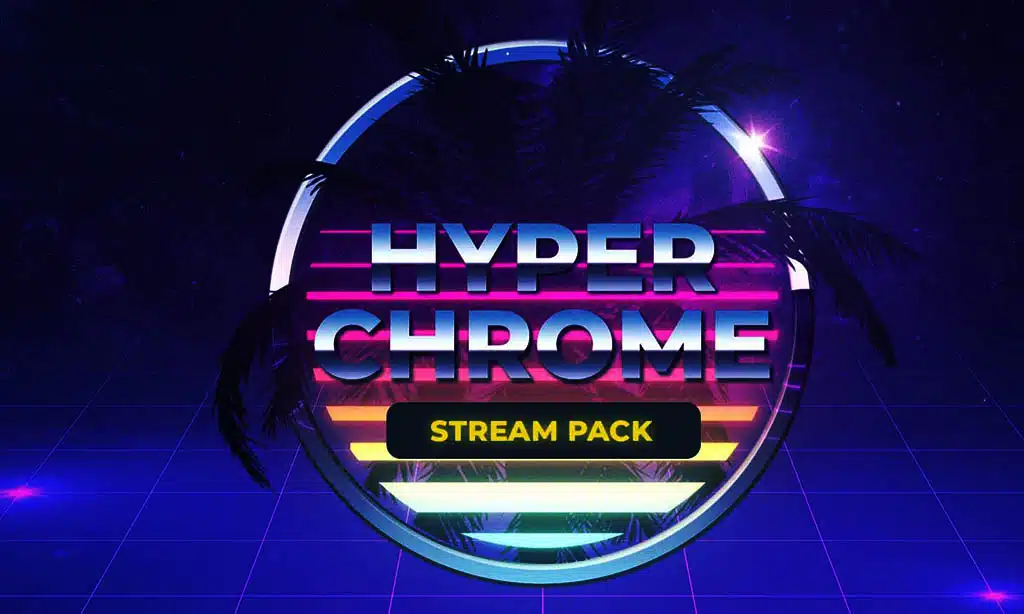
Content creators placed this pack in second place. It draws fire from 80s synthwave, sunset hues and palm beach scenes, neon trails crackling like lightning. Streamers set it up fast in OBS scenes and Chroma Key filters handle green screen bits.
It bundles stream overlays, twitch panels, chat boxes and animated overlays in one package. It runs in OBS Studio or Streamlabs Desktop for seamless streaming customization.
One streamer joked these neon palm fronds felt like a day at the beach during a gacha twitch marathon. Viewer engagement spikes when twitch alerts pop in sunset red and gold. Stinger transitions slice from game to face cam with sharp flair.
Sound effects underscore every raid, sub or gif drop. The social media kit slots into twitch panels and chat boxes. Animated emotes ride neon waves across your UI.
Neo Pixel Overlay
Neo Pixel Overlay snagged third place in our top ten. It lights up screens with neon city blocks, mixing retro flair and cyberpunk grit, fans love its bold glow. Streamers drop these OBS Studio and Streamlabs Desktop stream packages for live streaming, they install fast, they go live in seconds.
Chat boxes and webcam overlays pop, they boost viewer engagement, stinger transitions zip between scenes. Twitch overlays glow, stream alerts pulse, content creators get hype on YouTube.
Nano Black Overlay
Nano Black Overlay ranks fourth in our stream overlays lineup and works as a top twitch overlay. Nerd Or Die fans praise its sleek black grid that mimics a starship hull. Customization shines with modern frames, neon accents, and customizable overlays.
Content creators can swap colors with the sister pack Nano White for crisp contrast.
Streamers load the overlay in OBS Studio, Streamlabs Desktop or other streaming software for live streams. Animated emotes pop inside chat boxes and twitch alerts flash in sync with stinger transitions.
Webcam overlays rest in the corner, they never hide the action. This pack boosts viewer engagement with sound effects, animated overlays, and social media kit links. Users tweak obs scenes, add twitch panels and use rivalry stream pack bits to spark hype.
Neomoon Overlay
Destiny 2 fans will love the space vibe this pack builds. It hails from the planet Neomuna, so it glows blue and purple. You get premium overlays, twitch alerts, and sound effects.
This stream package works with obs studio and streamlabs desktop.
Creative streamers can mix in stinger transitions with ease. Streamers can swap animated emotes and customizable overlays on the fly. Stream graphics nail the cosmic look, sparking viewer engagement.
It pairs well with twitch panels, webcam overlays, and chat boxes. A social media kit boosts post shares on YouTube and Twitter.
Dark Guardian Overlay
A bold overlay claims the fifth spot. It pulls green tones from Destiny 2’s Witch Queen theme, with hints of Hive venom. This pack supplies a full overlay set for darker aesthetics.
Developers built it to fit obs studio and streamlabs desktop setups.
Streamers place twitch overlays, webcam overlays, chat boxes, and twitch panels with a few clicks. Stinger transitions add sharp cuts that raise viewer excitement. Fans use this dark pattern over the rivalry stream pack to mix it up.
Animated emotes and twitch alerts glow in neon green. Custom options boost viewer engagement and streaming customization.
Spellbound Overlay
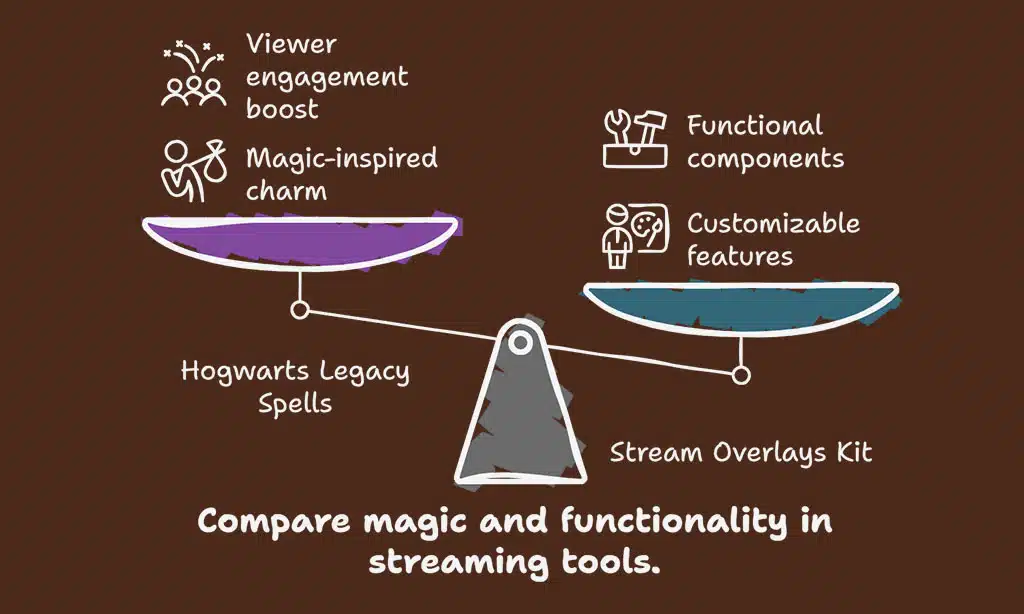
Eighth entry glows with magic. Creators tap into Hogwarts Legacy spells, to charm viewers. It packs stream overlays, chat boxes, and twitch panels. You get alerts that fizz, twitch alerts that spark, and animated emotes that dance.
OBS Studio runs the kit with smooth stinger transitions. It ships with obs scenes, sound effects, and webcam overlays. Price sits at $39.99, slashed from $72.95. Data shows content creators love its customizable overlays, and Nerd or Die crafted it for streaming software flair.
One streamer joked that a firework alert felt like a real spell. Viewers cheered when sparks danced across webcam overlays, stream graphics, and twitch panels. Rivalry stream pack fans nodded.
Animated overlays and stream packages unite to boost viewer engagement fast.
Horror Overlay
It holds seventh place on this list. This horror overlay drips with skulls, blood trails, and death motifs. Viewers feel chills when a cranium icon flickers across the webcam overlay.
Streamers can load it in OBS Studio in seconds. It fits with any streaming software and top platforms. Chat boxes glow red in these twitch overlays, and death-themed alerts pop up on key events.
All-in-one package demands zero extra downloads.
Creators tweak settings in OBS scenes to match spooky vibes. A stinger transition slices to black with a slash of blood. Animated emotes and overlays slash across screens, scaring friends and subs.
YouTube, Twitch, and Facebook Gaming all get full support. Stream graphics boost viewer engagement by adding pulse points in your stream packages. An eerie call-out box highlights new subs with a ghostly echo.
Distant screams in the sound effects give a final jolt.
Neon Overlay
Ninth place stream overlay glows in neon pink and electric blue. It brings a lo-fi rainy urban aesthetic with cozy vibes. Bold bars surround webcam overlays and chat boxes. The design flips between amber stinger transitions and reactive Twitch alerts.
It uses RGB lighting cues for animated overlays.
Streamers on Twitch and YouTube get adorable animated emotes in pastel shades, with that nerd or die style shining. OBS Studio sees smoother performance thanks to fitted scenes and stream packages.
VoiceMeeter handles sound effects alongside neon cues. Twitch panels sit under sleek neon bars, boosting viewer engagement. Content creators tweak every layer through customizable overlays in their streaming software.
Takeaways
You now hold the key to live shows that pop. Retro Game Frame and Neon Glow Skin add color to every scene. Night Shield Graphic and Moonlight Halo Skin give your feed character. OBS Studio helps you drop in these graphics with ease.
Nerd or Die templates guide you step by step. Each widget, from chat box to Twitch panels, boosts fun. Think of alerts as party poppers for your viewers. Now go tweak, swap, and test your style.
Fans will stick around, chat more, and click follow.
FAQs
1. What are obs studio scenes and stream overlays?
obs studio scenes, or obs scenes, act like boards, they hold your game feed, webcam overlays, and chat boxes. stream overlays wrap those boards with frames, borders, or art, they spice up the view.
2. How do twitch overlays, stream packages, and customizable overlays boost viewer engagement?
twitch overlays and stream packages bring a matching art set, they give your stream a crisp, polished look. customizable overlays let you tweak colors, fonts, and shapes, they draw eyes, they grow viewer engagement.
3. Why add stinger transitions and sound effects?
stinger transitions slip one scene into the next, like a door that swings, they smooth cuts. sound effects add punch, they turn a switch into a beat, they pump up the mood.
4. What do twitch alerts, chat boxes, and animated emotes bring to a stream?
twitch alerts ping for follows, bits, raids, they shout thank you. chat boxes show live talk, they keep everyone in sync. animated emotes dance on screen, they spark laughs, hype chat.
5. Where can I find tools like nerd or die for streaming customization?
nerd or die offers premium stream graphics, overlays, and twitch panels, they load up themes, stinger transitions, webcam overlays, and sound effects. test a few stream packages, pick the one that fits your style.
























