


Microsoft has introduced MAI-Image-1, its first text-to-image generator trained fully in-house. It’s a strategic marker: the company is broadening beyond its OpenAI-centric stack by developing its own foundation models across voice, chat, and now image generation. Early public testing is happening on LMArena, where the model already ranks within the top 10 based on human preference voting.
Why this matters for Microsoft’s AI strategy
For the last two years, Copilot and many Microsoft 365 features leaned primarily on OpenAI’s models. In late September, Microsoft formally added Anthropic models as options in Microsoft 365 Copilot, signaling a pragmatic “multi-model” future. MAI-Image-1 fits that direction: it’s a flagship, internally built model that reduces single-vendor dependency and gives Microsoft more control over training data, performance tuning, and safety layers.
What MAI-Image-1 aims to solve
Microsoft positions MAI-Image-1 as a creator-first system that avoids generic, repetitive styles and brings stronger photorealism—particularly in lighting, reflections, materials, and complex outdoor scenes. The company also emphasizes speed and efficiency, arguing it can deliver high-quality images faster than some “larger, slower” competitors. These claims align with hands-on reports noting competitive image quality and responsiveness in early tests.
How it stacks up right now
-
Benchmark signal: Debuting in LMArena’s top tier suggests MAI-Image-1 is already competitive versus leading public models in human head-to-head voting. LMArena is a public, human-preference arena spanning text, vision, and hybrid tasks; its image track compares models by showing outputs side-by-side and tallying votes. While this doesn’t replace standardized academic benchmarks, it is a useful market-read signal.
-
Speed vs. scale: Coverage highlights that Microsoft optimized inference latency, a practical differentiator for workflows where art directors iterate many times per brief (storyboards, mood frames, ad variations). Sustaining that performance at consumer scale will depend on GPU supply and Microsoft’s serving stack.
The competitive picture: OpenAI and Google are moving too
-
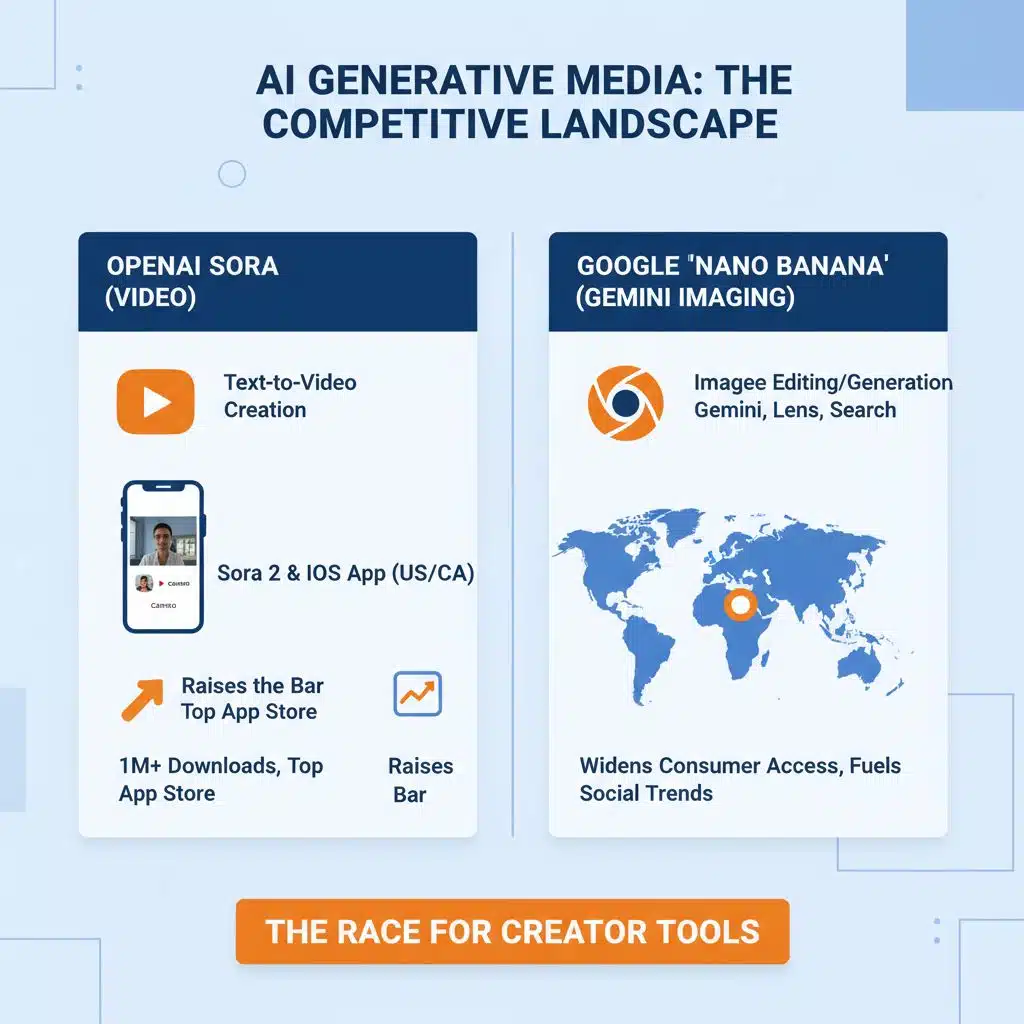
OpenAI Sora (video): OpenAI rolled out Sora 2 and an invite-only Sora iOS app in the U.S. and Canada, focused on text-to-video creation with selfie “cameos.” It rapidly topped App Store charts and passed 1M downloads in days, underscoring user appetite for generative media tools. Even though Sora targets video rather than still images, its momentum raises the bar for creator tools across the board.
-
Google “Nano Banana” (Gemini imaging): Google integrated its latest image editing/generation upgrade—nicknamed Nano Banana—into Gemini and surfaced it more broadly via Google Lens and Search. That widens consumer access and fuels social trends, especially in large markets like India. MAI-Image-1 will need to compete on both quality and reach once it lands in Microsoft’s consumer endpoints.
Where you can try MAI-Image-1 today—and what’s next
Right now, MAI-Image-1 is available on LMArena for public comparisons. Microsoft says it will arrive in Copilot and Bing Image Creator “very soon,” which would place it in the same surfaces where millions already create images with DALL·E-class backends. That distribution matters: Copilot (web, Windows, Edge) and Bing Image Creator are Microsoft’s fastest path to everyday creators.
Safety, auditability, and responsible AI
Microsoft generally ships generative models with layered safety filters, content provenance features where possible, and abuse prevention tuned for consumer products. While The Verge and Windows Central note Microsoft’s emphasis on “safe and responsible AI,” independent validation of MAI-Image-1’s safety effectiveness—copyright handling, likeness protection, disallowed content—will need broader testing once it’s in Copilot and Bing. Expect Microsoft to iterate these guardrails rapidly post-launch, as it has with other Copilot features.
What creators should expect in practice
-
Faster ideation loops: If Microsoft’s latency claims hold at scale, expect quicker prompt-to-first-frame times—useful for storyboards, concept art, ad variants, and ecommerce imagery.
-
Photoreal strengths: Early coverage points to strong handling of lighting, reflections, materials (glass, metal, water), and landscapes—areas where realism gaps often break immersion.
-
Integrated workflows: Once in Copilot, MAI-Image-1 should plug into Windows, Edge, and potentially Designer/Clipchamp surfaces, enabling end-to-end pipelines from prompt to layout, and eventually into Office documents and presentations. Microsoft’s model-choice update in 365 hints at a future where users can pick backends per task.
Open questions to watch
-
Rollout timing: How quickly MAI-Image-1 moves from LMArena into Copilot and Bing Image Creator, and whether feature parity arrives across regions.
-
Model variants: Whether Microsoft ships quality- vs. speed-tuned variants (common in image systems) and exposes controls for negative prompts, seeds, and style references. (Inference based on industry norms.)
-
Safety hardening: How Microsoft enforces policy on copyright, celebrity likeness, and harmful content, especially as public tests scale. Independent reviews will matter.
-
Ecosystem positioning: With Anthropic models now selectable in parts of Microsoft 365 Copilot and OpenAI pushing consumer video creation, how Microsoft balances in-house models with partner options.
MAI-Image-1 is more than a new model name: it’s Microsoft’s opening gambit to own a core creative modality end-to-end. Early LMArena results and creator-focused tuning suggest it’s competitive on quality and speed. The real test begins when it hits Copilot and Bing Image Creator, where safety, scale, and workflow fit determine whether it becomes the default tool for millions—or just another capable model in a crowded field.
The Information is Collected from MSN and Yahoo.
























