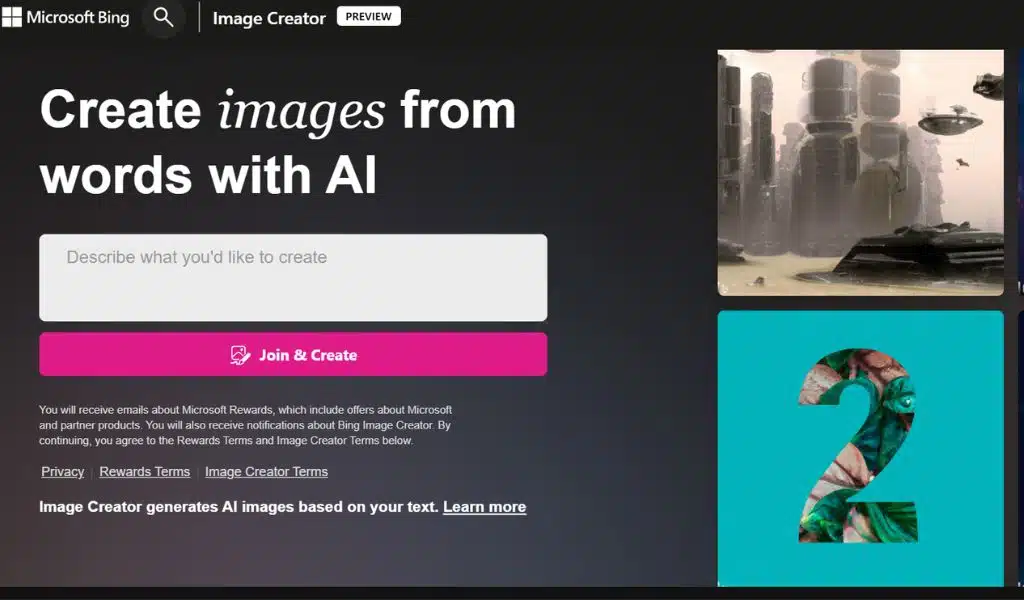
Bing Image Creator: Microsoft New AI Tool to Turn Text into Images

Bing Image Creator

Listen to the Podcast:

As users have grown more visual, more tools are driven by video and image searches. By 2025, the imaging market, which Microsoft, Google, and Nvidia currently dominate, may reach $53 billion in revenue, according to Markets.

Because of this, Microsoft released Bing Picture Maker, a brand-new application that uses Microsoft Edge and artificial intelligence to produce visual narratives. Compared to the DALL-E model, where generating images from user descriptions is possible, this new option is an improvement and a development.

“With more than 100 million chats to date, it is clear that chat is revolutionizing the way people search.

People use chat in various ways, such as to clarify answers to difficult queries, for amusement, or to spark innovative ideas.

By making the new Bing more visually appealing, we are elevating the chat experience today “In a blog post, Microsoft’s corporate vice president and director of consumer marketing, Yusuf Mehdi, stated.

The Bing chat experience will fully integrate Bing Image Maker, which will be available at first in Creative mode.

How to Use Bing Image Creator?

The tool, called Picture Maker, is accessible through the Bing search engine. It allows you to create an image from scratch by entering a description of the image you want to create, adding details about the image’s location or activity, and selecting an art form.

Microsoft Edge will be the first browser with an integrated AI-powered image creator when the Bing Image Maker preview becomes available there as well. To make an image with Bing Image Creator on Edge, either click the button in the sidebar or use Bing Talk on Edge to launch it.

“With the help of our partner OpenAI, who created DALLE, we are collaborating to provide an experience that promotes the proper use of Image Creator in order to prevent potential abuse of the tool. We made certain that Image Creator has been integrated with OpenAI security controls and extra safeguards “said Mehdi.

The technology asserts that restrictions have been put in place to reduce the production of hazardous or risky photos. A system that can identify potentially hazardous images can also prevent them from being created and warn users when they are being used improperly.

Availability of Bing Image Creator

This feature will be made accessible to Bing preview users on desktop and mobile starting today, but it will only be available in English. It will also be accessible starting today in English via Microsoft Edge in the same way.



Subscribe to Our Newsletter

Related Articles

Top Trending

Open-Source Alternatives to Popular SaaS Tools
Open-Source Alternatives to Popular SaaS Tools: What I Use Daily (and Why)
A 15-Minute Home Routine for Alphabet, Phonics, vand Read-Aloud
Social Media Agency vs In-House Team
Social Media Agency vs In-House Team: Cost, Speed, Context, and Control
How Board Games Teach Counting Without Trying
September 28
On This Day September 28: History, Famous Birthdays, Deaths & Global Events

Technology & AI

Open-Source Alternatives to Popular SaaS Tools
Open-Source Alternatives to Popular SaaS Tools: What I Use Daily (and Why)
Social Media Agency vs In-House Team
Social Media Agency vs In-House Team: Cost, Speed, Context, and Control
SEO Agency vs In-House SEO vs Freelancer
SEO Agency vs In-House SEO vs Freelancer: A Decision Framework for Small Teams
ImagineLab Voice Lab vs Murf AI
ImagineLab Voice Lab vs Murf AI: I Tried Multilingual Narration from the Same Script
Best Document Collaboration Tools
10 Best Online Document Collaboration Tools for Teams

GAMING

Intentional Screen Time
How to Spend Your Screen Time More Intentionally
Complete Guide on Game Programgeeks
Game Programgeeks: A Complete Guide on PC, Game Dev, and Tech
Online Color Game Philippines
Online Color Game Philippines: What Every Beginner Should Know Before Playing
Ways to Reduce Game Development Costs
12 Ways Studios Cut Game Development Costs
NFT game development cost
How Much Does NFT Game Development Cost? A Realistic Budget Breakdown

Business & Marketing

Email Marketing Agency vs DIY Platform
Email Marketing Agency vs DIY Platform: When Outside Help Adds Value
Critical Path Method
The Critical Path Method Explained in Plain English
Time to Value: How SaaS Teams Can Reach Results Faster
How to Onboard New Team Members With a Self-Serve Wiki
How to Document Team Processes for Better Teamwork

EdTech & E-Learning

A 15-Minute Home Routine for Alphabet, Phonics, vand Read-Aloud
How to Teach Letters to Kids
8 Ways to Teach Letters to Kids Who Hate Sitting Still
Alphabet Magic vs 123 Magic Number Fun
Alphabet Magic vs 123 Magic Number Fun: Which Skill Does Each App Actually Target?
Alphabet Magic vs ABC Kids: Which Offers Clearer Letter Practice
Alphabet Magic vs ABC Kids: Which Gives Clearer Uppercase and Lowercase Practice?
Alphabet Magic vs LetterSchool comparison review
Alphabet Magic vs LetterSchool: Letter-Tracing Accuracy on the Same Letters [A Hands-on Review]

Software & Apps

Open-Source Alternatives to Popular SaaS Tools
Open-Source Alternatives to Popular SaaS Tools: What I Use Daily (and Why)
Best Document Collaboration Tools
10 Best Online Document Collaboration Tools for Teams
Important Signs When Should Raise Prices on Your SaaS
10 Signs It's Time to Raise Prices on Your SaaS
Best CRM Tools for Small Marketing Teams
10 CRM Tools for Small Marketing Teams Worth Using
SaaS partnership tools
10 Best Tools for Managing SaaS Partnerships and Integrations