

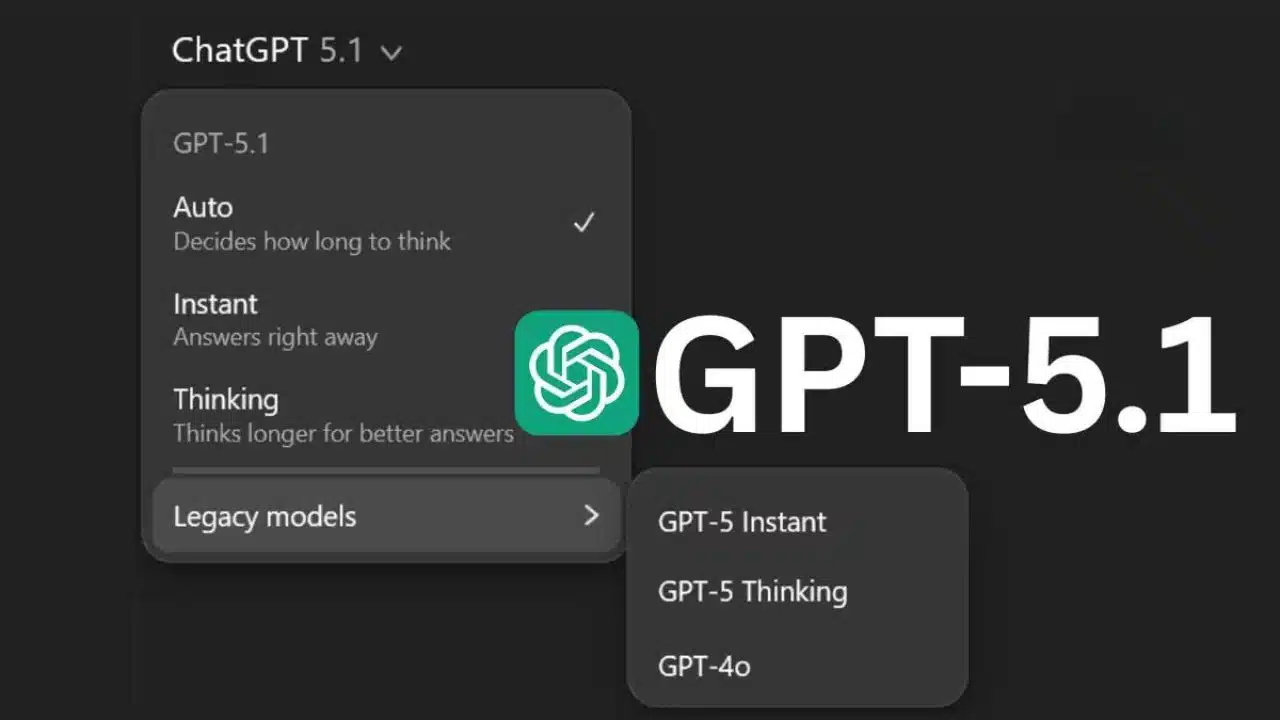
OpenAI has unveiled GPT-5.1, a new iteration of its flagship AI model that promises to make ChatGPT smarter, warmer, and more conversational, with stronger performance on complex reasoning tasks and finer control over tone and personality. The update introduces two variants, GPT-5.1 Instant and GPT-5.1 Thinking, and is already rolling out to paying users, with broader availability for free users in the coming days.
OpenAI pitches GPT-5.1 as a leap in everyday usability
OpenAI describes GPT-5.1 as a direct refinement of GPT-5 focused on two main pillars: more practical intelligence and more natural communication. The company says the model not only follows instructions more reliably, but also adjusts how long it “thinks” depending on the difficulty of each request, responding more quickly to simple questions and more deeply to complex problems.
CEO Sam Altman has called the release a solid upgrade, highlighting improvements in instruction-following, adaptive reasoning, and communication style, underscoring that GPT-5.1 is designed to make daily interactions with ChatGPT feel smoother and more pleasant. The launch comes just months after GPT-5, underscoring OpenAI’s rapid iteration cadence on its core model lineup.
Two flavors: Instant and Thinking
GPT-5.1 arrives in two primary versions: Instant and Thinking, aimed at different use cases inside ChatGPT. GPT-5.1 Instant is the default model for most users, now characterized by a warmer default tone and more conversational answers that can occasionally feel more playful while still maintaining clarity and usefulness.
GPT-5.1 Thinking, meanwhile, targets demanding reasoning tasks, complex analysis, and deep work. This variant dynamically adapts its thinking time to the complexity of each prompt, running roughly twice as fast as GPT-5 Thinking on simple tasks while taking longer, more deliberate passes on difficult ones. OpenAI says it also produces clearer, less jargony responses and defines technical terms more consistently to make expert content easier to follow.
A more human, customizable ChatGPT
One of the central themes of the update is a more human-like conversational style. GPT-5.1 has been tuned to sound less robotic and more approachable, responding to user feedback that called for an assistant that could be both capable and enjoyable to talk to. Early testers of GPT-5.1 Instant describe a friendlier tone with the ability to add touches of humor or playfulness without undermining factual accuracy.
The release also expands personalization controls. Users can choose among multiple personality styles — such as default, friendly, professional, candid, quirky, nerdy, cynical, or efficient — each with its own way of speaking. ChatGPT can suggest switching tone mid-conversation when the user explicitly asks for a different style, and it now offers more granular controls over conciseness, warmth, scannability, and even emoji usage.
Better instruction-following and fewer mistakes
OpenAI claims GPT-5.1 is much better at following user instructions precisely, including format, length, and stylistic constraints. Changes in custom instructions now apply immediately across all chats, including ongoing conversations, whereas previously they only affected new threads.
Internally, the company reports gains in factual accuracy and a reduction in nonsensical or off-target answers, backed by improvements in how the system searches, organizes, and presents information. Benchmarks show notable progress in math and coding, with GPT-5.1 outperforming GPT-5 on competitions such as AIME 2025 and various Codeforces-style programming tests, cementing its role as a technical and development assistant.
Rollout, pricing, and legacy models
GPT-5.1 is already being rolled out inside ChatGPT. The update is arriving first for paid subscription tiers such as Plus, Pro, Go, Business, Enterprise, and Education, with free and logged-out users set to gain access shortly after. For organizations, OpenAI is offering a seven-day early-access window via an admin switch, which is off by default, before GPT-5.1 becomes the standard model.
Older GPT-5 variants will remain available for roughly three months in a “legacy models” section, allowing users and teams to compare behaviors and gradually migrate their workflows. OpenAI also plans to transition the GPT-5 Pro plan into GPT-5.1 Pro, aligning its premium subscriptions with the new generation.
New options for developers and enterprises
Beyond the ChatGPT interface, GPT-5.1 will also be accessible via APIs aimed at developers and businesses. GPT-5.1 Instant is set to appear in APIs under the gpt-5.1-chat-latest identifier, while GPT-5.1 Thinking will be offered as GPT-5.1, tuned for tasks like coding, agents, and advanced conversational applications.
OpenAI emphasizes that GPT-5.1 is designed to feel more intuitive to build with, providing more communicative feedback as it executes complex workflows. This is intended to make agentic systems and automation pipelines easier to debug and control, and it lines up with parallel integration work such as Microsoft’s rollout of GPT-5.1 in certain Copilot Studio environments.
Safety updates and ongoing concerns
Alongside the launch, OpenAI has released updated safety documentation with new metrics and evaluations focused on areas like misinformation, harmful content, and sensitive advice. The company says GPT-5.1 includes strengthened safeguards, even as its more spontaneous and “warmer” behavior raises fresh challenges around inappropriate or overly permissive responses.
Some industry observers warn that a more “uninhibited” model with multiple personalities could strain the balance between naturalness and safety, especially as regulators increase scrutiny of large generative AI systems. Early user commentary mixes praise for the more human-like feel with skepticism over whether tone changes and personalization features are also meant to drive higher usage and conversion to paid tiers.
A step toward “companion” AI assistants
With GPT-5.1, OpenAI doubles down on the idea of AI assistants that not only complete tasks, but also accompany users with an adaptable tone suited to work, learning, or casual conversation. The blend of adaptive reasoning, deep personalization, and a warmer conversational style pushes ChatGPT closer to the vision of a persistent, configurable digital companion for both personal and professional use.
How users experience the trade-offs between friendliness, precision, and control — and how rivals and regulators respond — will help determine the real impact of GPT-5.1. For now, OpenAI is positioning this release as the new standard for what an “ideal” AI conversation should feel like.

























