

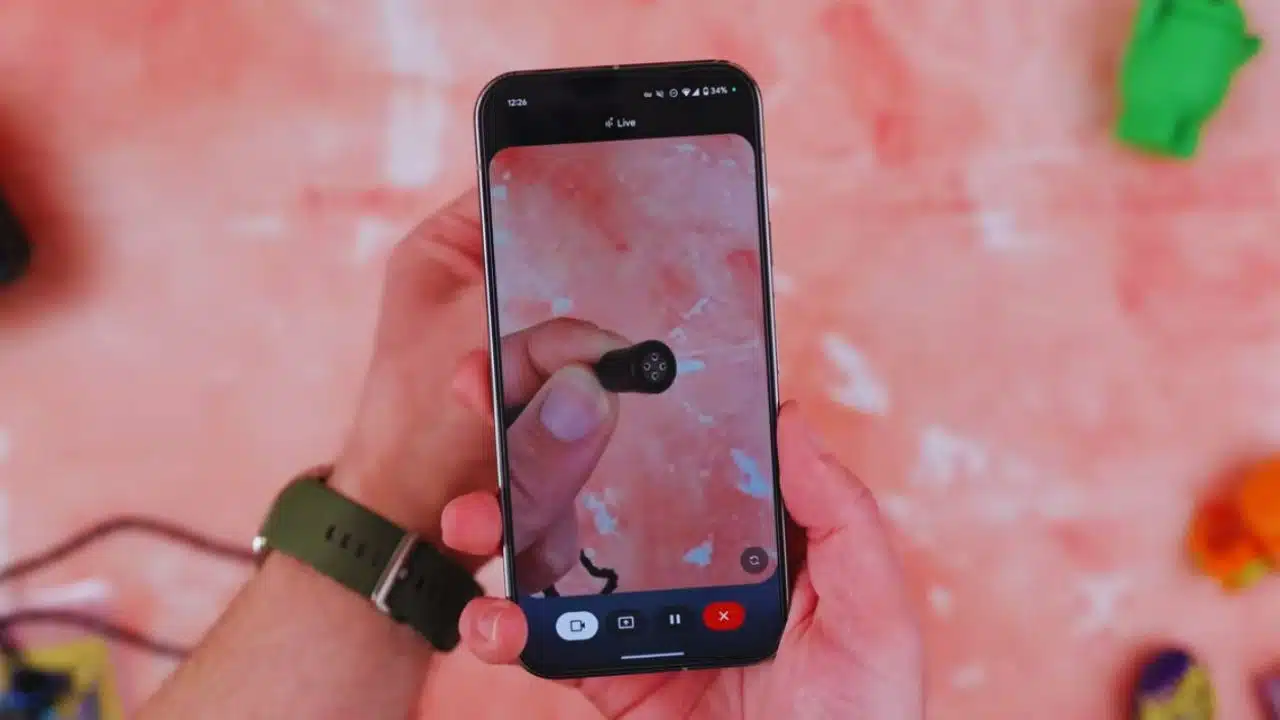
After a limited release to Pixel 9 and Samsung Galaxy S25 users last week, Google has now begun a wider rollout of Gemini Live’s camera and screen sharing features to all Android users. The move comes in response to positive early feedback, and Google is now eager to let more users experience the full potential of this interactive AI feature.
On social media platform X (formerly Twitter), Google officially announced,
“We’ve decided to bring it to more people.”
Starting today, the rollout begins for everyone using the Gemini app on Android, although the update may take a few weeks to fully reach all supported devices.
What Is Gemini Live and What Can It Do?
Gemini Live is a real-time interaction layer within the Gemini AI app that enables users to engage with Google’s AI assistant in new ways. With this update, users can now:
- Share their phone’s live camera feed to let Gemini “see” what they’re seeing in the real world.
- Share their phone screen to allow Gemini to provide real-time help or insights based on on-screen content.
This adds a powerful visual element to Gemini’s conversational abilities, enabling more intuitive support, better understanding, and even idea generation through what Google calls “context-aware interaction.”
Use Cases: What Can You Actually Do with These Features?
The possibilities of using camera and screen sharing with Gemini are wide-ranging and practical. Here are a few real-life examples:
1. Visual Object Identification
Using the camera sharing feature, users can point their phone’s camera at an object—like a houseplant, a product, a book, or a landmark—and ask Gemini:
- “What plant is this?”
- “Can you find this product online?”
- “Can you explain this sign or label?” This makes it easier to understand the world visually without needing to type or search manually.
2. Screen-Based Troubleshooting
By sharing the screen, users can ask Gemini questions like:
- “Why is my phone battery draining so fast?”
- “How do I change this setting in my Gmail app?”
- “Can you summarize this article I’m reading?”
Gemini analyzes what’s on your screen in real-time and responds with contextual advice, shortcuts, and solutions—making it ideal for non-tech-savvy users or multitaskers.
3. Interactive Learning and Brainstorming
Google envisions Gemini Live as a powerful brainstorming companion. For example:
- Show an article and ask Gemini to break it down.
- Display a whiteboard sketch and brainstorm business ideas.
- Use the camera to look at a menu in a foreign language and get translations plus dish recommendations.
This kind of live visual interaction turns the assistant into a more human-like collaborator.
How to Access and Use Gemini Live’s New Tools
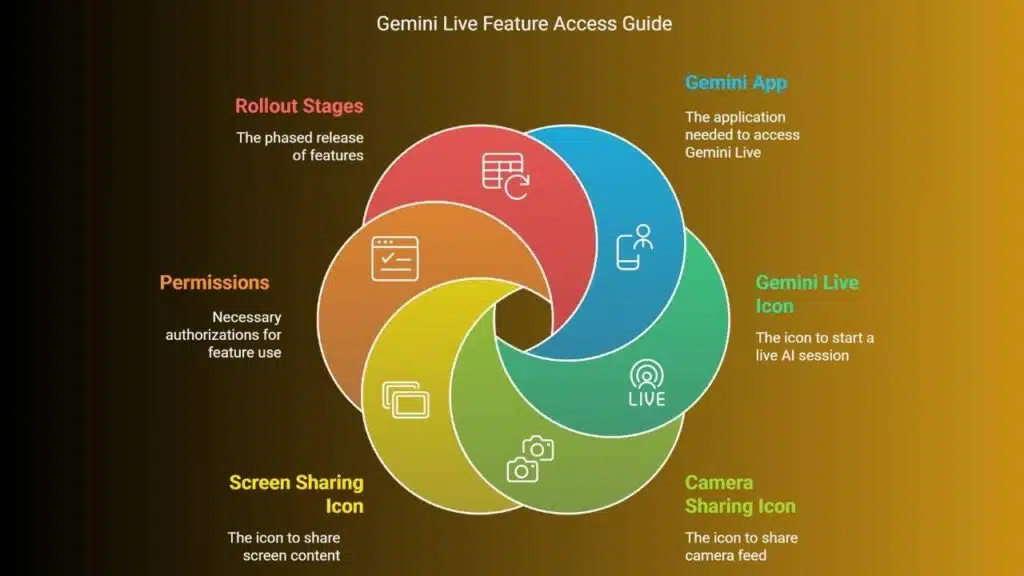
To start using the camera and screen sharing features, follow these steps:
- Open the Gemini App on your Android phone.
- Tap the Gemini Live icon to initiate a live AI session.
- Inside the session, you’ll find icon buttons at the bottom of the screen—one for camera sharing and one for screen sharing.
- Tap the respective icon and grant permissions when prompted.
If you don’t see the features yet, don’t worry. The rollout is happening in stages and could take a few weeks to show up for all users, depending on region and device compatibility.
Privacy and Security: How Safe Is It?
Privacy is a key concern with features that access your camera and screen. Google has stated that:
- Data shared during live sessions is processed securely.
- You control what Gemini sees and when. You must explicitly allow access to the camera or screen for each session.
- Information from camera/screen is not saved or used for training unless you explicitly allow it.
- Users can end sharing at any time, and the app displays clear indicators when sharing is active.
Google’s privacy and AI teams have emphasized that the camera and screen data stay local during interactions, or are encrypted and used only to generate contextual responses.
Community Response and Feedback
The initial release to Pixel 9 and Galaxy S25 users received positive feedback, especially among tech enthusiasts and early adopters. Many users praised the feature for:
- Providing more real-time, intelligent support for tasks like troubleshooting apps, reading content, or understanding complex visuals.
- Making Gemini feel more like a “real assistant” who can see and understand, instead of just respond to typed questions.
Some also pointed out that these features bridge the gap between static input and truly interactive AI, and they may hint at future integration with AR glasses or wearable AI.
Why Google Is Pushing These Features
This update is part of Google’s broader strategy to compete with OpenAI, Microsoft Copilot, and Apple Intelligence by turning Gemini into a visually-capable, real-time AI assistant. While text-based chatbots have been useful, adding vision and screen interaction introduces a whole new dimension of utility.
According to Google’s internal blog posts and product leads:
- Visual tools make AI more relatable and efficient.
- They’re hoping people use Gemini Live not only for questions, but to “co-create and brainstorm ideas.”
Essentially, Google wants Gemini to become a go-to productivity companion, helping users do more with fewer steps.
A Step Toward Next-Gen AI Interaction
With the global rollout of Gemini Live’s camera and screen sharing, Google is expanding the boundaries of how users interact with AI. This isn’t just about asking questions anymore—it’s about showing Gemini what you’re seeing or doing and having a two-way, intelligent conversation.
Whether you’re identifying objects, solving screen-related problems, or collaborating on creative tasks, these new features give Gemini a more human-like edge. And the fact that they’re now available to all Android users—not just high-end devices—makes this a significant step forward in everyday AI adoption.
The Information is Collected from The Hindu and The Verge.

























