


Moving a website can feel like a maze. You dread lost files, broken links, or email outages. You juggle dns settings, ftp, and ssl certificates. You just want no downtime.
Free Website Migration Services Offered By Hosting Providers can cut through the chaos. Many hosting providers move your website files, databases, domain transfer, and email accounts at no charge.
They handle dns propagation and email transfer with expert care. This guide lists seven top hosts, highlights their perks, and maps out each step. Keep reading.
Key Takeaways
- Hostinger moves unlimited sites for free. It uses nine data centers, logs 100% uptime over 10 weeks, 382 ms response time, and 0.607 s LCP. You get 100 GB NVMe SSD, unlimited bandwidth, 100 addon domains, and $31.08 cashback after 60 days. Support replies in 17 minutes on average.
- SiteGround sends specialists to migrate your site with zero downtime. They use HTTPS and auto-issued SSL, update DNS settings, and transfer domains behind the scenes. You can monitor uptime and speed in real time, and they offer email moves via POP3 and enterprise cloud hosting.
- Bluehost moves WordPress sites at no cost in a few clicks. Their team migrates files, databases, and DNS records, installs free SSL, and patches security gaps. Premium plans add daily backups. They also handle email migration via POP3 or IMAP in cPanel.
- HostPapa handles both website and email moves for free. Their experts manage domain transfers, DNS propagation with cPanel/phpMyAdmin, and SSL reconfiguration. They work via FTP, SSH, or POP3 and guide you step by step to avoid downtime.
- FastComet and Nexcess add extra perks. FastComet offers SSL installation, rapid DNS propagation, control-panel transfers, bonus hosting months after domain moves, and POP3 email migration via chat or ticket support. Nexcess provides managed-hosting migrations for WordPress, WooCommerce, and Magento using SSH, phpMyAdmin, and Git, all with minimal downtime and performance tuning.
Hostinger: Free and Unlimited Website Migrations

Hostinger offers free website migration for unlimited websites, including WordPress and other platforms. Its easy tools and expert support move website files, SSL certificates, email accounts, and set DNS settings with no downtime.
The custom control panel, hPanel, guides users step by step, while its AI troubleshooter spots issues fast. Data centers in nine countries speed DNS propagation and boost website speed.
Support teams answer chats and emails 24/7 with an average 17-minute ticket response.
Shared web hosting plans start at $1.99 per month. They give up to 100GB NVMe SSD storage, unlimited bandwidth and 100 addon domains. A promo bundle adds 30GB storage, 50GB bandwidth and a $41.88 Amazon voucher refund, terms apply.
Hostinger hit 100% uptime over 10 weeks, with response times at 382ms and Largest Contentful Paint at 0.607 seconds. Users can claim $31.08 cashback on Premium Shared Hosting after 60 days by sending their transaction ID to TechRadar.
SiteGround: Expert-Assisted Transfers with Zero Downtime
SiteGround offers free website migration services for new users. Their specialized team moves website files and databases. They handle control panel migrations for supported plans.
The process uses HTTPS and automatic SSL certificates. The support team adjusts DNS settings and manages domain transfer behind the scenes. They keep downtime at zero or near zero.
Readers can watch uptime and site speed with the SiteGround dashboard. They can spot global availability and scan for cyber threats. SiteGround may migrate email accounts and run email transfer with a POP3 connection.
Small businesses and eCommerce shops get enterprise grade cloud hosting.
Bluehost: Free WordPress Migration Services
Bluehost moves WordPress sites at no cost. Experts deliver free website migration services for CMS users, moving website files, databases, and DNS records in a few clicks, and keep downtime near zero.
The team handles DNS propagation and tweaks DNS settings, then configures the domain name. Engineers patch vulnerabilities to lock down security. New accounts come with preinstalled CMS and free SSL certificates.
Premium plans include daily backups. Clients add email accounts and migrate email messages using a pop3 connection or IMAP in cPanel. This setup boosts website speed and blocks third-party cookies that can slow pages.
The hosting provider hooks new users with free domain offers and durable web hosting.
HostPapa: Comprehensive Migration for Websites and Emails
HostPapa moves your website files, databases, and email accounts for free. Their team handles domain transfer and DNS settings, guiding dns propagation with cPanel and phpMyAdmin. They reconfigure SSL certificates and boost website speed.
The process cuts customer work down and skips any need for root access.
Small businesses use FTP, SSH, or a POP3 connection in their email clients without fuss. Experts guide each step, so clients never face downtime. Customers keep their mail client active during email transfer.
New and existing customers enjoy free website migration services when they switch hosting providers.
FastComet: Downtime-Free Transfers with Free Hosting Bonuses
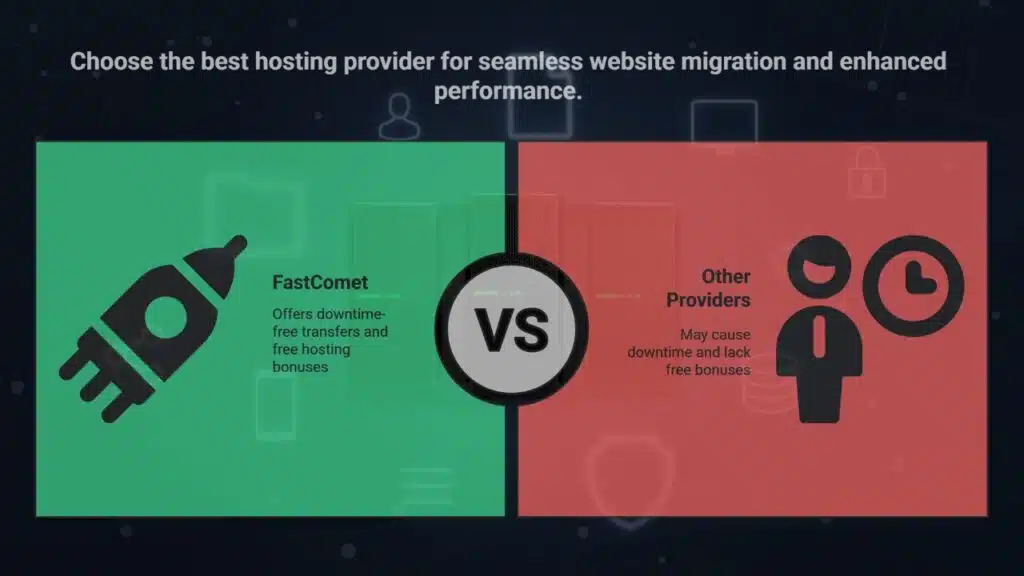
FastComet handles downtime-free transfers from any hosting provider, moving website files, data stores, and domain and dns settings. Its experts steer migrations for WordPress and other popular CMS, and they install ssl certificates at no extra cost.
DNS propagation finishes quickly, so your site stays live. Full control panel transfers work on compatible servers.
New customers get bonus months of web hosting at no charge after domain transfer. The staff stays on hand, via chat or tickets, to guide each step of your free website migration. Migrations also move email accounts via pop3 connection.
Plans may include a free domain. FastComet boosts website speed, so development teams skip long waits.
Nexcess: Premium Free Migrations for Managed Hosting
Nexcess offers premium free website migration for WordPress, WooCommerce, and Magento on managed hosting plans. The team copies website files, databases, and configuration for optimal performance.
They limit downtime, keep SSL certificates active, and handle DNS propagation.
Each plan gets its own support team and you talk to experts who know your setup. They work with SSH, phpMyAdmin, and Git tools to secure data transfers. Free migrations apply to customers moving from other managed hosting providers.
High traffic stores and enterprise clients count on this service for continuity. You get seamless, fully managed website speed tuning and email account transfers too.
Takeaways
Free migrations make site creation easier; providers shift your files, pages, and accounts fast. Teams set up name resolution and domain moves, so you face little downtime. They install security badges and global CDNs to boost load pace.
You enjoy a smooth jump to a new host without extra fees.
FAQs
1. What is free website migration?
It is one of the free website migration services offered by hosting providers, they move your website files, databases, and handle email transfer. Lots of people ask this in the frequently asked questions.
2. How does dns propagation work during migration?
The host updates your dns settings, then they wait for dns propagation. It can take from a few hours to two days, so grab a coffee and hang tight.
3. Can I keep my ssl certificates and email accounts?
Yes, most web hosts let you move ssl certificates at no cost, and they handle your email accounts with pop3 connection setup. It is no sweat.
4. Will my website speed change after the move?
Good web hosts tune your web hosting, you may even see better website speed, thanks to modern servers and caching.
5. Do I need to move my free domain and handle website development?
If you built your site with a website builder, just ask your host about domain transfer, many offer free domain moves and guide you through website development steps, it is a piece of cake.






















