With technological advancement, kids of all ages can be good at drawing without using pencil, paper, and drawing boards. There are many interactive drawing apps that can be utilized by kids to create wonders. Although these apps can be used in moderation by kids, I will love you to interact with this post as I recommend 15 amazing drawing apps. Don’t go away!
-
Drawing Games Learning Kids 2
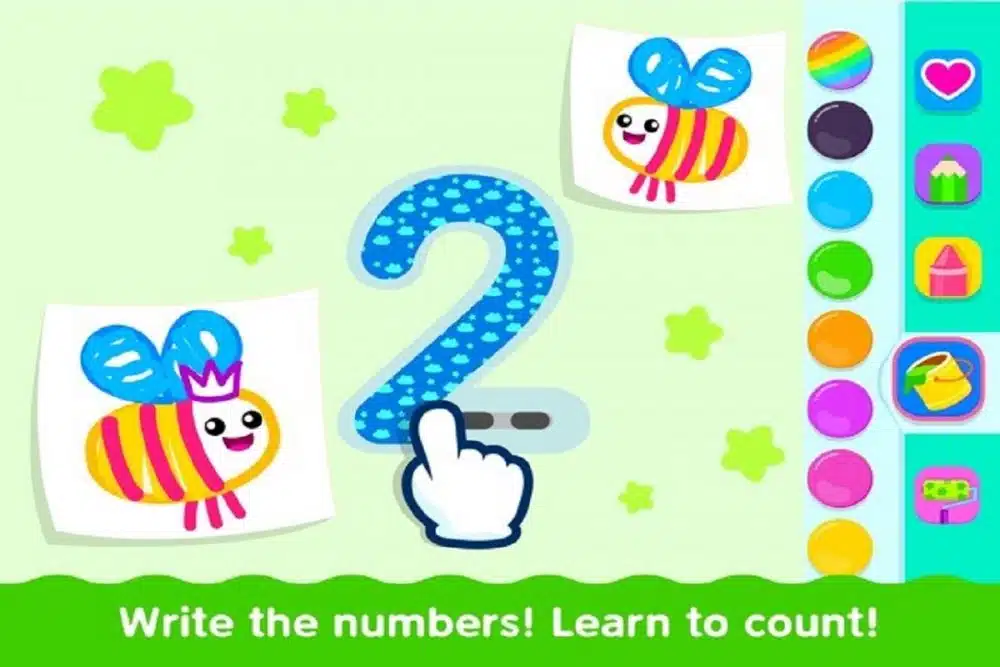
This drawing app is good for ages 2 years and above as it is built for drawing enthusiasts. This app is not only good for drawing alone but also helps kids to learn new numbers and letters. This is an interactive tool as it has comments and ideas that kids can work with in order to create a masterpiece. Kids who are beginners and do not know much about drawing can be guided to learn on this app. Features include; 150 step by step drawing tutorials, ABC and numbers, tracing and free mechanics etc.
- Doodle Buddy Draw
An app for 3 to 8 years old that has 1,000 stickers and several useful backgrounds to be utilized as ideas by kids when drawing. Kids can use the stencils to create shapes that might have been difficult for them to draw when using paper and pencil. The app has a premium version that can be purchased to get access to the “Doodle Bucks”.
- Crayola Create and play
Crayola Create and play is an interactive app for kids of age group 3 years and above. This teaches kids drawing and painting using diverse art lessons in the app. There are various lessons on how to draw animals, monsters, princesses, vehicles and so many more. The app also acts as a guide for kids to help them learn how to draw figures with the use of dotted lines. After mastering this skill, they can use the app’s sketchpad to draw their own figures and images.
- Drawing with Carl
Drawing with Carl is an app built for 2 to 5 years and Kids can use this app to draw, color and paint. It is an interactive app and kids can explore diverse colors and patterns. There are special features which include, mirror painting, pattern paint bucket, talking stickers that make it appealing and interesting. This app is available on iOS.
- Draw and Tell HD
This app is designed for ages 3 to 9 years who love drawing and painting. In these apps, there are a variety of crayons, patterns, stickers and brushes, and other ideas that kids can explore. The stencils in the app can be used by kids to create diverse images on the backgrounds. Truth be told, this app has different features and resources to suit kids’ creativity and learning needs. This app is available on iOS
- Drawing Pad
This app is a simple drawing tool available on iOS and made for ages 3 and above. In this app are diverse pencils, crayons, and markers that kids can use to outline, paint and draw. It enables kids to make choices from the resources available on the app. There are backgrounds, blank canvas that can be used by kids for experiments.
- 123 Color HD
This is a coloring book app for the age group 2 to 8 years. It contains several cartoon-style images, paint by numbers, and letter options that can be enjoyed by kids. This is a great tool for kids to explore with colors and combine them to create colorful images. Kids can use this app to unleash their artistic minds.
- Paper by 53
This is a free app on iOS that works for kids of all ages. Kids can use their stylus, their fingers to draw, sketch, write, color and outline. There are special spaces for saving colors as well as a large mixing well, diagram fill and cut, undo function and an eraser, digital drawing notebooks, and other sketching ideas.
- Scribblify
Scribblify is an iOS drawing app for kids. This is a good game that helps kids to create great artwork no matter the level of their skills. There are colors, lines, handcrafted brushes with good texture and behavior, mirror and kaleidoscope modes to draw images. It is also available as a premium app on iOS.
- Dessin Facile
Dessinfacile.fr is a drawing website for French, it can be used to learn to draw outlines and sketch. It is an easy and simple app that can be used by kids of all ages. They can draw a line, reckon up the length of the shape before closing it. Stars are awarded based on how perfect the lines are drawn to cover the outlines. It contains features such as free-to-play, find images, and so on.
- Picsart color paint
This is a great app for kids as it offers a variety of drawing features such as; drawing with both colors and textures, using diverse layers, color fill, and pattern, a text tool to draw and erase, blending modes, etc.
- ArtWorkOut
ArtWorkout enables kids to learn how to draw using game technology. The app evaluates their performance and analytic insights when involved in drawing. There are over 200 drawing lessons with step-by-step guides, interactive courses on sketching, doodling, painting, handwriting, and drawing.
- Kids Doodle
This is a simple app to enable kids to enjoy doodles on iOS, iPad, and iPod touch as it supports over 10 brushes. The brushes include; rainbow, neon, oil brush, crayon, and so on. Kids can adjust the size and color of the brushes to suit their needs.
- Draw Story
This app is a useful tool for kids to utilize their drawing skills to avoid trouble. Kids can use their fingers or the apple pencil to draw each object, discover diverse level endings, try to get out of school, and get involved in drawing.
- Musical paint
This is a perfect app for ages 2 to 6 years. This app goes beyond drawing as kids can enjoy the music as they engage in this interactive activity. As kids go on the quest to create a masterpiece on this app, this app engages all their senses. As kids draw, they can click anywhere on the screen of the app and listen to good music. The melodious rhythm from the app is a great source of relaxation and the motivation to keep drawing. This app is available on iOS.