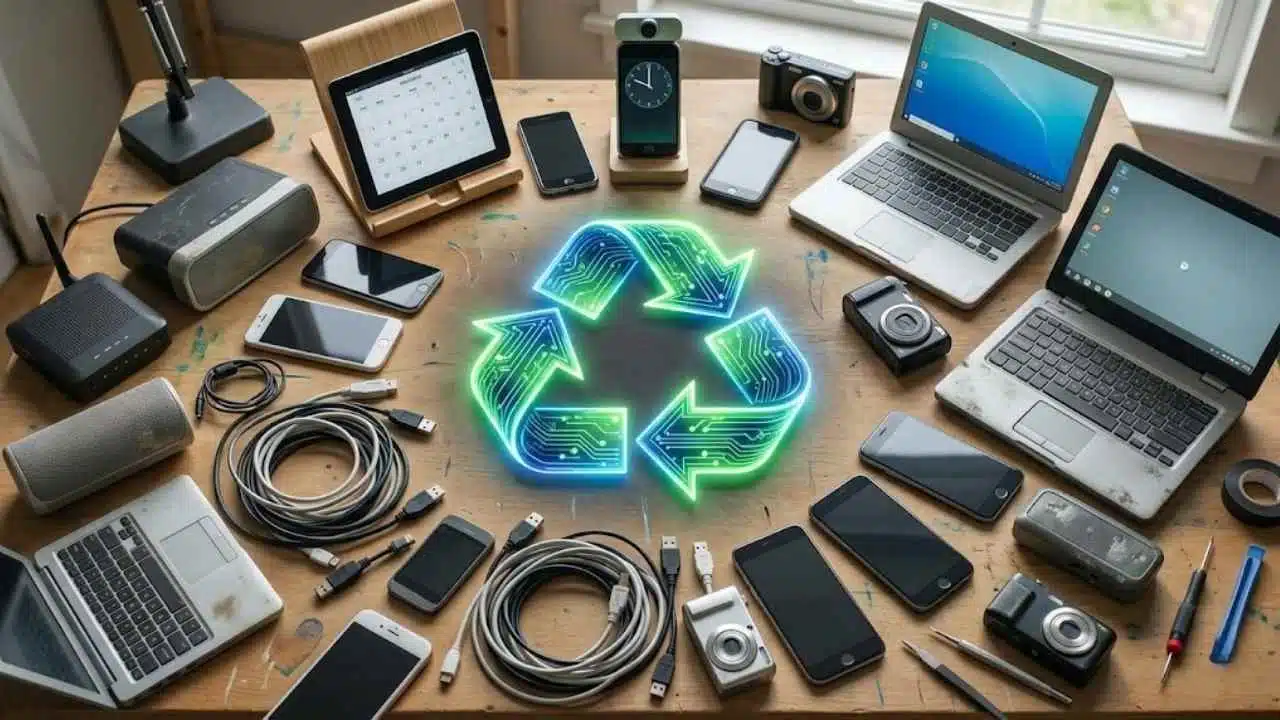
Old phones, tablets, laptops, routers, cameras, speakers, and cables usually do not become useless all at once. More often, they become slightly annoying. The battery drains too fast. The screen is small by current standards. The laptop no longer supports the latest operating system. The router still turns on, but nobody remembers when it last received a firmware update.
That is where many people make the same mistake: they throw everything into a drawer, then eventually into a bin.
Learning how to upcycle old gadgets instead of throwing them away is not about keeping broken junk forever. It is about knowing which devices still have a safe, useful second life — and which ones should be repaired, donated, traded in, or recycled responsibly.
This matters because electronic waste is no longer a small household problem. The Global E-waste Monitor 2024 reported that the world generated 62 million tonnes of e-waste in 2022, while only 22.3% was formally collected and recycled in an environmentally sound way. The same report projects e-waste could reach 82 million tonnes by 2030 if current patterns continue.
The practical answer is not “never buy new technology.” That is unrealistic. The better answer is to slow down the waste cycle where possible, protect your data, avoid unsafe battery use, and give older hardware jobs that match what it can still do well.
Before You Reuse Anything, Check Three Things
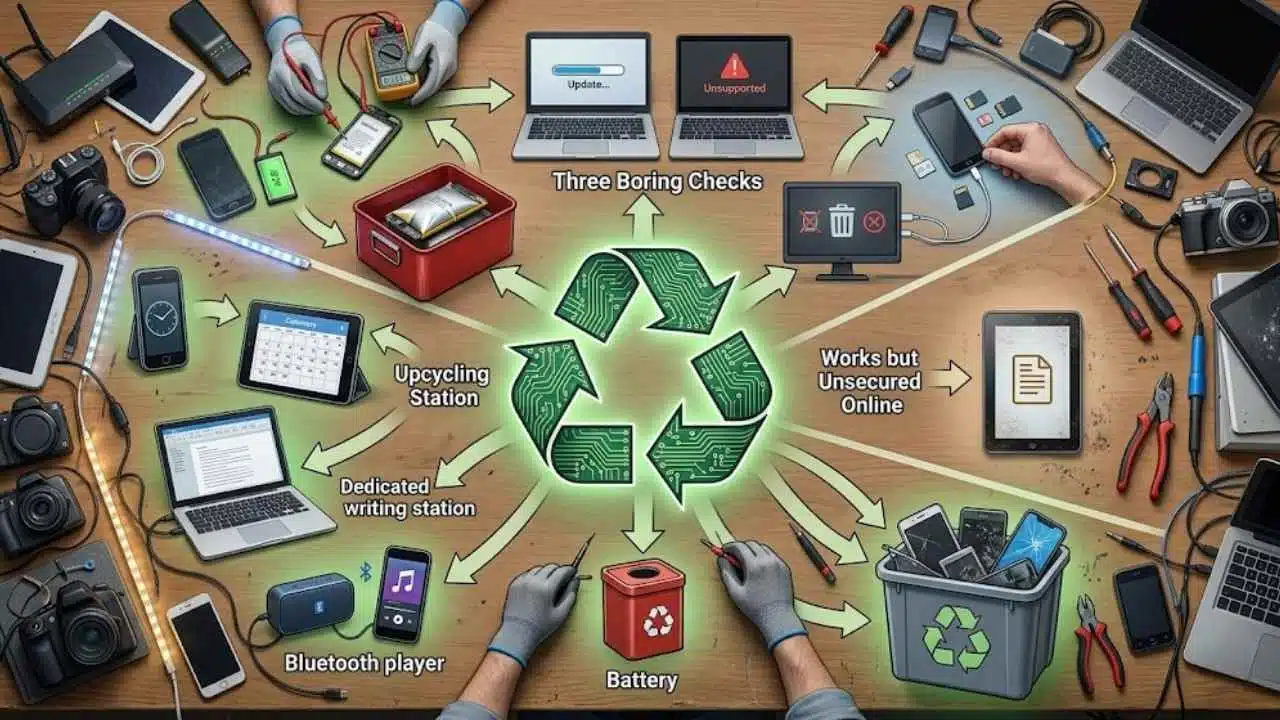
Do not start by installing apps or buying mounts. Start with the boring checks. They prevent most of the problems people discover later.
First: check the battery. A swollen battery, a device that gets unusually hot, or a gadget that smells chemical or metallic should not be turned into a bedside clock, security camera, or always-plugged-in display. Lithium-ion batteries need careful handling, and the EPA advises that lithium-ion batteries and devices containing them should not go into household garbage or normal recycling bins. They should go to separate battery recycling or household hazardous waste collection points.
Second: check the software status. An old tablet used offline for recipes is different from an old phone logged into your main email account. Unsupported operating systems and outdated routers are not harmless when they are connected to a network. Microsoft, for example, states that Windows 10 support ended on October 14, 2025, meaning those PCs no longer receive regular software updates, security fixes, or technical assistance unless users qualify for a support extension.
Third: wipe personal data before the device leaves your control. The FTC’s consumer guidance for old phones recommends backing up the device, removing SIM and SD cards, and erasing personal information before selling, donating, or recycling it. For computers, the FTC similarly recommends backing up data and erasing the hard drive before disposal.
A quick decision table helps:
| Old Gadget Condition | Better Next Step |
|---|---|
| Works well, receives updates | Upcycle, donate, sell, or keep as backup |
| Works but no longer secure online | Use offline or on a limited guest network |
| Battery is swollen or overheating | Stop using it and recycle through a proper battery/e-waste channel |
| Broken screen but device still boots | Use as a server, camera, music player, or parts donor if safe |
| Dead, water-damaged, or unknown condition | Recycle through a certified electronics recycler |
How to Upcycle Old Gadgets Instead of Throwing Them Away Safely
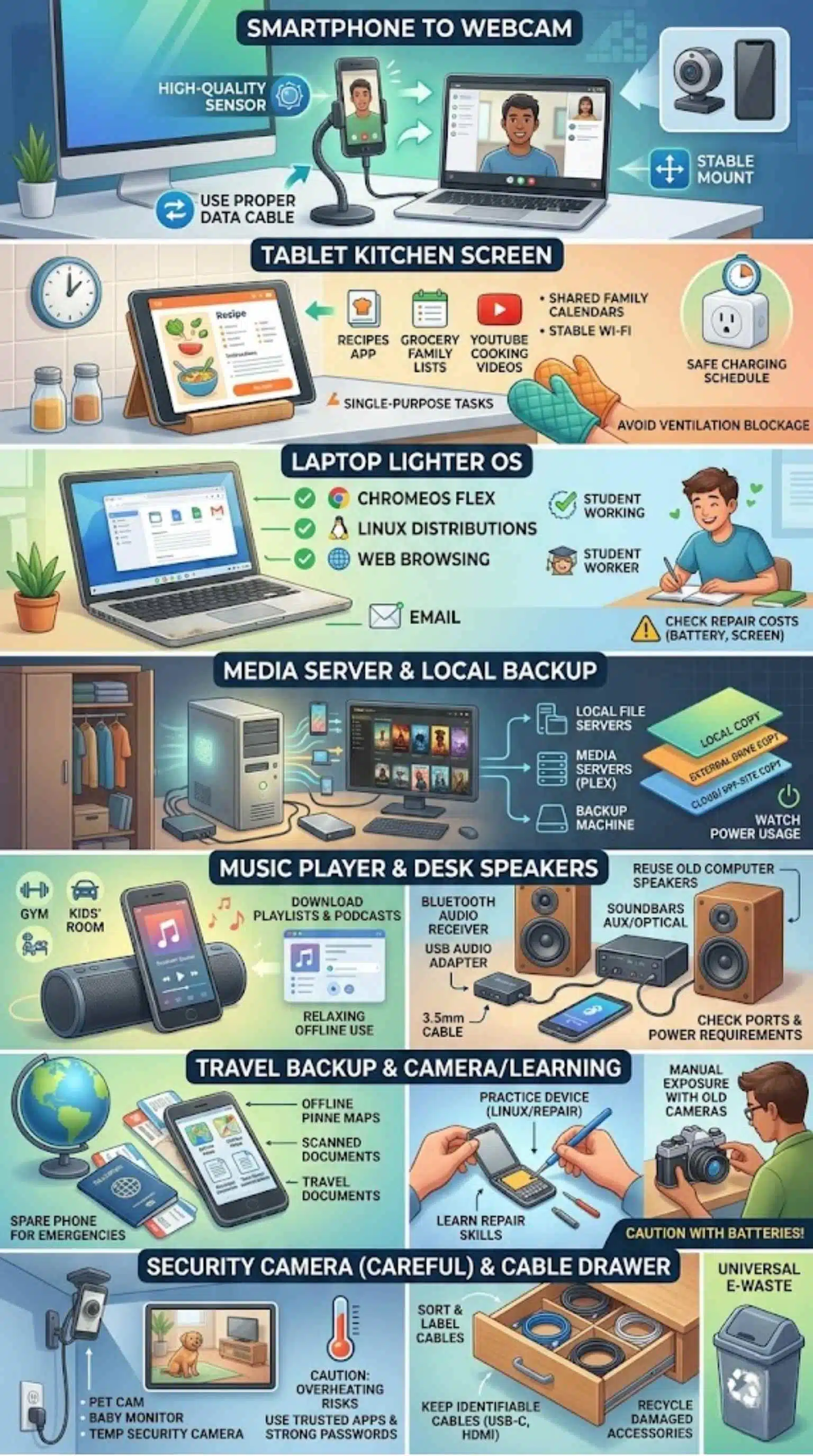
The safest upcycling projects are the ones that match the device’s limits. A six-year-old phone may be excellent as a desk webcam. It may be a poor choice as a full-time home security camera plugged in 24/7 near a curtain. An old laptop may be fine for writing and browsing with a lightweight OS. It may be a bad idea for online banking if it cannot receive security patches.
Think of upcycling as reassignment, not resurrection.
Turn an Old Phone Into a Webcam
This is one of the most practical uses for an older smartphone, especially if its camera is still good. Many laptop webcams remain average, while even mid-range phones from a few years ago often have better sensors.
For iPhone and Mac users, Apple’s Continuity Camera lets supported iPhones work as Mac webcams. Apple lists iOS 16 or later and macOS Ventura 13 or later as requirements, with iPhone XR or later supported for the main Continuity Camera feature.
Android is more mixed, but it has improved. Android’s official documentation says that Android 14 QPR1 added support for using compatible devices as USB webcams via the USB Video Class standard. Google’s Pixel support page also notes that Pixel phones can be used as webcams with a USB data cable.
The friction point is usually the cable. A charge-only USB cable may power the phone but fail to carry video. A cheap stand can also ruin the setup if the phone slowly slides down during calls. For regular work meetings, a stable mount and a proper data cable matter more than most people expect.
Skip this idea if the phone heats up quickly, has a weak battery, or must stay plugged in all day.
Use a Tablet as a Kitchen Screen or Home Dashboard
Old tablets are often too slow for heavy apps but still useful for single-purpose tasks. A tablet in the kitchen can show recipes, grocery lists, timers, YouTube cooking videos, or shared family calendars. It does not need to be powerful. It just needs a working screen, stable Wi-Fi, and enough battery health to avoid constant charging stress.
For smart homes, an older tablet can become a dashboard for lights, plugs, thermostats, and sensors. Home Assistant supports customizable dashboards and even gives examples such as focused kitchen dashboards or simpler guest dashboards. Google Home also supports controlling smart home devices added to the Google Home app, although device compatibility varies by brand and region.
The mistake to avoid: mounting a tablet permanently while leaving an aging lithium-ion battery under constant charge. A safer setup uses a smart plug or charging schedule, keeps the device away from heat, and avoids blocking ventilation. Also, do not use an ancient Android tablet with your main Google account if it no longer receives updates.
Give an Old Laptop a Lighter Operating System
A laptop that feels slow on a modern Windows install may still be useful for writing, browsing, email, schoolwork, light coding, or media playback. The hardware may not be dead; the software may simply be heavier than the machine can comfortably handle.
ChromeOS Flex is one option for older PCs and Macs. Google says ChromeOS Flex is designed to support many common PCs and Macs from the last 10+ years, though it is officially supported only on certified models. Google’s installation guidance lists minimum requirements, including an Intel or AMD x86-64-bit-compatible device, 4 GB of RAM, and 16 GB of internal storage.
Linux distributions can also work well, especially on machines with an SSD and at least 4 GB of RAM. For a family member who only needs a browser, documents, video calls, and email, a refreshed old laptop may be more than enough.
Where this becomes less attractive is battery life and parts cost. If the charger is missing, the battery is dead, the screen hinge is broken, and the storage drive is failing, the repair bill may be higher than buying a used refurbished laptop. Upcycling should save waste, not create a frustrating money pit.
Make a Media Server or Local Backup Box
Old desktops and laptops can be turned into local file servers, media servers, or backup machines. This is especially useful for households with photos, videos, scanned documents, and old project folders scattered across multiple devices.
Plex Media Server, for example, supports Windows, macOS, several Linux distributions, and FreeBSD, with specific operating system and architecture requirements listed in its official documentation.
A home media server is not the right project for everyone. It needs storage planning, updates, backups, and basic network awareness. The common beginner mistake is treating a single old hard drive as a “backup.” It is not a real backup if it is the only copy. A better arrangement is one local copy, one external drive copy, and one cloud or off-site copy for important files.
Also be careful with power usage. A full-sized old desktop running all day may consume more electricity than a small modern mini PC or NAS. For occasional file transfer, that may be fine. For 24/7 use, check whether the setup makes sense.
Convert an Old Phone Into a Dedicated Music Player
This is simple, underrated, and often better than turning the phone into something complicated. An old phone can become a music player for the gym, car, workshop, kitchen, or kids’ room.
Download playlists, podcasts, or audiobooks while the device is on Wi-Fi. Pair it with an old Bluetooth speaker or wired speaker if the phone still has a headphone jack. Remove unnecessary apps, turn off notifications, and keep it logged out of sensitive accounts.
This works best when the phone has decent storage and a battery that still holds charge. It works poorly when the phone constantly demands app updates, cannot install current streaming apps, or has a damaged charging port.
For privacy, do not hand a child an old phone still connected to your email, cloud photos, payment wallet, or messaging apps. Create a limited account or keep it offline with downloaded content.
Use an Old Smartphone as a Travel or Emergency Backup
A spare phone can be useful during travel, repairs, or emergencies. It can store offline maps, scanned travel documents, two-factor authentication backup methods, emergency contacts, translation apps, and local transport apps.
The key is preparing it before you need it. Charge it every few months. Update it while it is still supported. Keep a working cable with it. If it uses a removable SIM or microSD card, label those clearly.
Do not rely on a very old unsupported phone as your only emergency device. Some mobile networks and apps stop supporting older hardware over time. A backup phone is a convenience, not a guarantee.
Turn Old Speakers Into a Better Desk Setup
Many people throw away speakers because they no longer match a new laptop or TV setup. Often, the speakers still sound better than built-in laptop audio.
Depending on the speaker type, you may be able to reuse them with a Bluetooth audio receiver, USB audio adapter, 3.5 mm cable, RCA cable, or small amplifier. This is especially useful for old computer speakers, bookshelf speakers, and soundbars with auxiliary or optical input.
Before buying adapters, check the ports. A cheap Bluetooth receiver will not fix damaged speaker cones, humming power supplies, or missing proprietary cables. Also, avoid unsafe power adapters. If the original power brick is gone, carefully match the voltage, polarity, and current requirements, or skip the project.
Repurpose an Old Router — But Be Strict About Security
Old routers can sometimes be used as access points, network switches, or guest-network devices. This is useful in large homes, small offices, garages, and workshops where Wi-Fi coverage is weak.
But old routers are one of the riskiest gadgets to reuse blindly. A router is not like an old calculator. It sits at the edge of your network. If it no longer receives firmware updates, exposes weak admin settings, or uses outdated encryption, it can become a security problem.
CISA’s 2026 guidance for U.S. federal agencies highlights the risk of unsupported edge devices, including hardware that no longer receives software updates or security fixes. That guidance is aimed at agencies, but the logic applies to households and small businesses too: unsupported network gear should not be trusted indefinitely.
If you reuse a router, update its firmware, change the admin password, disable remote management, use WPA2 or WPA3 where available, and consider isolating it from your main network. If those options are missing or confusing, recycling it is safer.
Use an Old Camera, Phone, or Tablet for Learning
Old gadgets are excellent practice devices. A retired laptop can be used to learn Linux. A broken phone can teach basic repair skills. An old camera can help someone learn manual exposure without risking expensive gear. A tablet can become a drawing practice screen for children if the display still responds well.
Repair-learning is a good use case because failure is less costly. iFixit’s repair guides are a useful starting point for many devices, but battery-related repairs deserve extra caution. Swollen batteries should not be punctured, squeezed, charged, or handled casually.
This is where upcycling becomes more than saving money. It builds confidence. Someone who learns to replace a laptop SSD, clean a dusty fan, or reinstall an operating system becomes less likely to buy new hardware at the first sign of slowdown.
Keep One Old Phone as a Security Camera — Carefully
An old phone can work as a pet cam, baby-room monitor, package-watch camera, or temporary security camera. Several apps can do this, and some people use old phones with video-call apps for simple monitoring.
The caution is privacy and heat. A phone camera app that streams video may need account permissions, network access, storage access, and cloud features. Read permissions before installing anything. Use a strong password. Avoid unknown apps with poor update history.
Placement matters too. A phone left in direct sunlight near a window can overheat. A phone plugged in continuously with an old battery is not ideal. For long-term security monitoring, a purpose-built camera from a reputable brand may be safer and more reliable than a retired phone.
So yes, this is a valid way to upcycle old gadgets instead of throwing them away, but it is not the first recommendation for every home.
Use Old Cables, Chargers, and Accessories With Labels
Cables are small, so people ignore them. Then a drawer fills with mystery wires.
Sort them once. Keep only what you can identify and use safely. Label USB-C data cables separately from charge-only cables. Keep one travel charger, one desk charger, one spare HDMI cable, and one or two device-specific legacy cables if you still own matching hardware.
Recycle damaged, frayed, loose, or overheating accessories. Do not keep power bricks with cracked housings or unknown ratings. A bad charger is not worth the risk.
This also helps future upcycling projects. Many “broken” webcam, tablet, and external-drive projects fail because the cable is wrong, not because the device is useless.
When Upcycling Is Not Worth It
Some gadgets should not get a second job.
Do not reuse a device with a swollen battery. Do not give someone a laptop that cannot be securely wiped. Do not connect an unsupported router to your network because it “still works.” Do not spend more on adapters, batteries, and mounts than the value of the result.
There is also a dignity issue with donation. A charity, student, relative, or community center does not need your unusable junk. Donate devices that are clean, functional, reset, and complete with chargers where possible. If the recipient will need to pay more to make it usable, say that clearly.
For anything that cannot be reused, choose proper recycling. The EPA encourages use of certified electronics recyclers and recognizes two accredited certification standards in the U.S.: R2 and e-Stewards. Availability varies globally, but the principle travels well: use a recycler that can explain how it handles data, batteries, hazardous materials, and downstream processing.
A Simple Upcycling Plan for Most Households
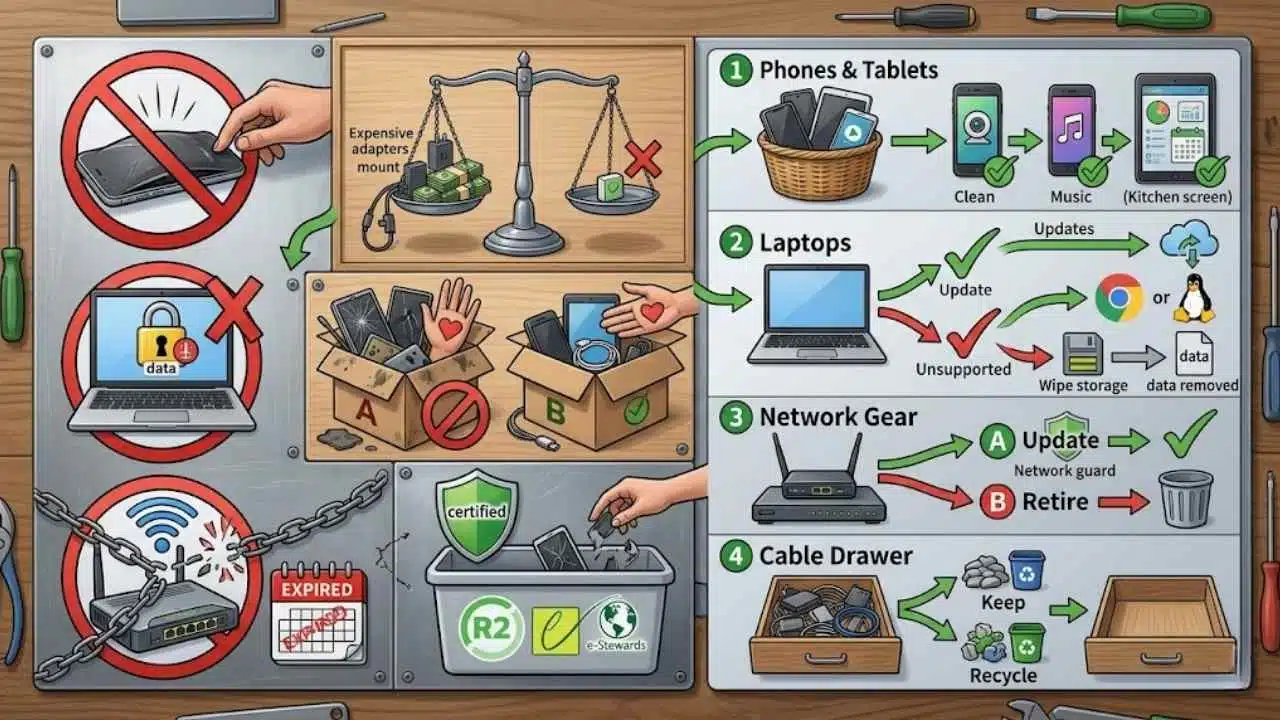
Start with phones and tablets because they are easy to repurpose. Choose one job per device. Do not try to make an old phone your webcam, music player, security camera, GPS unit, and smart-home remote all at once.
Then check laptops. If the machine can receive updates, refresh it. If it cannot run a current mainstream OS comfortably, consider ChromeOS Flex or Linux. If it is too damaged, remove and wipe storage before recycling.
After that, deal with network gear. Update it or retire it. Routers and smart-home hubs should be treated more strictly than offline gadgets.
Finally, clear the cable drawer. Keep useful accessories. Recycle the rest.
This order works because it starts with low-risk wins and leaves the more technical decisions for later.
Final Thoughts
The best ways to upcycle old gadgets rather than throw them away are practical, not sentimental. A retired phone can become a webcam, music player, emergency backup, or temporary camera. An old tablet can become a kitchen screen or smart-home dashboard. A laptop can get a second life with a lighter operating system, a new SSD, or a focused role as a writing machine or media server.
But not every gadget deserves saving. Unsafe batteries, unsupported network devices, locked accounts, and damaged chargers should be handled carefully and recycled through proper channels.
A good rule is simple: reuse what is safe, repair what is worth repairing, donate what still helps someone, and recycle what has reached the end of its useful life. That is how old technology stays useful longer without becoming clutter.
Frequently Asked Questions (FAQs) About Upcycling Old Gadgets
Is it safe to use an old phone as a security camera?
It can be safe for temporary or low-risk monitoring, but avoid using a phone with a swollen battery, overheating issue, or outdated security status. Use trusted apps, strong passwords, and avoid placing the phone in direct sunlight or leaving it plugged in carelessly.
Should I wipe a device before upcycling it at home?
If the device stays with you, a full wipe is not always necessary. But if you are changing its purpose — for example, giving it to a child, guest, tenant, employee, or relative — wipe it first and set it up with a limited account.
Is installing Linux on an old laptop better than recycling it?
Often, yes, if the hardware is healthy enough. A laptop with an SSD and enough RAM can still be useful for writing, browsing, learning, or media playback. If the battery, screen, keyboard, and storage are all failing, responsible recycling may be more sensible.
What is the biggest mistake people make with old gadgets?
Keeping everything “just in case” without checking safety, data, or usefulness. A drawer full of unknown batteries, damaged chargers, locked phones, and unsupported routers is not upcycling. It is delayed disposal.