Let me start with a small story.
A few months ago, I was sitting in a planning call for ImagineLab.art, the AI creative platform I work on as Chief Technical Advisor. One of our developers casually said, “We need to watch the token cost on this prompt.” Half the room nodded. The other half smiled politely and said nothing.
I know that look. I used to be one of those polite-smile people.
When I first started working deeper into AI, both on the editorial side at Editorialge and on the engineering side at ImagineLab, I noticed something strange. People throw around words like “tokens,” “context window,” “temperature,” “hallucination,” and “RAG.” Nobody ever stops to explain them. We just absorb the words and pretend we understand.
Here is the honest truth, though. You do not need to be a developer to actually understand AI. You just need to understand five words. Not in a textbook way. In a way that changes how you think every time you open ChatGPT, Claude, Gemini, or any other tool.
Let me walk you through them, the way I wish someone had walked me through them two years ago.
1. Tokens
Forget words. Forget letters. AI does not read the way you and I read.
AI reads tokens.
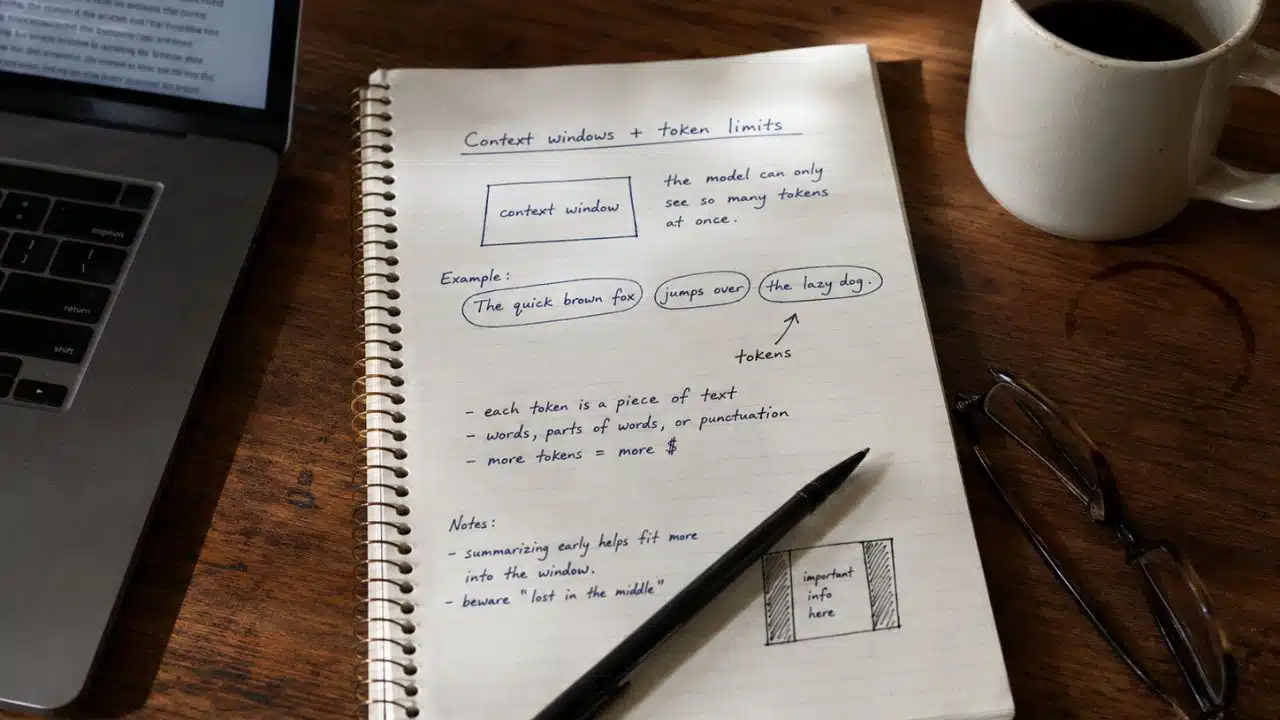
A token is just a chunk of text. Sometimes it is a full word like “cat.” Sometimes it is part of a word like “ing.” Sometimes it is just a comma or a space. The sentence “I love mangoes” is roughly three tokens: “I”, “ love”, “ mangoes.”
Here is something I noticed while working with Bengali content. When I run the same paragraph in English and in Bengali through a tokenizer, Bengali uses many more tokens. A simple Bengali sentence that costs ten tokens in English might cost thirty in Bengali. That is a real cost when you are running AI at scale, and it is one of those quiet realities most people never talk about.
Why should this matter to you?
Because every AI product is counting tokens behind the scenes. Every prompt you send, every reply you get back, all of it gets measured in tokens. The longer your conversation, the more tokens you burn. More tokens means more cost, more processing, and more pressure on the AI’s memory.
This is also why your long AI chats start to feel a little off after a while. The AI starts forgetting what you said earlier. It is not being rude. The older tokens are just dropping off the edge.
Once you understand tokens, you stop being surprised by any of this.
2. Context Window
Picture someone with a strange kind of memory. They can only hold the last twenty minutes of any conversation. Anything before that, gone.
That is basically a context window.
It is the total amount of text, measured in tokens, that an AI can actively think about at one time. This includes your instructions, the chat history, any documents you have uploaded, and the AI’s own replies. All of it has to fit inside the window.
Think of it like a whiteboard. You can write whatever you want on it. But once it is full, you have to wipe something off to add something new.
Some older AI models had small context windows, around 4,000 tokens. That is maybe three thousand words long. Newer models like Claude can hold more than 200,000 tokens. Gemini is pushing close to a million. That is a serious shift, because suddenly you can drop in an entire book and ask questions about it.
I run into this all the time when reviewing long editorial pieces. If I am working on a six-thousand-word feature and feeding it into an AI for a second read, the AI sometimes forgets the tone of the opening by the time it reaches the end. That is the whiteboard running out of room.
So if your AI assistant suddenly feels confused halfway through a long chat, this is the reason. It is not broken. It is just full.
3. Temperature
This is the one I love explaining to friends who do not work in tech. Temperature is a setting that decides how creative or how safe the AI’s answers will be.
Low temperature, close to 0, means the AI plays it safe. It picks the most expected words. Steady. A little dull. But accurate.
High temperature, closer to 1 or above, means the AI takes chances. It picks surprising words and makes unusual connections. Sometimes brilliant. Sometimes a bit weird.
Try this. Ask an AI to complete the sentence, “The boy sat on the…”
At low temperature, you get “chair,” “bench,” and “floor.” Safe. Boring. Useful.
At high temperatures, you might get “edge of a Tuesday afternoon” or “broken radio.” Beautiful, sure. Useful for a legal document, not really.
Here is the rule I follow in my own work. When I am using AI for news summaries, headline checks, or anything where being correct matters more than being clever, I keep the temperature low. When I am brainstorming a culture piece, working on creative prompts for ImagineLab, or just trying to break out of a writing rut, I push myself.
Most consumer apps like ChatGPT do not show you this dial. They have parked it at a middle ground. But the moment you start using an AI API or a developer tool, you will see it. And now you actually know what to do with it.
4. Hallucination
Everyone has heard this word. Most people do not understand why it happens.
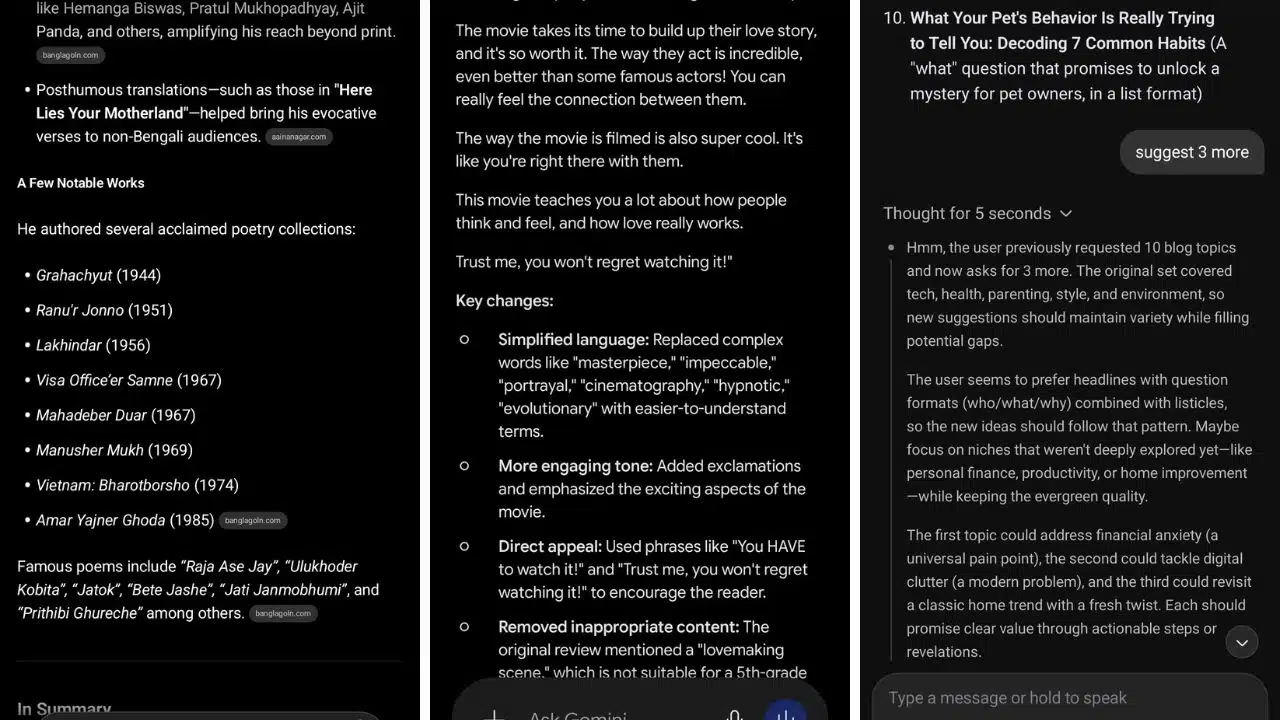
Hallucination is when AI confidently makes things up. Names, dates, quotes, statistics. The AI states it like it is reading from an encyclopedia, but the information is just wrong.
Here is a real example from my own work. Not too long ago, I was fact-checking an article about test prep companies. The draft included a paragraph stating that a particular company was headquartered in a city where it had never actually operated. The AI that helped draft that piece did not lie on purpose. It just generated text that “sounded right” based on patterns it had seen during training.
That is the whole problem in one sentence. AI does not know facts. It predicts what should come next based on what it learned during training. It is autocomplete, but on a massive scale.
So when an AI does not know something, it does not pause and say, “Hmm, I am not sure.” It produces something that sounds correct. With full confidence.
The real danger is not that AI gets things wrong. Every tool makes mistakes. The danger is that AI gets things wrong in the same calm, certain voice it uses when it is absolutely right.
My personal rule, after years of working in editorial: never trust AI alone for facts, numbers, legal points, medical claims, or anything where being wrong has actual consequences. Use it to draft. Use it to brainstorm. Use it to summarize. Then verify.
Once you accept that AI hallucinates, you stop being shocked when it does.
5. RAG
This one sounds intimidating, but it is honestly simple once you sit with it.
RAG stands for Retrieval-Augmented Generation. Do not worry about the name. Just remember what it does.
Here is the problem RAG solves. A regular AI model only knows what it learned during training. It does not know your company’s internal documents. It does not know what happened last week. It does not know that PDF you uploaded ten seconds ago.
So how do products like “Chat with your PDF” actually work?
That is RAG.
When you upload a document, the system does not shove the whole thing into the AI’s head. It breaks the document into chunks and stores those chunks in a special database that understands meaning, not just keywords. Then, when you ask a question, the system searches that database, finds the most relevant chunks, and hands them over to the AI along with your question.
The AI then writes an answer using those chunks as fresh context.
That is the whole trick. Retrieve relevant material. Feed it to the AI. Get a clean answer.
Almost every useful AI product built in the last two years uses some version of this. Customer support bots that know your company’s policies. AI tools that read your legal documents. Those “ask this video a question” features. Even some of the smarter workflows I see on the ImagineLab side use the same idea.
Once you understand RAG, you stop being impressed by products that claim “the AI learned your data.” It did not learn anything. It just got the right context at the right time.
So Why Should Any of This Matter to You?
Let me be honest with you.
Two years ago, I did not know any of this either. I used AI tools like everyone else and assumed the developers around me knew what was happening behind the curtain. I nodded in meetings. I smiled. I figured I would catch up later.
But once I sat down and actually learned these five words, everything changed for me.
I write better prompts now because I understand tokens. I am not frustrated in long chats anymore, because I understand context windows. I know when to be precise and when to let the AI breathe, because I understand temperature. I never blindly trust an AI output because I understand hallucination. And I can see straight through any product claiming to “know my data,” because I understand RAG.
You do not need to write code. You do not need a degree in machine learning. You just need to actually understand these five terms, and you will already be miles ahead of most people who casually use AI without ever questioning how it works.
That is honestly the whole game. And welcome to the smarter side of it.