E-waste recycling sounds boring until you open that one drawer. You know the drawer. The one with dead phones, tangled chargers, cracked earbuds, old USB cables, and a power bank you haven’t trusted since 2021.
Most of us have one.
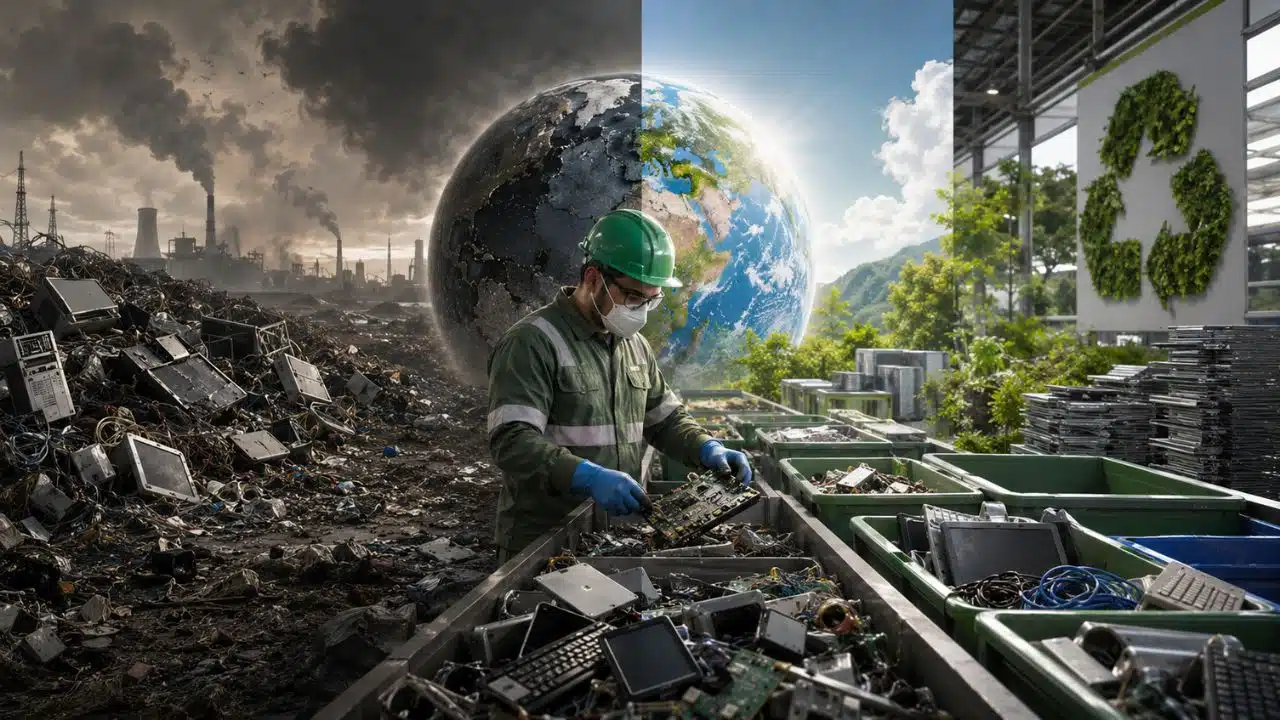
That clutter looks harmless. It isn’t always. Old electronics can carry lead, mercury, cadmium, flame retardants, lithium-ion batteries, and personal data. When people dump, burn, crush, or strip these devices in unsafe ways, the damage spreads fast. Soil gets polluted. Water gets dirty. Workers breathe toxic dust. Batteries catch fire. Valuable metals disappear into landfills.
The numbers are ugly too. The world generated about 62 million tonnes of e-waste in 2022. Only 22.3% was formally collected and recycled. If we keep going like this, global e-waste could reach about 82 million tonnes by 2030.
That’s the bad news.
The good news? We can handle old electronics better. We can repair more, reuse what still works, wipe our data, separate batteries, and use trusted e-waste recycling programs.
This isn’t about giving up technology. Nobody’s doing that. It’s about not treating yesterday’s gadgets like regular trash.
What Counts as E-Waste?
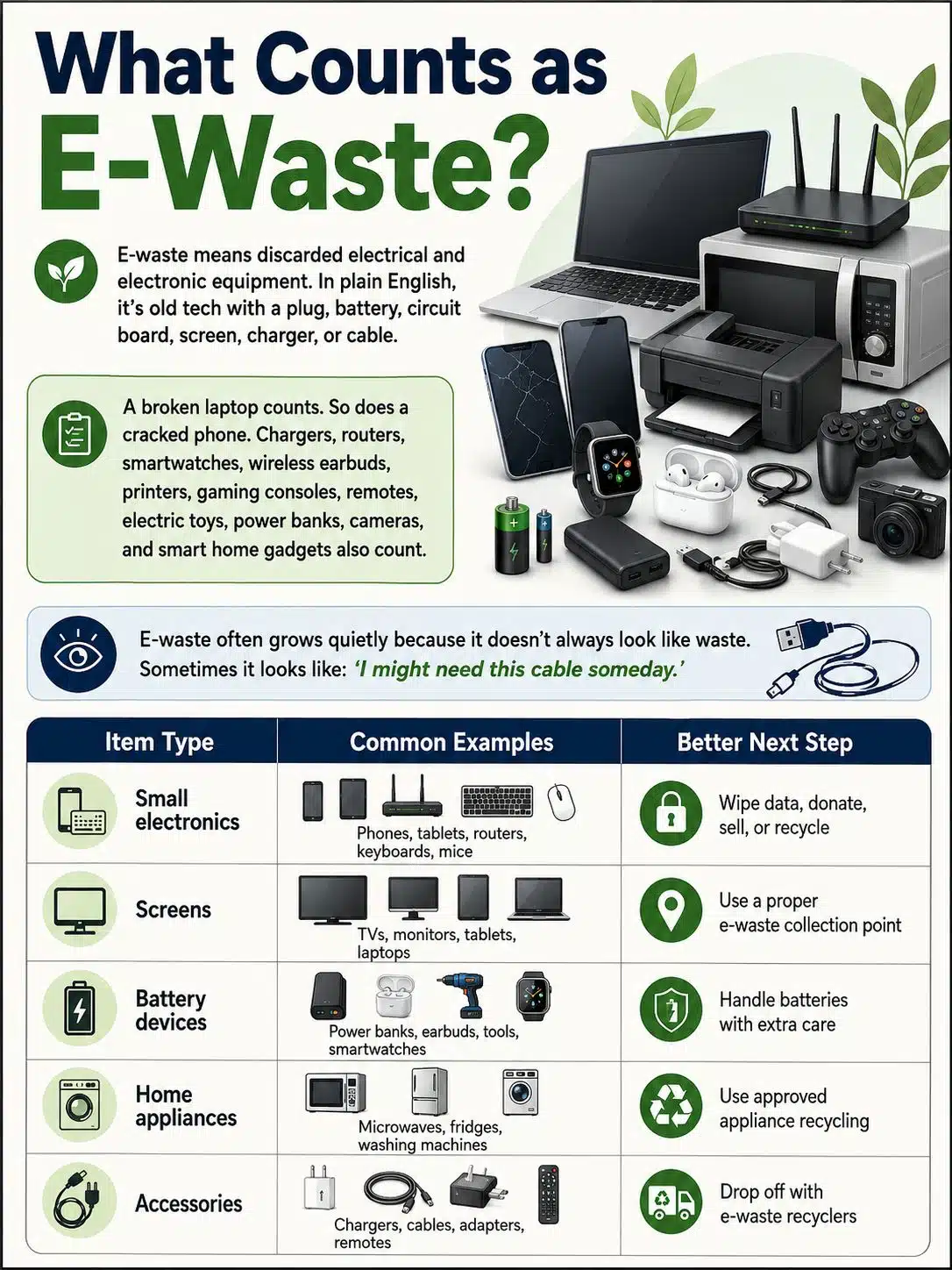
E-waste means discarded electrical and electronic equipment. In plain English, it’s old tech with a plug, battery, circuit board, screen, charger, or cable.
A broken laptop counts. So does a cracked phone. But it doesn’t stop there. Chargers, routers, smartwatches, wireless earbuds, printers, gaming consoles, remotes, electric toys, power banks, cameras, and even some smart home gadgets also count.
That’s why e-waste grows quietly. It doesn’t always look like waste. Sometimes it looks like “I might need this cable someday.”
| Item Type | Common Examples | Better Next Step |
|---|---|---|
| Small electronics | Phones, tablets, routers, keyboards, mice | Wipe data, donate, sell, or recycle |
| Screens | TVs, monitors, tablets, laptops | Use a proper e-waste collection point |
| Battery devices | Power banks, earbuds, tools, smartwatches | Handle batteries with extra care |
| Home appliances | Microwaves, fridges, washing machines | Use approved appliance recycling |
| Accessories | Chargers, cables, adapters, remotes | Drop off with e-waste recyclers |
Small Devices Cause a Big Mess
Small electronics are easy to ignore because they don’t take up much space.
One cable feels like nothing. One dead earbud case feels like nothing. One broken power adapter feels like nothing.
But millions of homes storing millions of tiny devices? That becomes a mountain.
The WEEE Forum calls many of these items “invisible e-waste” because people forget they’re recyclable. They vanish into drawers, cupboards, office boxes, and school storerooms.
Batteries Need Extra Care
Battery-powered devices are trickier.
Phones, laptops, tablets, wireless earbuds, vapes, cameras, power banks, toys, and cordless tools often use lithium-ion batteries. These batteries can catch fire if crushed, punctured, overheated, or dumped in the wrong bin.
Never throw loose lithium-ion batteries into household trash. Don’t crush them. Don’t store damaged batteries near heat. If a battery is swollen, leaking, hot, or smoking, treat it as dangerous.
Data Devices Need a Cleanup First
Some electronics store more than dust.
Phones, laptops, USB drives, tablets, smart TVs, printers, routers, and hard drives may hold passwords, photos, documents, browsing history, Wi-Fi details, and account logins.
Before you recycle, sell, or donate them, wipe your data. Sign out. Remove SIM cards. Remove memory cards. Factory reset the device. For business devices, use proper data destruction.
Why E-Waste Is Growing So Fast
E-waste is growing because we keep adding electronics to everyday life.
We work on laptops. Bank on phones. Study on tablets. Watch TV through streaming sticks. Track health through wearables. Secure homes with smart cameras. Use routers, printers, gaming consoles, speakers, toys, tools, and chargers.
Then we upgrade.
Sometimes the old device is broken. Often, it still works. It just feels slow, unsupported, outdated, or inconvenient.
| Why E-Waste Grows | What Happens |
|---|---|
| Short product cycles | People replace devices before they fully fail |
| Poor repair access | A small fault pushes buyers toward a new product |
| Software support ends | Working devices become risky to use |
| More smart gadgets | Homes collect more electronics than before |
| Weak collection systems | Old tech ends up in drawers, dumps, or informal markets |
Upgrade Culture Feeds the Problem
Tech companies are very good at making old devices feel embarrassing.
A phone gets a better camera. A laptop gets a thinner body. A smartwatch adds one more health feature. Suddenly, last year’s device feels tired.
Upgrading isn’t always wrong. Sometimes you need better performance or security. But replacing devices too quickly creates waste that somebody else has to handle.
Repairing a battery, replacing a screen, upgrading storage, or selling a working device can keep electronics useful for longer.
Software Can Kill Good Hardware
A device doesn’t need a cracked screen to become waste.
Sometimes software support ends first. A phone may still turn on, but if it no longer gets security updates, it becomes risky for banking, email, and work. The same goes for old computers and tablets.
Longer software support would cut e-waste. So would buying devices from brands that support products for more years.
Repair Is Still Too Annoying
Many devices are hard to fix.
Some are glued shut. Some use odd screws. Some make battery replacement expensive. Some don’t offer spare parts. Some repairs cost almost as much as buying new.
That pushes people toward replacement.
Right-to-repair laws, repair manuals, affordable parts, and modular design can make a real difference. A device that’s easy to repair is a device that’s less likely to become waste too soon.
Harmful Effects of E-Waste on the Environment
E-waste becomes dangerous when people dump it, burn it, crush it, or strip it without safety controls.
Inside old electronics, you may find metals, plastics, glass, batteries, flame retardants, and chemical coatings. Some materials are useful. Some are hazardous. Many need careful handling.
A good recycling facility separates these parts safely. Unsafe recycling often does the opposite. Workers may burn cables, smash screens, crack batteries, or use crude chemical methods to recover metals.
That’s where the damage starts.
| Environmental Harm | How It Happens | Why It Matters |
|---|---|---|
| Soil pollution | Dumped electronics leak hazardous substances | Contamination can last for years |
| Water pollution | Rain carries chemicals into drains and rivers | Wells, farms, and aquatic life may suffer |
| Air pollution | Burning wires and plastics releases toxic smoke | Nearby families and workers breathe it |
| Resource waste | Metals are lost in dumps | More mining becomes necessary |
| Fire risk | Batteries are crushed or overheated | Waste trucks and facilities can catch fire |
Soil and Water Take the Hit
Heavy metals don’t simply vanish.
If e-waste sits in open dumps, rain can carry pollutants into soil and water. Lead, cadmium, mercury, and other substances may spread into nearby land, drains, rivers, and wells.
That can affect farms. It can affect drinking water. It can affect entire communities near informal dumping or recycling sites.
Once soil gets contaminated, cleanup is hard and expensive.
Burning Electronics Creates Toxic Smoke
One of the worst e-waste practices is burning cables to recover copper.
It looks quick. It’s also dirty and dangerous.
Burning wires, plastic casings, and circuit boards can release toxic smoke. The people doing the burning breathe it first. Nearby families breathe it too. The smoke can travel into markets, homes, roads, and schools.
No one should have to inhale yesterday’s charger.
We Throw Away Valuable Materials
Old electronics aren’t just junk. They contain useful metals.
E-waste from 2022 held an estimated US$91 billion worth of metals, including copper, gold, iron, aluminum, and other valuable materials. Much of that value was not recovered through formal recycling.
When electronics end up in landfills or unsafe scrap streams, those materials are wasted. Then the world has to mine and process more raw materials for new products.
That makes no sense.
Human Health Risks Linked to E-Waste
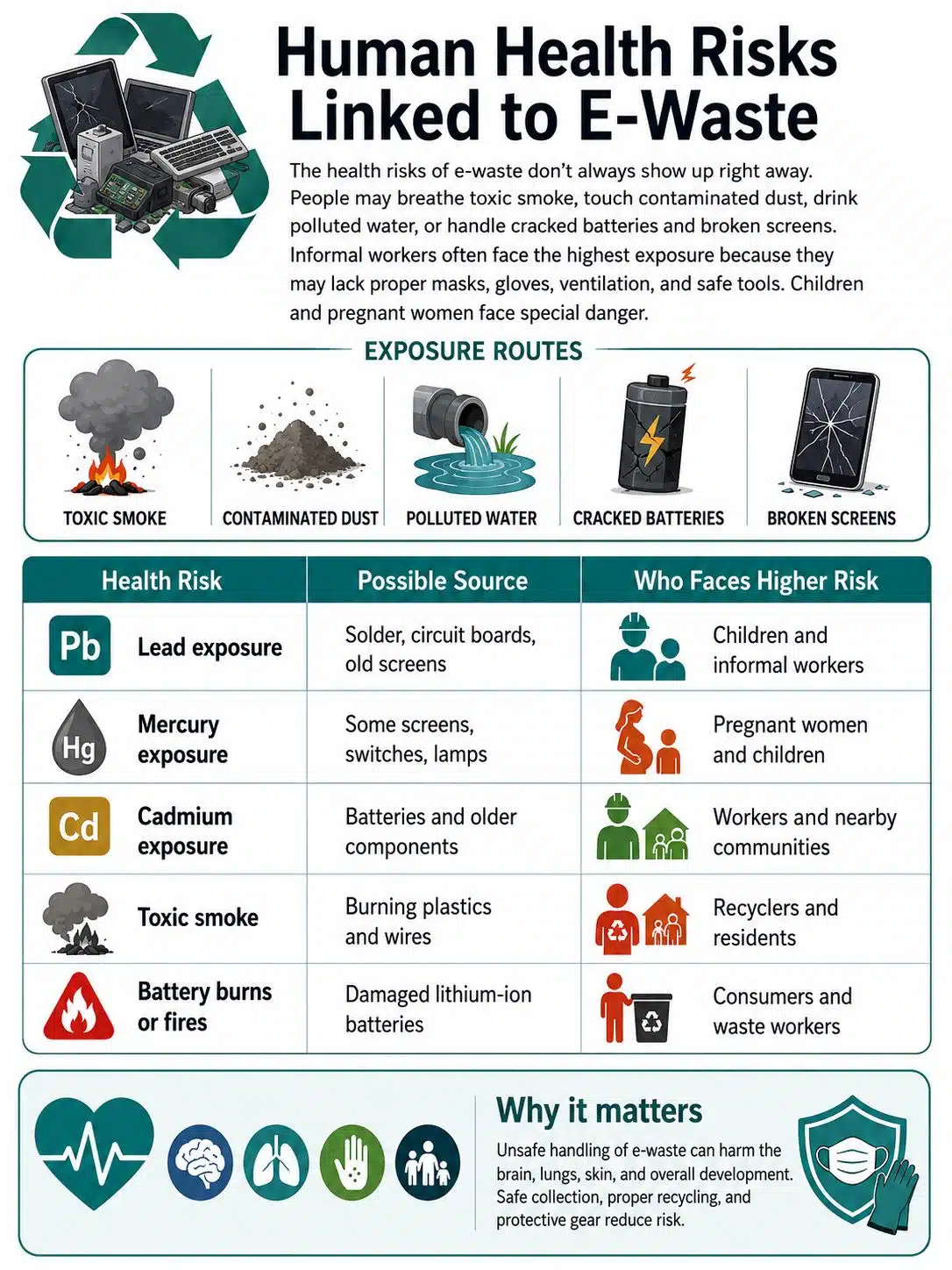
The health risks of e-waste don’t always show up right away.
People may breathe toxic smoke. They may touch contaminated dust. They may drink polluted water. They may handle cracked batteries or broken screens. Informal workers often face the highest exposure because they work without proper masks, gloves, ventilation, or safe tools.
Children face special danger. Pregnant women do too.
| Health Risk | Possible Source | Who Faces Higher Risk |
|---|---|---|
| Lead exposure | Solder, circuit boards, old screens | Children and informal workers |
| Mercury exposure | Some screens, switches, lamps | Pregnant women and children |
| Cadmium exposure | Batteries and older components | Workers and nearby communities |
| Toxic smoke | Burning plastics and wires | Recyclers and residents |
| Battery burns or fires | Damaged lithium-ion batteries | Consumers and waste workers |
Children Are More Vulnerable
Children are not just smaller adults.
They breathe more air for their body size. They touch dust. They play close to the ground. They put hands and objects in their mouths.
That makes toxic exposure more dangerous.
Lead is especially worrying because it can harm brain development and learning. This is why unsafe e-waste recycling near homes, schools, and markets is such a serious public health issue.
Informal Workers Carry the Hardest Burden
Informal recycling puts many workers in a rough position.
They may break devices by hand, burn plastic, remove wires, sort circuit boards, and handle batteries without protection. Some workers know the job is dangerous but need the income. Others don’t know what chemicals they’re touching.
A safer e-waste system should not just push these workers aside. It should help move them into better, safer, regulated work.
Battery Fires Are Becoming More Common
Lithium-ion batteries power modern life.
They’re in phones, laptops, earbuds, toys, power tools, cameras, e-bikes, and power banks. When damaged, they can burn hot and fast.
This is why battery recycling matters. A loose battery in the wrong bin can become a fire inside a truck, warehouse, recycling plant, or landfill.
E-Waste Recycling: How Safe Disposal Helps
E-waste recycling means collecting, sorting, dismantling, and processing old electronics so useful materials can be recovered and hazardous parts can be handled safely.
But recycling shouldn’t always be the first choice.
If a device still works, reuse it. Sell it. Donate it. Give it to someone who needs it. Repair it if repair makes sense.
Recycle it when it’s broken, unsafe, unsupported, or no longer useful.
| Best Choice | When It Makes Sense | Why It Helps |
|---|---|---|
| Repair | The device has one fixable problem | Extends its life |
| Reuse | It still works well | Avoids unnecessary waste |
| Donate | It is safe and useful | Helps another person or group |
| Resell | It still has value | Keeps it in circulation |
| Recycle | It is broken or outdated | Recovers materials safely |
Reuse Usually Beats Recycling
A working laptop should not be shredded just because someone upgraded.
It may help a student. It may help a small business. It may work as a backup computer. The same goes for phones, tablets, monitors, keyboards, and routers.
Recycling recovers materials. Reuse keeps the whole product working.
That’s usually better.
Certified Recyclers Are Safer
Trusted recyclers follow safer handling practices.
In the U.S., EPA recognizes certification standards such as R2 and e-Stewards. These programs focus on safer recycling, worker protection, environmental controls, and responsible downstream handling.
Not every place has easy access to certified recyclers. Still, the basic rule holds: use official, traceable, or approved collection channels whenever possible.
Export Rules Are Getting Stricter
E-waste often crosses borders.
Some shipments are legal and properly managed. Others are disguised as reusable goods and sent to countries with weaker controls.
The Basel Convention’s e-waste amendments took effect on January 1, 2025, adding stronger controls on international e-waste movement.
That matters. Rich countries should not dump dirty recycling problems on poorer communities.
How to Safely Recycle Electronics at Home
Safe e-waste recycling starts before you leave the house.
Don’t throw everything into one bag and hand it to the first scrap buyer who offers cash. Sort your items first. Check what still works. Back up your data. Remove accounts. Separate batteries when you can. Then use a trusted collection point.
It takes a little effort. Not much. But it prevents bigger problems later.
| Step | What to Do | Why It Matters |
|---|---|---|
| 1 | Sort devices by type | Batteries, screens, and computers may need different handling |
| 2 | Check if items still work | Working devices may be reused or donated |
| 3 | Back up important files | Prevents data loss |
| 4 | Sign out and reset devices | Protects your accounts and privacy |
| 5 | Remove batteries if safe | Batteries may need separate recycling |
| 6 | Use approved drop-off points | Reduces dumping and unsafe processing |
Make a Simple E-Waste Box
Keep one box at home for old electronics.
Use it for dead cables, chargers, remotes, USB drives, earbuds, old phones, adapters, and small gadgets. Keep it in a cool, dry place.
Don’t toss loose batteries into the same box without care. Tape battery terminals or place batteries in separate small bags to reduce fire risk.
When the box fills up, take it to a proper recycling point.
Wipe Your Data Before Letting Go
Before recycling a phone, back up your photos and files. Sign out of your accounts. Remove your SIM card and memory card. Turn off tracking locks. Then factory reset the device.
For laptops and desktops, use secure wiping tools. If the device held business files, financial records, client data, or sensitive personal documents, use a professional data destruction service.
Deleting files is not always enough.
Use Trusted Collection Options
Look for safe options in your area, such as:
- Local government e-waste collection events
- Retailer take-back programs
- Manufacturer recycling programs
- Certified electronics recyclers
- Household hazardous waste sites
- School or community drives with verified partners
Avoid random disposal if you don’t know where the devices go next.
What Not to Do With Old Electronics
Most e-waste mistakes happen because people choose the easiest option.
They throw a charger in the trash. They put batteries in the wrong bin. They sell old devices to unknown handlers. They donate broken electronics just to clear space.
That may feel harmless, but it can create risks for someone else.
| Mistake | Why It’s Risky | Better Choice |
|---|---|---|
| Throwing electronics in trash | Hazardous parts may reach landfills | Use e-waste drop-off |
| Putting batteries in normal recycling | Fire risk | Use battery recycling |
| Burning wires | Releases toxic smoke | Use formal recycling |
| Forgetting to wipe data | Privacy risk | Reset and sanitize storage |
| Donating unsafe devices | Passes danger to someone else | Recycle broken items safely |
Don’t Put Lithium Batteries in Household Trash
Lithium-ion batteries can catch fire when crushed or damaged.
That can happen in a garbage truck. It can happen inside a recycling plant. It can happen at a landfill.
If a battery is swollen, leaking, hot, smoking, or damaged, don’t mail it. Don’t throw it away. Don’t poke it. Keep it away from heat and contact a battery recycler or hazardous waste facility.
Don’t Break Devices Apart Yourself
You may think, “I’ll just open this and remove the useful parts.”
Bad idea.
Screens can crack. Batteries can puncture. Circuit boards can release dust. Some parts are sharp. Some hold charge. Some contain materials you don’t want on your hands or in your lungs.
Let proper recyclers do the dismantling.
Don’t Donate Unsafe Electronics
Donation is great when the device is safe and useful.
It’s not great when you’re dumping a problem on someone else.
Don’t donate devices with swollen batteries, exposed wires, cracked adapters, missing chargers, broken screens, or outdated software that can’t be secured.
If it’s unsafe, recycle it.
How Businesses and Schools Should Handle E-Waste
Homes create e-waste slowly. Businesses and schools create it in batches.
Old laptops, desktops, monitors, tablets, printers, routers, phones, projectors, servers, cables, UPS batteries, and storage drives can pile up fast.
The risk is bigger too. These devices may hold student records, client files, passwords, emails, financial documents, internal reports, or private photos.
That makes e-waste a data security issue as well as an environmental issue.
| Business Need | Smart Practice |
|---|---|
| Data protection | Use certified wiping or destruction |
| Asset tracking | Record serial numbers and device condition |
| Legal compliance | Follow local waste and privacy rules |
| Vendor control | Work with verified recyclers |
| Reporting | Keep recycling and destruction certificates |
Create a Device Retirement Policy
Every office or school needs a simple rulebook for old devices.
Who approves disposal? Who wipes the data? Which devices can be reused? Which can be donated? Which recycler should handle the rest? What records must be kept?
Without a policy, old tech sits in storage until it becomes useless.
Ask Recyclers for Proof
Businesses should not accept vague promises.
Ask for recycling certificates, data destruction records, and chain-of-custody details. If a recycler cannot explain where devices go, that is a warning sign.
Cheap disposal can become expensive later if data leaks or waste ends up in unsafe channels.
Buy With the End in Mind
The best e-waste decision happens before purchase.
Choose devices with longer software support, replaceable batteries, available spare parts, and repair-friendly designs. A device that lasts five years is usually cheaper and cleaner than one replaced every two years.
How to Reduce E-Waste Before It Starts
Recycling matters. But preventing waste is better.
Every device has an environmental cost before you unbox it. Materials are mined, refined, shipped, manufactured, packaged, sold, and transported.
The longer you use a device, the more value you get from that footprint.
| Habit | Why It Helps |
|---|---|
| Buy only what you need | Reduces clutter and future waste |
| Choose repairable devices | Keeps products useful longer |
| Protect devices from damage | Prevents avoidable replacement |
| Replace batteries when practical | Adds years of use |
| Buy refurbished from trusted sellers | Extends the life of existing products |
Skip Gadgets You Won’t Use
Some gadgets look exciting for a week.
Then they become drawer decorations.
Before buying, ask one blunt question: will I still use this next year?
If the answer is no, save your money.
Maintain What You Own
Small habits extend device life.
Use safe chargers. Keep laptops cool. Clean dust from vents. Update software. Use a surge protector. Replace damaged cables. Don’t leave batteries baking in hot rooms or cars.
Maintenance isn’t glamorous. It works anyway.
Consider Refurbished Electronics
A good refurbished phone, laptop, monitor, or tablet can be a smart buy.
Just check the warranty, return policy, battery health, software support, and seller reputation. A strong refurbished device can save money and reduce demand for new manufacturing.
Final Thoughts
E-waste is not just old tech.
It is toxic material, useful metal, fire risk, private data, and missed opportunity packed into one drawer, one office cabinet, or one storeroom.
Handled badly, e-waste can pollute soil, contaminate water, expose workers to toxic substances, harm children, and start battery fires. Handled well, it can recover valuable materials, protect communities, support reuse, and keep dangerous waste out of landfills.
The better path is simple.
Use devices longer. Repair what you can. Donate what still works. Wipe your data. Separate batteries. Avoid unknown scrap handlers. Choose trusted e-waste recycling programs.
One phone matters. One laptop matters. One box of forgotten chargers matters.
Multiply that by millions of homes and offices, and the impact becomes huge.
E-waste recycling is not just an environmental habit. It is a smarter way to live with the technology we already depend on.
FAQs about E-Waste Recycling
Can I recycle electronics if they still work?
Yes, but reuse is usually better. If the device is safe and still useful, sell it, donate it, or give it to someone who needs it. Recycle it when it is broken, unsafe, unsupported, or no longer practical.
Is a factory reset enough before recycling a phone?
For most personal phones, yes, if you back up your data, sign out of accounts, remove the SIM card, remove the memory card, turn off tracking locks, and then factory reset the device. For sensitive data, use stronger wiping methods.
What should I do with a swollen battery?
Stop using it. Keep it away from heat, children, pets, and anything flammable. Don’t puncture it. Don’t mail it. Don’t throw it in the trash. Contact a battery recycler or hazardous waste facility.
Can smart TVs store personal data?
Yes. Smart TVs may store app logins, Wi-Fi details, watch history, and account information. Sign out of apps and factory reset the TV before selling, donating, or recycling it.
Are cables and chargers worth recycling?
Yes. Cables and chargers contain metals and plastics that can be recovered. They may look small, but they add up fast.
Is deleting files from a laptop enough?
No. Deleted files can sometimes be recovered. Use secure wiping tools, full-device reset options, or a professional data destruction service for sensitive devices.
Why is informal e-waste recycling dangerous?
Informal recycling may involve burning, breaking, acid stripping, or unsafe manual dismantling. These methods can release toxic smoke, dust, and chemicals.
Can schools run e-waste collection drives?
Yes, but they should work with a verified recycler. They should also give families clear instructions about batteries, damaged devices, and data wiping.