

If you have been waiting to buy a best VR headset because you were worried about “obsolete tech” or high prices, January 2026 is the moment to jump in. The “Quest 2 era” is officially over. The days of grayscale, grainy passthrough cameras are behind us. This year, the sub-$500 market isn’t just about Virtual Reality (blocking out the world); it’s about Mixed Reality (blending digital objects with your real room).
We have tested the top contenders extensively—from sweating through Supernatural workouts to clocking hours in Microsoft Flight Simulator—to bring you this definitive guide. Whether you are a parent buying a gift, a PC gamer on a budget best VR headsets, or a first-time user, there is a headset here for you.
The Short Version
- Best Overall: Meta Quest 3S ($299) – The new standard for 90% of people.
- Best for PC Gamers: Pico 4 Ultra (~$429) – Better balance and lenses than Meta.
- Best for Console Owners: PlayStation VR2 ($349 on sale) – Now works on PC too.
Top Budget VR Headsets of 2026
| Model | Price (Approx.) | Type | Resolution (Per Eye) | Best Feature | Best For |
| Meta Quest 3S | $299 | Standalone / Hybrid | 1832 x 1920 | Snapdragon XR2 Gen 2 Chip | Most Users |
| Meta Quest 3 | $499 (Refurb/Sale) | Standalone / Hybrid | 2064 x 2208 | Pancake Lenses & Clarity | Enthusiasts |
| Pico 4 Ultra | $429 | Standalone / PCVR | 2160 x 2160 | Balanced Weight / 12GB RAM | PCVR Streaming |
| PlayStation VR2 | $349 – $450 | Console / PC (Wired) | 2000 x 2040 | OLED Screens (True Blacks) | PS5 Owners |
| DPVR E4 | $450 | PC Wired Only | 3664 x 1920 (Total) | Native DisplayPort | Sim Racers |
1. Meta Quest 3S – The Best Overall (Winner)
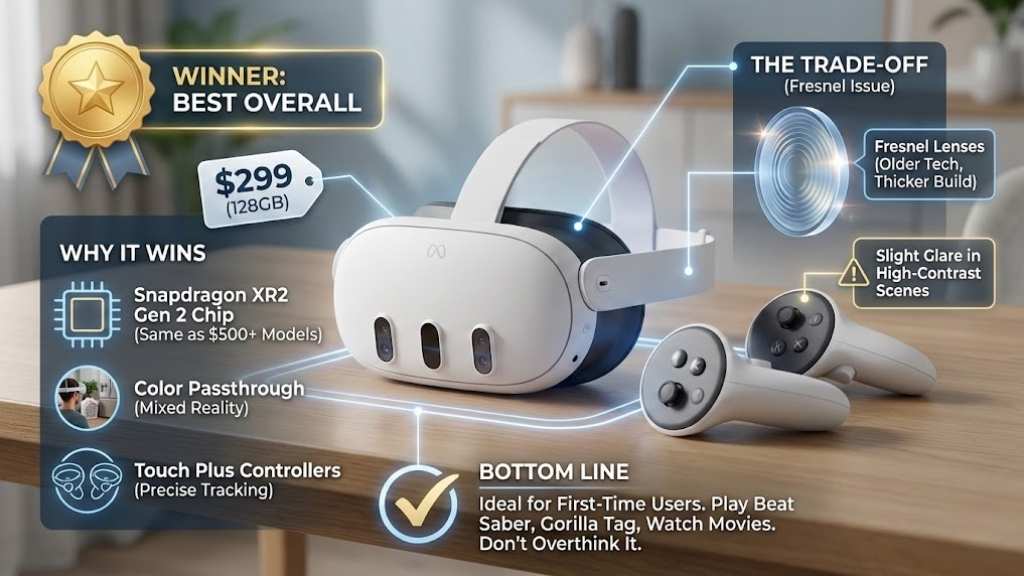
Price: ~$299 (128GB)
The Verdict: The undisputed king of budget VR in 2026.
The Meta Quest 3S effectively killed the used market for the old Quest 2. Released late in 2024, it remains the most robust entry-level headset available in 2026. It combines the powerful “guts” of the expensive Quest 3 with the cheaper lenses of the Quest 2 to hit that magical $299 price point.
Why It Wins
- The Processor: It uses the Snapdragon XR2 Gen 2 chipset. This is the same chip found in the $500+ models. This means you get the same graphics performance, the same exclusive games (like Batman: Arkham Shadow), and snappy menus, just on a slightly lower-resolution screen.
- Color Passthrough: Unlike the grainy black-and-white view of older headsets, the 3S has full-color mixed reality. You can walk to the fridge, check your phone notifications, or fold laundry without taking the headset off.
- Controllers: It uses the Touch Plus controllers (ringless design), which track incredibly well even when your hands are close together.
The Trade-off (The “Fresnel” Issue)
To save $200, Meta used Fresnel lenses. These are the older style lenses with concentric rings. If you look closely, you might see some glare (god rays) in high-contrast scenes, and the headset is physically thicker than the premium Quest 3. However, for a first-time user, this is rarely a dealbreaker.
Bottom Line: If you have $300 and want to play games like Beat Saber, Gorilla Tag, or watch movies, buy this. Do not overthink it.
2. Meta Quest 3 (128GB) – The Premium “Stretch” Pick
Price: ~$499 (Look for sales or official refurbished units)
The Verdict: Worth the extra money if you hate blurry edges.
If you can stretch your budget to the absolute limit of $500, the original Meta Quest 3 is superior to the 3S in one major way: Optics.
Why Upgrade?
- Pancake Lenses: This technology slims the headset down and provides “edge-to-edge clarity.” With the cheaper Quest 3S, you have to look directly at the center of the lens to see clearly. With the Quest 3, you can move your eyes to look at the corner of the screen, and the text is still sharp.
- Resolution: The resolution bump (2064 x 2208 per eye) is noticeable when reading text or looking at distant objects in flight simulators.
- IPD Adjustment: It features a precise wheel to adjust the lenses to your eye width, whereas the 3S only has three preset “clicks.”
Bottom Line: If you plan to use your headset for productivity (virtual monitors) or high-end PC VR simulation, the clarity of the Pancake lenses is worth the extra $200.
3. Pico 4 Ultra – The Best Meta Alternative
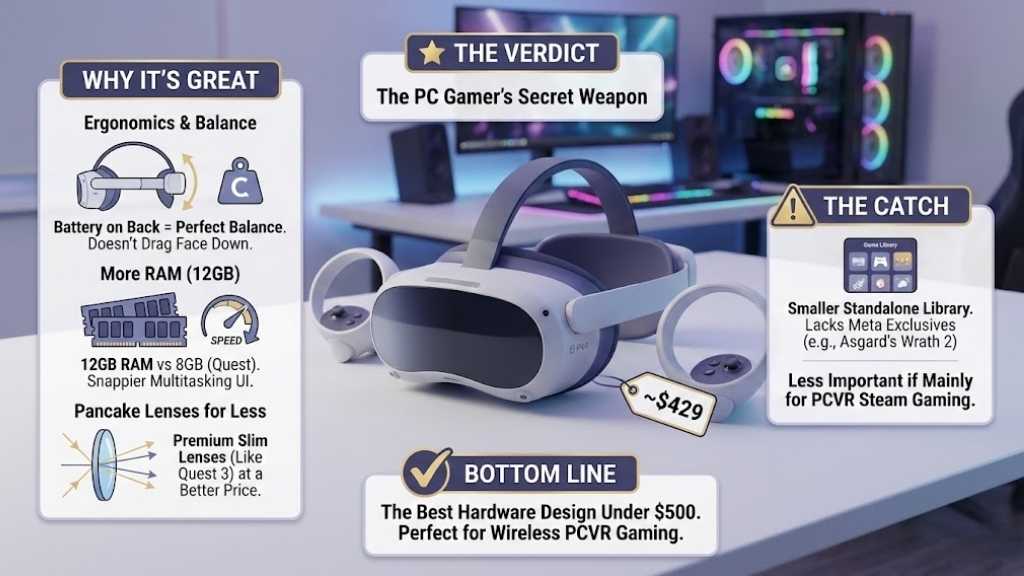
Price: ~$429
The Verdict: The PC Gamer’s secret weapon.
For users who refuse to enter the Meta ecosystem, the Pico 4 Ultra (and the standard Pico 4, if you can still find it for ~$350) is the strongest competitor. It is often preferred by PC gamers who stream games from SteamVR wirelessly.
Why It’s Great:
- Ergonomics: This is where Pico beats Meta. The battery is located on the back of the head strap. This counterweight balances the headset perfectly, so it doesn’t feel like it’s dragging your face down.
- RAM: With 12GB of RAM (vs 8GB on the Quest), the multitasking UI feels slightly snappier.
- Pancake Lenses for Less: You get the premium slim lenses found in the Quest 3, but at a price closer to the Quest 3S.
The Catch
The standalone game library is smaller than Meta’s. While it has the big hits, it lacks Meta exclusives like Asgard’s Wrath 2. However, if you are mostly connecting this to a PC to play Steam games, that doesn’t matter.
Bottom Line: The best hardware design under $500. Perfect for wireless PCVR gaming.
4. PlayStation VR2 (PSVR2) – Best for Console Gamers
Price: ~$349 – $450 (Frequent sales)
The Verdict: Incredible visuals, now unlocked for PC.
Back in 2023, the PSVR2 was locked to the PS5. But following the release of the PC Adapter in late 2024, this headset has a second life as a killer budget PCVR headset.
Why It’s Unique:
- OLED Panels: This is the only headset on this list with OLED screens. In a horror game like Phasmophobia or space games like Elite Dangerous, space looks black, not grey. The colors pop in a way LCD screens cannot match.
- Comfort: The halo-style strap rests the weight on your forehead, not your cheeks.
- Plug-and-Play (on PS5): It remains the easiest high-end VR experience. One cable, no drivers, instant gaming.
The PC Warning
To use this on PC, you need the official adapter (~$60) and a DisplayPort cable. Also, cool features like “Eye Tracking” and “Headset Rumble” generally don’t work on PC games—they are PS5 exclusive features.
Bottom Line: If you already own a PS5, this is a no-brainer. If you are a PC gamer who loves horror games, the OLED blacks are a game-changer.
5. DPVR E4 – The Dedicated PCVR Budget Pick
Price: ~$450
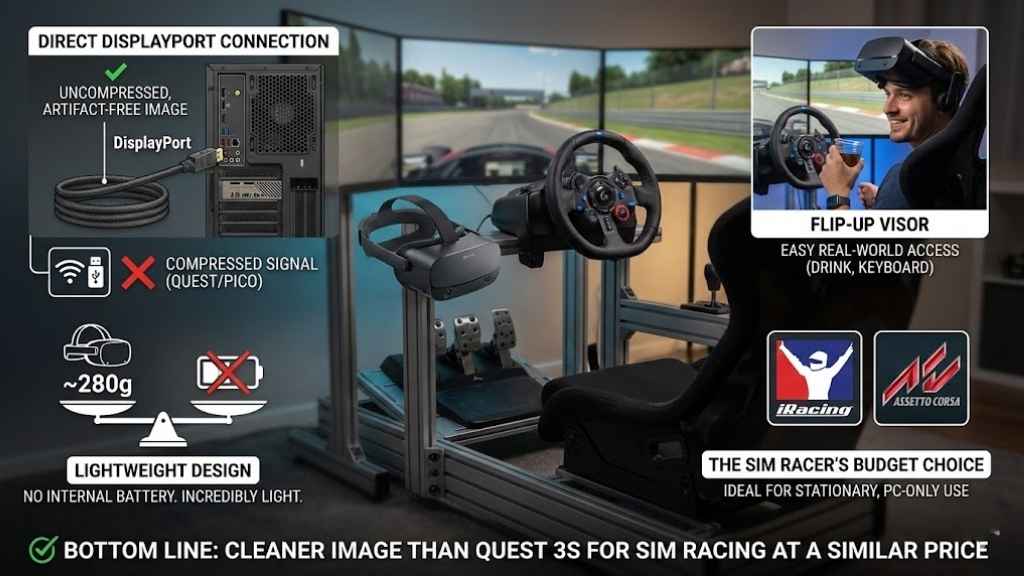
The Verdict: The Sim Racer’s budget choice.
The DPVR E4 is a niche product, but it excels at that niche. It is a wired-only headset designed specifically for PCVR.
Why It Exists
- Direct DisplayPort Connection: Unlike the Quest or Pico, which compress the video signal to send over USB or Wi-Fi (causing slight artifacts), the DPVR E4 plugs directly into your graphics card. This results in an uncompressed, artifact-free image.
- Lightweight: Because it has no battery inside, it is incredibly light (~280g).
- Flip-Up Visor: You can flip the headset up to sip your drink or check your keyboard without taking it off—a huge plus for sim racers.
Bottom Line: If you only play iRacing or Assetto Corsa and never leave your chair, this offers a cleaner image than a Quest 3S for a similar price.
Buying Guide: How to Choose a VR Headset in 2026
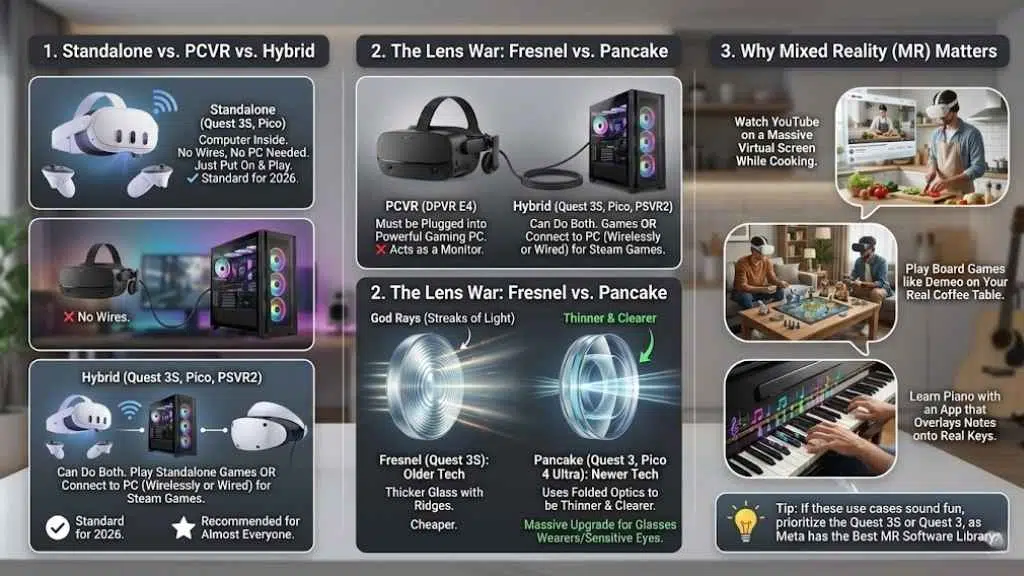
If you are still confused, here is the breakdown of the technical terms that actually matter.
1. Standalone vs. PCVR vs. Hybrid
- Standalone (Quest 3S, Pico): Has a computer inside. No wires, no PC needed. You just put it on and play. Standard for 2026.
- PCVR (DPVR E4): Must be plugged into a powerful gaming PC. It acts as a monitor for your computer.
- Hybrid (Quest 3S, Pico, PSVR2): Can do both. You can play standalone games or connect to a PC (wirelessly or wired) to play Steam games. We recommend Hybrid headsets for almost everyone.
2. The Lens War: Fresnel vs. Pancake
- Fresnel (Quest 3S): Older tech. Thicker glass with ridges. Can cause “god rays” (streaks of light). Cheaper.
- Pancake (Quest 3, Pico 4 Ultra): Newer tech. Uses folded optics to be thinner and clearer. If you wear glasses or have sensitive eyes, Pancake lenses are a massive upgrade.
3. Why Mixed Reality (MR) Matters
In 2026, MR isn’t just a gimmick. It allows you to:
- Watch YouTube on a massive virtual screen while you cook dinner.
- Play board games like Demeo on your real coffee table.
- Learn piano with an app that overlays notes onto your real keys.
Tip: If these use cases sound fun, prioritize the Quest 3S or Quest 3, as Meta has the best MR software library.
Final thoughts
As we settle into 2026, the barrier to entry for high-quality virtual reality has never been lower. You no longer need to spend a fortune to experience immersive gaming or mixed reality. While the market is crowded, the Best VR Headsets under $500 all share one common trait: they deliver premium features like color passthrough and high refresh rates without the premium price tag.
For the vast majority of users, the Meta Quest 3S is the undeniable champion, offering an unbeatable mix of performance and value that defines this generation. However, if you are a dedicated PC gamer or PlayStation owner, alternatives like the Pico 4 Ultra or PSVR2 offer specialized advantages that might suit your specific setup better. Ultimately, the right choice depends on where you play—standalone, console, or PC. Whichever you choose, there has never been a better time to dive in.

























